1
Service Manual
2
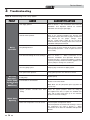
Maintenance
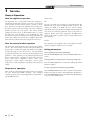
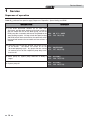
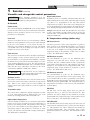
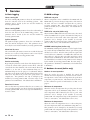
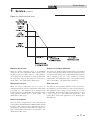
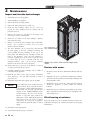
Maintenance and annual startup
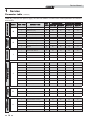
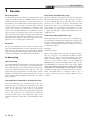
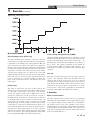
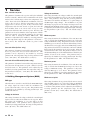
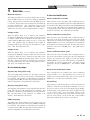
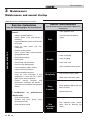
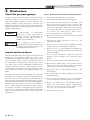
Table 2A_Service and Maintenance Schedules
Owner maintenance
Service technician
(see the following pages for instructions)
(see the Power-fin User’s Information Manual for
instructions)
General:
• Check appliance area
• Address reported problems
• Inspect interior; clean and vacuum if
necessary;
• Check pressure/temperature
gauge
Daily
• Inspect condensate system and flush with
fresh water
• Check for leaks (water, gas, flue,
condensate)
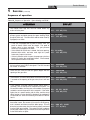
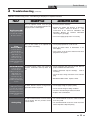
ANNUAL START-UP
• Examine venting system
• Check system water pressure/system
piping/expansion tank
• Check vent piping
• Check control settings
Monthly
• Check igniter
• Check wiring and connections
• Check air piping
• Check relief valve
• Check flue gas passageways
• Check condensate drain system
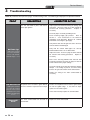
• Flame inspection (stable, uniform)
• Inspect and clean the burner
• Check manifold gas pressure
• Clean the heat exchanger if flue
temperature is more than 54°F (30°C)
above return water temperature.
• Perform
start-up
checkout
and
performance verification per Section 7
in the Power-fin Installation and Operation
Manual.
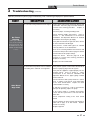
Periodically
• Test low water cutoff (if used)
• Reset button (low water cutoff)
Every
6 months
• Check appliance piping (gas and
water) for leaks
• Operate relief valve
If combustion
indicate need:
or
performance
• Clean heat exchanger
• Remove and clean
compressed air only
• Clean the blower wheel
22
burner
using
End
of season
months
• Shut appliance down (unless
boiler used for domestic hot
water)