1
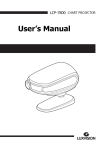
-------------------------------------------------------------------- HCP-7000 Opreator’s Manual Operator’s Manual Chart Projector 1 2 HCP-7000 Operator’s Manual ----------------------------------------------------------------------- IMPORTANT NOTICE This product may malfunction due to electromagnetic waves caused by portable personal telephones, transceivers, radio-controlled toys, etc. Be sure to avoid having objects such as, which affect this product, brought near the product. The information in this publication has been carefully checked and is believed to be entirely accurate at the time of publication. HUVITZ assumes no responsibility, however, for possible errors or omissions, or for any consequences resulting from the use of the information contained herein. HUVITZ reserves the right to make changes in its products or product specifications at any time and without prior notice, and is not required to update this documentation to reflect such changes. © 2009 - 2010 HUVITZ Co., Ltd. 689-3, Geumjeong-dong, Gunpo-si, Gyeonggi-do, 435-862, Republic of Korea All rights are reserved. Under copyright laws, this manual may not be copied, in whole or in part, without the prior written consent of HUVITZ Co., Ltd. -------------------------------------------------------------------- HCP-7000 Opreator’s Manual 3 CONTENTS 1. 2. Introduction ............................................................................................................. 5 1.1. Outline of product .............................................................................................. 5 1.2. Classifications ................................................................................................... 5 Safety Information ................................................................................................... 6 2.1. Introduction........................................................................................................ 6 2.2. Safety Symbols.................................................................................................. 7 2.3. Environmental factors ........................................................................................ 8 2.4. Safety Precautions ............................................................................................ 9 3. Features….. ............................................................................................................ 11 4. Notes for Using the Instrument ............................................................................ 12 5. Configurations ....................................................................................................... 13 6. 7. 5.1. Main Body ....................................................................................................... 13 5.2. Main Body cont. ............................................................................................... 14 5.3. Accessories ..................................................................................................... 15 Installation.. ........................................................................................................... 16 6.1. Position of Chart Projector ............................................................................... 16 6.2. How to obtain correct Letter Size and focus (Zooming Type only) .................... 17 Input and Use of Program ..................................................................................... 18 7.1. How to input user's program ............................................................................ 18 7.2. How to use your stored programs. ................................................................... 19 4 HCP-7000 Operator’s Manual ----------------------------------------------------------------------8. Types of Chart (Type C is Standard) ..................................................................20 9. Maintenance and Repair ........................................................................................21 9.1. Fuse Replacement...........................................................................................21 10. Specifications ...................................................................................................... 222 11. Components List ...................................................................................................23 11.1. Standard accessories.......................................................................................23 11.2. Optional accessories .......................................................................................23 12. Service Information ...............................................................................................24 -------------------------------------------------------------------- HCP-7000 Opreator’s Manual 5 1. Introduction 1.1. Outline of product HUVITZ HCP-7000 is an automatic chart projector which provides 41 different charts including red/green and polarized filters for the eye optometry. Users can select the desired charts instantaneously by cordless remote controller. Charts move quickly and quietly. The customized two programs will help you to perform more convenient and effective examination. You can also execute the binocular balance tests, stereo tests, fixation disparity tests, fusion tests and aniseikonia tests with HCP-7000. This automatic chart project is compatible with HUVITZ digital refractor, HDR-7000. 1.2. Classifications HCP-7000 is classified into Class I system 6 HCP-7000 Operator’s Manual ----------------------------------------------------------------------- 2. Safety Information 2.1. Introduction Safety is everyone’s responsibility. The safe use of this equipment is largely dependent upon the installer, user, operator, and maintainer. It is imperative that personnel study and become familiar with this entire manual before attempting to install, use, clean, service or adjust this equipment and any associated accessories. It is paramount that the instructions contained in this manual are fully understood and followed to enhance safety to the patient and the user/operator. It is for this reason that the following safety notices have been placed appropriately within the text of this manual to highlight safety related information or information requiring special emphasis. All users, operators, and maintainers must be familiar with and pay particular attention to all Warnings and Cautions incorporated herein. ! WARNING “Warning ” indicates the presence of a hazard that could result in severe personal injury, death or substantial property damage if ignored. NOTE “Note” describes information for the installation, operation, or maintenance of which is important but hazard related if ignored. ! CAUTION “Caution” indicates the presence of a hazard that could result in minor injury, or property damaged if ignored. -------------------------------------------------------------------- 2.2. HCP-7000 Opreator’s Manual 7 Safety Symbols The International Electrotechnical Commission (IEC) has established a set of symbols for medical electronic equipment, which classify a connection or warn of any potential hazards. The classifications and symbols are shown below. Save these instructions I and O on the power switch represent ON and OFF respectively. Signal Input/Output Connection. This symbol identifies a safety note. Ensure you understand the function of this control before using it. Control function is described in the appropriate User’s or Service Manual. Manufactured by xxxx (year). Hot surface. Identifies the point where the system safety ground is fastened to the chassis. Protective earth connected to conductive parts of Class I equipment for safety purposes. 8 HCP-7000 Operator’s Manual ----------------------------------------------------------------------2.3. Environmental factors Avoid the following environments for operation or storage: Where the equipment is exposed to water vapor. Don’t operate an equipment with a wet hand. Where the equipment is exposed to direct sunlight . Where the temperature changes extremely. Normal operating temperature range is from 10℃ to 40℃, Humidity is from 30% to 75%. Where it is near the heat equipment. Where the humidity is extremely high or there is a ventilation problem. Where the equipment is subject to excessive shocks or vibrations. Where equipment is exposed to chemical material or explosive gas. Be careful not to be inserted dust, especially, metal -------------------------------------------------------------------- HCP-7000 Opreator’s Manual 9 Avoid places where the ambient temperature falls below 10℃ or exceeds 40℃ for normal operation, or below -10℃ or exceeds 40℃ (14℉-104℉) for transportation and storage. Humidity should be maintained between 30 and 75% for normal operation, transportation and storage. Avoid environments where the equipment is exposed to excessive shocks or vibrations. 2.4. Safety Precautions This equipment has been developed and tested according to national as well as international safety standards. This guarantees a very high degree of safety for this device. The correct handling of this equipment is imperative for its safe operation. Therefore, please read carefully all instructions before switching on this device. For more detailed information, please contact our Customer Service Department or one of our authorized representatives. 1. This equipment must not be used (a) in an area that is in danger of explosions and (b) in the presence of flammable, explosive, or volatile solvents such as alcohol, benzene or similar chemicals. 2. Do not put or use this device in humid rooms. Humidity should be maintained between 30 and 75% for normal operation. Do not expose the device to water splashes, dripping water, or sprayed water. Do not place containers containing fluids, liquids, or gases on top of any electrical equipment or devices. 3. The equipment must be operated only by, or under direct supervision of a properly trained and qualified person. 4. Customer maintenance of this equipment may only be performed as stated in the User’s Manual. Any additional maintenance may only be performed by HUVITZ service technicians or other authorized persons. 10 HCP-7000 Operator’s Manual ----------------------------------------------------------------------5. The manufacturer is only responsible for effects on safety, reliability, and performance of this equipment when the following requirements are fulfilled: (1) The electrical installation in the respective room corresponds to the specifications stated in this manual and (2) This equipment is used, operated, and maintained according to this manual. 6. The manufacturer is not liable for damage caused by unauthorized tampering with the device(s). Such tampering will forfeit any rights to claim under warranty. 7. Only persons who have undergone proper training and instructions are authorized to install, use, operate, and maintain this equipment. 8. Keep the User’s Manual in a place easily accessible at all times for persons operating and maintaining the equipment. 9. Please do not pull on any cable. Always hold on to the plug when disconnecting cables. 10. Before every operation, visually check the equipment for exterior mechanical damage(s) and for proper function. 11. Do not cover any ventilation grids or slits. -------------------------------------------------------------------- HCP-7000 Opreator’s Manual 11 3. Features Bright (LED), high quality images Quiet, instantaneous chart selection 41 different charts including: red/green and polarizing filters, binocular balance tests, stereo tests, fixation disparity tests, fusion tests and Aniseikonia tests. 34 Masks (vertical line, horizontal line, and single character) 2.5 ~ 8 m (8 ~ 26 feet) projection range Cordless Remote Control User Programmable (2 programs up to 30 charts each) Easily networked with HUVITZ’s Digital Refractor 12 HCP-7000 Operator’s Manual ----------------------------------------------------------------------- 4. Notes for Using the Instrument Do not hit or drop the instrument. The instrument may be damaged if it receives a strong impact. The impact can damage the function of this instrument. Handle it with care. Exposure to direct sunlight or very bright indoor lights can influence the results of measurements. If you want to connect this with other equipment, consult the dealer. Sudden heating of the room in cold areas will cause condensation of vapor on the protective glass in the measurement window and on optical parts inside the instrument. In this case, wait until the condensation disappears before performing measurements. Keep the objective glass of the examinee side clean. If it is stained with other substances or a fingerprint, it may cause an error or inaccurate measurements. Disconnect the power supply and consult the dealer when there is smoke, strange odors, or noise while working. Don’t use organic solution such as alcohol, thinner, benzene, etc. to clean the surface of this instrument. It may damage the instrument. When moving the HCP-7000, always make sure the power supply is off, and then lift the bottom of the unit with both hands. If you leave the HCP-7000 without using it for long periods, disconnect the power supply and protect the unit with dust cover. -------------------------------------------------------------------- 5. HCP-7000 Opreator’s Manual 13 Configurations 5.1. Main Body The HCP-7000 Chart Projector is mainly composed of the body, stand, screen and remote control. 1 2 3 4 [Fig. 1 Front View with Remote Control] 1. Projection lens 3. Stand (table mount) 2. IR receiving window 4. Wireless remote control 14 HCP-7000 Operator’s Manual ----------------------------------------------------------------------5.2. Main Body cont. 2 1 [Fig. 2 Bottom View] 5 6 4 3 7 [Fig. 3 Rear View] 1. Power On/Off Switch 2. Power ON/OFF LED 4. CAN (Controller Area Network) 6. AC Power Inlet 7. Fuse Holder 3. Tilting Adjustment 5. RS-232 Comm.Port -------------------------------------------------------------------- 5.3. HCP-7000 Opreator’s Manual 15 Accessories 2 1 4 3 5 6 [Fig.4 Accessories] 1. Screen 4. Power cable 2. Allen wrench (4mm) 5. Dust Cover 3. Allen wrench (2.5mm) 6. Batteries (2 size AA) 16 HCP-7000 Operator’s Manual ----------------------------------------------------------------------- 6. Installation 6.1. Position of Chart Projector The single tube projector must be installed at the same distance from the screen as the patient. [Fig. 6 Installation without mirrors] 1. Install chart projector at desired position within 2.5~8m (8~26 feet). 2. Set the projection angle of chart processor based on Screen. 3. Project 0.05(20/400, 6/120) “C” chart onto the screen. 4. Adjust it for a bright clear image using the focusing wheel. -------------------------------------------------------------------- 6.2. HCP-7000 Opreator’s Manual 17 How to obtain correct Letter Size and focus (Zooming Type only) 1. Install chart projector at desired position of 2.5~8m (8~26 feet) 2. Measure the distance from patient to screen 3. Refer to the test scale shown in the Appendix A 4. Have someone hold the test scale at the screen 5. Project the 20/400(6/120, 0.05) alphabet “C” 6. Adjust the position of the projector forward or backward and turn the focusing wheel until “C” is brought in sharp focus within the respective distance scale 18 HCP-7000 Operator’s Manual ----------------------------------------------------------------------- 7. Input and Use of Program 7.1. How to input user's program Step 1. Press the “LIGHT” button once. Results: The light goes out. Step 2. Press the “PGM 1” button three times. Results: The light will come on and the chart projector will display the first chart of the default program. Step 3. Select the first chart for your new program. Press the “Program ►” button once. Step 4. Select the second chart for your new program. Press the “Program ►” button once. Step 5. Repeat steps 3 & 4 as desired for a total of thirty charts per program. Note: If you want to check or modify the previously programmed chart, press the “Program ◄” button. Step 6. Press the “PGM 1” button one time to save your new program. Caution : If you do not press the PGM1 button, your program will not be saved. Program No. 2 Repeat Steps 1 through 6 substituting “PGM 2” for “PGM 1”. -------------------------------------------------------------------- 7.2. HCP-7000 Opreator’s Manual How to use your stored programs. Step 1. Step 2. Press “ PGM 1 ” or “PGM 2” to select the program of your choice. Use the “Program ►” or “Program ◄” to scroll through your stored program. 19 20 HCP-7000 Operator’s Manual ----------------------------------------------------------------------- 8. Types of Chart (Type C is Standard) [Fig. 7 Types of Chart] -------------------------------------------------------------------- 9. HCP-7000 Opreator’s Manual 21 Maintenance and Repair 9.1. Fuse Replacement 1. Turn off power, and disconnect the power cord. 2. Pull out the plastic cover at the lower part of power socket, to replace the fuse. ! WARNING Do not touch the projector with wet hands. (Risk of electric shock) [Fig. 9 Fuse assembly] 22 HCP-7000 Operator’s Manual ----------------------------------------------------------------------- 10. Specifications Charts 41charts -34 mask, Red/green& Polarization Filters Distance of projection 2.5~8m(Optional: 8m screen) Chart Rotation Speed Average 0.15 sec Chart magnification 30X (When 5m distance) Power saving Automatic Lamp Off (10 min) Program 2 programs with a maximum of 30 charts each Tilt angle 15 degrees Power Supply 100-120V@50Hz : 0.6A 200-240V@60 Hz : 0.3A Lamp LED 4W Fuse 250V, T1.0AL Dimension 270X182X230mm Weight 3.44kg (Body: 3.06kg + Stand: 0.38kg) -------------------------------------------------------------------- 11. Components List 11.1. Standard accessories 1. Remote control 2. Screen (400X500mm) 3. Table stand 4. Dust cover 5. Power cable 6. Allen wrenches (2.5mm and 5mm) 11.2. Optional accessories 1. Red/green glasses 2. Polarization glasses HCP-7000 Opreator’s Manual 23 24 HCP-7000 Operator’s Manual ----------------------------------------------------------------------- 12. Service Information How to contact service: If there are any problems with the equipment, please follow the steps below: First of all, refer to the 9. Maintenance and Repair sections according to the problem that you are encountered. And then follow the suggested sequences. If the problem persists, please contact the local distributor in your province or country at first. Before calling to the local distributor, you’d better check these information such as Model and Serial Numbers. To do so, fill up the following table as soon as you purchase our product. You can look up these information at any time. The serial number is found on the back of this unit. The serial number is unique to this unit. You should retain this manual as a permanent record of your purchase. Please retain your purchase receipt as your proof of purchase. Date of Purchase: Dealer’s Name: Dealer Address: Dealer Phone No.: Model No.: Serial No.: -------------------------------------------------------------------- HCP-7000 Opreator’s Manual 25 If you can’t contact with your local distributor, you can directly get in touch with the service department of the HUVITZ using the phone number and the address written in the below table. How to Contact HUVITZ Co., Ltd Write us at: Tel: +82-31-442-8868 HUVITZ Co., Ltd. Fax: +82-31-442-8619 Huvitz B/D, 689-3 Geumjeong-dong URL:http://www.huvitz.com Gunpo-si Gyeonggi-do, South Korea e-mail: [email protected] 435-862 26 HCP-7000 Operator’s Manual ---------------------------------------------------------------------- Appendix A Test Scale Hold this test scale at the Screen, and according to the refracting distance from the patient’s eye to the screen such as 3m, 4m, 5m or 6m position the projector backward and forward to fit the projector Alphabet 400 chart “C” with this Scale frame in sharp focus 3m -------------------------------------------------------------------- HCP-7000 Opreator’s Manual 27 4m 28 HCP-7000 Operator’s Manual ----------------------------------------------------------------------- 5m -------------------------------------------------------------------- HCP-7000 Opreator’s Manual 29 6m