1
EPSON Stylus Photo R800
Revision A
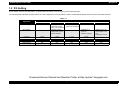
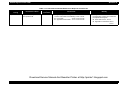
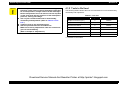
Table 3-15. Print Quality Fault Check Points
Print Quality State
White streak/color
unevenness
occurrence
Phenomenon Detail
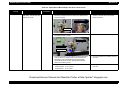
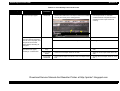
Vertical stripes appear
relative to the CR moving
direction and printing is
uneven.
Faulty Part/
Part Name
Check Point
Adjustment
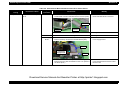
1. For printing in the Bi-D mode, check that the Bi-D
Adjustment has been performed properly.
Print Head
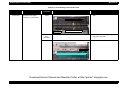
1. Check that each segment is printed correctly in the Nozzle 1. Perform Head Cleaning and check the
Check Pattern.
Nozzle Check Pattern.
(Refer to Chapter 5 "ADJUSTMENT".)
If the problem is not solved, change the
Print Head for a new one.
CR moving
direction
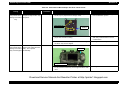
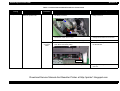
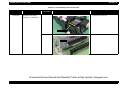
Carriage Shaft 1. Check the surfaces of the Carriage Shaft for foreign
matter.
* If the problem is not solved,
change the CR Motor for a
new one.
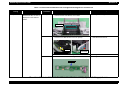
Narrow stripes of the same
width appear horizontally
relative to the CR moving
direction.
Remedy
Printer Driver
and Exclusive
Paper
1. Perform Bi-D Adjustment to eliminate
displacements between the upper and
lower rules.
(Refer to Chapter 5 "ADJUSTMENT".)
1. Remove foreign matter from the Carriage
Shaft.
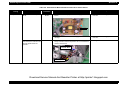
2. Check that the Carriage Shaft is fully lubricated with
grease.
2. Wipe the grease applied to the Carriage
Shaft with a dry, soft cloth, and then
apply grease (G-70).
(Refer to Chapter 6 "MAINTENANCE".)
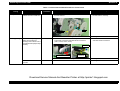
3. Check that the Carriage Shaft are mounted horizontally.
3. Reassemble the Carriage Shaft correctly.
4. Check the Carriage Shaft for damage.
4. Change the Carriage Shaft for a new one.
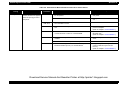
1. Check that adequate paper is used according to the setting 1. Use adequate paper according to the
of the Printer Driver.
setting of the Printer Driver.
Print Head
1. Check that each segment is printed correctly in the Nozzle 1. Perform Head Cleaning and check the
Check Pattern.
Nozzle Check Pattern.
(Refer to Chapter 5 "ADJUSTMENT".)
If the problem is not solved, change the
Print Head for a new one.
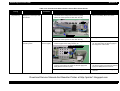
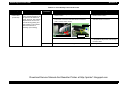
PF Roller
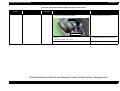
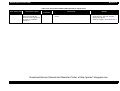
1. Check the surface of the PF Roller for foreign matter.
1. Clean the PF Roller surface carefully.
2. Check the PF Roller for damage.
2. Change the PF Roller for a new one.
CR moving
direction
* If the problem is not solved,
change the PF Motor for a
new one.
Download Service Manual And Resetter Printer at http://printer1.blogspot.com
TROUBLESHOOTING
Overview
65