1
4
Loading Material
4.4
Selecting and Positioning Label Sensors
4.4.1
Gap Sensors
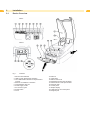
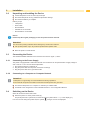
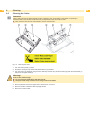
Fig. 7
Selecting the gap sensor
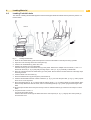
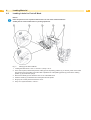
The printer has two gap sensors (1, 2) to detect the start of a label and the end of the material, which can be used
alternatively. The detectors (1a, 2a) are located in the transport module, the emitters (1b, 2b) in the print module.
The gap sensor (2) is used as default. This is suitable for use with single and multi-lane labels with an odd number of
lanes.
When using multi-lane labels with an even number of lanes, e.g. two or four lanes, one has to switch manually to the
gap sensor (1).
1. Open the cover and hinge down the control panel. Press the release button and hinge the print module up.
2. Set the switch (3) as required:
for gap sensor (1) - move switch (3) to left-hand position,
for gap sensor (2) - move switch (3) to right-hand position (default).
3. Slot in the print module by pressing the marked surfaces on both sides, hinge up the control panel and close the
cover.
This switch cannot be made by software.
4.4.2
Reflex Sensor
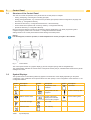
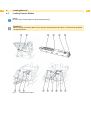
The reflex sensor (1) can detect marks on the back of the label stock. Move the sensor transversely to the transport
direction with the slide (2) to adapt to the position of the reflective marks:
1. Determine the distance of the reflective marks from the center of the material.
2. Move the slide (2) to the desired position with a pointed tool.
The distance of the sensor from the center is shown on the scale (3).
Fig. 8
Positioning the Reflex Sensor
15