1
Product Support Guide
G178 / D016
Introduction
RFG # 035709
Model Type
Launch Date
S/N Configuration
Product Code
Color Printer
10/2008
S32YMM00001
G178
Color MFP
2/2009
M87YMM00001
D016
Brand/Model Name
Product Code
G178
D016
Lanier
Pro C900
Pro C900s
Ricoh
Pro C900
Pro C900s
Savin
Pro C900
Pro C900s
Product Concept
G178
D016
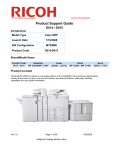
The G178 is a new high volume 90ppm Color Fiery
driven Printer with the finishing capabilities of the
B/W 90/110/135 ppm MFP (D101/D102/D103)
series. The G178 cannot be upgraded to the
D016.
The D016 is the MFP version of the G178 color
printer. The base unit consists of a mainframe print
engine and a LCIT / ARDF assembly. With the
addition of an ARDF, color copying and scanning
are now available.
At launch, a Cover Interposer, Z Folder, Saddle
Stitcher Booklet Maker, and a 5000 sheet finisher
will be available. Later the following finishing
options will be introduced: Perfect Binder, Ring
Binder, Stacker Unit, GBC punch unit, Buffer Pass
Unit and Plockmatic Booklet Maker.
The G178/D016 will incorporate the use of Trained
Customer Replaceable Units (TCRUs) to minimize
system downtime. Paper and toner can also be
replaced without interrupting machine operation.
Ver.1.10
Key Installation Points For the
Pro C900/Pro C900s:
•
•
•
•
•
•
•
•
A forklift is required to remove the main frame
from the shipping pallet.
If unit is removed from the pallet for shipping refer to TSB G178-039.
Fuser Oil (minimum 3 bottles) and Toner are
needed (1 of each color) to set up the machine.
Fuser Oil is needed to prime the Fuser Unit.
Developer is pre-installed from the factory.
The Mainframe weighs 700kg (1500lbs) – a
suitable surface is needed to support the unit
and accessories.
The Pro C900 requires NEMA 6-30 receptacle.
(208v-240v, 30A)
2 Network connections are required – 1 for
Fiery printing / Fiery Scanning and1 for
@Remote / GW Scanning.
Page 1 of 97
Subject to change without notice
8/31/2009
Product Support Guide
G178 / D016
Order Number
Main Frame
Item
Model Name
EDP Code
Lanier ID
Lanier
Ricoh
Savin
Lanier
Ricoh
Savin
404166
404159
-
-
G178
D016
Notes
-
-
Note: Order Numbers are provided for reference purposes only. Please use your Pricing Guide for proper
order numbers to insure you receive the correct branding emblem.
Options
Description
EDP Code
Product
Code
Common /
Unique
Remarks
Finisher
Finisher
SR5000
412981
B830
C (B234)
3000 sheet finisher
LCIT
LCIT
RT5000
412968
B832
C (B234)
LT LCT
Only Available for G178
LCIT
LCIT
RT5020
404110
B355
U
Up to 13”x19” paper / 2000sheets x 2
G178 – 2 Units can be installed
D016 – 1 Unit can be Installed
Buffer Pass Unit
(used with SK5000)
404283
M379
U
Required when installing the High
Capacity Stacker
High Capacity
Stacker
High Capacity
Stacker SK5000
404163
D364
U
5000 sheets
Roll-Away
Cart
Roll-Away Cart
Type 5000
(additional cart)
404165
-
U
Additional cart for Stacker
Cooling Fan
Unit
Cooling Fan Unit
Type 5000
404170
B831
U
Cools output in SR5000 shift tray
A3/11"x17"
Tray Unit
A3/11"x17" Tray Unit
TK5000
412967
B331
C (B234)
Converts Tandem tray to 11/17”
Bridge Unit
Bridge Unit BU5000
404111
D379
U
Connect 2 RT5020
Tab Sheet
Holder
Tab Sheet Holder
Type3260
412203
B499
C (B234)
-
Multi Bypass
Tray
Multi Bypass Tray
BY5000
412974
B833
C (B234)
Installs on top of optional LCT
(RT5000/RT5020)
Item
Buffer Pass
Unit
Ver.1.10
Page 2 of 97
Subject to change without notice
nd
8/31/2009
Product Support Guide
G178 / D016
Description
EDP Code
Product
Code
Common /
Unique
Remarks
Z-folding Unit
ZF4000
412805
B660
C (B234)
-
Punch Unit
PU5000 NA
412983
B831
C (B234)
Punch unit for SR5000
Booklet Finisher
BK5000
412978
B836
C (B234)
Saddle Stitcher
Cover Interposer
Tray CI5010
404087
B835
C (B234)
-
Data OverWrite S
Security Unit H
414002
D377
C (D023)
-
Perfect Binder
GB5000
404099
C (B234)
Produces glue bound output
(All 3 items are ordered seperatly, but
all are required for BG5000
installation)
Transit Pass Unit
Type GB5000
404101
C (B234)
Required for GB5000
Cover Interposer
Tray Type GB5000 (
404102
C (B234)
Required for GB5000
Ring Binder
Ring Binder
RB5000
404112
D392
C (B234)
Produces Ring bound output
Require Fiery System Software 3.0 or
higher.
Ring Opener
Ring Opener
Type A
404114
D419
C (B234)
Option to open finished Ring bound
booklet to add pages
Booklet Finisher
BK5010
412101
C (B234)
Require Fiery System Software 3.0 or
higher.
Cover Feeder
Cover Feeder
CF5010
413102
C (B234)
Require Fiery System Software 3.0 or
higher.
Trimmer Unit
Trimmer Unit
TR5010
413103
C (B234)
Require Fiery System Software 3.0 or
higher.
Book Fold Unit
BF5010
413104
C (B234)
Require Fiery System Software 3.0 or
higher.
Rail Unit
413105
C (B234)
GBC Stream
Punch III
GBC Stream
Punch III
414387
C (B234)
EFI Compose
EFI Compose
404168
M359
-
EFI Graphic Arts
Package Premium
Edition Upgrade
Version
404227
M359
-
Item
Z-folding Unit
Punch Unit
Booklet
Finisher
Cover
Interposer
Tray
Data
OverWrite
Security
Perfect Binder
Transit Pass
Unit Type
Cover
Interposer
Tray
Production
Booklet
Finisher
Book Fold
Unit
Rail Unit
EFI Graphic
Arts Package
Ver.1.10
D391
Page 3 of 97
Subject to change without notice
Require Fiery System Software 3.0 or
higher.
8/31/2009
Product Support Guide
G178 / D016
Description
EDP Code
Product
Code
Common /
Unique
EFI Color
Profiler Suite
Upgrade
EFI Color Profiler
Suite Upgrade From
v1.5X to v2.2X
003117MIU
D450
-
Color Profiler
Suite
Color Profiler Suite
V2.2 (UV Version)
003115MIU
G878
-
Color Profiler
SW only
Color Profiler SW
V2.2
003925MIU
-
-
TCRU Kit
TCRU Kit
404234
-
-
ES-1000
ES-1000
Spectrophotometer
003116MIU
-
-
Item
Ver.1.10
Page 4 of 97
Subject to change without notice
Remarks
8/31/2009
Product Support Guide
G178 / D016
Note:
The Perfect Binder, Stacker and Ring Binder will not be available at launch.
Cooling Fan Unit attaches to the exit of the SR5000 and assists in preventing toner adhering to the next printed sheet
using coated paper.
Supplies/Yields
Item
Name
Order Code
Target Yield
Black Toner
Yellow Toner
Magenta Toner
Cyan Toner
Glue
Rings (W100)
Rings (B100)
Rings (W50)
Rings (B50)
Staple Type L
Staple Refill Type L
Staple Type M
Staple Refill Type M
Developer (Black)
Developer (Cyan)
Developer (Magenta)
Developer (Yellow)
Fuser Oil***
GBC Die Set
GBC Die Set
GBC Die Set
GBC Die Set
GBC Die Set
GBC Die Set
GBC Die Set
Staples Type SR90
Ricoh
Pro Print Cartridge Black C900A
Pro Print Cartridge Yellow C900A
Pro Print Cartridge Magenta C900A
Pro Print Cartridge Cyan C900A
Glue Supply Type A for GB5000
Ring Supply Type A White 100
Ring Supply Type A Black 100
Ring Supply Type A White 50
Ring Supply Type A Black 50
Staple Type L for BK5000 (Saddle Stitch)
Staple Refill Type L for BK5000 (Saddle Stitch)
Staple Type M for SR5000
Staple Refill Type M for SR5000
Black Developer - ** Service Part/TCRU **
Cyan Developer - ** Service Part/TCRU **
Magenta Developer - ** Service Part/TCRU **
Yellow Developer - ** Service Part/TCRU **
Silicone Oil Type SS - ** Service Part**
3 Hole (Ring Binder)
11 Hole (Velobind)
19 Hole (Cerlox)
21 Hole (Twin Loop 2:1)
32 Hole (Twin Loop Wire 3:1)
44 Hole (Color Coil)
32 Hole Pro Click Die Set
Staple Cartridge (requires 2 cartridges)
828000
828001
828002
828003
TBA
404117
404118
404119
404120
411240
411241
413013
413026
G1789640**
G1789660**
G1789670**
G1789680**
A2579550**
001450MIU
001451MIU
001452MIU
001453MIU
001454MIU
001455MIU
002493MIU
411476
72,000*
72,000*
72,000*
72,000*
TBA
375
375
375
375
2,000
8,000
5,000
25,000
800,000
800,000
800,000
800,000
100,000
5,000
NOTE:
*A4, 5% chart is used to measure the above yield.
NOTE:
** Part Number/TCRU
NOTE:
*** Oil capacity = 4 bottles
Ver.1.10
Page 5 of 97
Subject to change without notice
8/31/2009
Product Support Guide
G178 / D016
Option Compatibility
*Options number 4, 18,19, 20 and 24 are currently not available.
X
X
X
#
B
C
A
9. Tab Sheet Holder
10. Multi Bypass Tray
BY5000
11. Z-folding Unit
ZF4000
12. Finisher SR5000
13. Punch Unit
PU5000 NA
14. Booklet Finisher
BK5000
15. Cover Interposer
Tray CI5010
16. Data OverWrite
Security Unit H
17. Optional Counter
Interface Unit
18. Perfect Binder
GB5000*
19. Transit Pass Unit
Type GB5000*
20. Cover Interposer
Tray Type GB5000*
21. Ring Binder
RB5000* (J)
22. Ring Opener
Type A*
23. Java VM Card
Type F
24. Buffer Pass Unit
D
X
D
X
E
X
X
X
X
X
F
F
X
F
F
X
X
X
G
#
25. BK5010 (J)
#
26. CF5010 (J)
#
27. TR5010 (J)
#
28. BF5010 (J)
#
29. BK5010 Rail Unit
30. GBC (J)
#
#
X: Cannot be installed together
(#): Must be installed together
Ver.1.10
Page 6 of 97
Subject to change without notice
8/31/2009
30
X
29
X
28
A
27
X
nd
2. LCIT RT5020 (2
Unit)
3. LCIT RT5000 (note
I)
4. High Capacity
Stacker SK5000
(note H)*
5. Roll-Away Cart
Type 5000*
6. Cooling Fan Unit
Type 5000
7. A3/11"x17" Tray
Unit
8. Bridge Unit
BU5000
26
25
24
23
22
21
20
19
18
17
X
16
14
X
15
13
12
11
10
9
8
7
6
5
4
3
2
1
1. LCIT RT5020
Product Support Guide
G178 / D016
nd
(A) 2 LCIT requires Bridge Unit BU5000. Only RT5020 can be installed as a tandem unit. Max system config. 2 RT5020s; (B) Additional cart to be
used with SK5000; (C) Option for SR5000; (D) Bypass can be install on RT5000 or RT5020. Only 1 BY5000 can be installed. If tandem RT5020s are
st
used – BY5000 is installed on 1 unit; (E) Option for SR5000; (F) Perfect Binder requires Transit Pass Unit Type GB5000 and Cover Interposer Tray
Type GB5000; (G) Option for Ring Binder – tool to open and close finished ring bound output; (H) Two Stacker Units can be installed, (I) LCIT 5000
cannot be installed on the D014, (10) Only one LCIT 5020 can be added, (J) Fiery System Software 3.0 or higher is required.
Ver.1.10
Page 7 of 97
Subject to change without notice
8/31/2009
Product Support Guide
G178 / D016
Branding Information
TBA
Configuration
Main Frame Configuration
Ver.1.10
Page 8 of 97
Subject to change without notice
8/31/2009
Product Support Guide
G178 / D016
Common Configurations: Input
G178
Main
Frame
O
O
O
O
O
O
RT5000
RT5020
Bypass
Unit
O
O
BU5000
Bridge Unit
RT5020
O
O
O
O
O
O
O
O
O
O
O
D016
Main
Frame
O
O
O
LCIT/Scanner Unit
RT5020
Bypass Unit
O
O
O
O
Common Configurations: Output
Ring
SR5000
Stacker Stacker
Binder
Finisher
O
O
O
O
O
O
O
O
O
O
O
O
O
O
O
O
O
Saddle
Stitch
Z Folder Interposer
O
O
**
**
**
**
**
**
**
**
**
**
**
**
**
**
**
**
**
**
**
**
**
**
Perfect
Binder
O
O
O
Buffer
Pass Unit
O
O
O
O
O
O
O
O
Main
Frame
O
O
O
O
O
O
O
O
O
O
O
Notes:
** Z Folder and/or Cover Interposer can be installed on all configurations.
Note: Finishing Options – No more than one of the following options can be installed at the same time.
• Perfect Binder
• Saddle Stitch
• Ring Binder
• Stacker Unit (2 Units can be installed)
Ver.1.10
Page 9 of 97
Subject to change without notice
8/31/2009
Product Support Guide
G178 / D016
MFP Options
MFP Option Board Slot / SD Card Assignments
Slot 1 (lower slot) – Option slot
Slot 2 (upper slot) – Service slot
Feature Comparison To Previous version
The D016 is the MFP version of the G178 printer. The following features are now available.
• Copying: ARDF cpm:
o ADF 1 to 1: 60 (FC) cpm / 80(BW) cpm
o Memory: 90(FC) / 90(BW) cpm
• Scanning:
o GW Scanning:
Scan Speed: 75(FC) / 75(BW) spm [Letter, 200dpi]
Scan to e-mail
Scan to Folder
Twain Scanning
o Fiery Scanning:
Scan Speed: 50 (FC/BW) spm [Letter, 200dpi]
Scan to e-mail
Scan to FTP/SMB
o Document Server
• Document Server
Ver.1.10
Page 10 of 97
Subject to change without notice
8/31/2009
Product Support Guide
G178 / D016
Installation
Installation Requirements (Environment)
Temperature Range:
10° C to 32° C (50° F to 89.6° F)
Humidity Range:
15% to 80% RH
Ambient Illumination:
Less than 1,500 lux (do not expose to direct sunlight)
Ventilation:
3 times/hr/person
3
3
Ambient Dust:
Less than 0.075 mg/m (2.0 x 10⁻⁶oz/yd )
Avoid areas exposed to sudden temperature changes:
• Areas directly exposed to cool air from an air conditioner.
• Areas directly exposed to heat from a heater.
Do not place machine where it will be exposed to corrosive gas or vapor.
Do not install the machine at any location over 2,000m (6,500 ft.) above sea level.
Place the machine on a strong and level base.
Do not place the machine where it may be subject to strong vibrations.
Machine level
Front to back: within 2.5mm (0.1”) of level
Right to left: within 2.5mm (0.1”) of level
Notes:
• If the machine is installed in a location where the ambient temperature is more than 30°C (86°F): (1) Do not run full color
printing longer than 2 hours, and (2) never turn the main power switch off immediately after a long print job. Leave the
machine on so that the fans can expel the hot air from the machine and cool the electronic components.
• If this machine is to be used in a high temperature and high humidity condition, the tray heater is required to get the proper
print quality. Connect the tray heater harness during the mainframe installation.
• Do not connect the machine to the same power source as other electrical devices.
• The machine can make an electromagnetic field, and this can cause interference with radio or television reception.
Network connections (X2):
1. Fiery Controller:
a. Printing is only available via the Fiery controller.
b. WIM access to Fiery Controller Settings.
2. GW network connection.
a. Permits @Remote connection.
b. Web Image Monitor connection to mainframe GW settings (i.e User Tool settings.
Ver.1.10
Page 11 of 97
8/31/2009
Subject to change without notice
Product Support Guide
G178 / D016
Floor Space
G178
Notes
Minimum 800mm
(31.5”) – Preferred
914mm (36”) or
more
Weight Distribution
(When leveling feet are
lowered)
Rear
Distance
Location
A
D
B
C
Weight
A
202kg (445lb)
B
202kg (445lb)
C
123kg (271lb)
D
123kg (271lb)
*The floor and floor surface
should support the listed
weights.
*Use of the leveling bolts is
recommended for all
installations, even when the
machine is level. This
prevents the unit from being
moved after installation.
Ver.1.10
Page 12 of 97
8/31/2009
Subject to change without notice
Product Support Guide
G178 / D016
D016
4545
1
1000
Notes
Minimum 800mm
(31.5”) – Preferred
914mm (36”) or
more
Weight Distribution
(When leveling feet are
lowered)
Rear
Distance
B
Location
A
D
2000
2500
3000
3500
4000
4500
5000
59.1
78.7
98.4
118.1
137.8
157.5
177.2
196.8
39.4
1500
1000
19.7
Ver.1.10
0
500
inch
0
A
202kg (445lb)
B
202kg (445lb)
C
123kg (271lb)
D
123kg (271lb)
*The floor and floor surface
should support the listed
weights.
*Use of the leveling bolts is
recommended for all
installations, even when the
machine is level. This
prevents the unit from being
moved after installation.
C
mm
Weight
Page 13 of 97
8/31/2009
Subject to change without notice
Product Support Guide
G178 / D016
Foot Print
Note: Options number 11, 12, and 15 are currently not available.
Note 2: D016 includes Main Frame print engine and RT5020/ARDF assembly.
Section A
Perfect Binder
360mm
(14.2”)
360mm
(14.2”)
795mm
(31.3”)
2,050mm
(80.7”)
800mm
(31.5”)
3,140mm
(123.6”)
2,650mm
(104.3”)
2,920mm
(115.0”)
2,965mm
(116.7”)
3,880mm
(152.8”)
3,080mm
(121.3”)
800mm
(31.5”)
800mm
(31.5”)
800mm
(31.5”)
800mm
915mm
(31.5”)
(36.0”)
800mm 915mm 915mm
(31.5”) (36.0”) (36.0”)
915mm 915mm
(36.0”) (36.0”)
1,090mm
(42.9”)
600mm
(23.6”)
870mm
(34.3”)
16
19
20
1,250mm
(49.2”)
540mm
(21.3”)
1,250mm
(49.2”)
1,250mm
(49.2”)
1,250mm
(49.2”)
1,250mm
(49.2”)
1,250mm
(49.2”)
1,250mm
(49.2”)
540mm
(21.3”)
965mm
(38.0”)
965mm 965mm
(38.0”) (38.0”)
The Depth and Height are fixed to the mainframe dimensions.
The total length of the installation can be calculated by using the above chart.
Instruction on how to determine total length:
1. Section A / B: Determine which options are to be installed. Add the values indicated under the option and enter this value ________ (Length A)
2. Section C: Determine which options are to be installed. Enter the value from column 9 here……………………………..
________ (Length B)
3. Section D: Determine which options are to be installed. Enter the value from column 21 here…………………………….. ________ (Length C)
4. If Buffer Pass Unit is installed - add 330mm (11.8”) to the length………………………………………………………………….. _________(Buffer)
5. Total length………………………………………………………………………………………………………………………………...__________(Total)
Dimensions (W x D x H): ________mm x 1,100 mm x 1,440 mm ( ____” x 43.3” x 56.7”) {W = length]
Ver.1.10
Page 14 of 97
8/31/2009
Subject to change without notice
21
Length C
Saddle Stitch
1,025mm
(40.4”)”
18
RT5020
15
RT5020
14
RT5000
13
Main Frame
12
SR5000
Finisher
11
Length B
10
Ring Binder
9
Stacker
8
Section D
Stacker
7
Plockmatic
BK5010
∗
∗
6
Plockmatic
TR5010
Cover
Interposer
308mm 177mm 540mm
(12.1”) (7.0”)
(21.3”)
5
Plockmatic
BF5010
4
Section C
Plockmatic
Stacker
3
Z Folder
Length A
2
GBC
1
Section B
965mm
(38.0”)
1,930mm
(76.0”)
Product Support Guide
G178 / D016
Power Requirements
Main Unit
•
•
•
•
The required wall outlet is a NEMA 6-30R (receptacle)
208v to 240v, 50/60 Hz: More than 24A. Single Phase.
Power cord length: 15ft.
Do not place anything on power cord.
Required Breaker
The operating area where the machine is to be installed must have a required breaker for the power line.
North America: Listed circuit breaker, rating: 240V 30A, double pole
Accessories
Unit
Z Folder
Ring Binder
Stacker
Perfect Binder
Buffer Pass Unit
Power Specifications
120v, 50/60Hz; 15A
100v-240v, 50/60Hz; 15A
120v, 50/60Hz; 15A
170v – 264v, 50/60Hz; 15A
120v, 50/60Hz; 15A
NA Requirements
120v / 15A
120v / 15A
120v / 15A
208v-240v / 15A
120v / 15A
Power Supply Plug
Type
NEMA 5-15
NEMA 5-15
NEMA 5-15
NEMA 6-15
NEMA 5-15
Length of Power Cord
(Feet)
7’
8’
6’
15’
6”
Requirements to Deliver and move Main Unit
A forklift is required to lift the G179 Print off of its shipping pallet (a pallet jack cannot be used). If the customer cannot provide a
forklift, the G178 needs to be removed from the pallet and soft shipped to the customer. Care should be taken strapping down the
machine for transit as the Front Door hinges can be bent or broken causing intermitted open door indications and/or jamming.
The G178 Printer weights 700kg (1543lb). The on site delivery path should be planned in advance to avoid transportation issues.
Inclined surfaces: The G178 Printer should be moved up and down inclines with the exit section always at the higher elevation.
Do not push/pull on the Operation Display Panel Support Arm or the Toner Hopper Assembly when moving the G178 Printer.
The 179 Printer requires 1800mm (71”) of space to be turned around.
Doorways / passageways need to be a least 1100mm (43.3”) wide. Opt. # 1: If not, the rear unit of the G178 can be removed by a
technician – reducing the depth of the unit to 750mm (29.5”). The procedure is in FSM – Estimate time to remove 20 min. Opt. # 2:
The Fiery Controller can be removed, reducing the depth of the unit to 986mm (38.8”). Estimate time to remove 5 minutes.
Ver.1.10
Page 15 of 97
8/31/2009
Subject to change without notice
Product Support Guide
G178 / D016
Power Source Location (Power Receptacle Placement)
Stacker 2
Stacker 1
Ring Binder
1320mm
(52”) either
direction
1320mm (52”)
either direction
2007mm (79“)
either direction
1244mm
(49”) either
direction
1244mm (49”)
either direction
1956mm (77“)
either direction
Z Folder
1674mm
(65.9”)
either
direction
1623mm
(63.9”)
either
direction
Perfect Binder
Buffer Pass Unit
Main Unit
4191mm (165”)
either direction
1890mm (74”)
either direction
4191mm (165”) either
direction
4064mm (160”)
either direction
1860mm (73”)
either direction
4064mm (160”) either
direction
Minimum
800mm
(31.5”)
Stacker 2
Ver.1.10
Stacker 1
Ring Binder
Z Folder
Perfect
Binder
Page 16 of 97
8/31/2009
Subject to change without notice
Buffer
Pass Unit
Main Unit
Preferred
914mm
(36”) or
more
Product Support Guide
G178 / D016
On Site Support Recommendations
Description
Additional Fuser Oil
Additional Toner (CYMK)
Waste Toner Bottle (Toner should be disposed
of as required by local or State law)
Fuser Unit *
All 400k PM kits
• PCU Kit (x4)
Installed by:
Customer
Customer
Order Number / Part Number
A2579550 (Service Part)
Reference the Supplies Table (page 4)
Customer
G1786973 (Service Part)
Service
Used to rebuilt TCRU Units
Used to rebuilt TCRU Units
G1784137 (Service Part)
PMG178PCUK
•
ITB Kit
Used to rebuilt TCRU Units
PMG178ITBK
•
PTR Kit
Used to rebuilt TCRU Units
PMG178PTRK
•
Fuser Kit
Used to rebuilt TCRU Units
PMG178400K
Used to rebuilt TCRU Units
PMG178800K
800k PM kit
*Unit ships with Developer already installed
* The Fuser Unit should stay on the shipping pallet until it arrives at the end user location. If the Fuser Unit is removed from it’s pallet and shipped
via a commercial carrier, Fuser component damage may result.
Ver.1.10
Page 17 of 97
8/31/2009
Subject to change without notice
Product Support Guide
G178 / D016
Sales Unit / Service Unit Responsibilities (before delivery)
1. Inform the customer of required power requirements (including accessories that a require independent power
source).
2. Inform the customer of power source placement, including placement of power sources for accessories.
3. Remove the main unit from pallet if customer cannot provide a forklift. The Pro C900 / Pro C900s requires a forklift
to remove the unit from the shipping pallet.
4. Inform the customer of weight and size of main unit and accessories.
5. If the customer does not have doorways wider than 1100mm (43.3”), a technician is required to remove the rear
unit of the main frame, reducing the unit depth to 750mm (29.5”). This will allow the unit to fit through most
doorways.
Customer Responsibilities
1. Provide and stabile, level surface that can support the main unit and accessories.
2. Insure adequate space is available to allow main unit and accessories to be delivered and moved to installation
area
3. Provide proper power sources for main unit and accessories.
4. Insure proper position of power source as to allow all units to plug directly into power source.
5. Insure the installation area meets environmental specifications.
6. Provide a network connections:
a. Minimum of 1 network connection is need for the Fiery connection.
b. A second network connection is needed if @Remote is utilized.
7. If TCRU (Trained Customer Replaceable Units) are utilized:
a. The customer shall provide space to store TCRUs
i. This storage space should meet the environmental specifications outlined in the Installation
Requirements of the main unit.
ii. The operator and/or the technician should have access to TCRUs during main unit operation hours.
iii. If spare parts are to be kept on site to rebuild TCRUs, the parts should be store relative to the
TCRUs.
iv. If TCRUs are to be rebuilt at the customer location, the customer should provide a location with a flat
surface away from the main unit to allow the technician to perform the rebuild of the TCRUs so as to
not interfere with the operation of the main unit.
Ver.1.10
Page 18 of 97
8/31/2009
Subject to change without notice
Product Support Guide
G178 / D016
Forklift
When removing the Pro C900 / Pro C900s from the shipping pallet, refer to the fork positioning labels below.
Ver.1.10
Page 19 of 97
8/31/2009
Subject to change without notice
Product Support Guide
G178 / D016
Servicing the Pro C900/ Pro C900s
Before you go to the installation:
•
•
•
•
•
•
•
Familiarize yourself with the @Remote section of this document. Especially the RC Gate Setup section (pg 73-77)
We are looking to achieve a 100% connection ratio to @Remote for the Pro C900 / Pro C900s. During the sales process, @Remote was
explained to the customer and was most likely accepted.
o Know the go to person at your office for @Remote.
o Find out if the unit will be connected to the @Remote system.
o Customer should be registered under RBS xxx PM Call under the Operation Calendar within the registration screen.
Have the @Remote Request Number with you when you go to the installation.
Know what type of service the account will have.
o Shared Service – Customer utilizes the TCRU (Trained Customer Replaceable Unit) program and replaces items as necessary.
Technician services areas not covered by the TCRU program and/or supplements the TCRU program.
o Full Service – Technician provides all service, including replacing the TCRUs.
Machine arrives with 1 bottle of oil and developer installed. Toner needs to be ordered to complete the installation. Confirm toner will be
on-site. Note: The initial oil supplied with the machine may only last 50K. Make sure additional Fusing Oil will be supplied to the
customer. Additional oil (200ml) is needed to prime the Fuser Unit. It is not recommend to run the machine without priming the Fuser
Unit. Damage may occur to the Oil Application Unit or Fuser Belt – resulting in oil streaking.
We recommend the use of the TCRU program on all installations. In addition -see our “On Site Support Recommendation” on page 14 of
this document.
Review the Customer CBT CD
When you arrive at the account:
•
•
•
•
Confirm the installation location, power and environment meet the specifications outlined in the document.
Perform the installation procedure out-lined in the Field Service Manual.
Confirm the following settings:
o SP5-045 [Accounting Counter] is set to “1” [Prints]
o SP5-104 [A3/DLT Double Count] (Special Service Mode) is set to “0” [Normal Count] unless the Service Contract specifies
differently.
o SP5-985 - 001 [Device Setting – On Board NIC] is set to 1 [Enable] – for @Remote connection.
o Fiery Tab -> Setup -> General -> Jobs -> Job Preview & Printed Jobs. “Enable Mismatch Action” - Disable this setting. This
allows the user to select a different paper tray and print on mismatch.
If @Remote is utilized – make the proper SP changes out-lined on page 77 of this document, based on the Service Type (Shared or Full)
Ver.1.10
Page 20 of 97
8/31/2009
Subject to change without notice
Product Support Guide
G178 / D016
•
•
•
•
Check if the TCRU items have been delivered.
Check if PM parts are on hand for the 400k and 800k PM cycles.
Check if a spare Fuser Unit is on site.
Customer instruction:
o Explain how to replace the CRUs (Customer Replaceable Units) – Waste Toner Bottle and Fuser Oil.
o If Shared Service – explain how to replace the TCRUs and how to use the TCRU SD.
Explain the TCRU Manuals (the Replacement can be used as a outline to train the end user on the TRCU replacement
procedures).
Explain the TCRU Replacement Form. Page 70 of this document can be prints to provide additional replacement forms.
o Review Paper Tray setting for the customer – pointing out the setting for paper types to accommodate various media that may be
run on the Pro C900 / Pro C900s.
Ver.1.10
Page 21 of 97
8/31/2009
Subject to change without notice
Product Support Guide
G178 / D016
Media Type
Coated
Non - Coated
Paper
Thickness
Weight
Setting
Thin
60 - 75 gsm
Fusing Temp
Nip Pressure
Fuser Speed
165 C
165 C
170 C
170 C
175 C
16.25mm 16.25mm 16.25mm 16.25mm 16.25mm
0%
-3%
0%
-3%
-3%
160 C
16.25mm
-2%
Normal
76 - 100 gsm
Fusing Temp
Nip Pressure
Fuser Speed
175 C
180 C
175 C
185 C
180 C
16.25mm 16.25mm 17.75mm 17.75mm 17.75mm
0%
0%
0%
-1%
-3%
Medium
101 - 126 gsm
Fusing Temp
Nip Pressure
Fuser Speed
Thick 1
127 - 156 gsm
Thick 2
Thick 3
Special 4
Special 5
Special 6
180 C
16.25mm
-3%
160 C
16.25mm
0%
165 C
16.25mm
0%
170 C
16.25mm
0%
175 C
16.25mm
0%
190 C
17.75mm
0%
180 C
16.25mm
-3%
170 C
16.25mm
-2%
170 C
16.25mm
-3%
180 C
185 C
190 C
185 C
190 C
17.75mm 17.75mm 17.75mm 17.75mm 19.25mm
0%
0%
-3%
-3%
0%
175 C
17.75mm
0%
190 C
19.25mm
-2%
180 C
17.75mm
-2%
185 C
17.75mm
-1%
185 C
17.75mm
0%
Fusing Temp
Nip Pressure
Fuser Speed
180 C
185 C
190 C
195 C
200 C
17.75mm 17.75mm 17.75mm 19.25mm 19.25mm
-1%
0%
-1%
-2%
0%
185 C
17.75mm
-2%
200 C
19.25mm
-2%
175 C
16.25mm
-3%
175 C
17.75mm
-2%
180 C
17.75mm
0%
157 - 220 gsm
Fusing Temp
Nip Pressure
Fuser Speed
190 C
195 C
195 C
200 C
190 C
19.25mm 19.25mm 19.25mm 19.25mm 19.25mm
-1%
-1%
-3%
0%
0%
190 C
17.75mm
0%
200 C
19.25mm
-3%
185 C
19.25mm
-2%
190 C
19.25mm
-2%
190 C
19.25mm
-3%
221 -300 gsm
Fusing Temp
Nip Pressure
Fuser Speed
195 C
195 C
200 C
195 C
200 C
19.25mm 19.25mm 19.25mm 19.25mm 19.25mm
0%
-2%
0%
-3%
-2%
195 C
19.25mm
-2%
200 C
19.25mm
-3%
195 C
19.25mm
-3%
200 C
19.25mm
-2%
200 C
19.25mm
-3%
Fuser Temperature
Ver.1.10
Coat 1
Coat2
Coat 3
Special 1 Special 2
No Display Special 3
Low
>
>>
>>>
>>>>
>>>>
>>>>>>
>>>>>>>
High
160 C
165 C
170 C
175 C
180 C
185 C
190 C
195 C
200 C
Page 22 of 97
8/31/2009
Subject to change without notice
Product Support Guide
G178 / D016
B355 – RT5020 - Wide LCT Feed Assist Settings
Media Type
Coated
Non - Coated
Paper
Thickness
Weight
Setting
Thin
60 - 75 gsm
Pick Up Assist
Air Feed Assist
Auto/ON Auto/ON Auto/ON Auto/ON Auto/ON
ON
ON
ON
ON/SP(1) ON/SP(2)
Auto/OFF Auto/OFF Auto/OFF Auto/OFF Auto/OFF
OFF
OFF/SP(3) OFF/SP(4) OFF/SP(5) OFF/SP(6)
Normal
76 - 100 gsm
Pick Up Assist
Air Feed Assist
Auto/ON Auto/ON Auto/ON Auto/ON Auto/ON
ON
ON
ON
ON/SP(1) ON/SP(2)
Auto/OFF Auto/OFF Auto/OFF Auto/OFF Auto/OFF
OFF
OFF/SP(3) OFF/SP(4) OFF/SP(5) OFF/SP(6)
Medium
101 - 126
gsm
Pick Up Assist
Air Feed Assist
Auto/ON Auto/ON Auto/ON Auto/ON Auto/ON
ON
ON
ON
ON/SP(1) ON/SP(2)
Auto/OFF Auto/OFF Auto/OFF Auto/OFF Auto/OFF
OFF
OFF/SP(3) OFF/SP(4) OFF/SP(5) OFF/SP(6)
Thick 1
127 - 156
gsm
Pick Up Assist
Air Feed Assist
Auto/ON Auto/ON Auto/ON Auto/ON Auto/ON
ON
ON
ON
ON/SP(1) ON/SP(2)
Auto/OFF Auto/OFF Auto/OFF Auto/OFF Auto/OFF
OFF
OFF/SP(3) OFF/SP(4) OFF/SP(5) OFF/SP(6)
Thick 2
157 - 220
gsm
Pick Up Assist
Air Feed Assist
Auto/ON Auto/ON Auto/ON Auto/ON Auto/ON
ON
ON
ON
ON
ON
Auto/ON
ON
Auto/ON
ON
Auto/ON
ON
Auto/ON
ON
Auto/ON
ON
Thick 3
221 -300
gsm
Pick Up Assist
Air Feed Assist
Auto/ON Auto/ON Auto/ON Auto/ON Auto/ON
ON
ON
ON
ON/
ON)
Auto/ON
ON
Auto/ON
ON
Auto/ON
ON
Auto/ON
ON
Auto/ON
ON
•
•
•
Coat 1
Coat2
Wide LCT Pick Up
Assist - SP1-923
Default
Wide LCT Air Feed
Assist – SP 1-924
Default ON = On at all times
Auto/ON = ON
Coat 3
Special 1 Special 2
No Display Special 3
Special 4
Special 5
Adjustable with SP1-923 [Auto / ON / OFF]
Auto – See table above / ON – Pick Up Assist On for
all settings / OFF – Pick Up Assist OFF for all settings
ON/SP = Set with OFF = Off at all
OFF/SP = Set with
SP 1-924(x)
times
SP 1-924(x)
Auto/OFF = OFF
LCT Pick Up Assist – Adjusts the length of time the Pick Up Roller stays down during the feed cycle. ON = LCT Pick Up Roller stays down
until the lead edge of the paper reaches the Grip sensor (Longer time). OFF = LCT Pick Up Roller stays down until the lead edge of the paper
reaches the Feed sensor (Shorter time).
LCT Air Feed Assist – Determines when the Air Feed Assist Blower Fans are ON or OFF. Also SP 1-920 adjusts the Blower Fan’s Duty
Cycle (how much air is blown to separate the paper). Default is 70%. This value can be increased to assist in the separation of thicker /
coated stocks. A higher duty cycle may negatively affect thinner stocks.
Note: LCT feed issues – Before changing the default values of the above SPs, you should first adjust the position of the LCT side fences
slightly wider than the size of the paper (1mm ~ 2mm). This can resolve some “short feed” / “no feed” issues.
Ver.1.10
Page 23 of 97
8/31/2009
Subject to change without notice
Special 6
Product Support Guide
G178 / D016
EM Service Calls
•
•
•
•
•
TCRU Service:
o Shared Service: If the end User has replaced a TCRU(s). The used TCRUs should be rebuilt as determined by your service
location (on-site, shop or other). The appropriate PM kit(s) should be ordered to be on-hand for the next service call.
o Full Service: If a TCRU(s) is required to resolve the customer’s issue, replace as necessary to maintain maximum up time.
Follow rebuild procedure as outlined in Shared Service.
Clean the ID and Music Sensors.
Check and vacuum the Dust filters and Ozone Filters.
Reset PM part counters as necessary. If the TRCU card use used by the end user, confirm the correct counters have been cleared.
If fuser parts are replaced, make sure copy quality is check by running prints with 100% coverage on 11x17 or larger paper. Check for oil
streaks. Continue to run prints until oil streaks disappear.
@Remote Service Calls
•
The following sample @Remote Call is not a Preventative Maintenance Call. This is a “Disconnected” call, which will happen when the
customer powers off the unit. The reference to “Svc PM Call” is the Operation Calendar the unit is registered within the @Remote
System. A PM type call will display “Alarm Call Received”, TAG ID :Device S/N: xxxxxxx, Service Depot Name: RBS ‘City” Svc PM
Call
o @Remote Reminder Disconnected (Appliance), Site Name: RBS ‘City”, Service Depot Name: RBS ‘City” Svc PM Call
PM Service Calls
•
•
•
Use the Preventive Maintenance Table in the Field Service Manual to ensure the PM is properly performed. The TCRU SD Card can be
used to clear most PM counters. The Fuser Unit PM counters need to be cleared via SP Mode – PM counters.
The Fuser Belt may have a break-in period. Check copy quality by running prints with 100% coverage on 11x17 or larger paper. Check
for oil streaks. Continue to run prints until oil streaks disappear.
Oil Supply Unit. Take extra care not to stretch the tension springs. A spring hook should be used to remove and attach the springs. The
black spring should be installed to the rear side of unit.
(As additional servicing information becomes available – this section will be updated.)
Ver.1.10
Page 24 of 97
8/31/2009
Subject to change without notice
Product Support Guide
G178 / D016
Ver.1.10
Page 25 of 97
8/31/2009
Subject to change without notice
Product Support Guide
G178 / D016
Power Consumption / Noise Emission
Power Consumption
Mode
Power consumption
BTU
Max
Standby
Less than 5,500W
Less than 3,200W
18,767
10,919
Note: Full System:
-Finisher SR5000
-Booklet Finisher BK5000
-Z-folding Unit ZF4000
-Cover Interposer Tray CI5010
-13” x 19.2” LCT x 2
Noise Emission
Mode
Stand By
Printing
NOTE:
Ver.1.10
Main Unit
67 dB(A) or less
76 dB(A) or less
The above measurements were made in accordance
with ISO 7779. The measurements were taken from
the normal position of the operator.
Page 26 of 97
Subject to change without notice
8/31/2009
Product Support Guide
G178 / D016
Installation Times
Installation
Time
(Minutes)
Unit
Unit
Installation Time
(Minutes)
Main Frame
30
Saddle Stitcher
15
Main Frame +
LCT + Finisher
60
Perfect Binder
50
Punch Unit
10
Ring Binder
15
Cover Interposer
15
GBC
15
By Pass Tray
15
Stacker Unit
15
Z Folding Unit
15
Plockmatic
45
A4/LT LCIT
15
LCIT Bridge Unit
15
A3/DLT LCIT
15
Storage/Transportation
Storage
Mainframe
Toner (***)
Temperature
Humidity
Stack Max.
-30 ~ +50° C
Less than 80% RH
2 cartons
-30 ~ +40° C *
15 - 80% RH
Transportation
Temperature
Humidity
Stack Max.
-30 ~ +50° C
15% RH ~ 95% RH
2 cartons
Under 30-50° C
15-95% RH
-30 ~ +40° C **
Under 30-50° C
15-80% RH
15-95% RH
* Do not exceed a month under conditions where the temperature is between 35 and 40℃.
Developer (***)
** Do not exceed a month under conditions where the temperature is over 45℃.
*** Do not exceed 24 months for storage
Ver.1.10
Page 27 of 97
Subject to change without notice
8/31/2009
Product Support Guide
G178 / D016
Parts / Special Tools / Maintenance
PM Parts / Yields
Mainframe / Accessories
Unique/Common
U: Unique for this model
C: Common with listed model
G178 / D016
Parts Number
Description
G1782455*
Charge Corona Units
G1789680
Q'ty
PM Interval
Unique or Common
4
400K
C (G178/D016)
Developer Y
1
800K
C (G178/D016)
G1789670
Developer M
1
800K
C (G178/D016)
G1789660
Developer C
1
800K
C (G178/D016)
G1789640
Developer K
1
800K
C (G178/D016)
G1789510*
OPC Drum K
1
1200K
C (G178/D016)
G1789510*
OPC Drum Y,M,C
3
2000K
C (G178/D016)
GD042009
Drum Cleaning Brush Roller
4
400K
C (G178/D016)
G1783659
Drum Cleaning Blade
4
400K
C (G178/D016)
GD042010
Drum Lubricant Brush Roller
4
400K
C (G178/D016)
G1783708*
Drum Lubricant Blade
4
400K
C (G178/D016)
G1783731
Drum Lubricant Bar
4
400K
C (G178/D016)
G1783699
Drum Cleaning Gear Kit
4
400K
C (G178/D016)
4
800K
C (G178/D016)
PCDU
ITB Unit
G1786302
Image Transfer Rollers
G1786300
ITB (Image Transfer Belt)
1
1600K
C (G178/D016)
G1786505
ITB Bias Roller
1
800K
C (G178/D016)
GD042007
ITB Cleaning Brush Roller
1
400K
C (G178/D016)
GD041027
ITB Cleaning Blade
1
400K
C (G178/D016)
GD042008
ITB Lubricant Brush Roller
1
400K
C (G178/D016)
G1786690
ITB Lubricant Bar
1
400K
C (G178/D016)
G1786755
Paper Transfer Roller
1
400K
C (G178/D016)
G1786757
PTR Cleaning Brush Roller
1
400K
C (G178/D016)
G1786887
PTR Lubricant Brush Roller
1
400K
C (G178/D016)
G1786759
PTR Cleaning Blade
1
400K
C (G178/D016)
G1786767
PTR Lubricant Bar
1
400K
C (G178/D016)
G1786706
Separation Unit / Discharge plate
1
400K
C (G178/D016)
PTR Unit
* Part number updated.
Ver.1.10
Page 28 of 97
Subject to change without notice
8/31/2009
Product Support Guide
G178 / D016
Parts Number
Description
Q'ty
PM Interval
Unique or Common
Fusing Unit
D0164485*
Hot Roller
1
800K
C (G178/D016)
G1787878
Fusing Belt
1
400K
C (G178/D016)
G1787950*
Pressure Roller
1
400K
C (G178/D016)
G1784446
Pressure Roller Stripper Pawls
7
800K
C (G178/D016)
G1784480*
Oil Supply Unit
1
400K
C (G178/D016)
G1784279*
Oil Supply Unit Gear Set
1
800K
C (G178/D016)
G1784329
Pressure Roller Blade
1
400K
C (G178/D016)
G1784340*
Cleaning Felt Kit – Pressure Roller
1
400K
C (G178/D016)
G1784400
Fusing Tension Roller
1
400K
C (G178/D016)
G1784499
Heating Roller Thermistor
1
2000K
C (G178/D016)
G1787892
Fuser Gear Z70
1
2400K
C (G178/D016)
G1784149*
Fuser Web Cleaning Unit
1
400K
C (G178/D016)
D0164160*
Oil Application Sub-Unit Gear Set
1
400K
C (G178/D016)
G1784337*
Oil Tank Filter (Small)
1
400K
C (G178/D016)
D0164413*
Oil Tank Filter (Large) (G178 – N/A)
1
400K
U (D016)
Paper Feed (Main Frame)
AF030080
Pick Up Roller
2
1000K
C (B234)
AF031080
Paper Feed Roller
2
1000K
C (B234)
AF032080
Separation Roller
2
1000K
C (B234)
G1787290
Ozone filter 800M
1
1200K
C (G178/D016)
G1787306
Ozone filter 1000M
1
1200K
C (G178/D016)
G1787258
Dust Filter
4
400K
C (G178/D016)
AF030080
Pick Up Roller
3
1000K
C (B234)
AF031080
Paper Feed Roller
3
1000K
C (B234)
AF032080
Separation Roller
3
1000K
C (B234)
Others
LCT (B832)
LCT (13”x19”) (D355)
AF030071
Pick Up Roller
2
300K
C (G178/D016)
AF031041
Paper Feed Roller
2
300k
C (B234)
AF032041
Separation Roller
2
300k
C (B234)
CRU Items
A2579550
Fuser Oil Type SS
1
100K (Note 1)
C
G1786973
Waste Toner Bottle
1
220K
C (G178/D016)
* Part number
updated.
Note 1
Conditions
•
•
•
•
Ver.1.10
A4/LT size non-coated paper
5% coverage
50 pages per job
The yield will likely decrease when printing on coated paper
Page 29 of 97
Subject to change without notice
8/31/2009
Product Support Guide
G178 / D016
D016 Only
Parts Number
Description
Q'ty
PM Interval
Unique or Common
ADF
B3011442
Transport Belt
1
140K
C (B070/B071)
A8952241
Reverse Roller Paper Feed
1
120K
C (B070/B071)
B477225
Pick Up Roller
1
120K
C (B070/B071)
A8061295
Paper Feed Belt
1
120K
C (B070/B071)
1000K
C (B070/B071)
Scanner
B0701790
Exposer Glass: Assembly
1
Special Tools & Lubricants
Item
1
2
3
4
5
6
7
8
9
10
Part Number
52039502
A2579300
B1329700
G0049668
54479078
54429103
A0299387
B6455010
52039502
A2579300
11
---
12
C4019503
Ver.1.10
Description
Q’ty
Silicone Grease 501
1
Grease Barrierta – S5525
1
Drum setting powder pad applicator
1
Grease – KS660 – SHIN-ETSU
1
Heat Resisting Grease MT-78
1
Launa Oil 40
1
Digital Multimeter – FLUKE87
1
SD Card – 64MB
1
Silicone Grease 501
1
Grease Barrierta – S5525
1
Ricoh System Information Tool
(Support Tool Version 2)
- Basic version
1
- Mail version
- Rlogtool
(for use with GW controller)
Loop [20x Magification Scope]
1
Page 30 of 97
Subject to change without notice
Unique or Common
C
C
C
C
C
C
C
C
C
C
C (General)
C (General)
8/31/2009
Product Support Guide
G178 / D016
PM Kits
G178 / D016
Kit Name
PMG178PCUK
Item
GD042009
G1783659
GD042010
G1783708
G1783731
G1783699
Description
Brush Roller: Cleaning
Cleaning Blade: Adhesion
Brush Roller: Apply; Ass'y
Blade: Apply: Ass'y
Coating Bar: Ass'y
Gear Kit: Cleaning Unit
Qty
x1
x1
x1
x1
x1
x1
PM cycle
400k
400k
400k
400k
400k
400k
PMG178ITBK
GD042007
GD041027
G1786690
GD042008
Brush Roller: Intermediate
Cleaning Blade: 1st Transfer
Coating Bar: Belt Cleaning Ass'y
Brush Roller: Apply: 1st Transfer
x1
x1
x1
x1
400k
400k
400k
400k
PMG178PTRK
G1786755
G1786757
G1786759
G1786767
G1786887
G1786706
Transfer Roller
Brush Roller: Transfer Roller
Blade: Transfer Roller
Coating Bar: Transfer Roller
Brush Roller: Coating Bar
Separation Unit
x1
x1
x1
x1
x1
x1
400k
400k
400k
400k
400k
400k
PMG178400K
G1787878
G1787950*
D0164480*
G1784329
G1784400
G1784149*
G1784340
D0164160*
G1784337*
D0164413*
G1787258
Fusing Belt: 140mm
Pressure Roller
Oil Application Unit (TSB G178-076)
Blade: Sub-ass'y
Tension Roller Unit
Web: Cleaning Unit: Ass'y
Cleaning Felt Kit: Pressure Oil Pad
Oil Application Sub-Unit Gear Set
Oil Tank Filter (Small)
Oil Tank Filter (Large)
Dust Filter
x1
x1
x1
x1
x1
x1
x1
X1
x1
X1
x4
400k
400k
400k
400k
400k
400k
400k
400k
400k
400k
400k
PMG178800K
D0164485* Hot Roller
G1784201* Strippers Pawls: Pressure Roller:
Ass'y (TSB G178-052r)
G1786505 Transfer Roller: No 2
G1786302 Roller: Intermediate
x1
800k
x1
x1
x4
800k
800k
800k
* Part number
has changed from
1st production.
Ver.1.10
Page 31 of 97
Subject to change without notice
8/31/2009
Product Support Guide
G178 / D016
Target Reliability
Model
Average Document Volume
170K/month
Max. Monthly Volume
240K/month
PM Interval
400K Prints*
Duty
400K Prints
Life of Unit
14,400 or 5 years
* User Maintenance (TCRU) / Technician Maintenance
• @ 80% Color Ratio
Specifications / Documentation
Mainframe
GW Controller
CPU
Memory
Printer
MFP
HDD
SD Slot x 2
Interface
Network Protocol
Intel Pentium M 1.4GHz
1GB
2GB
640 GB
100/10Base-TX x 2
Network
Scanning e-mail
Scan to Folder
USB2.0
Counter Interface Slot
TCP/IP (Ipv4, Ipv6)
SMTP, POPS
SMB, FTP, NCP
512MBx2
1GBx2
GW application installation
Service use
External appliance
Counter Interface
Hardware Specification
Items
Specification
Configuration
Console
4-drum dry electrostatic transfer system with
internal transfer belt
Oil Belt-fusing Method
90 ppm
90 ppm
Less than 420 sec.
Supported
Please refer to “Paper size matrix”.
Copy Process
Fusing
Engine Speed
Warm-up Time
Limitless Paper Supply
Paper Size
Ver.1.10
FC
BK
Page 32 of 97
Subject to change without notice
Remarks
Fuser oil is required
A4/LT(LEF)
23C˚, rated voltage
8/31/2009
Product Support Guide
G178 / D016
Maximum Printable Area
st
Paper weight
1 tray
2nd tray
Duplex
Paper weight setting
Power Specification
NA ver.
EU ver.
320 mm x 480 mm / 12.6” x 18.9”
60-220g/m2
16-58 lb. Bond / 80 lb. Cover / 120 lb. Index
60-220g/m2
16-58 lb. Bond / 80 lb. Cover / 120 lb. Index
60-220g/m2
16-58 lb. Bond / 80 lb. Cover / 120 lb. Index
Thin (60-71g/m2), Normal (72-100 g/m2),
Medium Thick (101-126 g/m2), Thick1 (127
g/m2-156 g/m2), Thick2 (157 g/m2-220 g/m2),
Thick3 (221-300 g/m2)
208V-240V, 24A, 50/60Hz
220/230/240V,25A,50/60Hz
Full System
-Finisher SR5000
-Booklet Finisher
BK5000
-Z-folding Unit
ZF4000
-Cover Interposer
Tray CI5010
-13” x 19.2” LCT x 2
mm
Including Fiery
Printing:
Less than 5,500W
Stand-by:
Less than 3,200W
Max. Power
Consumption
Dimension (W x D x H)
Weight
1,250 x 1,100 x 1,440
700 Kg or less (1,543 lbs)
st
1 tray: 1,000 sheets x2 (Tandem)
2nd tray: 500 sheets
Copier Feature
Items
Specifications
Original Type
Book/Sheet/Object
Max: A3 / 11” x 17”
Min: A5, 5 1/2” x 8 1/2”
A3-A5, Up to 330mm x 458mm
11” x 17”-5 1/2 x 8 1/2, 13” x 18”
Less than 13.5 sec
Less than 13.5 sec
Original size
Copy/Print size
First Copy Output Time
Multi copy
speed
Memory
retention
ADF 1 to 1
Multi copy
Resolution
Magnification
Ver.1.10
FC
Bk
FC
Bk
FC
Bk
Copy
Print
Scan copy
Scan send
NA ver.
90 cpm
90 cpm
60 cpm
80 cpm
Up to 9,999
1,200dpi
1,200dpi
600dpi
600dpi
7 Reductions & 5 Enlargement
93%, 85%, 78%, 73%, 65%, 50%, 25%
121%, 129%, 155%, 200%, 400%
Page 33 of 97
Subject to change without notice
Remarks
A4/LT(LEF)
st
1 input
tray or Std LCT upper tray
Face-up
A4/LT(LEF)
A4/LT(LEF)
8/31/2009
Product Support Guide
G178 / D016
EU ver.
Auto Magnification Select (AMS)
Zoom
Size Magnification
Directional Magnification
Directional Size Magnification
Full Image Copy
Interrupt Copy
Image Density
Color Model
7 Reductions & 5 Enlargement
93%, 82%, 75%, 71%, 65%, 50%, 25%
115%, 122%, 141%, 200%, 400%
Supported
25-400%
Supported
Supported
Supported
Supported
Standard
Auto Image Density
Manual Selection
Auto Color Selection
Full Color
Black & White
Single Color
Twin-Color
Original Type Setting
Paper selection
Displays for kinds of paper
Duplex
Ver.1.10
Text
Text/Photo
Photo
Map
Pale
Generation
Inkjet
Highlight Pen
Auto Paper Selection
1st Tray
2nd Tray
rd
3 Tray
th
4 Tray
5th Tray
6th Tray
th
7 Tray (Bypass tray)
Plain Paper*, Recycle Paper
Special Paper, Color Paper1
Color Paper2, Color (9 kinds; Yellow, Green,
Blue, Purple, Ivory, Orange, Pink, Red,
Gray), Envelope,
Coat1, Coat2, Coat3, Preprinted paper,
Letter Head, Backed Copied, Labels, Prepunched Paper
Special Paper1, Special Paper2,
Special Paper3, Special Paper4,
Special Paper5, Special Paper6,
Bond, Tab stock
1 side to 2 side
2 side to 2 side
Book to 2 side
Front & Back to 2 side
Page 34 of 97
Subject to change without notice
1% step
1 % step
1 mm/0.1 inch step
93% & Centering
9 Levels
Default: 12 colors & Black
User Color: 15 colors
Black & Other color
Red & Black
LCT option is required (P1)
LCT option is required (P1)
LCT option is required (P1/C1)
LCT option is required (P1/C1)
LCT & Bypass are required
(P1/C1)
*Not displayed as paper type
8/31/2009
Product Support Guide
G178 / D016
Book / Series
Combine
Book
Series
Combine
Margin Adjustment
Erase 3 edge
Inside
Outside
Center/Border
Cover / Slip sheet Front
Front & Back
Slip
Chaptering
Paper Designate
Image Rotation
Electronic Sort
Stapling
Punch
Stamp
Image
Adjustment
Background
Numbering
Page Numbering
Date Stamp
User Stamp
Preset Stamp
Stamp Text
Color Adjustment
Image Adjustment
User Code
Interrupt Copy
Copy Counter
Ver.1.10
NA Model
EU Model
Booklet
Magazine
Book to Simplex
Book to Duplex
Front & Back to 2 sided
Combine 2,4,8 into 1 simplex sheet
Combine 4,8,16 into 1 duplex sheet
Supported
1mm/0.1 inch
Supported
Copy or Blank
Copy or Blank
Copy or Blank
Supported
Supported (can select from 3 trays)
Supported
Supported
Supported, 4 positions
USA: 2/3 switchable hole punch
EU: 2/4 switchable hole punch
Scandinavian: 4 holes punch
Not Available
Copy: Duplex or Simplex
Copy: Duplex or Simplex
Up to 100 positions
Up to 100 positions
With finisher
With finisher
With Finisher
7 stamps
6 stamps
5 stamps
8 stamps
Supported
Color Balance Adjustment
Color Balance Program
Color Registration
Sharp / Soft
Contrast
Background Density Adjustment
Under Color Removal
Auto Color Selection Sensitivity Adjustment
Text-Photo Separation Sensitivity
Adjustment
Color Erase Sensitivity Adjustment
Auto Color Calibration (ACC)
8 digits / 500 user code
Supported
Electrical and Mechanical counter x2
Electrical and Mechanical counter x1
Page 35 of 97
Subject to change without notice
8/31/2009
Product Support Guide
G178 / D016
ADF Specification
Dimensions (W x D x H)
Weight
Power consumption
Noise (Power level)
Stack capacity
Original size
Original Weight
Original set position
Original Feed
Original Set
Special Original Setting
Power Source
Ver.1.10
680 x 560 x 150mm
Less than 17.5 Kg
Less than 130W
Less than 75dB
100 sheets or less than 12mm
- Simplex
B6-A3 (SEF),
HLT – 11” x 17” (SEF)
– Duplex
A5-A3 (SEF)
HLT – 11” x 17” (SEF)
- Simplex
40-128 g/m2
11-34 lb Bond
- Duplex
52-105 g/m2
14-28 lb Bond
Left-rear corner
ADF, SADF mode
Face Up, First sheet on top
Batch, Mixed Size
From Mainframe
Page 36 of 97
Subject to change without notice
80g/m2, 20lbs Bond
8/31/2009
Product Support Guide
G178 / D016
Productivity
Tray
Tray1
Tray2
Tray3-6
Tray
Tray1
Tray2
Tray3-6
Ver.1.10
Simplex
Paper
Format
Letter
DLT
HLT
B5
Letter
Letter
Legal
DLT
12 x 18 or larger
HLT
B5
Letter
Letter
Legal
DLT
12 x 18 or larger
Direction
LEF
SEF
LEF
LEF
LEF
SEF
SEF
SEF
SEF
LEF
LEF
LEF
SEF
SEF
SEF
SEF
PPM
90.0
50.0
Duplex
Paper
Format
Direction
PPM
Letter
LEF
45.0
DLT
SEF
25.0
HLT
B5
Letter
B5
LEF
LEF
LEF
SEF
45.0
Letter
SEF
35.0
Legal
SEF
30.0
DLT
SEF
25.0
12 x 18 or larger
SEF
22.5
HLT
B5
Letter
B5
LEF
LEF
LEF
SEF
45.0
Letter
SEF
35.0
Legal
SEF
30.0
DLT
SEF
25.0
12 x 18 or larger
SEF
22.5
90.0
70.0
60.0
50.0
45.0
90.0
70.0
60.0
50.0
45.0
Page 37 of 97
Subject to change without notice
8/31/2009
Product Support Guide
G178 / D016
Options
A4/LT Large Capacity Tray (Only for G178)
Dimensions (W x D x H)
Weight
Power source
Noise (Power level)
540 x 730 x 980 mm
Less than 88 Kg
From main frame
Less than 73 dB
A4_LEF, B5_LEF, A5_SEF
LT_LEF, HLT_SEF
3rd tray: 60-216 g/m2
16-57 lb. Bond / 80 lb. Cover /120 lb. Index
4th tray: 60-216 g/m2
16-57 lb. Bond / 80 lb. Cover /120 lb. Index
th
5 tray: 60-163 g/m2
16-43 lb. Bond / 90 lb. Index / 60 lb. Cover
3rd tray: 1,000 sheets
80g/m2, 20lb
4th tray: 1,000 sheets
Bond
th
5 tray: 2,550 sheets
Paper size
Paper weight
Paper capacity
13”x19.2” Large Capacity Tray
Dimensions (W x D x H)
Weight
Power source
Power consumption
Noise (Power level)
Paper size
Paper weight
Paper capacity
965 x 730 x 980 mm
1,017 x 730 x 980 mm (With extension tray)
Less than 200 Kg
From Mainframe
Less than 150W
Printing: Less than 78dB (Full system)
Stand-by: Less than 60db (Full System)
A5 (SEF)/HLT (SEF) – 13” x 19.2”
60-300m2
16-79 lb. Bond / 110 lb. Cover / 165 lb. Index
80g/m2, 20lbs
2,000 sheets x 2 trays
Bond
Bridge Unit
Dimensions (W x D x H)
Weight
Power source
Paper size
Paper weight
Ver.1.10
575 x 500 x 300 mm
Less than 15 Kg
From Mainframe
A5 (SEF)/HLT (SEF) – 13” x 19.2”
60-300g/m2
Page 38 of 97
Subject to change without notice
8/31/2009
Product Support Guide
G178 / D016
Multi Bypass tray Unit
Dimensions (W x D x H)
Weight
Power source
Noise (Power level)
Paper size
710 x 560 x 210 mm
Less than 18 Kg
From LCT (From Mainframe → LCT)
Less than 73dB
A5_SEF/HLT_SEF-13” x 19.2”
60-216 g/m2
16-57 lb. Bond / 80 lb. Cover / 120 lb. Index
80g/m2, 20lbs
500 sheets
Bond
Paper weight
Paper capacity
3,000 sheets Finisher with 100 sheets stapler
Dimensions (W x D x H)
Weight
Noise (Power level)
Configuration
Power Source
Output Jogger
Stack
capacity
Proof Tray
Paper size
Paper
weight
Stack
capacity
Shift Tray
Paper size
Paper
weight
Ver.1.10
800 x 730 x 980 mm
Less than 75 Kg (Finisher only)
Less than 78 dB (Finisher only)
Console type attached mainframe
From Mainframe
Standard
500 sheets (A4, LT or smaller)
80g/m2,
250 sheets (B4, LG or larger)
20 lb. Bond
A5_SEF&LEF, B5_SEF&LEF, A4_SEF&LEF, B4_SEF, A3_SEF
HLT_SEF&LEF, LT_SEF&LEF, LG_SEF&LEF, 11”x17”_SEF,
12”x18”_SEF
60 g/m2-216g/m2
16-57 lb. Bond / 80 lb. Cover / 120 lb. Index
3,000 sheets
(A4 LEF, B5 LEF, LT LEF)
1,500 sheets
(A3 SEF, A4 SEF, B4, B5 SEF, 11” x 17” SEF,
LG SEF , LT SEF)
1,000 sheets
80g/m2,
(12” x 18”, 13” x 19.2”)
20lb Bond
500 sheets
(A5 LEF, HLT LEF)
100 sheet
(A5 SEF, HLT SEF)
30 sheets
(Z-folding paper)
A5_SEF&LEF, B5_SEF&LEF, A4_SEF&LEF, B4 SEF, A3_SEF,
HLT_SEF&LEF, LT_SEF&LEF, LG_SEF&LEF, 11”x17”_SEF,
12”x18”_SEF, 13”x18”_SEF, 13”x19.2”_SEF
60 g/m2-300g/m2
16-79 lb. Bond / 110 lb. Cover / 165 lb. Index
Page 39 of 97
Subject to change without notice
8/31/2009
Product Support Guide
G178 / D016
Stapling Specification
Paper size
Paper weight
Staple position
Staples Capacity
A4, B5,
8 1/2” x 11”
A3, B4
11”x17”, 8 1/2”x14”
Staple Replenishment
When mix-sized
Number of Punch
Punch Replenishment
2-50 sheets
Cartridge exchange / 5,000 pins per cartridge
Paper size
Stack capacity with
Stapler
B5_SEF&LEF, A4_SEF&LEF, B4_SEF, A3_SEF
LT_SEF&LEF, LG_SEF&LEF, 11” x 17”_SEF
64-80g/m2
17-21 lb. Bond
Top, Bottom, 2 Staples, Top-slant
80g/m2,
2-100 sheets
20lb Bond
A4, B5, LT
# of Pages per set
10-100
2-9
10-50
2-9
A3, B4
11” x 17”, LG
A3 & A4, B4 & B5
2-50
11” x 17 & 11” x 8 1/2”
NA: 2 or 3 holes
EU: 2 or 4 holes
Scandinavian: 4 holes
NA 2/3 holes: 10, 000 sheets
EU: 2/4 holes: 15,000 sheets
Scandinavian 4 holes: 15,000 sheets
# of Sets
200-30
150
150-30
30
30
Punch option is required.
Saddle Stitch Unit
Dimensions (W x D x H)
600 x 730 x 980 mm
Weight
Power consumption
Power source
Less than 70 kg
Less than 100 W
From mainframe
A3-A5_LEF, B4-B5_LEF
12”x18”-5 1/2”x8 1/2”, 12”x18”, 13”x19.2”
60-300 g/m2
16-79 lb. Bond/ 110 lb. Cover / 165 lb. Index
Capacity of saddle stitch
15 sheets / 80 g/m2, 20 lb. Bond
Paper size for saddle stitch
A3 SEF, B4 SEF, A4 SEF, B5 SEF,
11”x17” SEF, LG SEF, LT SEF
Paper weight for Saddle stitch
64-90g/m2, 17-24 lb. Bond
Stack capacity after saddle stitch
30 sets
Paper size
Paper weight
Saddle Stitch Unit
Ver.1.10
Page 40 of 97
Subject to change without notice
8/31/2009
Product Support Guide
G178 / D016
Cover Interposer
Dimensions (W x D x H)
Weight
Power consumption
Noise (Power level)
Paper size
540 x 730 x 1,270 mm
Less than 45 kg
Less than 50 W
Less than 73 dB
A5_SEF/HLT_SEF-13”x19.2”
64-216 g/m2
17-57 lb. Bond / 80 lb. Cover / 120 lb. Index
200 sheets x 2 trays
Center position
Face up, First sheet on top
Touch screen
Paper weight
Paper capacity
Original set position
Original set
Size change
20 lb, 80g/m2
User changeable
Z-Folder
Dimensions (W x D x H)
Weight
Power Specification
Power consumption
Noise (Power level)
Paper size
Paper weight
NA ver.
EU ver.
177 x 620 x 960 mm
Less than 55 kg
120V, 1A, 60Hz
220-240V, 0.5A, 50/60Hz
Less than 100 W
Less than 74dB
A4_SEF, B4_SEF, A3_SEF
LT_SEF, LG_SEF, 11”x17”_SEF, 12”x18”_SEF
64-80 g/m2
17-21 lb. Bond
DLT / A3 Tray
Dimensions (W x D x H)
Weight
495 x 530 x 175 mm
10 kg
A3 SEF, B4 SEF, A4
11”x17” SEF, 8 1/2”x14 SEF, 8 1/2x11”
1,000 sheets
Paper size
Paper capacity
Ring Binder
Dimensions (W x D x H)
Weight
Power consumption
Power Supply
Noise (Power Level)
Paper size
Ver.1.10
Binding mode
Punching mode
870 x 730 x 980 mm
Less than 145 kg
Less than 400 W
100-240V, 50/60Hz
Less than 72dB
A4_LEF, 8.5” x 11”_LEF
A4_LEF, 8.5” x 11”_LEF
Page 41 of 97
Subject to change without notice
8/31/2009
Product Support Guide
G178 / D016
Binding mode
Paper weight
Punching mode
Capacity of ring bind
Number of holes
Ring supply
Stack capacity
8 1/2” x 11”
A4
64-216 gsm
17-57lb. Bond / 80 lb. Cover / 120 lb. Index
64-216 gsm
17-57lb. Bond / 80 lb. Cover / 120 lb. Index
2-100 sheets
21 holes
23 holes
NA
1)
2)
3)
4)
8.5” x
8.5” x
8.5” x
8.5” x
11”, Black 50 sheets
11”, Black 100 sheets
11”, White 50 sheets
11”, White 100 sheets
EU
1)
2)
3)
4)
8.5” x
8.5” x
8.5” x
8.5” x
11”, Black 50 sheets
11”, Black 100 sheets
11”, White 50 sheets
11”, White 100 sheets
Type
Replenishment
Binding mode
Punching mode
Cartridge exchange
75 sets/cartridge
11 sets
100 sheets/set
PCL5 does not support Ring Binder finishing
Perfect Binder
Dimensions (W x D x H)
Weight
Power consumption
Power Supply
Noise (Power Level)
Cutting directions
Booklet size
Booklet thickness
Paper weight
Body pages
Paper Type
Paper size
Capacity
Paper weight
Cover pages
Interposer tray
Stack capacity
Ver.1.10
1090 x 791 x 1387
Less than 335 kg
Less than 623W
120v 50/60Hz
Less than 83dB
3 edges, 1 edge, None
Width: 201-297 mm
Length: 139.7-216 mm
Less than 23 mm
64-163 g/m2
17-43lb. Bond / 90lb. Index / 60lb. Cover
Plain, Recycled
Width: 257-320 mm
Length: 182-228 mm
10-200 Sheets
90-300 g/m2
24-79lb / 110lb Cover / 165lb Index
Paper type
Thick, Coated (Matte Type)
Paper size
Width: 257-330 mm
Length: 364-487 mm
Capacity
200 pages x 2 (90 g/m2)
Total must be under 24mm
7 sets
100 sheets/set (80 g/m2)
Page 42 of 97
Subject to change without notice
8/31/2009
Product Support Guide
G178 / D016
Stacker
Dimensions (W x H x D)
Weight
Power consumption
Powwer Supply
Noise (Power level)
Proof tray
Shift tray
Stack Capacity
Paper capacity
A3(Max “13×19.2”), A3T, B4T, A4T, A4Y, DLTT,
LGT, LTT, LTY
914 x 727 x 980
Less than 115kg
Less than 100W
120V 50/60 Hz
Less than 73dB
A3-A5
11”x17” to 5.5” x 8.5”
Max 13”x19.2” / 330x487mm
52-300 g/m2
16-67 lb Bond / 110 lb Cover / 165 lb Index
5,000 pages
80 g/m2, 20 lb
Bond
2,500 pages
B5T, B5Y, A5T, HLTT
Original set position
Center position
Roll-away Cart for Stacker
Dimensions (W x H x D)
Weight
596x750x530 mm
15 kg
Punch Unit for SR5000
Variety of Punch Unit
Punch Waste Replenishment
Paper Weight
Paper Size
NA 2-holes
NA 3-holes
EU 2-holes
Ver.1.10
NA Punch
2 or 3 holes switch-able
EU Punch
2 or 4 holes switch-able
Scandinavian Punch 4 holes
NA 2 holes
10,000 sheets
NA 3 holes
10,000 sheets
EU 2 holes
15,000 sheets
EU 4 holes
15,000 sheets
Scandinavian 4 holes 15,000 sheets
52 g/m²-127.9 g/m²
14 lb Bond –34 lb Bond
A6 - A3
SEF
5 1/2”x8 1/2” - 8 1/2”x11”
A5 - A4
LEF
5 1/2”x8 1/2, 8 1/2”x11”
A3, B4
SEF
11”x17”
A4, B5
LEF
8 1/2”x 11”
A6 - A3
SEF
5 1/2”x8 1/2” - 11”x17”
Page 43 of 97
Subject to change without notice
8/31/2009
Product Support Guide
G178 / D016
LEF
SEF
EU 4-holes
LEF
A5 - A4
5 1/2”x8 1/2, 8 1/2”x11”
A3, B4
11”x17”
A4, B5
8 1/2”x 11”
Cooling Fan Unit
Dimensions (W x D x H)
Weight
Power consumption
Power source
485 x 140 x 167mm
2800 g
Less than 7W
From mainframe
TCRU Kit
Dimensions (W x D x H)
680 x 680 x 680mm
Weight
21kg
GBC III
Dimensions (W x D x H)
Weight
Power consumption
Power source
Punch Sheet Size
Punch Edge
Paper Weight
Punch Capacity
Paper Bypass Mode Sheet Size
305 x 723 x 978mm
154 lbs
340W
115VAC, 60Hz
8.5” x 11”
11” edge
20lb Bond to 80 lb Cover
Single Sheet
Same as mainframe
Buffer Pass Unit
Dimensions (W x D x H)
Weight
Power consumption
Power Supply
Paper Size
Paper Weight
Ver.1.10
330x730x980 mm
89 kg / 196 lb
Less than 200W
120V 50/60 Hz, 3A
331x488 mm / 13”x19.2” ~ A6T/Post Card
52 g/m2 – 300 g/m2
Page 44 of 97
Subject to change without notice
8/31/2009
Product Support Guide
G178 / D016
Booklet Finisher BK5010
Specifications
Speed (Online usage)
Maintain engine speed.
Maximum Speed
Standard Paper Sizes
Paper Weight (Minimum)
1800 booklets / hour (8.5x11” & 11 x 17”)
A4, A3, B4, 8.5x11”, 8.5x14”, 11x17
Width 206 mm / 8.1”
Length 275 mm / 10.8”
Width 320 mm / 12.6”
Length 457.2 mm / 18”
64gsm / 16 lb. Bond
Paper Weight (Maximum)
300gsm / 172 lb. Index / 115 lb. Cover
Input / Output Sheets
Input / Output Sheets
Off-line Use
Weight
Dimensions (L x H x D)
Power Source
Power consumption
1 – 30 Sheets (80 gsm / 20 lb. Bond, equivalent)
1 – 2 Sheets
Possible
286.6 lb
1420 x 970 x 700 mm / 55.9 x 35.4 x 27.6”
100/110/115/127/220/230 50-60Hz
200 W or less
Paper Size (Minimum)
Paper Size (Maximum)
Remarks
Actual speed in number of booklets
(per min / hour) depends on
number of sheets per booklet.
Custom sizes are available
Engine Duplex: 216 gsm / 80lb.
Cover
Stapled
Non Stapled Folding
Stitch/ Fold (2 staples)
Incl. Base and Stacker
+/- 10%
Continuous Operations
For additional information see the BK5010 Product Support Guide.
Quality Specifications
Fold Skew
Fold Variation
Specifications
0.7 mm (11 x 17), 1.0 mm (8.5 x 11)
0.5 mm
Fold Quality
Less than 17 mm (A3, 80gsm, 4 Sheets)
Stapled Set Registration
Staple Line Position
variation
0.7 mm Maximum
Remarks
Maximum height per set (also
depends on paper quality).
Less than 0.5 mm
TR5010 Trimmer Specifications
Speed
Standard Paper Sizes
Default trim length
Minimum trimming
Maximum trimming
Paper Weight (Minimum)
Specifications
Same as BK5010
Same as BK5010
4.5 mm / (11/64”)
1 mm / (0.0394 in)*
16 mm / (0.7”)
Same as BK5010
Paper Weight (Maximum)
Same as BK5010
Input / Output Sheets
Input / Output Sheets
Off-line Use
Weight
Dimensions (L x H x D)
Power Source
Same as BK5010
Same as BK5010
Possible
143.3 lb
360 x 900 x 620 mm / 14.2 x 35.4 x 24.4”
From BK5010
Remarks
Custom sizes are available
Adjustable in 0.5 mm steps
Adjustable in 0.5 mm steps
Adjustable in 0.5 mm steps
Engine Duplex: 216 gsm / 80lb.
Cover
(Together with Booklet maker)
* When trimming 18” Booklets minimum trimming is 9 mm.
Ver.1.10
Page 45 of 97
Subject to change without notice
8/31/2009
Product Support Guide
G178 / D016
CF5010 Cover Feeder Specifications
Specifications
Speed
Same as BK5010
Standard Paper Sizes
Paper Weight (Minimum)
Paper Weight (Maximum)
Cover Feeder Capacity
Off-line Use
Weight
Same as BK5010
70 gsm / 18 lb. Bond
Same as BK5010
Approximately 200 sheets 20 lb. Bond paper
Possible
15.4 lb
Dimensions (L x H x D)
310 x 190 x 530 mm / 12.2 x 7.5 x 20.9”
Power Source
From BK5010
Remarks
A3/11x17” or bigger paper sizes,
need two sheet sets as inlet at least
(Together with Booklet maker)
The Cover Feeder dimensions are
included in the Booklet maker
dimensions and will not add
anything more to the space.
BF5010 Book Folder Specifications
Specifications
Speed
Standard Paper Sizes
Paper Weight (Minimum)
Paper Weight (Maximum)
Input / Output Sheets
Input / Output Sheets
Same as BK5010
Same as BK5010
Same as BK5010
Same as BK5010
Same as BK5010
Same as BK5010
Off-line Use
Possible
Weight
Dimensions (L x H x D)
Power Source
114.6 lb
360 x 900 x 620 mm / 14.2 x 35.4 x 24.4”
From BK5010
Ver.1.10
Remarks
Custom sizes are available
(Together with Booklet maker &
Trimmer)
Page 46 of 97
Subject to change without notice
8/31/2009
Product Support Guide
G178 / D016
Scanner - GW Scanning Specifications
Original type
Resolution
Scan Speed (A4, 200dpi)
Max Scan Area
Original Size
Standard
Customized
File Format
Scan Mode
Default
Support
Image Density
Auto Density Selection
Manual Setting
Thin paper mode
SADF / Batch Mode
Mixed Size Mode
Scan to e-mail (GW)
Requirement
Authentication
Book / Sheet / Object
100 / 150 / 200 (Default) / 300 / 400 / 600 dpi
100-1,200 dpi (Twain: BW)
100-1,200 dip (Twain: Color)
BW: 75 spm
FC: 75 spm
*Scan speed (A4 LEF, 200dpi)
297 x 432 mm / 11.7”x17”
A3 SEF, A4 SEF, A4 LEF, A5 SEF, A5 LEF, B4 SEF,
B5 SEF, B5 LEF
11”x17” SEF, 8 1/2”x14” SEF, 8 1/2”x13” SEF,
8 1/2x11” SEF, 8 1/2”x11” LEF, 5 1/2”x8 1/2” SEF, 5
1/2x8 1/2” LEF
Minimum: 140 x 140 mm
Maximum: 297 x 432 mm
TIFF (Multi/Single), JPEG, PDF (Multi/Single),
High compression PDF
BW Text/Line Art
BW_Text, BW_Text-Photo, BW_Photo, Grayscale,
FC_Text-Photo, FC_Photo, Auto Color Selection
Supported
7 Levels
Supported
Supported
Supported
SMTP Gateway and TCP/IP
SMTP
POP before SMTP
Default: 200 dpi
100 / 150 / 200 / 300 / 400 / 600 dpi
Max. 2,000 addresses
Max. 500 Addresses
Resolution
Register E-mail Address in HDD
Register Group Address in HDD
Max. 100 Addresses in One Group Addresses
Maintain E-mail Address in HDD
Search E-mail Address in HDD
LDAP
Max Address Number per Send
Address Number per send
via Address Book
Direct Input
via LDAP
Attention
Subject
Manual Input
Body Message
Manual Input
Ver.1.10
Direct input on operation panel,
Web image Monitor, Smart Device Monitor
By name & E-mail address
Yes
Max. 500 addresses
Max. 500 addresses
Max. 100 addresses
Max. 100 addresses
To, cc, bcc
Max. 128 characters
Max. 80 characters
Page 47 of 97
Subject to change without notice
8/31/2009
Product Support Guide
G178 / D016
Pre-register by user
Preset
E-mail Size Restriction
With restriction
W/O restriction
File Type
Program User Setting
Divided & Send E-mail
Resend
Scan to Folder (GW)
Protocol Support
Security
SMB, FTP, NCP
Resolution
Max. Resisted Client Folder Address in HDD
Maintain Client Folder Address in HDD
Max. Client Folders per send
Group Address
Input Subject
Scan file size
File size when combined Scan to Folder & Scan to Email
File Type
Program Registration
Dividing file in Scan to E-mail
Resend
Ver.1.10
5 body message. 80 characters x 5 lines per a body
message.
Title name of the body message: Max. 20 characters
per a name.
Message: “This e-mail included attached file sent from
xxxx (machine model name).”
128-102,400KB, Default = 2,048KB
975MB
Single Page TIFF, Single Page JPEG, Single Page
PDF, Multi Page TIFF,
Multi Page PDF, Single Page High-compression PDF,
Multi Page High-compression PDF
Yes (Up to 25 programs)
Yes (By page or size) / No, Default = Yes (By size)
Yes / No, Default = Yes
Client folder log-in (log-in name and password)
Encryption of log-in name and password during
transmission
Default: 200dpi
100, 150, 200, 300, 400, 600dpi
Max. 2,000 folders
Via Operation Panel, Web Image Monitor
Max. 50 client folders
Max. 100 destinations (To Folder: 50, To e-mail: 100)
*1
No
1 document Up to 2000MB
128-102,400KB, Default = 2,048KB (With restriction)
725MB (W/O restriction)
(Conforming to the scan to e-mail specification)
Single Page TIFF/JPEG, Single Page PDF, Multi Page
TIFF, Multi Page PDF, Single Page High-compression
PDF, Multi Page High-compression PDF
Yes (Up to 25 programs)
Yes (By page or size) / No, Default = Yes (By size)
(When Scan to PC combine with Scan to e-mail)
Yes / No, Default = Yes
Page 48 of 97
Subject to change without notice
8/31/2009
Product Support Guide
G178 / D016
Scanner -
Network Twain Driver
Correspondence OS
Windows 2000/XP/Vista
Windows Server 2003, Server 2003R2
Resolution
Scan Mode
Image Adjustment
Stamp
Endorse
100-1200dpi
Standard, Photo, OCR, Filing
Brightness, Contrast, Threshold, Gamma Adjustment, Halftone Pattern
Date, Page Number, Text
Supported
Scanner – Fiery Scanner Specification
100 / 150 / 200* / 300 / 400 / 600 dpi
BW&FC: 50 spm (Single side, Normal scan mode)
297mm x 432mm
A3, B4, A4, B5, A5, Letter, 11 x17, 8.5 x14,
8.5 x13, 5.5 x8.5
297mm x 432mm
TIFF, JPEG, PDF
Resolution
Scan Speed (A4, 200dpi)
Max Scan Area
Original Size
Standard
Customized
File Format
Black & White: Text/Line Art *
Black & White: Text
Black & White: Text/Photo
Black & White: Photo
Grayscale
Full Color: Text/Photo
Full Color: Glossy Photo
Single *
Top/top
Top/bottom
Portrait *
Landscape
Hold Queue *
Mailbox
E-Mail
FTP
Internet fax
SMB
Scan Type
Side
Orientation
Destination
Ver.1.10
Page 49 of 97
Subject to change without notice
8/31/2009
Product Support Guide
G178 / D016
Scan to e-mail (Fiery)
Registered E-mail Address in Address Book
Address Number per send
Address Book
LDAP
Email to scan mode
Attachment
Format
Scan to FTP/SMB
FTP server
1,000
24K for total size of To and Cc
24K for total size of To and Cc
Attachment/URL
When URL is specified, the email will be send with
URL linked to HDD of Fiery server where the scanned
data is stored.
TIFF, JPEG, PDF
Server Name/ IP address, Directory, Port Number can
be set.
30 sec (0 – 999 sec can be set)
User Name, Password can be set.
The setup for the FTP server is available.
Network pas/ Domain name can be set.
User Name, Password can be set.
Timeout
Authentication
Proxy server setup
SMB setup
Authentication
Document Server
Copy*
Ricoh Unique Format
Print*
Ricoh Unique Format
Scan
TIFF, JPEG, PDF
*Model AG C1 does not support File Format Converter.
Document Server Capacity
410GB
HDD Capacity for Document Server
Maximum Stored Documents
Maximum Page per Document
3,000 Documents
2,000 pages (Copy)
5,000 pages (Print)
2,000 pages (Scanner)
Maximum Page of all stored Document
12,000 pages
Document Server capacity depends on the image coverage of each document. The actual capacity may vary in each
case.
Remarks
Fax – Not Applicable
Ver.1.10
Page 50 of 97
Subject to change without notice
8/31/2009
Product Support Guide
G178 / D016
MFP Supported Environments
See Fiery Addendum
Other MFP Support Information
See Fiery Addendum
Counters
Counter (Operation Panel Button)
Display:
Color Total xxxxxxx
B&W Total xxxxxxx
Print Out:
Printer: Color xxxxxxx
Printer: B&W xxxxxxx
Color Total xxxxxxx
B&W Total xxxxxxx
User Tools System Settings Administrator Tools Display / Print Counter
Display:
Total xxxxxxx
Printer
Full Color xxxxxxx
B&W xxxxxxx
Single Color xxxxxxx
Two Color xxxxxxx
A#/DLT xxxxxxx
Duplex xxxxxxx
Print Out
Same as display
Maximum 7 digits
st
Mechanical counter – behind cover to the left of the 1 paper tray. 7 digits.
Paper
Recommended Throughput Material
See Media Substrate Guide at the end of the Product Support Guide.
Ver.1.10
Page 51 of 97
Subject to change without notice
8/31/2009
Product Support Guide
G178 / D016
Non Recommended Throughput Material
Refer to pages in the Operators Instructions “About This Machine”.
Do not use any of the following kinds of paper or a fault might occur:
•
•
•
•
•
•
•
•
•
•
•
•
•
•
Aluminum Foil, Carbon paper or similar conductive paper
Conductive paper
Paper meant for an inkjet printer
Bent, folded, or creased paper
Torn paper
Thermal fax paper
Paper with perforated lines
Hemmed-edge paper
Slippery paper
Perforated paper
Rough paper (image may be blurred)
Thin paper with little stiffness
Paper with a dusty surface
Do not print onto sides that are already printed
Special Paper
Not Applicable
Firmware Information
Firmware
Firmware SD Card
System
Engine
Web System
LCDC
NIB
Language
WebUapl
Scanner
Ver.1.10
G178 Firmware Type
System Firmware
Engine Firmware
Web Support
Operation Panel
Network Interface
Language
D016 Firmware Type
System Firmware
Engine Firmware
Web Support
Operation Panel
Network Interface
Language
Web Uapl
Scanner
Page 52 of 97
Subject to change without notice
8/31/2009
Product Support Guide
G178 / D016
SD Card Arrangement
SD
Card
romdata
G178
Or
D016
Note:
•
Firmware
files
The G178 Printer and the D016 MFP do NOT use the same mainframe firmware.
Fiery System Software
USB Flash Drive Required
Specification:
• 8GB
• Hi-Speed USB 2.0 certified for fast data transfer (backwards compatible)
• USB Mass Storage Class Device
Reference: Most USB memory drives that conform to the above specs should function correctly. We have confirmed
that the following 4 types of USB memory drives work:
• Transcend
o JF V10 / 8GB (TS8GJFV10)
o JF V35 / 8GB (TS8GJFV35)
o JF V85 / 8GB (TS8GJFV85)
• SanDisk
o SanDisk Cruzer Colors USB Flash Drive / 8GB (SDCZ23-008G-J65B)
Note:
•
•
•
G178 will only support Fiery System Software Ver. 1 and Ver 3.
D016 will only support Fiery System Software Ver. 2 and Ver. 3.
G178 and D016 will both support Fiery System Software Ver. 4 (See TSBs G178-078, D016-006, G178-102 and
G178 / D016 Firmware Histories for important update procedures.)
Ver.1.10
Page 53 of 97
Subject to change without notice
8/31/2009
Product Support Guide
G178 / D016
Contact Information
Name
Technical Services Call Center (Hotline)
Application Help Desk (Software
Issues)
Parts and Logistics Control
Technology Solutions Center Web Site
Configurator
Ricoh Web Site
Savin iLINC Web Site
Headquarter Web Sites
Material Safety Data Sheets
Ricoh University
Ver.1.10
Contact
Ricoh: (800) 537-4264
Savin/Gestetner: (800) 291-6044
Lanier: (800) 333-3147
Ricoh Phone Card: 2 Call - 000781MIU, 5 Call - 000900MIU
Savin Phone Card: 2 Call - 12992, 5 Call - 12993
Gestetner Phone Card: 2 Call - 12994, 5 Call - 12995
(800) 557-4264 http://www.nrc-usa.com
http://www.tscweb.net
http://www.connectivity-cafe.com
http://www.ricoh-usa.com/
http://www.savin.com
Ricoh Corporation: http://www.ricoh-usa.com
Savin Corporation: http://www.savin.com
Gestetner Corporation: http://www.gestetnerusa.com/
Lanier Corporation: http://www.lanier.com
(800) 336-MSDS (6737)
973.882.2200. http://www.ricohuniversity.com
Page 54 of 97
Subject to change without notice
8/31/2009
Product Support Guide
G178
Training / Service Documentation
Documentation
G178
Description
Field Service Manual
Parts Catalog
Point to Point
Self pace (Blended Learning Part 1 CBT)
Service Document Update
Customer CBT CD
Fiery User Manual
Pro C900 Operation Instructions
D016
Description
Field Service Manual
Parts Catalog
Point to Point
Self pace (Blended Learning Part 1 CBT)
D016 Update Computer-Based Training (CBT)
Program
Customer CBT CD
Fiery User Manual
Pro C900s Operation Instructions
EDP Code
003802 MIU
003803 MIU
003804 MIU
003789 MIU
004021MIU
-
RFG E-Source Number
033054
033117
033148
N/A
034663
033975
EDP Code
004334 MIU
004341 MIU
003804 MIU
Includes P1 and C1
003789 MIU
RFG E-Source Number
037354
037356
004333 MIU
-
004021MIU
-
037355
037355
033148
-
Please be aware that once a model or series is out of production, the Field Service Manual, Technical
Service Bulletins and Ricoh University should be referenced for the most current information. Check the
TSC website and RFG-eSource.
Training
Please refer to the http://www.ricohuniversity.com/ web site for the most up to date training
information.
TRCU Addendum 1.1
Page 55 of 97
8/31/2009
Product Support Guide
G178 / D016
Fiery Addendum
Introduction
Model Type
“Sever-based Technology”
Color Print Controller
Brand/Model Name
Not Applicable
Product Concept
Although EFI Fiery Color Server Pro C900 for the Pro C900 / Pro C900s is a “Server-based Technology”, the
system platform is not an independent device. It is actually built into the Pro C900’s base-unit as a standardequipment.
The built-in Fiery System Platform is equipped with Intel Core 2 Duo 2.16 GHz CPU, 2GB Memory & 250GB x 2
HDD. The fine specification of the system platform realizes high-speed data processing to cope with the Pro
C900’s outstanding plotting performance.
This system's platform has been developed along with the Pro C900’s System. This tight relation & communication
between Fiery system platform & the Pro C900 system controller will realize efficient system resource
management, and as a result will optimize the Pro C900’s performance as printer.
Although the Pro C900 is equipped with GW and Fiery controllers, it does not carry GW printer application. This
means that only Fiery printer features are available. Please refer to “4. Printer Features” regarding the printer
features. The Pro C900s model offers the ability to convert hardcopy documents to high quality scans and store
them on a local hard drive or distribute to destinations such as to FTP or E-Mail. This can be done via Fiery
Remote Scan or by using the Fiery Remote Scan Plug-in to scan directly into a Twain application.
The Pro C900 / Pro 900s carries EFI Fiery "System 8 Release 2" Controller, which is the latest Fiery system, as a
printing utility. The Pro 900 / Pro 900s with EFI Fiery Server offers a powerful performance & flexible workflow
solutions to fully meet the requirements in the industry.
Ver.1.03
Page 56 of 97
Subject to change without notice
8/31/2009
Product Support Guide
G178 / D016
Order Number
Main Frame
Item
C900 Fiery Controller
Server-Base
Model Name
EDP Code
Notes
Lanier
Ricoh
Savin
Embedded in
the printer
Embedded within the
printer
Options
Item
Description
EDP Code
Common / Unique
EFI Compose
EFI Compose USB Dongle (ver.
TBD)
404168
Unique
EFI Graphic Arts
Package Premium
Edition
EFI Graphic Arts Package
Premium Edition
Upgrade Version
404227
Unique
EFI Color Profiler Suite
EFI Color Profiler Suite
Upgrade From v1.5X to v2.2X
003117MIU
Color Profiler
Color Profiler Suite 2.2 (uv
version)
003115MIU
Color Profiler Software
v2 Upgrade
Color Profiler Software v2.2
Upgrade
003925MIU
ES-1000 Color
Spectrophotometer
ES-1000 Color
Spectrophotometer
003116MIU
Ver.1.03
Page 57 of 97
Subject to change without notice
Common with
E3000/E5000/E7000
E7100
Common with
E3000/E5000/E7000
E7100
Common
8/31/2009
Product Support Guide
G178 / D016
Fiery System Software
USB Flash Drive Required
Specification:
• 8GB
• Hi-Speed USB 2.0 certified for fast data transfer (backwards compatible)
• USB Mass Storage Class Device
Reference: Most USB memory drives that conform to the above specs should function correctly. We have
confirmed that the following 4 types of USB memory drives work:
• Transcend
o JF V10 / 8GB (TS8GJFV10)
o JF V35 / 8GB (TS8GJFV35)
o JF V85 / 8GB (TS8GJFV85)
• SanDisk
o SanDisk Cruzer Colors USB Flash Drive / 8GB (SDCZ23-008G-J65B)
Branding Information
Item
Name
Order Code
Target Yield
Not Applicable
Configuration
Not Applicable
Controller Specification
Item
Description
System
Platform:E10
Fiery System version: Fiery System 8 Release 2
Built in Server
Intel Core 2 Duo 2.16GHz
CPU
CD-ROM Drive
OS
Memory
HDD
PDL
Resolution
Host Interface
Print
Speed
Supported Data Format
Not supported
Windows XP
2GB (standard)
500GB (250GB x 2 / RAID 0)
PostScript3, PCL5c, PCL6
1200dpi
600dpi in PCL5c
Standard: 1000/100/10BASE-T
FC 90 ppm A4 or Letter / LEF / 1200dpi
BK 90 ppm A4 or Letter / LEF / 1200dpi
PDF, TIFF, JPEG
Network Protocol
TCP/IP (IPv4,IPv6), SMB, AppleTalk
Font
PS3: 136fonts + 2MM
PCL: 80 AGFA fonts
Ver.1.03
Page 58 of 97
Subject to change without notice
8/31/2009
Product Support Guide
G178 / D016
Utilities
Standard Features
Color Management &
Proofing (Standard
Features)
Imposition & Document
Assembly (Standard
Features)
Variable Data Printing
(Standard Features)
Scanning
Color Management &
Proofing (Option)
Imposition & Document
Assembly
(Options)
VDP
EFI Driver
EFI Command WorkStation
EFI Command WorkStation for Mac
Fiery WebTools
EFI HotFolder
MS Office Filter for HotFolder
EFI Virtual Printers
Macintosh Print Center Plug-ins
Rush Printing
Print/Process Next
Advanced Job Re-Order
Suspend on Mismatch
Quick Doc Merge
Schedule Print
EFI Fiery ColorWise
Fiery Graphic Arts Package
EFI Fiery ColorWise
Fiery Graphic Arts Package
Mixed Media
Paper Catalogue
Tab Shift
Insert Tab
Booklet Maker
EFI Impose, Fiery Edition
EFI Fiery Free Form
Fiery VDP Resource Manager
Not Available
Fiery Graphic Arts Package Premium Edition
EFI Color Profiler Suite
EFI Compose Fiery Edition
PPML
Fiery Free Form
Creo VPS
Connectivity Complaint
EFI JDF Connector,
EFI Central Certified Engine
Supported
Technical Service Use
2-character Controller Panel
Service Interface
USB x 4
PS2 Mouse
Technical Service Use
PS2 Keyboard
Users can access to Virtual Printers both in Windows and Mac environments, but cannot create a virtual printer nor
predefine its print settings in Mac OS.
PCL5c and PCL6
Users are now able to use PCL5c and PCL6 on Pro C900 / Pro 900s.
There are three locations to down load the Print Drivers: CD, Web site, Web tools.
The PCL drivers will not support the Ring Binder or Perfect Binder (when released).
Ver.1.03
Page 59 of 97
Subject to change without notice
8/31/2009
Product Support Guide
G178 / D016
Available Utilities by Operating Systems
Utility
EFI Driver
Windows 2000
XP / 2003 /
Vista
YES
Mac OS X
YES
EFI Command Workstation
YES
NO
EFI Command Workstation for Mac
NO
YES
Fiery Web Tools
YES
YES
EFI HotFolder
YES
YES
MS Office Filter for HotFolder
YES
NO
EFI Virtual Printers
YES
*1
Macintosh Print Center Plug-ins
NO
YES
Rush Printing
YES
NO
Print/Process Next
YES
NO
Advanced Job Re-Order
YES
NO
Suspend on Mismatch
YES
YES
Quick Doc Merge
YES
NO
Schedule Print
YES
YES
EFI Fiery ColorWise
YES
YES
Fiery Graphic Arts package
YES
YES
Mixed Media
YES
YES
Paper Catalogue
YES
YES
Tab Shift
YES
YES
Insert Tab
YES
YES
Booklet Maker
YES
YES
EFI Impose, Fiery Edition
YES
NO
EFI Fiery Free Form
YES
YES
Fiery VDP Resource Manager
YES
YES
Scanning
Fiery Scan
YES
YES
Color management &
Proofing
Fiery Graphic Arts Package,
Premium Edition
EFI Color Profiler Suite
YES
YES
YES
YES
Print Submission &
Management
Color Management &
Proofing
Imposition & Document
Assembly
Variable Data Printing
Imposition & Document
NO
EFI Compose Fiery Edition
YES
Assembly
1* Users can access to Virtual Printers both in Windows and Mac environments, but cannot create a virtual printer
nor predefine its print settings in Mac OS.
Ver.1.03
Page 60 of 97
Subject to change without notice
8/31/2009
Product Support Guide
G178 / D016
Pro C900 / Pro C900s Supported Environments
System Requirement
To install the Pro C900 Pro C900s user software on Windows or Mac OS computer, the computer must be
equipped with a built-In or external CD-ROM driver.
The following table lists the minimum system requirements.
Minimum requirements
for
Operating system
Memory for printing and
utilities
(Downloader and Job
Monitor.)
Networking protocol
Networking protocol for
Fiery utilities
Ver.1.03
Windows 2000/XP /
Mac OS
Server 2003
Mac OS X v10.3.9 or later
The following Windows versions (with latest
service packs) are supported:
• Mac OS 10.3.9
(for PowerPC• Windows 2000 Professional
based Mac OS
• Windows 2000 Server
computers)
• Windows 2000 Advanced Server
• Mac OS 10.4X
• Windows XP Home, 32-bit
(for PowerPC and
• Windows XP Professional, 32-bit and 64Intel-based Mac OS
bit
computers)
• Windows Server 2003, Standard Edition,
32-bit
• Windows Server 2003, Enterprise Edition,
32-bit
• Windows Server 2003, Datacenter Edition,
32-bit
• Windows Vista, Home Basic Edition, 32,
64 bit
• Windows Vista, Home Premium Edition,
32, 64 bit
• Windows Vista, Ultimate Edition, 32 and
64 bit
• Windows Vista, Business Edition, 32 and
64 bit
• Windows Vista, Enterprise Edition, 32 and
64 bit
Windows Vista, 64-bit (supported for Windows
printer drivers and the Printer Delete Utility only
256MB of RAM for printing and operating utilities (512MB recommended)
TCP/IP
TCP/IP, EtherTalk, and
AppleTalk
TCP/IP, EtherTalk, and
AppleTalk
TCP/IP
Page 61 of 97
Subject to change without notice
8/31/2009
Product Support Guide
G178 / D016
Minimum requirements
for
Fiery WebTools
Windows 2000/XP /
Server 2003
Mac OS
Java-enabled web browser:
• Internet Explorer v6.0 and 7, Firefox v.2.0 for Windows
• Safari v1.2 or later for Mac OS
Note: Portions of Webtools require Java JVM v1.5 browser support.
Note: Microsoft releases frequent updates to Internet Explorer. Because
support cannot be guaranteed for all versions, use the versions specified for
best results.
A monitor and video memory that supports 16-bit color at a minimum
resolution of 800 x 600
A TCP/IP-enabled network and the Pro C900 / Pro C900s IP address or DNS
name
Web Services enabled on the Pro C900 / ProC900s.
Command WorkStation
Windows-based computer with a 1.0GHz or
greater Pentium III processor
200MB available hard disk space for installation
At a minimum, an 800MHz
Macintosh G3
(Intel-based Mac OS
computers are supported)
80MB available hard disk
space for installation
500MB is recommended for
writing full previews of
raster files and handling
large PS or PDF files
256MB of RAM
A monitor that supports 16-bit color at a minimum resolution of 1024 x 768
Video adapter card with 2MB of video memory
TCP/IP networking protocol installed
DVD drive
EFI Impose (available as
an option) on
Command WorkStation
(Windows only)
In addition to requirements for Command WorkStation:
• Windows-based computer with 333MHz Pentium processor
• Dongle to be installed on USB port for every client workstation
• Acrobat/PitStop software
Note: Impose is supported on Windows 2000/XP, and Windows Vista, 32-bit
version.
Other Network Requirements
UNIX (TCP/IP)
•
workstation
•
•
•
•
•
Ver.1.03
Standard TCP/IP connectivity
TCP/IP printing software that conforms to RFC1179 (Berkeley lpd
protocol)
Sun OS 4.1.3 or later
Red Hat Linux 9 or later
Turbolinux 7 or later
Solaris 9 or later
Page 62 of 97
Subject to change without notice
8/31/2009
Product Support Guide
G178 / D016
Networking /Connectivity
Network Protocol and Frame Types
Supported protocols are simultaneously auto-sensing/auto-switching. All protocols may be active at
the same time. The following table indicates the supported frame types for each protocol
Protocol
Printing Service
Frame Type
TCP/IP
Novell Netware
5.1-6.5 (NDPS) via LPD
Ethernet-II
TCP/IP
IPP/SMB
Ethernet-II
TCP/IP
LPD
Ethernet-II
Apple Talk
PAP
Ethernet SNAP
(AppleTalk Phase2 only)
Platform
Windows 2000/XP
Windows 2003
Windows 2000/XP
Windows 2003
Windows 2000/XP
Macintosh OSX
Windows 2000/XP
Windows 2003
Macintosh
Printing Services
LPD (Line Printer Daemon)
PAP (Printer Access Protocol)
SMB (Server Message Block)
Port 9100
IPP Support
FTP Printing
Management Service
HTTP Daemon
SNMP agent
Supported MIBs
Host Resource MIB (RFC 1514): system, storage, and device groups only
Printer MIB (RFC 1759): customized for support of specific engine features
MIB-II: TCP/IP interface
USM MIB (RFC3414): User based security model
VACM MIB (RFC 3415): View based access control model
EFI MIB: Fiery specific support
Ver.1.03
Page 63 of 97
Subject to change without notice
8/31/2009
Product Support Guide
G178 / D016
Print Driver Specifications
Features
Pro C900 / Pro 900s
PostScript 3
PCL 5c/6
Authentications
User ID
User Code
Y
Y
Y
Y
User Authentication
Secure Print (Locked Print)
Y
Y
Y
N
Rotate by 180 degrees
Y
Y
Rotate 180
(Large Paper Size Only)
Y
N
Mirror Image Print
Y
N
N-up
Duplex (Open to Top)
Y
Y
Y
Y
Duplex (Open to Left)
Duplex (Open to Right)
Y
N
Y
N
Portrait/Landscape
Scale (25-400%)
Y
Y
Y
Y
Poster
N
N
Fit to Paper Size
(Scale to Fit)
Y
Y
Y
N
Y
N
Y
N
Y
Y(TBD)
Y
Y(TBD)
Y
Y
Y
Y
Y
N
N
Y
N
N
N
N
N
N
Booklet Best Fit
(Non-Reduction Booklet)
Y
Y
Booklet Cover Source
Y
N
Layout
Orientation Override
Image Shift
(Adjust image position
/Binding margin)
Edge to Edge print
Booklet
Perfect
Perfect Right Binding
Saddle
Saddle Right Binding
Gang Up – Cut & Stack
Gang Up – Step & Repeat
Centering Adjustment
Center Margin
Creep Adjustment
Ver.1.03
Page 64 of 97
Subject to change without notice
8/31/2009
Product Support Guide
G178 / D016
Booklet Front Cover Mode
Booklet Back Cover Mode
Y
Y
Mixed Media
N
N
Y
Y
Y
N
N
N
Media Type
Input Tray
Print Size by Tray
Tray Alignment
Y
Y
N
Y
Y
Y
N
N
Print Size
(Print On Paper Size)
Y
Y
Document Size
Custom Paper Size
Y
Y
Y
Y
Y
Y
N
N
Y
N
N
N
N
N
Y
Y
Y
N
N
Y
Y
Y
Y
N
N
N
N
N
Y
Y
Y
N
N
Y
Y
Y
Y
Y
Y
Image Quality
N
Y
Y
Y
Y
Y
Y
Cover Sheet
Front and Back cover
Chaptering
Media
Slipsheet
Blank
Printed
Job Type
Normal Print
Sample Print
Hold Print
Stored Print
Store and Normal Print
Save as Overlay Data
Print to Direct (No Saved)
Print to Hold Queue (Save only)
Print to Print Queue (Save and Print)
Save Fast Reprint
Document Server
Staple
Punch
Collate
Page Order
(Reverse/Forward)
Destination (Tray)
Toner Saving
Toner Reduction
Image Smoothing
Brightness
Dithering
Quality Mode (Gradation)
Ver.1.03
Page 65 of 97
Subject to change without notice
N
Y
N
N
N
N
8/31/2009
Product Support Guide
G178 / D016
Print by Color Selection
(Separate into CMYK)
Y
N
N
Y
Y
Y
N
Y
Y
N
Y
N
Y
Y
Header/Footer
N
Y
Y
Y
Y
Y
Y
N
Y
N
Y
Y
N
N
N
N
N
Unauthorized Copy Control
N
N
N
N
N
Watermark
Overlay
Font/Font style
Edit
Position
Frame/Outlined
Color
Repeat
Opaque
First page only
Per original page
Size
Angle
Date and Time
Page number
Font/Font style
Size
Text
Unauthorized copy prevention Pattern
N
Unauthorized copy prevention Text
N
Black and Gray reproduction
Black over print
Y
N
N
N
Print Gray using Black Only
(for Text/Image)
Y
N
Color Mode (Color/Black and White)
Spot Color Matching
RGB Source Profile (Color Profile)
Rendering Style
RGB Separation
CMYK Simulation Profile
CMYK Simulation
Output Profile (or Color Profile)
Use Media Defined Profile
Composite Overprint
Substitute Colors
Combine Separations
Auto Trapping
Y
Y
Y
Y
Y
Y
Y
Y
Y
Y
Y
Y
Y
Y
N
N
Y
N
N
N
N
N
N
N
N
N
Ver.1.03
Page 66 of 97
Subject to change without notice
8/31/2009
Product Support Guide
G178 / D016
VDP
FreeForm
Remove White PPT Background
Print Master
Y
Y
Y
Customize/Template/Status
Printer Status
Y
Save Template (Settings)
Y
Use Utility (Job Monitor)
Y
Tway Communications (for Config.)
Y
Tway Communications (for Color)
Y
N
N
N
N
Y
N
Y
N
Y: supported
N: not supported
Available features of Utility by platform
Fiery Applications Utilities
Command WorkStation Windows Edition
Command WorkStation Macintosh Edition
Fiery ColorWise Pro Tools
EFI Hot Folders
EFI Impose
Fiery Remote Scan/Plug-in
EFI Color Profiler Suite
Fiery Driver PS
Ricoh Driver (PCL5c/6)
Fiery Printer Delete Utility
Print Center Plug-ins
EFI Job Monitor
Web Tools
Win 2000
Win XP
Server 2003
Vista
Yes
Mac OS X (native)
Yes
Yes
Yes
Yes
Yes*
Yes
Yes
Yes
Yes
Yes
Yes
Yes
Yes
Yes
Yes
Yes
Yes
Yes
*TBD
New Features for Fiery System 8 Release 2
New Features for Fiery
System 8 Release 2
Description
Media Access Control
Filtering
The Fiery administrator can configure the Fiery to allow or reject connections to
the Fiery over Ethernet based on MAC address of the sender of the connection.
Mac Bonjour Support
Bonjour is Apple’s technology that allows for zero configuration during set up,
install, add/remove Fiery from network. This allows Mac clients to seamlessly
detect and connect to the Bonjour-enable Fiery for printing.
Ver.1.03
Page 67 of 97
Subject to change without notice
8/31/2009
Product Support Guide
G178 / D016
MS Windows XP/2003 64-bit
The Fiery through various client applications fully supports MS Windows
XP/2003 64bit version.
MS Windows Vista
The Fiery through various client applications fully supports MS Windows Vista
64bit version.
Intel-Mac Support
The Fiery through various client applications fully supports the Intel-Mac
platform.
Utilities in EFI Production
Printing Package
Following features in the former EFI Production Printing Package will be
standard.
Insert Tab
Mixed Media Preview
Advanced Job Reorder
Suspend on Mismatch
Print/Process Next
Rush Print
Schedule Printing
MS Office Filters for Hot Folder
Quick Doc Merge
Paper Catalog
EFI Compose Fiery Edition
Compose utility is a separate optional package from Production Printing
Package, and named EFI Compose Fiery Edition.
Preflight
Preflight which used to be a utility in Production Printing Package continues to
be part of Fiery Graphic Arts Package, Premium Edition
Booklet Maker Ver.3.0
Enhanced Booklet Maker allows the operator to intuitive navigate and select the
appropriate booklet style through an easy to use graphic intuitive workflow.
New Features for Fiery System 8
New Features for Fiery
System 8
Description
User Authentication
The user authentication feature allows the Fiery administrator to define a set of
users/groups who are authorized to perform a set of functions/tasks on the Fiery
IPsec
Ipsec or IP Security Protocol provides security to IP Protocols through encryption
& authentication mechanism. IPsec in the Fiery allows the Fiery to accept
incoming data that support IPsec using specific authentication method
SSL / TLS Support
In the Fiery, SSL & TSL support creates a secure connection for transmitting
data between the client & the server.
Certificate Management
Encryption of Critical
Information
Ver.1.03
Certificate management allows the Fiery admin to add/load/browse for available
digital certificates and private keys assign or associate an available digital
certificate for a particular service such as Web service and add trusted
certificates.
Encryption of critical information in the Fiery ensures that all passwords and
related configuration information are secure when stored in the Fiery. The
encryption method used in based on commonly accepted industry standard
Page 68 of 97
Subject to change without notice
8/31/2009
Product Support Guide
G178 / D016
IPv6 Support
The Fiery supports the phase-in transaction for IPv6. In the Fiery’s IPv6.
Features Dropped in Fiery System 8 Release 2
Features Dropped in Fiery
System 8 Release 2
Description
EFI Data Center Package
This has been dropped effective immediately.
EFI Production Printing
Package
EFI Production Printing Package has been discontinued, as a separate optional
package. However, most of the individual components have been integrated as
standard features for the Fiery System, and EFI compose function offers as
optional feature of the Fiery server.
IPX / SPX Support
EFI support for IPX / SPX has been discontinued.
Item Check List
Description
Power Cable: US cord
Media Pack (4 CDs, 1 DVD)
EFI
1. Doc Pack - EFIGSD (Note)
Release Note (Printed)
Welcome (Printed)
Documentation CD (the following documentation in PDF format)
Welcome
Configuration and Setup
Color Printing
Printing from Windows
Printing from Mac OS
Print Options
Utilities
Workflow Examples
Variable Data Printing
Glossary
Legal Notices
Graphic Arts Package
Fiery Color Reference
2. PS Printer Driver & EFI Utility DVD
3. End-User License Agreement(EFI)
4. Attachment (Printed)
Ricoh
Ver.1.03
Page 69 of 97
Subject to change without notice
8/31/2009
Product Support Guide
G178 / D016
1. About This Machine (Printed Manual)
2. Troubleshooting (Printed Manual)
3. General Setting Manual CD
4. Security Manual CD
5. PCL Printer Driver & Utility CD
Notice for Installer (for Safety permission)
SD Card Cover(Engine)
NIC Bracket(Engine)
Engine put it decal
Mac OS
PostScript3
Not supported
Yes
Mac OS 9
Mac OS X Native : v. 10.1 or later *1
Printer Utility for MAC
Not supported
Yes
*1: Mac OS X v.10.5.x is not supported. (at the time of this document release)
UNIX Filter
Not Supported
Parts / Special Tools
Special Tools
Item
1
Part Number
003116MIU
2
D380 6710
3
G178 0473
3
D016 0473
3
D016 0494
4
G178 0491
Ver.1.03
Description
ES-1000
Media_Pack(Pro 900c
EFIGSD)
DVD-ROM:-R:System
Ver. 1.0 [Only for G178]
DVD-ROM:-R:System
Ver. 2.0 [Only for D016]
DVD-ROM:-R:System
Ver. 3.0 [Common for
G178 / D016]
USB Prep tool ver. 1.2
Page 70 of 97
Subject to change without notice
Q’ty
1
1
1
1
Unique or Common
C
Contains, Grayscale strip, User DVD
(3), Readme and Ferrite Core
System Software DVD
Prep tool CD
System Software DVD
Prep tool CD
1
System Software DVD
Prep tool CD
1
USB Prep tool ver. 1.2
8/31/2009
Product Support Guide
G178 / D016
CRU Addendum
Pro C900 / Pro C900s @Remote and TCRU
Implementation Guide
@Remote
Concept / Objective
The “embedded” @Remote is a key part of the Pro C900 / Pro C900s service strategy. @Remote will be
considered a standard service offering.
1. Technician is automatically dispatched for RANK “A” SC codes (Un-resettable SP modes).
2. Proactive PM is scheduled using the PM alarm function of @Remote.
3. Machine information (i.e. Copy Volume, Service Codes, Jams, etc.) captured by @Remote is monitored
and evaluated to ensure that the machine performance and service quality is meeting or exceeding targets
and expectations.
@Remote Settings Required for the Pro C900 / Pro C900s (for RBS Direct
Service Only)
To have a “PM Call” communicated to the Customer Vision Center (CVC) for dispatching activities, a different
Service Depot Number needs to be selected to obtain a Request Number for the Pro C900 / Pro C900s. In addition,
several SP settings need to be changed at machine installation. Please refer to “Appendix 3” (page 16) for the
detailed procedure to enable @Remote and page 12 for the SP settings.
Note:
A PM Alarm will not be communicated to the CVC if the Pro C900 / Pro C900s is connected
behind a RC Gate. The Pro C900 / Pro C900s must be connected directly to the network via
a separate connection – one network connection for the Pro C900 / Pro C900s mainframe printer function
and a second network connection for @Remote communication.
For additional information on @Remote, go to the following link to view or download basic @Remote documents.
http://tscweb.net/atremote/atremote_documentation.asp
Ver.1.03
Page 71 of 97
Subject to change without notice
8/31/2009
Product Support Guide
G178 / D016
Ver.1.03
Page 72 of 97
Subject to change without notice
8/31/2009
Product Support Guide
G178 / D016
TCRU (Trained Customer Replaceable Unit)
Concept / Objective
The design of the Ricoh Pro C900 (G178) / Pro C900s (D016) mainframe allows trained and skilled Key Operators
to replace select mainframe subassemblies (TCRUs) at PM Alarm (“Replace…” message indicated on the
Display Panel) and / or EM Call occurrence to ensure maximum uptime.
This concept and opportunity will allow Sales and Service to:
Establish a strong presence in Central Reprographics Department, Print for Pay, and Facilities
Management accounts.
Challenge & replace competitor’s products that offer TCRU type service.
Offer and provide a Shared Service that meets the response time and uptime requirements of the
production-printing environment.
Benefit Realizations
For Customers
Maximum uptime maintained by a TCRU replacement (at notification or via your Call
Avoidance/Customer Assistance (CA) process).
PM time is significantly shorter than the traditional PM (individual parts replacement) because of
subassembly (TCRU) replacement that allows the replaced TCRU to be refurbished by the Technician
while the machine is up and running.
Convenience of managing required PM activity through TCRU replacement at PM Alarm or according
to job workload or schedule.
For Service Support Organizations
Call Avoidance / Customer Assistance will reduce the number of service visits - an immediate on-site
service visit may not be required if an EM issue can be resolved with a TCRU replacement by the Key
Operator.
Replacement TCRU provides a subassembly troubleshooting method (swap units) to isolate root
causes quicker.
Refurbishment of TCRUs can be completed on a scheduled basis to not disrupt Customer or
Technician daily activity.
No requirement to complete PM’s during off or after hours which result in higher Service costs.
TRCU Addendum 1.2
Page 73 of 97
8/31/2009
Subject to change without notice
Product Support Guide
G178 / D016
TCRU Kit - Order Process, Pricing and Contents
Customers have the option of participating in the Shared Service (self maintenance of unit replacement) or Full
Service. If Full Service is chosen, the TCRU is used as a FRU (Field Replaceable Unit) by Field Technicians as a
tool to reduce service time.
TCRU Kit is available to customers as finished goods with EDP Code.
EDP Code
404234
TCRU Kit Contents
Components
TCRU
TCRU
TCRU
TCRU
TCRU
TCRU
TCRU
TCRU
TCRU
Tool
Tool
Tool
Tool
Tool
Tool
Tool
Part No.
G1782452
G1789680
G1789670
G1789660
G1789640
G1789510
G1783600
G1786815
G1786560
B1329700
B2348612
D0169500
N/A
N/A
N/A
N/A
Description
Charger Unit
Developer Y
Developer M
Developer C
Developer K
Drum Unit
OPC Cleaning Unit
Image Transfer Unit
Belt Cleaning Unit
Lubricant Powder
Driver - TCRU
SD Card - TCRU
Troubleshooting Manual
Replacement Manual
Adjustment Manual
TCRU Replacement Form
Q'ty
4
1
1
1
1
4
4
1
1
1
1
1
1
1
1
1
Fusing Unit - FRU (Field Replaceable Unit)
To minimize the PM or EM service time of the Fusing Unit, it is strongly recommended that Service
providers purchase and maintain a replacement Fusing Unit with each C900 to be used as a FRU.
The cost of the additional Fusing Unit is calculated in the CPP as initial service cost. The Fusing Unit is
not included in the TCRU Kit because of the weight that is not manageable by most Key Operators.
TRCU Addendum 1.2
Page 74 of 97
Subject to change without notice
8/31/2009
Product Support Guide
G178 / D016
The Fusing Unit is available as a service part.
Part Number
G1784141
* Part number subject to change.
Addendum – Shared Service (TCRU) Agreement
Guidelines, in the form of a Maintenance Agreement Addendum, have been developed (sample provided in
Appendix 1 – Page 13) to help protect your service organization from possible increases in service related costs
because of unnecessary or premature TCRU replacement by the Key Operator. These guidelines include the
Key Operator’s responsibilities when a TCRU is replaced at PM Alarm or for an EM issue.
As with any Service Agreement, the Addendum also reflects verbiage on issues concerning liability and
requires the Customer’s acknowledgement (name, signature, and date) that they have read, understand, and
accept the contents of the Addendum. This part of the Agreement must be signed before deploying the Kit at the
Customer’s account.
The Addendum also serves as an acknowledgement by the Key Operator that they have been trained by
Service personnel on the Shared Service requirements, processes, and workflows. This must be signed and
dated by the Key Operator after completion of the TCRU Training by the Technician. A copy of this signed
document should be given to the Customer and the original should be kept on file at the Service location.
Key Operator Training Overview
Critical to the successful implementation and management of this Shared Service Offering is the
replacement of a TCRU by a Key Operator. This requires the mechanical removal as well as interaction with
the Display Panel, through Super User Mode, to reset a PM Counter. The following are the established
guidelines on the key areas that should be demonstrated to and reviewed with the Key Operator(s) when the
Kit is deployed. (At machine installation in most cases.)
Note: Additional information for the Key Operator Training is provided in the Pro C900 Tutorial CBT that is
provided to the Key Operator. This CBT should be reviewed by all Technicians that will be installing or
servicing the Pro C900 / Pro C900s.
TRCU Addendum 1.2
Page 75 of 97
Subject to change without notice
8/31/2009
Product Support Guide
G178 / D016
Training Activity Summary
1. Conducted By: Installing Field Service Representative (FSR) or
Customer Service Representative (CSR).
2. When: At Machine Installation and also a refresher at the 1st TCRU replacement (at PM Alarm
3. Critical Documents/Process to Review:
a.
b.
c.
d.
TCRU Replacement & Troubleshooting Manuals (included in the TCRU kit)
TCRU Replacement Form (Appendix 2)
TCRU Replacement Workflows – PM & EM
Addendum – Shared Service (TCRU) Agreement
4. Simulations Performed:
a. The actual replacement of all TCRUs.
b. Have the Key Operator remove and replace each TCRU to verify procedures
5. Time/Duration: Plan on spending 45 – 60 minutes to properly train the Key Operator(s)
TRCU Addendum 1.2
Page 76 of 97
Subject to change without notice
8/31/2009
Product Support Guide
G178 / D016
Refurbishment Options
Several refurbishment methods have been utilized and evaluated. After reviewing the results and taking
into account the logistics and economic requirements or impacts to Service, the following table reflects three
options with their advantages and disadvantages. Option #1, is Ricoh’s recommended approach, which
was successfully employed during our field test.
Please note that there are other options available to implement and manage the refurbishment of used
TCRUs at the local level. Any of the options presented can be used as a guideline to develop and customize
an implementation plan based on your organization and capabilities. Option #2 or #3 may be a consideration
as your Shared Service account MIF increases.
Activities
Benefits
1
Refurbish the TCRU at the
Customers site
Disadvantages
One Visit
No additional travel time is
required for transporting the
TCRUs between the Customer’s
locations and the Service location.
The FSR has to remain onsite longer to refurbish the TCRU
The Units remain at the
customers location eliminating the
risk of damage during return
handling or shipping
Transportation of the
TCRUs between the customer and
the service locations is required
Potential damage to TCRUs
during transportation and/or
handling
Dimensions of TCRUs
cartons
Replacement of TCRUs may
not be available when the
customer requires
2
Transport the replaced TCRUs to
the local service location for
refurbishment and return the same
unit(s) back to the original
customer
The FSR’s time at the
customer’s location is kept to a
minimum
TCRU refurbishing can be
scheduled at the service location
3
“Swap” the replaced TCRUs at the
customer’s location with
refurbished TCRUs and transport
the replaced TCRU to the local
service location for refurbishment
Option #1 Note:
TRCU Addendum 1.2
Same as option 2
Refurbished TCRUs are
immediately available to the Key
Operator ensuring maximum
uptime
Same as option 2
An additional set of TCRUs
is required at the local service
location thus increasing costs
Refurbishment components (PM Kit) should be stored at
the Account to eliminate Rescheduled Calls.
Page 77 of 97
Subject to change without notice
8/31/2009
Product Support Guide
G178 / D016
Service Offering Visibility & Management thru Dispatch System
TCRU (Shared Service) customers will demand a quicker response time and a higher service level than
customers without this type of “mission critical” equipment. The FSR is required to call the customer
immediately after an EM call is assigned for this type of customer.
Service Items for Ricoh Pro C900 / Pro C900s - (GMA) General Maintenance Agreements (for RBS Direct
Service Only)
Service Item
Item Description (Short-Customer View)
Item Description (Long)
SVC-SILVER
Labor, Parts, Black Toner, Color Toner
Full Service GMA - Standard Double Click
(11x17), Black & Color
Toner Included, Technician Replaces TCRU
SVC-SILVER-D-TCRU
Labor, Parts, Black Toner, Color Toner Cust TCRU (D-Click)
Shared Service GMA - Standard Double
Click (11x17), Black & Color Toner Included,
Customer Replaces TCRU
SVC-SILVER-S
Labor, Parts, Black Toner, Color Toner (SClick)
SVC-SILVER-S-TCRU
Labor, Parts, Black Toner, Color Toner Cust TCRU (S-Click)
SERVICE & PARTS
Labor and Parts Only
SVC-PARTS-D-TCRU
Labor and Parts Only - Cust TCRU (D-Click)
SVC-PARTS-S
Labor and Parts Only (S-Click)
SVC-PARTS-S-TCRU
Labor and Parts Only - Cust TCRU (S-Click)
Full Service GMA - Single Click (11x17),
Black & Color Toner
Included, Technician Replaces TCRU
Shared Service GMA - Single Click (11x17),
Black & Color Toner Included, Customer
Replaces TCRU
Full Service GMA - Standard Double Click
(11x17), Parts & Labor Only, Technician
Replaces TCRU
Shared Service GMA - Standard Double
Click (11x17), Parts & Labor Only, Customer
Replaces TCRU
Full Service GMA - Single Click (11x17),
Parts & Labor Only, Technician Replaces
TCRU
Shared Service GMA - Single Click (11x17),
Parts & Labor Only,
Customer Replaces TCRU
When a FSR visits a customer to refurbish TCRU(s) that were replaced by the key Operator for EM or PM activity,
“TCRU” must be entered by the FSR in the “Notes” field when Debriefing the call to indicate that TCRU(s) were
refurbished during the call.
TCRU Workflows – EM & PM
TCRU Replacement and Service Workflows are critical to the successful implementation and management of
the Shared Service Offering.
While a PM Workflow is much more straightforward than an EM Workflow, the success of both is a shared
responsibility between the Key Operator, your Help Desk, the Call Handling Process (Service Dispatch), and
the on-site Field Service Representative.
TRCU Addendum 1.2
Page 78 of 97
Subject to change without notice
8/31/2009
Product Support Guide
G178 / D016
Note: See Suggested Workflows on the following pages.
TRCU Addendum 1.2
Page 79 of 97
Subject to change without notice
8/31/2009
Product Support Guide
G178 / D016
TCRU Workflows - “Shared Service” TCRU Program
TRCU Addendum 1.2
Page 80 of 97
Subject to change without notice
8/31/2009
Product Support Guide
G178 / D016
TRCU Addendum 1.2
Page 81 of 97
Subject to change without notice
8/31/2009
Product Support Guide
G178 / D016
TRCU Addendum 1.2
Page 82 of 97
Subject to change without notice
8/31/2009
Product Support Guide
G178 / D016
PM Guideline
Optimum machine performance is dependent upon quality service and scheduled maintenance; therefore, proactive and
scheduled PMs are required for the Pro C900 / Pro C900s. The CVC (Customer Vision Center) @Remote Dispatcher
creates a Service Request for a PM Call after receiving one of the following notifications from (see SP Mode Settings
that are required on page 12):
1.
PM Alarm is communicated via @Remote.
Note: PM Parts Counter needs to be reset after performing a PM (SP7618).
TRCU Addendum 1.2
Page 83 of 97
Subject to change without notice
8/31/2009
Product Support Guide
G178 / D016
2.
Customer calls CVC for PM request when a PM Alarm is displayed on the monitor > the @Remote feature is
not enabled on the machine.
Note: PM Counter needs to be reset after performing a PM (SP7804).
TRCU Addendum 1.2
Page 84 of 97
Subject to change without notice
8/31/2009
Product Support Guide
G178 / D016
PM Procedure, PM Alarm Settings, and SP Mode Settings Required for Each Service Type
Service Type
PM Procedure
PM Alarm Settings
SP Mode Settings
TCRU Service A PM Alarm is sent via @remote to the Send PM alarm via @remote at SP5062-01:ON (Default: OFF)
SP7956-01: 1 (Default: 0)
with
CVC when the main PM Parts counter 380K (95% of PM target) to
@Remote
SP5514-01: 1 (Default)
(SP7617-01) reaches 380K (95% of
dispatch a Technician to
SP5513-01: 380 (Default: 300)
PM Alarm
the PM target). A PM is then
perform PM activities for the
“scheduled” with the account by the
Fusing Unit and other 400K PM SP5515-02: 0 (Default: 1)
SP5515-03: 0 (Default: 1)
Technician.
items.
SP5515-08: 1 (Default)
Note: This 95% of target @remote PM
Alarm is not displayed on the machine.
Technician replaces or refurbishes
the Fusing Unit (FRU) and
TCRU(s) if the PM counter of each
TCRU is close to or has exceeded
the main PM counter.
Color PM Unit(s) / TCRU(s)
Color PM Unit(s) / TCRU(s)
The Key Operator replaces a TCRU Set the PM Alarm message for
if the PM unit replacement alarm every PM unit to be displayed
is displayed and a Technician's visit on the screen to notify the Key
has not been scheduled. (i.e. Color Operator that a TCRU
replacement is required.
Charge Unit).
TCRU Service Key Operator replaces a TCRU if a PM Set the PM Alarm message for SP5062-01:ON (Default: OFF)
without
Alarm is displayed.
every PM unit to be displayed SP7956-01: 1 (Default: 0)
@Remote
on the screen.
PM Alarm
The Key Operator calls Service after
replacing the TCRU(s) and the
Technician visits the account to
refurbish the replaced TCRU(s).
The Technician also checks the
counters for the other PM units or
components and performs any
additional PM activities that are
required.
Full Service with A PM Alarm is sent via @remote to the Set the PM Alarm to 380K (95% SP5062-01:OFF (Default)
@Remote
CVC when the main PM counter
of the PM target) for the main SP7956-01: 0 (Default)
PM Alarm
reaches 380K (95% of the PM target). PM counter to send a PM Alarm SP5514-01: 1 (Default)
SP5513-01: 380 (Default: 300)
This will trigger the scheduling of a PM. via @Remote.
SP5515-02: 0 (Default: 1)
SP5515-03: 0 (Default: 1)
SP5515-08: 1 (Default)
Full Service
A PM Alarm is displayed when the
Set the PM Alarm to 380k (95% SP5501-01: 380 (Default: 0)
without
main PM counter (SP7803-01) reaches of PM target) for the main PM
@Remote PM 380k (95% of the PM target). The Key counter to display a message
Alarm
Operator calls for Service.
on screen.
Note:
The SP Settings must be adjusted by the Technician at installation according to the
Service Type (Maintenance Contract) that has been established with the account.
TRCU Addendum 1.2
Page 85 of 97
Subject to change without notice
8/31/2009
Product Support Guide
G178 / D016
Appendix 1
Sample Addendum to Maintenance Agreement for Pro C900 / Pro
C900s
The Service Maintenance Agreement between “dealer name” and Customer is hereby amended as follows:
1.
Only those Customer employees that have been trained and certified by a service representative of
”dealer name” are authorized to provide the limited services with respect to Trained Customer
Replaceable Units pursuant to this Addendum (hereinafter "Key Operators"). ”dealer name” shall have
no responsibility for and disclaims any and all liability with respect to any loss or damage to person or
property resulting from or arising out of the acts or conduct of any persons other than a trained and
certified Key Operator.
2.
The Key Operator may replace a TCRU when a Preventive Maintenance Alarm is indicated on the
Display Panel of the equipment. Replacement activities shall be limited to the following:
a) replacement of the TCRU
b) reset of the TCRU counter through the Display Panel
c) printing of the Counter Page
d) completion of the TCRU Replacement Form
e) repacking of the replaced TCRU and enclosing items c & d in the replacement TCRU carton
3.
The Key Operator may not replace a TCRU before the Preventive Maintenance Alarm is indicated on the
Display Panel without approval and instruction from a Field Service Representative. Such approval shall
be initiated by the Key Operator through a Service Call.
4.
If / When the Key Operator replaces a TCRU before the Preventive Maintenance Alarm is indicated on
the Display Panel without approval and instruction from a Field Service Representative, the replaced
TCRU shall be retained by the customer and evaluated by the Field Service Representative during the
next Service visit. The Field Service Representative may determine that the TCRU has not achieved the
target life and that it may be reused without refurbishment for the remainder of its’ target yield. The
remaining yield of the TCRU will be noted by the Field Service Representative on the TCRU Replacement
Form. The noted remaining yield (“Preventive Maintenance Target”) is to be entered by the Key Operator
when the TCRU is replaced to ensure an accurate next Preventive Maintenance Alarm for the TCRU.
5.
For any Emergency Maintenance issue, such as image quality, jamming, or Service Codes, the Key
Operator may not replace a TCRU without approval and instruction from a Field Service Representative.
The resolution to any Emergency Maintenance machine issue is to be initiated by the Key Operator
placing a Service Call to the Service location. The Service location may provide immediate assistance
through a Helpdesk and / or assign the Service Call to a Field Service Representative. If the Service Call
is assigned, the Field Service Representative will immediately contact the Key Operator to discuss the
issue and determine if the issue can be resolved with a TCRU replacement. If the issue cannot be
resolved with a TCRU replacement, the Field Service Representative will visit the account to investigate.
6.
If / When a TCRU is replaced for an Emergency Maintenance issue with the approval and instruction from
a Field Service Representative, the Key Operator is required to:
a)
b)
c)
d)
reset of the TCRU counter through the Display Panel
print the Counter Page
complete the TCRU Replacement Form
repack the replaced TCRU and enclose Items C & D in the replacement TCRU carton
TRCU Addendum 1.2
Page 86 of 97
Subject to change without notice
8/31/2009
Product Support Guide
G178 / D016
Sample Addendum to Maintenance Agreement – page 2
7.
If a TCRU is replaced by the Key Operator and it does not resolve an Emergency Maintenance issue, the
Key Operator is required to reinstall the original TCRU and return the replacement TCRU to it’s original
carton.
8.
Any TCRU that is replaced for an Emergency Maintenance issue by a Key Operator at a 24 Hour / 7 Day
account without the instruction of a Field Service Representative, must be reported to the servicing
location by the account the next business day (for the servicing location).
9.
Replaced TCRUs are to be stored near the machine or in an accessible location for the Field Service
Representative.
10. The replaced TCRU will be refurbished and / or repaired locally at the Customer’s location, or will be
replaced (“swapped”) with a refurbished TCRU at the Service provider’s earliest opportunity.
11. If a TCRU incurs non-repairable damage during normal usage or replacement, the Service location will
provide a replacement TCRU unit at no charge.
12. The premature or unnecessary replacement of a TCRU outside the guidelines reflected in this
"Addendum, Shared Service Agreement" may subject the Customer to a surcharge or to the cancellation
of the Shared Service Agreement.
13. Damage to a TCRU caused by Key Operator misuse, abuse, or negligence may subject the Customer to
a surcharge or to the cancellation of the Shared Service Agreement.
14. Customer hereby assumes the risk and liability for loss, damage or injury to person or property arising out
of the acts and conduct of Customer taken pursuant to this Addendum. In no event shall your dealer
name” shall not be liable for any loss or any special, incidental or consequential damages caused by the
use or misuse of the TCRU replacement process. In no event shall the recovery of any kind or nature
exceed the price paid for the Shared Service.
This Addendum, Trained Customer Replaceable Unit (TCRU) Shared Service Agreement has been reviewed and is
fully understood.
Date:
Account Name:
By:
Title:
Training Acknowledgement/Agreement
I acknowledge that I have been trained on the Key Operator activities and responsibilities that are required to
replace the TCRUs by a Service representative of ”dealer name”.
Date:
_________
Service Representative:
Key Operator Name:
TRCU Addendum 1.2
Page 87 of 97
Subject to change without notice
8/31/2009
Product Support Guide
G178 / D016
Appendix 2
Ricoh Pro C900 / Pro C900s TCRU Replacement Form
Please complete this form when replacing TCRU(s). Enclose this form and the Counter Page with the replaced
TCRU in the replacement unit carton.
1. Print out the Counter Page (Press the “Counter” key and select “Print Counter List”).
2. When replacing a TCRU, reset the TCRU’s PM counter of each unit using “Reset PM Counter” on TCRU display.
3. If the TCRU was replaced for an image quality issue, attach an image sample.
Replaced (Used) TCRU Information
Replacement Date: _________
Replaced By: ________________________
TCRU Replaced (Please indicate all replaced items with checkmark):
[
[
[
[
[
] Charge (Cyan)
[ ] Developer (C)
[ ] Drum (C) [ ] Drum Cleaning (C)
] Charge (Magenta) [ ] Developer (M)
[ ] Drum (M) [ ] Drum Cleaning (M)
] Charge (Yellow)
[ ] Developer (Y)
[ ] Drum (Y) [ ] Drum Cleaning (Y)
] Charge (Black)
[ ] Developer (B)
[ ] Drum (B) [ ] Drum Cleaning (B)
] Paper Transfer Roller
[ ] Image Transfer Belt Cleaning
Reason for TCRU Replacement (Please checkmark PM or EM):
[ ] PM (Preventive Maintenance)
[ ] EM (Emergency Maintenance)
Symptom: ____________________________________________________________
Key Operator’s Comments:
______________________________________________
______________________________________________________________________
*Make Prints of this document and keep them with the TCRU kit.
TRCU Addendum 1.2
Page 88 of 97
Subject to change without notice
8/31/2009
Product Support Guide
G178 / D016
Appendix 3
How to enable the embedded @Remote Functionality for the Pro C900
/ Pro C900s (for Ricoh Direct Service)
Prior to activating embedded @Remote:
1.
Log into the @Remote Center using the following URL:
https://rcg.support.ricoh.com/atremotecenter/MainServlet
2.
Select New Registration (1) Pre-register the Device in the @Remote Center System
after entering the Required and / or Optional Information and selecting "Register" (see 2, 3 4
below). When Obtaining a Request Number prior to installing the Pro 900C as an Embedded
@Remote Device, you will have to obtain the Request Number a little differently. For these
Devices and only for these devices, please select the Service Depot Name from the pull down
list and choose your Service Depot with the “PM Call”.
This Service Depot setting is designed to send PM Call notifications to the Call Center for PM Work Order
Creation. In the example screen shot below, you can see that there are two Service Depot Names, one for all
RC Gate and Embedded Device Installations and one for Embedded Device Installations that are going to
also send PM Calls.
TRCU Addendum 1.2
Page 89 of 97
Subject to change without notice
8/31/2009
Product Support Guide
G178 / D016
3.
Record the Request Number provided by the @Remote Center System (selecting
Copy in the screen above will save the Request Number(s) to your Clip Board). You will need
to input this number into the Device as a part of the Registration process. Request Numbers
are valid for a period of Three Months.
4.
If you forget the Request Number, you can always obtain them by going to the
@Remote Center System and Selecting the Pre-installed Appliance on the menu, which will
display any unused Request Numbers.
5.
Complete the installation process for the Device as normal. Perform all regular post
installation testing of the Device to ensure the MFPs proper operation.
Check the following setting at the Devices Op Panel, if it is set to [Prohibited], change to
[Do not prohibit].
How to check and verify and / or change this setting;
User Tools/Counter > System Settings > Administrator Tools > Extended Security > @Remote Service
TRCU Addendum 1.2
Page 90 of 97
Subject to change without notice
8/31/2009
Product Support Guide
G178 / D016
6.
Access the Device’s Web Image Monitor (WIM) and select Login
7.
Log into the Device Web Image Monitor as Admin
TRCU Addendum 1.2
Page 91 of 97
Subject to change without notice
8/31/2009
Product Support Guide
G178 / D016
8.
Scroll down the Left Side Menu and select Configuration, then select RC Gate
9.
Note: if your Customer uses a Proxy Server to Access the Internet, then Program the
RC Gate Proxy Information into the Device prior to selecting Setup RC Gate, other wise, skip
this Step.
TRCU Addendum 1.2
Page 92 of 97
Subject to change without notice
8/31/2009
Product Support Guide
G178 / D016
10.
Select Setup RC Gate, Enter the Request Number obtained in Step 3 above and
select Confirm (left upper section of the web page)
TRCU Addendum 1.2
Page 93 of 97
Subject to change without notice
8/31/2009
Product Support Guide
G178 / D016
11.
Select OK (right upper section of the web page)
12.
Select Program (left upper section of the web page)
13.
Select OK (right upper section of the web page)
TRCU Addendum 1.2
Page 94 of 97
Subject to change without notice
8/31/2009
Product Support Guide
G178 / D016
14.
Verify that the Web Image Monitor is indicating Status: Registered
The @Remote Embedded Device is now Reporting into the @Remote Center and is
completely registered (Managed Mode) in the @Remote Center; this is the last step to
perform in the Web Image Monitor.
15.
Check the Device List of the center GUI that the registered device is appeared in the
list with “Registered” status as Device Condition. If Device Condition is still “Found”, it will be
changed to “Registered” automatically at the time when the device sends next hourly polling.
16.
Check and / or change the following SP Modes to ensure that the PM Calls are
enabled for this Device.
SP mode
settings for
@Remote
Shared Service Customer
Full Service Customer
SP5062-01: ON (Default: OFF)
SP7956-01: 1 (Default: 0)
SP5514-01: 1 (Default)
SP5513-01: 380 (Default: 300)
SP5515-02: 0 (Default: 1)
SP5515-03: 0 (Default: 1)
SP5062-01: OFF (Default)
SP7956-01: 0 (Default)
SP5514-01: 1 (Default)
SP5513-01: 380 (Default: 300)
SP5515-02: 0 (Default: 1)
SP5515-03: 0 (Default: 1)
Installing Embedded @Remote using SP Mode
You can install Embedded @Remote by using the SP Modes instead of the Web Image
Monitor.
Access the Service SP Modes.
Go to SP 5816-202 and enter the Request Number
Go to SP 5816-203 and select Confirmation Execute
Go to SP 5816-204 and select Confirm Result
Go to SP 5816-205 and select Confirm Place
Go to SP 5816-206 and select Register Execute
Go to SP 5816-207 and select Register Result to ensure that the configuration was
successful.
TRCU Addendum 1.2
Page 95 of 97
Subject to change without notice
8/31/2009
Product Support Guide
G178 / D016
Installation Addendum
Reference: Page 10 to page 16 of this Product Support Guide.
Installation Requirements
• Environment – Installation site meets all environmental factors outline on page 9 of the G178
Product Support Guide (from this point forward referred as PSG)
• Power / Network Connections
o Power Sources
• Main Frame Power Source
• Power cord can plug directly into power receptacle?
• NEMA 6-30 (non-twist type) receptacle installed?
• Proper power supplied -208v – 240v: 50/60Hz: more than 24A?
• Accessory Power Sources
• Power cord can plug directly into power receptacle (no extension
cords)? Reference page 13 of this PSG.
• Proper power supplied (reference page 12 of this PSG)?
o Network Connections
• 1 LAN drop for Fiery Printing
• 1 LAN drop of @Remote Services
• @Remote turned on and set up correctly (reference TCRU addendum)
• Weight Support / Space Requirements
o Mainframe unit weight approximately. 700kg (1500lbs)
• Forklift is required to remove the main frame from its shipping pallet.
• Can this be done at the customer’s site?
• Unit removed from pallet prior to shipping unit to customer.
o Note: Front door hinges can be damage when soft shipping
unit. Care should be taken when strapping unit down.
• Delivery area, path to installation site and installation site will support machine
weight and accessory weight.
• Floor will support the weight outline (A, B, C, D) in the Floor Space chart on
page 11 when the leveling bolts are lowered? It is always recommended to
lower the leveling bolts to prevent machine movement.
o The Pro C900 / Pro C900s requires doorways and passageways to be at least 1100mm
(43.3”) wide for delivery.
• Are the doorways and passageways 1100mm (43.3”) wide?
• Does the rear unit need to be removed (reduced depth to 750mm (29.5”)?
• Technician is required during delivery
o Minimum Space requirements around the machine are met – especially the rear spec.
• Installation of the Pro C900 / Pro C900s
o 4 bottles of Type SS Fuser Oil and 1 bottle of each color Toner are needed at
installation.
• Oil ordered?
• Toner ordered?
o Developer is installed at the factory. No need to order.
o Unit level?
o Unit leveling bolts lowered?
• On Site Support Recommendations
o Additional Fuser Oil
o Additional Toner (CYMK)
o Spare Waste Toner Bottle
o Spare Fuser Unit
o All 400k PM Kits
o 800k PM Kit
Installation Addendum Ver. 1.0
Page 96 of 97
8/31/2009
Yes
No
Yes
Yes
Yes
No
No
No
Yes
No
Yes
No
Yes
Yes
Yes
No
No
No
Yes
No
Yes
No
Yes
No
Yes
No
Yes
Yes
Yes
Yes
No
No
No
No
Yes
Yes
No
No
Yes
Yes
No
No
Yes
Yes
Yes
Yes
Yes
Yes
No
No
No
No
No
No
Product Support Guide
G178 / D016
Revisions
st
1.00– 1 Release
1.01 – Corrected Ave Doc Volume (pg 27)
Add PM Kit part numbers and part list (pg 25)
Updated Fiery Specs.
Updated Fiery EDP codes.
Updated Power Spec. (Pg 12)
1.02
New Servicing the Pro C900 (pg 17)
1.03
• Added RT5000 EDP code (pg 02)
• Corrected Documentation order numbers (pg 40)
• TCRU Ver1.1 Addendum Updated
• Added @Remote Call Type (pg 19)
1.04
• Modified Counter Descriptions (pg 37)
• Modified “When you arrive at the account” (pg 17)
• Added Media Substrate Guide Rev. 11/2008 Ver. 1.0 (End of PSG) This Guide will be updated as more media
is tested.
1.05
• Added Oil Priming note (pg 17)
• Add SP 5-985 check (pg 17)
• Added notes to “Key Installations Points” (pg 1)
• Added reference to the Media Substrate Guide (pg 37)
1.06
• Correct TCRU SD Card Part Number (pg 59)
• Updated Media Guide (pg 19)
1.07
• Added D016 information (Unique D016 info denoted in blue test).
• EDP code added - Cooling Fan Unit for SR5000 added. (pg 2)
• Added Productivity Chart (pg 33)
• Firmware note (pg 47)
• Fiery System Software USB driver specifications. (pg 47, pg 52)
• Updated PM part number information. (pg 24 ~ 27)
1.08
• Updated Media Setting Guide (pg 20)
• Added Wide LCT Paper Feed Settings (pg 21)
• Corrected PM part table (pg 26-28)
1.09
• Corrected D016 EDP Code (pg 2)
• Updated TCRU SD card part number. New card works with both G178 and D016. (pg 71)
• Added Loop part number to Special Tools (pg 28)
• Added EDP Codes (pg 3)
• Add EDP codes for Supplies (pg 4)
• Updated Options Table (pg 6)
• Add GBC and BK5010 Specifications (pg 44-46)
1.10
• Added High Capacity Stacker, Buffer Pass Unit and Perfect Binder EDP and Product Codes (pg 2-3)
• Updated Accessory Specifications (pg 42-44)
Installation Addendum Ver. 1.0
Page 97 of 97
8/31/2009