1
Idle Mixture Adjustment
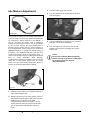
3. Connect a timing light to the engine.
4. Turn the ignition key to the ON position (Do Not
Start the Engine).
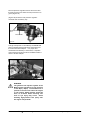
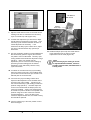
Figure G7
The method for making the idle mixture adjustment to
a running engine is to use the Service Tool software
by connecting a laptop computer to the SECM. If
you do not have the Service Tool a multimeter
capable of measuring Duty Cycle, such as a Fluke 87
III, can be used. Connect the meter positive lead to
between battery positive and the meter negative to
the FTV signal wire. Set the range for 4 or 40 and the
MIN/MAX setting to + (usually the default setting of
the meter). The multimeter will then read the Duty
Cycle percentage the same as the Service Tool. In
order to use the Service Tool a USB (Universal Serial
Bus)
to
CAN
(Controller
Area
Network)
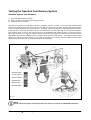
communication adapter by Kavaser will be required
along with a Crypt Token (Figure G7). The Crypt
Token acts as a security key allowing the laptop to
retrieve the necessary data from the SECM.
5. Launch the MotoView program on your computer
and open the Service Tool display.
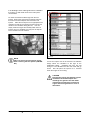
6. Start the engine; you should now see the idle
RPM on your Service Tool display Run Screen
(Figure G9).
NOTE
Service Tool software (MotoTuneViewer)
and the security Crypt Token is obtainable
by certified technicians through
authorized dealers.
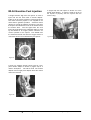
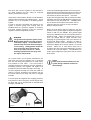
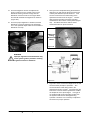
Crypt
Token
Figure G8
1. Install the Crypt Token in an available USB port in
the computer (Figure G8).
2. With the ignition key in the OFF position, connect
the Kavaser communication cable from a second
USB port on the computer to the CAN
communications cable on the engine. (*If your
laptop computer does not have a second USB
port an appropriate USB Hub will need to be
used).
G424E/G430E Tier
Dual Fuel Engine
40
TEST AND ADJUSTMENTS