1
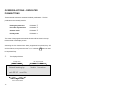
FURTHER USER INFORMATION
When the controller has been unlocked to the User level there is more
information available in the User Display menu. From the standby display
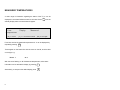
key 0 to reach User Display Measured temperatures, from there use the
down cursor key 5 to see the options available. After the
‘Any problems?’ menu there are two new menus: ‘Info for engineers.’ and
‘Accumulator values’.
User
[#] = view
Display
Info for engineers.
[5] = Accumulators [)] = escape
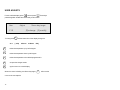
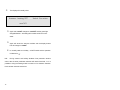
From here the user can see whether there is any information for engineers
by repeatedly pressing
. These#appear on the bottom line.
If there is nothing within this menu the display reads ‘no info’.
The ‘Accumulator values’ menu can be reached by pressing key
5 from
the ‘Info for engineers.’ menu. This menu shows the accumulated run
hours for each boiler and pump.
There is also another menu available, this is ‘Optimes’ and can be found
0 from the standby display to reach the ‘Measured
temperatures’ menu, keying 1 to move the cursor to Display and then
by pressing
keying
5 twice. This menu shows a log of when the controller optimised
the heating on and off.
21