1
Selective Call Mode
When “Selective Call” mode is selected, the pager will accept only calls
addressed to it. When paged, an alert tone, vibration, or both will be
activated, and a voice message will follow.
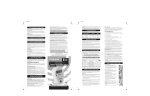
1. Turn the Volume knob on. (See Figure 1)
2.. Turn the Function knob to select “Selective call Ch 1 or Ch 2” mode
position
3. Press the Volume knob to monitor and turn the Volume knob to set
volume.
4. Press the Volume knob to reset the pager to “Selective Call” mode after
call has been received.
Monitor Mode
When “Monitor” mode is selected, the pager will monitor all communication
(as a “Carrier Squelch Receiver”) on the selected channel. When paged, an
alert tone, vibration, or both will be activated, and a voice message will
follow.
1. Turn the Volume knob to on.
2. Turn the Function knob to select “Monitor Ch 1 or Ch 2” mode position.
3. The Volume knob should not be pressed while receiving a message or
alert tone.