1
iii
About This Guide
This guide is a service manual for the InfoRanger SCM-120R and SCM-120U. The size, the shape and color of
the SCM-120R and SCM-120U are same and both of them have one Ethernet port. Different from SCM-120R,
SCM-120U has one USB port besides Ethernet port. This guide explains first the common features of SCM120R and SCM-120U and then the specific features of each with marking ‘Only for SCM-120R’ or ‘Only for
SCM-120U ’.
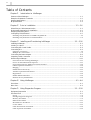
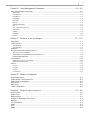
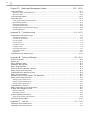
This guide consists of following :
Chapter 1 Introduction to InfoRanger describes the features and specification of InfoRanger and shows RF signal
information.
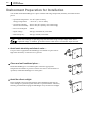
Chapter 2 Prior to Installation explains how to configure PC before installing the InfoRanger and the necessary
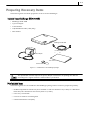
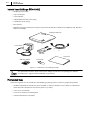
items to install InfoRanger.
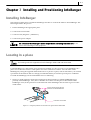
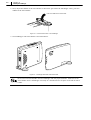
Chapter 3 Installing and Provisioning InfoRanger explains how to install the InfoRanger and connect cables.
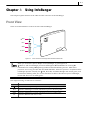
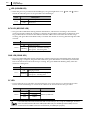
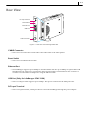
Chapter 4 Using InfoRanger describes the function of each connector and the way of using LED.
Chapter 5 Using Diagnostic Program explains how to use diagnostic program to diagnose the memory, Ethernet,
Cookie parameters, Upstream and Downstream status of InfoRanger.
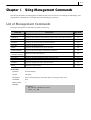
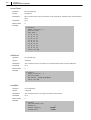
Chapter 6 Using Management Commands explains the management commands used to test and debug the
InfoRanger.
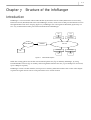
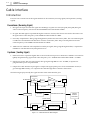
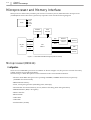
Chapter 7 Structure of InfoRanger explains the cable interface, microprocessor, memory, Ethernet interface and
other miscellaneous part which constitutes the InfoRanger.
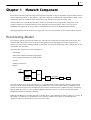
Chapter 8 Network Component describes the network component to support the DOCSIS-compatible Cable
modem.
Chapter 9 Network Layer Properties describes the cable layer such as Protocol Stack, Ethernet Driver, Cable
driver, Bridging.
Chapter 10 Web-based Management System explains how to check the current status of InfoRanger and change
the configuration through the website.
Appendix A Troubleshooting shows how to solve the InfoRanger problems occurred in the field or service line.
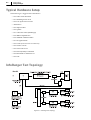
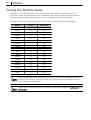
Appendix B Testing InfoRanger explains breifly how to test the InfoRanger in the field.
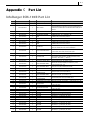
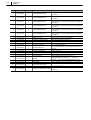
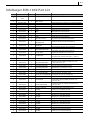
Appendix C Part List lists the numbers and description of each part which constitutes the InfoRanger.
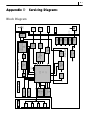
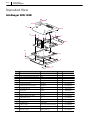
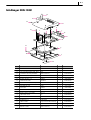
Appendix D Servicing Diagram shows the overall diagrams and exploded view of InfoRanger.