1
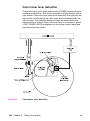
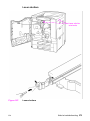
Front cover
1
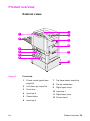
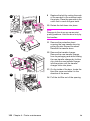
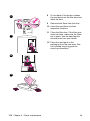
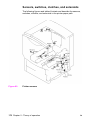
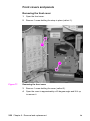
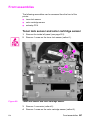
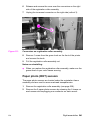
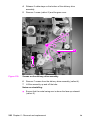
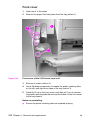
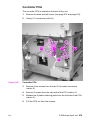
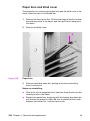
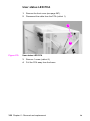
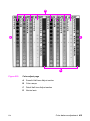
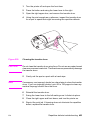
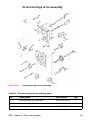
Open tray 4 to the stops.
2
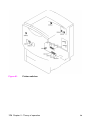
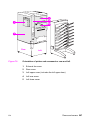
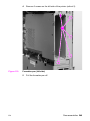
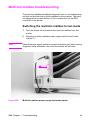
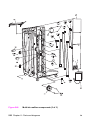
Remove the paper limit-back plate from the tray (callout 1).
.
1
2
3
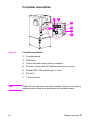
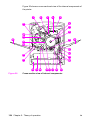
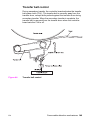
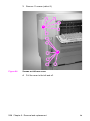
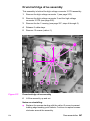
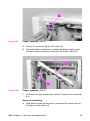
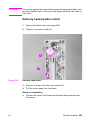
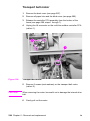
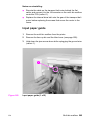
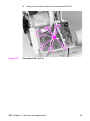
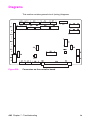
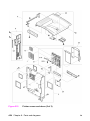
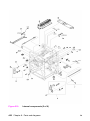
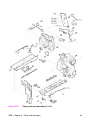
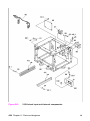
Figure 141.
Front cover of the 2,000-sheet input unit
3
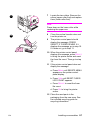
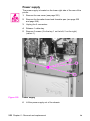
Remove 4 screws (callout 2).
4
Use a flat-blade screwdriver to release the plastic retaining tabs
on the left- and right-front sides of the tray (callout 3).
5
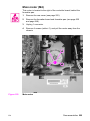
Carefully lift up on the front cover, and then pull it out to release
the plastic retaining tabs that secure the bottom of the front cover
to the tray chassis.
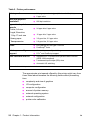
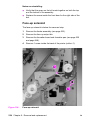
Notes on reinstalling:
●
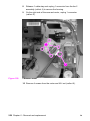
Ensure the plastic retaining tabs are replaced properly.
272 Chapter 6 - Removal and replacement
EN