1
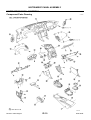
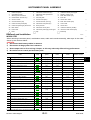
INSTRUMENT PANEL ASSEMBLY
2.
3.
4.
5.
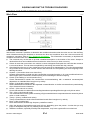
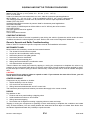
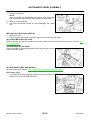
Pull backward to remove the instrument finisher (left/right).
(Without NAVI)
Disengage the metal clip wiht the upper center pawls.
Remove the harness connector of the triple meter and theaudio
by pulling backward, and then remove cluster lid C.
CAUTION:
Unit is heavy, so be careful not to pinch your fingers when
working.
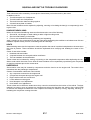
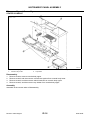
After remove cluster lid C and then remove triple meter, instrument upper box and audio unit. Refer to IP-17, "CLUSTER LID
C" .
A
B
C
PIIB7177E
D
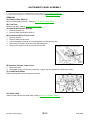
(R) Display Unit (With NAVI Models)
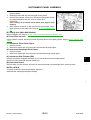
Remove display unit. Refer to AV-97, "Removal and Installation of Display Unit" .
E
(S) Front Pillar Garnish
Pull to inside of vehicle, disconnect metal clips and remove front pillar garnish. Refer to EI-35, "BODY SIDE
TRIM" .
F
(T) Instrument Driver Panel Upper
1.
2.
Remove screws.
Disconnect metal clips, then remove instrument driver panel upper.
G
(U) Instrument Passenger Panel Upper
1.
2.
Remove screws.
Disconnect metal clips, then remove instrument passenger panel upper.
H
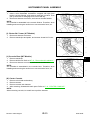
(V) Instrument Side Finisher (RH)
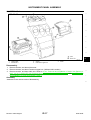
Using a screwdriver wrapped with tape, pry up and remove instrument side finisher.
Disconnect from metal clip and pull toward you.
IP
(W) Instrument Panel
Remove bolts, nut and screws, and remove instrument panel from passenger door opening portion.
J
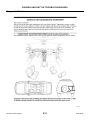
INSTALLATION
To install, reverse the removal procedure sequence.
Assemble the following three parts carefully.
K
L
M
Revision: 2005 August
IP-15
2006 350Z