1
START PROGRAM:
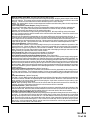
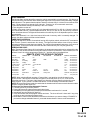
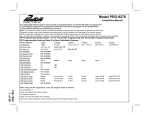
The Remote Start unit has the ability to start the vehicle automatically at timed intervals. This feature is
useful in extremely cold climates where starting the engine is the only means to keep the battery charged
and fluids warm. The operator has the option to have the unit start every 2 or 4 hours for a maximum of 48
hours. Factory pre-set is to start at 4 hour intervals. To select 2 or 4 hour automatic start timer:
1. Start with the Enable switch (Red Handle) in the "On" Position.
2. Turn the ignition on then off.
3. Within 10 seconds of the key turning off, cycle the enable switch Off, On, Off, On ( 2 times) to select a
2 hour timed start interval. Cycle the enable switch Off, On, Off, On, Off, On, Off, On (4 times) to select a
4 hour timed start interval. The lights will flash and the siren will chirp 2X or 4X dependant upon 2 or 4 hour
interval setting.
NOTE: Once selected, 2 or 4, this timer interval will remain in memory until it is manually changed. To
change, the above sequence will have to be followed.
TIMED START OPERATION:
To begin the start timer, within 10 seconds of turning off the ignition switch, activate the RF command to
start 2 times. (Press the start button four times). The lights will flash and the siren will chirp 4 times.
Indicating timed interval mode has been initiated. The vehicle will automatically start every 2 or 4 hours as
programmed. To cancel the timed start mode start the vehicle either by RF or by the ignition key.
TEMPERATURE START:
When Temperature Start, feature #11 is selected on, the temperature start mode can be activated from the
transmitter. See owners manual for turning this feature on from the transmitter. Once activated, the unit
will start 1 time if the vehicle temperature reaches "0* " and then will run the allotted time.
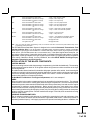
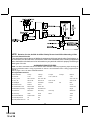
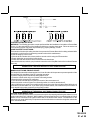
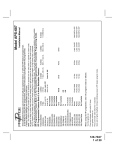
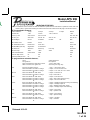
REMOTE START SELECTABLE FEATURES
Feature
1 RF Start Chirp
2 Run Time
3 Park Lights
4 Input Check
5 Voltage Level
6 Ign. 2 Crank
7 Diagnostics
8 Crank Time
9 Gas/Diesel
10 Trans.O/P
11 Temp Start
LtsFlash 1X
Off
5 Min.
On Steady
Voltage
> 0.5V B4 Start
Off
Off
0.8Sec
Gas
While RS On
Off
Lts Flash 2X
On
10 Min.
Flash
Tach
< 0.5V B4 Start
On
On
1.0 Sec
Diesel 10
During Start
On
Lts Flash 3X
Lts Flash 4X
15Min.
20 Min.
1.5 Sec
Diesel 15
Until Ign Off
2.0 Sec
Diesel 20
Default
On
10 Min
Steady
Tach
> 0.5
On
Off
1.0
Gas
While RS
Off
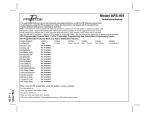
LED Pattern
1X Pause,etc...
2X Pause,etc...
3X Pause,etc...
4X Pause,etc...
5X Pause,etc...
6X Pause,etc...
7X Pause,etc...
8X Pause,etc...
9X Pause,etc...
10X pause,etc
11X paues,etc
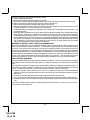
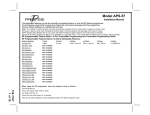
NOTE: When selecting Diesel operation, (Feature Nine), over gasoline, the only change is to the
ignition circuits. When Diesel is selected, the ignition circuits will power up 10, 15, or 20 seconds
before the start circuit. The intent of this feature is to allow the glow plug warming required by some
diesel engines. If your vehicle is a instant start diesel, it is not necessary to activate this feature.
NOTE: When selecting Diesel mode, be certain that the intended vehicle has a true tach reference and be
certain to connect the tach input wire.
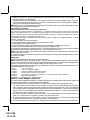
To Program The Remote Start Selectable Features:
1. Turn the ignition key to the On position.
2. Press and release the valet/program switch three times.
3. Immediately turn the ignition key Off then press transmitter start button for 1 second.
4. Immediately turn the ignition key back On.
5. Press and release the valet/program switch two times. The siren will emit 2 short and 1 long chirp
verifying you are in the feature program mode.
6. Use channel 1 button on the transmitter to advance to the feature you want to change. EXAMPLE- If
you need to change selectable feature 3, press and release channel 1 button on the transmitter 3
18
128-6388
19 of 28