1
jiu
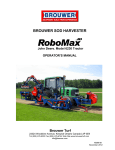
BROUWER SOD HARVESTER
John Deere. Model 6105M Tractor
John Deere. Model 6115M Tractor (Europe)
OPERATOR’S MANUAL
Brouwer Turf
23324 Woodbine Avenue, Keswick Ontario Canada L4P 3E9
Tel (905) 476-6222 Fax (905) 476-6744 Web Site www.brouwerturf.com
[email protected]
KM99191
June 2015
Sod Harvester
Operator’s Manual
Contents.
Foreword.
Serial Number Plate.
i
i
Specifications.
iii
Section 1.
Safety.
Section 2.
Controls.
Section 3.
Operation.
Section 4.
Maintenance.
Hydraulic System.
Lubrication.
Section 5.
Electrical System.
Section 6.
Electronic Auto-Steer.
Section 7.
Double Sided Pallet. (Option)
RoboMaxJD
Sod Harvester
Foreword
IMPORTANT
The Owner and Operator, must assume responsibility for the safe operation of the machine, their own
safety, and the safety of others, by reading, understanding, and following, all of the safety instructions
and operating procedures as outlined in the machines Operator’s Manual.
Failure of the Owner or Operator to adhere to the recommended safety instructions and operating
procedures, indemnifies Brouwer Turf Inc. against any claims that may arise, due to accidents resulting
in personal injury or property damage.
It is not possible to list all situations that may affect the safety of the machine or the operator, and therefore
Brouwer Turf Inc. cannot list all precautions, and identify all potential hazards, that may prevent accidents.
IF YOU DO NOT UNDERSTAND….ASK
BE A QUALIFIED OPERATOR BY ;
•
•
•
•
Reading and obeying the instructions in this manual, and the safety decals on the machine.
Receiving operational training on the sod harvester.
Asking your supervisor or equipment dealer to explain anything you do not understand.
Explaining the written instructions in the operator’s manual and safety decals to user/operators who
cannot read or understand them.
WARNING
Brouwer Sod Harvesters are designed for safe efficient operation and must not be used for any purpose other than
that for which they are designed.
Prior to being shipped from the manufacturer the machines are inspected to insure that all safety guards, shields
and warning/safety/operating decals are correctly positioned and secure
Before operating the machine the operator must check that all of the above items are correctly located.
The machine must not be used if any guards, shields or warning/operating decals are damaged or missing..
The Brouwer RoboMaxJD Sod Harvester has been designed and built to give many years of outstanding
performance.
The service and reliability you receive from this product will be affected by the proper maintenance and operation of
the machine.
Use only genuine Brouwer replacement parts. Parts not supplied by Brouwer may not meet Brouwer
specifications or standards of manufacture and may void warranty. The use of non-approved parts may result in
component failure and possibly cause in an accident to the operator or others.
IMPORTANT
MODEL NUMBER
The Model Number appears on sales literature
Technical manuals and price lists.
SERIAL NUMBER
The serial number applies only to the machine
to which it is allocated.
The serial number MUST be quoted when ordering
parts or calling for service or warranty
i
This page intentionally left blank.
ii
Specifications.
Conveyor
Cutting Head
Width of Cut
Length of Cut
Thickness of Cut
Pallet Size
Cutter Drive
Conveyor Drive
Cutting Blades
Construction
Total Weight. With: D/S Pallet Injector. 24 inch Conveyor.
S/S Pallet Injector. 16 in. Conveyor.
Overall Length
Overall Width
Transport Width
Overall Height. Operating.
Shipping.
Pallet Configuration
Flap Control
TRACTOR MODEL.
TRACTOR MODEL.
Rubber or Mintex.
Full Floating.
16in. (406 mm) 23in.(584 mm) 24in. (610 mm).
24in. (610 mm) to 100in.(2540mm).
Hydraulically Adjustable to 3in. (760 mm).
Std. 48 x 48 in. (1200 x 1200 mm).
Optional Pallet sizes available
Variable Hydraulic.
Variable Hydraulic.
Standard with Fingers /V-Blade.
High Strength Steel Weldment.
22420 lbs. (10170 kg.)
21517 lbs. (9760 kg. ).
294 in. (7468 mm.)
170 in. (4318 mm.)
140 in. (3353 mm.)
112. (2845 mm.)
104 in. (2642 mm.)
Pyramid or Flat Top.
Upper Level Squeeze Function.
Individual Automatic.
John Deere 6105M.
John Deere 6115M (Europe).
IMPORTANT
Refer to the Tractor Operator’s/Service Manual that is supplied with the harvester for complete
specifications, operating and service instructions.
Due to the constant program of product development, specifications may change without notice or obligation.
iii
SAFETY
SECTION 1
Safety Symbols.
Safe Operation.
General Operating Safety.
Maintenance Safety.
Transport and Storage.
Safe Service Procedure.
Tire Service.
Handling Chemicals.
Safe Welding.
Safety Warning Decals.
1-01
1-02
1-03/1-04
1-04/1-06
1-07
1-07
1-07
1-07
1-08
1-09/1-10/1-11/1-12
SAFETY
WARNING
Unauthorized modifications may result in extreme
safety hazards to operators and bystanders, and
could result in damage to the machine.
Brouwer Turf Inc. warns against and strongly rejects
and disclaims against any modifications, add-on
accessories or product modifications that are not
designed, developed, tested and approved by
Brouwer Engineering Department.
Any Brouwer product that is altered or modified in
anyway that is not authorized, after original
manufacture, including after market accessories or
component parts that are not approved by Brouwer
Turf Ltd. will result in the machines warranty being
voided.
All liability for personal injury and/or property damage
caused by any unauthorized modifications, add-on
accessories or products not approved by Brouwer
Ltd. will be considered the responsibility of the
individual(s) or Company designing and/or making
such changes.
Brouwer Turf Inc. will vigorously pursue full
indemnification and costs, from any party responsible
for unauthorized post manufacture modifications
and/or accessories, should personal injury and/or
property damage result from any of the above.
This Symbol means :
•
ATTENTION !
•
BECOME ALERT !
Your safety and that of others is involved.
Signal word definitions.
The signal words below are used to identify levels of
‘hazard’ seriousness. These words appear in this
manual and on the safety decals that are placed on
the machine.
For your safety and that of others, read and follow the
information and instructions given with these signal
words and/or the symbol shown above.
DANGER:
Indicates an imminently hazardous situation which if
not avoided WILL result in death or serious injury.
WARNING:
Indicates a potentially hazardous situation which if not
avoided COULD result in death or serious injury.
CAUTION:
DANGER
TO PREVENT POSSIBLE SERIOUS INJURY OR
DEATH :
Under no circumstances is any service or maintenance work to be performed on the machine
until :
• THE ENGINE IS SWITCHED OFF.
• THE IGNITION KEY IS REMOVED.
• THE CAB DOOR IS LOCKED.
Indicates a potentially hazardous situation which if not
avoided MAY result in minor or moderate injury.
It may also be used to alert against unsafe practices
or property damage.
CAUTION:
Used without the safety alert symbol indicates a
potentially hazardous situation which if not avoided
MAY result in property damage.
Brouwer Turf Inc. cannot stress too strongly the
importance of Owners/Operators adhering strictly to
the safety recommendations as stated in this manual.
1-01
SAFETY
Safe Operation
Operator preparation and Training.
•
The warning/safety decals must be kept clean,
legible, and undamaged. Do not operate the
machine if any decals are missing or damaged.
Obtain new decals from the factory.
•
Do not operate the machine if drugs, alcohol or
medication are being used that can affect the
alertness or co-ordination of the operator.
Seek professional advice, before operating the
machine, if there is any doubt about the side
affects of any medication being taken that may
put your safety and that of others at risk.
•
Keep animals and bystanders clear of the
machine, at a safe distance, when operating the
machine.
•
The owner/operator is responsible for accidents
and/or injuries that may occur to themselves,
bystanders, or property that may occur as a result
of the operation of this machine.
Read the RoboMaxJD Operation and Safety Manual, and
also the tractor Owner/Operating manual. They must be
kept on the machine at all times.
•
If an operator or mechanic cannot read and
understand English, it is the owners responsibility
to explain the material contents to them.
•
If any of the information or instructions in this
manual are not clear, contact your dealer or the
factory representative for clarification.
•
Become familiar with the safe operation of the
machine, the operating controls and the safety
decals. If there are any questions concerning
safety, do not operate the machine until they are
clarified.
All safety guards and shields must be kept in
place and in good condition. All interlock switches
must be correctly adjusted.
•
•
It is the owners responsibility to ensure that all
operators and service personnel are trained in
the proper operation and service procedures of
the machine.
Wear appropriate work clothing, safety equipment
and work boots. Do not operate the machine with
loose clothing, long hair, or any jewelry, that may
get tangled in moving parts.
CAUTION
Wear suitable hearing protection such as
earmuffs or earplugs, to protect against hearing
impairment or hearing loss.
Operating equipment safely requires the full
attention of the operator. Do not wear radio or
music headphones while operating the machine.
•
•
1-02
Never allow children or untrained persons to
operate this equipment. Local regulations may
restrict the age of the operator.
Only the operator must be on the machine, never
allow riders on the machine. Riders can be
injured by foreign objects or can be thrown off the
machine. Also they may obstruct the ability of the
operator or the operators view resulting in unsafe
operation of the machine.
Machine preparation
•
Check that the ‘operator presence’ interlock
switch is working. After getting off the seat there
is a 5 to 10 second delay, then the harvesting
system will shut down.
•
Check tractor brake operation. Repair or adjust
any problem before operating the machine.
•
Do not tamper with, or defeat, safety devices.
Keep guards, shields and interlock safety devices
in place and in proper working condition. They
are for your protection.
•
Check regularly that all fasteners, that is, nuts/
bolts, and retainer pins are secure.
•
Check daily that the machine is in good working
condition. Check all tires for damage or excessive
wear.
•
Use only accessories, attachments and
replacement parts that are approved by the
manufacturer.
IF YOU DO NOT UNDERSTAND….ASK
SAFETY
General Operating Safety
•
•
Ensure all persons are clear of the machine
before starting the tractor engine. Keep hands
and feet clear of the cutting unit and all moving
parts.
Do not make sharp turns. Exercise care when
reversing and maneuvering. Look behind the
machine and downward when reversing.
Transporting
•
Exercise caution when loading or unloading the
machine on or off a truck or trailer.
•
Ensure that the machine is properly ‘blocked’
and secured during transport.
Operating
•
Keep all persons clear of the Robotic Arm
operating areas and pallet cavity, it may move
suddenly and result in serious injury.
•
Use counterweights, wheel weights or ballast,
only as recommended by the manufacturer.
•
Exercise caution when approaching or crossing
roadways.
•
Before dismounting: Put the Transmission
Range Selector Lever in ‘PARK’ and the F-N-R
Lever in ‘Neutral’. Leaving the transmission in
gear with the engine stopped will not prevent
the tractor from moving.
WARNING
Never attempt to get on or off the machine
when it is moving.
Before leaving the operating position, place
the Transmission Selector in ‘Park’, the F-N-R
Lever in Neutral. Lower the cutting head and
the forks to the ground, ‘Stop” the engine and
remove the ignition key.
•
WARNING
Work in a ventilated area. Never operate the
machine without adequate engine exhaust
ventilation.
Never run the engine in an enclosed area.
Exhaust fumes contain carbon monoxide and
can be fatal if inhaled.
•
Inspect the area to harvested and remove any
objects that may be hazardous or may cause an
injury.
•
Operate with adequate light and avoid any holes
and other hazards.
Highway Operation
•
To prevent collisions with other vehicles, slow
moving tractors with attachments, towed equipment or self-propelled machines, frequently
check for traffic from the rear, particularly when
making turns, always use turn signal lights.
•
Slow down and exercise caution when making
turns and crossing roads and railway tracks.
•
Use headlights, flashing warning lights and turn
signals day and night. Follow local regulations
for equipment lighting and marking.
Ensure that all lighting, signals and markings
are visible, clean and in good working order.
Repair or replace any lights, signals or marking
that is damaged or is missing.
•
Couple brake pedals together for road travel.
NOTE
On 6115M Tractors engage the Parking Brake
Starting the Tractor
WARNING
To avoid possible injury or death from a runaway machine, DO NOT start the engine
by shorting across the battery terminals.
The machine can start when in gear if the
normal safety circuitry is bypassed.
•
•
•
Start only in accordance with the instructions in
this manual and also the tractor operators
manual.
DO NOT use starting-aid fluid.
Never start the engine from the ground. Start
only from the operator’s seat, with the
transmission in ‘PARK’ and ‘F-N-R’ Lever in
‘Neutral’.
Do not change the engine governor setting,
or over-speed the engine.
To prevent Tipping
•
Avoid holes, ditches, slopes, and obstacles that
may cause instability and the machine to tip.
1-03
SAFETY
WARNING
Never drive close to the edge of a gully or
steep embankment that may collapse and
cave-in, causing the machine to tip.
•
•
Engage the Conveyor and Depth Control Levers
Locks when in transport
Shift to a LOW gear before descending a steep
hill, to assist in braking and improving your
control of the machine.
Use engine braking to reduce speed before
applying the tractor brakes.
•
Never coast down a hill, run-away machines
are liable to tip.
•
Slow down and exercise caution when making
turns and changing direction on a slope.
Stopping Operation
• Before stopping the engine: Reduce the engine
speed to ‘SLOW’ and let it operate at ‘no load’
for five to ten minutes, to allow the engine to
cool down.
The following procedures are recommended;
• If possible reverse the machine out, if it is
‘mired’ in mud.
• Dig mud out from behind the wheels. Place
boards behind/under the wheels and reverse out
‘slowly’. Keep bystanders clear of the rear of
the machine
• Dig mud out from in front of the wheels and
drive ahead ‘slowly’.
Maintenance Safety
WARNING
Do not service or repair this machine with
the attachments in the raised position, unless
they are securely blocked, or the safety
devices are engaged.
Failure to do so could result in serious injury
or death
•
To attain maximum safety and the optimum
harvesting results, maintain your RoboMax
Harvester according to the recommended
schedules and instructions in this manual.
•
When servicing or operating the machine do not
wear loose clothing or jewelry that can entangle
in machinery and cause personal injury.
•
Never allow untrained persons to operate or
service the machine.
•
Allow the engine and rotating/moving parts to
come to a complete stop before attempting any
service or repair work.
•
Disconnect the battery cables before making
any repairs, and before doing any welding on
the machine. Disconnect ‘negative’ first, then
‘positive’. Reconnect in the reverse order.
•
Carefully release pressure from components
with ‘stored’ energy.
•
Park the machine on smooth, firm, level ground.
Caution should be exercised when attempting to
free a machine that is stuck in mud. Hazards that
can occur when towing, and are to be avoided are:
•
Replace worn, damaged, or faulty parts with
parts supplied by the manufacturer.
•
The towing tractor overturning.
•
•
The tow chain failing and recoiling. (Use of a
cable is not recommended).
Before working on the machine, lower the Cutter
Head and Forks to the ground. If the machine
needs to be raised, use jack stands.
If left in a raised position hydraulic supports
can settle or ‘leak’ down.
•
Tow-bar failing.
•
The harvester becoming unstable and tipping.
To safely park the machine:
•
Stop it on level ground, move all controls to the
‘OFF’ position. Lower the Cutter Head and
Forks to the ground. Put the transmission in
‘PARK’. Place the F-N-R lever in ‘Neutral’ and
stop the engine. Before leaving the operator’s
seat, wait for the engine and moving/rotating
parts to stop. Remove the ignition key.
NOTE
On 6115M Tractors engage the Parking Brake.
To free a ‘mired’ machine.
• Check that all towing devices are of adequate
size/strength to handle the load.
• Always attach to the Draw Bar of the towing unit.
Do not use the front attachment point. Apply
power smoothly to take up slack, a sudden pull
could ‘snap’ the towing device causing it to
‘whip’ or ‘recoil’ dangerously.
1-04
SAFETY
Maintenance Safety
Hydraulic System
WARNING
Do not support the machine on cinder blocks,
hollow tiles, or props that may crumble under
continuous load.
Do not work under a machine that is supported
solely by a hydraulic jack.
•
•
To reduce fire hazards: Keep the engine,
muffler, battery compartment and fuel storage
area free of grass, leaves, debris or grease
build-up.
Clean-up any fuel or oil spillage.
Handling Fuel
•
•
•
•
•
WARNING
Exercise caution when refueling
Do not over-Fill. Fuels are flammable and
vapors are explosive. Avoid spillage. If using fuel
cans use only approved containers and
a funnel. Clean-up spills immediately.
Do not smoke or allow naked flame
or cause sparks near the fuel.
Never drain or fill the fuel tank indoors.
Never remove the Fuel Tank Cap or add
fuel when the engine is running or if it is hot.
Never handle or store fuel containers near
an open flame or any device that may create
sparks and ignite the fuel or vapors.
Ensure that the Closure Caps on the Fuel Tank,
and the containers, are replaced tight
and secure.
WARNING
The RoboMax Hydraulic System operates under
high pressure.
To prevent serious injury from hot, high pressure oil:
• Never check for leaks with bare hands.
Use cardboard, paper or wood.
• High pressure oil can penetrate the skin. If it is
injected into the skin it must be surgically
removed within a few hours by a doctor familiar
with this type of injury. Failure to do so may
result in gangrene.
•
•
•
•
•
•
•
WARNING
To prevent sparks from static discharge:
Do not fill containers in a vehicle, on a
truck, or a trailer bed that has a plastic liner.
Fill the containers on the ground, away from
the vehicle.
•
•
•
•
Always keep the fuel dispenser nozzle in contact
with the rim of the fuel tank, or container
opening, until fueling is completed.
Do not use a nozzle lock-open device.
Always be prepared in case of fire. Keep a firstaid kit and fire extinguisher close to hand.
Keep emergency numbers for fire, hospital,
ambulance services, and doctors close to your
telephone.
Relieve high pressure before disconnecting
hydraulic lines or fittings.
Fully tighten fittings and connections before
pressurizing the system.
Lower the Gripper Head onto rolls of sod on
the Index Conveyor. Lower Cutter Head and
Forks to the ground, disengage all drives. Put
the Transmission in ‘Park’ and the F-N-R Lever
in ‘Neutral’. On 6115M Tractors engage the
Parking Brake.
Stop the engine and remove the ignition key,
before inspecting or disconnecting hydraulic lines or fittings.
Visually check daily all hydraulic hoses, tubes
and fittings for leaks. Replace any worn or
damaged hoses, tubes or fittings before
operating the machine.
Replacement hoses or tubes must be routed in
the same location and path. Do not move
clamps, brackets or ties to new locations.
Thoroughly inspect all hoses, tubes and fittings
every 300 hours.
IMPORTANT
To prevent serious damage to the hydraulic system
components, do not allow any contaminants to enter the
hydraulic system. Clean thoroughly around all connections and areas to be worked on. Cap and plug any
fittings that are disconnected.
•
•
•
•
Before disconnecting, tag or mark the disconnections.
Check that ‘O-Rings’ are clean and hose fittings
are properly seated before tightening.
Align the hoses without twisting. Twisted hoses
can cause couplings to loosen as the hose
flexes during operation, resulting in oil leaks.
Kinked or twisted hoses can restrict the oil flow
causing the system to malfunction, the oil to
overheat and possible hose failure.
1-05
SAFETY
Cooling System
WARNING
To prevent serious injury from hot coolant
and steam, DO NOT remove the radiator
cap when the engine is running and/or hot.
Allow the engine and system to cool, and
use caution when removing the radiator cap.
•
•
•
•
If acid is swallowed:
•
•
•
Do not induce vomiting
Drink large quantities of water or milk, but do not
exceed 2 liters (2 Quarts).
Get medical help immediately.
Battery Charging
Do not operate the engine without the recommended coolant mixture.
Add top-up coolant into the recovery tank NOT
directly to the radiator
Ensure that the radiator cap is tight and secure.
If the radiator cap must be removed, stop the
engine and allow the cooling system to cool,
until the cap is cool to the touch. Loosen it
slowly to relieve pressure, before removing
completely.
•
•
Jump Starting
•
•
Battery Service
WARNING
The sulfuric acid in the battery electrolyte is
poisonous. It can cause serious skin burns
and blindness if splashed in the eyes.
Charge batteries in an open well ventilated area,
away from sparks or open flame.
Unplug the charger before connecting or
disconnecting the battery.
•
Check that the Jumper cables are in good
condition.
Turn the ignition and all electrical accessories
‘OFF’, on both machines.
Position the machine with the ‘charged’ battery
close to, but not touching, the machine with the
dead battery, to ensure that the cables will easily
reach.
Connecting the Cables
CAUTION
Always wear protective glasses/goggles,
and protective clothing and use insulated
tools when working with batteries.
Read, understand, and obey the battery manufacturers instructions and warnings.
Battery posts, terminals and relate accessories
contain lead, lead compounds and chemicals,
wash your hands after handling them.
Avoid Hazards By:
•
•
•
•
•
Fill/top-up batteries in a well ventilated area.
Wearing eye protection and rubber gloves.
Avoid breathing fumes.
Avoid spilling, splashing or dripping electrolyte.
Follow proper ‘jump-start’ procedure.
If acid is splashed on your person:
•
•
•
1-06
Flush the affected skin with water.
Apply baking soda, or lime, to help neutralize the
acid.
Flush your eyes with water for 15 to 30 minutes.
Get medical help immediately.
•
•
•
•
•
•
•
Do not allow the cable clamps to touch any
metal parts except those intended.
Never connect the positive ‘+’ (red) terminal to
the negative ‘-‘ (black) terminal.
Ensure that the cables cannot get caught in
moving engine parts when starting.
Connect one end of the positive ‘+’ (red) cable
to the positive ‘+‘ terminal on one battery.
Connect the other end to the positive ‘+’
terminal on the other battery
Connect one end of the negative ‘-‘ (black) cable
to the negative ‘-‘ terminal on the ‘charged’
battery. Connect the other end of the cable to
the engine block on the machine with the
‘dead’ battery.
Start the machine that has the ‘charged’ battery,
then start the machine that has the ‘dead’
battery.
Remove the jumper cables in the exact reverse
order of connecting. Do not allow the cable
clamps to touch any metal parts while the other
end is connected to a battery terminal.
IMPORTANT
Keep the battery terminals clean. Smear them
with white grease to prevent corrosion.
The positive terminal (red) protective cover must
be kept in place.
SAFETY
Transporting and Storage
•
•
If the machine should become disabled, and
cannot be moved under its own power, it
should not be towed, as it would be extremely
difficult to steer and stop it.
It is recommended that it be transported on a
flat-bed carrier or a truck/trailer. Use chains to
secure the machine on the carrier.
Storage
IMPORTANT
If the Harvester is to be stored ‘inside’ keep the
doors open to ensure good ventilation until the
procedure below is complete.
•
•
•
•
•
Stop the engine and allow it to fully cool down.
Drain the fuel tank into an approved container
and shut off the fuel. Store the fuel in a cool dry
location.
Disconnect the battery cables.
Keep the Harvester and fuel containers in a
locked, secure storage place, to prevent
tampering, and children from playing in the
area.
Do not store the Harvester or fuel containers
close to heating appliances with an open flame,
such as a water heater with a pilot light.
Safe Service Procedures
•
•
•
•
Do not service the harvester when it is moving
or the engine is running.
When servicing a four wheel drive machine,
when necessary raise front and rear wheels
off the ground. This is to prevent the machine
being pulled of the jack stands if power is
applied to the wheels.
Tighten the wheel lug nuts to the correct torque
as specified in the tractor manual.
Refit all safety guards and shields that may
have been removed during service.
Tire Service
WARNING
Do not operate the harvester if any of the tires are
badly worn or damaged.
The tractor tires are loaded with liquid ballast, and
are extremely heavy. Exercise caution when
removing or replacing them. Use suitable tools,
equipment and hoists with adequate lift capacity.
Only qualified and experienced personnel must
service the wheel assemblies.
Liquid Ballast Information.
CAUTION
Installing liquid ballast requires special equipment
and trained personnel. The job should only be done
by your dealer or a specialized tire store.
A tire must never be filled more than 90%. Air space
must be left to absorb shocks or damage to a tire could
occur.
A solution of ‘AGRI-LIM’ in water is a safe and
economical ballast. Installed correctly it will not cause
damage to tires, tubes or wheel rims.
The use of alcohol is not recommended.
The two front tires and the left rear tire require ballast.
CAUTION
Operating the machine with loose wheel lug nuts
will result in damage to, and require the replacement of, wheel assembly components.
•
Always maintain the correct tire pressures. Do
not inflate tires above the recommended operating pressure shown on the side wall.
DANGER
Never weld or heat a wheel/tire assembly. The heat
can cause increased air pressure and result in the
tire exploding. Explosive separation of tire and rim
components will result in serious injury or death
•
When inflating tires use a clip-on chuck, and a
air hose that is long enough to allow you to
stand to one side of the wheel, not in front or
over it. Use a safety cage if one is available.
Handling Chemical Products
CAUTION
To prevent serious personal injury avoid direct exposure to hazardous chemicals. Potential hazardous
chemicals include : fuels, lubricants, coolants, paints
and adhesives.
Material Safety Data Sheets (MSDS)
Material Safety Data Sheets provide specific details on
chemical products that affect:
• Physical and personal health hazards.
• Safety procedures.
• Emergency response techniques
It is recommended that the MSDS data is checked
before a job is started that involves a hazardous
chemical. This informs of the possible risks and the
safest way to proceed. Follow carefully the recommendations.
1-07
SAFETY
Proper Waste Disposal.
•
•
•
•
•
Improper waste material disposal is harmful to the environment. Some potentially harmful product used on
machines are : Oil, Fuel, Filters, Coolant, Brake Fluid and Batteries.
Use leak proof containers when draining fluids. Do not use food or beverage containers that someone
could mistakenly drink from.
Do not pour waste fluids onto the ground, down a drain or into a natural water source.
Air conditioning refrigerants are harmful to the atmosphere. Government regulations may require a certified
technician to service and properly recover and recycle refrigerants.
Before disposing of waste material, enquire at your local environmental or recycling facility for instructions
on proper waste disposal.
Welding on Painted Areas
CAUTION
Hazardous fumes are generated when paint is heated when welding, soldering, or using a torch.
The use of an approved respirator is recommended when welding, sanding, or grinding on painted
areas to avoid the inhalation of fumes or dust.
•
•
•
It is recommended that paint be removed a minimum of 4 inches (100mm) from around
the area to be affected by heating.
If solvent or stripper is used, wash them off with soapy water before doing any welding.
Remove any stripper or solvent containers and other flammable material from the area.
Allow a minimum of 15 minutes for fumes to disperse before welding.
Do not use chlorinated solvent in areas where welding will be done. Do all work in an area
that is well ventilated to allow fumes and/or dust to disperse.
CAUTION
Do not weld, solder or use a torch close to pressurized fluid lines, that may cause them to burst.
Flammable spray can be generated by burst fluid lines resulting in severe burn injury to
yourself and bystanders.
CAUTION
Exercise extreme caution and verify proper locations
when removing/installing Controller Connections.
1-08
CAB CONTROLS
SECTION 2
Cab Controls
System Control Panel.(Controller ’A’).
System ‘ON-OFF’ Switch.
E-STOP.
Auto-Steer Fine Adjust.
Tractor Command Center Panel.
Control Handle. See page 2-02.
Transmission ’RANGE’ and Gear Selection Lever.
2-01
2-01
2-01
2-01
2-01
2-01
2-01
Control Handle
Function Pads and Auto-Steer Switch.
2-02
Console Controls
Cutter Head and Depth Control Levers.
2-02
2-02
Control Panel Screens.
Initial Start.
Stacking Pattern Selection.
Configuration Sub-Screen.
Stacking Pattern Selection Screen.
Inactive Stacking.
Pallet Position Auto Setting.
Pallet Lift Forks ‘Cycling’.
Active Stacking Screen Mode.
Manual Mode. Control Valves.
Pallet Lift Forks ‘Lift – Lower’ functions.
Gate ‘Open-Close’.
Step Sequence Screen.
Active Pallet – ‘Full’ Screen.
Inactive Pallet – ‘Full’ Screen.
2-03
2-03
2-04
2-04
2-04
2-05
2-05
2-05
2-06
2-06
2-06
2-07
2-07
2-07
CAB CONTROLS
1.
2.
RoboMax System Control Panel. Controller ‘A’.
6. Conveyor Speed Control.
•
7.
Cutter Speed Control.
8.
Auto-Steer Fine Adjust Control.
9.
Cutter Head ‘Up-Down’ Lever.
10.
Depth of Cut Control.
11.
Tractor Throttle Speed Control.
12.
Gear Selection Switch
Operating Screens can be called up for each
sequence of operation.
Refer to following pages.
System Power ‘ON-OFF’ Switch
3.
Emergency ‘STOP’- Push to ‘STOP’.
- Pull and twist CCW to ‘RESET’.
3a. The ‘outside’ E-STOP is located at the right hand
side below the Roll-Up Drive Cover.
CAUTION
When activated the E-STOP does not stop the tractor
motion, only Harvesting Operation.
4. Control Handle
5. Transmission Range Selection Lever.
NOTE
The Cab Display is fully adjustable to suit operator
preference
2-01
CAB CONTROLS
Control Handle.
The Control Handle allows easy operation of the following
functions:
1. Roll Transfer –Tooth Count – Increase
2. Roll Transfer –Tooth Count – Decrease
3. Roll Size – Increase.
4. Roll Size – Decrease.
5. Conveyor ‘ON-OFF’.
6. Cutter ‘ON–OFF’
7. Bad Roll Eject
8. Auto-Steer ‘ON-OFF’ Switch.
9. Trigger - Auto System ’ON –OFF’
.
Trigger - Auto ‘ON-OFF’.
Control Levers.
The Levers are located on the console to the right of
the operator :
•
Lever ‘A’ - Cutter Head ‘Lift–Lower’.
•
Lever ‘B’ - Depth Control ‘Thick-Thin’.
WARNING
When in transport to prevent accidental lowering
of the Conveyor and Cutter Head:
The Control Levers Locks ‘C’ must be engaged.
2-02
CAB CONTROLS
Control Panel Screens.
Initial Start Screen.
The Initial Start Screen is displayed when the tractor
ignition key is switched to ‘ON’, and the RoboMax System
Power Switch ‘A’ is switched to ‘ON’.
• After the flashing RED ‘WAIT,’ in top left corner
‘stops’, press Pad ‘1’, to start the Controller and
bring up the Stacking Pattern Selection Screen.
Initial ‘START’ Screen
Stacking Pattern Selection Screen.
The Stacking Pattern Selection Screen, allows the
operator to select the number of rolls on each pallet.
•
Press the left arrowed pad ‘A’ (prev), or the
right arrowed pad ‘B’ (next), to toggle between
the selections.
•
Press Pad ‘1’ (start), to bring up the
‘Inactive Stacking Screen’.
•
Press Pad ‘8’ to go to Configuration Sub-Screen.
Note: Pad 6 ‘Crown’ ON/OFF – Option.
Stacking Pattern Selection Screen
2-03
CAB CONTROLS
Configuration Sub-Screen.
•
•
•
•
•
•
Press Pad ‘8’ to select Index Tooth Count. Adjust
with Arrows ‘A’ and ‘B’.
Press Pad ‘8’ for ‘Cut-Length’ selection. Adjust with
Arrows ‘A’ and ‘B’.
Press Pad ‘8’ for Pallet Insert Mode. Use Arrows ‘A’
and ‘B’ to select ‘Auto’ or ‘Manual’ mode.
Press Pad ‘8’ to select Bad Roll Differential.
To adjust the Differential press Arrows ‘A’ or ‘B’.
Press Pad ‘8’ to go to Stop to Unload – ‘ON/OFF’.
Press Pad ‘C’ (ESC) to close and return to previous
screen
Press Pad 6 or 7 to change the percentage value,
‘UP’ or ‘DOWN’, to affect Roll Compression
Configuration Sub-Screen
Stacking Pattern Selection Screen.
The Stacking Pattern Selection Screen allows the
operator to select the Number of rolls on each pallet.
• Press the left arrowed Pad ‘A’ (previous), or the
right arrowed Pad ‘B’ (next), to toggle between
the selections.
• Press Pad ‘1’ (Start), to bring up the ‘Inactive
Stacking Screen ’.
• Press Pad ‘8’ to go to Configuration Sub-Screen.
Inactive Stacking Screen.
Stacking Pattern Selection Screen
Inactive Stacking Screen is displayed during Initial Start Up.
There is a 90 second delay before Pad 2 (Move Manually)
is ‘Active’.
The Inactive Stacking Screen will also be displayed when
the stacking sequence has stopped.
Press Pad ‘1’ (start) to go Green ‘READY’.
To activate Pad ‘2’, press Pad ‘1’ once to go ‘READY’, and
‘push ‘ Trigger on Control Handle to go ‘AUTO’. Squeeze
Trigger to ‘STOP’.
WARNING
To prevent possible injury or damage to the machine,
activating Pad ‘1’ must only be done when the Gripper Head
is over the Index Conveyor and the Roll Count is not greater
than six.
•
•
•
•
Press Pad ‘3’ and hold for 3 seconds, to reset
the Pallet Counter to zero.
Press Pad ‘4’ to indicate a new pallet. ‘Empty
Pallet’ will be displayed, and the pallet roll
quantity will reset to zero.
(The forks will not move in ‘Inactive Screen’.
Press Pad ’8’ to highlight ‘Down pressure’. Adjust
with up-down arrows ‘A’ and ‘B’.
Press Pad ‘1’ – RED Indicator will change to GREEN.
Inactive Stacking Screen
2-04
CAB CONTROLS
Control Panel Screens.
When first starting operation, i.e. when ‘COLD’.
Press Pad ‘1’ to go Green ‘READY’,
IMPORTANT
The Eject Tooth Count, the Index Tooth Count and the Bad
Roll Diff’ when added together must be zero or greater.
If not the screen will display ‘Constrain Value ’. It will require
the Bad Roll Diff’ value to be adjusted to arrive at zero or greater.
•
Press Pad ‘8’ to highlight Down Pressure.
Adjust with Arrows ‘A’ and ‘B’.
•
When Indicator is RED – Press Pad ‘C’ to go to Calib –
ration Screen. See Page 2-06.
•
Press Pad ‘1’, RED Indicator goes GREEN – ‘Ready’.
•
Operate the Trigger on the Control Handle to go the
‘Auto Mode’. See below.
Pallet Position ‘Auto’ Setting
•
•
•
The Cutter starts.
The Conveyor starts.
Press Pad ‘7’ rapidly, (1 sec.) to allow the pallet to be
dropped ‘off line’. When in position to drop the pallet
hit Pad ‘7’ again to release the pallet.
If all pallets are to be dropped ‘off line ’ – Press
Pad ‘7’ and hold for 3 to 5 seconds until flashing
‘YELLOW’ symbol appears on the screen.
Pallet Lift Forks ‘Cycling’
Active Stacking Mode Screen
•
The Roll Size and Roll Eject Tooth Count are
adjusted on the Control Handle Pads. See page 2-02.
•
Press Pad ‘4’ to advance the Index Conveyor ‘one’
Position, or press Control Handle Trigger ‘UP’.
•
When the Pallet is approaching ‘FULL’, the Warning
Lamp will start flashing and the ‘beeper’ will sound.
•
Press Pad ‘6’ for Bad Roll Differential
Press ‘Up’ Arrow ‘A’ and ‘Down’ Arrow ‘B’ to adjust
the flap on the roll following the scrapped roll.
Active Stacking Mode Screen.
NOTE
The harvesting operation is automatic. However, if it is
necessary to stop the Auto Mode, the Trigger on the Control
Handle must be used.
2-05
CAB CONTROLS
Manual Mode Screen.
CAUTION
Arrows ‘A’ and ‘B’ (See below on Control Panel) will
adjust the movement of the Arm, but it is recommended
that the Control Valve Levers are used for this purpose.
IMPORTANT
The manual operation of the Control Valves Levers must
only be done during service, to check the operation of the
Arm or other functions.
OR:
If a cylinder fails, or some other malfunction occurs, in
mid operation, the operator can use the appropriate lever
to return the Arm to its proper position, i.e. over the Index
Conveyor.
Pallet Lift Forks ‘Lift’ and ‘Lower’ functions.
Gate ‘Open-Close’.
2-06
•
Press Pad ‘1’ (OK), to return to the
Inactive Pallet Full Screen, or the Inactive
Stacking Screen.
•
Press Pad ‘3’ (‘UP’) to ‘raise’ the Pallet Lift
Forks.
•
Press Pad ‘4’ (DOWN) to ‘lower’ the Pallet
Lift Forks.
•
Press : Pad ‘7’ to ‘open’ Rear Gate.
Pad ‘8’ to ‘close’ Rear Gate.
•
Press Arrow ‘A’ (Decrease) Arrow ‘B’ (Increase)
‘X’, ‘Y’ ‘Z’ Axis and Gripper Turn.
•
Pad ‘C’ and ‘D’ to scroll between values.
•
Press Pad ‘1’ to return to Inactive Stacking
Screen.
1. Arm Rotate. 2. Arm Lift. 3. Arm Reach. 4. Gripper Turn.
5. Grip-Multi Finger. 6. Grip-Single Finger. 7. Squeeze.
1. Drop 2. Load. 3. Pallet ‘Rotate’. 4. Forks. 5 Index Con veyor. 6. Eject. 7. Gate. 8. Cut-Off. 9. Main Conveyor.
CAB CONTROLS
Step Sequence Screen
The Step Sequence Screen is displayed when the
Step Sequence Pad ‘OK’, on the Inactive Stacking
Screen is Pressed.
•
Press Pad ‘1’ to return to the Inactive Stacking
Screen.
•
Press the ‘Left Arrow Pad’ ‘A (prev.) to remove five sod rolls from the pallet display.
In some cases this may be four rolls.
•
Press the ‘Right Arrow Pad’ ‘B’ (next), to
add five sod rolls to the pallet display.
•
Press the ‘UP’ Arrow Pad ‘C’ (plus) to add
sod rolls to the Index Conveyor Count.
•
Press the ‘DOWN’ Arrow Pad ‘D’ (minus) to
subtract sod rolls from the Index Conveyor
Count.
Step Sequence Screen
Active Pallet ‘FULL’ Screen.
The ‘Active Pallet Full’ Screen is automatically displayed
when the pallet is completed.
•
Squeeze Trigger on Control Handle to display
Inactive Pallet Screen. See below.
Active Pallet ‘FULL’ Screen
Inactive Pallet Full Screen.
The Inactive Pallet Full Screen is displayed when the
Trigger on the Control Handle is ‘squeezed’.
•
Press Arrow ‘A’ to raise the Pallet Lift.
•
Press Arrow ‘B’ to lower the Pallet Lift.
•
Drive clear of the pallet, then press Pad ‘7’ to
initiate the Pallet Dispense Sequence.
This only applies if in the ‘MANUAL’ injection mode.
•
Press Pad ‘3’ to reset the Pallet Counter to ‘zero’,
if necessary.
•
Press Pad ‘4’ to indicate a new pallet.
An empty Pallet will be displayed and Pallet Roll
‘quantity’ is reset to ‘zero’. The pallet will not
‘raise’ until you proceed to ‘Active Screen’.
•
Press Pad ‘1’ to go GREEN ‘READY’, then push
the Trigger on the Control Handle to go ‘AUTO’.
Inactive Pallet ‘FULL’ Screen.
Control Handle.
2-07
OPERATION
SECTION 3
Recommended Operating Speeds.
3-01
Main Conveyor
4 Inch Feed Roller
Starter Tray
Starter Gate
Roll-Up Conveyor
Index Conveyor
Roll Flap – Stabilizer. Sprocket Type.
(See page 3-11 – Optional Roll Flap Stabilizer).
‘Bad Roll’ Ejection
3-02
3-02
3-02
3-02
3-03
3-03
3-03
3-03
Robotic Arm
Gripper Head
3-04
3-04
Pallet Lift Forks
Pallet Dispenser
Pallet Specification
3-04
3-05
3-05
Pre-Operation ‘Warm-Up’ Procedure
3-06
Operating Instructions
Initial Start.
Operating ‘Range’ and Gear Selection.
Defective Roll Ejection.
Stacking Sequence.
Pallet ‘Full’ and Insert New Pallet.
Stopping the Stacking Sequence.
Roll Count – Manual Adjustment.
Re-Start Stacking Sequence.
Partial Pallet.
3-07
3-08
3-08
3-08
3-08
3-08
3-08
3-09
3-09
Suggestions for better ‘stacking’.
3-09
Electronic Sod End Sensor – Calibration.
(See Page 4-24 for Mechanical /‘PROX’ Sensor).
3-10
Roll Flap ‘Stabilizer’. (Optional).
3-11
OPERATION
Recommended Harvesting Speed.
CAUTION
The operator must read the Tractor Operator’s Manual
to familiarize himself with the operation of the tractor
controls.
OPERATION.
With the F-R-N Lever ‘A’ in ‘NEUTRAL’ :
• Depress the Clutch Pedal and start the engine.
• Select ‘Range A’. with the Range Shift Lever ‘B
• With Button ’D’ on Lever ‘B’ or Toggle Switch ‘E’
on the Console, select Gear ’4’.’ (shows on Rev
Counter – at ‘C’ ).
• Set RPM at 1500 to 1800 with Lever ‘F’.
Note - RPM limit can be set with Control ‘G’.
• Move F-N-R Control Lever ‘A’ to ‘Forward’ then
slowly release the Clutch Pedal.
Smoother operation is attained using the clutch pedal,
rather than the hand clutch button on the Range Shift
Lever.
CUTTER BLADE.
To reduce ‘shock loads’ to the Cutter Motor, when starting
to harvest, the Cutter Blade should be started before the
Cutter Head is lowered to the ground.
CUTTER BLADE – SPEED SETTING.
For best results, start cutting at the maximum speed and
work back to the lowest speed that gives the best results.
Lower cutter speed results in less vibration.
The tractor ground speed may have to be reduce when
Harvesting in rough or stony ground to avoid possible
damage to the cutting components.
MAIN CONVEYOR SPEED.
The Main Conveyor speed should be adjusted to provide a
space of four to six inches between the sod pieces as they
travel up the conveyor. This initiates the actuation of the
Index Conveyor Sensor.
If the Space between the sod pieces is less than four
inches the sensor may not ‘see’ the end of the sod piece.
NOTE
It may be necessary to adjust the Main Conveyor
speed as the hydraulic oil reaches full operating
temperature
When setting the Main Conveyor Speed:
Operate the tractor in the range, gear selection, and
engine RPM that will be used when harvesting.
To maintain proper spacing between the sod pieces
on the conveyor, keep a constant travel speed.
3-01
OPERATION
OPERATION
Main Conveyor
WARNING
Safety Guards may have been removed for clarity.
Do not operate the Harvester with safety guards
missing or damaged.
To do so could result in serious personal injury.
WARNING
To prevent possible serious injury: No one should
step on the conveyor, or attempt to free any jammed
turf rolls or debris, while the engine is running.
4-inch Feed Roller
The 4 inch Roller ‘A’ assists in feeding the sod into the
Starter Gate. It should be kept free of grass and mud to
maintain proper operation.
The Roller is driven by the Mid-Idler Sprocket Shaft that
supports the Main Conveyor Mat.
To adjust the Roller:
• Place a piece of sod under the Roller. With the
Roller resting on the sod, adjust the Bump Stops
‘B’ until there is 1/8 inch clearance between the
Bump Stops and the Frame.
For weak, or thin turf, requiring less roller
pressure, adjust the Bump Stops ‘down’, onto
the frame, raising the Roller and reducing the
pressure on the turf.
Sod End Sensor. See note opposite.
When the end of the sod passes under the Sensor ‘C’
this signals the computer to:
• count the number of teeth, (‘tooth count’), that
the operator has pre-set
• ‘Stop’ the Roll Transfer Mat, (that transfers the
Roll onto the Index Conveyor).
Starter Gates.
The Starter Tray Bars ‘E’, behind the Starter Gates ‘F’,
have Pins ’G’ that protrude 1/4 inch below the Bar.
The pins grip the turf as it starts to ‘roll-up’.
If the turf passes through, but does not ‘roll-up’, tap
the pins ‘IN’ until they protrude 1/2 to 5/8 in.
The pins wear with use and must be adjusted or replaced as required.
In tender sod the pins may hold the underside of the
sod too long, causing a loose roll, incorrect roll flap
position, or partially rolled ‘incomplete’ rolls, in this
case the pins should be ‘raised’. Trial will determine the
best pin positions.
If the sod passes through the first starter gate the second
one will ‘catch’ it.
• Maintain 4 to 6 inches between the sod pieces
on the Conveyor.
• Do not allow dirt to build up on the Conveyor,
it will cause the Starter Gate to open early.
The Starter Gates ‘F’ must be positioned approximately
1/8 inch clear of the Conveyor Mat, measure at the join
‘splice’ in the Mat, ie. its thickest point.
Gate clearances are set with the adjustable straps ‘H’.
The Gate must not touch the mat.
The Starter Gate Stops ‘J’, prevent the bottom edge of
the Gates lifting higher than the top face of the Bars ’E’.
3-02
Note: If the Sod End Sensor is replaced, the new one
must be calibrated with Adjusters ‘D’ following the
instructions on page 3-10.
If mechanical sod end sensor is fitted - see page 4-24
OPERATION
Roll-Up Conveyor
The Roll–Up Conveyor ‘A’, continues the Roll–Up
action after the Roll has passed through the Starter
Tray ‘B’. It is chain driven from the Main Conveyor.
Adjust the Hanger Chain to allow 2 to 2 ½ inches
clearance between the bottom of the Roll-Up Frame
and the Starter Tray.
Index Conveyor
The Index Conveyor ‘C’ is driven by Hydraulic Motor.
It is synchronized to the Main Conveyor, Robo Arm
and Bad Roll ‘Ejection’ Cylinder ‘G’.
When a Roll is ready to be deposited onto the Index
Conveyor, a signal from the Controller causes the
Index Conveyor to roll back ‘one position’ to accept
the completed roll.
WARNING
Do not attempt to clear jammed rolls or debris while
the machine is running. Keep all bystanders well
clear of the Index Conveyor, Gripper Head and
Pallet Gate and Injection area.
Roll Flap ‘Stabilizer’. (Sprocket Type).
The Roll Flap ‘Stabilizer’ holds the sod roll as it is
transferred to the Index Conveyor.
The position of the Roll Flap is controlled by setting the
‘tooth count, using the ‘+’ and ‘–‘ Buttons on the
Control Panel LED Display, (see page 2-1).
The teeth’ are on Sprocket ’E’, located at the right rear
of the main conveyor. Tooth count is by Sensor ‘F’.
Increasing the ‘tooth count’ moves the Roll Flap
‘counter clockwise’
Decreasing the ‘tooth count’ moves the Roll Flap
‘clockwise’.
To adjust the Roll Stabilizer Sprockets location to suit
the selected position of the Roll Flap. (Viewed from the
cab). Loosen the Locknuts ‘A’ and slide the Sprocket
Shaft Assembly ’B ‘, ‘UP’ or ‘DOWN’ in the Slots ‘C’ to
obtain the required position.
IMPORTANT
The Roll Flap Stabilizer must be set to ‘just’ hold the
Roll. It must not ‘compress’ it.
Bad Roll Ejection
To ‘eject’ a bad roll of sod, the Index Conveyor is
moved back, by Cylinder ’G’, and held in that position,
allowing the Roll to drop past the Conveyor to the
ground.
To activate the Roll Transfer refer to the Controls
Section, page 2-02.
3-03
OPERATION
Robotic Arm and Gripper Head.
The hydraulic functions of the Robotic Arm ‘A’ are controlled
by one of three Controllers in the Main Control Box, through
Proportional (PVG) Valves. (See Section 5).
The 7-Bank Arm Control Valves ‘B’, are located immediately
to the rear of the cab window.
The relevant Controller provides positioning co-ordinates for:
• Robotic Arm Lift
• Robotic Arm Reach
• Robotic Arm Rotation
• Gripper Head Rotation
The Robotic Arm, responding to the Controller commands,
picks up and transfers the rolls from the Index Conveyor ‘C’,
to the Pallet.
NOTE
Refer to page 2-06 for lever functions.
Gripper Head
The Controller also controls :
• the manipulation and ‘squeeze’ functions and of
the Gripper Fingers ‘D’.
Pallet Lift Forks
The Controller is programmed to position the forks automatically, determined by the position of the Sliding Sensor
on the Sensor Rail.
•
In the ‘upper’ position two layers are placed
on the pallet.
• In the ‘middle’ position one layer is added.
• In the ‘lower’ position the remaining layers
are added.
• At the lowest position it senses the Pallet Insert
function.
The Sensor Cable is connected to J4 on the front 4- Port
Block Connector (F4).
When stacking is complete the loaded pallet is lowered to
the ground.
3-04
OPERATION
Pallet Dispenser.
DANGER
Keep all bystanders clear, do not allow anyone to
enter between the Pallet Dispenser and the Harvester.
To do so could result in serious injury or death.
Operating Position
The Pallet Dispenser holds up to 15 pallets for transfer
to the Lift Forks.
Pallet placement is controlled by the operator with
‘inputs’ on the cab control panel. (Controller ‘A’).
(See Controls Section page 2-07).
Pallet ‘transfer’ is by hydraulic cylinders.
The cylinders are controlled through Controller ‘C’
and Proximity Sensors. (See Electrical Section 5).
Pallet Dispenser – Operating Position
Stowed Position
To reduce the width of the machine when shipping or
transporting the Pallet Dispenser Assembly can be
‘manually’ rotated, from its operating position to its
‘stowed’ position.
WARNING
Crushing Hazard. To prevent possible personal
injury, when changing the Pallet Injector from the
Operating to the Stowed position, the machine
must be on level ground to prevent the assembly
inadvertently swinging closed.
Pallet Dispenser – ‘Stowed Position’.
Pallet Specifications
Standard Pallet.
IMPORTANT
To ensure proper operation of the Pallet Dispenser,
pallets must conform to the dimensions shown.
They must be in good condition, with no loose or
damaged boards.
Optional Pallets are available.
Pallets must be able to support 4000 lbs.
Standard Pallet Specifications
3-05
OPERATION
Pre-operation and Warm-Up procedure.
DANGER
When carrying out the following procedures all bystanders MUST BE KEPT CLEAR
of the machine. Failure to observe this precaution could result in serious injury or death.
IMPORTANT
Before operating the machine for harvesting it is important that the Hydraulic Oil is brought up to operating
temperature. If the ambient temperature is below 75 deg. F, Proceed as follows:
•
•
•
•
•
Start the Tractor Engine and switch the System
Power ‘ON’, Switch ‘A’.
Allow the Hydraulic Pumps to operate and circulate
oil through the system.
Go to ‘ACTIVE’ Screen.
Run the Main Conveyor for several minutes to help
circulate the oil, until the normal oil operating
temperature is indicated on the temperature read-out
on the Control Panel Screen.
Also operate the Arm/Gripper to mimic a stacking
procedure. There must be no rolls on the Index
Conveyor or on the pallet when doing this.
CAUTION
To prevent damage to the Cut–off mechanism the Cut–off
must only be operated when the machine is harvesting.
The above procedure will:
• Ensure that the machine will function efficiently
with the Hydraulic Oil at the correct temperature.
• Prevent possible damage to components due to
cold hydraulic oil.
• Serve to check that the machine is properly ‘set-up’
ready to operate.
• Enable a check to be made for oil leaks.
WARNING
If the Control Valves Manual Control Levers, located behind
the cab window, must be used to check the operation of a
function during service procedures, the operator must
ensure that all persons are kept well clear of the machine.
Failure to do so could result in serious injury or death.
Arm Pressure Filter.
CAUTION
If during operation ‘CHECK ARM PRESSURE FILTER’
is displayed on the screen, stop operation immediately.
This warning indicates that the filter must be serviced.
Failure to follow this instruction will result in damage
to the hydraulic components.
3-06
Active Screen.
OPERATION
Operating Instructions.
NOTE
Refer to Page 3-01 for the ‘Controls Functions’
photo Illustrations for clarification.
CAUTION
Before starting to cut the field, ensure that all bystanders are clear of the area, and that there are
no foreign objects or obstacles that may possibly
cause an accident.
•
•
Put the F-N-R Lever in ‘Neutral’.
•
Depress the clutch pedal and start the engine.
•
Select ‘A’ Range with Range Shift Lever.
•
Select Gear ‘4’, using Button on Range Lever,
or the Toggle Switch on the Console. (Gear
selected is displayed on the Rev. Counter).
•
Set RPM at1500 to 1800 with throttle lever.
Note: RPM limit can be set with control on
the console.
•
IMPORTANT
When the ‘Active’ Screen is displayed you can prepare
to start harvesting. If the field has not been previously
cut, it will be necessary to cut a strip in the ‘manual’
mode to create the edge for the Auto-Steer Guide Shoe
to work against.
The initial strip must be cut straight to ensure that the
Auto-Steer operates properly.
Refer to Auto-Steer Section 6.
Lower the Cutter Head.
•
Increase engine speed to1800RPM maximum,
to ensure sufficient hydraulic oil flow.
1800 RPM should be the engine speed when
harvesting.
• Start the Cutter/Conveyor operation with the
Switch on the Control Handle.
• Adjust the Main Conveyor speed.
The speed of the Main Conveyor must be adjusted
relative to the ground travel speed.
Adjust the Conveyor speed to provide 4 to 6 inches
between the sod pieces on the conveyor.
Move F-N-R Lever to ‘FORWARD’, then slowly
release the Clutch Pedal.
Tooth Count recommended starting point:
NOTE
Smoother operation is attained using the clutch
pedal, rather than the clutch button on the Range
Shift Lever.
NOTE
If there is a ‘pause’ during the engine start pre-setting
action, it will result in the Controller and the Control
Display to go to the ‘Initial Start’ sequence twice. If
this occurs they may get out of ‘synch’, and it will be
necessary to repeat the engine start procedure.
•
•
•
•
The Tooth Count for the Index Conveyor also has to be
adjusted, relative to the ground travel speed, to ensure
that the Roll Flap is positioned correctly.
To start set the Tooth count at 22 Teeth and adjust as
necessary to obtain the correct Roll Flap position.
The above settings may require adjustment,
depending on prevailing ground conditions.
Switch Main System to ‘ON”. This will ‘enable’
the harvester functions, except : Travel, Depth
of Cut and Cutter Head Position.
Press Pad ‘1’ on the Initial Start Screen, to
start the Controller. The Stacking Pattern
Selection will then be displayed on the screen.
Inject a Pallet onto the forks.
To select the required Stacking Pattern press
the ‘Prev’ or ‘Next’ Pads.
NOTE
There are four ‘standard’ patterns.
3-07
OPERATION
Transmission Operating Ranges and
Gear Selection.
•
Use the Range Selector Lever and Gear
Select Button ‘A’, to select the recommended transmission configuration, e.g.
Range ‘A’ Gear ’4’. Note: Gear selection
can also be done with the Toggle Switch ‘B’
on the Console.
Gear selected will show on Rev’ Counter. See P3-01.
•
Move the F-N-R Lever to the ‘forward’
position, then slowly release the Clutch
Pedal. The Machine will move forward and
the Cutter Head will be operating.
• Adjust the sod thickness with the Depth of
Cut Lever ‘C’
At this point the Rolling and Stacking process is
automatic. Adjust the sod to the thickness required,
while harvesting.
Defective Roll Ejection.
Defective rolls of sod can be ‘ejected’ by pressing Pad
‘7’ (Roll Eject) on the Control Handle. It must be
pressed after the Roll has been placed, and the Index
Conveyor has stopped, but before the next Roll enters
the Roll-up Conveyor.
The Index Conveyor moves ‘back’ allowing the defective roll to drop to the ground.
The Index Conveyor will remain ‘back’ until the next roll
is ready to be placed on it, it then moves ‘forward’
automatically.
NOTE
If there are areas of poor sod, or strips, that do not
require stacking, the Index Conveyor can be held in the
‘back’ position allowing the sod to fall to the ground.
To hold the Conveyor ‘back’, press and hold Pad ‘7’, on
the Control Handle, this will stop the stacking sequence
and prevent the Controller from sensing the ends of the
Rolls or Strips. Release Pad ‘7’ to resume harvesting.
3-08
Stacking Sequence.
IMPORTANT
Do not ‘stop’ or ‘slow’ the engine while stacking.
th
When the 40, 50, 60 or 70 Roll, depending on the pallet
stack selected, is picked from the Index Conveyor, five
more rolls are needed to finish the pallet. A warning
lamp ‘blinks’ when there are three more rolls to go.
th
When the 5 piece of sod is cut and starts up the Main
Conveyor the operator must ‘stop’ the ‘forward’ travel
of the harvester.
The Robotic Arm picks up the rolls for the last layer after
th
the 7 Roll is placed on the Index Conveyor.
Pallet Full and Insert new Pallet.
When in the Manual Pallet Insert mode:
After 44, 54, 64 or 74 Rolls, depending on the pallet
stack selected, have been stacked on the pallet, the
‘Pallet Full’ Screen is displayed. Press the ‘Right
Arrow’ Pad (Pallet Down) to lower the completed pallet
to the ground. When the pallet is on the ground, continue
cutting (two more cuts),until the pallet is clear of the Lift
Forks. Stop the harvester and press the ‘stop’ Pad.
Refer to page 2-9 for the Pallet Dispense sequence.
Stopping the Stacking Sequence.
To stop the stacking sequence:
• Press the Trigger, on the Control Handle.
See page 2-02
It is recommended that the Stacking Sequence is
stopped after the Robotic Arm has placed the Rolls
on the Pallet and returned to the ‘home’ position
over the Index Conveyor. This allows the Controller
to count the completed rolls.
If the stacking sequence is stopped, before the
Robotic Arm has completed the stacking cycle, the
Robotic Arm will not return to the ‘home’ position.
If necessary the Robotic Arm must be moved
manually, over the Index Conveyor.
After restarting the stacking sequence, the rolls that
were being stacked may be ‘scattered’ when the
arm returns to the ‘home’ position, it will then be
necessary to manually adjust the roll count on the
display.
Inactive Stacking Screen.
Push the Trigger on the Control Handle, the Inactive
Stacking Screen will appear on the Control Panel.
Inactive Stacking Screen
OPERATION
IMPORTANT
If there were 15 Rolls on the Pallet, and the Robotic Arm
action was stopped at the mid point of stacking Rolls 16
to 20, after the sequence was re-started, and Rolls 16 to
20 were manually placed on the pallet, it would be
necessary to go to ‘Step Sequence’, and press the ‘Next’
Pad to add rolls 16 to 20 to the pallet.
If ‘forward travel’ was stopped, after the stacking sequeence was stopped, it may be necessary to ‘manually’
adjust the number of Rolls on the Index Conveyor.
The Rolls will have to be manually re-positioned on the
Index Conveyor because the Index Conveyor will not
move ‘back’ when the Stacking Sequence is stopped.
After the Rolls are positioned correctly on the Index
Conveyor, return to the ‘Step Sequence Screen’ and
use the ‘Up’ and ‘Down’ Arrow Pads to adjust the
number of Rolls on the Index Conveyor, indicated by
‘Plus’ and ‘Minus’ on the Screen.
Use the ‘Up’ Arrow (Plus), and the ‘Down’ Arrow
(Minus), to adjust the number of Rolls shown on the
Screen Display, until they match the number of rolls on
the Index Conveyor.
When the number of Rolls on the Screen Display, the
Index Conveyor and the Pallet are the same, the
Stacking Sequence can be re-started.
If the Stacking Cycle was stopped after the Robotic Arm
had completed its cycle and returned to the ‘Home’
position, over the Index Conveyor:
• Press Pad ‘1’ (Start), on the Inactive Stacking
Screen to go to Green ‘READY’, then push the
Trigger on the Control Handle to go to Active
Stacking Screen.
Partial Pallet
If a ‘partial pallet’ is required, that is a pallet with less
rolls than the selected stacking pattern, follow the
recommended procedure below :
• When the rolls required for the ‘partial pallet’ are
on the pallet, stop the ‘forward travel’ of
the harvester.
Press and ‘Hold’ Pad ‘5’, for ‘Full Pallet’ Screen, and
then proceed normal operation.
The ‘integrity’ of a stacked pallet of sod depends on the
consistency and quality of the sod rolls. Poor quality rolls
result in pallets with low integrity.
It is important that the operator maintains roll consistency and grades the rolls as they are harvested.
Inferior rolls should be ‘ejected’ before the rolls are on
the Index Conveyor.
• The diameter of the Rolls, and their vertical
stacking position on the pallet are related.
To stack a pallet correctly, the Gripper Head
should come ‘down’ to just touch the rolls on the
Index Conveyor, before the Gripper Fingers
‘close’ to ‘grab’ the rolls.
This pick-up height is adjusted by selecting
the correct roll size on the display screen.
• Selecting a roll size that is ‘too small’ comands the Robotic Arm to compress the rolls as
they are picked from the Index Conveyor and
transferred to the pallet.
Compression of the rolls when being stacked
results in increased cycle times and reduced
efficiency.
•
Selecting ‘too large’ roll size results in the rolls
being ‘dropped’ onto the pallet. This leads to
pallets with less than the desired integrity.
Adjustments can be made to the ‘stacking positions’.
To determine if adjustment is necessary:
•
Harvest at least five pallets of sod, noting the
specific stacking position that may require
adjusting. If the five pallets show the same
stacking inconsistency, stacking position
adjustment is necessary.
Consult your Brouwer Dealer, or the Factory, for
advice on this procedure.
Suggestions for better ‘Stacking’.
To ensure that the customer has reliable and user
friendly automatic machines, Brouwer incorporates the
latest technology for mobile equipment in the electronic
and hydraulic systems on its harvesters.
The operation of the Robomax Harvester is straight
forward, however, variations in sod rolls and in the local
field conditions, require that the operator is aware at all
times of such variations.
The following suggestions will help the operator to ‘stack’
consistent pallets of sod.
3-09
MAINTENANCE
Sod End Sensor – Calibration.
When installed.
( If mechanical (PROX) Sensor is fitted refer to page 4-24
for adjustment procedure).
Fig.1
The Adjuster ‘A’ – ‘D’ (dark) ‘L’ (light) – is used to change
from dark to light operation. This is set at the factory and
must not be changed.
Adjuster ‘B’ changes the Sensor Range.
Turn ‘clockwise’ to increase the range.
Turn ‘counterclockwise’ to decrease the range.
Fig.1
Fig.2
If the Sensor detects anything within the set range the
Yellow LED will come ‘ON’.
To set the sensing range for very thin sod increase the
range until the sensor senses the Conveyor Mat.
Fig.2
Fig.3
Decrease the sensing range until the Yellow LED goes
‘OFF’. (The Green LED remains ‘ON’).
Use a 3/16 in. thick piece of cardboard -– placed on the
conveyor mat directly under the sensor unit, to
check that the sensor detects it.
Fig.3
3-10
OPERATION
Roll Flap ‘Stabilizer’ (Option).
The Roll Flap Stabilizer ‘A’ holds the sod as it is
transferred to the Index Conveyor. The position of the roll
flap is controlled by setting the ‘tooth count’ as shown
on page 3-03.
Adjust the Roll Flap location by loosening the Locknuts
‘B’ and sliding the flap ‘UP’ or ‘DOWN’ to suit the selected
position of the roll flap.
NOTE
The Sprocket Type Roll Flap is shown on page 3-03.
IMPORTANT
Roll Flap must be set to ‘just hold’ the roll, it must not
‘compress’ it.
WARNING
Do not attempt to make any adjustments or clear any
jammed rolls or debris while the machine is running.
3-11
MAINTENANCE
SECTION 4
Maintenance.
Maintenance Procedures.
4-01
Hydraulic System.
Hydraulic Oil –Specification.
Pumps - Oil Tank - Cooler.
Arm In-Line Filter.
In-Tank Filter.
Return Line Filter. Tractor Hydraulics.
PVG Control Valves.
Tractor Power Beyond Ports.
Hydraulic Schematic Sheet 1.
Hydraulic Schematic Sheet 2.
Pressure Test Ports.
4-02
4-02
4-02
4-02
4-03
4-03
4-04
4-04
4-05
4-06
4-06A/4-06B
Cutter Drive Belt – Adjust.
– Replace.
Cutter Drive Motor – Remove /Replace.
4-07
4-07
4-07
Main Conveyor Mat – Drive.
Crown Roller.
Mat Tension Idler.
Mat Support/4in. Roller Drive.
Mat – Splices and Clips.
Crown Roller – Adjust.
4-08
4-08
4-08
4-08
4-09
4-10
Main Conveyor –Tracking Adjustment.
Mat Sliders – Replace.
Roll-Up Conveyor Stops.
Roll-Up and Roll Eject Mintex Mats – Replace.
4-10
4-11
4-11
4-12
Index Conveyor.
4-13
Lubrication Schedule.
Lubrication points.
4-14
4-15/4-17
Robo Arm – Slewing Ring. (See P4-25 for bolt tightening sequence).
4-17/4-19
Pallet Injector Bearings.
4-20
Adjustments.
Cut Length of Sod.
4-21
Cut-Off Blade.
4-21
Cut-Off Springs.
4-21
Pitch Angle.
4-22
Ground Roller to Cutter Blade.
4-22
Ground Roller.
4-23
Depth of Cut – Manual Adjust.
4-23
Sod ’END’ Sensor. (Electronic and optional mechanical type).
4-24
Pallet Lift Forks Linier Transducer Sensor.
4-24
Slewing Ring 20 Bolt- correct tightening sequence.
4-25
Maintenance Procedures.
DAILY
After first
Every
25 hours
50 hours
Every
100 hours
ENGINE. Important: Refer to the tractor manufacturers manual for full maintenance/service instructions.
Check/Top-off Engine Oil Level.
X
Check/Top-off Engine Coolant Level.
X
Check for Water/Oil Leaks.
X
Refer to the Tractor Manual for:
Clean Air Intake Screen.
X
Air Cleaner Pre-cleaner; Air Cleaner Element, Engine Oil and
Filter change. Battery maintenance. Check Hydraulic oil
Clean Radiator Cooling Fins.
X
Check and top-off Battery.
HYDRAULIC SYSTEM.
X
Check for Oil Leaks.
X
Top-off Hydraulic Oil Level.
A/R
Change Hydraulic Oil.
After the first 500 hours of operation, then every 2000 hours, or annually.
(After winter storage).
Main In-Tank Filter.
Tractor Hydraulics In-Line Filter.
Arm In-Line Filter.
See page 4-03.
See page 4-03.
See page 4-02.
WARNING
To avoid harm to personnel and equipment, the Robo Arm Slewing Ring attaching bolts must be checked for
tightness every 500 hrs, or every six months. Torque to 100 ft/lbs. Refer to Page 4-25 for tightening sequence.
MACHINE
Check all Fasteners and Fittings.
X
Check and oil, Chains and Sprockets.
X
Check: Front Tires Pressure. 30 psi.
Right Rear. 40 psi.
Left Rear. 18 psi.
x
Check/Sharpen/Replace-Cutter Blades.
x
Check/Adjust /Replace-Cutter Drive Belt.
x
Check Main and Index Conveyor Belts.
x
Check Conveyor Slides.
Check Lug Nut Torque:
X
The left rear and both front tires are liquid filled. A special gauge
is required to check the pressure in liquid filled tires.
If in doubt, contact your Dealer or Kesmac Engineering.
x
Refer to The Tractor Operator’s Manual
STORAGE: Maintain Tire Pressures. Remove Battery and Maintain Charge. Grease Hydraulic Cylinder Rods.
4-01
MAINTENANCE
Hydraulic System.
The Hydraulic System is filled at the factory with a
premium performance, long life, anti–wear hydraulic fluid,
PETRO-CAN HYDREX XV - All Season Hydraulic Oil.
IMPORTANT
Use only a recommended oil. Failure to do so will
result in damage to the hydraulic system
The Performance Data Chart shows the typical
characteristics of HYDREX XV.
If HYDREX XV is not available contact your local oil
dealer, for an oil that has the same characteristics.
The Hydraulic Pumps, Main ‘A1’, & Auxiliary ‘A2’, are
driven from the tractor crankshaft.
The Main Pump supplies oil to the 4 & 5 Bank Control
Valves. See Hydraulic Schematics pages 4-06/4-07.
The Auxiliary Pump sends oil to the 7-Bank Control
Valves for the Robo Control Arm. See Hydraulic
Schematics pages 4-05/06.
Internal tractor hydraulics operate the: Cutter Motor,
Conveyor Lift, and Depth Control.
An In-line Filter is fitted in the tractor power beyond
return line. See page 4-03
The Hydraulic Oil Tank ‘B’, contains hydraulic oil for the
external hydraulics. See page 4-03 for replacement
procedure of the Main In Tank Filter ‘C’.
The Oil Cooler ‘D’, has a built in fan that switches on
automatically when the oil reaches a set temperature,
measured by a sending unit in the oil tank. The oil
temperature is shown on the Control Panel Screen.
Arm In-Line Filter.
It is recommend that the filter Element is changed after
the first 750 hrs. of operation. Or if the filter condition
indicator ‘A’ changes from ‘GREEN’ to ‘RED’ the element
must be changed as soon as possible.
Remove the filter canister ‘B’ to access the element.
The pressure switch ‘C’ will activate when the indicator
goes ‘RED’ and a warning will show on the cab display.
IMPORTANT
To prevent serious damage to the Hydraulic System do
not allow water, dirt, debris or contaminants to enter the
System. Pay particular attention when working on the
hydraulic tank
When working on/repairing hydraulic components
thoroughly clean around the area to be worked on.
Cap and plug all broken connections.
4-02
HYDREX XV. Performance Data.
Viscosity cSt @ 40deg. C
cSt @ 100deg.C
SUS@ 100deg. F
SUS @ 210deg. F
cP@ -40deg.C.(-40deg.F).
43.2
10.5
215
61
9250
Viscosity Index.
245
Flash Point. Deg.C/Deg.F
245/473
Pour Point. Deg.C/Deg.F
-48/-54
Oxidation Stability, hours to 2.0 TAN.
10,000 +
Min. Start-up Temp. Deg.C/Deg.F
-40/-40
Operating Range. Deg.C
Deg.F
-18 to 79
0 to 174
MAINTENANCE
Hydraulic System.
Main In–Tank Return Filter.
It is recommended that the In-Tank Filter Element is
changed every 750 hours, or if the indicator needle on
the Filter Condition Gauge ’A’, enters the ‘RED’ zone,
the filter MUST be replaced as soon as possible.
• Before loosening the bolts in the Top Plate ’B’,
open the Filler Cap to relieve tank pressure.
• Press ‘DOWN’ on the Top Plate, against spring
pressure, at the same time turn it ‘counter
clockwise’ to remove it.
• It is recommended that a new Top Plate O-Ring
‘C’ is fitted. Lubricate it before fitting.
• Clean the Magnet ‘D’ of any metallic residue.
• Remove the used Cartridge ‘E’ from the tank.
Install a new Cartridge. Check that the O-Ring is
correctly seated in the Top Plate and all surfaces
are clean.
• Refit the Top Plate by pressing ‘DOWN’ and
turning ‘clockwise’ to locate it against the bolts and
tighten the bolts.
IMPORTANT
When the Filter or Filler Cap are removed during service,
cover the tank openings to prevent any dirt, debris or
other contaminants from entering the tank.
When changing the Hydraulic Oil (every 750 hours or
annually, when the Main Filter is changed):
•
•
•
•
Always drain the oil into an approved container.
Clean and replace the drain plug.
Refill the tank using only an approved hydraulic oil
as shown on page 4-02.
Fill to the correct level as indicated on the Sight
Glass on the oil tank. Do not overfill.
Return Line Filter. Tractor Hydraulics.
The Return In-Line Filter is in the line from the Cutter Head
Control Valve to the tractor hydraulics power-beyond
return port.
It is located to the rear of the right hand front wheel.
The filter has a condition indicator gauge ‘F’ on the filter
head.
When the gauge needle enters and remains in the ‘RED’
zone, the filter must be serviced as soon as possible.
The service instructions are located on the filter body ‘G’.
4-03
MAINTENANCE
Hydraulic System.
PVG. Control Valves.
The Control Valves, located to the rear of the cab window,
can be manually operated with the window open.
IMPORTANT
Control Handles on the Control Valves are to be used
only when doing service work, to enable functions to
be checked. DO NOT use for harvesting operations.
The Seven Bank Valves control the following functions:
1.
2.
3.
4.
5.
6.
7.
Arm Rotate Cylinder.
Arm Lift Cylinder.
Arm Reach Cylinder.
Gripper Rotate Cylinder.
Multi Finger Grip Cylinder.
Single Grip Finger Grip Cylinder.
Squeeze Cylinders.
The 4 & 5 Bank Valves control:
1.
2.
3.
4.
Pallet Drop
Pallet Load
Pallet Rotate.
Forks ‘UP-DOWN’.
5.
6.
7.
8.
9.
Index Conveyor
Eject Cylinder.
Gate.
Cut – Off Motor
Conveyor – ‘ON’.
Single Control Valve.
10. Cutter Control Valve – No Control Handle
Located on the right hand side of the frame.
The following functions are powered from the Tractor
Hydraulic System.
(See Hydraulic System Diagram).
4-04
•
•
Port ‘A’ Conveyor ‘DOWN’.
Port ‘B’. Conveyor ‘UP’.
•
•
Port ‘C’ Retract Depth Cylinder. (Increase thickness).
Port ‘D’ Extend Depth Cylinder. (Decrease thickness).
•
Port ‘E’. Load Sense to Cutter Control Valve.
•
Port ’F’. Pressure to Cutter Control Valve.
•
Port ’G’. Return from Cutter Control Valve.
•
Port ‘H’. Return from Lift Cylinder Solenoid Relief
Valve ‘J’, and Auto Steer Valve Block.
RoboMax JD. Hydraulic System.
Hydraulic system pressure test ports.
The pressure test ports are used when setting pressures
in the hydraulic system, e.g. after installing a new high
pressure pump.
Also when diagnosing malfunctions in the system.
NOTE
If these test ports are not on a machine, it is recommended
they be obtained from the factory and installed to enable
safe and easy test procedures to be carried out.
Fig.1
•
Test Port ‘A’. Main Hydraulic Pump.
Test Port ‘A’, Part No. KH00184.
‘T’ Fitting, Part No. 444070432.
Fig.1
Fig.2
•
Test port ‘B’ on the 7–Bank PVG Valves.
(There is no test port on the Aux. Pump).
Test Port ‘B’, Part No. KH00181.
No ‘T’ fitting required.
Fig.2
Fig.3
IMPORTANT
The correct gauges, e.g. 1000 psi. and 5000 psi. Adaptors
and Hose should be used.
The Gauges, Adaptors and pictured are available from the
factory. (Part numbers shown).
Using these tools ensures a safe and efficient method for this
procedure.
CAUTION
Failure to use the correct/recommended equipment may result
in personal injury and/or equipment damage.
NOTE
See following page for pressure setting procedure.
Fig.3
4-06A
RoboMax JD. Hydraulic System.
Main Pump – Pressures adjustment.
Fig.4
Load Sense Pressure.
Connect the 1000 psi. pressure gauge at ‘C’. Set the engine
to 1700 rpm. Gauge reading should be 395 psi.
To adjust the pressure :
•
Release the lock-screw on the Load Sense Port by
turning the Allen Key ‘A’ CCW.
• To increase pressure - turn Allen Key ‘B’ CW.
To decrease pressure - turn it CCW
• Tighten the Lock Screw - (do not over-tighten).
• Disconnect the 1000 psi gauge.
Bleed the Load Sense line by loosening the fitting at ‘F’.
Run the engine with the Pallet Lift Forks in the
full down position. To prevent stalling increase the
engine rpm to 1000. When no air bubbles are seen at
the fitting – retighten it. The forks should respond immediately when the line is bled correctly.
Fig.4
IMPORTANT
Do not activate any function when the
1000 psi. gauge is connected.
Fig.4
Under Load Pressure.
NOTE
Allen Keys required are Metric
Lock-screws - 4mm.
Adjustment points - 6mm.
Change the gauge to the 5000 psi unit.
• Reconnect the test hose at ‘C’.
• Fit Allen Key ‘A’ at ‘D’ and loosen the lock-screw.
• Fit Allen Key ‘B’ into adjusting point ‘E’.
• From the operator’s seat activate the Pallet Lift
function and lower the forks down until they
are ‘deadheaded’, keep driving them down.
• A second operator should adjust the gauge pressure
to 2150 psi.
• Tighten the lock-screw (do not over-tighten).
• Remove the test equipment
Figs.5/6
Aux. Pump – Pressures Adjustment.
Load Sense Pressure.
•
•
•
•
•
Connect the 1000 psi. pressure gauge to test port ‘A’
on the 7-Bank valves.
Set the engine to 1700 rpm.
The gauge should read 395 psi.
Adjust the Load Sense pressure by loosening lockscrew at B’ and adjusting at adjust point C’.
Tighten the lock-. (Do not over-tighten).
Similar to that shown on main pump in fig.4
Fig.5
Under Load Pressure Adjustment.
•
•
•
•
4-06B
Disconnect the test hose at test port ‘A’. Change the
gauge to the 5000 psi. unit. Reconnect the test hose.
From the operator’s seat - activate the Gripper Turn
function until it is ‘deadheaded’.
A second operator should adjust the Under Load
pressure by loosening lock-screw at ‘D’ and adjusting at
adjust point ‘E’ to 2750 psi. indicated on the gauge.
Tighten the lock-screw at ‘D’. (Do not over-tighten).
Remove test equipment.
Fig.6
MAINTENANCE
ADJUSTMENTS.
Cutter Drive Belt Adjustment.
When correctly adjusted there should be ½ inch deflection,
at a point midway between the drive and driven pulleys.
Do not over tighten the belt as this will result in premature
belt failure and possible damage to the Motor and Eccentric
Shaft Bearings.
To adjust the Drive Belt tension:
• Remove the Side Cover to access the Belt ‘A’, and
the Motor Pulley ‘B’.
• Loosen the Motor Mounting Bolts ‘C’, and back-off
the Adjusting Bolt Locknut ‘D’.
• Turning Adjusting Bolt ‘E’ ‘OUT’ pushes the Motor
forward and tightens the Drive Belt, turning it ‘IN’,
away from the motor, slackens the belt.
• Tighten all fasteners when adjustment is complete.
• Replace the Side Cover.
Cutter Drive Belt Remove/Replace.
• Proceed as shown above, but turn the Adjusting Bolt
‘fully inward’, (away from the motor).
• Push the Drive Motor ‘back’, as far as possible, and
remove the Belt from the Drive Motor Pulley.
• Remove the fasteners that attach the Side Arm ‘F’ to
the Cutter Blade.
• Remove the Tie Bolt ‘G’, and push the Side Arm ‘forward’, to allow the Connecting Rod ‘H’ to swing down.
• Release the Bearing Lock Collar ‘J’, and remove the
two Bolts ‘K’ from the Bearing.
• Slide the Bearing ‘out’, towards the Connecting Rod.
The self centering bearings will allow the Eccentric
Shaft to swing down, sufficient to allow the Drive Belt
to be removed from the Cutter Head.
Reverse the procedure to install a new Drive Belt. Adjust the
belt tension as shown above.
IMPORTANT
The Bolts attaching the Eccentric Shaft Bearings to the
Cutter Head Frame must be tightened to 300 ft.lbs.
Removing the Cutter Drive Motor :
• Slacken the Drive Belt as shown above.
• Remove the hydraulic fittings from the Motor. Note to
which ‘port’ the hoses connect.
• Remove Set Screws ‘L’ from the Taper Bushing.
• Fit one Set Screw into the threaded hole ‘M’, and screw
inward to release the Bushing.
• Remove the Pulley.
• Remove the Motor Mounting Bolts and lift the Motor
from the frame.
Reverse the procedure to install a new Drive Motor. Adjust the
belt tension as shown above.
IMPORTANT
The Motor Pulley must be aligned with the Eccentric Shaft
Pulley with a Straight Edge ‘N’, positioned across the faces
of the Sheaves as shown
4-07
MAINTENANCE
Adjustments.
Main Conveyor Mat
The Rubber Conveyor Mat has proven to work
well in a variety of conditions. It is the preferred
choice of most Sod Growers. See page 4-09 for the
installation of a new Mat and Metal Clip replacement.
Conveyor Mat Drive
Hydraulic Motor ‘A’ drives Sprockets ‘B’ that run in
‘slots’ in the mat.
The ‘slots’ are fitted with replaceable Metal Clips.
See following pages for Mat and Clip replacement.
To prevent premature/excessive wear, the Sprocket
Teeth must be ‘centered’ in the ‘slots’.
The Bearing Adjustment Bolts ‘C’, are set at the factory
and should only require adjustment if the ‘tracking’ of
the Conveyor, relative to the tractor, is adjusted.(See P4-10).
Crown Roller
A Crown Roller, at the front of the Conveyor, keeps
the Mat ‘tracking’ square to the conveyor frame.
The Roller is aligned in the frame with adjustable
Tapered Wedges ‘D’ located at each Roller Shaft
Bearing ‘E’.
See following pages for alignment procedure.
IMPORTANT
The Crown Roller must be set so that the Sod Guide
Bracket does not ‘foul’ against the Conveyor Mat.
Initially set the Crown Roller at the mid-point of adjustment, determined by the back stroke of the Cutter
Blade, and with allowance for the thickness of the
Conveyor Mat. Also allow for some forward movement
of the assembly during final alignment.
Mat Tension Idler.
Tension on the Conveyor Mat is maintained
by adjustable Tensioned Idlers ‘F’.
Tension Springs on the Idler Arms are attached to chains.
Move the Springs in the chain links to adjust the tension.
IMPORTANT
Do not allow the Idler Arm to approach an angle of
90 degrees relative to the Conveyor Frame.
If this occurs the Idler Arm will be pulled ‘over center’
and tension in the Conveyor Mat will be lost.
Mat Support. 4 inch Roller Drive.
The Mid-Idler Shaft and Sprockets Assembly ‘G’, supports the Conveyor Mat below the Conveyor Frame.
Sprockets on the Idler Shaft drive the 4 inch Feed
Roller.
4-08
MAINTENANCE
CONVEYOR MATS.
Rubber Conveyor Mat.
B
A
Mat Splices.
The Conveyor Mat is joined with Metal Splices.
The Mat must be joined with the lower part of the
Mat over-lapping the upper part. It is important that
any excess portion of the Threaded Stud is broken
off above the Nut when the Splice has been installed.
Special Tools are available for easy removal and
installation of the Mat Splices.
Type ‘A’ is for use with Air Power.
Type ‘B’ is for use with a hand tool.
Mat Splice – Installation.
When installing the new mat, use Expanding Grips ‘C’
to pull the mat ends together, while securing them with
Zip Ties or wire, until the Mat Splices have been fitted.
Mat Clips.
The Metal Mat Clips will wear and need replacing.
Use a chisel or similar tool to open them up for removal.
A Special Tool (Part No. KD89998) is available to make
installation fast and safe.
WARNING
Do not operate the Conveyor until the Stud Ends
have been broken off.
Failure to observe this precaution may result in serious
injury to the operator, and/or damage to the machine.
Mat Clip –Remove/Fit
4-09
MAINTENANCE
Conveyor Mat Installation.
After installing the Conveyor Mat it must be aligned to run
‘parallel’ in the frame by adjusting the Crown Roller.
Crown Roller Alignment.
CAUTION
Adjustments must be done by two people. One to operate the controls, the second one to make adjustments.
•
•
•
•
•
•
•
•
Loosen the Bearing Bolts ’A’ and the Adjusting
Wedges Bolts ‘B’. Tap the Wedges ’C’, ‘down’ to
position the Crown Roller Shaft in the center of
the Adjusting Slots ‘D’. (on both sides of the frame).
To allow for final adjustment do not fully tighten
the fasteners.
Run the Conveyor at LOW SPEED.
Observe if the mat tracks to the ‘left’ (inner side of
the frame), tap the ‘right side’ Adjusting Wedge
‘down’.
If the mat tracks ‘right’ (to outer side of the frame),
tap the ‘left side’ Adjusting Wedge ‘down’.
Adjust the Wedges ‘C’, until the Mat runs parallel to
the frame.
Stop the Conveyor.
Set the Roller Scraper 1/32 in. from the Crown Roller.
Tighten all fasteners.
Main Conveyor Tracking.
The Conveyor is set ‘parallel’ to the tractor, with the bearings
at the top of the Conveyor Frame. Side to side movement of
the conveyor is prevented by the Cam Roller ‘E’ that runs on
the Adjustable Bracket ‘F’.
When set correctly there should be 31 1/4 in.(+/- 1/4in.) from
the Conveyor Frame ‘G’ to the frame on the Tractor ‘H’.
The ‘tracking’ is set-up at the factory and should not need
adjusting, except if the Conveyor is removed for service, (or
in case of collision).
To set the Conveyor ‘parallel’ to the tractor :
WARNING
To avoid possible serious injury, when the Cutter Head is
raised for service, the Cylinder Safety Lock must be secured
to prevent accidental lowering of the Cutter Head.
•
•
•
•
•
•
•
4-10
Raise the Conveyor sufficient for the Ground Roller
to clear the ground.
Loosen Locknuts ‘J’. ‘Back-off’ Adjuster Bolts ‘K’.
Loosen the Support Bearings Bolts ‘L’. (RH. shown).
Adjust the rear bolts ‘M’ on each side until the correct
Measurement is obtained.
Tighten the Support Bearing Bolts ‘L’.
Tighten the Bolts ‘K’ inward, tight against the Bearing,
and tighten the four Locknuts ‘J’.
Reset the Cam Roller Bracket ‘F.
Check the Head ‘DOWN’ sensor clearance. (1/16 in.)
MAINTENANCE
Conveyor Mat Sliders.
The service life of the Conveyor Sliders will vary, depending on the soil conditions.
Inspect them for excessive wear, particularly under the
Roll-up Tray, when replacing the Mat, and at major service.
The Sliders ‘A,’ fit onto ‘T-Section’ Rails and fastened at the
lower end with Flat Head S.S. Screws ‘B’ and Locknuts.
Excessive wear will be evident when the rails show through
the Sliders.
Wear thickness, (3/8 inch), is less than the overall thickness.
Remove/Replace Upper Slides.
• Locate a join in the Mat and position it at the midpoint of the Conveyor Frame.
• Remove the Idler Tension Springs,see page 4-08.
• Remove the Mat Splices ‘C’, see page 4-09.
• Pull the Mat clear of the top Drive Sprockets and
off the bottom front Crown Roller.
• Remove the Screws and Locknuts fastening the
Sliders to the frame rails, and pull the Sliders up
and off the Rails. It may be easier and quicker to
cut badly worn Sliders off the Rails. Clean up the
Rails for easier fitting of the Sliders.
• Feed the Slider onto the rail, from the top. ‘Knock’
it down the rail until the bottom fasteners can be
fitted.
NOTE
Always replace the Sliders as a set.
Lower Sliders.
To replace the Lower Mat Sliders ‘D’ :
•
•
Remove the five Locknuts ‘E’, and lift the Sliders
off the rails
Remove ‘T-Bolts’ ‘F’, from the Sliders and fit them
into the new Sliders, and bolt them into place.
Roll-up Conveyor Stops.
The Roll-up Conveyor is a Mintex Metal one. See page
4-14 for details on the Mintex Mat.
•
•
•
Roll-up Conveyor Stops ‘G’, are attached on both
sides of the Frame.
Bushings ‘H’, are attached to both sides of the
Roll-up Frame.
Replace the Conveyor Stops and Bushings if
badly worn or damaged.
4-11
MAINTENANCE
Mintex Metal Mats.
Roll-Up and Roll Transfer.
Roll-Up Mat ‘A’. Roll Transfer Mat ‘B’.
Replace complete Mats as there are no replacement parts.
To ensure a long service life, it is important that the Mat
Drive and Driven Shafts, are parallel to each other and
set ‘square’ in the Frame.
NOTE
The links, at the outer edge of the Mat must
point ‘opposite’ to the direction of mat travel.
Mat Drive Sprockets.
•
•
•
The Sprockets are keyed to the shaft and locked
with Set Screws.
The teeth of the Drive Sprockets ‘C’ must contact
the Mat Connectors ‘D’.
Sprocket Teeth must be centered in the Mat openings. If the Teeth contact the side face of the Links
it will result in excessive and premature wear to the
Sprockets and the Mat, and early failure of the Mat.
Idler Sprockets.
The Idler Sprockets also are keyed and locked with
Set Screws. They are positioned one inch closer
to the Center of the Mat than the Drive Sprockets.
NOTE
If the Sprocket Teeth show excessive wear, it is recommended that the Roll-Up Frame Assembly be removed
for complete overhaul.
To replace the Roll-Up Mintex Mat :
•
•
•
Loosen the Bearing Bolts ‘E’, to slacken the Mat.
Locate the Removable Mat Connector ‘D’, remove
the two Jam Nuts ‘E,’ pull the Connector out of the
Mat and remove the Mat from the Frame.
Install the new Mat in reverse order.
Tension the Mat by pushing the Bearings back in
the Slots ‘F’, measure that the bearings are back in
the slots ‘equally’ on both sides of the frame, to
ensure that the shaft is square in the frame.
IMPORTANT
To prevent premature and excessive wear do not
over tension the Mat. It should be just ‘snug tight’.
Follow a similar procedure to replace the Roll Eject Mat :
• Loosen the Drive Shaft Bearing Bolts ‘G’, to slacken
the Mat. Remove the Mat Connector and Mat.
Install the new Mat. Push the Drive Shaft Bearings
back in the slots ‘equally’ on both sides, to tension
the Mat, and tighten the Bearing Bolts.
4-12
MAINTENANCE
Index Conveyor.
Sensor Flag Adjustment.
The correct position of the Index Conveyor Roll Cleats ‘A’,
relative to the Main Conveyor ‘B’, ensures that the Sod Rolls
drop onto the Index Conveyor ’between’ the Roll Cleats.
The positioning of the Roll Cleats is adjustable ‘fore and aft’,
by rotating the Sensor Flag ‘C’, relative to the Sensor ‘D’.
IMPORTANT
When adjusting the Sensor Flag, start with it ‘centered’ on
the face of the Sensor, then rotate it in small increments until
the correct setting is obtained.
To adjust the position of the Conveyor Cleats :
•
•
•
•
•
•
•
Remove the Cover Plate over the Drive Sprocket,
Sensor Flag and Sensor.
Loosen the two Set Screws ‘E’, in the Sensor Flag Boss.
Rotate the Sensor Flag ‘clockwise’ (viewed from ’E’).to
move the Cleats ‘forward’.
Rotate the Sensor Flag ‘counterclockwise’ to move
the Cleats ‘rearwards’.
Maintain a Gap of not more than ¼ in. between the
Sensor and the Flag.
Tighten the Set Screw ‘E’
When adjustment is complete, replace the Cover.
Index Conveyor. Mat Tension.
To maintain tension in the Conveyor Mat when the Index Conveyor moves from the normal operating position to the ‘eject’
position, the Link Arms ‘F’ automatically push back against
the Idler Sprocket Arms ‘G’.
To increase Mat Tension :
•
•
•
Loosen Locknuts,(LH and RH thread),at each end of
the Link Arms ‘F’.
Turn the Link Arms ‘clockwise’ to extend them.
They must be adjusted equally to keep the Idler
Shaft ‘H’ parallel to the Conveyor Drive Shaft ‘J’.
Re-tighten the Locknuts.
To replace the Conveyor Mat :
•
•
•
Locate the Mat Join Connectors. See P4-11.
See page 4-09 for Mat Connector removal and replacement. Remove the mat from the sprockets and
out of the conveyor frame.
Install the new mat in the reverse order.
Mat Cleats :
To replace worn or damaged Mat Cleats remove the Clamp
Bar ‘K’.
4-13
LUBRICATION
Recommended Lubrication Schedule.
It is important that the Recommended Service Schedule is followed. Regular service and cleaning will maintain
the machine in good working condition, prolong its working life and reduce repair costs.
Refer to the illustrations on following pages.
See Important Note at bottom of page concerning the Robotic Arm Slewing Ring.
Every 12 hours of operation. (Daily).
Apply light oil to the chains that drive the :
•
Main Conveyor
•
Roll-Up Mat.
•
Roll Eject Mat.
•
Pallet Lift.
•
Four Inch Roller.
Do not use grease to lubricate the chains. It accumulates dirt and result in premature chain wear.
Weekly.
Apply oil to the Pallet Injector Shafts, Linkages and Pivots.
Every 80 hours of operation :
Apply grease gun to all bearings:,
•
•
•
•
•
•
•
•
•
•
•
•
•
•
•
•
Cut-Off Cam.
Connecting Rod, ‘small end’.(See Note).
Cut-Off Blade Shaft.
Ground Roller.
Crown Roller.
Main Conveyor Drive Shaft and Conveyor Support.
Four Inch Roller Shaft, Sprocket Drive Shaft, and Pivot Arm.
Mat Idler Roller Shaft and Idler Arm Pivot.
Roll-Up Mat Drive and Idler Shafts.
Eject Mat Drive and Idler Shafts
Pallet Lift Rollers.
Gripper Pivots.
Robo Arm - Lift and Reach.
Index Conveyor – Front Idler Shaft and Rear Drive Shaft.
Index Conveyor Mat Tension Idler Shaft.
Pallet Injector Pivot Bearings.
NOTE
The ‘large end’ of the Connecting Rods, on the Eccentric Shaft, has Taper Roller Bearings.
These bearings are designed to give long trouble free service.
Annually remove the connecting Rods and Bearings. Clean and inspect the bearings for
excessive wear.
Replace if necessary. Re-assemble them packed with bearing grease.
IMPORTANT
Robotic Arm Slewing Ring.
Refer to pages 17 to 19 for details on lubricating procedure for the Slewing Ring.
To ensure a long operating life on the Slewing Ring it is important to adhere to the
lubricating instructions. Also note the ‘caution’ concerning pressure washing in the
vicinity of the upper grease seal.
4-14
LUBRICATION
See Pages 4-17/19 for Slewing Ring lube details.
Rear Axle: Every 500 hours apply six to seven strokes
of multi- purpose grease to fittings, both sides.
4-15
LUBRICATION
Lift Forks Rollers and Chains – Both sides.
To prevent damage to seals – use low pressure gun
to the Con Rod Bearings.
4-16
LUBRICATION
Slewing Ring.
IMPORTANT
The recommended lubrication procedure for the Slewing
Ring must be followed to ensure the long working life of
the unit. The Raceway System is provided with initial
lubrication of high quality lithium soap based grease KPN25 to DIN 1825. The system can be re-lubricated.
Refer to the following pages for details.
Seals.
The Top Seal ‘A’, and the lower Seal, protect the gap in
the Bearing Raceway system from the ingress of dirt,
dust, and moisture. Correct lubrication increases the
effectiveness of the seals.
IMPORTANT
To prevent damage to the Bearings DO NOT APPLY
PRESSURE WASHER TO THE SEAL AREA OF
THE SLEWING RING
Slewing Ring. Lubricate in four places.
Operating Temperature.
The permissible operating temperature range is:
-13 deg.F to 176 deg.F. (-25 deg.C to 80 deg.C.)
Complete maintenance procedure is continued on
the following pages
NOTE
See page 4-25 for the correct tightening sequence when
checking the twenty Slewing Ring fastening bolts
4-17
LUBRICATION
Slewing Ring.
Lubrication of the raceway system.
Correct lubrication and regular maintenance are
important to ensure the long life of the Slewing Ring.
The lubricant must perform the following functions:
• It must form sufficient lubricating film at the
contact surfaces which is capable of supporting
loads.
• It must seal the bearing on the outside(grease
lubrication) and thus prevent the ingress of solid
and fluid contaminants.
• It must dampen raceway noise
• It must protect the bearing against corrosion.
Grease types.
Data sheets from the lubricant manufacturers provide
information for the selection of a suitable lubricant.
Important points to be considered when selecting the
lubricant:
• Operating temperature range.
• Type of grease.
• Consistency.
• Speed parameter.
• Behavior in the presence of water.
• Pressure properties.
• Miscibility/compatibility.
• Storage life.
Operating temperature range.
The operating temperature range of a grease must cover
the range of possible temperatures in the rolling bearing
with a sufficient degree of safety.
The possible operating temperatures must not exceed
the upper and lower limiting values.
The lubricant should be selected such that the highest
possible operating temperature is 20deg.C below the
upper limiting value, and the lowest possible operating
temperature is 20deg.C above the lower limiting value.
IMPORTANT
The permissible operating temperature for standard
catalogue
Slewing rings is: -13deg.F to 176 deg.F. (-25deg.C to
80deg.C).
Consistency.
Lubricating greases are divided into consistency classes.
NLGI classes 1, 2 and 3 are recommended for rolling
bearings.
Rolling bearing greases which do not soften at high
temperatures (NLGI 1), and which do not stiffen up at
low temperatures (NLGI 3), should be used.
When selecting the grease, the operating speeds should
also taken into consideration.
4-18
Behavior in the presence of water.
Any water in the lubricant has a detrimental effect on the
operating life of the bearing.
Pressure properties.
A sufficiently high viscosity at operating temperature
must be achieved for the formation of a lubricating film
capable of supporting the load.
INA recommends the use of lubricants with EP (extreme
pressure) additives and high base oil viscosities.
Miscibility/compatibility.
It is possible to mix greases provided the following
preconditions are met:
• Same base oil is used.
• Thickener types must match.
• Similar base oil viscosities (the difference must
no more than one ISO VG class).
• Consistencies must match (NLGI classes).
The lubricant manufacturer should be contacted if there
is any doubt.
IMPORTANT
If greases are mixed with each other, the compatibility of
the lubricants must always be checked:
• With each other.
• With corrosion protection media or
preservatives.
• With plastics (elastomers and duroplastics).
•
With light and non–ferrous metals.
Further details are available on request from the
manufacturer.
Storage life.
Lubricants age naturally due to environmental
influences. It is therefore the users responsibility to
follow the directions given by the lubricant manufacturer.
The greases used in INA Slewing Rings have a mineral
oil base and experience has shown that they can be
stored for up to 3 years without deteriorating providing
the following important conditions are met:
• Closed storage room.
• Temperature between 32deg.F and 104deg.F.
(0deg.C and 40deg.C).
• Relative atmospheric humidity 65% or less.
• Security from chemical agents ( steams,
vapours, fluids).
• Sealed slewing rings.
If slewing rings are stored for longer periods of time, the
frictional resistance can be considerably higher than in
freshly greased bearings.
The lubricity of the grease may have deteriorated; the
bearings should then be re-lubricated.
LUBRICATION
Slewing Ring.
Initial Grease Lubrication.
INA Slewing Rings are supplied with an initial grease
lubrication of a high quality lithium complex soap base
grease KPN2N-25 (DIN 51825).
The free space in the raceway system in the bearing is
filled with grease. A grease with an operating temperature range of -13deg.F to +302deg.F(-25deg.C to +150
deg.C), is suitable.
Re-lubrication Interval.
Re-lubrication intervals are dependant on :
• Operating conditions.
• Environmental issues such as contamination,
water etc.
• The design of the Slewing Ring.
The re-lubrication interval can only be precisely
determined by carrying out tests under operating conditions. If comparable results are not available, the guide
values shown below can be used.
Values shown are based on the following conditions:
• Operating temperature 158deg.F (70deg.C).
• Circumferential speed 0,5m/s.
• Low to medium loading.
IMPORTANT
When using a pressure washer do not allow the water
jet to be pointed at the Slewing Ring seals. The high
pressure water will force dust, dirt and contaminants
past the seals and into the raceway. This will result in
premature failure of the bearings in the raceway system.
Raceway System.
Re-lubrication procedure.
Contaminants such as dirt, dust, spray water and contaminants are forced out by the re-lubrication procedure.
• It is preferred that the same lubrication as used
for the initial operation should be used for relubrication.
• Re-lubrication should always be carried out
while the slewing ring is warm from operation.
• Clean the lubricating grease fittings.
• Press grease into the lubricating grease fittings
in turn, until a collar of fresh grease forms all
the way around both of the seals (turn one
bearing ring slowly during this process).
• The used grease must be able to flow out
unhindered.
• Ensure that all feed ducts are full of lubricant
before returning the slewing ring to operation.
Recommended re-lubrication period.
Heavy contamination, operating
in field conditions.
Harvesters, Cranes, Diggers.
Excavators.
100 to 200
hours.
The raceway system of a slewing ring should always be
re-lubricated in the following instances :
• After each cleaning eg. spraying with water,
steam etc.
• Before and after long stationary periods, such
as inactive winter months, if high levels of
moisture occur.
Grease operating life for the raceway system.
If re-lubrication is not possible, the operating life is a
decisive factor.
Experience of a large number of applications shows that
guide values for the grease operating life can be taken
as twice that of the guide value for the re-lubrication
interval.
Lubricants.
Suitable lubricants for the raceway system are
shown below.
Depending on operating temperatures, grease with
base oils up to ISO VG1500 can be used to improve
the lubricating film in the slewing rings which are
driven with very high loads and at very low speeds
(swivelling operation).
If these conditions occur, contact INA engineering
service.
Raceway Lubricant.
Aralub HLP2
Energrease LS-EP2
Gilssando EP2
EPEX EP2
BEACON EP2
Centoplex GLP 402
Mobilux EP2
Alvania EP2
Retinax LX 2 (INA Designation:SM03)
Manufacturer
Aral.
BP
DEA
ELF
ESSO
Kluber
Mobil
Shell
Shell
At operating temperatures over 158deg. F (70deg.C),
both the re-lubrication interval and the grease operating
life are reduced.
In order to ensure operational safety, the grease
operating life should not exceed 3 years.
4-19
LUBRICATION
Pallet Injector. Top Pivot Bearing.
•
4-20
Pallet Injector. Lower Pivot Bearing.
Regularly lubricate all pivot bushings, catches and links on the Injector System.
ADJUSTMENTS
Cut Length of Sod
The Wheel Driven Encoder measures the distance
traveled, this in conjunction with the Cut-Off Sensor and the
programmed ‘cut length’ determines the length of cut.
Maximum cut length of sod is 80 inches. This can be
adjusted, to suit sod conditions, to a minimum of 48 inches.
For length of cut adjustment: See Section 2
Cut-Off Blade.
It is essential that the Cut-Off Blade ’B’, is kept ‘sharp’.
As the blade wears, and also when it is sharpened, its
depth will be reduced.
To compensate for loss of blade depth, holes in the
Blade Holder ‘C’, allow for adjustment,
The Blade Holder is tensioned by two springs ‘D’ that
position the blade, when not operating, at 15 degrees from
vertical.
This allows the blade to swing forward when cutting.
The blade angle is set by bending the Spring Attachment
Hooks ‘E’.
Check that the edge of the Cut-Off Blade Mount does not
hit the sod on the ‘down’ stroke, as this will damage the sod
and cause problems when the sod is laid.
NOTE
A ‘serrated’ blade is available for use in soft soil, or excessive thatch. This blade will give a cleaner more positive cut
in these conditions.
Cut-Off Springs. Tension Adjustment.
NOTE
There should be only ‘light’ contact between the Cut-Off
Frame ‘F’, and the ‘Bump’ Stops ’G’, excessive pressure
will cause the frame to ‘bounce’ on the Stops, resulting in
premature wear to the bearings in the frame.
Tension on the Cut-Off Springs ‘H’, is set at the factory, for
‘average’ cutting conditions.
The Cut-Off Blade depth should only be deep enough to
give a clean cut, whatever thickness of sod is being cut.
To adjust the Cut-Off Springs:
•
•
•
•
Release the Locknuts ‘J’.
Adjust the Nuts ‘K’ on the Spring Adjusters ‘L’, until
there is just a ‘little’ tension in the Cut-Off Tension
Springs ‘H’.
Turn the adjuster nuts ‘Clock-wise’ to increase
spring tension, and ‘Counter-clockwise’, to decrease tension.
Tighten the Locknuts.
4-21
ADJUSTMENTS
Pitch Angle.
Pitch Angle is the angle that the Cutter Blade makes
relative to the ground. It is set at the factory for ’average’ turf conditions. Adjustment is provided to improve
cutting performance, in soft or in hard soils.
In soft conditions the Pitch Angle should put the Cutter
Blade almost parallel to the ground.
In harder soils the Pitch Angle should be increased to
maintain the correct cutting angle and to prevent the
Cutter Blade from coming out of the ground.
NOTE
The set-up of the Cutter Blade to the Conveyor Mat and
the Ground Roller is important.
An ‘extreme’ Pitch Angle may require the Ground Roller
to be adjusted, to maintain the recommended clearance
between the Roller and the Cutter Blade.
Refer to the Ground Roller Adjustment section.
Pitch Angle Setting.
•
•
•
•
Loosen the Lock-bolts ‘A’, in the Adjuster
Bracket ‘B’
Remove the Locator Bolts ‘C’.
To set the Pitch Angle for ‘Hard’ Soil :
Pull the Adjuster Bracket ‘FORWARD’ to
‘increase’ the Cutter Blade Angle.
To set the Pitch Angle for ‘soft’ Soil :
Push the Adjuster Bracket ‘REARWARDS’
to ‘decrease’ the Cutter Blade angle.
IMPORTANT
The original Depth Adjustment Holes must be used
when replacing the Locator Bolts.
•
•
Re-fit and tighten the Locator Bolts ‘C’.
Retighten the Lock-bolts ‘A’.
Ground Roller to Cutter Blade Setting.
The Ground Roller compresses the turf ahead of the
Cutter Blade.
For average conditions the Roller to Cutter Blade
setting is 1 ½ inches. This is measured, with the Cutter
Blade at its ‘full forward’ stroke position, from the
center-line of the Ground Roller to the Cutter Blade.
Adjustment is made for various soils to maintain a
quality cut.
For example:
• Peat/Muck Soils – Adjust to less than 1½
inches.
• Stoney Ground – Adjust to 2 to 2 ¼ inches.
See page 4-21 for adjustment procedure.
4-22
ADJUSTMENTS
Ground Roller Adjustment.
To adjust the clearance between the Ground Roller and
the Cutting Blade :
• Loosen the four Locknuts ‘A’, sufficient to allow
the Roller Bracket ‘B’, to ‘slide’ freely.
• Turn the Adjusting Bolt ‘C’, ‘clockwise’ to reduce
the Roller to Blade clearance.
• Turn the Adjusting Bolt ‘C’ ‘counterclockwise’ to
increase the Roller to Blade clearance.
•
•
•
To ensure that the Roller Bracket is ‘square’ to
the Frame, turn the Adjusting Bolts ‘evenly’ on
both sides of the frame. Check that the ‘notches’
’D’, in the Roller Bracket and those in the Frame
are aligned equally, on both sides.
Fully tighten the Locknuts.
To prevent dirt build-up on the Roller, adjust the
Roller Scraper, to 1/32 in. clear of the Roller.
Depth of Cut.
During operation the Depth of Cut is controlled on the
Cab Control Handle. See Page 2-02.
Further adjustment can be made manually.
The machine is set-up at the factory with a Depth of Cut
setting for ‘average’ conditions.
If manual adjustment is required to the depth of cut :
•
•
•
•
•
Loosen the Rear Adjustment Bolts ‘E’.
Remove the Front Lock-bolts ‘F’.
To ‘decrease’ the Depth of Cut, lift the
Adjustment Frame ‘G’, ‘UP’, and fit the Front
Lock-bolts into the Adjustment Slot ‘H’ and the
‘lower’ hole in the Adjustment Frame ‘G’.
To ‘increase’ the Depth of Cut, lower the
Adjustment Frame, and fit the Front Lock-bolts
into the Adjustment Slot and into the ‘upper’ hole
in the Adjustment Frame.
Remove the Rear Adjustment Bolts ‘E’, and fit
them into the same, ‘upper’ or ‘lower’, hole in the
Adjustment Frame ‘G’, as the front Locator Bolts.
IMPORTANT
Do not attempt to install the front Lock-bolts in the
lower set of holes in the Cutter Head Frame and the
top hole in the Adjustment Frame, as the Adjustment
Frame will foul against the Cutter Head Frame
4-23
ADJUSTMENTS
Sod ‘END’ Electronic Sensor. (If installed).
Before the leading edge of the sod has reached the Starter
Gate the Sod End is detected by the Electronic Sensor ‘A’.
Some adjustment may be required to the Sensor, if so
refer to Section 3 page 3-10.
As the Sod passes into the Starter Gate ‘B’ the Roll-Up
sequence will begin.
NOTE
Electronic or a Mechanical type sod end sensor may be
installed depending on the customer preference.
Sod End Sensor – Mechanical Type. (PROX Sensor).
Before the leading edge of the sod has reached the Starter
Gate ‘A’ the roll ‘END’ sequence ‘Starts’ with the Sensor
Flag ‘B’ positioned in front of the Sensor ‘C’.
See adjustment procedure below.
As the sod passes into the Starter Gate ‘A’ the Sensor Flag ‘B’
will rotate ‘UP’ clear of the Sensor ‘C’.
When the trailing edge of the sod has passed the Starter Gate
the Sensor Flag ‘B’ will rotate back across the face of the
Sensor ‘C’.
Sensor and Sensor Flag Setting.
•
•
•
Position the Sensor ‘C’ in the center of the Slot ‘D’.
Do not fully tighten the locknuts.
Loosen the Set Screw ‘E’ in the Sensor Flag boss
and position the Sensor Flag half way across the face
of the Sensor ‘C’. Tighten the Set Screw ‘E’.
Adjust the locknuts on the sensor until the face of the
sensor is 2 to 8mm from the sensor flag.
Tighten the locknuts.
Pallet Lift Forks.
The Pallet Lift Forks are programmed to move ‘down’, from
the ‘upper’ position, where two layers of sod are placed on
the Pallet. To the ‘mid’ position, where one more layer is
placed. Then to the ‘lower’ position, where the remaining
layers are stacked.
Refer to Section 2, Control Panel and Screen, for operating
procedure.
Pallet Lift Forks - Linear Transducer Sensor.
The Lift Forks position is ‘sensed’ at all points of travel on the
Sensor Rail by the Sensor Slide and is programmed into
the Controller. See page 3-04.
(There is no adjustment to the Sensor).
4-24
Robo Arm Slewing Ring
It is important that the twenty fine thread bolts securing
the Slewing Ring to the Main Frame are tightened in the
correct sequence.
Proceed as shown on the chart.
Torque to 100 ft/lbs. Check every 500 hours of operation
or each six months.
4-25
ELECTRICAL SYSTEM
SECTION 5
Proximity Sensors.
5-01
Main Electrical Control Box. Fuses and Power Relays.
Controllers – B, C and D1/D2..
Secondary Electrical Box – Relays and Fuses for Lights and Cooler Fan.
5-02
5-02
5-02
System and Controllers Fuses.
Cab Display Controller ‘A’ - ‘NO CAN BUS’ Display.
Connection ‘FAULT’ Screen.
5-03
5-03
5-03
Wiring Harness – Cab to Main Electrical Control Box
5-04
Main Electrical Control Box – Cable ‘Output’ Connections.
5-05
Multi-Port Connector Blocks. Port Identification.
5-05/5-06
Multi-Port Blocks – Locations.
5-07
Proximity Sensors – Locations.
Wheel Encoder.
5-08/5-09
5-09
Wiring Diagram – Sheet 1. Cab Harness. 4-Port Block F4 and 8-Port Block F8.
(Secondary Electrical Box for Fan and Lights Relays and Fuses).
Wiring Diagram – Sheet 2. 8-Port Block M8. 8-Port Block R8.
5-10
5-11
Wiring Diagram – Sheet 3. Controller C2 to Arm HUB and Smart Cylinders.
5-12
PVG Valves. 4 Bank – Electrical Connections.
PVG Valve. Single Valve.(Cutter Motor). – Electrical Connections.
PVG Valves. 5 Bank – Electrical Connections.
PVG Valves. 7 Bank – Electrical Connections.
5-13
5-13
5-13
5-13
ELECTRICAL SYSTEM
Section 5
Electrical System.
The design of the wiring/cable system simplifies the tracing of electrical faults, and if necessary, the replacement
of the Cables.
The Cables from the Main Electrical Control Box, are connected to Multi-Port Connector Blocks. See page 5-06.
The Cables from the ‘Port Connections’ to the Proximity Sensors, E-Stops, Transducers, Encoders and Solenoid
Valves, are ‘GRAY’.
A ‘GREEN Indicator Lamp on each Multi-Port Connector Block indicates that power from the Main Electrical Control
Box to the Block is ‘ON’. See page 5-5.
A ‘YELLOW Indicator Lamp, at each Cable ‘port connection’, indicates that the signal power is ‘ON’ in the Cable
connecting it to its particular function.
Proximity Sensors.
The Proximity Sensors have Power ‘ON’ Indicator Lamps.
Indicator Lamps allow the power loss at any Sensor to be
quickly traced .
The threaded Connector Plugs are sealed, and designed
to be trouble free, but should be checked periodically for
tightness, and for moisture or corrosion in the Connectors.
•
•
IMPORTANT
If, due to electrical faults, a problem persists with the operation of the machine, it is recommended that
you contact your Kesmac Dealer, or the Factory Service Department.
The diagnosis and/or repair of electrical problems that are beyond the scope of this manual, must
be done ONLY BY FACTORY TRAINED TECHNICIANS, using the proper diagnostic equipment.
CAUTION
The Battery Cables MUST be disconnected before doing any welding procedures on the machine.
Failure to follow this instruction will result in serious damage to the Electrical System.
5-01
ELECTRICAL SYSTEM
IMPORTANT
Disconnect both Battery Cables when doing any welding
on the machine
If power is lost to the electrical system :
• Check the Fuses
• Check for a ‘short’, or poor connection, in the
cable between the Controllers and the Main Electrical
Control Box.
• Check the wiring connections, and the Power System
Relay, in the Main Control Box.
Main Control Box.
System Fuses and Controllers.
CAUTION
Under no circumstances must a Fuse be by-passed or one
of the incorrect value used as this will result in damage to the
electrical components, and also could result in a fire causing
damage to the machine and personal injury.
System Fuses.
If a Fuse is ‘blown’, and persists in doing so:
• Check the wiring from the Fuse to the cable connection
in the Control Box.
If the fault is not in the Control Box Wiring, further checks as
shown on the following page will be necessary
Controllers.
Controllers ‘B’, ‘C’ and ‘D1/D2’, are pre-programmed and must
not be tampered with.
They must be installed in their correct locations.
LED Indicators show that power is at the Controller.
Secondary Electrical Box.
(Located between cab and conveyor).
Relays and Fuses – Cooler Fan and Lights
•
A.
Cooler Fan Relay.
•
B.
Lights Relay.
•
C.
30 amp Fuse – Fan.
•
D.
10 amp Fuse – Lights
•
E.
Connector Plug – to Lights.
•
F.
Connector Plug – to Fan.
•
G.
Ground BUS
5-02
ELECTRICAL SYSTEM
The wiring system is complex, and beyond the scope of the Operator’s Manual. The items listed below,
and in the following pages, are those that may require attention but do not require specialized knowledge
or diagnostic and testing equipment.
The operator should not attempt any service or repair to the electrical system, other than the checks specified.
If the following checks do not restore the functions, contact your dealer or factory service department.
ITEM.
LOCATION
Fuse Locations.
Main Control Box.
RH Electrical Box. ( Page 5-02).
DIN Connector.
Solenoid Valves :
Auto-Steer Solenoid.
Head Lift – Relief Valve.
Proximity Sensors
Cut-Off.
Head ‘Down’.
Slab ‘end’
Roll Flap (tooth count)..
Pallet Inject
Pallet Lift Load.
Pallet ‘Home’ – ‘Away’
Gate ‘Open – Close’.
Index Conveyor Cleats
Linear Transducer
Rotary Encoder
Main Control Box Fuses.
1. 10A. - Power BUS 1.
(Encoder; Arm Rotate, Reach and Lift Cylinders).
2. 7.5A.- Power BUS 2.
(Controllers B,C and D).
3. 1A. - Robo Arm. Hub Connection.
Forks Height Sensing
Wheel Encoder – Cutoff Length
Cab Display. Controller ‘A’.
If Controller ‘A’ displays ‘!!NO CAN BUS!!’, it indicates one
of the following :
• Loss of power to the controllers. Check the LED
Indicators. If they are ‘ON’ the controller may be
faulty.
If they are not ‘ON’, check the fuses/wiring to restore
power.
• Loss of ‘signal’ from a controller to the screen
Controller ‘A’
Connection ‘FAULT’ Screen.
The Connection Fault screen will be displayed if a fuse is ‘blown’,
a cable connection is broken or other circuit sensor problem.
In the example shown the Gripper Turn Sensor is faulty.
Also shown on the screen are:
• PCB and TFT temperatures.
• CANBUS 1. and CANBUS 2. status.(ON/OFF).
Connection ‘FAULT’ Screen.
5-03
ELECTRICAL SYSTEM
Main Electrical Control Box - Cable ‘Output’ Connections.
The cable connections from the Control Box to the Multi-Port Connector Blocks, and other functions, are shown.
It is imperative that if a cable is disconnected from the Control Box, it is labeled, to ensure that it is reconnected
correctly. Cable Connections should be checked frequently for tightness.
Cable Connections.
1. CAN BUS 2. Turn Cylinder.
2. Encoder.
3. CAN BUS 2. Arm
4. Rear 8M Port. R8.
5. Middle 8M Port M8
6. Front 4M Port. F4.
7. Front 8M Port. F8.
8. PVG. Control Valves.
9. To Cab Harness.
10. Diagnostic Connection.
(Lap Top).
Main Electrical Control Box. Rear Connections.
Refer to Pages 10, 11 and 12 for cable diagrams.
IMPORTANT
Do not direct the water jet from a high pressure washer at electrical components.
Multi-Port Connector Blocks.
A ‘GREEN’ lamp indicates there is power to the Connector
Block.
A ‘YELLOW’ Lamp indicates that Signal Power is going
from the ‘PORT’ Connection, via the Cables, to the :
• Proximity Sensors.
• Linier Transducer.
• Rotary Encoders.
• E-Stops.
• Valve Bank Solenoids.
The cables to and from the Connector Blocks are easily identified and can be quickly checked.
Indicator Lamps in the Proximity Sensors verify that Signal
Power is going to the Sensor. See page 5-01.
Refer to page 5-13 for example of ‘fault’ tracing.
5-05
ELECTRICAL SYSTEM
Multi-Port Connector Blocks.
No.1. Front Eight Port Block. (F8)
J1.
J2
J3.
J4.
J5.
J6.
J7.
J8.
Fan Relay.
Head ‘DOWN’.
Arm Filter Press. Sw.
Cut-Off.
Steer ‘RIGHT’.
Steer ‘LEFT’.
Ski ‘UP’.
Ski ‘DOWN’.
No.2. Rear Eight Port Block. (R8)
J1.
J2.
J3.
J4.
J5.
Pallet Inject ‘HOME’.
Pallet Inject ‘AWAY’.
Load ‘UP’.
Load ‘DOWN’.
Drop ‘HOME’. ‘UP’. ( Double Side Pallet Inject.
Push Bar ’HOME’.)
J6. Drop ‘AWAY.‘DOWN’.(Double Sided Pallet Inject.
Push bar ‘AWAY’).
J7. Not Used.
J8. Dispenser ‘Safe’. (Optional Double Sided Pallet).
No.3. Front Four Port Block. (F4)
J1.
J2.
J3.
J4.
Auto-Steer. Column Sensor.
Auto-Steer. Axle (King Pin) Sensor
Temperature Sense.
Forks Linear Transducer.
No.4. Right Mid. Eight Port Block. (M8)
J1.
J2.
J3.
J4.
J5.
J6.
J7.
J8.
Lift Pressure Switch.
Roll End.
Conveyor speed.
E–Stop.
Index Conveyor position.
Spare
Gate ‘OPEN’.
Gate ‘CLOSED’ Pressure Switch.
To prevent cables from being connected to the
wrong ‘PORT’, they are labeled showing the
Port Block location and ‘PORT’ number.
Cable Identification.
Front 4-Port Block. Port J3.
Typical Multi-Port Connector Block.
The Connector Block ‘outputs’ are numbered J1 to J8, or
J1 to J4, as listed above.
See page 5-05, for the Connector Block Power Indicator
Lamps :
• ‘GREEN’ for Power to the Block.
• ‘YELLOW’ for Signal Power from the
Connector Block to the function.
The 12 Pin Connection is Power ‘IN’ from the Main
Electrical Control Box.
Typical 8-Port Connector Block.
5-06
ELECTRICAL SYSTEM
Multi-Port Connector Blocks.
No.1. Front 8-Port Block. (F8).
No.2. Rear 8–Port Block. (R8).
No.3. Front 4–Port Block. (F4).Left side.
No.4. Right Mid. 8–Port Block. (M8).
NOTE
Refer to pages 10, 11 and 12 for Electrical Diagrams.
5-07
ELECTRICAL SYSTEM
Proximity Sensors
1. Cut-Off Sensor.
3. Electronic Sod End Sensor.
(See page 4-24 for mechanical (PROX) sensor).
5. Forks Height Linear Transducer
5-08
2. Head ‘DOWN’ Sensor.
4. Roll Flap (Tooth Count) Sensor.
6. Index Conveyor ‘CLEATS’ Position Sensor.
ELECTRICAL SYSTEM
Proximity Sensors
7. Pallet Inject - ‘HOME/AWAY’.
8. Load - “CLOSE”.
9. Load - ‘OPEN’.
10. Pallet - ‘DROP’ Open.
11. Pallet - ‘Drop’ Close.
12. Gate - ‘Open’.
(‘Closed’ position is determined by pressure switch).
IMPORTANT
Check regularly the sensors cable connections
for tightness.
Clean dirt and debris from face of sensors
Check the ‘Gap’ to the target component, not to
exceed ¼ inch. (6.35mm).
13. Wheel Rotary Encoder – Cut-Off
NOTE
The Rotary Encoder is a sealed unit.
Do not attempt to service or repair.
5-09
ELECTRONIC AUTO-STEER
SECTION 6
Set-up and Operation
6-01
Electrical Diagram
6-02
Hydraulic Schematic
6-03
Ski Set-up and alignment
6-04
Column Sensor and Axle Sensor adjustment
6-05
ELECTRONIC AUTO-STEER
Auto-Steer Operation.
When the machine is ready to commence harvesting, it is
important that the Auto-Steer set-up is carried out
as shown in the following instructions.
The operator must read the operating instructions in
Sections 2 and 3, before using the Auto-Steer.
Cutting the Starting Strip.
The starting strip of turf must be cut ‘manually steering’,
this creates the turf ‘edge’ for the Guide Shoe to follow.
•
Start the engine and Switch System Power ‘ON’ with
Switch ‘A’. Prepare to start the harvesting procedure
as shown on page 3-07.
Using manual steering proceed to cut the starting strip.
The starting strip must be cut straight, to ensure satisfactory
operation of the Auto-Steer.
When the starting strip has been cut :
• Position the harvester parallel to the start strip, with
the Cutter Side Blade aligned with the ‘cut edge’ of
the turf.
• Activate the Auto-Steer to ‘ON’ with Switch ‘B’, on the
Control Handle.
NOTE
If the Guide Shoe lowers on the ‘un-cut’ turf, when the AutoSteer is activated, turn the Auto-Steer ’OFF’. The re- set
cylinder will move the Guide Shoe ‘off ’ the un-cut turf,
then turn the Auto-Steer back ‘ON’.
Proceed to cut the second strip.
• Lower the Cutter Head with Lever ‘C’.
• Continue cutting the second strip.
• Use the ‘Fine Adjust’ Control ‘D, to trim any waste
or leave a strip of turf if required.
6-01
ELECTRONIC AUTO-STEER
Auto-Steer
‘ON-OFF’ Switch.
Auto–Steer Fine Adjust Control.
Controls Panel
System Power. ‘ON-Off’
Column Sensor
King Pin Sensor
P6-02
RoboMax JD.
Auto-Steer Ski Alignment.
If a new Auto-Steer Ski Arm is installed correct alignment set-up
is necessary as follows.
Fig.1
•
•
•
On a smooth firm surface mark a line ‘A’ from the Cutter
Blade parallel to the tractor frame.
Loosen the Ski Arm Clamp Bolt (see fig.2).
Position the Ski Arm ‘B’ along the line and place a suitable
weight ‘C’ to hold it in place.
Fig.1
Fig.2
•
•
•
Insert a Bar Tool into the top of the spring column shaft.
Rotate the Bar Tool 135 deg. CCW.
Hold the Bar Tool in this position and tighten the Ski Arm
clamp bolt.
IMPORTANT
To prevent the Ski Arm from rotating on the column shaft
the ski arm clamp bolt must be tightened to115 lb-ft
Check that the Ski Sensor mV reading on the cab display
is 2500 mV. Refer to page 6-05.
Fig.2.
Fig.3
The Ski Arm should be set at 80 to 85 deg. relative to the ground.
To adjust :
• Loosen the two clamp bolts in the mounting pivot.
• Loosen the locknut on the release bolt and screw the
release bolt ‘IN’ to open up the clamp.
• Rotate the Ski Arm to the correct angle
• Back-off the release bolt , tighten the clamp bolts and
tighten the release bolt locknut.
Fig.4
The Ski must be set so that there is ¼ inch clearance between.
the inner edge of the Ski and the ground
Fig.3
To adjust:
• Loosen the clamp bolt ‘A’ and rotate the Ski ’B’ to the
correct setting and tighten the clamp bolt.
Fig.4
6-04
RoboMax JD.
Auto-Steer and Axle King Pin Sensors – Adjustment.
Auto-Steer Ski Column Sensor.
If the machine is leaving a ‘Strip’ that is not wanted, adjusting
the ‘Fine Adjust’ control on the cab console will eliminate the
strip. This will place the control ‘off zero.(Straight ahead).
To re-set the control to zero:
Position the machine cutting straight ahead, ski edge in line with
cutter blade . A second person loosens the two set screws ‘A’ in
the Sensor and rotates the sensor until a SKI mV reading of
2500 mV. is shown on the display.
Re-tightened the Sensor set screws.
Re-set the fine adjust control to zero.
New Sensor Anti-rotation Arm - fitted from Serial No.270.
This new arm simplifies Axle Sensor adjustment.
If the machine is tending to drift right or left when cutting,
adjust the King Pin Sensor as follows:
After the initial cut, steering manually, position the Auto- Steer
Ski against the cut edge of the turf. Proceed to cut for approxmately 100 yards , and stop the machine.
SKI: 2500 mV.
AXLE: 2600 mV.
With the operator in position to observe the cab display, a
second person loosens the Bolts ‘C’. A slot in the anti-rotation
arm allows the Axle King Pin Sensor to be turned, by hand,
until the ‘mV’ value on the display reads: AXLE 2600 mV.
Re-tighten the Bolts ‘C’.
Under normal operating conditions it should not be
necessary to repeat these procedures.
NOTE
If the Ski or Ski Arm is damaged , e.g. by collision, and have to
be replaced, the Column Spring tension and the Ski and Ski Arm
alignment must be reset. See page 6-04
This will require the SKI and AXLE mV readings to be
re-calibrated as shown above.
6-05
OPTIONAL DOUBLE SIDED PALLET INJECTOR
Section 7
NOTE
This section shows the changes required when the optional
Double Sided Pallet Injector is installed.
PVG Control Valves.
Tractor Hydraulic Ports.
Hydraulic Schematic.
Control Valves. Electrical Connections.
7-01
7-01
7-02
7-03
Electrical Schematic. Sht.1.
Electrical Schematic. Sht. 2.
Electrical Schematic. Sht. 3.
7-04
7-05
7-06
Rear 8 Port Block. (R8).
Proximity Sensors.
7-07
7-07
Pallet Injector Pivot Bearings – Lube.
7-08
MAINTENANCE
Hydraulic System. PVG. Control Valves.
The Control Valves, located to the rear of the cab window,
can be manually operated with the window open.
IMPORTANT
Control Handles on the Control Valves are to be used
only when doing service work, to enable functions to
be checked. DO NOT use for harvesting operations.
The Seven Bank Valves control the following functions:
1.
2.
3.
4.
5.
6.
7.
Arm Rotate Cylinder.
Arm Lift Cylinder.
Arm Reach Cylinder.
Gripper Rotate Cylinder.
Multi Finger Grip Cylinder.
Single Grip Finger Grip Cylinder.
Squeeze Cylinders.
The 4 & 5 Bank Valves control:
1.
2.
3.
4.
Pallet Drop
Pallet Load
Pallet Rotate.
Forks ‘UP-DOWN’.
5.
6.
7.
8.
9.
Index Conveyor
Eject Cylinder.
Gate.
Cut–Off Motor
Conveyor – ‘ON’.
Single Control Valve.
10. Cutter Control Valve – No Control Handle
Located on the right hand side of the frame.
CAUTION
To prevent possible personal injury:
Do not attempt to manually operate this valve
The following functions are powered from the Tractor
Hydraulic System.
(See Hydraulic System Diagram).
•
•
Port ‘A’ Conveyor ‘DOWN’.
Port ‘B’. Conveyor ‘UP’.
•
•
Port ‘C’ Retract Depth Cylinder. (Increase thickness).
Port ‘D’ Extend Depth Cylinder. (Decrease thickness).
•
Port ‘E’. Load Sense to Cutter Control Valve.
•
Port ’F’. Pressure to Cutter Control Valve.
•
Port ’G’. Return from Cutter Control Valve.
•
Port ‘H’. Return from Lift Cylinder Solenoid Relief
Valve ‘J’, and Auto Steer Valve Block.
7-01
OPTIONAL DOUBLE SIDED PALLET DISPENSER.
Rear 8-Port Block (R8), and PROX Sensors.
Rear 8-Port Block – R8.
1. Pallet Insert ‘AWAY’.
2. Pallet Insert ‘Home’.
3. Dispenser ‘HOME’.
4. Push Bar ‘HOME’. 5. Push Bar ‘AWAY’
6. Paddles ‘UP’
7. Paddles ‘DOWN’.
IMPORTANT
Check regularly the Sensor Cable connections for tightness.
Clean dirt and debris from the face of the Sensors.
The ‘Gap’ from Sensor to Target must not exceed ¼ inch.
7-07
DOUBLE SIDED PALLET INJECTOR
Pallet Injector Pivot Bearings – Lubrication.
Lower Pivot Bearing.
Top Pivot Bearing.
Pallet Retainer Flap. (Two Places. Bottom shown).
Push Bar Bearings.
7-08
BROUWER TURF LTD.
23324 Woodbine Avenue, Keswick, Ont. Canada L4P 3E9
Tel. (905) 476-6222 ● 888-341-5113 Fax. (905) 476-6744
Web. www.brouwerturf.com ● E-mail. [email protected]