1
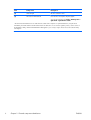
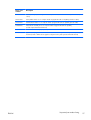
Item
Component
Description
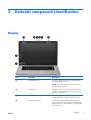
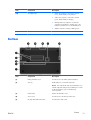
(5)
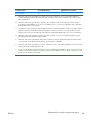
Webcam light
On: The webcam is active.
(6)
HP TrueVision HD Webcam
Records video and captures still photographs.
To access the webcam, select Start > All Programs >
CyberLink > CyberLink YouCam.
*The antennas and IR emitters are not visible from the outside of the computer. For optimal transmission, keep the areas
immediately around the antennas and IR emitters free from obstructions. To see wireless regulatory notices, see the section of
the Regulatory, Safety, and Environmental Notices that applies to your country or region. These notices are located in Help
and Support.
6
Chapter 2 External component identification
ENWW