1
CMX-5000, CU-V160
[Example]
101 = SPEED button : +1%
010 = SPEED button : -10%
116 = SPEED button : +16%
5. Play by pressing the PLAY button. (Confirmation by playback
sound is possibly only in normal speed. Fourfold speed is no
sound.)
6. Stop by pressing the REJECT button. (Stops the disk rotation,
and servo is off.)
7. During plays, pause by pressing the FUNC = PAUSE button
sequentially.
8. During plays, search the first piece and pause by pressing the
FUNC = START button sequentially.
9. During plays, perform 1Tr JUMP FWD by pressing the right side
of the STILL/STEP button.
10. During plays, perform 1Tr JUMP REW by pressing the left side
of the STILL/STEP button.
11. During plays, perform the MULTI REV JUMP only the number
that was specified by pressing the number = - (minus) side of
MULTI•SPEED.
12. During plays, perform the MULTI FWD JUMP only the number
that was specified by pressing the number = + (plus) side of
SPEED/SPEED. (until 999 track jump)
¶ When there is not number appointment, perform the 10 Tr
FWD/REV JUMP.
13. Search for time appointment by pressing the TIME button =
time appointment = SEARCH sequentially ,then pause.
¶ How to set the time appointment: ∗ ∗ ∗ ∗ (four columns)
[Example]
When search for 50 minutes:
TIME button = 5000 (for 00 minutes 00 seconds) = SEARCH
¶ When pressing the SEARCH button without time
appointment:
Search for two minutes ago of the disc end time and after two
seconds of the disc start time whenever pressing the key.
[Example]
Time of DISC is 70 minutes. Search for 68 minutes before two
minutes of disc end time whenever pressing the SEARCH button,
and pause. j Search for after two seconds of the playback
start time of DISC, and pause.
14. Search for appointted Tr No. by pressing the CHAPTER button
= Tr No. appointment (number) = SEARCH sequentially ,then
pause.
¶ When pressing the SEARCH button without time
appointment:
Search for two minutes ago of the disc end time and after two
seconds of the disc start time whenever pressing the key.
[Example]
Time of DISC is 70 minutes. Search for 68 minutes before two
minutes of disc end time whenever pressing the SEARCH button,
and pause. j Search for after two seconds of the playback
start time of DISC, and pause.
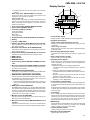
15. Enter the RF level adjustment mode by pressing the FUNC =
C-MODE button sequentially. (Refer to 6. ADJUSTMENT.)
16. Cannot operate the following buttons of the remote control unit.
VIDEO, STOP M., DISPLAY, STILL, FRAME and SCAN
7.1.1.4 Error Indication
When trouble occurred in movement of the player in normal use,
indicate the error number in FL.
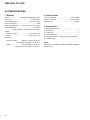
Error Number
Error Name
E-72 01
TOC READ ERROR
E-83 01
PLAYER ERROR
E-83 02
PLAYER ERROR
E-83 03
PLAYER ERROR
70
Contents
Even if TOC data of a disc passed for
20 seconds, was not readable.
Disc does not PLAY normally.
FOCUS NG
DISC does not PLAY normally.
TRACKING NG
DISC does not PLAY normally.
QDATA NG
Cause Example
Disc is dirty.
Disc is dirty.
There is crack on the disc.
Disc is dirty.
There is crack on the disc.
Disc is dirty.
There is crack on the disc.