1
GE HEALTHCARE
REVISION 12
OPTIMA XR200AMX/XR220AMX SYSTEM MANUAL
DIRECTION 5336122-1EN
3.
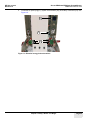
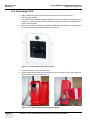
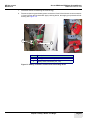
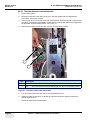
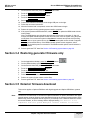
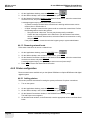
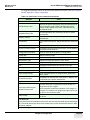
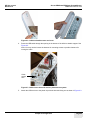
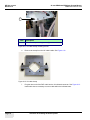
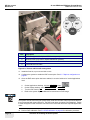
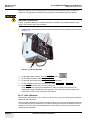
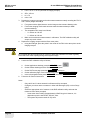
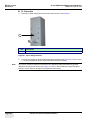
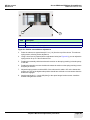
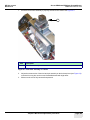
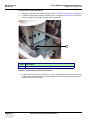
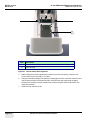
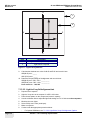
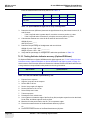
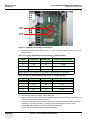
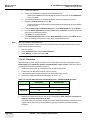
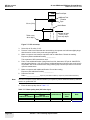
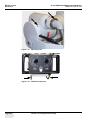
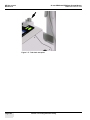
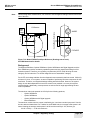
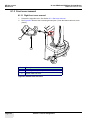
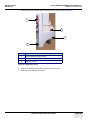
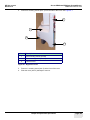
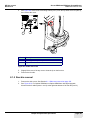
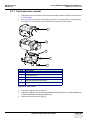
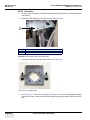
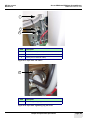
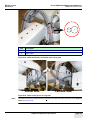
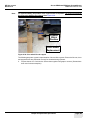
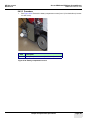
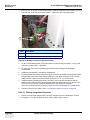
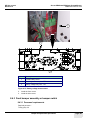
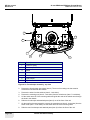
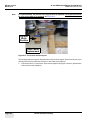
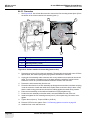
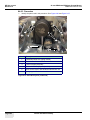
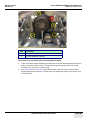
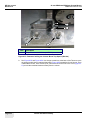
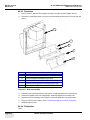
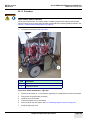
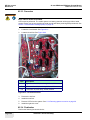
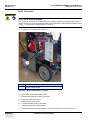
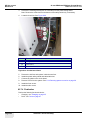
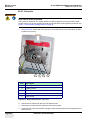
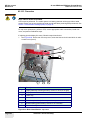
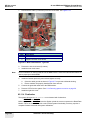
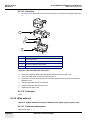
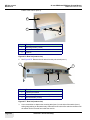
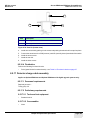
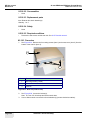
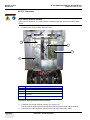
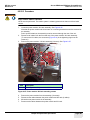
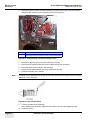
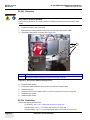
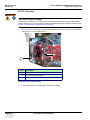
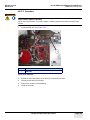
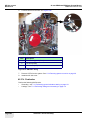
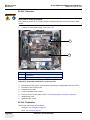
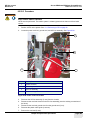
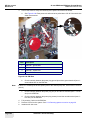
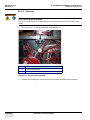
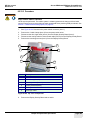
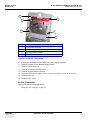
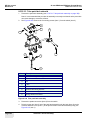
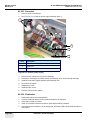
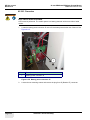
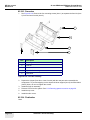
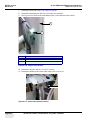
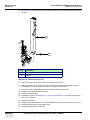
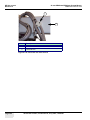
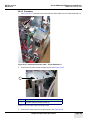
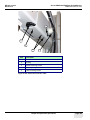
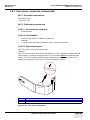
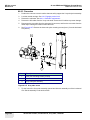
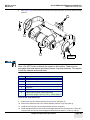
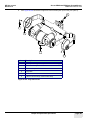
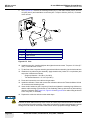
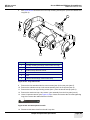
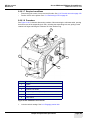
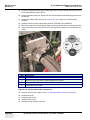
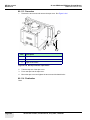
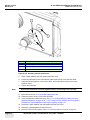
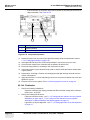
Remove 2 mounting screws (Item 1) from the side of the cover. See Figure 8-5.
1
3
2
1
Item
Description
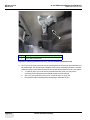
1
Rear mounting screws (2 used)
2
Front mounting screw (1 used)
3
Right front cover
Figure 8-5 Right front cover
4.
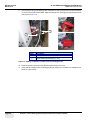
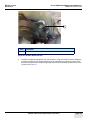
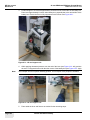
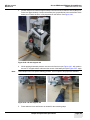
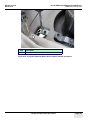
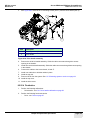
Remove 1 mounting screw (Item 2) at the front of the cover.
5.
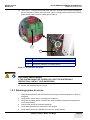
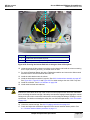
Slide the cover sideways to remove.
Chapter 8 Replacement procedures
Page 153