1
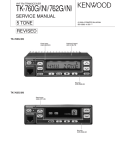
TK-780
GENERAL / OPERATING FEATURES
4. INSTALLATION PLANNING – CONTROL STATIONS
4-1. Antenna system
Control station. The antenna system selection depends
on many factors and is beyond the scope of this manual.
Your KENWOOD dealer can help you select an antenna system that will best serve your particular needs.
4-2. Radio location
SERVICE
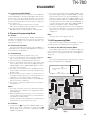
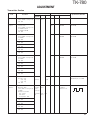
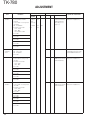
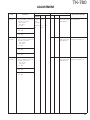
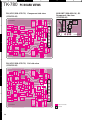
This radio is designed for easy servicing. Refer to the
schematic diagrams, printed circuit board views, and alignment procedures contained in this manual.
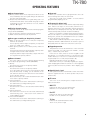
Note
When you modify your radio as described in system setup, take the following precaution.
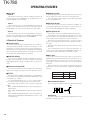
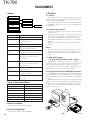
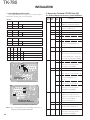
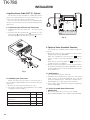
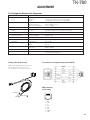
The rating of pin 7 (SB) of the accessory connector cable
(KCT-19) on the rear of the radio is 13.2V (0.75A). Insert a 1A
fuse if you use the SB pin for external equipment.
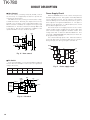
Accessory connector
cable (KCT-19)
3
15
6
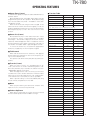
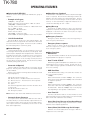
5-tone
Basic
DTMF/2-tone/DMS
Full
Full (Special setting)
1-1. 5-tone Model
In this model, you can program Basic or Full level features. When you select Basic level, only 1 frame 5-tone can
be programmed, and various functions are limited.
When you select “Special setting” in the Full level, you
can use encode/decode format. Using encode/decode format, you can further program the transceiver to run the
script.
1-2. DTMF/2-tone/DMS Model
You can use option signalling which is DTMF or 2-tone
(only for decode) or DMS (Digital Message System-FFSK
signalling) for every channel.
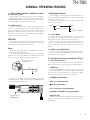
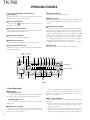
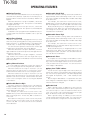
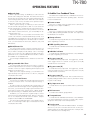
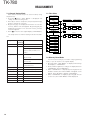
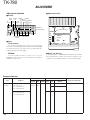
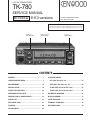
2. Transceiver Controls and Indicators (Fig. 1)
2-1. Front Panel Controls
All the keys on the front panel are momentary-type push
buttons. The functions of these keys are explained below.
1
13
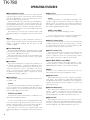
The TK-780 is a VHF FM radio designed in both 5-tone
model and DTMF/2-tone/DMS model. The programmable
features are summarized.
This transceiver can handle up to 250 groups with 250
channels in each group.
Model
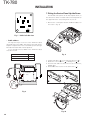
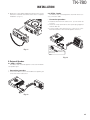
Select a convenient location for your control station radio
which is as close as practical to the antenna cable entry
point. Secondly, use your system’s power supply (which
supplies the voltage and current required for your system).
Make sure sufficient air can flow around the radio and power
supply to allow adequate cooling.
7
1. Operation Features
+
–
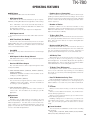
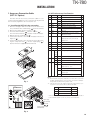
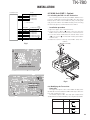
If you do not intend to use the 3.5-mm jack for the external speaker, fit the supplied speaker-jack cap (B09-0235-05)
to stop dust and sand getting in.
• POWER key
Transceiver POWER key. When the power is switched
off, all the parameters, such as the group and channel, are
stored in memory. When the power is switched on again,
the transceiver returns to the previous conditions.
• CHANNEL UP/DOWN key
• CALL key (Programmable)
• ■ key (Programmable)
• A, B, C and D key (Programmable)
• VOLUME UP/DOWN key (Programmable)
Speaker-jack cap
(B09-0235-05)
• BUSY/TX LED
The BUSY indicator (Green LED) shows that the channel
is in use. The TX indicator (Red LED) shows that you are
transmitting.
3