1
1 Introduction
This manual provides technical information on using the Christie JumpStart
server and assisting Christie accredited service technicians in its service
and repair.
The Christie JumpStart server is a computer device that allows a user to
control a display wall. Specially designed wall management software
enables the user to control and display several applications simultaneously
on a large, ultra-high resolution desktop.
To prevent physical injury or equipment damage, it is
important that you read Section 4 Specifications in its entirety before
performing any service procedure covered in this manual.
DISCLAIMER: Every effort has been made to ensure the information in this
document is accurate and reliable. However, due to constant research, the
information in this document is subject to change without notice. Christie
Digital Systems assumes no responsibility for omissions or inaccuracies.
Updates to this document are published regularly, as required. Please
contact Christie Digital Systems for availability.
Images in this manual are presented to illustrate the key steps for each
service procedure.
1.1
Safety Warnings and Guidelines
To assure complete safety at all times for users as well as Christie accredited
service technicians, it is imperative that the following warnings and
precautions are read and understood before attempting servicing.
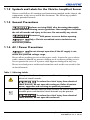
1.1.1 Power Cords and Attachments
1) A power cord is provided with each Christie
JumpStart server. Ensure that you are using a power cord, socket, and
power plug rated for your location. 2) Use only an AC power cord
recommended by Christie. Do not attempt operation if the AC supply
and cord are not within the specified voltage and power range.
Use only the attachments and accessories recommended by Christie. Use of
unauthorized attachments and accessories may result in the risk of fire,
shock or personal injury.
JumpStart Server Operation Manual
020-100803-01 Rev. 2 (06/12)
1-1