1
Contents
1
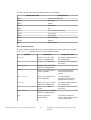
Tekla Structures licensing system.................................................................... 5
1.1
1.2
1.3
1.4
1.5
1.6
Checklist of Tekla deliverables needed in Tekla Structures licensing..................................6
Checklist of IT resources needed in Tekla Structures licensing........................................... 7
Checklist for the Tekla Structures license server administrator..........................................8
Rights needed for performing administrator's tasks in Tekla Structures licensing........... 9
Distributing and managing Tekla Structures licenses........................................................... 9
Examples of different Tekla Structures licensing system setups....................................... 11
2
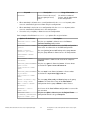
Installing Tekla Structures license server......................................................15
2.1
2.2
2.3
2.4
2.5
2.6
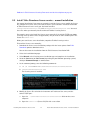
Install Tekla Structures license server - automatic installation........................................16
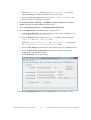
Install Tekla Structures license service - manual installation........................................... 17
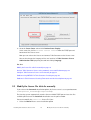
Modify the license file tekla.lic manually............................................................................19
Configure Tekla Structures license server manually........................................................... 21
Modify, repair or remove Tekla Structures license server installation..............................23
Uninstall Tekla Structures license server............................................................................. 23
3
Allowing Tekla Structures license server to operate through
Windows Firewall............................................................................................ 25
3.1
3.2
3.3
3.4
Allow exceptions in firewall for lmgrd.exe and tekla.exe: Windows Server 2008......... 26
Allow exceptions in firewall for lmgrd.exe and tekla.exe: Windows 7, 8, 8.1,
and Windows Server 2012.................................................................................................... 28
Allow traffic in fixed TCP/IP ports: Windows Server 2008............................................... 29
Allow traffic in fixed TCP/IP ports: Windows 7, 8, 8.1 and Windows Server 2012........34
4
Activating Tekla Structures licenses............................................................. 43
4.1
4.2
Activate Tekla Structures licenses using automatic server notification...........................44
Activate Tekla Structures licensing using manual server notification..............................45
5
Connect Tekla Structures to the license server............................................47
6
Modify Tekla Structures license access rights (tekla.opt).......................... 49
6.1
Configuration codes and keywords used in access right definitions.................................50
7
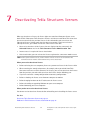
Deactivating Tekla Structures licenses..........................................................54
7.1
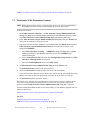
Deactivate Tekla Structures licenses.................................................................................... 55
8
Repair a Tekla Structures license...................................................................57
2