1
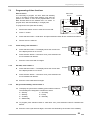
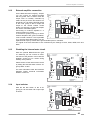
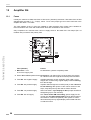
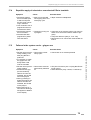
Cash box contents, level 1 button 2
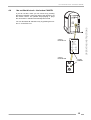
8.4
8.5
8.6
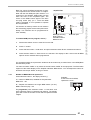
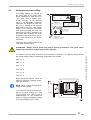
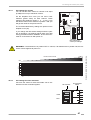
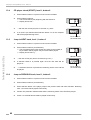
Cash box contents, level 1 button 2
1.
Press selection button 2 once. Digital display shows the cash box contents in basic units; basic
units being the value of the lowest coin.
2.
To cancel the procedure press selection button R.
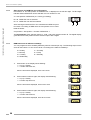
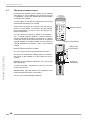
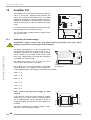
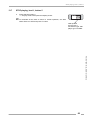
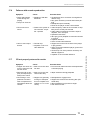
Total number of plays, level 1 button 3
1.
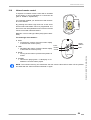
Press selection button 3 once. Display shows the total number of plays since last reset (maximum 9999).
2.
To cancel the procedure press selection button R.
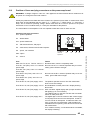
CLEAR ALL counters (reset to 0 0 0 0), level 1 button 3 + reset
1.
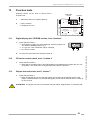
Press selection button 3 -hold down- and press selection button R (reset).
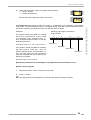
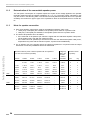
# The counters belonging to the buttons 0 to 3 (least popular disc, most popular disc, cash
box and total plays) are cleared and reset to 0 0 0 0.
# The sequence of top discs is for the time being 01, 02, 03, 04 etc.
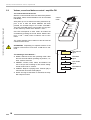
# After leaving the service program the jukebox initializes itself, during this procedure the compartments in the magazines will be counted. At the end of the initialization the
display should show either 0 0 0 0 for 100 CD carrier or
0 0 5 0 for 50 CD carrier.
2.
To exit the service program first set service switch to OFF and
then press the LT button.
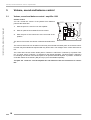
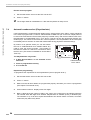
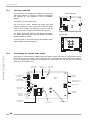
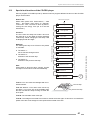
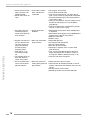
Memory of not playable CDs, level 1 button 6
Careful handling of the CDs does not completely exclude that CDs may be damaged in different
ways. Possibly the player would interrupt this CD at each selection. The S&CC provides a watch dog
function which finds and memorizes these difficulties to play. The S&CC unit can store the numbers
of up to six not playable CDs. Once a CD is registered every new try will be counted. So it is possible
to find out defective discs and exchange these for new ones.
1.
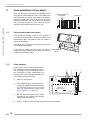
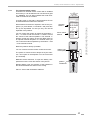
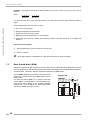
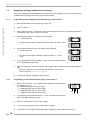
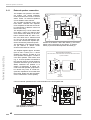
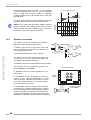
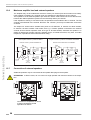
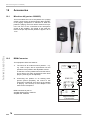
Press selection button 6, the display shows flashing:
# 1 means first defective CD
then e.g.
# A = CD number
# B = NUMBER of times the CD was not playable or interrupted
A
2.
Press selection button 6 to display the next not playable CD, etc. After
displaying the 6th not playable CD and pressing selection button 6 again
the display starts with the first one again.
3.
To CLEAR this memory press selection button 6 -hold down- and press selection button R.
4.
To exit the service program, first set service switch to OFF and then press LT button.
OMT CD – Edition: 12.05.2005
B
35
OPERATING INSTRUCTIONS
8.3