1
FILE NO. SVM-12057
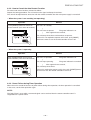
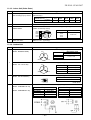
Note:
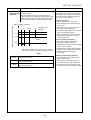
· Keep the remote control in accessible transmission to the indoor unit;
otherwise, the time lag of up to 15 minutes will occur.
· The setting will be saved for the next same operation.
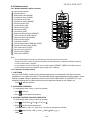
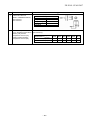
10. PRESET OPERATION
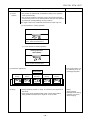
Set your preferred operation for future use. The setting will be memorized by the
unit for future operation (except air flow direction).
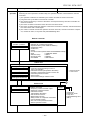
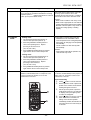
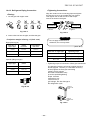
1. Select your preferred operation.
2. Press and hold
for 3 seconds to memorize the setting. The P mark
displays.
3. Press
: Operate the preset operation.
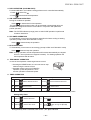
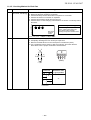
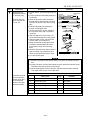
11. AUTO RESTART OPERATION
To automatically restart the conditioner after the power failure (Power of the unit
must be on.)
Setting
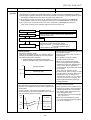
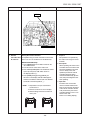
1. Press and hold the RESET button on the indoor unit for 3 seconds to set the
operation. (3 beep sound and OPERATION lamp blink 5 time/sec for 5 seconds)
• Do not operate ON timer and OFF timer.
2. Press and hold the RESET button on the indoor unit for 3 seconds to cancel the
operation. (3 beep sound but OPERATION lamp does not blink)
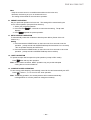
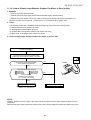
12. QUIET OPERATION
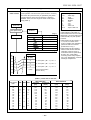
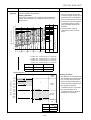
To operate at super low fan speed for quiet operation (except in DRY mode)
Press
QUIET
: Start and stop the operation.
Note: Under certain conditions, QUIET operation may not provide adequate
cooling due to low sound features.
13. COMFORT SLEEP OPERATION
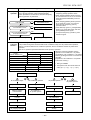
To save energy while sleeping, automatically control air flow and automatically turn OFF.
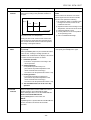
Press
: Select 1, 3, 5 or 9 hrs for OFF timer operation.
Note: The cooling operation, the set temperature will increase automatically
0.5 degree/hour for 4 hours (maximum 2 degrees increase).
– 50 –