1
Operating Instructions
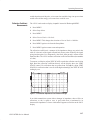
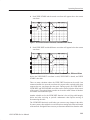
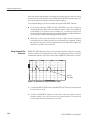
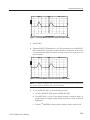
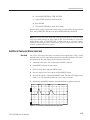
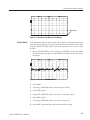
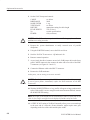
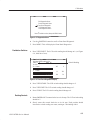
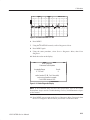
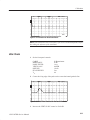
a. Press the MENU button firmly once. If the display is very light or very dark,
you might not be able to see a change in the contrast.
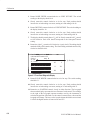
b. Turn the VERTICAL SCALE knob slowly clockwise to darken the display
or counterclockwise to lighten the display. If you turn the knob far enough,
the contrast will wrap from the darkest to lightest value.
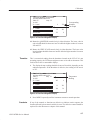
c. When the screen is clearly readable, press the MENU button again to return
to normal measurement operation. The new contrast value will remain in
effect until the instrument is turned off.
Test Preparations
The Importance of Vp
(Velocity of Propagation)
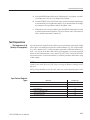
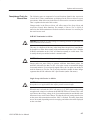
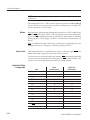
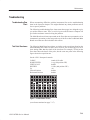
Vp is the speed of a signal down the cable given as a percentage of the speed of light
in free space. It is sometimes expressed as a whole number (e.g., 66) or a percentage
(e.g., 66%). On the 1503C, it is the percentage expressed as a decimal number (e.g.,
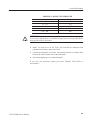
66% = .66). If you do not know the velocity of propagation, you can get a general
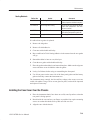
idea from the following table, or use the Help with Cables section of the Cable
Information menu. You can also find the Vp with the procedure that follows using
a cable sample.
NOTE. If you do not know the Vp of your cable, it will not prevent you from finding
a fault in your cable. However, if the Vp is set wrong, the distance readings will be
affected.
All Vp settings should be set for the cable under test, not the supplied jumper cable.
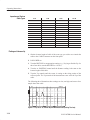
Vp of Various Dielectric
Types
Dielectric
Jelly Filled
Polyethylene (PIC, PE, or SPE)
PTFE (Teflon R) or TFE
Pulp Insulation
Foam or Cellular PE (FPE)
Semi-solid PE (SSPE)
Air (helical spacers)
1503C MTDR Service Manual
Probable Vp
.64
.66
.70
.72
.78
.84
.98
1–11