1
To Purchase This Item, Visit BMI Gaming | www.bmigaming.com | (800) 746-2255 | +561.391.7200
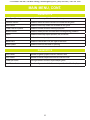
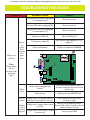
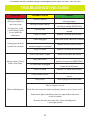
TROUBLESHOOTING GUIDE
PROBLEM
PROBABLE CAUSE
REMEDY
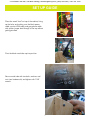
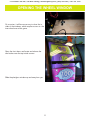
Remove fish head
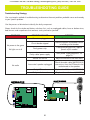
Monitor issues;
Too bright, too dim,
blurry, etc.
Monitor settings out of adjustment
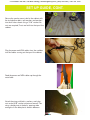
Remove wood blocks holding monitor
in place
Take the monitor out of the wood
frame
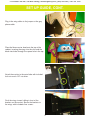
Use buttons to adjust settings
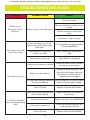
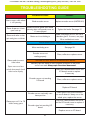
Game plays, but not all
the functions work
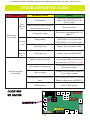
Inputs not working; no coin-up,
buttons don’t work, display reads
“door open”
I/O serial cable unplugged between
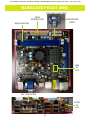
I/O and motherboard
Display does not show some
screens, no audio
USB software flash drive loose or
faulty
Game freezes or locks up
Faulty RAM or motherboard
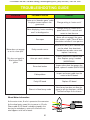
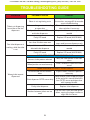
One of the coin switches is jammed
Un-jam coin switch. If one is closed,
the other won’t work either.
Short in coin door harness
Unplug red spade connector from
door and jump between white and
black wires to simulate coin up;
replace harness if needed
Game doesn’t coin up
I/O serial cable unplugged between Check connections and reseat cables;
I/O and motherboard
replace I/O serial cable if needed
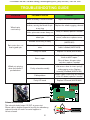
“Low tickets” displayed
on monitor, despite being
filled
Faulty I/O board
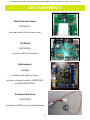
Replace I/O board (AACB1900)
Ticket stack not resting properly on
the low ticket switches
Adjust ticket stack so it holds the
switch down
Faulty low ticket switch
Replace low ticket switch (A5SW200)
Faulty wire or connection
Check the connection between the
switch and the I/O board
Faulty I/O board
Replace I/O board (AACB1900)
29