1
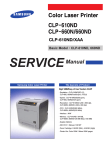
Color Laser Printer
CLP-600 Series
CLP-600/CLP-600N
Basic Model : CLP-600
SERVICE
Samsung Color Laser Printer
Manual
The keynote of Product
- Speed: A4, 20/20ppm(Color/Mono)
1200dpi x 1200dpi
- Paper Path: FISO(Front-Inm Side-Out),
Single Pass(Tandem)
- Emulation: SPL-C(GDI)
- System Controller: V320
- Processor: PMC RM5231A 250MHz
- Memory: Standard SDRAM capacity is 32MB
- Cassette: 250Sheet(Settable Type/A4, Ltr)
- SCF: 500Sheet Second Cassette Feeder
(option)
- Toner Cartridge: 4K/4K(Color/Mono)
- Fuser Type: 1 E-coil Roller(heat roller)
- I/O: USB 2.0
CLP-600
- Machine Life: 150,000images/400, 000pages
ELECTRONICS
* This service manual is a property of Samsung Electronics Co., Ltd.
Any unauthorized use of Manual can be punished under applicable
international and/or domestic law.
* This service manual is also provided on the web, the ITSELF
system Samsung Electronics Co., Ltd.
http://itself.sec.samsung.co.kr
Samsung Electronics Co.,Ltd. Oct. 2005
Printed in Korea.
VERSION NO. : 1.00 CODE : JC-0150A
Contents
1. Precautions
1.1
1.2
1.3
1.4
Safety Warning
Caution for safety
ESD Precautions
Super Capacitor or Lithium Battery Precautions
1-1
1-2
1-5
1-5
2. Product Specification
2.1 Product Overview
2.2 Specifications
2.3 Model Comparison Table
2-1
2-2
2-6
3. System Overview
3.1
3.2
3.3
3.4
3.5
3.6
3.7
3.8
3.9
System Structure
H/W Structure and Descriptions
Driver Board
Deve CRUM
Belt CRUM
Deve CRUM Interface board
Belt CRUM Interface board
Power Supply
HVPS
3-1
3-13
3-15
3-17
3-18
3-19
3-20
3-21
3-23
Continued
4. S/W Structure and Descriptions
4.1 Architecture
4.2 Language Monitor
4.3 Status Monitor
4.4 Network Interface
4.5 Printer Driver <-> Status Monitor
4.6 System F/W Flow
4.7 Alarm Shortage
4.8 Error status
4.9 CRUM Overview
4.10 FW Upgrade
4-1
4-1
4-1
4-2
4-2
4-3
4-4
4-4
4-5
4-5
5. Disassembly and Reassembly
5.1
5.2
5.3
5.4
Precautions When Replacing Parts
Parts for Maintenance and Repair
Information Related in Disassembly and Assembly
Disassembly Procedure
5-2
5-3
5-5
5-13
6. Alignment and Adjustments
6.1
6.2
6.3
6.4
6.5
6.6
6.7
Paper path and Paper jam
Jam Removal
Sample Pattern
Checking the Remaining Toner and Others
Understanding the Control Panel
Periodic Defective Image
How to use EDC (Engine Diagnostic Control) Mode
6-1
6-4
6-14
6-15
6-16
6-20
6-21
Continued
Continued
7. Troubleshooting
7.1
7.2
7.3
7.4
7.5
Procedure of Checking the Symptoms
Solution of Image Problem
Paper Feeding Problems and Troubleshooting
Symptoms of Bad Operation and Troubleshooting
Treatment of Error Message
7-1
7-5
7-10
7-13
7-17
8. Exploded Views & Parts List
8.1 Exploded Views and Parts List
8-1
9. Block diagram
9.1 21ppm Block Diagram
9.2 GID H/W Block Diagram
9.3 N/C & Wireless Block Diagram
9-1
9-2
9-3
10. Connection Diagram
10.1 CLP-600/600N Connection Diagram
10.2 Power Distribution Diagram
10.3 Main SMPS
10.4 Main(Driver) HVPS 28 pin
10.5 Main(Driver) HVPS 8 pin
10.6 Main Driver DF11 28 pin
10.7 Main System thermistor 2 pin
10.8 Main SET CTD, CR, CRUM sensor
10.9 Main Temp/Hum sensor 4 pin
10.10 Main LSU 24 pin
10-1
10-2
10-3
10-4
10-5
10-6
10-7
10-8
10-9
10-10
Precautions
1
1. Precautions
In order to prevent accidents and to prevent damage to the equipment please read the precautions listed
below carefully before servicing the printer and follow them closely.
1.1 Safety Warning
(1) Only to be serviced by appropriately qualified service engineers.
High voltages and lasers inside this product are dangerous. This printer should only be serviced by a suitably
trained and qualified service engineer.
(2) Use only Samsung replacement parts
There are no user serviceable parts inside the printer. Do not make any unauthorized changes or
additions to the printer, these could cause the printer to malfunction and create electric shock or fire hazards.
(3) Laser Safety Statement
The Printer is certified in the U.S. to conform to the requirements of DHHS 21 CFR, chapter 1 Subchapter J for
Class 1(1) laser products, and elsewhere, it is certified as a Class I laser product
conforming to the requirements of IEC 825. Class I laser products are not considered to be hazardous. The
laser system and printer are designed so there is never any human access to laser radiation above a Class I
level during normal operation, user maintenance, or prescribed service condition.
Warning >> Never operate or service the printer with the protective cover removed from Laser/Scanner assembly. The
reflected beam, although invisible, can damage your eyes. When using this product, these basic safety
pre-cautions should always be followed to reduce risk of fire, electric shock, and injury to persons.
CAUTION - INVISIBLE LASER RADIATION
WHEN THIS COVER OPEN.
DO NOT OPEN THIS COVER.
VORSICHT - UNSICHTBARE LASERSTRAHLUNG,
WENN ABDECKUNG GE FFNET.
NICHT DEM STRAHL AUSSETZEN.
ATTENTION - RAYONNEMENT LASER INVISIBLE EN CAS
D OUVERTURE. EXPOSITION DANGEREUSE
AU FAISCEAU.
ATTENZIONE - RADIAZIONE LASER INVISIBILE IN CASO DI
APERTURA. EVITARE L ESPOSIZIONE AL
FASCIO.
PRECAUCION - RADIACION LASER IVISIBLE CUANDO SE ABRE.
EVITAR EXPONERSE AL RAYO.
ADVARSEL. - USYNLIG LASERSTR LNING VED BNING, N R
SIKKERHEDSBRYDERE ER UDE AF FUNKTION.
UNDG UDSAETTELSE FOR STR LNING.
ADVARSEL. - USYNLIG LASERSTR LNING N R DEKSEL
PNES. STIRR IKKE INN I STR LEN.
UNNG EKSPONERING FOR STR LEN.
VARNING - OSYNLIG LASERSTR LNING N R DENNA DEL
R PPNAD OCH SP RREN R URKOPPLAD.
BETRAKTA EJ STR LEN. STR LEN R FARLIG.
VARO! - AVATTAESSA JA SUOJALUKITUS OHITETTAESSA
OLET ALTTIINA N KYM TT M LLE LASERS TEILYLLE L KATSO S TEESEEN.
Service Manual
Samsung Electronics
1-1
Precautions
1.2 Caution for safety
1.2.1 Toxic material
This product contains toxic materials that could cause illness if ingested.
(1) If the LCD control panel is damaged it is possible for the liquid inside to leak. This liquid is toxic. Contact with the skin
should be avoided, wash any splashes from eyes or skin immediately and contact your doctor. If the liquid gets into
the mouth or is swallowed see a doctor immediately.
(2) Please keep toner cartridges away from children. The toner powder contained in the toner cartridge may be harmful
and if swallowed you should contact a doctor.
1.2.2 Electric Shock and Fire Safety Precautions
Failure to follow the following instructions could cause electric shock or potentially cause a fire.
(1) Use only the correct voltage, failure to do so could damage the printer and potentially cause a fire or electric
shock.
(2) Use only the power cable supplied with the printer. Use of an incorrectly specified cable could cause the cable
to overheat and potentially cause a fire.
(3) Do not overload the power socket, this could lead to overheating of the cables inside the wall and could lead to
a fire.
(4) Do not allow water or other liquids to spill into the printer, this can cause electric shock. Do not allow paper
clips, pins or other foreign objects to fall into the printer these could cause a short circuit leading to an electric
shock or fire hazard..
(5) Never touch the plugs on either end of the power cable with wet hands, this can cause electric shock. When
servicing the printer remove the power plug from the wall socket.
(6) Use caution when inserting or removing the power connector. The power connector must be inserted completely otherwise a poor contact could cause overheating possibly leading to a fire. When removing the power
connector grip it firmly and pull.
(7) Take care of the power cable. Do not allow it to become twisted, bent sharply round corners or otherwise
damaged. Do not place objects on top of the power cable. If the power cable is damaged it could overheat and
cause a fire or exposed cables could cause an electric shock. Replace a damaged power cable immediately,
do not reuse or repair the damaged cable. Some chemicals can attack the coating on the power cable,
weakening the cover or exposing cables causing fire and shock risks.
(8) Ensure that the power sockets and plugs are not cracked or broken in any way. Any such defects should be
repaired immediately. Take care not to cut or damage the power cable or plugs when moving the machine.
(9) Use caution during thunder or lightening storms. Samsung recommend that this machine be disconnected from
the power source when such weather conditions are expected. Do not touch the machine or the power cord if it
is still connected to the wall socket in these weather conditions.
(10) Avoid damp or dusty areas, install the printer in a clean well ventilated location. Do not position the machine
near a humidifier. Damp and dust build up inside the machine can lead to overheating and cause a fire.
(11) Do not position the printer in direct sunlight. This will cause the temperature inside the printer to rise possibly
leading to the printer failing to work properly and in extreme conditions could lead to a fire.
(12) Do not insert any metal objects into the machine through the ventilator fan or other part of the casing, it could
make contact with a high voltage conductor inside the machine and cause an electric shock.
1-2
Service Manual
Samsung Electronics
Precautions
1.2.3 Handling Precautions
The following instructions are for your own personal safety, to avoid injury and so as not to damage the printer
(1) Ensure the printer is installed on a level surface, capable of supporting its weight. Failure to do so could cause
the printer to tip or fall.
(2) The printer contains many rollers, gears and fans. Take great care to ensure that you do not catch your fingers,
hair or clothing in any of these rotating devices.
(3) Do not place any small metal objects, containers of water, chemicals or other liquids close to the printer which if
spilled could get into the machine and cause damage or a shock or fire hazard.
(4) Do not install the machine in areas with high dust or moisture levels, beside on open window or close to a
humidifier or heater. Damage could be caused to the printer in such areas.
(5) Do not place candles, burning cigarettes, etc. on the printer, these could cause a fire.
1.2.4 Assembly / Disassembly Precautions
Replace parts carefully, always use Samsung parts. Take care to note the exact location of parts and also
cable routing before dismantling any part of the machine. Ensure all parts and cables are replaced correctly.
Please carry out the following procedures before dismantling the printer or replacing any parts.
(1) Check the contents of the machine memory and make a note of any user settings. These will be erased if the
mainboard is replaced.
(2) Ensure that power is disconnected before servicing or replacing any electrical parts.
(3) Disconnect printer interface cables and power cables.
(4) Only use approved spare parts. Ensure that part number, product name, any voltage, current or temperature
rating are correct.
(5) When removing or re-fitting any parts do not use excessive force, especially when fitting screws into plastic.
(6) Take care not to drop any small parts into the machine.
(7) Handling of the OPC Drum
- The OPC Drum can be irreparably damaged if it exposed to light.
Take care not to expose the OPC Drum either to direct sunlight or to fluorescent or incandescent room
lighting. Exposure for as little as 5 mins can damage the surface’s photoconductive properties and will result
in print quality degradation. Take extra care when servicing the printer. Remove the OPC Drum and store it in
a black bag or other lightproof container. Take care when working with the covers(especially the top cover)
open as light is admitted to the OPC area and can damage the OPC Drum.
- Take care not to scratch the green surface of OPC Drum Unit.
If the green surface of the Drum Cartridge is scratched or touched the print quality will be compromised.
Service Manual
Samsung Electronics
1-3
Precautions
1.2.5 Disregarding this warning may cause bodily injury
(1) Be careful with the high temperature part.
The fuser unit works at a high temperature. Use caution when working on the printer. Wait for the fuser to cool
down before disassembly.
(2) Do not put finger or hair into the rotating parts.
When operating a printer, do not put hand or hair into the rotating parts (Paper feeding entrance, motor, fan,
etc.). If do, you can get harm.
(3) When you move the printer.
This printer weighs 29kg including toner cartridge and cassette. Use safe lifting and handling techniques. Back
injury could be caused if you do not lift carefully.
(4) Ensure the printer is installed safely.
The printer weighs 29Kg, ensure the printer is installed on a level surface, capable of supporting its weight.
Failure to do so could cause the printer to tip or fall possibly causing personal injury or damaging the printer.
(5) Do not install the printer on a sloping or unstable surface. After installation, double check that the printer is stable.
1-4
Service Manual
Samsung Electronics
Precautions
1.3 ESD Precautions
Certain semiconductor devices can be easily damaged by static electricity. Such components are commonly called
“Electrostatically Sensitive (ES) Devices”, or ESDs. Examples of typical ESDs are: integrated circuits, some field
effect transistors, and semiconductor “chip” components.
The techniques outlined below should be followed to help reduce the incidence of component damage caused by
static electricity.
Caution >>Be sure no power is applied to the chassis or circuit, and observe all other safety precautions.
1. Immediately before handling a semiconductor component or semiconductor-equipped assembly, drain off any
electrostatic charge on your body by touching a known earth ground. Alternatively, employ a commercially available wrist strap device, which should be removed for your personal safety reasons prior to applying power to the
unit under test.
2. After removing an electrical assembly equipped with ESDs, place the assembly on a conductive surface, such as
aluminum or copper foil, or conductive foam, to prevent electrostatic charge buildup in the vicinity of the assembly.
3. Use only a grounded tip soldering iron to solder or desolder ESDs.
4. Use only an “anti-static” solder removal device. Some solder removal devices not classified as “anti-static” can
generate electrical charges sufficient to damage ESDs.
5. Do not use Freon-propelled chemicals. When sprayed, these can generate electrical charges sufficient to damage ESDs.
6. Do not remove a replacement ESD from its protective packaging until immediately before installing it. Most
replacement ESDs are packaged with all leads shorted together by conductive foam, aluminum foil, or a comparable conductive material.
7. Immediately before removing the protective shorting material from the leads of a replacement ESD, touch the protective material to the chassis or circuit assembly into which the device will be installed.
8. Maintain continuous electrical contact between the ESD and the assembly into which it will be installed, until completely plugged or soldered into the circuit.
9. Minimize bodily motions when handling unpackaged replacement ESDs. Normal motions, such as the brushing
together of clothing fabric and lifting one’s foot from a carpeted floor, can generate static electricity sufficient to
damage an ESD.
1.4 Super Capacitor or Lithium Battery Precautions
1. Exercise caution when replacing a super capacitor or Lithium battery. There could be a danger of explosion and
subsequent operator injury and/or equipment damage if incorrectly installed.
2. Be sure to replace the battery with the same or equivalent type recommended by the manufacturer.
3. Super capacitor or Lithium batteries contain toxic substances and should not be opened, crushed, or burned for
disposal.
4. Dispose of used batteries according to the manufacture’s instructions.
Service Manual
Samsung Electronics
1-5
Product Specifications
2
2. Product Specifications
2.1 Product Overview
Item
Descriptions
Basic Model
CLP-600
Series Model
CLP-600, CLP-600N, CLP-650, CLP-650N
Maket of Sales
Remark
Main Target : Office Small Workgroup(2~10)
- Shared by Local PC or Network attaching(60:40)
Sub Target : Office Personnel for Mktg/Fin/Engr/Exec.
Enterpreneurial business(1~5)
Main Specification
1. Paper Handling
- Input : 250CST, 50MP, No Duplex
- Output : 250(Face/Down)
- Etc : MP(Postcard~Legal)
CST(A5~Letter)
2. Engine
- Speed : 20ppm/A4, 21ppm/Letter
- Resol : 1200dpi Addr.
- Duty : 35,000pages/mon
- Life : 400,000pages
3. Consum ables
- CRU : C/M/Y/K : 4K(5%) /Initial 2K
Paper Transfer Unit : 35K
- FRU : Fuser : 50K
Other Roll : 50K
4. Controller
- SPL model(CLP-600) : SPL-C, Std. 64MB
- PDL model(CLP-650) : PCL6/PS3, Std. 128MB(Max. 640MB)
5. Control/UI
- LCD : SPLC-LED(7), 3Keys
PDL-LCD, 6Keys
- CMM : ICC, sRGB
Pamtone(PDL)
6. Other
- Inferface : USB 2.0
USB 2.0 + P1284(PDL)
- Util : MS Family, Mac/Linux, Smart Monitor, Local&NW RDS
Service Manual
Samsung Electronics
2-1
Product Specifications
2.2 Specifications
Specifications are correct at the time of printing. Product specifications are subject to change without notice.
See below for product specifications.
2.2.1 General Specifications
Items
Print Method
Developing system
*Print Speed
Resolution
Source of Light
Warm-Up Time
First Print Time
Feed Method
Media Size
Media Thickness
Dimension (W X D X H)
Weight
**Acoustic Noise
Power save mode
Toner save mode
Machine Life
Descriptions
Non-impact Electro-photography
Non-Magnetic, Mono-Component Developing System
Mono
Up to 20ppm in A4, Up to 20ppm in Letter size
Color
Up to 20ppm in A4, Up to 20ppm in Letter size
1200dpi X 1200dpi
Laser diode (LSU : Laser Scanning Unit)
More than 60 sec
Mono
20 seconds (Ready to 1st page out)
Color
20 seconds (Ready to 1st page out)
Cassette , MPT(Multi Purpose Tray), SCT(Second Cassette Tray)
76 X 128mm (3 x 5”) to 216 X 356mm (8.5 X 14”)
Cassette : 16 ~24 lb , MPT : 16 ~ 43 lb
465(W)mm X 465(D)mm X 445(H)mm
Net
24 Kg
Gross
21 Kg
Stand by
More than 44 dBA
Printing
More than 52 dBA (Color)
Support : Yes(RCP Mode)
Default : 30min
Setting : 5min/10min/30min/45min/60min/120min
Disable
Mono : More than 400,000 pages, Color : More than 100,000 pages
* Print speed will be affected by Operating System used, computing performance, application software, connecting
method, media type, media size and job complexity.
* Cardstock/Envelope : Half Speed
** Sound Pressure Level, ISO 7779
2-2
Service Manual
Samsung Electronics
Product Specifications
2.2.2 Controller Specification
Items
Processor (CPU)
Memory
Emulation
Operating System
Interface
Interface switching
Interface time-out
Font
Color Management
Descriptions
RM5231A + V320USC(SPL-C)
FLASH ROM (PROGRAM) : 8MB flash
Standard SDRAM Capacity is 32MB
Option DIMM module : SDRAM 144PIN SODIMM TYPE 128~256MB for one slots
NVRAM : 4K BIT Serial Inter face(12C)
GDI(SPL-Color)
Win 95/98/ME/NT4.0/2000/XP, Various Linux OS including Red Hat, Caldera, Debian,
Mandrake, Slackware, SuSE and Turbo Linux
Parallel : IEEE 1284 Bidirectional (Korea, Russia, Asia only)
- Modes supported : Compatible, Nibble, Byte, ECP
USB (without HUB mode)
- USB 2.0 compliant
-12/480 Mbps 1 port
Network Interface
- 10/100 Base TX
10/100 Base TX + 802.11b Wireless LAN
Automatic
5min (Max.)
Windows font, PS english font, PCL english font
ICC ICM V3.4
2.2.3 Electrical Specification
Items
Input Voltage
Power Consumption
Descriptions
Nominal input voltage
200-240 VAC / 100~127VAC
Input voltage range
180-264 VAC/ 90~132VAC
Input frequency
50/60 MHz
Frequency tolerance
+3Hz
Printing : 55Wh(AVG)
Power Save : Less than 35Wh
Remarks
2.2.4 Environmental Range
Items
Temperature
Humidity
Operating
15~32.5 ˚C(50-90 ˚F)
20~80%RH
Storage
-20~40 ˚C (-4~104 ˚F)
10~80%RH
Service Manual
Samsung Electronics
2-3
Product Specifications
2.2.5 Consumable & Maintenance Items
Consumables
No. of CRUs
Toner
Black
Color
Key
Life detect
Replace method
Tranfer
Yield
(Paper Transfer Belt) Key
Sensor
Replace method
No. of FRUs
Fuser
Yield
Key
Life detect
Replace method
Pick-up Roller
Yield
Key
Life detect
Replace method
Options
Memory
Second Cassette
Network
Wireless Network
Hard Disk
Duplex Unit
2-4
5 (C/M/Y/K toner, Transfer)
4,000 A4/Letter pages, at ISO-19752 5% Coverage(Set initial : 2K)
4,000 A4/Letter pages, at ISO-19752 5% Coverage C/M/Y
each(Set initial : 2K)
Unique, Electronic key(CRUM)
None, toner remaining volume would be traced via software
3 steps for install/replacing
50,000 pages
CRUM
None
3 steps for install/replacing
5 (ITB+OPC, Dev Unit, Fuser, T2 roller, Pick-up roller)
50,000 pages
Detect new fuser, cut fusible resistance
None
2 steps for install/replacing Dime screw
50,000 pages
None
None
3 steps for install/replacing
CLP-600
N/A
Y
Option
N/A
N/A
N/A
CLP-600N
Standard
Dealer option
Service Manual
Samsung Electronics
Product Specifications
2.2.6 Paper handling Specifications
2.2.6.1 input Paper Size
Paper
Paper size
1st Cassette
2nd Cassette
MP tray
Duplex
A4
210 X 297 mm
O
O
O
O
Letter
216 X 279 (8.5 X 11")
O
O
O
O
Folio (Legal13")
216 X 330 (8.5 X 13")
O
O
Legal (Legal14")
216 X 356 (8.5 X14")
O
O
Executive
184 X 267 (7.25 X10.5")
O
Statement
140 X 216(5.5 x8.5")
O
ISO B5
176 X 250
O
JIS B5
182 X257
O
A5
148.5 X 210
O
A6
105 X148.5
O
Com-10 Envelope
105 X 241 (4.15 X 9.5")
O
Monarch Envelope
98 X191 (3.87 X 7.5")
O
DL Envelope
110 X 220(4.33 X 8.66")
O
C5 Envelope
162 X 229 (6.38 X 9.01")
O
C6 Envelope
114 X 162 (4.49 X 6.38")
O
Transparency (OHP)
A4 or Letter
O
Label paper
A4 or Letter
O
O : Supported
2.2.6.2 Input Capacity
Items
Cassette(FCT)
MPF
Option Cassette(SCT)
Descriptions
250 sheets
Paper
Transparencies
Envelopes
Labels
500 sheets
Remarks
100 sheets
30 sheets
10 sheets
10 sheets
2.2.6.3 Output Capacity
Items
Face Down
Descriptions
Remarks
250 sheets
Service Manual
Samsung Electronics
2-5
Product Specifications
2.3 Model Comparison Table
Model Name
Engine Speed
FPOT (Color)
Resolution
Duplex
N/A(Manual)
CLP-650N
N/A(Manual)
From Ready
< 20 sec
From Sleeping
< 60 sec
From Coldboot
< 60 sec
From Ready
< 20 sec
From Idle
< 60 sec
From Coldboot
< 60 sec
Optical
600 x 600 dpi
Maximum
Draft: 600*600 dpi
Draft: 600*600 dpi
MIPS 250 MHz
MIPS 7065-600MHz
Std.
32 MB
<-
128MB
Max.
32 MB
<-
256MB
<-
Memory Expansion
N/A
N/A
128MB
Printer Languages SPL-C (Samsung Printer
Language Color) Language Color)
SPL-C (Samsung Printer
SPL-C, PS3, PCL6C
Fonts
N/A
N/A
45 scalable and 1 bitmap PCL and 136 PS
F/W Upgradability
Field upgradable via firmware downloading to FLASH memory
Driver
Application
2-6
CLP-650
< 40 sec
MPU
Memory
CLP-600N
B&W : Up to 20 ppm in A4 (21 ppm in Letter)
Warm-up time
FPOT (B&W)
CLP-600
Simplex
Supporting OS
<128MB
Windows 98/Me/NT4/2000/XP/2003
Windows 98/Me/NT4/2000/XP/2003
Various Linux(Red Hat 8.0~9.0, Mandrake 9.0~10.2,
SuSE 8.2~9.2 and Fedora Core 1~3)
Various Linux(Red Hat 8.0~9.0, Mandrake 9.0~10.2,
SuSE 8.2~9.2 and Fedora Core 1~3)
Mac OS X 10.3 and above
Mac OS X 8.6 and above
Default Driver
SPL-C (Samsung Printer Language Color)
SPL-C (Samsung Printer Language Color) for Win
WHQL
Windows 2000/XP/2003
Windows 2000/XP/2003
Language
Localization
SPL-C: Win(English, German, French, Spanish, Italian,
Dutch, Danish, Swedish, Norweigian, Finnish, E.Portuguese,
Hungarian, Polish, Czech, Turkish, Russian, Korean,
S.Chinese, T.Chinese)
Smart Panel
Y
SPL-C: Win(English, German, French, Spanish, Italian,
Dutch, Danish, Swedish, Norweigian, Finnish, E.Portuguese,
Greek, Hungarian, Polish, Czech, Turkish, Russian, Korean,
S.Chinese, T.Chinese)PS3: PPDPCL6C : English & Korean
Y
Installer
Auto install by detecting OS
Network Management
N/A
SyncThru Web service
Auto install by detecting OS
N/A
SyncThru Web service
Set IP
Y
Y
Y
Y
Parallel Interface
N/A
N/A
IEEE1284
IEEE1284
USB Interface
USB 2.0
USB 2.0
USB 2.0
USB 2.0
Network
N/A
RJ45, Standard 10/100BaseTX
Opt.
RJ45, Standard 10/100BaseTX
Wireless
N/A
802.11 a/b/gDealer option
Opt.
802.11 a/b/gDealer option
Network Interface(Protocol)
N/A
TCP/IP, SNMP, HTTP 1.1,
SPX/IPX
Opt.
TCP/IP, Ethertalk, SNMP,
HTTP 1.1, SPX/IPX
Network OS
N/A
Microsoft Windows
98/ME/2000/XP/2003Micros
oft Windows NT 4.x, 5.x,
6.xMac 10.3 and
aboveVarious Linux OS
including Red Hat, Caldera,
Debian, Mandrake,
Slackware, SuSE and Turbo
LinuxNovell 4.x,5.x,6.x
Opt.
Microsoft Windows
98/ME/2000/XP/2003Microsoft
Windows NT 4.x, 5.x,
6.xMac8.6 and aboveVarious
Linux OS including Red Hat,
Caldera, Debian, Mandrake,
Slackware, SuSE and Turbo
LinuxNovell 4.x,5.x,6.x
LCD & Button
2 buttons
LCD and 7 buttons
PostScript
N/A
Network
N/A
Standard
Opt.
Standard
Wireless Network
N/A
Dealer option
N/A
Dealer option
Standard
Service Manual
Samsung Electronics
System Overview
3
3. System Overview
This chapter describes the functions and operating principles of the main components.
3.1 System Structure
3.1.1 Main Parts of System
Fan
Exit
Fuser
Fan
Color Regi
Sensor
DEV. - Black
LSU:4Beam
PTB
DEV. - Yellow
DEV. - Magenta
Waste Tank
DEV. - Cyan
SMPS
Paper
Charge Roll
MPF Path
ath
P
F
MP
Feeder
Cassette Path
Cassette
MPF
MPF
SCF Path
Service Manual
Samsung Electronics
3-1
System Overview
3.1.2 Sensor
Exit
Thermostat
Thermistor
Color Regi
(2EA)
CRUM
(4EA)
CTD
Toner Full
CRUM
Paper Regi
Humidity
Temperature
MPF paper
empty
FCF paper empty
3-2
Service Manual
Samsung Electronics
System Overview
1) OPC Unit
Images are created on the OPC unit using an electro-photographic process. The unit consists of:* OPC Drum
used to collect waste toner remaining on the OPC drum,
* Charge Roller Assy
2) PTB Unit (Paper Transfer Belf)
PTB stands for Image Transfer Belt. An image developed on the OPC Drum is transferred first to
the PTB. This is called the T1 Transfer Paper Charge Roller.
Images are built up in layers on the PTB.
First the Yellow (Y) colour image is created on the OPC and transferred to the PTB
Next the Magenta (M) colour image is created on the OPC and transferred to the PTB
Followed by the Cyan (C) and Black (K) images.
3) Transfer Roller
Once the complete, full colour, image, has been built up on the ITB the Transfer Roller is used to
transfer the image onto paper. This is called the T2 Transfer (Secondary Image Transfer)
4) FCT (First Cassette Tray)
It stores and automatically feeds print paper.
Pick-up Roller picks up paper, controls drive, feeds paper, removes static electricity, and so on.
> Spec.
* Paper arrange way : Side Registration
* Paper Direction : FISO (Front-in, Side-Out)
* Cassette Type : A4, Ltr
* Paper Discharge : Separation Claw
* Capacity : 250 Sheets (Standard paper 75mg/m? 20lb)
* Paper Size : A4, Letter
* Paper Weight (average) : 60~90g/m2 (16~24lbs)
* Paper Type : General Printing Paper
* Additional Function : Paper Empty Sensor
5) SCF (Second Cassette Feeder)
This additionally stores and automatically feeds printing paper. Its function is the same as the FCT
(First Cassette Tray)
> Spec.
* Paper arrangement : Side Registration
* Paper Direction : FISO (Front-in, Side-Out)
* Cassette Type : A4, Ltr
* Paper Discharge : Separation Claw
* Capacity : 500 Sheets (Standard paper 75mg/m2 20lb)
* Paper Size : A4, Letter
* Paper Weight (average) : 60~90g/m2 (16~24lbs)
* Paper Type : General Printing Paper
* Additional Function : Paper Empty Sensor
Service Manual
Samsung Electronics
3-3
System Overview
6) MPF (Multi Purpose Feeder)
The Multi-Purpose Feeder not only feeds general printing paper but is also used for many other
kinds of paper such as those paper sizes not supported by the cassette, envelopes, OHP, etc.
> Spec.
*
*
*
*
*
*
*
*
*
*
Capacity : Cut Sheet : 100 Sheets (Standard paper 75mg/m2 20lb)
OHP : 300 Sheets
Envelope & Label & Card Stock : 10 Sheets
Paper Arrangement : Side Registration
Power : Main Motor (Stepper Motor)
Driving Management : Solenoid
Paper Discharge : Friction Pad Method
Paper Size : Legal, Folio, A4, Letter, Executive, JIS B5, A5, A6
Paper Weight (Average) : 75~163g/m2
Paper Type : General, Label, Post Card, Transparency, Envelope, Card Stock (Tracing
Paper is not served)
* Additional Function : Paper Empty Sensor
7) Feeder
* Paper Arrangement : Side Registration.
* Power : Main Motor (Stepper Motor)
* Paper Management : Shutter Method
8) Duplex Unit
The Duplex Unit is not used.
9) Exit Unit
The Exit Unit guides paper that is just about to leave the print engine. Printed-paper is discharged
by the Exit Roller and Kicker into the Output Tray.
> Spec.
* Capacity : 250 sheets (Standard A4, 75g/m2)
* Paper Direction : Face Down
* Exit Drive Roller : It is driven by Main Motor (BLDC), and it rotates clockwise for normal
feed and antic-clockwise when reverse feeding for duplex printing.
* Sensor : There is photo interrupt sensing (GPIS73)
* Jam Detect : Exit Cover Open.
10) Toner Cartridge
There are four toner cartridges, each containing a different colour ink : C (Cyan), M (Magenta), Y
(Yellow) , and K (Black).
Each one of these toner cartridge is independent and can be changed independently.
* Toner Empty : Dot Counting Method.
* Color Key : CRUM
11) Fuser Unit
This unit consists of 1 E-COIL ROLLER (HEAT ROLLER), 1 Thermostats and a Thermistor. It melts
and fuses the toner, transferred by the transfer roller onto the paper, by applying pressure and high
temperature to complete printing job.
* Ready Temp : 165
* Printing Temp : 180 (over shoot : 200 )
3-4
Service Manual
Samsung Electronics
System Overview
12) LSU
This is a core part of LBP. It forms a latent image on the surface of OPC drum using a static
charge.
* Resolution: Real 600 dpi
* Motor : Brushless DC motor PWM control.
13) Main Drive Unit
This motor drives, by way of a gearbox, the OPC unit, ITB unit, feeder unit, fuser unit, exit unit and
duplex unit.
> Spec.
* Power : 20W Max (24V)
* Drives : OPC unit, ITB unit, Fuser, Feeder, Duplex unit, Exit unit
14) DEVE Drive Unit
This motor drives, by way of a gearbox, the toner cartridges and ITB cleaning cam.
> Spec.
* Power : 20W Max (24V)
* Drives : DEV (4 Color)/ITB Cleaning)
15) SMPS (Switching Mode Power Supply)
This power supply uses the AC supply voltage to generate the DC voltages used by the system.
The SMPS has 5 output channels (+3.3V, +5V, +24V, +24VF1, +24VF2).
The AC Heater Control Unit that supplies power to the fuser is also located on the SMPS.
16) HVPS (High Voltage Power Supply)
The HVPS creates the high voltages (Charger, Supply, T1, T2, Developer) used for the electro
photographic process. The high voltage is created from the 24V line from the SMPS. High Voltage
output is supplied to the toner cartridge, OPC drum unit, PTB unit, and T2 Transfer roller.
17) Main Controller PBA
The Main controller PBA is very important as it is the heart of printer. It has several major function
blocks.
* CPU (SPL-C : RM523A + 32ousc) : This manages the printing order from the host, creates bitmap
data for the engine to print and controls various devices that are needed to operate the printer.
*Engine Control Block: This manages images and controls various kinds of I/O
* Memory Block : The operating system uses this to store video data and printing orders given by host.
* ROM Block : The printer OS and PDL Interpreter are stored here.
* In addition there are USB 2.0 Block, IEEE 1284 Block, Option Block, OPE Panel, etc.
18) Drive PBA
Each toner cartridge requires the HV Supply only when that colour image is being processed. This
unit takes its HV source from the HVPS and using 4 solenoids selects which cartridge is to receive
the Supply voltage. This section also contains the DEVE motor, DEVE clutch, and DEVE solenoid
drives. These are activated in sequence as required by the printing process.
19) DEVE CRUM PBA
This detects new or used toner cartridges and also checks that cartridges are approved parts. If a
toner cartridge is not suitable for the machine an error message is displayed.
Service Manual
Samsung Electronics
3-5
System Overview
3.1.3 EP process
1)Charging
Roller charging
Roller resistivity : ~ 10^5 ohm-cm
Applied voltage : -1.0 ~ -1.5kV
Charge acceptance : ~ -550V
OPC coating thickness : ~ 20um
OPC diameter : •’24mm
Non eraser system
Charging roller
OPC
2)Exposing
LSU
One polygon motor ( 8 facet )
Dual beam LD (2ea)
LD wavelength : 785nm
Polygon motor rpm : ~ 21600
LSU energy : ~ 0.5uJ/cm^2
OPC exposed potential : ~ 50V
Mirror
Beam
Detector
F-θ Lens
OPC Drum
K OPC
Polygon
Motor
Collimating
Lens
C OPC
M OPC
Laser
Cylindrical
Diode (Dual
Mirror
Y OPC
Beam)
3-6
Service Manual
Samsung Electronics
System Overview
3)Developing
Non-magnetic, mono component
Non-contact development
Developing bias : DC + AC
AC peak to peak : 1.5 ~ 2.0kV
Mass on developing roller : ~ 550ug/cm^2
Toner coulomb : ~ 20uC/g
Roller diameter : •’12mm
Roller resistivity : 10^5 ~ 10^6 ohm-cm
Process speed ratio : 1.3 (OPC=1.0)
Color order : Y -> M -> C -> K
OPC
Developing roller
Supplying roller
Toner supplying belt
4)Transfer
Single pass (Tandem) transfer
Direct transfer (No T2 transfer)
Transfer voltage : 0.5 ~ 2.0kV (controllable)
Roller diameter : •’14mm
Roller resistivity : ~ 10^7 ohm-cm
Belt resistivity : 10^9 ~ 10^11 ohm-cm
Paper sensing by attraction roller
Environment sensing by Y-transfer roller
Transfer unit life : 35K
Transfer Roller
Waste Tank
Transfer Belt
Attraction Roller
Service Manual
Samsung Electronics
3-7
System Overview
5)Fusing
E-coil fusing system
-> short warm-up time (45sec)
Pressure roller
Warm-up time
(80sec)
Heat roller
CLP-500
3-8
CLP-600
Service Manual
Samsung Electronics
System Overview
3.1.4 Toner Cartridge
Developing Roller
drive gear
Black Toner Cartridge
Cyan Toner Cartridge
OPC drive gear
Magenta Toner Cartridge
Yellow Toner Cartridge
PTB Unit
Handle
OPC Drum
Right Cover
Shaft OPC
Hinge
Front pressure Spring
CRUM
LSU Beam window
High voltage contact point
High voltage contact point
(Supply Roller)
(Charge Roller)
Cartridge guide
High voltage contact point
(Developing Roller)
Developing method: Non-magnetic 1 element non-contacting method
Toner: Non magnetic 1 element shatter type toner (Averag Dia. 0.8ß≠)
The life span of toner cartridge : 4,000 Sheets (N/N, Simplex,ISO 5% Coverage Pattern)
Sheet Waste
Waste toner tank
Cleaning Blade
Charge Roller
OPC Drum
Shaft OPC
Dr. Blade
Gap maintenance (200um)
pressure Spring(driving part)
Supply belt
supporter
Toner tank
Supply belt
Supply roller
Supply belt
Driving shaft
Developing roller
LSU Beam
Service Manual
Samsung Electronics
3-9
System Overview
OPC Cleaning: Collect the toner by using Cleaning Blade (urethane) transport to the waste toner tank by sheet waste
OPC Drum protecting Shutter : No (Take care of impact)
High voltage contact point
(Charge Roller)
Sheet Waste
shaking transporter
Method of Toner supply : Toner is transported to the developing roller by supply belt
Regulating Toner level : Regulating Toner level by Sus. Blade
Maintenace of developing gap : Maintenace of developing gap by Gap-ring which is located at the ends of developing
roller
Pressure Spring
Cam-Gear
Driving Gear Case
Developing Roller
Sheet Waste
Sus. Blade
Gap-Ring
High voltage contact point
(Developing Roller)
3-10
High voltage contact
point (Supply Roller)
Service Manual
Samsung Electronics
System Overview
3.1.5 PTB Unit (Paper Transfer Belt Unit)
TANDEM Method Paper Transporting Unit by using Paper Transfer Belt
Belt Driving Method : Friction Driving by Drive Roller
The Life Span : Print over 35,000 sheets (in 15~30 °…)
Paper Transfer Belt
Drive Roller
Paper Path
Paper Charge Roll
Transfer material
Belt Cleaning : Collect the toner by using Rubber Blade
Management of waste toner : The Waste Toner Tank Be equipped
Cleaning Blade
Transfer RollerBk
Transfer Roller C
Cleaning Backup Roller
Cleaning Blade
Transfer Roller M
Transfer Roller Y
Waste Toner Tank
Tension Roller
Service Manual
Samsung Electronics
3-11
System Overview
Transfer Voltage Control : ADC Control on Electric Sponge Roller
Accomplishing Auto Color Registration By sensor in Handle-Unit
PTB Drive Gear
Handle-Unit
Terminals in Transfer Roller
PTB Draw Connector
Terminal in PCR
3-12
Service Manual
Samsung Electronics
System Overview
3.2 H/W Structure and Descriptions
3.2.1 VIDEO CONTROLLER (SPL-C MODEL)
1. Printing Resolution
True 600dpi ( 1200dpi Addressable ; B/W only)
Image (1,2,4bit grey)
2. Processor
RM5231A(MIPS 300MHz)
32-bit RISC core operation
75MHz bus operation
V320USC: DMA Controller + PCI controller
USB2.0: M5622
Printer Video controller for LBP engine
LPEC2: Engine Controller (LSU/PWM/ADC)
JTAG (IEEE 1149.1) standard Support
30MHz PCI BUS control
3. Printer Language
Emulations
SPL-C only
4. Memory Slots
Standard SDRAM capacity is 32MB
5. Interface
USB 2.0
6. Option Interface
PCI ETHERNET 10/100BASE-TX by SAMSUNG
PCI ETHERNET 10/100BASE-TX + W-LAN(IEEE 802.11b) by SAMSUNG
7. Control Panel
16 x 2 LCD Panel
LED7+Key3
8. H/W
STANDARD
PROCESSOR
RM7065 - 466MHz, CPU BUS 64-BIT 100MHz
9. CO-PROCESSOR
Marvel GT-64242A
. Operating Speed Max 133MHz
. MIPSInterface
. SDRAM Controller
. DMA Controller
. PCI Controller
10. RAM
128MB SDRAM TYPE
MEMORY BUS 64-BIT 100MHz
11. ROM
1MB NOR FLASH TYPE for CODE
8MB NAND FLASH TYPE for PROGRAM
None for FONT
12. NVRAM
4K BIT SERIAL INTERFACE(I2C)
Service Manual
Samsung Electronics
3-13
System Overview
13. OP PANEL
LED7+Key3
14. OPTION I/F
1 SLOT for EXPANSION MEMORY
1 SLOT for NETWORK
15. OPTION
RAM MODULE
SDRAM 144PIN SODIMM TYPE 128~256MB for 1 slots
16. S/W
STANDARD
EMULATION
POSTSCRIPT LEVEL 3
PCL6
SAMSUNG QPDL
17. FONT
AGFA ENGLISH for POSTSCRIPTS
BITSTREAM ENGLISH for PCL5C
None for KOREAN
18. OPTION
None
19. HOST INTERFACE
STANDARD
PARALLEL
IEEE1284(including ECP) B-TYPE
20. SERIAL
USB2.O
21. OPTION
NETWORK
PCI-Based Ethernet 10/100BASE-TX by SAMSUNG
PCI-Based Ethernet 10/100BASE-TX + W-LAN(IEEE 802.11b)
3-14
Service Manual
Samsung Electronics
System Overview
3.3 Driver Board
3.3.1 General Description
The driver board, used in the photoelectric Dry Color Laser Printer Engine, drives two or three stepping motors and
motivates various fans, solenoids and clutches. It also activates sensors and transmits their signals to the main board.
Driver Board
Fan Driver
Fuser/ SMPS Fan
Solenoid
Driver
Pickup/MP/DUP
Solenoid
Clutch
Driver
Main
Feed/Y_DEVE
Clutch
Stepping
Motor Driver
Stepping Motor
Sensor
Driver
MP_EMPT/
EXIT/EMPT/
FEED Sensor
Service Manual
Samsung Electronics
3-15
System Overview
3.3.2 Description of Operation
3.3.2.1 Stepping Motor Drive
1) Using two TEA3718 ICs, the driver board drives one stepping motor.
2) When driving only four OPC, the driver board drives two stepping motors. When additionally driving the yellow
developer, it drives three stepping motors.
3.3.2.2 Feed / Yellow Developer Clutch Drive
According to the printing sequence and B/W printing option, the driver board puts on/off the correspondent clutch, transmitting or intercepting the power.
3.3.2.3 Pickup / MP / DUP Solenoid Drive
According to the printing sequence and Duplex(reserved) option, the driver board drives correspondent solenoid.
3.3.2.4 FAN Drive
The driver board drives the fans for Fuser and SMPS.
3.3.2.5 Sensor Activation
The driver board activates MP_EMPT / EXIT / EMPT / FEED Sensors and transmits their signals to the Main Board.
3-16
Service Manual
Samsung Electronics
System Overview
3.4 Deve CRUM
3.4.1 General Description
Deve CRUM, used in the photoelectric Dry Color Laser Printer developer, is mounted on the developer. It exchanges
information of the developer with the main body, and at the same time identifies the qualification status and kind of the
developer, and measures the amount used.
Developer CRUM Board
A0
Main
EEPROM
(M24C04-WMN6)
Chip Enable
A1
A2
Crum Mapping Address
A2
A1
A0
CRUM
0
0
NC
Yellow Cartridge
0
1
NC
Magenta Cartridge
1
0
NC
Cyan Cartridge
1
1
NC
Black Cartridge
3.4.2 Description of Operation
3.4.2.1 Identification of the qualified developer
- The Deve CRUM makes out whether the part used is qualified or disqualified by reading the data of the EEPROM.
- When the data of the EEPROM is normal, the machine will operate normally, and when the data is abnormal
or unrecognizable, it will output alarm message and stops printing.
3.4.2.2 Recognition of the color of the developer
- Through "device select code" and "chip enable input", it judges whether a correct developer with correct color
is mounted or not.
3.4.2.3 Measurement of the amount of toner used
- The Deve CRUM records the information of dot count into EEPROM, informing the amount of toner used and
left over.
Service Manual
Samsung Electronics
3-17
System Overview
3.5 Belt CRUM
3.5.1 General Description
The Belt CRUM, used in the transmission belt of the photoelectric Dry Color Laser Printer, is mounted on the belt. It
exchanges information of the belt with the body, identifies qualification status of the belt and measures its usage.
Belt CRUM Board
Main
EEPROM
(M24C04-WMN6)
3.5.2 Description of Operation
3.5.2.1 Recognition of the qualified belt
- It judges whether the belt is qualified or not, by reading the data of EEPROM.
- When the data of the EEPROM is normal, the machine will operate normally, and when the data is abnormal
or unrecognizable, it will output alarm message and stops printing
3.5.2.2 Measurement of belt usage
- By recording the rotation number of the belt into EEPROM, the belt CRUM lets you know the number used
and the number that may be used.
3-18
Service Manual
Samsung Electronics
System Overview
Developer CRUM Interface Board
Main
DEVE
CRUM
Service Manual
Samsung Electronics
3-19
System Overview
Developer CRUM Interface Board
Main
3-20
DEVE
CRUM
Service Manual
Samsung Electronics
System Overview
1
27
2
28
HRS, 2.0mm,2R, 22PIN, Straight
Service Manual
Samsung Electronics
3-21
System Overview
Fusible
+24V
+24VF
Cover S/W
Fusible
+5V
+5VL
+24VF
3-22
GNDA
Service Manual
Samsung Electronics
System Overview
Description
I/O
Pin
Pin
I/O
Power
+24V
1
2
+24V
GND
Agnd
3
4
Agnd
AC_Vpp PWM
PWM_AC_Vpp_Y
5
6
PWM_AC_Y
AC_Duty,f PWM
AC_Enable
ENB_Deve_AC_Y
7
8
PWM_Deve_DC_Y
AC_Enable
AC_Vpp PWM
PWM_AC_Vpp_M
9
10
PWM_AC_M
AC_Duty,f PWM
AC_Enable
ENB_Deve_AC_M
11
12
PWM_Deve_DC_M
AC_Enable
AC_Vpp PWM
PWM_AC_Vpp_C
13
14
PWM_AC_Y
AC_Duty,f PWM
AC_Enable
ENB_Deve_AC_C
15
16
PWM_Deve_DC_C
AC_Enable
AC_Vpp PWM
PWM_AC_Vpp_K
17
18
PWM_AC_Y
AC_Duty,f PWM
AC_Enable
ENB_Deve_AC_K
19
20
PWM_Deve_DC_K
AC_Enable
PWM_Charger
PWM_Charger
21
22
NC
PWM_Trasfer
PWM_T_Y
23
24
PWM_T_M
PWM_Trasfer
PWM_Trasfer
PWM_T_C
25
26
PWM_T_K
PWM_Trasfer
PWM_Attraction
PWM_ATTR+
27
28
ENB_ATTR-
ENB_Attraction
Description
I/O
Pin
Pin
I/O
Description
Trasfer_Read
A_READ_T_Y
1
2
A_READ_Charger
Charger_Read_BK
Charger_Read_Color
DGND
3
4
A_READ_ATTR
Attraction_Read
Ground
DGND
5
6
DGND
Ground
Power
+5V
7
8
+5V
Power
Description
Service Manual
Samsung Electronics
3-23
System Overview
HVPS
+24V
Engine Board
Pull Up
/PWM_T ?
DM7407N
/PWM_Attr
DM7407N
/PWM_Deve
DM7407N
/PWM_Charge
DM7407N
/PWM_AC
DM7407N
/PWM_AC Vp-p
DM7407N
256
H
L
73.7㎲
3-24
Service Manual
Samsung Electronics
System Overview
HVPS
+24V
Pull Up
Engine Board
/Enb_Attr(-DC)
DM7407N
/Enb_Deve AC
DM7407N
Service Manual
Samsung Electronics
3-25
System Overview
Analog Port
Voltage Read
Analog Port
300Ω
Analog Port
300Ω
300Ω
Hvps Board
Engine Board
2KΩ
2KΩ
2KΩ
3-26
Service Manual
Samsung Electronics
S/W Structure and Descriptions
4
4. S/W Structure and Descriptions
Printer Driver
Language Monitor
Status Monitor
Printer F/W
Network Card F/W
Service Manual
Samsung Electronics
4-1
S/W Structure and Descriptions
Printer Driver
Language
Monitor
Printer Data
User ID + Job ID
+
Printer Data
Printer Server
(Kernel / NPC)
Printer Name
Port Name
User ID
Job ID
Printer Server IP Addr
SNMP
Printer Server
(Kernel / NPC)
Job ID
Request Printer Status
Printer Status
Status Monitor
Request Job Status
Job Table
Status Monitor Data Flow
Set option value
enable/disable
or
polling interval
Set last error status
System
Registry
Status Monitor
Get option value
enable/disable
or
polling interval
4-2
Printer Driver
Get last error status
Service Manual
Samsung Electronics
S/W Structure and Descriptions
Input
Process
Photo Sensor ( intensity
of radiation )
Output
PWM
LED
LED PWM Output
Auto color
registration
sensor
ADC
density
Density pattern
printing
LED PWM decision
PWM
Comparator Threshold
voltage PWM decision
Comparator
ACR data
Color Registration measure
LPEC2
LSU
Auto Color Registration
pattern printing
ACR module
H Sync.
Video data
Color Registration adjustment
Page Sync. modify
LSU
Line Sync. modify
LSU
temperat
ure
sensor
Video Clock Freq.
modify
ADC
P Sync.
L Sync.
clock
Video signal
generator
PWM
LSU temperature control
SMPS Fan
Service Manual
Samsung Electronics
4-3
S/W Structure and Descriptions
90 ~ 100 %
100 ~ 110 %
110 %~
Toner (C,M,Y,K)
Ready Yellow Toner Low
Replace Yellow Toner
Yellow Toner Empty
Transfer Belt
Replace Transfer Belt Soon
Replace Transfer Belt
Fuser
Replace Fuser Soon
Replace Fuser
Pickup Rollers
Replace MP Pick-Roller
(MP/Tray1/Tray2)
4-4
Service Manual
Samsung Electronics
S/W Structure and Descriptions
Service Manual
Samsung Electronics
4-5
5
Disassembly and Reassembly
5. Disassembly and Reassembly
5.1 Precautions When Replacing Parts
5.1.1 Precautions when assembling and disassembling
5.1.2 Precautions when handling PBA
page(5-2)
page(5-2)
page(5-2)
5.2 Parts for Maintenance and Repair
5.2.1 Replacement interval for parts with a limited life
5.2.2 Printer Cleaning
page(5-3)
page(5-3)
page(5-4)
5.3 Information Related in Disassembly and Assembly
5.3.1 Special Service Parts
1) Disassemble of LSU Unit
2) Disassemble of ITB Unit
3) Custody of OPC Unit
4) Custody of Toner Cartridge
5) Disassemble of DEVE Drive Ass’y and Main Drive Ass’y
6) Disassemble of Terminal Parts
7) Disassemble of Fuser Unit
5.3.2 Screws Used in the Printer
5.3.3 Opening Covers and replacing Consumable parts
>> Consumable parts removal
page(5-5)
page(5-5)
page(5-5)
page(5-5)
page(5-5)
page(5-5)
page(5-5)
page(5-5)
page(5-5)
page(5-6)
page(5-10)
page(5-10)
5.4 Disassembly Procedure
5.4.1 Front Cover Ass'y
5.4.2 OP Cover Ass'y
5.4.3 Rear Cover
5.4.4 Right Cover
5.4.5 Left Cover
5.4.6 Fuser
5.4.7 Top Cover
5.4.8 Exit Cover
5.4.9 Main Drive Ass'y
5.4.10 HVPS (High Voltage Power Supply)
5.4.11 Main PBA
5.4.12 PBA Sub-Driver
5.4.13 CRUM Unit
5.4.14 SMPS
5.4.15 Holder AC Unit
5.4.16 LSU
5.4.17 MPF Unit
5.4.18 Housing-M-Pick up
page(5-13)
page(5-13)
page(5-16)
page(5-17)
page(5-19)
page(5-21)
page(5-22)
page(5-24)
page(5-26)
page(5-27)
page(5-29)
page(5-32)
page(5-35)
page(5-37)
page(5-39)
page(5-40)
page(5-41)
page(5-43)
page(5-46)
Service Manual
Samsung Electronics
5-1
Disassembly and Reassembly
5.1 Precautions when replacing parts
5.1.1 Precautions when assembling and disassembling
* Use only approved Samsung spare parts. Ensure that part number, product name, any voltage, current or
temperature rating are correct. Failure to do so could result in damage to the machine, circuit overload,
fire or electric shock.
* Do not make any unauthorized changes or additions to the printer, these could cause the printer to malfunction and create electric shock or fire hazards.
* Take care when dismantling the unit to note where each screw goes. There are 19 different screws. Use of
the wrong screw could lead to system failure, short circuit or electric shock.
* Do not disassemble the LSU unit. Once it is disassembled dust is admitted to the mirror chamber and will
seriously degrade print quality. There are no serviceable parts inside.
* Regularly check the condition of the power cord, plug and socket. Bad contacts could lead to overheating
and firfe. Damaged cables could lead to electric shock or unit malfunction.
5.1.2 Preautions when handling PBA
Static electricity can damage a PBA, always used approved anti-static precautions when
handling or storing a PBA.
>> Precautions when moving and storing PBA
1. Please keep PBA in a conductive case, anti-static bag, or wrapped in aluminum foil.
2. Do not store a PBA where it is exposed to direct sunlight.
>> Precautions when replacing PBA
1. Disconnect power connectors first, before disconnecting other cables
2. Do not touch any soldered connections, connector terminals or other electronic parts when handling
insulated parts.
>> Precautions when checking PBA
1. Before touching a PBA, please touch other grounded areas of the chassis to discharge any static electrical charge on the body.
2. Take care not to touch the PBA with your bare hands or metal objects as you could create a short circuit or get an electric shock. Take extra care when handling PBAs with moving parts fitted such as sensors, motors or lamps as they may get hot.
3. Take care when fitting, or removing, screws. Look out for hidden screws. Always ensure that the correct
screw is used and always ensure that when toothed washers are removed they are refitted in their original positions.
5.1.3 Releasing Plastic Latches
Many of the parts are held in place with plastic latches. The latches break easily; release them carefully.
To remove such parts, press the hook end of the latch away from the part to
which it is latched.
5-2
Service Manual
Samsung Electronics
Disassembly and Reassembly
5.2 Parts for Maintenance and Repair
5.2.1 Replacement interval for parts with a limited life
Some of the parts in this printer have a limited life, shorter than that of the whole machine. These parts
must be replaced periodically.
The table below shows the interval at which these parts should be replaced.
The table shows the life of each part, and is measured when using A4 paper. When servicing a machine
always check the status of these parts using the control panel and ensure that parts are replaced at the
appropriate times otherwise a general degradation in print quality will occur.
COMPONENT
REPLACEMENT CYCLE
REMARK
Toner Cartridge (C/M/Y/K)
intial (2,000 pages@5% coverage)
replacement (4,000 pages@5% coverage)
User replace
PTB Unit(Paper transfer belt)
Black/Color : (35,000 pages@5% coverage)
User replace
Pick-Up Roller
50,000 pages
- MP Pick-Up Roller,
- Cassette Tray1 Pick-Up Roller
- SCF Tray2 Pick-Up Roller
Engineer
Fuser Unit
50,000 pages
User replace
The life span of each of these parts is stored in memory. The amount of each 'life' used can be checked at
any time using the control panel.
When a part is replaced it is necessary to reset the 'life used' that is stored in memory.
* How to initialize a the value of part's life span:
From the control panel, select the following items in order:
Menu-Setup - Maintenance - Check other - (Select a desired part) - Reset
Service Manual
Samsung Electronics
5-3
Disassembly and Reassembly
5.2.2 Printer Cleaning
A printer should be regularly cleaned, especially if it is used in a dusty environment. This will ensure that
print quality remains high and failure due to contamination of printing services is less likely to occur.
* Clean the printer with a soft, lint free, cloth dipped in a "Recommended cleaner"
"Recommended cleaner" can be purchased from our service center. (where available)
* Do not touch the transfer roller when cleaning the inside of the printer. Grease and oils from the
skin will contaminate the surface and reduce print quality.
* Do not touch transfer roller when cleaning inside of machine. If transfer roller gets dirty, printing
quality could be low.
* Please refer to the User Manual for cleaning instructions.
5-4
Service Manual
Samsung Electronics
Disassembly and Reassembly
5.3 Information Related to Disassembly and Assembly.
5.3.1 Special service parts
Never disassemble or adjust the items mentioned, a stock of these items should be maintained.
1) Disassembly of the LSU unit
There are no serviceable parts inside the
LSU. Alignment of the mirrors is critical.
Opening the LSU will allow dust into the
laser and significantly reduce print quality.
It is very dangerous to operate or service
a machine with the LSU open or system
interlocks disabled. Exposure to laser
radiation can cause blindness.
2) Disassembly of the PTB unit
Do not disassemble the PTB. The alignment of the home sensor is critical and is
set up in the factory on a special jig.
Incorrect re-assembly will cause print
quality degradation.
3) Care of the Toner cartridge
Toner cartridges contain an extremely fine
powder. Please keep toner cartridges
away from children. The toner powder
contained in the toner cartridge may be
harmful and if swallowed you should contact a doctor. Take care not to spill toner spillages should be cleaned with a
vacume cleaner and washed in could
water (hot water sets the toner). Do not
touch the developer roller surface as contamination will reduce print quality. Take
care not to damage the roller's surface
when installing or removing a toner cartridge.
4) Disassembly of DEVE drive ass'y
and the main drive ass'y
The alignment of the drive mechanism is
critical and it has been set up in factory
using a jig and a driving gear. It is adjusted for the best gearing alignment. If the
motor is disassembled alignment would
not be maintained and this could cause
operational noise and image problems:
image alignment and toner distribution
may be affected.
5) Disassembly of terminal parts
Do not adjust the variable resistors on the
PBA. They have been already adjusted in
the factory.
6) Disassembly of the fuser unit
- The fuser melts toner onto the paper at
a high temperature: therefore, you need
to take special care not to get burned by
a hot fuser. When removing the fuser
from a set that has recently been operating you need to take extra care.
- Do not touch an AC line (Copper contact) on a main frame even after removing the fuser.
Service Manual
Samsung Electronics
5-5
Disassembly and Reassembly
5.3.2 Screws used in the printer
The screws listed in the table below are used in this printer. Please ensure that, when
you disassemble the printer, you keep a note of which screw is used for which part and
that, when reassembling the printer, the correct screws are used in the appropriate
places.
5-6
Service Manual
Samsung Electronics
Disassembly and Reassembly
Service Manual
Samsung Electronics
5-7
Disassembly and Reassembly
5-8
Service Manual
Samsung Electronics
Disassembly and Reassembly
Service Manual
Samsung Electronics
5-9
Disassembly and Reassembly
5.3.3 Opening Covers and replacing Consumable parts
This section shows you how to open the Right Cover Ass'y and how to remove and replace the consumable
parts(Toner Cartridge, PTB unit).
>> Consumable parts removal
1. Pull the side handle to open the Right Cover Ass'y and then press down firmly unit the Toner Cartridges
are ejected.
Right Cover Ass’y
2. Removing a Toner Cartridge(K, C, M, Y)
NOTICE : Take care not to damage the rollers.
Keep the Toner Cartridge on the flat surface.
5-10
Service Manual
Samsung Electronics
Disassembly and Reassembly
3. The Toner Cartridges are located, as shown below.
Black Toner Cartridge
Cyan Toner Cartridge
MargentaToner Cartridge
YellowToner Cartridge
4. PTB Unit by releasing the PTB Lock Lever on left side of the Right Cover Ass'y.
PTB Unit
2
1
Lock Lever
Service Manual
Samsung Electronics
5-11
Disassembly and Reassembly
5. Take out the PTB Unit, as shown below.
1
2
5-12
Service Manual
Samsung Electronics
Disassembly and Reassembly
5.4 Disassembly Procedure
5.4.1 Front Cover Ass'y
1. Pull the Cassette out of the printer.
Cassette
2. Carefully release the three Hooks using a flat bladed screwdriver, as shown below.
Hook
Service Manual
Samsung Electronics
5-13
Disassembly and Reassembly
3. Remove the Cover-M-Front in the direction of arrow, as shown below.
Cover-M-Front
4. Remove the three screws located inside the Cover-M-Deco.
Screw
Screw
Screw
5-14
Service Manual
Samsung Electronics
Disassembly and Reassembly
5. First lift the printer, carefully release the Hooks on the both side using a flat bladed screwdriver and then remove
the Cover- M-Deco.
Cover-M-Deco
6. Take care to unplug the one connector from the LCD PBA.
Connector
(LCD PBA)
Cover-M-Deco
Service Manual
Samsung Electronics
5-15
Disassembly and Reassembly
5.4.2 OP Cover Ass'y
>> Before disassembling it :
* Remove the Front Cover Ass'y (Refer to 5.4.1)
1. Remove the four screws from the OP Cover Ass'y and remove it.
OP Cover Ass’y
2. Remove the nine screws from the LCD PBA and then remove the Keys and LCD PBA, as shown below.
Cap2
LCD PBA
OPE Key2
Cap1
OPE Key1
5-16
Service Manual
Samsung Electronics
Disassembly and Reassembly
5.4.3 Rear Cover
1. Remove the four screws, as shown below.
Rear Cover
Screw
Screw
Screw
Screw
2. First lift the printer, carefully release the Left Side Hook using a flat bladed screwdriver, as shown below.
Left Side Hook
Service Manual
Samsung Electronics
5-17
Disassembly and Reassembly
3. Release the Middle Hook and then carefully release the Right Side Hook in the direction of arrow, as shown
below.
Right Side Hook
Middle Hook
1
5-18
2
Service Manual
Samsung Electronics
Disassembly and Reassembly
5.4.4 Right Cover
>> Before disassembling it :
* Open the Right Cover Ass'y (Refer to 5.3.3)
* Remove the Cover-M-Front (Refer to 5.4.1)
* Remove the Rear Cover (Refer to 5.4.3)
1. Remove the one screw from the left side hinge, as shown below.
Right Cover Ass’y
Screw
2. Remove the one screw from the right side hinge, as shown below.
Hinge
Screw
Service Manual
Samsung Electronics
5-19
Disassembly and Reassembly
3. First lift the left side of the Right Cover Ass'y and then pull the right side of the Right Cover Ass'y in the direction
of arrow, as shown below.
1
Right Cover Ass’y
5-20
2
Service Manual
Samsung Electronics
Disassembly and Reassembly
5.4.5 Left Cover
>> Before disassembling it :
* Remove the Rear Cover (Refer to 5.4.3)
1. Remove the four screws, as shown below.
Screw
Screw
Screw
Screw
2. Release the Left Cover in the direction of arrow, as shown below.
Left Cover
Service Manual
Samsung Electronics
5-21
Disassembly and Reassembly
5.4.6 Fuser
>> Before disassembling it :
* open the Right Cover Ass'y (Refer to 5.3.3)
1. Open the Exit Cover.
Exit Cover
2. Release the two Handle-Fix-Fuser on the both end, as shown below.
Handle-Fix-Fuser
Handle-Fix-Fuser
5-22
Service Manual
Samsung Electronics
Disassembly and Reassembly
3. Pull the Fuser out of the Printer.
Fuser
Service Manual
Samsung Electronics
5-23
Disassembly and Reassembly
5.4.7 Top Cover
>> Before disassembling it :
* Remove the Front Cover Ass'y (Refer to 5.4.1)
* Remove the Rear Cover (Refer to 5.4.3)
* Remove the Right Cover Ass'y (Refer to 5.4.4)
* Remove the Left Cover (Refer to 5.4.5)
1. Open the Exit Cover.
Exit Cover
2. Remove the two screws located left side the Top Cover Ass'y, as shown below.
Top Cover Ass’y
Screw
5-24
Screw
Service Manual
Samsung Electronics
Disassembly and Reassembly
3. Remove the three screws located top and right side the Top Cover Ass'y, as shown below.
Then remove the Top Cover Ass'y.
Top Cover Ass’y
Screw
Screw
Screw
Service Manual
Samsung Electronics
5-25
Disassembly and Reassembly
5.4.8 Exit Cover
>> Before disassembling it :
* Remove the Top Cover Ass'y (Refer to 5.4.7)
1. If necessary, remove the Exit Cover in the direction of arrow, as shown below.
Exit Cover
1
5-26
2
Service Manual
Samsung Electronics
Disassembly and Reassembly
5.4.9 Main Drive Ass'y
>> Before disassembling it :
* Remove the Fuser (Refer to 5.4.6)
* Remove the Top Cover (Refer to 5.4.7)
1. Remove the E-Ring and Fuser Drive Gear, as shown below.
Pin
E-Ring
Gear-Fuser Drive
NOTICE : Be aware of the E-Ring and Pin to ensure they are not lost.
2. Unplug the four connectors from the two OPC Drive Motors, Fuser Drive Motor and DEVE Drive Motor, as
shown below.
OPC Drive
Motor
Fuser Drive
Motor
DEVE Drive
Motor
OPC Drive
Motor
Service Manual
Samsung Electronics
5-27
Disassembly and Reassembly
3. Remove the six screws from the Main Drive and then pull the Main Drive Ass'y, as shown below.
Main Drive Ass’y
Screw
Screw
Screw
Screw
Screw
Screw
5-28
Service Manual
Samsung Electronics
Disassembly and Reassembly
5.4.10 HVPS (High Voltage Power Supply)
>> Before disassembling it :
* Remove the Front Cover Ass'y (Refer to 5.4.1)
1. Remove the five screws from the HVPS.
HVPS
Screw
Screw
Screw
Screw
Screw
2. Unlatch the four Hooks in the direction of arrow, as shown below.
Hook
Hook
Hook
Hook
Service Manual
Samsung Electronics
5-29
Disassembly and Reassembly
3. Unplug the one connector from the HVPS.
HVPS
4. Carefully remove the HVPS from the Main Frame.
Main
Frame
5-30
Service Manual
Samsung Electronics
Disassembly and Reassembly
5. The connectors are located, as shown below.
To Main PBA
<HVPS>
Service Manual
Samsung Electronics
5-31
Disassembly and Reassembly
5.4.11 Main PBA
>> Before disassembling it :
* Remove the Rear Cover (Refer to 5.4.3)
* Remove the Left Cover (Refer to 5.4.5)
1. Remove the five screws from the Bracket Conn and remove it, as shown below.
Bracket-Conn
Screw
Screw
Screw
Screw
Screw
2. Unplug the all connectors and then remove the four screws from the Main PBA.
Main PBA(with PCB Sub-PCI NPC)
Screw
Screw
5-32
Screw
Screw
Service Manual
Samsung Electronics
Disassembly and Reassembly
3. Remove the two screws securing the Bracket-NPC from the Bracket-Cont Lower and then remove the Main
PBA(with PCB Sub-PCI NPC), as shown below.
Bracket-Cont Lower
Screw
Bracket-NPC
Screw
4. Pull the PCB Sub-PCI NPC from the Main PBA, as shown below.
Main PBA
PCB Sub-PCI NPC
Service Manual
Samsung Electronics
5-33
Disassembly and Reassembly
5. The connectors are located Main PBA.
LSU_LD
TH_Fuser
Temp_In
III BD
Panel
HVPS1 HVPS2
CN21
CN100
CRUM BD
BLDC DEVE YM
PTB Drawer Con
USB
Driver
To PCI NPC
CN200
SCF
Cover Open
Temp_Out
n24V_EN_Out
SMPS
<Main PBA>
6. The connectors are located PCB Sub-PCI NPC.
To Main PBA
Line
<PCB Sub-PCI NPC>
5-34
Service Manual
Samsung Electronics
Disassembly and Reassembly
5.4.12 PBA Sub-Driver
>> Before disassembling it :
* Remove the Rear Cover (Refer to 5.4.3)
* Remove the Left Cover (Refer to 5.4.5)
* Remove the Main PBA (Refer to 5.4.11)
1. Remove the three screws from the Bracket-Cont Lower and then remove it.
Braket-Cont Lower
Screw
Screw
Screw
2. Unplug the all connectors and remove the three screws from the PBA Sub-Driver and then remove it, as shown
below.
Screw
Screw
Screw
PBA Sub-Driver
Service Manual
Samsung Electronics
5-35
Disassembly and Reassembly
3. The connectors are located, as shown below.
Exit
Fan
SMPS
Step Motor
Fan Fuser
To Main PBA
Sol_MP
Sol_Pickup
Feed
MP EMPT
EMPT
<PBA Sub-Driver>
5-36
Service Manual
Samsung Electronics
Disassembly and Reassembly
5.4.13 CRUM Unit
>> Before disassembling it :
* Remove the Toner Cartridge K, C, M, Y (Refer to 5.3.3)
* Remove the Top Cover Ass'y (Refer to 5.4.7)
* Remove the Bracket Conn (Refer to 5.4.11)
1. Unplug the connector from the Main PBA.
CRUM BD
Main PBA
2. First release the Hook and then remove the CRUM Unit in the direction of arrow.
2
CRUM Unit
1
Hook
Service Manual
Samsung Electronics
5-37
Disassembly and Reassembly
3. Remove the PBA Sub-DEVE_CRUM from the Cover-CRUM BD, as shown below.
PBA Sub-DEVE_CRUM
Cover-CRUM BD
5-38
Service Manual
Samsung Electronics
Disassembly and Reassembly
5.4.14 SMPS
>> Before disassembling it :
* Remove the Top Cover Ass'y (Refer to 5.4.7)
1. Remove the two screws from the SMPS and then pull the SMPS.
Screw
Screw
SMPS
2. Unplug the all connectors from the SMPS and then remove the SMPS, as shown below.
Service Manual
Samsung Electronics
5-39
Disassembly and Reassembly
5.4.15 Holder AC Unit
>> Before disassembling it :
* Remove the Fuser (Refer to 5.4.6)
* Remove the Top Cover Ass'y (Refer to 5.4.7)
* Pull the SMPS (Refer to 5.4.14)
1. Remove the two screws securing the Holder AC Unit and then remove the Holder AC Unit in the direction of arrow.
Holder AC
Harness
Holder AC Unit
Screw
Screw
2. Unplug the Holder AC Unit connector from the SMPS, as shown below.
Connector(Holder AC Unit)
SMPS
5-40
Service Manual
Samsung Electronics
Disassembly and Reassembly
5.4.16 LSU
>> Before disassembling it :
* Remove the Top Cover Ass'y (Refer to 5.4.7)
* Remove the Bracket Conn (Refer to 5.4.11)
* Remove the SMPS (Refer to 5.4.14)
1. Remove the four screws from the Housing-Middle Part and then remove it(with Duct Left Ass'y).
Housing-Middle Part
(with Duct Left Ass’y)
Screw
Screw
Screw
Screw
2. Remove the two screws from the LSU.
Screw
Screw
LSU
Service Manual
Samsung Electronics
5-41
Disassembly and Reassembly
3. Unplug the three connectors from the LSU, as shown below.
LSU
LSU
4. Remove the LSU in the direction of arrow.
LSU
5-42
Service Manual
Samsung Electronics
Disassembly and Reassembly
5.4.17 MPF Unit
>> Before disassembling it :
* Open the Right Cover Ass'y (Refer to 5.3.3)
1. Unplug the Solenoid connector from the PBA Sub-Driver.
PBA Sub-Driver
MP Solenoid Connector
2. Remove the one screw from the Gear Cover and then remove it, as shown below.
Screw
Gear Cover
Service Manual
Samsung Electronics
5-43
Disassembly and Reassembly
3. Remove the four screws from the MPF Unit and then remove it.
Screw
Screw
Screw
Screw
MPF Unit
4. Remove the one screw securing the Solenoid-MP and then remove it.
MPF Unit
Solenoid-MP
5-44
Service Manual
Samsung Electronics
Disassembly and Reassembly
5. When if only remove the Pick up Unit, first push the Idle toward the ends of shaft and take out the Pick up Unit in
the direction of arrow, as shown below.
Pickup Unit
1
1
Pickup Unit
2
Idle
Service Manual
Samsung Electronics
5-45
Disassembly and Reassembly
5.4.18 Housing-M-Pick up
1. First turning over, remove the Extension Spring using a Pincette, as shown below.
Exension Spring
2. Pull the Housing-M-Pick up from the Bushing Feed and then remove it in the direction of arrow.
Housing-M-Pickup
Bushing
5-46
Bushing
Service Manual
Samsung Electronics
Disassembly and Reassembly
NOTICE : When you reassemble the Housing-M-Pick up make sure that the let and of the Housing-M-Pick up fits
into the Pick up Shaft, as shown below.
Housing-M-Pickup
Pickup Shaft
Service Manual
Samsung Electronics
5-47
Alignment and Adjustmens
6
6. Alignment and Adjustments
This chapter describes some of the main service procedures including:
Using the EDC mode; Clearing paper jam and test patterns.
Much of this chapter is also included in the user's guide.
6.1. Paper path and Paper jam
6.1.1 Paper path
Fan
Exit
Fuser
Fan
Color Regi
Sensor
DEV. - Black
LSU:4Beam
PTB
DEV. - Yellow
DEV. - Magenta
Waste Tank
DEV. - Cyan
SMPS
Paper
Charge Roll
MPF Path
ath
P
F
MP
Feeder
Cassette Path
Cassette
MPF
MPF
SCF Path
Service Manual
Samsung Electronics
6-1
Alignment and Adjustmens
6.1.2 Jams
1) Jam0 (Jam in feed area)
* After a page was picked up, it was not fed.
* Paper does not reach the feed sensor in a
certain time.
* Feed sensor is faulty and does not detect
paper.
- FCF pickup error: When a paper is not
picked up in the 1st cassette.
- SCF pickup error: When a paper is not
picked up in the 2nd cassette.
MPF Path
2) Jam1 (Jam inside printer)
* After the leading edge of the paper has
reached the feed sensor, the feed sensor
doesn't turn off (fails to detect the trailing edge
of the paper) in a certain time
* After the leading edge of the paper has
passed the feed sensor, it doesn't reach the
exit sensor in a certain time.
* Exit senor is faulty and does not detect paper.
MPF Path
3) Jam2 (Jam in exit area)
* After the leading edge of the paper has
passed, the trailing edge of the paper has not
passed the exit sensor within a certain time
* The paper drive motor has been driving for
longer than the time needed for the longest
paper size and the exit sensor is not off.
MPF Path
6-2
Service Manual
Samsung Electronics
Alignment and Adjustmens
5) Jam MPF
* Paper could not be picked up from the MPF tray.
* After pickup, a paper has been fed, but it
doesn't reach the feed sensor in a certain time.
* Feed sensor is faulty and does not detect paper.
MPF Path
Service Manual
Samsung Electronics
6-3
Alignment and Adjustmens
6.2 Jam Removal
When a jam occurs while printing a jam message is displayed on the control panel.
* Jam0 In Tray 1:
Paper jam in the main cassette.
* Jam0 In MP Tray:
Paper jam in the MP tray
* Jam0 Tray2:
Paper jam in the SCT (Second cassette tray)
* Jam Inside Printer:
Jam 1, Paper is jammed inside the printer.
* Jam In Exit Area:
Jam2, Paper is jammed in the exit area when ejecting paper.
CAUTION: When removing jammed paper, always pull it firmly and evenly without any sudden jerks. If
at all possible, remove the paper as a single sheet. If the paper tears ensures ALL paper
fragments are removed. Any fragments left inside the machine will cause it to jam again.
6.2.1 Factors that cause paper to jam
- Too much paper is loaded in the cassette.
- Paper in not loaded correctly in the cassette.
- Duplex cover opened while printing.
- Cassette removed while printing.
- Incorrect thickness of paper used.
- Incorrect size of paper used.
- Cassette paper guides not correctly set (loose or too tight).
- Foreign object or other contamination of internal paper path and paper guide ribs.
- Badly damaged or folded leading or trailing edges of the paper.
6.2.2 Tips for Avoiding Paper Jams
By selecting the correct paper types, most paper jams can be avoided. If a paper jam occurs, follow the
steps outlined below:
• Ensure that the adjustable guides are positioned correctly.
• Do not overload the tray. Ensure that the paper is below the paper capacity mark on the right
inside the tray.
6-4
Service Manual
Samsung Electronics
Alignment and Adjustmens
6.2.3 Jam 0 In Tray
If paper is jammed in the paper feed area, a lamp turns on at the corresponding location on the Status
map. If you use the CLP-600N, “Jam0 In Tray1” also appears on the display.
1. Using the handle, completely open the access
door.
3. Pull the tray open. After you pull it all the way out,
lift up the front part of the tray slightly to release
the tray from the printer.
2. Carefully remove the paper by pulling in the
direction as shown below. If you cannot find the
jammed paper, or if there is any resistance
removing the paper, stop pulling.
4. Remove the jammed paper by gently pulling it
straight out as shown below.
5. To replace the tray, lower the rear edge, align it
with the slot, and slide it into the printer.
CAUTION:
• Do not touch the green surface, the OPC drum,
on the front of each toner cartridge with your
hands or any other material. Use the handle on
each cartridge in order to avoid touching this
area.
• Be careful not to scratch the surface of the paper
transfer belt.
• If you leave the access door open for more than
a few minutes, the OPC drum can be exposed to
light. This will cause damage to the OPC drum.
Close the access door should the installation
need to be halted for any reason.
6. After removing the jammed paper, check for
paper which may be jammed in other parts of
the printer.
7. Close the access door firmly. The printer will
resume printing.
Service Manual
Samsung Electronics
6-5
Alignment and Adjustmens
6.2.4 Jam 0 In MP Tray
When you print using the Multi-purpose Tray and the printer detects that there is either no paper or the
paper has been improperly loaded, a lamp turns on at the corresponding location on the Status map. If you
use the CLP-600N, “Jam0 In MP Tray” also appears on the display.
1. If the paper is not feeding properly, using the
handle, completely open the access door.
CAUTION:
• Do not touch the green surface, the OPC drum,
on the front of each toner cartridge with your
hands or any other material. Use the handle on
each cartridge in order to avoid touching this
area.
• Be careful not to scratch the surface of the paper
transfer belt.
• f you leave the access door open for more than
a few minutes, the OPC drum can be exposed to
light. This will cause damage to the OPC drum.
Close the access door should the installation
need to be halted for any reason.
3. Close the access door firmly. The printer will
resume printing.
2. Remove the jammed paper by pulling in the
direction shown. To avoid tearing the paper, pull
it out gently and slowly.
6-6
CAUTION:
If the access door is not completely closed, the
printer will not operate.
Service Manual
Samsung Electronics
Alignment and Adjustmens
6.2.5 Jam Inside Printer
If paper is jammed inside the printer, a lamp turns on at the corresponding location on the Status map. If
you use the CLP-600N, “Jam Inside Printer” also appears on the display.
1. Using the handle, completely open the access
door.
CAUTION:
• Do not touch the fuser inside the inner cover. It
is hot and could cause burns! The fuser’s operating
temperature is 180°C (356°F). Take care when
removing paper from the printer.
• Do not touch the green surface, the OPC drum,
on the front of each toner cartridge with your
hands or any other material. Use the handle on
each cartridge in order to avoid touching this
area.
• Be careful not to scratch the surface of the paper
transfer belt.
• If you leave the access door open for more than
a few minutes, the OPC drum can be exposed to
light. This will cause damage to the OPC drum.
Close the access door should the installation
need to be halted for any reason.
2. Open the top cover.
4. After removing the jammed paper, check for
paper which may be jammed in other parts of
the printer.
5. After making sure that the access door is open,
close the top cover. Make sure that it is securely
latched.
3. Holding the inner cover open, carefully take the
jammed paper out of the printer. The inner
cover will then close automatically.
The fuser
is hot!
6. Close the access door firmly. The printer will
resume printing.
CAUTION:
• If the top cover and access door are not
completely closed, the printer will not operate.
Service Manual
Samsung Electronics
6-7
Alignment and Adjustmens
6.2.6 Jam In Exit Area
If paper is jammed in the paper exit area, a lamp turns on at the corresponding location on the Status map.
If you use the CLP-600N, “Jam In Exit Area” also appears on the display.
1. If a long portion of the paper is visible, pull it
straight out. Open and close the access door
firmly. The printer will resume printing.
If you cannot find the jammed paper, or if there
is any resistance removing the paper, stop
pulling.
3. Open the top cover.
4. Holding the inner cover open, carefully take the
jammed paper out of the printer. The inner
cover will then close automatically.
2. Using the handle, completely open the access
door.
The fuser
is hot!
CAUTION:
Do not touch the fuser inside the inner cover. It is
hot and could cause burns! The fuser’s operating
temperature is 180°C (356°F). Take care when
removing paper from the printer.
CAUTION:
• Do not touch the green surface, the OPC drum,
on the front of each toner cartridge with your
hands or any other material. Use the handle on
each cartridge in order to avoid touching this area.
• Be careful not to scratch the surface of the paper
transfer belt.
• If you leave the access door open for more than
a few minutes, the OPC drum can be exposed to
light. This will cause damage to the OPC drum.
Close the access door should the installation
need to be halted for any reason.
6-8
Service Manual
Samsung Electronics
Alignment and Adjustmens
5. After removing the jammed paper, check for
paper which may be jammed in other parts of
the printer.
7. Close the access door firmly. The printer will
resume printing.
6. After making sure that the access door is open,
close the top cover. Make sure that it is securely latched.
CAUTION:
• Do not touch the green surface, the OPC drum,
Service Manual
Samsung Electronics
6-9
Alignment and Adjustmens
6.2.7 Jam In Tray2
If paper i s j ammed i n the opti onal Tray2, a l amp turns on at the corresponding location on the Status
map. If you use the CLP-600N, “Jam0 In Tray2” also appears on the display.
1. Using the handle, completely open the access
door.
3. Holding the inner cover open, carefully take the
jammed paper out of the printer. The inner
cover will then close automatically.
2. Open the top cover.
If you cannot find the jammed paper, or if there
is any resistance removing the paper, stop
pulling and close the access door.
CAUTION:
• Do not touch the fuser inside the inner cover. It
is hot and could cause burns! The fuser’s operating temperature is 180°C (356°F). Take care
when removing paper from the printer.
• Do not touch the green surface, the OPC drum,
on the front of each toner cartridge with your
hands or any other material. Use the handle on
each cartridge in order to avoid touching this
area.
• Be careful not to scratch the surface of the paper
transfer belt.
• If you leave the access door open for more than
a few minutes, the OPC drum can be exposed
to light. This will cause damage to the OPC
drum. Close the access door should the
installation need to be halted for any reason.
6-10
Service Manual
Samsung Electronics
Alignment and Adjustmens
4. Open the outer jam cover in Tray2.
6. Pull the jammed paper out in the direction
shown. To avoid tearing the paper, pull it out
gently and slowly.
5. Open the inner cover of Tray2.
7. Close the two jam covers.
If you cannot find the jammed paper, or if there
is any resistance removing the paper, stop
pulling and continue.
Service Manual
Samsung Electronics
6-11
Alignment and Adjustmens
8. Pull the optional Tray2 open. After you pull it all
the way out, lift up the front part of the tray
slightly to release the tray from the printer.
10. Slide the tray back into the printer and close
the two jam covers.
11. Open the access door.
12. After making sure that the access door is
open. Close the top cover.
9. If you see the jammed paper, remove the paper
from the printer by gently pulling it straight out
as shown below.
6-12
Service Manual
Samsung Electronics
Alignment and Adjustmens
13. Close the access door firmly. The printer will
resume printing.
CAUTION:
If the top cover and access door are not completely
closed, the printer will not operate.
Service Manual
Samsung Electronics
6-13
Alignment and Adjustmens
6.3 Sample Pattern
This product provides several printable test patterns for maintenance purposes. These patterns can be used to aid the
diagnosis of print quality problems.
6.3.1 Printing a Demo Page
Print a demo page to make sure that the printer is operating correctly.
1. Press the Menu button
on the control panel until you see “Information ” on the bottom line of the display..
2. Press the Enter button
to access the Menu.
3. Press the scroll button
4. Press the Enter button
until you see “Demo Page ” on the bottom line.
.
A demo page showing the printer ’s features and capabilities prints out.
6.3.2 Printing a Configuration Page
Print a demo page to make sure that the printer is operating correctly.
1. Press the Menu button
on the control panel until you see “Information ” on the bottom line of the display..
2. Press the Enter button
to access the Menu.
3. Press the scroll button
4. Press the Enter button
until you see “Configuration ” on the bottom line.
.
A demo page showing the printer ’s features and capabilities prints out.
6-14
Service Manual
Samsung Electronics
Alignment and Adjustmens
6.4 Checking the Remaining Toner and Others
6.4.1 Checking the Remaining Toner
You can check the level of toner left in each cartridge.
1. In ready mode press the Menu button
on the control panel several times until you see ‘Setup ’on the bottom line
of the display.
2 Press the Enter button
to access the menu.
3 Press the scroll button
until ‘Maintenance ’ displays on the bottom line.
4 Press the Enter button
5 When ‘Check Toner ’ displays on the bottom line,,press the Enter button
6 Press the scroll button
7 Press the Enter button
.
until the color of the toner cartridge you want to check displays on the bottom line.
The display shows the percentage of the remaining toner.
8. Press the Upper Level button to return to step 6 and select a different cartridge.
9. To return to the Ready condition press the Upper Level button several times until 'Ready' appears in the display
6.4.2 Checking the Remaining Others
You can check the level of each item.
1. In ready mode press the Menu button
on the control panel everal times until you see ‘Setup ’on the bottom line
of the display.
2 Press the Enter button
3 Press the scroll button
to access the menu.
until ‘Maintenance ’ displays on the bottom line.
4 Press the Enter button
5 When ‘Check Others ’ displays on the bottom line,,press the Enter button
6 Press the scroll button
7 Press the Enter button
.
until the item you want to check displays on the bottom line.
The display shows the percentage of item.
8. Press the scroll button display either 'Image Count' or 'Reset'
9a. Choose 'Reset' and press enter to reset the counter after replacing a consumable item
or
9b Choose Image count to display the counter.
10. Press the Upper Level button to return to step 7 and select a different choice or press it a second time to return to step
6 and choose a different item.
11. To return to the Ready condition press the Upper Level button several times until 'Ready' appears in the display.
Service Manual
Samsung Electronics
6-15
Alignment and Adjustmens
6.5 Understanding the Control Panel
The control panel on the top right side of your printer has a display and seven buttons.
6.5.1 Display
Message
Ready
Description
•The printer is on-line and ready to print.
• If you press the On Line/Continue button, the printer goes off-line.
Offline
•The printer is off-line and cannot print.
•If you press On Line/Continue ,the printer switches to on-line.
Processing...
•The printer is printing.
•If you want to cancel printing,press Cancel .
Sleeping...
•The printer is in Power Save mode, using less power.When a print job is
received from the computer or if any button is pressed,the printer switches to
on-line.
•To deactivate the Power Save mode or change the power-saving time.
6-16
Service Manual
Samsung Electronics
Alignment and Adjustmens
6.5.2 Buttons
Message
Description
When a paper jam occurs, a lamp turns on at the corresponding location on the Status map so that
you can locate the paper jam. If you use the CLP-600N, the display on the control panel also
shows the corresponding error message, indicating the location of the jam. For details on the
meaning of the LEDs and error messages.
On
When a toner cartridge is empty, a corresponding lamp, indicating the color of the
toner cartridge, turns on. Replace the corresponding toner cartridge with a new
one.
Or, if you have installed an invalid toner cartridge, a corresponding lamp turns on.
Install only Samsung toner cartridges, designed for your printer.
Otherwise, if you have installed the toner cartridge into improper cartirdge slot, a
corresponding lamp turns on. Install the toner cartridge into each proper cartridge
slot.
Blanking
When a toner cartridge is low, a corresponding lamp, indicating the color of the
toner cartridge, blinking. Order a new toner cartridge. You can Temporarily improve
print quality by redistributing the toner.
This button is available only with the CLP-600N.
• Press to enter menu mode.
• In menu mode, press to scroll through the menus.
This button is available only with the CLP-600N.
In menu mode, press to select the displayed sub menu item or to confirm the changed setting. The
selected item is marked with an *.
This button is available only with the CLP-600N.
In menu mode, press to scroll through sub menu items or setting options. Pressing
you to the next option and pressing
moves
sends you back to the previous option.
• Press to cancel the current print job.
• In menu mode, press to return to ready mode.
This button is available only with the CLP-600N.
In menu mode, press to go back to the upper menu level.
Service Manual
Samsung Electronics
6-17
Alignment and Adjustmens
Message
Description
• Press to switch between on-line and off-line.
• In menu mode, press to return to ready mode.
The color of the On Line/Continue button indicates the status of the printer.
Green
Red
Off
6-18
On
The printer is on-line and can receive data from the computer.
Blanking
• When the light blinks slowly, the printer is receiving data from the
computer.
• When the light blinks quickly, the printer is receiving and printing
data.
On
Check the display message or SmartPanel. for details on the
meaning of the error message.
Blanking
A minor error has occurred and the printer is waiting for the error to
be cleared. Check the display message or SmartPanel. When the
problem is cleared, the printer resumes printing. If you want to
ignore this warning, press this button.
• The printer is off-line and cannot print.
• The printer is in Power Save mode. When data is received, it switches to on-line
automatically.
Service Manual
Samsung Electronics
Alignment and Adjustmens
6.5.3 Using Control Panel Menus
A number of menus are available to make it easy for you to change the printer settings.
You can configure your printer from the printer’s control panel.You can also use the control panel menus while the printer
is in use.
1. In ready mode press the Menu button
2. Press the Enter button
3. Press the scroll button
4. Press the Enter button
until you see the menu you want on the bottom line of the display.
to access the menu.
until the menu item you want displays on the bottom line.
to confirm the selected item.
5. If the menu item has submenus, repeat steps 3 and 4.
6. Press the scroll button
6. Press the Enter button
until the setting option you want displays on the bottom line or enter the required value.
to save your input or selection.
- An asterisk (*) appears next to the selection on the display, indicating that it is now the default.
8. To exit the menu, press the Upper Level button
repeatedly, or the Cancel button
.
- After 60 seconds of inactivity (no key has been pressed), the printer automatically returns to ready mode.
NOTE: Print settings made from the printer driver override the settings on the control panel.
Information
Paper
Layout
Graphics
Printer
Configuration
Tray Source
Orientation
Resolution
Default Set
Menu Map
Media Size
Duplex
Demo Page
Custom Width
Duplex Margin
PS3 Font List
Custom Height
Simplex Margin
PCL Font List
Media Type
Tray Chaining
Copies
Current Job
Network
PostScript
PCL
Setup
Color
Config. Network
Print PS Error
Typeface
LCD Language
Calibration
Custom Color
Reset Network
Symbol
Emulation
Default Set
Lines
Power Save
Print Net CFG
Pitch
Auto Continue
Point Size
Courier
Jam Recovery
Altitude Adj.
Auto CR
Job Time Out
Maintenance
Service Manual
Samsung Electronics
6-19
Alignment and Adjustmens
6.6 Periodic Defective Image
If an image defects appears at regular intervals on the printed-paper, it is due to a faulty or damaged roller.
Refer to the table below and check the condition of the appropriate roller.
No
Roller
Defective image
Typical defect
1
OPC Drum
75.40 mm
white and black spot
2
Charge Roller
26.70 mm
white/black spot and periodic band
3
Supply Roller
42.40 mm
periodic band
4
Developing Roller
27.00 mm
white spot, horizontal black band
5
Transfer Roller
43.90 mm
periodic band
6
Gap-ring
39.00 mm
periodic band
7
Pressure Roller
114.6 mm
white/black spot
Cleaning blade
1. OPC drum
2. Charger roller
LSU
Doctor blade
4. Developing roller
3. Supply roller
6-20
Service Manual
Samsung Electronics
Alignment and Adjustmens
6.7 How to use EDC (Engine Diagnostic Control) Mode
6.6.1 EDC Establishment
EDC Mode is feature that allows the engineer to check the condition of the print engine. It can check the operating condition of the motors, sensors, solenoids and clutches, measure the High Voltage from the HVPS and check the operation of
the fuser and LSU.
6.6.1.1 How to enter the EDC Mode
a) Turn on the printer while pressing the “Enter” key. Hold the key until ‘Select Test mode’ appears in the display.
b) Press the direction key until “<Ready..200x xx xx>” is displayed.
c) Press the “Enter” key.
d) <Enter Access Key> appears in the display. Press the cancel key twice.
Note. There are a number of other test modes. Only EDC Test and Panel Tests should be used by service engineers, all
other functions are for factory use only.
6.6.1.1 Functions of the keys on the Panel and how to use them.
Key
Function
Description
On Line
Not used
Cancel
Not used
Menu
Menu
Display Top Menu of EDC Mode
Left/Right Arrow
Find Menu
Move Menu
Confirm
Run/Select Run
run the Function / Select Menu
Upper Menu
Stop/Move Stop
Stop the selected Function or go to Upper Menu.
6.6.1.2 LCD Function and Directions
Upper Line : Upper Line messages mainly show the current test menu or sub-menu.
[Main Menu] or [Function] is displayed.
Lower Line : Lower Line messages mainly the current test and status.
Service Manual
Samsung Electronics
6-21
Alignment and Adjustmens
6.6.2 EDC Whole Menu
Motor Test
All Motors
Main Motors
Dev. Motor
Fuser Motor
SCF Motor
Rear Fan
Left Fan
SMPS Fan
Actuator Test
Sensor Test
All Actuators
MP Pickup
Tray1 Pickup
Tray2 Pickup
K Dev Clutch
Feed Sensor
Exit Sensor
MP Empty
Tray1 Empty
Tray2 Empty
Side Cover
Trya2 Cover
HVPS Test
Charger
Yellow Dev DC
Magenta Dev DC
Cyan Dev DC
Black Dev DC
Yellow Dev AC
Magenta Dev AC
Cyan Dev AC
Black Dev AC
Yellow Tr
Magenta Tr
Cyan Tr
Black Tr
Paper Charger +
Paper Charger -
6-22
LSU Test
LSU Scan Motor
Yellow Laser
Magenta Laser
Cyan Laser
Black Laser
Test Print
Select Tray
Select Pattern
Print Pattern
Print Menu Map
Service Manual
Samsung Electronics
Alignment and Adjustmens
6.6.2.1 Motor Test
This function allows the operation of the various motors to be checked.
<How to operate>
a) Press the "<" or ">" key until "Motor Test" is displayed.
b) Press the "Enter" key to select this function.
c) Press the "<" or ">" key until you see the name of the motor you wish to test.
d) Press the "Enter" key to run the test. The test is stopped by pressing the "Upper Level" key.
e) Pressing the "Upper Level" key when the test is already stopped will return to step 'c' above.
f) Pressing the "Upper Level" key again will return to the EDC main menu.
Service Manual
Samsung Electronics
6-23
Alignment and Adjustmens
6.6.2.2 Actuator Test
This function allows the operation of various solenoids and clutches to be checked.
<How to operate>
a) Press the "<" or ">" key until "Solenoid Test" is displayed.
b) Press the "Enter" key to select this function.
c) Press the "<" or ">" key until you see the name of the clutch or solenoid you wish to test.
d) Press the "Enter" key to run the test. The test is stopped by pressing the "Upper Level" key.
e) Pressing the "Upper Level" key when the test is already stopped will return to step 'c' above.
f) Pressing the "Upper Level" key again will return to the EDC main menu.
6-24
Service Manual
Samsung Electronics
Alignment and Adjustmens
6.6.2.3 Sensor Test
This function allows the operation of various sensors to be checked
<How to operate>
a) Press the "<" or ">" key until "Sensor Test" is displayed.
b) Press the "Enter" key to select this function.
c) Press the "<" or ">" key until you see the name of the sensor you wish to test.
d) Press the "Enter" key to display the sensor status. If the sensor actuator is moved the displayed status will change to
reflect the new sensor position..
e) Pressing the "Upper Level" key will return to step 'c' above.
f) Pressing the "Upper Level" key again will return to the EDC main menu.
Service Manual
Samsung Electronics
6-25
Alignment and Adjustmens
6.6.2.4 LSU Test
This function allows the Fuser, LSU Motor and Laser Diode to be tested.
<How to operate>
a) Press the "<" or ">" key until "LSU Test" is displayed.
b) Press the "Enter" key to select this function.
c) Press the "<" or ">" key until you see the name of part you wish to test.
d) Press the "Enter" key to run the test. The test is stopped by pressing the "Upper Level" key.
e) Pressing the "Upper Level" key when the test is already stopped will return to step 'c' above.
f) Pressing the "Upper Level" key again will return to the EDC main menu.
• The LSU Motor Lock Time is a maximum 15 seconds depending on the environment. It may take over 15 seconds until
the <Succeed> or <Failed> message is displayed.
• For safety - after printing a test pattern if you need to return to EDC mode turn the printer off and then re-enter EDC.
6-26
Service Manual
Samsung Electronics
Alignment and Adjustmens
6.6.2.5 Test Print
This function allows you to test the overall function of the print engine. You can select either a 4 * 4 color bar pattern or a
solid color pattern. If the solid pattern is selected 4 pages are printed - one for each color. You can also print the EDC
Mode Menu Map.
<How to operate>
- Explore the menu until "Test Print" message is displayed on LCD.
- Press "Enter" key to select sub items.
- In the "Select Tray" menu, select paper tray from which paper is fed.
- In the "Select Pattern" menu, choose test pattern.
- If "Print Pattern" is selected, printing starts.
For safety - after printing a test pattern if you need to return to EDC mode turn the printer off and then re-enter EDC
Mode by turning power on whilst holding in the "Enter" key.
Service Manual
Samsung Electronics
6-27
Alignment and Adjustmens
6.6.2.6 HVPS Test
This function allows the HVPS to be tested
<How to operate>
a) Press the "<" or ">" key until "HVPS Test" is displayed.
b) Press the "Enter" key to select this function.
c) Press the "<" or ">" key until you see the name of the voltage you wish to test.
d) Press the "Enter" key to select the test.
e) Press the "<" or ">" key to select the appropriate Duty Cycle and press "Enter" to start the test
The test is stopped by pressing the "Upper Level" key.
The display shows the acceptable range for this setting (column 4 in the table below)
The mid range (nominal) voltage is shown in column 3 in the table below.
e) Pressing the "Upper Level" key when the test is already stopped will return to step 'c' above.
f) Pressing the "Upper Level" key again will return to the EDC main menu.
* The allowed tolerance is commonly +/- 3%, this is the value Displayed, in case of "Dev AC", it is the value of Vpp.
6-28
Service Manual
Samsung Electronics
Troubleshooting
7
7. Troubleshooting
7.1 Procedure of Checking the Symptoms
Before attempting to repair the printer first obtain a detailed description of the problem from the customer.
Power On
Refer to
"7.1.1 Basic Check List"
OP Panel
ON?
Ready
or
Power Save
- No Power
- LCD Module
- Main PBA
Indicate
"Error Message"
Refer to
"7.5 Error Message"
Print
Printing
guality is
normal?
Refer to
"7.2 Solution of Image Problem"
END
Service Manual
Samsung Electronics
7-1
Troubleshooting
7.1.1 Basic Check List
1. Check the Power.
• Does "Warming Up" appear on the display?
--> If not check power cable, switch or SMPS. (see section 7.1.2 below)
--> Does the wall socket work?
• Do the Motors or other components initialize (listen for main motor, fan and LSU sounds)?
--> If not or there are none of the normal startup sounds check cable, switch or SMPS.
--> Does the wall socket work?
2. Check the LCD Panel.
• Is there any display at all?
--> If not check power cable, switch or SMPS. (see section 7.1.2 below)
--> Does the wall socket work?
• Is the display a meaningful message (are there any broken or badly formed characters)?
--> Check the main PBA and cable harness.
• Is the message on the LCD Panel a standard error message?
--> Refer to section 7.5
3. Check the Paper Path
• Is there a Paper Jam?
--> Remove any paper fragments caught in the paper path.
--> Refer to section 7.3
• Paper Jam occurs repeatedly at a specific point in the Paper Path
--> Dismantle the machine and carefully inspect the region where the jam occurs.
(Especially, check if paper fragments are caught in the Fuser
4. Print the Information Page (Configuration).
• Is there a problem?
--> If there is an error see section 2) or 3) above.
• Try printing a test page from a computer.
--> If there is an error check cables and driver installation.
5. Check the Print Quality.
•Is there are a Print Quality Problem?
--> Refer to section 7.2
6. Check consumables (toner etc.).
•Using the keys print the Information Page.
--> Refer to 7.1.4 below for expected life of various consumable parts, compare this with the figures printed and
replace as required
7-2
Service Manual
Samsung Electronics
Troubleshooting
7.1.2 Initial Inspection
1. Check Power part
1. The printer does not work no matter how long you wait.
A. Is the Power Switch (printer and wall socket) turned on ?
B. Is the Power Cord connected to the printer correctly ?
C. Is the Power cord connected to the wall socket correctly ?
D. Is wall socket working ?
E. Is the unit rated at the same voltage as the supply ?
2. Does the Fan work when power is turned on?
A. Check the connectors on the SMPS.
B. Check the fuses in the SMPS.
C. Check any error message display on the LCD panel and refer to the troubleshooting section 7.5
2. Check the Installation Environment.
1. Ensure the installation surface is flat, level and free from vibration.
If necessary move the printer.
2. Ensure that the temperature and humidity of the surroundings are within specification
If necessary move the printer.
3. Ensure that the printer is position away from any air conditioning or other heating or cooling equipment. Also ensure
that is not positioned in a direct draft from any air conditioning, fan or open window.
If necessary move the printer.
4. Ensure the printer is not positioned in direct sunlight.
If it is unavoidable use a curtain to shade the printer.
5. Ensure the printer is installed in a clean dust free environment.
Move the printer to clean area if necessary.
6. Some industrial or cleaning processes give of fumes which can affect the printer.
Move the printer away from this type of air pollution
3. Check paper type.
1. Use only paper which is of a suitable quality, weight and size?
See the user guide.
4. Check the overall condition of the printer
1. Is the printer properly maintained ?
Clean the Paper Transport Passages.
Any rollers with dirt surfaces should be cleaned or replaced.
Service Manual
Samsung Electronics
7-3
Troubleshooting
7.1.3 Check the length of life of components
The length of life of consumable components is displayed either by operating time (% of life) or quantity of output. The
printer will not work if any of these parts have exceeded there expected life. When a user replaces any of these consumable
parts they must reset the appropriate counter using the maintenance menus (see section 7.4).
The printer calculates the working time and quantity of output for each component and saves this information.
1. The Working time for each component (OPC Drum, Toner Cartridge, Image Transfer Belt, Fuser Unit) is measured
every 30 seconds when the Transport Motor and Fusing Contact Motor are active.
2. In order to calculate the number of images printed 1 is added to the appropriate counter every 30 seconds. The
amount of waste toner is calculated based on the number of pixels in the image.
3. When the user replaces any of the consumable parts and resets the appropriate counter it starts again from 0.
7-4
Service Manual
Samsung Electronics
Troubleshooting
7.2 Solution of Image Problem
- No Image
Cause
Sequence of Treatment
Driver Installation Problem.
Try printing a Demo Page.
Check that the operating system driver was
installed correctly.
Toner cartridge contacts dirty or not making
good contact or empty Toner Cartridge
(when printing a single color image)
Check and clean the toner contacts.
Re-seat the Toner Cartridge.
Replace the Toner cartridge
PTB cartridge contacts dirty or not making
good contact or Faulty PTB unit
Check and clean the PTB contacts.
Re-seat the PTB Unit.
Replace PTB Unit
LSU cable harness plugs not fitted properly
or faulty LSU.
Check the connectors on the LSU Unit and
main PWA are properly inserted.
Replace the LSU Unit, cables or MAIN PWA
as required
Toner transfer problem
Check all HV contacts and cables.
Replace the HVPS.
- Completely Black Image
Cause
Sequence of Treatment
OPC Drum BIAS contacts dirty or not making good contact.
Clean Drum contacts..
Replace the Toner Cartridge.
Charge Voltage of the OPC Drum is unstable.
Replace the HVPS Board.
- White Spots / Black Spots / Colored Spots
Cause
Sequence of Treatment
Contamination of the internal mechanism of the
toner cartridge
Replace the Toner Cartridge.
OPC Drum surface contaminated or damaged.
Replace the Toner Cartridge.
PTB Unit belt is contaminated or damaged.
Replace the PTB Unit Belt.
Fuser Unit is contaminated.
Clean or replace the Fuser Unit.
Service Manual
Samsung Electronics
7-5
Troubleshooting
- Toner Smudges on the reverse side.
Cause
Sequence of Treatment
Paper Path is contaminated.
Open covers fully and clean the Paper Path.
PTB Unit Belt is contaminated.
Clean or replace the PTB Unit.
Pressure Roller of Fuser Unit is contaminated.
Clean or replace the Fuser Unit.
- Foggy back ground
Cause
Sequence of Treatment
If the background is contaminated with only
one color.
Replace the appropriate Toner Cartridge
If the background is generally contaminated
with all color.
Ensure TDC process is enabled.
If problem persists replace the Toner Cartridge.
If Printing Density is dark(one color only).
Replace the appropriate Toner Cartridge
If Printing Density is dark(all colors).
Ensure TDC process is enabled.
If problem persists replace the Toner Cartridge.
- Low image density
Cause
7-6
Sequence of Treatment
Poor toner transfer to OPC-one color only
Check and clean Toner contacts
Replace the appropriate Toner Cartridge
Poor toner transfer to OPC- al colors
Check and clean Toner, PTB and OPC unit
contacts
Ensure TDC process is enabled.
If problem persists replace the OPC Drum
Poor toner transfer to PTB Unit
Check and clean PTB Unit contacts.
Re-install or replace the PTB Unit.
PTB Bias voltage incorrect.
Check and clean PTB Unit contact.
Replace the HVPS.
Service Manual
Samsung Electronics
Troubleshooting
- Black / White / Colored Lines and Bands
Cause
Sequence of Treatment
Developing process is contaminated.
Replace the Toner Cartridge.
PTB Unit is damaged or dirty
Replace the PTB Unit.
Fuser Unit is damaged or dirty
Clean or Replace the Fuser Unit.
Lens Cover of LSU is damaged or dirty.
Clean the Lens Cover of LSU.
Replace the LSU if the glass is damaged
- Offset Image
Cause
Sequence of Treatment
Afterimage on the OPC
Replace the Toner Cartridge.
Afterimage on the PTB Unit.
Re-install or replace the PTB Unit.
Toner Cartridge is installed incorrectly.
Re-set the Toner Cartridge.
Individual color layers offset.
Replace PTB Unit.
- Deterioration of Print Quality for all Colors.
Cause
Sequence of Treatment
Problem transferring intermediate images to
the PTB .
Check and clean PTB contacts
Re-install or replace the PTB Unit.
Contamination of the Paper Path.
Open the covers, check and clean the Paper
Path.
Problem transferring intermediate image onto
paper
Check and clean T2 roller contacts
Check T2 Solenoid and cam operation - ensure
T2 comes properly into contact when solenoid
operates.
Service Manual
Samsung Electronics
7-7
Troubleshooting
- Deterioration of Printing Quality for Specific Color.
Cause
Sequence of Treatment
If the of Toner Cartridge is bad
Check or replace the Toner Cartridge.
If the alignment betweem the OPC and PTB
Units is not carrect.
Re-install the Toner Cartridge and PTB Units.
Uneven contact between OPC and PTB or
between PTB and T2 roller.
Re-install or replace the PTB Unit.
Check T2 roller, solenoid and cam operation.
Cause
Sequence of Treatment
- Uneven Color Density
Uneven contact between OPC and PTB or
between PTB and T2 roller.
Re-install or replace the PTB Unit.
Check T2 roller, solenoid and cam operation.
Uneven color may occur when a toner
cartridge has just been installed.
Make test printing a couple of times.
- Whited out area
Cause
7-8
Sequence of Treatment
Moisture or wet paper.
Ensure paper is stored properly and is not damp.
Check paper storage conditions.
Creases in paper.
1) Creases : Replace the Guide Input.
2) Replace the Fuser Unit.
3) Check OPC, Drum, Toner Cartridge and PTB
Unit for contamination and replace as required.
Fault occurs in the MPF Tray Printing only.
Replace the MPF Tray Unit.
Service Manual
Samsung Electronics
Troubleshooting
- Lateral Lines
Cause
Sequence of Treatment
Contamination or damage to rollers.
Measure distance between lines.
Refer to Table of Circumferences of Rollers.
- Mark in same position on every page.
Replace PTB Unit
Replace Toner Cartridge
- Mark every 75.40 mm
Replace T2 roller
- Mark every 27.00 mm
Replace Toner cartridge
Laser Unit damaged
Line repeats every 1~2 mmReplace the LSU Unit.
Damage or contemination of OPC drum
Random line spacingReplace the OPC Drum.
- Regularly repeating image defect
Cause
Sequence of Treatment
Contamination or damage to rollers.
Measure distance between lines.
Refer to Table of Circumferences of Rollers.
- Mark in same position on every page.
Replace PTB Unit
Replace Toner Cartridge
- Mark every 75.40 mm
Replace T2 roller
- Mark every 27.00 mm
Replace Toner cartridge
Laser Unit damaged
Line repeats every 1~2 mmReplace the LSU Unit.
Damage or contemination of OPC drum
Random line spacingReplace the OPC Drum.
Service Manual
Samsung Electronics
7-9
Troubleshooting
7.3 Paper Feeding Problems and Troubleshooting
7.3.1 Top Margin Error.
Symptoms :
Printing begins at wrong position on the paper.
Check and Cause
Solution
Wrong sensor timing caused by defective feed sensor
actuator.
Replace the defective actuator
7.3.2 JAM 0
Symptoms
1. Paper has not exited from the cassette.
2. "Jam-0" occurs even though the paper feeds into the printer.
Check and Cause
1. Check the Feed Solenoid or PickUp using EDS Mode.
1. Replace the Solenoid.
2. Check that the Separator Pad has
not become loose.
2. Replace the Separator - Pad
(inside the Cassette).
3. Check if the surface of the Pick-Up
Roller is clean.
3. Clean the surface of the Pick-Up
Roller with IPA or water.
4. Check the Feed Sensor is not
sticking by using the EDC Mode
(When “JAM-0” occurs even
though the paper feeds into the
printer.)
4. Replace the main PBA or Sensor.
MPF Path
7-10
Solution
Service Manual
Samsung Electronics
Troubleshooting
7.3.3 JAM1(JAM inside pinter)
Symptoms
Paper is jammed in front of the Fuser or under the T2 Roller.
Check and Cause
MPF Path
Solution
1. If the paper is jammed in front of or
inside the Fuser
1. Replace the SMPS.
2. If the paper is caught in the Exit
Roller and the Fuser check the
Feed Sensor actuator opens and
closes freely.
2. - Re-assembly the Feed Actuator
and Spring, or clean the Hinge
with a lint free cloth.
- Replace the Main PBA.
7.3.4 JAM 2 (Jam in Exit Area)
Symptoms
1. Paper is jammed inside the Fuser.
2. Paper is caught in the Exit Sensor Actuator.
3. Paper is caught in the Exit Roller and Fuser, after passing through the Feed Sensor actuator
Check and Cause
Solution
1. The Exit Sensor is defective if Jam
2 occurs after the paper is
completely fed out of the printer.
This can happen if the actuator
sticks open or is slow to close.
1. Check if the Exit Sensor Actuator is
broken or damaged.
• Check if the Exit Sensor Actuator
is deformed (Check that the senor
arms are not deformed).
• Check for Burrs or rough edges in
the Exit Actuator assembly, and
check that the sensor arms are
free to move.
• Check for foreign objects
obstructing the Exit actuator.
2. Paper is rolled into the Fuser.
• “Accordion” folding occurs
repeatedly.
• Fuser temperature is too high
due to failure or other abnormal
conditions.
• If the Heat Roller or Pressure
Roller is conteminated hard
because of Toner.
2. Replace the Fuser.
3. If there are “Accordion” paper folds
inside the Fuser.
3. • Replace the Exit Guide.
• Check that the Exit unit is assembled properly and full functioning
and replace if necessary.
MPF Path
4. If the Exit Sensor is defective. a
Jam In Exit Area will occur and
printing will stop.
4. Replace the Exit Sensor.
Service Manual
Samsung Electronics
7-11
Troubleshooting
7.3.5 Multi-Feeding
Symptoms
Multiple sheets of paper are picked up and fed simultaneously.
Check and Cause
Solution
1. Check the On/Off operation of the pick-up Solenoid
using the EDC Mode.
1. Replace the Solenoid, harness or Main PBA.
2. Check the Friction Pad surface for dirt or other contamination.
2. Clean the Pad-Friction using a lint free cloth and
water or IPA.
3. Check that the paper is not creased, folded or
curved.
3. Use fresh paper.
4. Check that the Paper Guide in the cassette is properly
adjusted and that paper is poperly loaded.
4. Adjust the Paper Guide and load paper under the
Finger.
5. Influence of Static Electricity.
5. Fan paper before loading to reduce the effects of static
electricity.
7.3.6 Paper rolling in the Fuser.
Symptoms
Paper is rolled in the Fuser.
Check and Cause
7-12
Solution
1. If the Heat Roller is conteminated.
(Background, Hot off set)
1. Replace the Fuser.
2. If “Accordion” folding occurs between the Fuser and
the Exit Unit repeatedly.
2. Check if the Paper Guide Ribs on the Exit Unit are
damaged or contaminated, and check the condition
and operation of the Exit Roller.
3. If the Bearing - Fuser or Gear - Fuser is damaged or
melted by excessive heat.
3. Check the SMPS and Main PBA if the Bearing Gear
is melted.
Service Manual
Samsung Electronics
Troubleshooting
7.4 Symptoms of Bad Operation and Troubleshooting.
7.4.1 Fuser Error
Symptoms
Open Fuser / Over Heat / Low Heat displayed on the LCD Panel.
Check and Cause
1. Check the continuity of the Thermostat, AC Wire and
Heat Lamp.
Solution
1. Replace the whole Fuser assembly if the Thermostat
is open circuit, otherwise replace heat lamps as
required..
2. Check the continuity of the Thermistor and thermistor
harness / contacts.
2. Replace broken thermistor or cables as necessary.
3. Test the Heat Lamps and the overheat circuitry.
3. Replace the main PBA id the overheat circuit is faulty..
4. Check the fuser for any evidence of damage due to
overheating or melting.
4. Replace the Fuser.
7.4.2 LSU Error
Symptoms
Engine LSU Error displayed on the LCD Panel.
Check and Cause
Solution
1. Check the LSU Connector.
1. Replace the LSU.
2. Check the LSU Motor.
2. If the same error recurs replace the main PBA.
3. Check the HSYNC signal.
4. Check the Deve Cover Micro switch.
7.4.3 Fuser does not work due to the drive gear melting.
Symptoms
The fuser gears melt and the roller drive fails.
Check and Cause
1. The Fuser makes a noise and fails to operate, rollers
may not rotate.
Solution
- Replace the Fuser.
- Replace the Main PBA.
- Replace the SMPS.
Service Manual
Samsung Electronics
7-13
Troubleshooting
7.4.4 Paper Empty
Symptoms
LCD shows "Paper Empty" even though paper is ready.
Check and Cause
Solution
1. Check for a broken or distorted paper empty sensor
actuator. Check that the actuator is not jammed
1. Replace the Paper Empty Sensor actuator.
2. Check the sensor connectors and cable harness.
Ensure that a signal reaches the main PBA
2. Replace the harness.
3. Use the EDC mode to test the actuator.
3. Replace the Sensor Board.
7.4.5 Paper Empty without indication.
Symptoms
The machine remains 'Ready; even when the paper cassette is empty.
Check and Cause
Solution
1. Check for a broken or distorted paper empty sensor
actuator. Check that the actuator is not jammed.
1. Replace the Paper Empty Sensor actuator.
2. Check the sensor connectors and cable harness.
Ensure that a signal reaches the main PBA
2. Replace the harness.
3. Use the EDC mode to test the actuator.
3. Replace the Sensor Board.
7.4.6 Cover Open
Symptoms
LCD displays "Cover Open" error even though the cover is closed.
Check and Cause
7-14
Solution
1. Check if the Hook Lever inside the Duplex Cover is
broken or distorted.
1. Replace the Duplex Cover.
2. Check the Cover Open sensor, connectors and cable
harness. Ensure that a signal reaches the main PBA
2. Replace the harness or microswitch as necessary.
3. Use the EDC mode to test the actuator.
3. Replace the Sensor Board.
Service Manual
Samsung Electronics
Troubleshooting
7.4.7. Can not sense when the Cover is Opened.
Symptoms
LCD Indicates "Ready" even when cover is opened.
Check and Cause
Solution
1. Check if the Hook Lever inside the Duplex Cover is
broken or distorted.
1. Replace the Duplex Cover.
2. Check the Cover Open sensor, connectors and cable
harness. Ensure that a signal reaches the main PBA
2. Replace the harness or microswitch as necessary.
3. Use the EDC mode to test the actuator.
3. Replace the Sensor Board.
7.4.8 Defective Motor
Symptoms
Main Motor does not work and paper does not feed when printing. Jam 0 is displayed.
Check and Cause
Solution
1. Check if the Motor Harness or Motor PCB is broken
or not.
1. Replace the Motor or Motor Harness.
2. Test the Motor using EDC Mode.
2. Replace the Main PBA.
7.4.9 No Power
Symptoms
Power is not supplied to the set, or the LCD display is not on.
Check and Cause
Solution
1. Check the power supply input and DC voltage output
from the SMPS. Check the fuses in the SMPS.
Check the wall socket.
1. Replace the Power Cable. Replace SMPS fuses. If
the fault recurs replace the SMPS.
2. If the SMPS supply is OK, and the LCD still does not
work check the display connectors and cable harness
2. Replace cables or LCD Panel Ass'y. Replace the
Main PBA.
3. Check if +24VDC or other Power Supplies are shorted
out.
3. Replace the components used for +24VDC.
Service Manual
Samsung Electronics
7-15
Troubleshooting
7.4.10 Curved or Distorted Vertical Lines
Symptoms
Curved, wavy or distorted vertical lines.
Check and Cause
Solution
1. Use EDC Mode to test the LSU. Check that the
+24VCD signal between the main PBA and the LSU
is stable
1. Replace the LSU or Main PBA.
2. Check that the LSU clock is stable.
2. Replace the Main PBA.
7.4.11 Low Toner
Symptoms
"Ready Replace [Color]" is displayed on the LCD Panel.
Check and Cause
Solution
1. "Low Toner" is displayed when under 500page or
less toner remains (in any of the cartridges).
1. Using the keypad check which toner is empty and
replace the Toner Cartridge.
2. Check the condition of the contacts on the DEVE
PBA.
- Replace the Toner Joint PBA.
- Replace the Main PBA.
7.4.12 Replace Toner[CART].
Symptoms
LCD displays "Ready Replace [CART]".
Check and Cause
1. “Ready Replace CART” is displayed when the OPC
Image Count value is over 50,000. Image Density
may be reduced. It is possible to continue to print one
Page at a time by pressing the “On-Line” button when
it flashes.
7-16
Solution
1. Replace the OPC Drum.
Service Manual
Samsung Electronics
Troubleshooting
7.5 Treatment of Error Message.
Messages appear on the SmartPanel program window or the control panel display (CLP-600N only) to
indicate the printer’s status or errors. Refer to the tables below to understand the messages’ meanings and
correct the problem if necessary.
Messages and their meanings are listed in alphabetical order.
Message
Status
Check or Actions
ACR Calibration
During auto color registration, a system
error occurs so that the registration
fails or does not run.
Turn the printer off, wait 30 secs and then turn
it auto cleaning mode on.
ADC Not Confirm Error
A problem has occurred in the ADC
in the printer.
Replace the Main PBA if the same symptoms
recur.
Adjust Photo LED
During auto color registration, the
printer does not recognize the photo
LED in the paper transfer belt
assembly.
Check the PTB Unit contact status or replace
the PTB Unit.
Cover Open
The top cover or access door is open.
Close the top cover or access door firmly.
[Color] Toner Empty
The corresponding toner cartridge in
your printer is empty and the printer
does not operate.
Replace the corresponding toner cartridge
with a new one.
Engine Fuser
Low Heat Error
The temperature in the fuser is
abnormally low.
Unplug the power cord and plug it in again.
Engine Fuser
Over Heat Error
The temperature in the fuser is
abnormally high.
Unplug the power cord and plug it in again.
Engine LSU Error
A problem has occurred in the LSU
(Laser Scanning Unit) in the printer.
Unplug the power cord and plug it in again.
Install
[Color] Toner
The indicated color toner cartridge is
not installed in the printer.
Install the corresponding color toner cartridge.
Install
Transfer Belt
The paper transfer belt is not installed
in the printer.
Install the paper transfer belt.
Invalid Toner
[Color]
An invalid toner cartridge has been
installed.
Only install Samsung toner cartridges,
designed for your printer. Or install the toner
cartridge into each proper cartridge slot.
Invalid
Transfer Belt
An invalid paper transfer belt has been
installed.
Only install Samsung paper transfer belts,
designed for your printer.
Service Manual
Samsung Electronics
7-17
Troubleshooting
Message
7-18
Status
Check or Actions
Jam0 In Tray1
Jam0 In Tray2
Jam0 In MP Tray
A paper jam has occurred in or near
the indicated tray.
Remove the jammed paper from the corresponding tray.
Jam
In Exit Area
A paper jam has occurred in the paper
exit area.
Remove the jammed paper from the printer.
Jam
Inside Printer
A paper jam has occurred inside the
printer.
Open the access door and remove the
jammed paper from the printer.
Load
[Size] In Tray1
Load
[Size] In Tray2
Load
[Size] In MP
The paper size specified in the
printer properties does not match the
paper you are loading.
Load the correct paper in the tray.
Low Density
The amount of the toner which is
spread on the paper transfer belt for
adjusting auto color registration is
very small, so that the printer does not
recognize the toner during auto color
registration.
Replace the toner cartridge(s) with a new one.
Main Motor
Error
A problem has occurred in the
development motor of the printer.
Unplug the power cord and plug it in again.
Memory
Overflow
The printer does not have enough
memory to print the current job.
An error has occurred in the firmware
program of the printer.
The job automatically clears and the printer
returns to Standby Mode.
Lower the print resolution and try again.
Paper Empty
[Size] In Tray1
Paper Empty
[Size] In Tray2
Paper Empty
[Size] In Mp
Paper Empty
[Size] In Manual
The paper tray has run out of paper.
Load paper in the paper tray.
Press Continue Button
The printer is waiting for the user’s
action before printing from the
Multi-purpose Tray using the manual
feed mode.
Load a sheet of print material and press the
On Line/Continue button. You need to press
the button for each page.
Service Manual
Samsung Electronics
Troubleshooting
Message
Status
Check or Actions
Ready [Color]
Low Toner
The corresponding toner cartridge in
your printer is low on toner.
Redistribute the toner in the corresponding
toner cartridge.
Ready
IP Conflict
The IP address of the printer conflicts
with other devices on the network.
Contact your network administrator and
choose an address within your subnet
which will not conflict with any other devices.
Replace [Color]
Toner
The corresponding toner cartridge in
your printer is nearly empty. However,
the printer continues printing, even
though print quality is not optimal.
If necessary, replace the corresponding toner
cartridge with a new one.
Replace Fuser
The life span of the fuser unit has
expired.
Replace the fuser unit with a new one.
Replace Fuser
Soon
The life span of the fuser unit will
expire soon.
When “Replace Fuser” appears on the
display, replace the fuser unit.
Replace MP
Pick-roller
The life span of the MP pickup roller
has expired.
Check the MP pickup roller life period or
replace pickup roller.
Replace
Transfer Belt
The life span of the paper transfer belt
has expired.
Replace the paper transfer belt with a new
one.
Replace Transfer
Belt Soon
The life span of the paper transfer belt
will expire soon.
When “Replace Transfer Belt” appears on the
display, replace the paper transfer belt.
Replace Tray1
Pick-roller
The life span of the Tray1 pickup roller
has expired.
Check the Tray1 pickup roller life period or
replace Tray1 pickup roller.
Replace Tray2
Pick-roller
The life span of the Tray2 pickup roller
has expired.
Check the Tray2 pickup roller life period or
replace Tray2 pickup roller.
Tray2 Error
The optional Tray2 is not properly
installed or connected to the printer.
After turn the printer off and then back on,
reinstall the optional Tray2.
Tray2 Jam Cover
Open
The optional Tray2 jam cover is open.
Close the Tray2 cover firmly.
Service Manual
Samsung Electronics
7-19
Exploded Views & Parts List
8
8. Exploded Views and Parts List
Contents
8.1
8.2
8.3
8.4
8.5
8.6
8.7
8.8
8.9
8.10
8.11
8.12
8.13.
8.14.
8.15.
8.16.
Main
Front Cover
Top Cover
Right Cover
Base Frame
Main Frame
Fuser
Main Drive
MPF
Pick Up
Guide Paper
Cassette Unit
Cassette(SCF)
SCF
Guide Upper(SCF)
Guide Lower(SCF)
8-2
8-5
8-7
8-9
8-11
8-13
8-16
8-19
8-21
8-23
8-25
8-27
8-29
8-31
8-33
8-35
Part Number & Description format.
Part numbers and descriptions are defined according to a company standard. The information below
will help you to understand the part number format and assist when ordering spare parts.
There are two types of Part number format.
number
letter
This format is used throughout Samsung on all product ranges.
Typically it is used for small components and electronic parts.
This format is controlled by individual Samsung Divisions and is used on specific
products, typically for mechanical parts. Type 2 format part numbers fall into 2 categories:
Assemblies consisting of 2 or more parts. Also used for Service manuals,
user guides and diagrams.
Ass’y parts and A/S privately used Parts can be distinguished by the part Code and Description.
They are always Type 2 format. The 2 leading characters indicate private or assembly parts.
Service Manual
8-1
8-2
Service Manual
(CLP-600)
(CLP-600N)
45
35
0
10
11
14
36-1
36
15
9
8
13
36-2
17
26
5
7
1
18-4
4
6
40
18-1
18-3
18
18-2
44
16
43
12
42
33
32
31
30
5
3
2
5
29
19
20
21
22
23
20
41
34
38
28
37
25-2
25-1
38-1
24
25
39
38-2
27
27-1
27-2
Exploded Views & Parts List
8.1 Main
Exploded Views & Parts List
Main Parts List
SA : Service Available
O : Service available X : Service not available
No.
SEC.Code
Description
SA
Remark
7.1-1
JC97-02187A
MEA UNIT-FRAME BASE;CLP-600,SEC,EXPORT,-
M0013
SNA
7.1-2
JC97-02151A
MEA UNIT-FRAME MAIN;CLP-600,SEC,EXPORT,-
M0015
SNA
7.1-3
JC63-00585A
COVER-_M_GEAR;CLP-600,HIPS,T2.0,W37.1,L9
C0031
SA
7.1-4
JC61-01002A
FRAME-P-FRONT;CLP-600,SECC,-,-,-,T1.0,W2
F0012
SNA
7.1-5
JC61-01012A
GUIDE-_M_BUSH HARNESS S;CLP-600,ABS,2.0,
G0039
SNA
7.1-6
JC61-01004A
FRAME-P-BOTTOM;CLP-600,SECC,-,-,-,T1.0,W
F0011
SNA
7.1-7
JC61-01046A
BRACKET-P-MPF;CLP-600,SECC,T1.2,W46.5,L2
B0015
SNA
7.1-8
JC61-00998A
BRACKET-P-SHIELD SMPS;CLP-600,SECC,T1.0,
B0018
SNA
7.1-9
JC44-00100A
SMPS-PSP_TYPE5_V2C(AC 220V)
S0014
SNA
7.1-9
JC44-00093A
SMPS-PSP_TYPE5_V1(AC 110V)
S0014
SNA
7.1-10
JC44-00105A
SMPS-FUSER SUB B'D-V2(AC 220V)
S0013
SA
7.1-10
JC44-00104A
SMPS-FUSER SUB B'D-V1(AC 110V)
S0013
SA
7.1-11
JC96-03493A
ELA UNIT-SMPS 220V;CLP-600,SEC,EXPORT,-,
E0020
SA
7.1-11
JC96-03371A
ELA UNIT-FRAME SMPS(AC 110V)
E0020
SA
7.1-12
JC61-01018A
HOUSING-_M_MIDDLE PART;CLP-600,HIPS,HB,2
H0023
SA
7.1-13
JC39-00418A
CBF HARNESS-MAIN_SMPS;CLP-600,CBF HARNES
C0017
SA
7.1-14
JC44-00098A
HVPS-DAVINCI;-,24V,21.6V~27.6V,-,MAX 5KV
H0027
SA
7.1-16
JC59-00022A
UNIT-LSU DAVINCI;CLP-600,-,-,COLOR 16PPM
U0001
SA
7.1-18
JC96-03437A
ELA UNIT-DUCT LEFT;CLP-600,SEC,EXPORT,-,
E0012
SA
7.1-18-1
JC67-00072A
DUCT-_M_FUSER LOWER;CLP-600,ABS,V0,T2.0,
D0002
SNA
7.1-18-2
JC67-00073A
DUCT-_M_FUSER UPPER;CLP-600,ABS,V0,T2.0,
D0003
SNA
7.1-18-3
JC31-00012C
FAN-DC INVERTER;AD0624HS-A76GL(,SCX-6345
7.1-18-4
JC72-01368A
SPONGE-DUCT;CLP-600,POLYESTERE FOAM,-,T2
S0017
SNA
7.1-19
JC61-01003A
FRAME-P-REAR;CLP-600,SECC,-,-,-,T1.0,W22
F0013
SNA
7.1-20
6502-001093
CABLE CLAMP;DAWS-3NE,ID11*L34.8,-,NYLON6
C0002
SA
7.1-21
JC92-01659A
PBA SUB-DRIVER;CLP-600,SEC,KOREA,DRIVER,
P0003
SA
7.1-22
JC39-00426A
CBF HARNESS-DRIVER;CLP-600,CBF HARNESS,U
C0010
SA
7.1-23
JC61-00991A
BRACKET-P-CONT LOWER;CLP-600,SECC,T0.8,W
B0006
SA
7.1-24
JC92-01655B
PBA MAIN-DOMESTIC;CLP-600,SEC,KOREA,COLO
7.1-25
JC96-03588A
ELA HOU-NPC3_HIGH;CLP-600,SAMSUNG,NPC3,1
E0003
SA
7.1-25-1
JC92-01672A
PBA SUB-NPC3_HIGH;ML-3560
P0008
SA
7.1-25-2
JC61-00809A
BRACKET-_M_NPC;MLC-500,SECC,T0.8,-,-,-,-
B0005
SNA
SA
SA
7.1-26
*
7.1-27
JC97-02400A
BOX(P)-MAIN(CLP-600N/SEE:JC69-00737F)
MEA UNIT-BRKT CONN;CLP-600,SEC,EXPORT,-,
SA
7.1-27-1
JC70-10234A
IPR-SHIELD SIMM;ML-80,SECC,-,T0.5,-,-,-,
I0004
SA
7.1-27-2
JC61-00992A
BRACKET-P-CONT UPPER;CLP-600,SECC,T0.5,W
B0007
SNA
7.1-28
JC96-03369A
ELA UNIT-DRIVE MAIN;CLP-600,SEC,EXPORT,-
E0011
SA
7.1-29
JC96-03438A
ELA UNIT-FUSER 220V;CLP-600,SEC,EXPORT,-
E0015
SA
7.1-29
JC96-03370A
ELA UNIT-FUSER 110V;CLP-600,SEC,EXPORT,-
E0015
7.1-30
*
ELA UNIT-DEVE BK_SET
7.1-31
*
ELA UNIT-DEVE C_SET
SNA
7.1-32
*
ELA UNIT-DEVE M_SET
SNA
M0007
SA
SA
SNA
Service Manual
8-3
Exploded Views & Parts List
Main Parts List
SA : Service Available
O : Service available X : Service not available
No.
SEC.Code
7.1-33
8-4
Description
SA
Remark
*
ELA UNIT-DEVE Y_SET
SNA
7.1-34
*
ELA UNIT-PTB SET
SNA
7.1-35
JC96-03490A
ELA HOU-COVER F LCD
7.1-36
JC97-02190B
MEA HOU-COVER LEFT;CLP-600N,SEC,EXPORT,-
M0001
SA
7.1-36-1
JC63-00576B
COVER-M-LEFT;CLP-600N,HIPS,2.5,372.0,288
C0048
SNA
SA
7.1-36-2
JC64-00176A
HANDLE-_M_COVER LEFT;CLP-600,HIPS,2.5,28
H0001
SA
7.1-37
JC97-02194A
MEA HOU-COVER TOP;CLP-600,SEC,EXPORT,-,-
M0006
SA
7.1-38
JC97-02242A
MEA HOU-COVER REAR;CLP-600,SEC,EXPORT,-,
M0002
SA
7.1-38-1
JC63-00575A
COVER-_M_REAR;CLP-600,HIPS,2.5,464.9,437
C0036
SNA
7.1-38-2
JC63-00192B
COVER-M MAIN REAR DUMMY;CLP-600,HIPS,-,W
C0043
SA
7.1-39
JC97-02191A
MEA HOU-COVER RIGHT
7.1-40
JC97-02192A
MEA UNIT-CASSETTE;CLP-600,SEC,EXPORT,-,-
SA
M0009
SA
7.1-41
CLP-600S5
7.1-42
6043-001097
PIN-SPRING;W,D2,L14,-,SUS304 CSP 1/2H,T0
P0015
SNA
7.1-43
JC66-00472A
GEAR-FUSER DRIVE 2_Z30;CLP-500,POM,DEL 5
G0026
SA
7.1-44
6044-000231
RING-E;ID5.0,OD11.0,T0.6,PASS,STS304
R0006
SA
7.1-45
*
CBF-POWER CORD(same not country)
K2903
SA
Service Manual
SCF UNIT
SNA
Exploded Views & Parts List
8.2. Front Cover
3
0
6
4
5
8
(CLP-600N)
7
9
1
2
3
0
6
5
4
(CLP-600)
9
1
2
Service Manual
8-5
Exploded Views & Parts List
Front Cover Parts List(CLP-600)
SA : Service Available
O : Service available X : Service not available
No.
SEC.Code
Description
SA
Remark
7.2-0
JC96-03368A
ELA HOU-COVER FRON
SA
7.2-1
JC63-00581A
COVER-_M_DECO;CLP-600,HIPS,2.5,462.0,350
C0025
SA
7.2-2
JC63-00582A
COVER-_M_FRONT;CLP-600,ABS,3.0,429.0,221
C0030
SA
7.2-5
JC72-01199B
PMO-OPE KEY 2;CLP-510,ABS,36024,-,-,HB,-
P0047
SA
7.2-6
JC72-01200A
PMO-OPE KEY 2 CAP;CLP-500,PMMA,MILKY WHI
P0046
SA
7.2-7
JC96-03368A
ELA HOU-COVER FRONT;CLP-600,SEC,KOREA,-,
SA
Front Cover Parts List(CLP-600N)
SA : Service Available
O : Service available X : Service not available
No.
8-6
SEC.Code
Description
SA
7.2-0
JC96-03490A
ELA HOU-COVER F LCD
7.2-1
JC63-00581A
COVER-_M_DECO;CLP-600,HIPS,2.5,462.0,350
C0025
7.2-2
JC63-00582A
COVER-_M_FRONT;CLP-600,ABS,3.0,429.0,221
C0030
7.2-3
JC63-00613A
COVER-M_OP FRAME LCD;CLP-600N,HIPS,T2.5,
7.2-4
JC63-00642A
SHEET-COVER OP LCD;CLP-600,PC SHEET,T0.5
Remark
SA
SA
SA
SA
S0011
SA
7.2-5
JC72-01199B
PMO-OPE KEY 2;CLP-510,ABS,36024,-,-,HB,-
P0047
SA
7.2-6
JC72-01200A
PMO-OPE KEY 2 CAP;CLP-500,PMMA,MILKY WHI
P0046
SA
7.2-7
JC72-01197C
PMO-M OPE KEY 1;CLP-600,ABS,SOLITARY BLU
P0045
SA
7.2-8
JC72-01198C
PMO-M OPE KEY 1 CAP;CLP-600,ABS,SOLITARY
P0044
SA
7.2-9
JC92-01675A
PBA SUB-LCD_PANEL
Service Manual
SA
Exploded Views & Parts List
3
0
2
4
1
5
6
8
7
8.3. Top Cover
Service Manual
8-7
Exploded Views & Parts List
Top Cover Parts List
SA : Service Available
O : Service available X : Service not available
No.
8-8
SEC.Code
Description
7.3-0
JC97-02194A
MEA HOU-COVER TOP;CLP-600,SEC,EXPORT,-,-
7.3-1
JC63-00574A
7.3-2
JC63-00588A
7.3-3
7.3-4
SA
Remark
M0006
SA
COVER-_M_TOP;CLP-600,HIPS,2.5,386.7,465.
C0041
SNA
COVER-_M_STACKER;CLP-600,ABS,T2.5,W119.5
C0040
SA
JC63-00590A
COVER-_M_VENT;CLP-600,HIPS,T2.5,W215.0,L
C0042
SNA
JC63-00578A
COVER-_M_EXIT;CLP-600,HIPS,2.5,370.0,198
C0029
SNA
7.3-5
JC63-00579A
COVER-_M_AIR DUCT;CLP-600,PC+GF20%,2.5,3
C0024
SA
7.3-6
JC63-00580A
COVER-_M_ACTUATOR SENSOR;CLP-600,HIPS,2.
C0023
SNA
7.3-7
JC66-00798A
LEVER-_M_ACTUATOR SENSOR;CLP-600,POM,T2.
L0011
SA
7.3-8
JC61-00047A
SPRING ETC-TR L HAWK;ML-6060A,SWP-B,-,-,
S0033
SA
Service Manual
2-7
2-2
2-8
2-7
2-6
2-4
2-5
0
2-3
2-1
2
18
19
1
17
17
7
10
9
15
7
8
5
6
14
4
3
7
8
5
20
7
13
12
21
16
11
Exploded Views & Parts List
8.4. Right Cover
Service Manual
8-9
Exploded Views & Parts List
Right Cover Parts List
SA : Service Available
O : Service available X : Service not available
No.
8-10
SEC.Code
Description
SA
Remark
7.4-0
JC97-02191A
MEA HOU-COVER RIGHT
SA
7.4-1
JC63-00589A
COVER-_M_RIGHT;CLP-600,HIPS,T2.5,W370.0,
C0037
SA
7.4-2
JC97-02405A
MEA UNIT-COVER MPF;CLP-600,SEC,EXPORT,-,
M0010
SA
7.4-2-1
JC63-00584A
COVER-_M_MP;CLP-600,HIPS,T2.5,257.4,L160
C0034
SNA
7.4-2-2
JC63-00586A
COVER-_M_INNER MP;CLP-600,HIPS,T2.0,W252
C0033
SNA
7.4-2-3
JC61-01043A
GUIDE-_M_SIDE MP L;CLP-600,HIPS,-,W131.9
G0049
SNA
7.4-2-4
JC61-01042A
GUIDE-_M_SIDE MP R;CLP-600,HIPS,T1.5,W13
G0050
SNA
7.4-2-5
JC72-00778B
PMO-TRAY EXIT MP;CLP-500,HIPS,LIGHT GRAY
P0050
SA
7.4-2-6
JG66-40003A
GEAR-PINION;SF4000,POM,WHT,M1,Z16
G0035
SA
7.4-2-7
JC63-00587A
TRAY-_M_LINK MP L;CLP-600,HIPS,T3.0,W55.
T0003
SA
7.4-2-8
JC68-01528A
LABEL(R)-HEIGHT MP;COMMON
L0005
SNA
7.4-3
JC64-00179A
HANDLE-_M_COVER R;CLP-600,HIPS,T2.5,W98.
H0002
SNA
7.4-4
JC61-01050A
BRACKET-P-COVER LOCK;CLP-600,SECC,T1.2,W
B0008
SNA
7.4-5
6107-001206
SPRING-TS;SUS304-WPB,BLACK,PI1.5,D10,L5,
S0043
SNA
7.4-6
JC61-01057A
HOLDER-_M_UPPER R;CLP-600,HIPS,HB,T2.5,W
H0018
SNA
7.4-7
6107-001247
SPRING-CS;STS304-WPB,-,PI1,D8,L43,-,-,ID
S0034
SNA
7.4-8
JC61-01053A
GUIDE-_M_SUPPORTER UPPER;CLP-600,HIPS,HB
G0052
SNA
7.4-9
JC72-01082A
PMO-COVER DUP LOCKER R;CLP-500,POM,WHITE
P0037
SA
7.4-10
JC64-00178A
LOCKER-_M_PTB REAR;CLP-600,POM,WHT,HB,-,
L0017
SA
7.4-11
JC61-01058A
HOLDER-_M_UPPER F;CLP-600,HIPS,HB,T2.5,W
H0017
SNA
7.4-12
JC72-01081A
PMO-COVER DUP LOCKER F;CLP-500,POM,WHITE
P0036
SA
7.4-13
JC64-00177A
LOCKER-_M_PTB FRONT;CLP-600,PC+ABS,87182
L0016
SA
7.4-14
JC61-01051A
BRACKET-P-PTB LOCK;CLP-600,SECC,T1.2,W29
B0017
SNA
7.4-15
JC61-01055A
HOLDER-_M_LOWER R;CLP-600,HIPS,HB,T2.5,W
H0013
SNA
7.4-16
JC61-01052A
GUIDE-_M_SUPPORTER LOWER;CLP-600,HIPS,HB
G0051
SNA
7.4-17
JC61-01125A
HOLDER-_M_LINK;CLP-600,HIPS,HB,T2.5,W19.
H0011
SNA
7.4-18
JC66-00777A
LINK-_M_REAR 2;CLP-600,POM,L135.0,T4.5,-
L0014
SA
7.4-19
JC66-00835A
SHAFT-HINGE LINK;CLP-600,SUM24L,L14.5,°ÕOS
S0005
SNA
7.4-20
JC61-01056A
HOLDER-_M_LOWER F;CLP-600,HIPS,HB,T2.5,2
H0012
SNA
7.4-21
JC66-00778A
LINK-_M_FRONT;CLP-600,POM,L185.3,T3.7,-,
L0012
SA
Service Manual
Exploded Views & Parts List
4
3
2
1
0
5
15
10
11
12
17
16
14
6
11
7
10
13
8
9
8.5. Base Frame
Service Manual
8-11
Exploded Views & Parts List
Base Frame Parts List
SA : Service Available
O : Service available X : Service not available
No.
8-12
SEC.Code
Description
SA
Remark
7.5-0
JC97-02187A
MEA UNIT-FRAME BASE;CLP-600,SEC,EXPORT,-
M0013
SNA
7.5-1
JC61-01005A
FRAME-_M_BASE BOTTOM;CLP-600,HIPS,HR-136
F0004
SA
7.5-2
JC70-00390A
IPR-CHANNEL FRAME BASE;CLP-500,SECC,-,T1
I0003
SA
7.5-3
JC63-00207A
COVER-M-BASE BAR;CLP-500,HIPS,-,-,-,HB,-
C0044
SA
7.5-4
JC70-00379A
IPR-BRKT BASE BAR;CLP-500,SECC,-,T1.6,-,
I0002
SA
7.5-5
JC97-02149A
MEA UNIT-PICK UP;CLP-600,SEC,EXPORT,-,-,
M0019
SA
7.5-6
JC61-00685A
HOUSING-M-PICK UP MP;ML-2150,PC+ABS,-,-,
H0025
SA
7.5-7
JC66-00050A
CAM-CATCH;ML-9400W,POM,-,34¢Æ¢Ø18¢Æ¢Ø7,WHITE S
C0004
SA
7.5-8
JC96-03332A
ELA UNIT-MPF;CLP-600,SEC,EXPORT,-,-,-,-
E0018
SA
7.5-9
JC61-01147A
GUIDE-_M_PAPER MP;CLP-600,HIPS,T3.0,W234
G0043
SNA
7.5-10
JC61-40001A
FOOT-ML80;ML-80,NBR,-,GRAY,-,-,-
F0003
SA
7.5-11
JC63-00175A
COVER-SCREW LOCKING MP;CLP-500,POM,-,-,-
C0050
SA
7.5-12
JC61-01016A
PLATE-P-GROUND SCF MAIN;CLP-600,SUS304,T
P0026
SNA
7.5-13
JC39-00433A
CBF HARNESS-THER;CLP-600,CBF HARNESS,UL1
C0021
SA
7.5-14
JC92-01660A
PBA SUB-TEMP_SENSOR;CLP-600,SEC,KOREA,TE
P0010
SA
7.5-15
JC61-00999A
BRACKET-P-POWER;CLP-600,SECC,T1.2,W41.5,
B0016
SNA
7.5-16
JC39-00452A
CBF HARNESS-AC_INLET;CLP-600,CBF HARNESS
C0008
SA
Service Manual
17
17-4
17-5
17
17-1
17-2
17-3
0
16
19 18
22
21
2
3
15-1
15-2
15-5
15-4
15-6
1
15-3
15
4
24
27
25
5
28
26
12
18
11
10
9
20
8-2
8-1
29
13
23
8
30
14-1
6
31
31
23-1
23-3
14-2
23-2
14
7
23-4
23-5
Exploded Views & Parts List
8.6. Main Frame
Service Manual
8-13
Exploded Views & Parts List
Main Frame Parts List
SA : Service Available
O : Service available X : Service not available
No.
8-14
SEC.Code
Description
7.6-0
JC97-02151A
MEA UNIT-FRAME MAIN;CLP-600,SEC,EXPORT,-
7.6-1
JC61-01001A
7.6-2
JC63-00577A
7.6-3
7.6-4
SA
Remark
M0015
SNA
FRAME-_M_MAIN;CLP-600,ABS+GF20%,VB-4921,
F0007
SNA
COVER-_M_EXIT GUIDE;CLP-600,ABS,HB,2.5,2
C0027
SA
JC96-03772A
ELA UNIT-HOLDER AC;CLP-600,SEC,EXPORT,-,
E0016
SA
JC39-00424A
CBF HARNESS-EXIT;CLP-600,CBF HARNESS,UL1
C0011
SA
7.6-5
JC61-01007A
GUIDE-_M_RAIL FRONT;CLP-600,PC+ABS,V0,-,
G0045
SA
7.6-6
JC61-01006A
GUIDE-_M_RAIL REAR;CLP-600,PC+ABS, V0,-,
G0046
SA
7.6-7
JC92-01789A
PBA SUB-TEMP;CLP-600,SED,KOREA,-,-,-,-,-
7.6-8
JC96-03771A
ELA UNIT-BRKT DRAW;CLP-600,SEC,EXPORT,-,
E0004
SA
7.6-9
JC68-01503A
LABEL(R)-BK;COMMON,-,PVC,T0.12,W15.0,L7.
L0002
SNA
7.6-10
JC68-01504A
LABEL(R)-C;COMMON,-,PVC,T0.12,W15.0,L7.0
L0003
SNA
7.6-11
JC68-01505A
LABEL(R)-M;COMMON,-,PVC,T0.12,W15.0,L7.0
L0007
SNA
7.6-12
JC68-01506A
LABEL(R)-Y;COMMON,-,PVC,T0.12,W15.0,L7.0
L0008
SNA
7.6-13
JC66-00776A
LINK-_M_REAR 1;CLP-600,POM,L112.4,T4.5,-
L0013
SA
SNA
7.6-14
JC96-03366A
ELA UNIT-DEVE CRUM;CLP-600,SEC,EXPORT,-,
E0007
SNA
7.6-14-1
JC92-01671A
PBA SUB-DEVE_CRUM_IF;CLP-600,SEC,KOREA,D
P0002
SA
7.6-14-2
JC63-00571A
COVER-_M_DEVE CRUM BD;CLP-600,HIPS,2.0,1
C0026
SA
7.6-15
JC97-02402A
MEA UNIT-PTB TERMINAL;CLP-600,SEC,EXPORT
M0020
SA
7.6-15-1
JC61-01011A
GUIDE-_M_PTB TERMINAL;CLP-600,ABS,2.0,23
G0044
SA
7.6-15-2
JC70-00508A
ELECTRODE-HV F;CLP-600,SUS304WPB,°ÕO5,L32
E0026
SA
7.6-15-3
JC61-01010A
GUIDE-_M_TERMINAL CH;CLP-600,ABS,2.0,15.
G0053
SA
7.6-15-4
JC97-01401A
MEA UNIT-TERMINAL:TR;ML-5000A,SAMSUNG,KO
7.6-15-6
JC70-00513A
ELECTRODE-HV E;CLP-600,SUS304WPB,°ÕO5,L32
7.6-16
JC61-01264A
7.6-17
JC97-02403A
7.6-17-1
7.6-17-2
SA
E0025
SA
SPRING ETC-OPC F;CLP-600,SUS304 ,1.5,6.5
S0026
SA
MEA UNIT-DEV TERMINAL;CLP-600,SEC,EXPORT
M0011
SA
JC61-01008A
GUIDE-_M_TERMINAL UPPER;CLP-600,ABS,2.0,
G0055
SA
JC70-00505A
ELECTRODE-HV C;CLP-600,SUS304 WPB DU NI-
E0023
SA
7.6-17-3
JC70-00504A
ELECTRODE-HV B;CLP-600,SUS304 WPB DU NI-
E0022
SA
7.6-17-4
JC70-00503A
ELECTRODE-HV A;CLP-600,SUS304 WPB DU NI-
E0021
SA
7.6-17-5
JC61-01009A
GUIDE-_M_TERMINAL LOWER;CLP-600,ABS,2.0,
G0054
SA
7.6-18
JC61-01019A
HOLDER-_M_PTB LOCKER;CLP-600,POM,3.0,-,3
H0015
SNA
7.6-19
JC61-01265A
SPRING ETC-PTB F;CLP-600,SUS304 ,1.5,6.5
S0029
SA
7.6-20
JC61-01266A
SPRING ETC-PTB R;CLP-600,SUS304 ,1.5,6.5
S0030
SA
7.6-21
JC70-00506A
ELECTRODE-HV D;CLP-600,SUS304WPB,°ÕO10.0,
E0024
SA
7.6-22
JC39-00509A
CBF HARNESS-GND ZENER;SCX-4521F,-,UL1007
7.6-23
JC96-03770A
ELA UNIT-DUCT REAR;CLP-600,SEC,EXPORT,-,
E0013
SNA
7.6-23-1
JC61-01061A
HOLDER-_M_SWITCH;CLP-600,HIPS,HB,T2.0,W3
H0016
SA
7.6-23-2
JC61-00707A
PLATE-S/W DUPLEX;CLP-500,SUS304 1/2H,T0.
P0028
SA
7.6-23-3
JC39-00454A
CBF HARNESS-SWITCH;CLP-600,CBF HARNESS,U
C0020
SA
7.6-23-4
JC67-00074A
DUCT-_M_FUSER FAN;CLP-600,HIPS,HB,T2.0,W
D0001
SA
7.6-23-5
JC31-00012C
FAN-DC INVERTER;AD0624HS-A76GL(,SCX-6345
7.6-24
JC61-01077A
HOUSING-_M_SENSOR EXIT;CLP-600,HIPS,HB,T
H0024
SNA
Service Manual
SA
SA
Exploded Views & Parts List
Main Frame Parts List
SA : Service Available
O : Service available X : Service not available
No.
SEC.Code
7.6-25
0604-001154
PHOTO-INTERRUPTER;TR,0.2-1.0MA,80MW,DIP,
Description
P0012
SA
Remark
7.6-26
JC39-00428A
CBF HARNESS-MP_1;CLP-600,CBF HARNESS,UL1
C0018
SA
7.6-27
JC61-01020A
PLATE-P-GROUND FUSER;CLP-600,SUS304,T0.2
P0023
SNA
7.6-28
JC39-00302A
CBF HARNESS-100M_GND;CLP-500,-,-,1 PIN,5
C0007
SA
7.6-29
JC61-01267A
SPRING ETC-OPC R;CLP-600,SUS304 ,1.5,6.5
S0027
SA
7.6-30
JC61-01014A
PLATE-P-GROUND OPC;CLP-600,SECC,T0.5,W15
P0024
SNA
7.6-31
JC61-01015A
PLATE-P-GROUND DRIVE;CLP-600,SUS304,T0.2
P0022
SNA
SA
Service Manual
8-15
3
2
1
8-16
Service Manual
11
7
9
8
23
4
30
9
8
17
5
31
22
24
12
13
21
32
20
23
18
15
14
48
37
36
9
25 9
26
16
10
17
8 9
6
33
26
34
8 9
44
35
28
43 42
19
27
41
39
29
30
38
46
31
44
32
0
45
42
40
41
51
54
47
53
50
49
52
54
Exploded Views & Parts List
8.7. Fuser
Exploded Views & Parts List
Fuser Parts List
SA : Service Available
O : Service available X : Service not available
No.
SEC.Code
Description
SA
E0015
Remark
7.7-0
JC96-03438A
ELA UNIT-FUSER 220V;CLP-600,SEC,EXPORT,-
SA
7.7-0
JC96-03370A
ELA UNIT-FUSER 110V;CLP-600,SEC,EXPORT,-
E0015
SA
7.7-1
JC63-00594A
COVER-_M_EXIT ROLLER;CLP-600,PET GF30%,T
C0028
SNA
7.7-2
JC75-00095A
MEC-BRUSH ANTISTATIC;ML-6060A,SEC,NTR
M0022
SA
7.7-3
JC63-00837A
GROUND-P-COVER EXIT;CLP-600,SUS304,T0.2,
G0036
SA
7.7-4
JC61-01064A
GUIDE-_M_DUPLEX;CLP-600,PET+GF30%,5V,T2.
G0040
SNA
7.7-5
JC61-01271A
SPRING ETC-ACTUATOR;CLP-600,SUS304 ,0.35
S0018
SA
7.7-6
JC66-00784A
LEVER-_M_ACTUATOR EXIT;CLP-600,PET GF30%
L0010
SA
7.7-7
JC66-00783A
ROLLER-EXIT;CLP-600,SUM24L+EPDM,°ÕO8.0+°ÕOSN
R0009
SNA
7.7-8
JC61-00423A
BUSH-6_D;ML-9400W,BEARING OIL,-,-,-,NTR,
B0025
SA
7.7-9
6044-000125
RING-E;ID4,OD9,T0.6,PASS,STSC
R0004
SA
7.7-10
JC66-00782A
GEAR-_M_EXIT;CLP-600,POM,M1.0,Z14,-,WHT,
G0005
SA
7.7-12
JC61-00547A
HOLDER-EXIT(MC);SCX-5312F,PC,-,-,-,WHITE
H0019
SNA
7.7-13
JC72-41007A
PMO-ROLLER FD F;ML-165,POM,BLACK,-,-,-,-
P0048
SA
7.7-15
JC61-70911A
SPRING ETC-EXIT ROLL FD;ML-165,SUS304 WP
S0021
SA
7.7-16
JC61-01065A
GUIDE-_M_OUTPUT;CLP-600,PET+GF30%,5V,T2.
G0042
SNA
7.7-17
JC66-00608A
ROLLER-EXIT IDLE;CLP-500,TEFLON,PI10.5,L
R0008
SNA
7.7-18
JC72-20901A
PEX-ROLLER EXIT F_UP;ML-5000A,TEFLON,WHI
P0011
SA
7.7-19
JC61-01062A
FRAME-_M_UPPER FUSER;CLP-600,PET+GF30%,B
F0008
SNA
7.7-20
4712-001027
THERMOSTAT;125/250VAC,15/7.5A,170+-5C,0C
T0002
SA
7.7-21
JC70-00488A
ELECTRODE-P-TERMINAL L;CLP-600,C5210P,T0
E0027
SA
7.7-22
JC70-00489A
ELECTRODE-P-TERMINAL R;CLP-600,C5210P,T0
E0028
SA
7.7-23
JC39-00506A
CBF HARNESS-FUSER1;CLP-600,CBF HARNESS,U
C0012
SA
7.7-24
JC39-00444A
CBF HARNESS-FUSER2;CLP-600,CBF HARNESS,U
C0013
SA
7.7-25
JC92-01752A
PBA SUB-NEW_FUSER;CLP-600,SEC,KOREA,13*1
P0007
SA
7.7-26
JC66-00781A
GEAR-_M_EXIT IDLE;CLP-600,PBT,M1.0,Z22,-
G0004
SA
7.7-27
JC61-01070A
BRACKET-P-IDLE GEAR;CLP-600,SECC,T1.0,W3
B0012
SNA
7.7-28
JC63-00647A
GROUND-P-FUSER B;CLP-600,SUS304,T0.3,W17
G0037
SNA
7.7-29
JC63-00648A
GROUND-P-FUSER BALL;CLP-600,SUS304,T0.3,
G0038
SNA
7.7-30
JC63-00643A
COVER-M-CARBON BRUSH;CLP-600,PET GF 30%,
C0045
SNA
7.7-31
JC67-00104A
BRUSH-CARBON;ML-3560,SM190,-,D9,9.5,-,-
B0020
SNA
7.7-32
6107-001172
SPRING-CS;SUS304,-,PI0.5,D6.7,L17.5,-,-,
S0035
SA
7.7-33
1404-001359
THERMISTOR-NTC ASSY;1KOHM,-,4537K,0.25MW
T0001
SA
7.7-35
JC66-00799A
ROLLER-HEAT;CLP-600,AL5052+RUBBER,D36.4,
R0011
SNA
7.7-36
6601-001340
BEARING-BALL;6808ZZ,ID40,OD52,L7,SUJ2,-
B0001
SNA
7.7-37
JC61-01144A
BUSH-_M_BALL BEARING;CLP-600,PPS,ID34.6,
B0021
SNA
7.7-38
JC66-00780A
GEAR-_M_CAP;CLP-600,PPS+PTEE+GF,M1.0,Z36
G0001
SA
7.7-39
JC66-00800A
ROLLER-PRESSURE;CLP-600,STKM+RUBBER,D36.
R0016
SA
7.7-40
JC67-00071A
CAP-_M_END;CLP-600,PPS+PTEE+GF,T14.5,OD3
C0005
SNA
7.7-41
JC61-01176A
HOLDER-M-SPRING PR;CLP-600,PET+GF30%,-,W
H0022
SNA
7.7-42
6107-001248
SPRING-CS;SWP-B,-,PI1.3,D6.8,L19.5,-,-,I
S0040
SNA
7.7-44
6601-001341
BEARING-BALL;688ZZ,ID8,OD16,L5,SUJ2,-
B0002
SNA
Service Manual
8-17
Exploded Views & Parts List
Fuser Parts List
SA : Service Available
O : Service available X : Service not available
8-18
No.
SEC.Code
7.7-45
JC61-01126A
HOLDER-_M_FUSER GEAR;CLP-600,PPS+PTEE+GF
7.7-46
JC68-01581A
LABEL(P)-CAUTION HOT;COMMON,SAMSUNG,PET,
L0001
SNA
7.7-47
JC68-00407A
LABEL(R)-HV FUSER;ML-6060,PVC,-,220V,-,,
L0006
SNA
7.7-47
JC68-00408A
LABEL(R)-LV FUSER;COMMON,PVC,-,110V,-,,,
L0006
SNA
7.7-48
JC63-00592A
COVER-_M_SIDE L;CLP-600,PET GF30%,T2.5,W
C0038
SNA
7.7-49
JC63-00593A
COVER-_M_SIDE R;CLP-600,PET GF30%,T2.5,W
C0039
SNA
7.7-50
JC61-01063A
FRAME-_M_LOWER FUSER;CLP-600,PET+GF30%,B
F0006
SNA
7.7-51
JC61-01066A
GUIDE-_M_INPUT;CLP-600,PET+GF30%,5V,T3.0
G0041
SNA
7.7-52
JC61-01069A
BRACKET-P-GUIDE FRAME;CLP-600,SECC,T0.8,
B0010
SNA
7.7-53
JC63-00644A
COVER-M-FRAME FUSER;CLP-600,PC,T3,W309.0
C0047
SNA
7.7-54
JC64-00186A
HANDLE-M-FIX FUSER;CLP-600,PC+SUM,-,-,L4
H0003
SA
Service Manual
Description
SA
H0007
Remark
SNA
Exploded Views & Parts List
8.8. Main Drive
40
0
3
4
3
5
6
6
35
2
13
34
15
33
15
16
15
38
16
15
11
17
27
14
39
10
20
16
16
7
20
13
12
14
10
16
23
14
18
14
8
9
12
17
22
28
21
14
13
35
13
19
16
34
14
29
28
33
24
29
30
32
1
25
31
26
9
36
14
36
37
37
9
9
Service Manual
8-19
Exploded Views & Parts List
Main Drive Parts List
SA : Service Available
O : Service available X : Service not available
No.
8-20
SEC.Code
Description
SA
E0011
Remark
7.8-0
JC96-03369A
ELA UNIT-DRIVE MAIN;CLP-600,SEC,EXPORT,-
SA
7.8-1
JC61-00996A
BRACKET-P-MAIN FRONT;CLP-600,SECC,T1.2,W
B0013
SNA
7.8-2
JC61-00997A
BRACKET-P-MAIN REAR;CLP-600,SECC,T1.2,W1
B0014
SNA
7.8-3
JC31-00041A
MOTOR DC-DEVE DRIVE;50M843A152,CLP-600,2
M0024
SA
7.8-4
JC31-00037C
MOTOR STEP-FU, DRIVE;M55SP-2NK,CLP-600,1
M0025
SA
7.8-7
JC66-00755A
LINK-P-ITB;CLP-600,SECC,L36.22,T1.6,°ÕO6.S
L0015
SNA
7.8-8
JC66-00748A
GEAR-_M_PTB DRIVE2_Z30;CLP-600,POM,M0.6,
G0019
SA
7.8-9
6031-001255
WASHER-PLAIN;NYLON,CUTTING,ID5,OD9,T0.5,
W0004
SA
7.8-10
JC66-00750A
GEAR-_M_IDLE_Z43;CLP-600,POM,M0.6,Z43,-,
G0012
SA
7.8-11
6107-001214
SPRING-ES;SWP(PW-2),BLACK,PI0.45,D5.35,L
S0041
SA
7.8-12
JC66-00749A
GEAR-_M_IDLE_Z41;CLP-600,POM,M0.6,Z41,-,
G0011
SA
7.8-13
6044-000231
RING-E;ID5.0,OD11.0,T0.6,PASS,STS304
R0006
SA
7.8-14
6031-000023
WASHER-PLAIN;-,ID5.9,OD10.0,T0.5,BLK,POL
W0001
SNA
7.8-15
JC66-00745A
GEAR-_M_OPC DRV1_Z117;CLP-600,POM,M0.5,Z
G0016
SA
7.8-16
6043-001115
PIN-PARALLEL(KEY);A,OD2.0,L14.0,ZPC(YEL)
P0014
SNA
7.8-17
JC66-00837A
SHAFT-OPC DRIVE K,Y;CLP-600,SUM24L,L58.7
S0008
SNA
7.8-18
JC66-00747A
GEAR-_M_PTB DRIVE1_Z41;CLP-600,POM,M0.6,
G0018
SA
7.8-19
JC66-00752A
GEAR-_M_FEED DRV_Z42;CLP-600,POM,M0.6,Z4
G0006
SA
7.8-20
JC66-00832A
SHAFT-OPC DRIVE C,M;CLP-600,SUM24L,L58.7
S0007
SNA
7.8-22
JC66-00753A
GEAR-_M_IDLE_Z79;CLP-600,POM,M0.6,Z79,-,
G0013
SA
7.8-23
JC66-00754A
GEAR-_M_RDCN FEED1_Z69;CLP-600,POM,M0.6,
G0020
SA
7.8-24
JC66-00833A
SHAFT-FEED DRIVE;CLP-600,SUM24L,L50.5,-,
S0003
SNA
7.8-25
JC61-00426A
BUSH-8/5;ML-9400W,NTN B-F8-12,-,-,-,NTR,
B0026
SA
7.8-26
JC66-00470A
GEAR-FEED DRIVE_Z37;CLP-500,POM,DE8903,M
G0024
SA
7.8-27
JC66-00751A
GEAR-_M_RDCN FU_Z52/Z22;CLP-600,POM,M0.8
G0021
SA
7.8-28
JC66-00468A
GEAR-DEVE RDCN;CLP-500,POM,M90-44,M0.5/M
G0023
SA
7.8-29
JC66-00466A
GEAR-DEVE IDLE_Z41;CLP-500,POM,DE8903,M0
G0022
SA
7.8-30
JC66-00473A
GEAR-IDLE Z51;CLP-500,POM,DE8903,M0.8,Z5
G0027
SA
7.8-31
JC66-00834A
SHAFT-DEVE DRV KMCY;CLP-600,SUM24L,L72.1
S0002
SNA
7.8-32
JC66-00744A
GEAR-_M_DEVE CLUTCH_Z33;CLP-600,POM,M0.8
G0002
SA
7.8-33
JC72-01064A
PMO-HUB CLUTCH;CLP-500,POM,BLACK,-,DE890
P0040
SA
7.8-34
JC72-01232A
PMO-DUMMY CLUTCH;CLP-500,POM,WHITE,-,DEL
P0038
SA
7.8-35
JC61-00699A
BUSH-D6/L4;CLP-500,BRONZE+ST,ID6.0,OD9.0
B0027
SA
7.8-36
JB70-00168A
ICT-PIN ADF;SCX-1110F,STS303,D2.0,-,-,-,
I0001
SA
7.8-37
JC66-00746A
GEAR-_M_OPC DRV2_Z21;CLP-600,POM,M0.8,Z2
G0017
SA
7.8-38
JC66-00471A
GEAR-FUSER DRIVE 1_Z47;CLP-500,POM,M90-4
G0025
SA
7.8-39
JC66-00831A
SHAFT-FUSER DRIVE;CLP-600,SUM24L,L77.5,-
S0004
SNA
7.8-40
JC39-00510A
CBF HARNESS-BLDC_2;CLP-600,CBF HARNESS,U
C0009
SA
Service Manual
25
35
28
27
36
26
37
12
0
38
26
29
14
13
14
9
8
7
31
30
32
33
15
10
6
4
16
5
18
17
19
2
3
20
1
21
2
34
22
23
3
19
24
11
Exploded Views & Parts List
8.9. MPF
Service Manual
8-21
Exploded Views & Parts List
MPF Parts List
SA : Service Available
O : Service available X : Service not available
No.
8-22
SEC.Code
Description
7.9-0
JC96-03332A
ELA UNIT-MPF;CLP-600,SEC,EXPORT,-,-,-,-
7.9-1
JC61-01041A
7.9-2
JC66-00764A
7.9-3
7.9-4
SA
Remark
E0018
SA
FRAME-_M_BASE MP;CLP-600,HIPS,HR1360T,HB
F0005
SNA
ROLLER-IDLE FEED;CLP-600,POM,OD13.0,ID3.
R0013
SA
JC61-01274A
SPRING ETC-ROLLER;CLP-600,SUS304-WPB,0.7
S0032
SA
JC61-00387A
SPRING ETC-PAD;ML-9400W,SUS304WPB,PI0.5,
S0028
SA
7.9-5
JC61-01044A
HOLDER-_M_PAD;CLP-600,PC+ABS,T3.0,W54.0,
H0014
SNA
7.9-6
JC73-00132A
RPR-FRICTION PAD MP;ML-2150,NBB,53*9.8*T
R0019
SA
7.9-7
JC66-00775A
LEVER-_M_ACTUATOR EMPTY;CLP-600,ABS,T3.0
L0009
SNA
7.9-8
JC72-00772A
PMO-HOLDER SENSOR,MP;SCX-5100,ABS,BLACK,
P0039
SA
7.9-9
JC92-01662A
PBA SUB-MP_EMP_SENSOR;CLP-600,SEC,KOREA,
P0006
SA
7.9-10
JC39-00431A
CBF HARNESS-MP_EMP2;CLP-600,CBF HARNESS,
C0019
SA
7.9-11
JC61-01060A
PLATE-P-GROUND BRACKET;CLP-600,SUS304,T0
P0021
SNA
7.9-12
JC72-00382B
PMO-BUSHING FEED;ML-1710,POM(DERLIN 8903
P0034
SA
7.9-13
JC66-00836A
ROLLER-FEED MPF;CLP-600,SUM24L+EPDM,°ÕO6/S
R0010
SNA
7.9-14
JC72-41191B
PMO-BEARING SHAFT;ML-2150,POM,BLK,-,DE89
P0032
SA
7.9-15
JC61-01145A
BUSH-_M_ROLLER FEED;CLP-600,AT-15CF,ID6.
B0022
SA
7.9-16
6107-001249
SPRING-CS;SUS304-WPB,-,PI0.5,D8.8,L6,-,-
S0038
SNA
7.9-17
JC61-01047A
BRACKET-P-GEAR TRAY;CLP-600,SECC,T1.2,W5
B0009
SNA
7.9-18
JC66-00771A
GEAR-_M_IDLE PICKUP;CLP-600,POM,M0.8,SPU
G0010
SA
7.9-19
6044-000125
RING-E;ID4,OD9,T0.6,PASS,STSC
R0004
SA
7.9-20
JC66-00769A
GEAR-_M_MP FEED;CLP-600,POM,M0.8,SPUR,Z1
G0014
SA
7.9-21
JC61-01127A
HOLDER-_M_CLUTCH GEAR;CLP-600,POM,ID6.0,
H0005
SA
7.9-22
JC66-00770A
GEAR-_M_IDLE FEED;CLP-600,POM,M0.8,SPUR,
G0009
SA
7.9-23
JC66-00767A
GEAR-_M_DRIVE IDLE;CLP-600,POM,M0.8,SPUR
G0003
SA
7.9-24
JC33-00017A
SOLENOID-MP;DLH-34L080-08,CLP-600,24V,8O
S0016
SA
7.9-25
JC66-00772A
CAM-_M_PICK UP MP;CLP-600,PC,-,ID6.1,BLK
C0003
SNA
7.9-26
JC61-00671A
HOLDER-M-BUSHING TX;ML-2150,POM,-,-,-,BL
H0020
SA
7.9-27
JC97-02149A
MEA UNIT-PICK UP;CLP-600,SEC,EXPORT,-,-,
M0019
SA
7.9-28
JC72-01003A
PMO-IDLE PICK UP MP;ML-2150,POM,WHITE,-,
P0042
SA
7.9-29
JC66-00453A
SHAFT-M-PICK UP MP;ML-2150,PC NH-1023,-,
S0006
SA
7.9-30
JC66-00768A
GEAR-_M_MP PICK UP;CLP-600,POM,M0.8,SPUR
G0015
SA
7.9-31
JC61-00003A
SPRING ETC--CAM MP;ML-6100,SUS304-WPB,0.
S0020
SA
7.9-32
JC66-00766A
GEAR-_M_HOLDER CAM;CLP-600,POM,M0.8,SPUR
G0008
SA
7.9-33
JC66-10202A
BEARING-PICK UP;ML-80,POM,-,-,-
B0003
SA
7.9-34
JC61-01045A
BRACKET-P-HODLER PICKUP;CLP-600,SECC,T1.
B0011
SNA
7.9-35
JC61-01048A
PLATE-_M_KNOCK UP;CLP-600,ABS+GF 20%,T2.
P0016
SNA
7.9-36
JC73-00141A
RPR-PAD CASSETTE;ML-1510,URETHANE SPONGE
R0020
SA
7.9-37
JC61-70913A
SPRING ETC-KNOCK UP MP;ML-2150,SUS304 WP
S0024
SA
7.9-38
JC72-01004A
PMO-IDLE KNOCK UP MP;ML-2150,POM,BLK,-,M
P0041
SA
Service Manual
21
24
28
25
30
27
29
26
30
22
25
23
24
0
27
9
8
31
10
32
5
16
15
11
4
33
S1
3
11
10
38
34
7
6
35
14
2
37
36
35
1
39
8
13
12
40
16
5
4
17
18
19 20
5
5
3
Exploded Views & Parts List
8.10. Pick Up
Service Manual
8-23
Exploded Views & Parts List
Pick Up Parts List
SA : Service Available
O : Service available X : Service not available
8-24
No.
SEC.Code
7.10-0
JC97-02149A
MEA UNIT-PICK UP;CLP-600,SEC,EXPORT,-,-,
Description
M0019
SA
Remark
SA
7.10-1
JC63-00573A
COVER-M-REGI FRAME;CLP-600,HIPS,1.5,253.
C0049
SNA
7.10-2
JC61-01023A
FRAME-P-REGI;CLP-600,SECC,-,-,-,T1.2,250
F0014
SNA
7.10-3
JC61-01272A
SPRING ETC-BUSH REGI;CLP-600,SWP-B,0.4,-
S0019
SA
7.10-4
JC61-00669A
BUSH-M-ROLLER REGI U;ML-2150,POM(CE20),6
B0029
SA
7.10-5
6044-000125
RING-E;ID4,OD9,T0.6,PASS,STSC
R0004
SA
7.10-6
JC72-00998A
PMO-ACTUATOR REGISHUTTER;ML-2150,ABS G/F
P0030
SA
7.10-7
JC66-00446A
SHAFT-REGI UPPER;ML-2150,SUM22,-,6,-,-,-
S0010
SA
7.10-8
JC67-00047A
CAP-M_BUSHING ACTUATOR;ML-2150,POM,-,-,-
C0006
SA
7.10-9
6031-001255
WASHER-PLAIN;NYLON,CUTTING,ID5,OD9,T0.5,
W0004
SA
7.10-10
JC66-00648A
ROLLER-M_REGI IDLE S25;ML-2150,POM,11.9,
R0015
SA
7.10-11
JC66-00647A
ROLLER-M_REGI IDLE L25;ML-2150,POM,12.4,
R0014
SA
7.10-12
6107-001158
SPRING-TS;SUS304-WPB,-,PI0.4,D6.7,-,-,-,
S0042
SA
7.10-13
JC61-01040A
HOLDER-M-SENSOR;CLP-600,HIPS,2.0,23.0,32
H0021
SA
7.10-14
0604-001095
PHOTO-INTERRUPTER;TR,90%,150mW,DIP-4,BK
P0013
SA
7.10-15
JC66-00765A
ROLLER-REGI LOWER;CLP-600,SUM24L,OD13.75
R0017
SA
7.10-16
JC61-01146A
BUSH-_M_ROLLER REGI L;CLP-600,POM,ID6.0,
B0023
SA
7.10-17
JC61-01128A
HOLDER-_M_GEAR REGI;CLP-600,POM,T1.3,ID6
H0010
SA
7.10-18
6107-001249
SPRING-CS;SUS304-WPB,-,PI0.5,D8.8,L6,-,-
S0038
SNA
7.10-19
JC66-00774A
GEAR-M-REGI;CLP-600,POM,M0.8,Z19,-,NTR,
G0033
SA
7.10-20
JC61-01128A
HOLDER-_M_GEAR REGI;CLP-600,POM,T1.3,ID6
H0010
SA
7.10-21
JC61-01039A
FRAME-M-PICK UP;CLP-600,PC+ABS,YGP 5001A
F0010
SNA
7.10-22
JC92-01661A
PBA SUB-FCF_EMP_SENSOR;CLP-600,SEC,KOREA
P0004
SA
7.10-23
JC61-01049A
PLATE-P-GROUND REGI;CLP-600,C5210P,T0.2,
P0025
SNA
7.10-24
JC61-01274A
SPRING ETC-ROLLER;CLP-600,SUS304-WPB,0.7
S0032
SA
7.10-25
JC66-00764A
ROLLER-IDLE FEED;CLP-600,POM,OD13.0,ID3.
R0013
SA
7.10-26
JC72-00719A
PMO-ACTUATOR EMPTY;SCX-5100,-,ABS,BLK,HB
P0029
SA
7.10-28
JC61-70950A
SPRING ETC-EXTENSION;ML-5000A,-,-,-,-,-,
S0022
SA
7.10-29
JC61-01038A
HOUSING-M-PICK UP;CLP-600,PC+GF20%,OD5,-
H0026
SNA
7.10-30
JC73-00224A
RUBBER-PICK UP MP;ML-3560,IR,D29.8,35,27
C4024
SA
7.10-31
JC72-41191B
PMO-BEARING SHAFT;ML-2150,POM,BLK,-,DE89
P0032
SA
7.10-32
JC66-00758A
SHAFT-PICK UP;CLP-600,PC+GF20%,72.5,4.0,
S0009
SA
7.10-33
JC66-00761A
GEAR-M-PICK UP;CLP-600,POM,M0.8,SPUR,Z50
G0032
SA
7.10-34
JC61-01029A
GUIDE-P-GEAR BRACKET;CLP-600,SECC,T1.2,1
G0059
SA
7.10-35
JC66-00759A
GEAR-M-MAIN;CLP-600,POM,M0.8,SPUR,Z31,-,
G0028
SA
7.10-36
JC66-00763A
GEAR-M-PICK UP IDLE;CLP-600,POM,M0.8,SPU
G0031
SA
7.10-37
JC66-00762A
GEAR-M-PICK UP IDLE 2;CLP-600,POM,M0.8,S
G0030
SA
7.10-38
JC66-00760A
GEAR-M-MP IDLE;CLP-600,POM,M0.8,SPUR,Z20
G0029
SA
7.10-39
JC33-00012B
SOLENOID-MAIN;DLH-34L080-10,CLP-600,24V,
S0015
SNA
Service Manual
Exploded Views & Parts List
4
3
0
11
2
6
5
1
4
7
8
9
10
4
8.11. Guide Paper
Service Manual
8-25
Exploded Views & Parts List
Guide Paper Parts List
SA : Service Available
O : Service available X : Service not available
8-26
No.
SEC.Code
7.11-0
JC97-02404A
MEA UNIT-GUIDE PAPER;CLP-600,SEC,EXPORT,
Description
M0016
SA
Remark
SA
7.11-1
JC61-01013A
GUIDE-_M_SCT PAPER UPPER;CLP-600,HIPS,2.
G0048
SNA
7.11-2
JC66-00903A
ROLLER-SHAFT FEED;CLP-600,SUM24L+EPDM,°ÕOS
R0018
SNA
7.11-3
JC72-41364A
PMO-BUSHING_P/U,MP;ML-6100,POM,BLACK,-,C
P0035
SA
7.11-4
6044-000125
RING-E;ID4,OD9,T0.6,PASS,STSC
R0004
SA
7.11-5
JC61-01021A
PLATE-P-GND FEED ROLLER;CLP-600,SUS304,T
P0020
SNA
7.11-6
JC61-00423A
BUSH-6_D;ML-9400W,BEARING OIL,-,-,-,NTR,
B0025
SA
7.11-7
JC61-01128A
HOLDER-_M_GEAR REGI;CLP-600,POM,T1.3,ID6
H0010
SA
7.11-8
6107-001249
SPRING-CS;SUS304-WPB,-,PI0.5,D8.8,L6,-,-
S0038
SNA
7.11-9
JC66-00773A
GEAR-_M_FEED;CLP-600,POM,M0.8,Z27,-,NTL,
G0007
SA
7.11-10
JC61-01127A
HOLDER-_M_CLUTCH GEAR;CLP-600,POM,ID6.0,
H0005
SA
7.11-11
JC61-01149A
GUIDE-_M_SCT PAPER LOWER;CLP-600,HIPS,HB
G0047
SNA
Service Manual
Exploded Views & Parts List
14
15
13
18
14
17
15
16
1
0
7
10
12
8
2
6
9
9
11
11
15
3
4
5
14
14
19
15
20
8.12. Cassette Unit
Service Manual
8-27
Exploded Views & Parts List
Cassette Unit Parts List
SA : Service Available
O : Service available X : Service not available
8-28
No.
SEC.Code
7.12-0
JC97-02192A
MEA UNIT-CASSETTE;CLP-600,SEC,EXPORT,-,-
Description
SA
Remark
7.12-1
JC61-01022A
7.12-2
JC63-00572A
7.12-3
JG61-70531A
SPRING ETC-LOCKER,PLATE;SF6000,STS304WPB
S0025
SA
7.12-4
JC72-01073A
PMO-LOCKER PLATE;CLP-500,POM,WHITE,-,M90
P0043
SA
7.12-5
JC61-01024A
GUIDE-M-FRONT CASSETTE;CLP-600,HIPS,HB,-
G0056
SNA
7.12-6
JC61-01037A
STOPPER-M-GUIDE SIDE;CLP-600,POM,OD12.0,
S0044
SA
7.12-7
JC61-01026A
GUIDE-M-REAR;CLP-600,HIPS,HB,3.0,128.0,4
G0057
SA
7.12-8
JC68-01527A
LABEL(R)-CASSETTE;COMMON,KOREA,YUPO,T0.2
L0004
SNA
7.12-9
6107-001200
SPRING-CS;SUS304-WPB,-,PI0.85,D21.85,L55
S0039
SNA
7.12-10
JC61-01030A
PLATE-P-KNOCK UP;CLP-600,SECC,T1.0,206.2
P0027
SNA
7.12-11
JC61-01129A
PLATE-KNOCK UP PAD;CLP-600,URETHANE SPON
P0017
SNA
7.12-12
JG66-40003A
GEAR-PINION;SF4000,POM,WHT,M1,Z16
G0035
SA
7.12-13
JC61-01027A
GUIDE-P-SIDE LEFT;CLP-600,SECC,T1.2,52.5
G0060
SNA
M0009
SA
FRAME-M-CASSETTE;CLP-600,HIPS,HR-1360T,H
F0009
SNA
COVER-M-CASSETTE;CLP-600,ABS,3.0,429.6,1
C0046
SNA
7.12-14
6031-001255
WASHER-PLAIN;NYLON,CUTTING,ID5,OD9,T0.5,
W0004
SA
7.12-15
JC61-00653A
BUSH-M-FINGER,F;ML-2150,POM,-,-,-,BLK,-
B0028
SA
7.12-16
JC63-00609A
COVER-_M_GUIDE SIDE L;CLP-600,POM,T1.2,W
C0032
SNA
7.12-17
JC61-01025A
GUIDE-M-SIDE LOCK;CLP-600,ABS,HB,2.0,52.
G0058
SNA
7.12-18
JC61-01031A
PLATE-P-FINGER LEFT;CLP-600,SUS,T1.2,71.
P0018
SNA
7.12-19
JC61-01028A
GUIDE-P-SIDE RIGHT;CLP-600,SECC,T1.2,91.
G0061
SNA
7.12-20
JC61-01032A
PLATE-P-FINGER RIGHT;CLP-600,SUS,T1.2,71
P0019
SNA
Service Manual
Exploded Views & Parts List
17
15
14
16
13
12
14
15
1
0
3
2
6
5
8
5
7
9
7
10
18
14
11
4
15
15
19
14
8.13. Cassette(SCF) => Option Cassette
Service Manual
8-29
Exploded Views & Parts List
Cassette(SCF) Parts List => Option Cassette
SA : Service Available
O : Service available X : Service not available
8-30
No.
SEC.Code
7.13-0
CLP-600S5
7.13-1
7.13-2
Description
SA
Remark
COLOR LASER PRINTER SECOND CASSETTE;
SNA
JC61-01080A
FRAME-M-SCF;CLP-600,HIPS,VE1870U,V0,G71312,T3.0,W429.0,L301.9,-
SNA
JC64-00180A
DECORATION-M-LEFT SCF;CLP-600,HIPS,T3.0,W444.7,L133.8,HB,G71312,HR-1360T
SNA
7.13-3
JC64-00181A
DECORATION-M-RIGHT SCF;CLP-600,HIPS,T3.0,W444.7,L141.8,HB,G71312,HR-1360T
SNA
7.13-4
JC64-00183A
DOOR-_M_SIDE SCF;CLP-600,HIPS,HB,T3.0,-,W373.0,L99.7,G71312,HR-1360T
SNA
7.13-5
JC97-02250A
MEA HOU-LOWER SCF;CLP-600S5,SEC,EXPORT,SCF,-,-,-
SA
7.13-6
JC61-40001A
FOOT-ML80;ML-80,NBR,-,GRAY,-,-,-
SA
7.13-7
JC66-00050A
CAM-CATCH;ML-9400W,POM,-,34°ø18°ø7,WHITE,-,-,-,-
SA
7.13-8
JC70-00377A
IPR-PLATE LOCKER(L);MLC-500,SUS301 CSP,-,T0.5,-,-,-,-,-
SNA
7.13-9
JC70-00378A
IPR-PLATE LOCKER(R);MLC-500,SUS301 CSP,-,T0.5,-,-,-,-,-
SNA
7.13-10
JC33-00007A
SOLENOID-PICK UP;-,SCX-5100,DC 24V,80,36.5*17.7*1.2,-,300MA,-,-,-
SA
7.13-11
JC70-11028A
IPR-GROUND TOP;ML-6000,SUS304CSP3/4H,-,T0.2,-,-,-,-,-
SA
7.13-12
JC61-01087A
GUIDE-P-SIDE LEFT SCF;CLP-600,SECC,T1.2,W121.2,L112.4,-,-
SNA
7.13-13
JC61-01031A
PLATE-P-FINGER LEFT;CLP-600,SUS,T1.2,71.1,21.0,-,-
SNA
7.13-14
JC72-41364A
PMO-BUSHING_P/U,MP;ML-6100,POM,BLACK,-,CF-620,-,-,-,-
SA
7.13-15
6031-001255
WASHER-PLAIN;NYLON,CUTTING,ID5,OD9,T0.5,NTR
SA
7.13-16
JC63-00609A
COVER-_M_GUIDE SIDE L;CLP-600,POM,T1.2,W42.2,L7.5,HB,-,M90-44,NTL
SNA
7.13-17
JC61-01081A
GUIDE-M-SIDE LOCK SCF;CLP-600,ABS,HB,T2.0,W89.4,L79.9,G71312,HF-0660I
SNA
7.13-18
JC61-01088A
GUIDE-P-SIDE RIGHT SCF;CLP-600,SECC,T1.2,W120.7,L127.0,-,-
SNA
7.13-19
JC61-01032A
PLATE-P-FINGER RIGHT;CLP-600,SUS,T1.2,71.1,31.7,-,-
SNA
7.13-20
JC96-03491B
ELA UNIT-CASSETTE SCF;CLP-600,SEC,EXPORT,SCF,-,-,-
Service Manual
SA
Exploded Views & Parts List
8.14. SCF => Option Cassette
0
19
18
15
17
16
13
14
12
2
11
10
9
7
3
20
4
8
1
6
6
5
Service Manual
8-31
Exploded Views & Parts List
SCF Parts List => Option Cassette
SA : Service Available
O : Service available X : Service not available
8-32
No.
SEC.Code
7.14-0
JC96-03491B
ELA UNIT-CASSETTE SCF;CLP-600,SEC,EXPORT,SCF,-,-,-
Description
SA
Remark
7.14-1
JC61-01079A
FRAME-M-CASSETTE SCF;CLP-600,HIPS,HR1360T,HB,G71312,T3.0,W350.6,L352.7,-
SNA
7.14-2
JC63-00596A
COVER-M-CST SCF;CLP-600,ABS,T2.5,W433.0,L111.0,V0,-,G71312,VH-0810
SNA
7.14-3
JC61-01085A
GUIDE-M-REAR SCF;CLP-600,HIPS,HB,T3.0,W127.0,L71.8,C75064,HR-1360T
SNA
7.14-4
JC61-01082A
GUIDE-M-FRONT SCF;CLP-600,HIPS,HB,T3.0,W204.0,L71.1,G71312,HR1360T
SNA
SA
7.14-5
6107-001213
SPRING-CS;SWP-B,-,PI1.1,D23.7,L93.2,-,-,ID22.6,OD24.8
SNA
7.14-6
JC61-01089A
PLATE-P-KNOCK UP SCF;CLP-600,SECC,T1.0,W227.4,L283.0,-,-
SNA
7.14-7
JC61-01129A
PLATE-KNOCK UP PAD;CLP-600,URETHANE SPONGE,T0.9,W24.0,L24.0,BLK,-
SNA
7.14-8
JG66-40003A
GEAR-PINION;SF4000,POM,WHT,M1,Z16
SA
7.14-9
JC61-01037A
STOPPER-M-GUIDE SIDE;CLP-600,POM,OD12.0,-,20.0,NTR,M90-44
SA
7.14-10
JG61-70531A
SPRING ETC-LOCKER,PLATE;SF6000,STS304WPB,D4.0,-,33.3,33.3,-,-,-,-,-
SA
7.14-11
JC72-41210A
PMO-LOCKER PLATE;ML-6000,POM,WHT,HB,-
SA
7.14-12-1
JC61-01087A
GUIDE-P-SIDE LEFT SCF;CLP-600,SECC,T1.2,W121.2,L112.4,-,-
SNA
7.14-12-2
JC61-01031A
PLATE-P-FINGER LEFT;CLP-600,SUS,T1.2,71.1,21.0,-,-
SNA
7.14-12-3
JC72-41364A
PMO-BUSHING_P/U,MP;ML-6100,POM,BLACK,-,CF-620,-,-,-,-
SA
7.14-12-4
6031-001255
WASHER-PLAIN;NYLON,CUTTING,ID5,OD9,T0.5,NTR
SA
7.14-12-5
JC63-00609A
COVER-_M_GUIDE SIDE L;CLP-600,POM,T1.2,W42.2,L7.5,HB,-,M90-44,NTL
SNA
7.14-12-6
JC61-01081A
GUIDE-M-SIDE LOCK SCF;CLP-600,ABS,HB,T2.0,W89.4,L79.9,G71312,HF-0660I
SNA
7.14-13-1
JC61-01088A
GUIDE-P-SIDE RIGHT SCF;CLP-600,SECC,T1.2,W120.7,L127.0,-,-
SNA
7.14-13-2
JC61-01032A
PLATE-P-FINGER RIGHT;CLP-600,SUS,T1.2,71.1,31.7,-,-
SNA
7.14-14
JC92-01732A
PBA SUB-SCF ;CLP-600,SEC,KOREA,140*80MM,SCF PBA,-,-,-,-
Service Manual
SA
Exploded Views & Parts List
13
12
11
10
0
8
16
2
6
7
3
5
4
1
7
8
14
9
8
15
8.15. Guide Upper(SCF) => Option Cassette
Service Manual
8-33
Exploded Views & Parts List
Guide Upper(SCF) Parts List => Option Cassette
SA : Service Available
O : Service available X : Service not available
8-34
No.
SEC.Code
7.15-0
JC97-02250A
MEA HOU-LOWER SCF;CLP-600S5,SEC,EXPORT,SCF,-,-,-
Description
SA
Remark
7.15-1
JC61-01083A
GUIDE-M-LOWER SCF;CLP-600,PC+ABS,HB,T3.0,W227.5,L71.4,BK701,C6600
SNA
7.15-2
JC61-01084A
GUIDE-M-LOWER RAIL SCF;CLP-600,HIPS,HB,T2.5,W350.8,L74.0,G71312,HR1360T
SNA
7.15-3
JC72-00659A
PMO-IDLE ROLLER SCF16;ML-7250,DIA15,POM,WHITE,HB,-,-
SA
7.15-4
JC72-00658A
PMO-BUSH IDLE ROLL-SCF16;ML-7250,DIA9,POM,WHITE,HB,-,-
SA
SA
7.15-5
6107-001222
SPRING-CS;SUS304WPB,ZN PLATE,PI0.4,D3.8,D4.8,L25,-,-,-,-
SA
7.15-6
JC72-00660A
PMO-HOLDER IDLE ROLL16;ML-7250,ABS,BLACK,81*17,-,V0,-,-,-
SA
7.15-7
JC63-00597A
COVER-M-GUIDE LOWER SCF;CLP-600,HIPS,T2.5,W227.5,L73.9,HB,-,G71312,HR-1360T
SNA
7.15-8
JC68-01303A
LABEL(P)-SCF JAM D;COMMON,XEROX,YUPO PAPER,80G,W40,L13,-,WHITE,-,-,,,COMMON
SNA
Service Manual
Exploded Views & Parts List
1
0
3
2
4
5
6
7
8
8.16. Guide Lower(SCF) => Option Cassette
Service Manual
8-35
Exploded Views & Parts List
Guide Lower(SCF) Parts List => Option Cassette
SA : Service Available
O : Service available X : Service not available
No.
SEC.Code
7.16-0
JC97-02251A
MEA HOU-UPPER SCF;CLP-600S5,SEC,EXPORT,SCF,-,-,-
Description
SA
Remark
7.16-1
JC61-01086A
GUIDE-M-UPPER SCF;CLP-600,PC+ABS,HB,T3.0,W275.0,L83.3,BK701,C6600
SNA
7.16-2
JC72-01313A
PMO-M-ACTUATOR_NO PAPER;SCX-5315F,ABS HF06601,G6972(GRAY),-,HB,-,-,-,-
SA
7.16-3
JC92-01501A
PBA SUB-SCF P_EMPTY SENSOR;MLC-500,SEC,KOREA,
SA
SA
SCF P.EMPTY SENSOR,RPI-441CN ,22MM X 12.5MM X 1.6T,-,-,7.16-4
JC92-01364A
PBA SUB-EXIT SEN;SCX-5100,XEROX,USA,EXIT SENSOR,
SA
RPI-441CN,375MM,-,22MM X 12.5MM X 1.6T,MCK_SENSOR
8-36
7.16-5
JC66-00785A
SHAFT-P-FEED ROLLER SCF;CLP-600,SUM24L,L287.2,•’6,-,-,NI
7.16-6
JB70-00168A
ICT-PIN ADF;SCX-1110F,STS303,D2.0,-,-,-,L10.0,-,-
SNA
SA
7.16-7
6044-000125
RING-E;ID4,OD9,T0.6,PASS,STSC
SA
7.16-8
JC72-41191A
PMO-BEARING SHAFT;ML-6000,POM,WHT,-,M90-44,-,-,-,-
SA
7.16-9
JC66-00786A
GEAR-M-PICK UP SCF;CLP-600,POM,M0.8,SPUR,Z47,-,NTR,-,M90-44,-
SA
7.16-10
JC61-00822A
HOUSING-M-PICKUP LARGE;SCX-5315F,PC ABS,-,20.4,-,IVORY,-
SNA
7.16-11
JC73-00145A
RUBBER-ROLLER PICKUP;SCX-5315F,EPDM+IR,PI 32.5,30,W20.7,-,-,-,-,-
SA
7.16-12
JC66-00596A
SHAFT-PICK_UP SUB;SCX-5315F,SUM 22,50,D7.0,-,-,NI
SA
7.16-13
6044-000231
RING-E;ID5.0,OD11.0,T0.6,PASS,STS304
SA
7.16-14
JC66-00787A
SHAFT-P-PICK UP SCF;CLP-600,SUM24L,267.4,•’6,-,-,NI
7.16-15
JC66-40955A
GEAR-FEED (SCF);ML-6000,POM,WHT,HB,-
SA
7.16-16
JC72-41364A
PMO-BUSHING_P/U,MP;ML-6100,POM,BLACK,-,CF-620,-,-,-,-
SA
JC97-02211A
MEA UNIT-MAIN FRAME;CLP-600,SEC,EXPORT,-
SA
SNA
1103-001211
IC-EEPROM;24C16,2Kx8Bit,DIP,8P,10.16x7.1
SA
2401-001946
C-AL;330uF,20%,50V,GP,TP,10x16,5mm
SA
2801-004451
CRYSTAL-UNIT;31.00504519MHZ,50PPM,49/S-4
SA
3501-001263
RELAY-POWER;5V,530mW,10000mA,1FormA,7mS,
SA
3711-000198
HEADER-BOARD TO CABLE;1WALL,3P,1R,2.5MM,
SA
3711-000203
HEADER-BOARD TO CABLE;1WALL,2P/3P,1R,7.9
SA
3711-002813
HEADER-BOARD TO CABLE;BOX,12P,1R,2mm,STR
SA
3711-003035
HEADER-BOARD TO CABLE;BOX,14P,2R,2mm,STR
SA
3711-003981
HEADER-BOARD TO CABLE;BOX,28P,2R,2mm,STR
SA
3711-004379
HEADER-BOARD TO CABLE;BOX,4P,1R,2MM,STRA
SA
3722-002303
JACK-USB;4P/1C,AU30U,BLK,ANGLE,B TYPE
SA
6002-000308
SCREW-TAPTITE;PH,+,B,M2.6,L6,ZPC(YEL),SW
SA
6902-000390
BAG PE;LDPE,T0.05,W500,L450,TRP,8,2-
SA
JC39-00001A
CBF INTERFACE-USB;ML-6100,4,UL2725,1800
K2897
SA
JC39-00366A
CBF HARNESS-SCF GND;SCX-4920N,CBF,UL1007
H1231
SA
JC39-00398A
CBF HARNESS-PANEL;CLP-600,WIRE HARNESS,U
H2133
SA
JC39-00423A
CBF HARNESS-STEPMOTOR;CLP-600,CBF HARNES
SA
JC39-00432A
CBF HARNESS-BLDC;CLP-600,CBF HARNESS,UL1
SA
JC39-00503A
CBF HARNESS-M_FUSER;CLP-600,CBF-HARNESS,
SA
JC39-00561A
CBF HARNESS-FUSER3;CLP-600,CBF HARNESS,U
SA
JC61-01639A
BUSH-M-RELEASE LEVER;CLP-600,PET GF 30%,
SA
JC61-01678A
SPRING ETC-DEV_FRONT;CLP-600,SWP-B,0.65,
SA
JC61-01685A
SPRING ETC-DUMMY;CLP-600,SUS,0.5,-,-,20.
SA
Service Manual
Exploded Views & Parts List
Guide Lower(SCF) Parts List => Option Cassette
SA : Service Available
O : Service available X : Service not available
No.
SEC.Code
Description
SA
Remark
JC61-70932A
SPRING ETC-GUIDE DEVE;ML-5000A,-,D4.3,-,
SA
JC61-70935A
SPRING ETC-SEPERATE P/UP;ML-5000A,-,-,-,
SA
JC61-70967A
SPRING ETC-TR R;ML-5000A,SUS304 WPB,D4.5
SA
JC63-00613B
COVER-M_OP FRAME LCD;CLP-600N,HIPS,T2.5,
SA
JC63-01029A
SHEET-PTB CLEANING;CLP-600,PET,T0.188,W1
SA
JC66-00746B
GEAR-M_DEVE DRV2_Z21;CLP-600,POM,M0.8,Z2
SA
JC66-01200A
LEVER-M-RELEASE;CLP-600,PC,-,W36.0,L20.0
SA
JC68-01584A
LABEL(P)-BLANK 90*25;CLP-510,SEE,ART 100
SA
JC96-03655A
ELA UNIT-CARBON&SP;ML-3560,SEC,USA,BRUSH
JC96-03839A
ELA UNIT-HR 220V;CLP-600,SEC,EXPORT,-,-,
SA
JC96-03933A
ELA UNIT-DUCT SMPS;CLP-600,SEC,EXPORT,-,
SA
JC97-02617A
MEA UNIT-PR;CLP-600,SEC,EXPORT,-,-,-,-
SA
0501-000294
TR-SMALL SIGNAL;KSA708-Y,PNP,800mW,TO-92
SA
0601-000003
LED;ROUND,RED/GRN,3.1MM,650/563NM,3.8X5.
SA
0601-001619
LED;CBI,RED/GRN,3MM,635/568NM,6.35X7X6MM
SA
0601-001830
LED;SMD,GRN,1.6x0.8x0.4mm,570nm,1.6x0.8x
SA
0803-003263
IC-CMOS LOGIC;74LCX07,HEX BUFFER,SOIC,14
SA
0904-001989
IC-USC;ISP1582BS,-,HVQFN56,56P,8X8X0.85M
SA
1001-000170
IC-ANALOG SWITCH;MC14051BD,SPDT CMOS,SOP
SA
K3054
SA
1105-001384
IC-DRAM;K4S561632,-,256MBIT,4X4MX16BIT,T
SA
1202-000164
IC-VOLTAGE COMP.;393,SOP,8P,150MIL,DUAL,
SA
1203-002454
IC-POSI.FIXED REG.;FAN1117A,TO-252,3P,25
SA
2007-000067
R-CHIP;15Kohm,1%,1/10W,TP,1608
SA
2007-000071
R-CHIP;22ohm,5%,1/10W,TP,1608
SA
2007-000079
R-CHIP;1.8Kohm,5%,1/10W,TP,1608
SA
2007-000080
R-CHIP;2Kohm,5%,1/10W,TP,1608
SA
2007-000083
R-CHIP;3Kohm,5%,1/10W,TP,1608
SA
2007-000084
R-CHIP;4.7Kohm,5%,1/10W,TP,1608
SA
2007-000093
R-CHIP;20Kohm,5%,1/10W,TP,1608
SA
2007-000102
R-CHIP;100Kohm,5%,1/10W,TP,1608
SA
2007-000105
R-CHIP;200Kohm,5%,1/10W,TP,1608
SA
2007-000109
R-CHIP;1Mohm,5%,1/10W,TP,1608
SA
2007-000122
R-CHIP;1.2Kohm,5%,1/10W,TP,1608
SA
2007-000123
R-CHIP;1.5Kohm,5%,1/10W,TP,1608
SA
2007-000309
R-CHIP;10ohm,5%,1/10W,TP,1608
SA
2007-000669
R-CHIP;2Kohm,1%,1/10W,TP,1608
SA
2007-001014
R-CHIP;51OHM,5%,1/10W,TP,1608
SA
2007-001134
R-CHIP;68ohm,5%,1/10W,TP,1608
SA
2007-001179
R-CHIP;8.2Kohm,5%,1/10W,TP,1608
SA
2007-002425
R-CHIP;1ohm,5%,1/10W,TP,1608
SA
2007-002901
R-CHIP;12.1Kohm,1%,1/10W,TP,1608
SA
2007-002910
R-CHIP;30.1Kohm,1%,1/10W,TP,1608
SA
2011-001193
R-NET;68ohm,5%,1/16W,L,CHIP,8P,TP
SA
Service Manual
8-37
Exploded Views & Parts List
Guide Lower(SCF) Parts List => Option Cassette
SA : Service Available
O : Service available X : Service not available
No.
8-38
SEC.Code
Description
SA
Remark
2011-001261
R-NET;33ohm,5%,1/16W,L,CHIP,8P,TP,2.0x1.
SA
2203-000257
C-CER,CHIP;10nF,10%,50V,X7R,1608
SA
2203-000815
C-CER,CHIP;0.033nF,5%,50V,C0G,1608
SA
2203-001071
C-CER,CHIP;0.056nF,5%,50V,C0G,1608
SA
2203-001086
C-CER,CHIP;0.005nF,0.25pF,50V,NP0,TP,160
SA
2203-001598
C-CER,CHIP;2200nF,+80-20%,16V,Y5V,TP,201
SA
2203-001607
C-CER,CHIP;0.22nF,5%,50V,NP0,1608
SA
2203-005105
C-CER,CHIP;0.68nF,5%,50V,C0G,1608
SA
2203-006818
C-CER,CHIP;47000nF,20%,6.3V,X5R,3216
SA
2401-000042
C-AL;100uF,20%,16V,GP,TP,6.3x7,5
SA
2401-004099
C-AL;330UF,20%,6.3V,NXB,TP,6.3X11MM,5
SA
2402-000008
C-AL,SMD;47uF,20%,16V,GP,TP,6.6x6.6x5.4
SA
2402-001042
C-AL,SMD;100uF,20%,16V,GP,TP,6.6x6.6x5.4
SA
2402-001049
C-AL,SMD;10uF,20%,16V,GP,TP,3.3x3.3x5.4
SA
2402-001106
C-AL,SMD;33UF,20%,50V,WT,TP,8.3X8.3X6.3M
SA
2402-001178
C-AL,SMD;10uF,20%,16V,WT,TP,4.3x4.3x5.8m
SA
2901-001178
FILTER-EMI SMD;25V,2A,-,100000pF,2x1.25x
SA
3301-001655
BEAD-SMD;33ohm,3216,3000mA,TP,16ohm/39MH
SA
3404-000165
SWITCH-TACT;12V,50mA,160gf,6x6mm,SPST
SA
3711-000840
HEADER-BOARD TO CABLE;BOX,30P,2R,2MM,STR
SA
3711-003942
HEADER-BOARD TO CABLE;BOX,2P,1R,2mm,STRA
SA
3711-004349
HEADER-BOARD TO CABLE;BOX,3P,1R,2MM,STRA
SA
3711-004487
HEADER-BOARD TO BOARD;BOX,80P,2R,0.8MM,S
SA
3722-001319
JACK-MODULAR;8P/8C,STANDARD,Y,ANGLE,INVE
SA
6003-000269
SCREW-TAPTITE;BH,+,-,S,M3,L6,ZPC(YEL),SW
SA
6003-001086
SCREW-TAPTITE;BH,+,B,M3,L12,ZPC(BLK),SWR
JC07-00008A
LCD-DISPLAY(XIL);VHX12323ASR,SCX-4521F,1
-
SA
SA
JC13-00029A
IC ASIC-DAVINCI;LPEC2,CLP-600,208,3.3V,-
SA
JC13-00030A
IC ASIC-HYPER_C;HYPER-C,CLP-600,256,3.3V
SA
JC39-00306A
CBF HARNESS-LCD;CLP-500,WIRE,UL2877,14-1
SA
JC39-00425A
CBF HARNESS-SET_CR2;CLP-600,CBF HARNESS,
SA
JC39-00429A
CBF HARNESS-TH_NEW;CLP-600,CBF HARNESS,U
SA
JC39-00442A
CBF HARNESS-NEW_FUSER;CLP-600,CBF HARNES
SA
JC39-00508A
CBF HARNESS-GND2;CLP-600,CBF HARNESS,UL1
SA
JC63-00896A
FILTER-TONER;CLP-600,POLYESTERE,10.0T,W2
SA
JC63-00904A
SHEET-FILTER TONER;CLP-600,PET,T0.125,W2
SA
0402-000129
DIODE-RECTIFIER;1N4003,200V,1A,DO-41,TP
SA
0407-000101
DIODE-ARRAY;DA204K,20V,100mA,C2-3,SOT-23
SA
0501-000010
TR-SMALL SIGNAL;KSC1008,NPN,800mW,TO-92,
SA
0501-000279
TR-SMALL SIGNAL;KSA1182-Y,PNP,150mW,SOT-
SA
0501-000457
TR-SMALL SIGNAL;MMBT2222A,NPN,350MW,SOT-
SA
0505-001350
FET-SILICON;NDT2955,P,-60V,-2.5V,0.3OHM,
SA
0604-001264
PHOTO-INTERRUPTER;TR,-,-,REFLECTIVE,-
SA
Service Manual
Exploded Views & Parts List
Guide Lower(SCF) Parts List => Option Cassette
SA : Service Available
O : Service available X : Service not available
No.
SEC.Code
0903-001355
Description
SA
Remark
IC-MICROCONTROLLER;S3C2510A,32BIT,BGA,41
SA
1003-001535
IC-MOTOR DRIVER;A3977SLP,TSSOP,28P,9.6X4
SA
1105-001357
IC-DRAM;K4S281632,4X2MX16BIT,TSOP(II),54
SA
1203-002220
IC-POSI.ADJUST REG.;LD1117,DPAK,3P,240MI
SA
1205-002339
IC-CLOCK GENERATOR;CY25811SC,SOIC,8P,150
SA
2005-000168
R-WIRE WOUND,NON;0.22ohm,5%,2W,AA,BK,4x1
SA
2007-000033
R-CHIP;0ohm,5%,1/4W,TP,3216
SA
2007-000043
R-CHIP;1Kohm,1%,1/10W,TP,1608
SA
2007-000052
R-CHIP;10Kohm,1%,1/10W,TP,1608
SA
2007-000070
R-CHIP;0ohm,5%,1/10W,TP,1608
SA
2007-000074
R-CHIP;100ohm,5%,1/10W,TP,1608
SA
2007-000076
R-CHIP;330ohm,5%,1/10W,TP,1608
SA
2007-000077
R-CHIP;470ohm,5%,1/10W,TP,1608
SA
2007-000078
R-CHIP;1Kohm,5%,1/10W,TP,1608
SA
2007-000086
R-CHIP;5.6Kohm,5%,1/10W,TP,1608
SA
2007-000090
R-CHIP;10Kohm,5%,1/10W,TP,1608
SA
2007-000094
R-CHIP;22Kohm,5%,1/10W,TP,1608
SA
2007-000096
R-CHIP;30Kohm,5%,1/10W,TP,1608
SA
2007-000098
R-CHIP;56Kohm,5%,1/10W,TP,1608
SA
2007-000113
R-CHIP;33ohm,5%,1/10W,TP,1608
SA
2007-000134
R-CHIP;33Kohm,5%,1/10W,TP,1608
SA
2007-000287
R-CHIP;100OHM,1%,1/10W,TP,1608
SA
2007-000475
R-CHIP;1Mohm,1%,1/10W,TP,1608
SA
2007-000539
R-CHIP;200ohm,5%,1/10W,TP,1608
SA
2007-000608
R-CHIP;240ohm,5%,1/10W,TP,1608
SA
2007-000839
R-CHIP;39ohm,5%,1/10W,TP,1608
SA
2007-000965
R-CHIP;5.1Kohm,5%,1/10W,TP,1608
SA
2007-001002
R-CHIP;510ohm,5%,1/10W,TP,1608
SA
2008-000166
R-FUSIBLE;56ohm,5%,1/4W,AA,TP,2.6x6.7mm
SA
2011-001094
R-NET;39OHM,5%,1/16W,L,CHIP,8P,TP
SA
2203-000041
C-CER,CHIP;0.01nF,0.25pF,50V,C0G,1608
SA
2203-000189
C-CER,CHIP;100nF,+80-20%,25V,Y5V,1608
SA
2203-000192
C-CER,CHIP;100nF,+80-20%,50V,Y5V,TP,2012
SA
2203-000236
C-CER,CHIP;0.1nF,5%,50V,C0G,1608
SA
2203-000426
C-CER,CHIP;0.018nF,5%,50V,C0G,1608
SA
2203-000440
C-CER,CHIP;1nF,10%,50V,X7R,1608
SA
2203-000626
C-CER,CHIP;0.022nF,5%,50V,C0G,1608
SA
2203-000783
C-CER,CHIP;0.33nF,5%,50V,C0G,1608
SA
2203-000998
C-CER,CHIP;0.047nF,5%,50V,C0G,1608
SA
2203-002392
C-CER,CHIP;220nF,+80-20%,50V,Y5V,2012
SA
2401-002300
C-AL;47uF,20%,50V,GP,TP,6.3x11,5
SA
2404-000284
C-TA,CHIP;10uF,20%,16V,-,TP,3528
SA
6003-000282
SCREW-TAPTITE;BH,+,-,B,M3,L8,ZPC(BLK),SW
SA
Service Manual
8-39
Exploded Views & Parts List
Guide Lower(SCF) Parts List => Option Cassette
SA : Service Available
O : Service available X : Service not available
No.
8-40
SEC.Code
Description
SA
Remark
JC39-00421A
CBF HARNESS-SOLENOID;CLP-600,CBF HARNESS
SA
JC39-00422A
CBF HARNESS-SET_CR;CLP-600,CBF HARNESS,U
SA
JC39-00505A
CBF HARNESS-FUSER_AC;CLP-600,CBF HARNESS
SA
JC39-00575A
CBF HARNESS-FAN;CLP-600,CBF-HARNESS,UL10
SA
JC39-00588A
HARNESS-TEMP;CLP-600,WIRE HARNESS,UL1061
SA
JC61-01017A
HOLDER-_M_MIDDLE PART;CLP-600,PET+GF30%,
JC70-10961A
IPR-TERMINAL FU;ML-165,C5210P,-,T0.3,-,-
K3422
SA
JC72-01140A
PMO-COVER FUSER AC;CLP-500,PBT+GF30%,BLA
Z2607
SA
JC73-00226A
RUBBER-PICK UP;CLP-600,EPDM+IR,-,30,-,GR
JC96-02686B
ELA UNIT-ROLLER P/UP MP;ML-3560,XEROX/SE
JC97-02150A
MEA UNIT-REGI;CLP-600,SEC,EXPORT,-,-,-,-
SA
1103-001183
IC-EEPROM;24C04,512x8,SOP,8P,5x4mm,2.5/5
SA
SA
SA
K3144
SA
6003-000196
SCREW-TAPTITE;PWH,+,B,M3,L10,NI PLT,SWRC
SA
JC39-00420A
CBF HARNESS-FEED;CLP-600,CBF HARNESS,UL1
SA
JC39-00427A
CBF HARNESS-DEVE_IF;CLP-600,CBF HARNESS,
SA
JC39-00430A
CBF HARNESS-FCF_EMPT;CLP-600,CBF HARNESS
SA
JC61-00705A
HOLDER-M-PICKUP MP;ML-2150,POM,-,-,-,BLK
JC61-70929A
SPRING ETC-HV LARGE;ML-5000A,SUS304-WPB,
JC70-40912A
ICT-SHAFT HV LARGE;ML-5000A,SWCH18A,-,
S4027
SA
JC73-00224A
RUBBER-PICK UP MP;ML-3560,IR,D29.8,35,27
C4024
SA
2001-000281
R-CARBON;100OHM,5%,1/8W,AA,TP,1.8X3.2MM
SA
3711-005851
HEADER-BATTERY;NOWALL,2P,1R,4.25MM,BATTE
SA
Service Manual
P2062
SA
SA
Block Diagram
9
9. Block Diagram
9.1 System Block Diagram
Service Manual
Samsung Electronics
9-1
Block Diagram
9.2 16ppm Block Diagram
9-2
Service Manual
Samsung Electronics
Block Diagram
9.3 GID H/W Block Diagram
Service Manual
Samsung Electronics
9-3
Block Diagram
9.4 N/C & Wireless Block Diagram
9-4
Service Manual
Samsung Electronics
Samsung Electronics
Clutch K
*PANEL UART
*for network Model
drawer
connector
C B
28
27
26
25
24
23
22
21
Engine& CN2
CN22
Video
Controller
CN8
CN201
CN203
CN9
CN26
CN101
CN204
CN100
CN15
CN18
CN1
CN3
CN23
(MAIN BD)rev 1.0
CN14
CN202
CN28
9
8
7
6
5
4
2
1
CON51
SMPS
10
CN7
LSU MOTOR
CN13
CN2
CN6
CN8
CN10
CN9
CN11
LSU
OPC YMCK
BLDC MOTOR
CN12
20
19
18
17
16
15
14
13
12
Supply Roller
Supply CMYK
FUSER
UNIT
Power Input
& Switch
FAN
(LSU)
FAN
(SMPS)
FAN
(Fuser)
Solenoid(Pick up)
Solenoid(MP)
Sensor(Empty)
Sensor(MP_Empty)
Sensor(Feed)
Sensor(Exit)
DEV K
STEP MOTOR
Charger Roller
Charger CMYK
DEV Roller
Paper Roller
T1 Roller
Driver Bd CN13
rev 1.4
CON53
11
CON52
FUSER
SUB board
CON51
T1 CMYK
ATTR
3
DEV CMYK
HVPS
DEV YMC
BLDC MOTOR
CON1
Cover Switch
CON71
Power(AC Input, 220/110V)
10
SCF(Option)
TEMP_DEV
TEMP_LSU
TEMP_IN
TEMP_OUT
CR
SENSOR
LEFT
CRUM
BELT
I/F
CR
SENSOR
RI GHT
CON01
Connection Diagram
10. Connection Diagram
10.1 CLP-600/600N connection diagram
Service Manual
10-1
10-2
SMPS
+24V_EN
On/Off
LPEC ASIC
Main
Board
+24V_1
+24V_2
+5V
+24V_3
+5V
+24VF
RELAY
+
Cover S/W
+24VF_2
GND
+24VF_3
+24VF_2
+24VF
OPC BLDC motor
Clutch
. 1 Clutch(Deve K)
SCF option
LSU unit
HVPS board
. Deve Y,M,C
DEVE BLDC motor
. Step motor(Fuser, Deve K)
. Pickup, MP Pickup, Fan1, Fan2
Motor & Clutch
Driver board
. Feed
. OPC Y,M,C,K
Connection Diagram
10.2 Power distribution diagram
Service Manual
Samsung Electronics
Connection Diagram
10.3 Main
SMPS
Service Manual
Samsung Electronics
10-3
Connection Diagram
10.4 Main(Driver)
10-4
HVPS 28 pin
Service Manual
Samsung Electronics
Connection Diagram
10.5 Main(Driver)
HVPS 8 pin
Service Manual
Samsung Electronics
10-5
Connection Diagram
10.6 Main
10-6
Driver DF11 28 pin
Service Manual
Samsung Electronics
Connection Diagram
10.7 Main
System thermistor 2 pin
Service Manual
Samsung Electronics
10-7
Connection Diagram
10.8 Main
10-8
SET CTD, CR, CRUM sensor
Service Manual
Samsung Electronics
Connection Diagram
10.9 Main
Temp/Hum sensor 4 pin
Service Manual
Samsung Electronics
10-9
Connection Diagram
10.10 Main
10-10
LSU 24 pin
Service Manual
Samsung Electronics
Connection Diagram
10.11 Main
LSU 5 pin motor
Service Manual
Samsung Electronics
10-11
Connection Diagram
10.12 Main
10-12
LSU 24 pin-idea mock up SET
Service Manual
Samsung Electronics
Connection Diagram
10.13 Joint
LSU 6 pin-idea mock up SET
Service Manual
Samsung Electronics
10-13
Connection Diagram
10.14 Main
10-14
BLDC 10 pin
Service Manual
Samsung Electronics
Connection Diagram
10.15 Driver
OPC Step motor 8 pin
Service Manual
Samsung Electronics
10-15
Connection Diagram
10.16 Driver
10-16
Exit, FCF Empt, Feed sensor
Service Manual
Samsung Electronics
Connection Diagram
10.17 Driver
MP Empt sensor
Service Manual
Samsung Electronics
10-17
Connection Diagram
10.18 Main
10-18
OP Panel 5 pin
Service Manual
Samsung Electronics
Connection Diagram
10.19 Main
Deve CRUM I/F 3 pin
Service Manual
Samsung Electronics
10-19
Connection Diagram
10.20 SMPS
10-20
+24V micro switch 2 pin
Service Manual
Samsung Electronics
Connection Diagram
10.21 Main/SMPS
Fuser Drawer Connector
Service Manual
Samsung Electronics
10-21
Schematic Diagram
11. Schematic Diagrams
11.1 Main Board(1/21)
1
2
3
4
5
6
7
8
A
A
Function
Page
B
ELECTRONICS CO., LTD.
SAMSUNG
ALL RIGHTS RESERVED
C
D
E
1
Index
2
Clock(ICS9248) & Power On Reset
3
CPU ( RM5231A )
4
System Controller ( V320USC )
5
Aribiter PLD, Latch, 245
6
Memory ( Flash & SDRAM ), EEPROM
7
Panel UART
8
USB Controller ( ISP1582)
9
Network CONN ( PCI )
10
HYPER-C
11
LPEC2
12
SCF, CRUM_DEVE
13
PULL-UP RESISTERS, LED
14
LSU CONN, LVDS
15
SMPS, HVPS1,2,3
16
17
BLDC DEVE YMC, BLDC OPC, IH BOARD
DRIVER CONN
18
TEMP, ANALOG-MUX
19
TH-FUSER
20
PTB
21
DC-DC converter
B
C
05.04.01
F
CLP-600
daVinci Main GDI
Rev 0.4
INDEX
1/21
Service Manual
Samsung Electronics
This Document can not be used without Samsung’s authorization.
11-1
Main Board(2/21)
Schematic Diagram
1
2
3
4
5
6
3.3V9248
75M_1
Place each 100nF very close to Power Pin
C169
A
8
7
C154
C168
C157
C167
C166
Check 75MHz?
I_CPUCLK1
R162
C118
CPUCLK1
NC24
NC25
C263
A
3.3V9248
R165
75M_2
RA30
Check 75MHz?
DGND
R283
SIO
nCPUSTOP
nSDRSTOP
nPD
I_CPUCLK2
DGND
CPUCLK2
NC27
NC26
nCLKSTOP
R178
CLOCK SELECTION
DGND
R163
SDRCLK0
3.3V9248
+3.3V
Check 75MHz?
C123
B
B
SDRAMCLK0
R570
1 : DESKTOP MODE
0 : MOBILE MODE
DGND
VDDPCI1
VDDPCI0
FS1
FS2
CPUCLK3
CPUCLK2
CPUCLK1
PCICLK_F
PCICLK0
PCICLK1
PCICLK2
PCICLK3
PCICLK4
MODE
nCPUSTOP
nPCISTOP
nSDRSTOP
nPD
nCPUSTOP
nCLKSTOP
nSDRSTOP
nPD
Check 3.3V
VDDLCPU
VDDR
VDDSD
VDDSDR
VDDSDR2
+3.3V
E8
+3.3V
DGND
NR53
I_PCLK_WLAN
I_PCLK_HYPERC
I_PCLK_V320
I_PCLK_PLD
NR25
PCLK_LAN
PCLK_WLAN
PCLK_HYPERC
R180
R181
R182
R183
R184
+3.3V
NR24
FS2
FS1
NR49
R297
R296
PCLK_V320
NR48
NC3
3.3V9248
nCPU25_33
SD_SEL
* Input only I2C
C126
NR50
NR51
SDA_V320
SCL_V320
9248_XOUT
X2
NC8
C
PCLK_PLD
Check 24MHz?
SIO
SIO
48MHZ
1205-002660
E14
DGND
Check 48MHz?
FS0
SDATA
SCLK
X1
DGND
ICS9248-81
SD_SEL
IOAPIC
VDDLAPIC
9248_XIN
NC5
E16
U33
GND0
GND1
GND2
GND3
GND4
GND5
GND6
C121
C128
NC4
SDRAM12
R161
DGND
ALL RIGHTS RESERVED
SAMSUNG
ELECTRONICS CO., LTD.
F6
SDRAM7
SDRAM6
SDRAM5
SDRAM4
SDRAM3
SDRAM2
SDRAM1
SDRAM0
GNDL
C
DGND
DGND
+3.3V
+3.3V
*Reserved
R279
R280
FS0
SD_SEL
R567
NR26
24MHZ
* Place NC5 very close to Hyper-C
D
DGND
9248_XIN
DGND
SW1
* check CL value
9248_XIN
R185
*System Reset Switch
FS2
FS1
FS0
CPU
SDRAM PCI
0
0
1
75.0
75.0
30.0
OSC4
DGND
+3.3V
9248_XOUT
E
C144
C145
+3.3V
R282
14.318MHz
R218
nRESET
U41
Check High
DGND
nRESET
R249
C72
C208
05.04.01
* 1st POR : 189ms
F
DGND
DGND
Power On Reset
CLP-600
daVinci MAIN GDI
Rev 0.4
ICS9248-81& RESET
11-2
2/21
Service Manual
This Document can not be used without Samsung’s authorization.
Samsung Electronics
Main Board(3/21)
Schematic Diagram
1
2
3
4
A
3.3VCCIO
1.8VCCINT
Check 1.8V?
STS104B
1
C248
LD1117ADT18TR
3
OUT
IN
GND 2
16V
470uF
3
IN
7
8
C194
C204 C223 C211 C207 C203 C200 C224 C226 C219 C214 C206 C269
33uF
16V
100nF 100nF 100nF 100nF 100nF 100nF 100nF 100nF 100nF 100nF 100nF 100nF
A
E11
U44
F9
6
3.3VCCIO
CPU POWER
+3.3V
5
1.8VCCINT
DGND
2
OUT
C240
GND
100nF
1
C250
C234
100nF
33uF
16V
DGND
C227
C218 C213 C215 C209
2.2uF 100nF 100nF 100nF 100nF
C197
2.2uF
C146 C180 C150 C153
C202
2.2uF
100nF 100nF 100nF 100nF
C141 C147 C152
100nF 100nF 100nF
C228
2.2uF
DGND
2401-000007
* Place 2.2uF all 4 side connected to 1.8VCCINT
DGND
B
3.3VCCIO
* 1: Big Endian
* 0: LIttle Endian
R229
B
VCCOK
CPUCLK1
* from Hyper-C
C536
C535
C534
1.8VCCINT
C533
3.3VCCIO
C532
VCCOK
nCOLDRESET
nWARMRESET
Modeclock
ModeIn
C
DGND
AD(0:31)
AD(0)
AD(1)
AD(2)
AD(3)
AD(4)
AD(5)
AD(6)
AD(7)
AD(8)
AD(9)
AD(10)
AD(11)
AD(12)
AD(13)
AD(14)
AD(15)
AD(16)
AD(17)
AD(18)
AD(19)
AD(20)
AD(21)
AD(22)
AD(23)
AD(24)
AD(25)
AD(26)
AD(27)
AD(28)
AD(29)
AD(30)
AD(31)
D
E
1.8VCCINT
AD0
AD1
AD2
AD3
AD4
AD5
AD6
AD7
AD8
AD9
AD10
AD11
AD12
AD13
AD14
AD15
AD16
AD17
AD18
AD19
AD20
AD21
AD22
AD23
AD24
AD25
AD26
AD27
AD28
AD29
AD30
AD31
SYSCLK
BENDIAN
PWRGD
CRST#
RST#
VCCIO0
VCCIO1
VCCIO2
VCCIO3
VCCIO4
VCCIO5
VCCIO6
VCCIO7
VCCIO8
VCCIO9
VCCIO10
VCCIO11
VCCIO12
VCCINT0
VCCINT1
VCCINT2
VCCINT3
VCCINT4
VCCINT5
VCCINT6
VCCINT7
VCCINT8
VCCINT9
VCCINT10
VCCINT11
RA51
ALL RIGHTS RESERVED
SAMSUNG
ELECTRONICS CO., LTD.
C
MCLK
MODEIN
CMD0
CMD1
CMD2
CMD3
CMD4
CMD5
CMD6
CMD7
CMD8
CMDP
U43
RM5231A
CMD(0)
CMD(1)
CMD(2)
CMD(3)
CMD(4)
CMD(5)
CMD(6)
CMD(7)
CMD(8)
3.3VCCIO
RA53
R243
R230
R231
RA52
R240
R241
nWRRDY
nVALIDIN
nVALIDOUT
nRLS
R503
R502
nINT_USB
nINT_LPEC
nINT_HYPER
nINT_LAN
nINT_WLAN
3.3VCCIO
R239
GND
VSSP
DNC0
DNC1
DNC2
DNC3
DNC4
DNC5
DNC6
DNC7
DNC8
DNC9
DNC10
DNC11
DNC12
DNC13
* DNCx : Do Not Connect
NC0
NC1
NC2
NC3
NC4
NC5
NC6
NC7
NC8
NC9
NC10
NC11
NC12
NC13
NC14
NC15
NC16
VCCP
C232
CMD(0:8)
NM#
INT0#
INT1#
INT2#
INT3#
INT4#
INT5#
Check 1.8VCCP?
C231
3.3VCCIO
DGND
RDRDY#
WRRDY#
VALIDIIN#
VALIDOUT#
RELEASE#
EXREQ#
1.8VCCP
C233
RA50
ADC0
ADC1
ADC2
ADC3
E25
R242
3.3VCCIO
JTDI
JTCK
JTDO
JTMS
R245
* Do not use INT_5#
05.04.01
DGND
F
* VccP and VssP must be connected
to Vss through a filter circuit
DGND
* Place as close as possible to the CPU
CLP-600
daVinci MAIN GDI
Rev 0.4
RM5231A
3/21
Service Manual
Samsung Electronics
This Document can not be used without Samsung’s authorization.
11-3
Main Board(4/21)
Schematic Diagram
1
2
3
4
5
6
7
8
3.3V320
R203
PAD(17)
R204
PAD(18)
E31
PAD(1)
Check PAD(1)
B
5.1K
5.1K
5.1K
5.1K
5.1K
R224
R491
R490
R489
R494
R493
R492
R495
5.1K
5.1K
5.1K
3.3V320
VCC9
VCC8
VCC11
VCC7
VCC10
VCC6
VCC5
VCC4
VCC3
VCC2
AD(0:31)
A
AD30
AD29
SYSAD31
AD28
SYSAD30
AD27
SYSAD29
AD26
SYSAD28
AD25
SYSAD27
AD24
SYSAD26
AD23
SYSAD25
AD22
SYSAD24
AD21
SYSAD23
AD20
SYSAD22
AD19
SYSAD21
AD18
SYSAD20
AD17
SYSAD19
AD16
SYSAD18
AD15
SYSAD17
AD14
SYSAD16
MIPS Interface
IDSEL_WLAN
PAD(16)
AD31
AD13
AD12
AD11
AD10
AD9
AD8
AD7
AD6
AD5
AD4
AD3
AD2
PCI interface
IDSEL_LAN
IDSEL_HYPER
R202
PAD(31)
PAD(30)
PAD(29)
PAD(28)
PAD(27)
PAD(26)
PAD(25)
PAD(24)
PAD(23)
PAD(22)
PAD(21)
PAD(20)
PAD(19)
PAD(18)
PAD(17)
PAD(16)
PAD(15)
PAD(14)
PAD(13)
PAD(12)
PAD(11)
PAD(10)
PAD(9)
PAD(8)
0
PAD(7)
1
PAD(6)
PAD(5)
PAD(4)
PAD(3)
PAD(2)
PAD(1)
PAD(0)
VCC0
PAD(0:31)
A
VCC1
*check PLL power
AD1
AD0
SYSAD15
SYSAD14
SYSAD13
SYSAD12
SYSAD11
SYSAD10
SYSAD9
SYSAD8
SYSAD7
SYSAD6
SYSAD5
SYSAD4
SYSAD3
SYSAD2
SYSAD1
nCBE(3)
nCBE(2)
nCBE(1)
nCBE(0)
C_BE3
SYSAD0
C_BE1
SCMND8
C_BE0
SCMND7
PAR
PAR
SCMND6
ELECTRONICS CO., LTD.
SCMND5
nFRAME
nTRDY
nIRDY
nSTOP
FRAME
SCMND4
TRDY
SCMND3
IRDY
SCMND2
STOP
nDEVSEL
ALL RIGHTS RESERVED
RA155
AD(31)
AD(30)
AD(29)
AD(28)
AD(27)
AD(26)
AD(25)
AD(24)
AD(23)
AD(22)
AD(21)
AD(20)
AD(19)
AD(18)
AD(17)
AD(16)
AD(15)
AD(14)
AD(13)
AD(12)
AD(11)
AD(10)
AD(9)
AD(8)
AD(7)
AD(6)
AD(5)
AD(4)
AD(3)
AD(2)
AD(1)
AD(0)
RA156
RA157
RA158
RA159
RA160
RA161
RA162
+3.3V
3.3V320
F7
C139
C132
C179 C178 C177 C176 C175 C258 C259 C262 C261 C260
DGND
DGND
B
E32
AD(27)
Check AD(27)
CMD(0:8)
C_BE2
C
SAMSUNG
V_AD(31)
V_AD(30)
V_AD(29)
V_AD(28)
V_AD(27)
V_AD(26)
V_AD(25)
V_AD(24)
V_AD(23)
V_AD(22)
V_AD(21)
V_AD(20)
V_AD(19)
V_AD(18)
V_AD(17)
V_AD(16)
V_AD(15)
V_AD(14)
V_AD(13)
V_AD(12)
V_AD(11)
V_AD(10)
V_AD(9)
V_AD(8)
V_AD(7)
V_AD(6)
V_AD(5)
V_AD(4)
V_AD(3)
V_AD(2)
V_AD(1)
V_AD(0)
SCMND1
SCMND0
DEVSEL
U36
IDSEL
R219
nPERR
nSERR
nREQ(0)
nGNT(0)
LCLK
RSTOUT
NC1
NC2
MA14
MA13
R281
MODE
MA12
MA11
D
MA9
INT2
MA8
INT3
MA7
C159
E34
MAD(7)
Check MAD(7)
DGND
E
3.3V320
R117
MAD(31)
MAD(30)
MAD(29)
MAD(28)
MAD(27)
MAD(26)
MAD(25)
MAD(24)
MAD(23)
MAD(22)
MAD(21)
MAD(20)
MAD(19)
MAD(18)
MAD(17)
MAD(16)
MAD(15)
MAD(14)
MAD(13)
MAD(12)
MAD(11)
MAD(10)
MAD(9)
MAD(8)
MAD(7)
MAD(6)
MAD(5)
MAD(4)
MAD(3)
MAD(2)
MAD(1)
MAD(0)
RA147
RA148
RA149
RA150
RA151
RA152
RA153
RA154
V_MD(31)
V_MD(30)
V_MD(29)
V_MD(28)
V_MD(27)
V_MD(26)
V_MD(25)
V_MD(24)
V_MD(23)
V_MD(22)
V_MD(21)
V_MD(20)
V_MD(19)
V_MD(18)
V_MD(17)
V_MD(16)
V_MD(15)
V_MD(14)
V_MD(13)
V_MD(12)
V_MD(11)
V_MD(10)
V_MD(9)
V_MD(8)
V_MD(7)
V_MD(6)
V_MD(5)
V_MD(4)
V_MD(3)
V_MD(2)
V_MD(1)
V_MD(0)
PCLK
MA5
RSTIN
MA4
MA3
MAD31
MA2
MAD30
MA1
SDRAM interface
MAD(0:31)
F
MA10
INT1
MAD29
MAD28
MAD27
MAD26
MAD25
MAD24
MAD23
MAD22
MAD21
MAD20
MAD19
MAD18
MAD17
MAD16
MAD15
MAD14
MAD13
MAD12
MAD11
MAD10
Local Data BUS
PCLK_V320_delay
R91
INT0
MA6
nRESET
C
Check 75MHz?
CPUCLK2
nVALIDOUT
nVALIDIN
nWRRDY
nRLS
R501
RELEASE
V320USC
GNT
R201
R207
WRRDY
REQ
R176
RA43
VALIDIIN
SERR
3.3V320
3.3V320
CMD(8)
CMD(7)
CMD(6)
CMD(5)
CMD(4)
CMD(3)
CMD(2)
CMD(1)
CMD(0)
VALIDOUT
PERR
DGND
RA45
V_CMD(8)
V_CMD(7)
V_CMD(6)
V_CMD(5)
V_CMD(4)
V_CMD(3)
V_CMD(2)
V_CMD(1)
V_CMD(0)
R175
33
R288
10
CPUCLK2
nPCI_RST
RA19
V_MA(14)
V_MA(13)
V_MA(12)
V_MA(11)
V_MA(10)
V_MA(9)
V_MA(8)
V_MA(7)
V_MA(6)
V_MA(5)
V_MA(4)
V_MA(3)
V_MA(2)
V_MA(1)
V_MA(0)
MA(14)
MA(13)
MA(12)
MA(11)
MA(10)
MA(9)
MA(8)
MA(7)
MA(6)
MA(5)
MA(4)
MA(3)
MA(2)
MA(1)
MA(0)
RA35
RA37
RA40
MA(0:14)
MA(0)
E33
Check MA(0)
+3.3V
NR56
U181
R583
PCLK_V320
MA0
nSDRAMCS
C556
MCS0
PCLK_V320_delay
MCS1
nSDRAMCS
MCS2
MCS3
C557
nRAS
nCAS
nSDRAMWE
RAS
CAS
MWE
RA20
DQM0
DQM1
DQM2
DQM3
DQM0
DQM1
DQM2
DQM3
DGND
CDCVF2505
1003-001447
DGND
* PCLK_V320_delay = PCLK_V320 + 2ns
E17
Check Flash ROM CS?
R504
MAD9
IOC0
MAD8
IOC1
MAD7
IOC2
MAD6
IOC3
MAD5
IOC4
MAD4
IOC5
MAD3
IOC6
MAD2
IOC7
IOC8
MAD1
MAD0
IOC9
R505
39
39
R506
39
nUSB_CS
nLPEC2_CS
nROMCS
ALE
R496
R507
39
05.04.01
nWRi
nRD
IOC11
GND20
GND19
GND18
GND17
GND16
GND15
GND14
GND13
GND12
GND11
GND9
GND8
GND7
GND6
GND5
GND4
GND3
GND2
GND1
SCL
GND0
SDA
GND10
IOC10
SDA_V320
SCL_V320
nWRI nRD
DGND
11-4
CLP-600
daVinci MAIN GDI
Rev 0.4
V320 & BOOT ROM
4/21
Service Manual
This Document can not be used without Samsung’s authorization.
Samsung Electronics
Main Board(5/21)
Schematic Diagram
1
2
3
5
4
6
7
8
+3.3V
+3.3V
C106
C107
A
A
C221
10uF
16V
C205 C195
C193
C186
+3.3V
100nF 100nF 100nF 100nF
DGND
MAD(0:31)
+3.3V
DGND
TCK
TDO
TMS
N.C.
TDI
+3.3V
1
3
5
7
9
2
4
6
8
10
MAD(21)
3
MAD(20)
4
MAD(19)
7
MAD(18)
8
RA56
10K
63mW
2
3
6
8
10
11
12
13
14
15
18
20
21
22
23
25
27
28
30
31
33
34
42
43
44
nWR_ROM_FBIN
nWR_FBIN
nFRAME
B
BE
nROMCS
nWRi
nGNT(4)
nWR_ROM_FBOUT
nREQ(1)
nREQ(0)
R500
nWR
nWR
D
No
0
1
2
3
4
VCC_9
VCC_17
VCC_29
VCC_41
GND_4
GND_16
GND_24
GND_36
I_O_TDI
TMS_I_O
I_O_TCK
I_O_TDO
U101
ATF1502ASV
GCLR_I
GCLK1_I
GCLK2_OE2_I
GCLK3_I_O
I_OE1
PD1_I_O
PD2_I_O
REQ,GNT
V320
Hyper
LAN
WLAN
Reserved
JTAG
9
17
29
41
VCC
4
16
24
36
E24
GND1
GND2
TP840
TP841
TP842
TDI
TMS
TCK
TDO
1
7
26
32
39
37
35
40
MAD(17)
13
MAD(16)
14
MAD(15)
17
MAD(14)
+3.3V
ALE
11
5
19
nIRDY
nGNT(3)
R289
C284
10pF
Q3
D4
Q4
D5
Q5
D6
Q6
D7
Q7
LE
_OE
A(20)
6
A(19)
9
A(18)
12
A(17)
15
A(16)
16
A(15)
19
C96
100nF
C97
1nF
U26
MA(0:4)
MA(4)
MA(3)
MA(2)
MA(1)
MA(0)
DQM3
DQM1
DQM0
A(14)
18
17
16
15
14
13
12
11
10
1
GND
10
B1
B2
B3
B4
B5
B6
B7
B8
GND
DGND
VCC
A1
A2
A3
A4
A5
A6
A7
A8
A(0:6)
20
2
3
4
5
6
7
8
9
A(6)
A(5)
A(4)
A(3)
A(2)
BE
B
A(1)
A(0)
19
_G
1
DIR
C74LCX245FT-ELP
0801-002095
DGND
DGND
+3.3V
245
C196
1nF
C89
C90
DGND
C
+3.3V
R205
10K
DGND
RA46
10K
63mW
R209
10K
nREQ(0)
nREQ(1)
nREQ(2)
nREQ(4)
nREQ(3)
nWR_ROM_FBIN
10pF
U27
5
20
nWR_FBIN
C283
D3
A(21)
DGND
+3.3V
nGNT(0)
nGNT(1)
nGNT(2)
nGNT(3)
nGNT(4)
R290
Q2
D2
DGND
63mW
10
Q1
2
nPCI_RST
PCLK_PLD
nGNT(2)
RA49
10K
10
D1
74LCX373MTC
MAD(13)
3
MAD(12)
4
MAD(11)
7
MAD(10)
8
MAD(9)
13
MAD(8)
14
MAD(7)
MAD(31)
nWR_FBOUT
Q0
Check ALE?
R210
10K
nWR_ROM_FBIN
nWR_ROM_FBOUT
18
VCC
D0
38
PLD
nWR_ROM
ALL RIGHTS RESERVED
SAMSUNG
ELECTRONICS CO., LTD.
C
nWR_ROM
nWR_FBOUT
nGNT(0)
nGNT(1)
nREQ(2)
nREQ(4)
nREQ(3)
I_O_2
I_O_3
I_O_6
I_O_8
I_O_10
I_O_11
I_O_12
I_O_13
I_O_14
I_O_15
I_O_18
I_O_20
I_O_21
I_O_22
I_O_23
I_O_25
I_O_27
I_O_28
I_O_30
I_O_31
I_O_33
I_O_34
I_O_42
I_O_43
I_O_44
A(0:31)
20
GND
VCC
N.C.
N.C.
GND
ALE
17
18
11
VCC
D0
Q0
D1
Q1
D2
D3
Q2
U21
D4
Q3
Q4
D5
Q5
D6
Q6
D7
Q7
_OE
LE
2
A(13)
5
A(12)
6
A(11)
9
A(10)
12
A(9)
15
A(8)
16
A(7)
19
1
nFLASH_OE
GND
74LCX373MTC
10
DGND
DGND
E
DGND
LATCH
05.04.01
F
CLP-600
daVinci main GDI
Rev 0.4
Latch&PLD
5/21
Service Manual
Samsung Electronics
This Document can not be used without Samsung’s authorization.
11-5
Main Board(6/21)
Schematic Diagram
2
1
3
4
5
6
8
7
MA(0:12)
A
A
MAD(0:31)
U24
MA(12)
MA(11)
MA(10)
MA(9)
MA(8)
MA(7)
MA(6)
MA(5)
MA(4)
MA(3)
MA(2)
MA(1)
MA(0)
A(0:21)
A(20)
A(19)
A(18)
A(17)
A(16)
A(15)
A(14)
A(13)
A(12)
A(11)
A(10)
A(9)
A(8)
A(7)
A(6)
A(5)
A(4)
A(3)
A(2)
A(1)
B
A(0)
MAD(0:7)
MAD(7)
MAD(6)
MAD(5)
MAD(4)
MAD(3)
MAD(2)
MAD(1)
MAD(0)
R498
R499
nRAS
nCAS
R59
DGND
C
38
CLK
37
CKE
SDRCLK0
CLKE
* for BTS Jig control
MAD(15)
MAD(14)
MAD(13)
MAD(12)
MAD(11)
MAD(10)
MAD(9)
MAD(8)
MAD(7)
MAD(6)
MAD(5)
MAD(4)
MAD(3)
MAD(2)
MAD(1)
MAD(0)
*Change RAM size to 32MB before Mass Production
B
1
14
27
3
9
43
49
C256
Flash
C165
C257
C164
U170
28
41
54
6
12
46
52
C161
C163
C162
C
K4S561632B-TC1L
ALL RIGHTS RESERVED
ELECTRONICS CO., LTD.
VSS1
VSS2
VSS3
VSSQ1
VSSQ2
VSSQ3
VSSQ4
DQM0
nRESET
R211
SAMSUNG
15
LDQM
39
UDQM
R111
53
51
50
48
47
45
44
42
13
11
10
8
7
5
4
2
+3.3V
VDD1
VDD2
VDD3
VDDQ1
VDDQ2
VDDQ3
VDDQ4
19
*CS
16
*WE
DQM0
DQM1
D13
nROMCS
nFLASH_OE
nWR_ROM
NC/RFU
20
BA0
21
BA1
R152
R497
nSDRAMCS
nSDRAMWE
DQ15
DQ14
DQ13
DQ12
DQ11
DQ10
DQ9
DQ8
DQ7
DQ6
DQ5
DQ4
DQ3
DQ2
DQ1
DQ0
A12
A11
A10
A9
A8
A7
A6
A5
A4
A3
A2
A1
A0
18
*RAS
17
*CAS
MA(13)
MA(14)
C57
DGND
A(21)
40
MA_13
+3.3V
36
35
22
34
33
32
31
30
29
26
25
24
23
DGND
+3.3V
DGND
CN13-8
U23
* 1107-001286 : AM29LV160D 16Mb for world wide(Default)
* 1107-001475 : M29DW323DB 32Mb for Korea Market only
D
DIP socket
R144
CLKE
C98
DGND
MA(12)
MA(11)
MA(10)
MA(9)
MA(8)
MA(7)
MA(6)
MA(5)
MA(4)
MA(3)
MA(2)
MA(1)
MA(0)
36
35
22
34
33
32
31
30
29
26
25
24
23
40
A12
A11
A10
A9
A8
A7
A6
A5
A4
A3
A2
A1
A0
NC/RFU
DQ15
DQ14
DQ13
DQ12
DQ11
DQ10
DQ9
DQ8
DQ7
DQ6
DQ5
DQ4
DQ3
DQ2
DQ1
DQ0
MA(13)
MA(14)
20
BA0
21
BA1
19
*CS
16
*WE
DQM2
DQM3
SDRCLK0
CLKE
15
LDQM
39
UDQM
38
CLK
37
CKE
53
51
50
48
47
45
44
42
13
11
10
8
7
5
4
2
MAD(31)
MAD(30)
MAD(29)
MAD(28)
MAD(27)
MAD(26)
MAD(25)
MAD(24)
MAD(23)
MAD(22)
MAD(21)
MAD(20)
MAD(19)
MAD(18)
MAD(17)
MAD(16)
VDD1
VDD2
VDD3
VDDQ1
VDDQ2
VDDQ3
VDDQ4
VSS1
VSS2
VSS3
VSSQ1
VSSQ2
VSSQ3
VSSQ4
1
14
27
3
9
43
49
+3.3V
NR42
7 2
8 1
C117
DGND
DGND
DGND
C253
28
41
54
6
12
46
52
K4S561632B-TC1L
6 3
SCL_V320
+3.3V
18
*RAS
17
*CAS
E
5 4
SDA_V320
+3.3V
C254
C255
C171
C252
C158
C170
EEPROM
DGND
1105-001384
05.04.01
F
SDRAM
CLP-600
daVinci MAIN GDI
Rev 0.4
Memory
11-6
6/21
Service Manual
This Document can not be used without Samsung’s authorization.
Samsung Electronics
Main Board(7/21)
1
Schematic Diagram
2
4
3
5
6
7
8
A
A
+5V
NR54
PANEL
TX0
from Hyper-c
LPEC2_TX
from LPEC2
C558
E3
B
CN9-1
35303-0550
R584
Check Logic High?
DGND
B
+3.3V
1
2
3
4
5
L7
L8
R535
L10
nRST_PANEL
RX_IN
R532
L6
C42
C45
R533
C48
R539
Q23
Q22
R538
DGND
RX_IN
To Hyper-c
LPEC2_RX
To LPEC2
NR43
*for davinci network Model
R534
C511
ALL RIGHTS RESERVED
SAMSUNG
ELECTRONICS CO., LTD.
C
RX0
NR55
C
DGND
D
+5V
C41
CN21-1
L4
L27
R298
RX2
L3
R299
L28
TX2
C328
E
C327
FGND
DGND
DGND
DEBUG CONN
05.04.01
F
CLP-600
daVinci MAIN GDI
Rev 0.4
UART
7/21
Service Manual
Samsung Electronics
This Document can not be used without Samsung’s authorization.
11-7
Main Board(8/21)
Schematic Diagram
1
A
2
L18
+3.3V
3
4
5
6
7
8
A
USB_3.3VA
C116
C115
L24
RA54
MAD(0:15)
MAD(15)
MAD(14)
MAD(13)
MAD(12)
DGND
AGND_USB
MAD(11)
MAD(10)
MAD(9)
MAD(8)
B
U_MAD(15)
U_MAD(14)
U_MAD(13)
U_MAD(12)
U_MAD(0:15)
U_MAD(11)
U_MAD(10)
U_MAD(9)
U_MAD(8)
RA55
B
RA137
+3.3V
MAD(7)
MAD(6)
MAD(5)
MAD(4)
C323
100nF
USB_3.3VA
MAD(3)
MAD(2)
MAD(1)
MAD(0)
DGND
C321
100nF
C320
100nF
C295
10nF
C319
100nF
C296
10nF
C294
10nF
U_MAD(3)
U_MAD(2)
U_MAD(1)
U_MAD(0)
RA138
C322
100nF
C286
47uF
16V
C
U_MAD(7)
U_MAD(6)
U_MAD(5)
U_MAD(4)
C
RA57
A0
A1
A2
A3
A4
A5
A6
A7
Vcc_1V8_28
Vcc_1V8_50
+3.3V
18
19
20
22
23
24
25
27
Vcc_I_O_21
Vcc_I_O_34
Vcc_I_O_48
Vcc_53
Vcc_54
DGND
A(2)
A(3)
A(4)
A(5)
A(6)
A(7)
A(8)
A(9)
+3.3V
DATA0
DATA1
DATA2
DATA3
DATA4
DATA5
DATA6
DATA7
DATA8
DATA9
DATA10
DATA11
DATA12
DATA13
DATA14
DATA15
R301
Check High?
8
RESET_N
U120
ISP1582BS
EOT
C50
15
nUSB_CS
DGND
16
17
nRD
nWR
C111
nINT_USB
R332
100
14
52
51
C112
OSC2
XIN_USB
RPU
DP
DM
nCS
nRD
nWR
VBUS
INT
RREF
XTAL1
XTAL2
WAKEUP
SUSPEND
U_MAD(0)
U_MAD(1)
U_MAD(2)
U_MAD(3)
U_MAD(4)
U_MAD(5)
U_MAD(6)
U_MAD(7)
U_MAD(8)
U_MAD(9)
U_MAD(10)
U_MAD(11)
U_MAD(12)
U_MAD(13)
U_MAD(14)
U_MAD(15)
USB_CONN
CN20-1
787780-1
1
+3.3V
L31
42ohm
NL1
R330
1.5K
2
3
4
VBUS
2
1
4
2
3
3
INSTPAR
R339
49
200K
L30
42ohm
4
6
C302
1uF
R329
1M
55
56
R302
10K
D-
N.C
C300
2.2uF
5
R331
12K
6
1%
1
5
R160
E
DIOR
DIOW
AGND_1
AGND_5
11
12
TGND
7
nPCI_RST
30
31
32
33
35
36
37
38
39
40
42
43
44
45
46
47
D+
AGND
FGND
FGND
57
DGND
E4
DREQ
DACK
DGND_13
DGND_26
DGND_29
DGND_41
9
10
13
26
29
41
R147
D
U_MAD(0:15)
28
50
21
34
48
53
54
A(9:2)
ALL RIGHTS RESERVED
SAMSUNG
ELECTRONICS CO., LTD.
DGND
DGND
FGND
3722-001101
DGND
2203-000476|R2012_CAP
DGND
AGND_USB
DGND
cf) 2.2uF,2012, 2203-001598
DGND
05.04.01
F
CLP-600
daVinci MAIN GDI
Rev 0.4
USB
11-8
8/21
Service Manual
This Document can not be used without Samsung’s authorization.
Samsung Electronics
Main Board(9/21)
Schematic Diagram
1
2
3
4
5
+3.3V
6
L22
7
8
3.3_NPC
A
A
C142
C148
C562
47uF(MLCC)
+3.3V
CN25-39
LGND
179029-3
R197
E1
R592
nINT_LAN
E2
Check 30MHz?
B
R593
nREQ(2)
PCLK_WLAN
PAD(0:31)
R594
PAD(31)
PAD(29)
40
39
79
38
78
37
77
36
76
35
75
34
74
33
73
32
PAD(27)
31
PAD(25)
R595
nCBE(3)
C
ELECTRONICS CO., LTD.
ALL RIGHTS RESERVED
SAMSUNG
PAD(19)
Check Logic High?
R596
nPCI_RST
C160
R597
nINT_WLAN
B
DGND
R598
nGNT(2)
PAD(30)
PAD(0:31)
R599
IDSEL_WLAN
72
PAD(28)
71
30
70
29
69
28
68
27
67
PAD(23)
PAD(21)
80
26
66
25
65
24
64
PAD(26)
PAD(24)
C
PAD(22)
PAD(20)
PAD(18)
PAD(17)
RA170
D
23
63
22
62
* Reserved
nNPC_RST
RA172
PAD(16)
nCBE(2)
21
nIRDY
20
60
nDEVSEL
19
59
nGNT(3)
18
58
nTRDY
17
57
nSTOP
IDSEL_LAN
61
C201
nFRAME
DGND
RA171
nPERR
16
56
nSERR
15
55
nCBE(1)
13
14
PAD(14)
PAD(12)
PAD(10)
R600
PAD(15)
12
52
11
51
10
9
PAD(13)
PAD(11)
50
49
E
8
PAD(8)
PAD(9)
48
R601
7
47
6
46
PAD(7)
+3.3V
R238
PAD(3)
nLOCK
nCBE(0)
R602
5
PAD(5)
PAR
54
53
4
3
2
PAD(1)
1
nREQ(3)
PAD(6)
45
PAD(4)
44
R603
43
PAD(2)
42
PAD(0)
41
PCLK_LAN
E9
Check 30MHz?
C544
05.04.01
L25
F
DGND
NPC
LGND
DGND
CLP-600
daVinci MAIN GDI
Rev 0.4
PCI Network
9/21
Service Manual
Samsung Electronics
This Document can not be used without Samsung’s authorization.
11-9
Main Board(10/21)
Schematic Diagram
1
2
3
5
4
6
7
8
+3.3V
L34
1uH
+1.8V_HYPERC
C539
C538
+1.8V_HYPERC
A
AGND
NR34
R475
33
0
R486
NR31
33
0
R487
NR32
33
0
R488
NR33
33
0
2404-001102
DGND
DGND
PAR
nIRDY
nTRDY
DGND
nSTOP
nPERR
nSERR
nFRAME
nDEVSEL
IDSEL_HYPER
nCBE(0)
nCBE(1)
nCBE(2)
nCBE(3)
ModeClock
ModeIn
nWARMRESET
nCOLDRESET
VccOK
24MHZ
E
nINT_HYPER
nPCI_RST
TX0
Panel_TX0
Panel_RX0
RX0
+3.3V
R586
63mW
RA133 2 4 6 8 10K
1 3 5 7
F
C492
100nF
C495
C491
100nF
+3.3V
AGND
C467
C468
C469
C470
C471
C472
100nF
100nF
100nF
100nF
100nF
100nF
100nF
C473
C466
100nF
100nF
C464
C465
100nF
C462
C463
C461
100nF
100nF
C460
100nF
C459
L33
1uH
100nF
DGND
DGND
+3.3V
C
DGND
PAD(0)
PAD(1)
PAD(2)
PAD(3)
PAD(4)
PAD(5)
PAD(6)
PAD(7)
PAD(8)
PAD(9)
PAD(10)
PAD(11)
PAD(12)
PAD(13)
PAD(14)
PAD(15)
PAD(16)
PAD(17)
PAD(18)
PAD(19)
PAD(20)
PAD(21)
PAD(22)
PAD(23)
PAD(24)
PAD(25)
PAD(26)
PAD(27)
PAD(28)
PAD(29)
PAD(30)
PAD(31)
nGNT(1)
nREQ(1)
100nF
C489
C490
100nF
100nF
C487
C488
C486
100nF
100nF
C485
100nF
C483
C484
100nF
C482
100nF
C481
100nF
100nF
100nF
C479
C480
100nF
100nF
C477
C478
100nF
C476
100nF
100nF
C474
C475
100nF
B
RA136
10K
63mW
200
199
198
197
194
193
191
190
186
185
182
181
180
177
176
175
154
153
150
149
148
144
143
142
137
136
135
132
131
130
128
127
PCIAD0
PCIAD1
PCIAD2
PCIAD3
PCIAD4
PCIAD5
PCIAD6
PCIAD7
PCIAD8
PCIAD9
PCIAD10
PCIAD11
PCIAD12
PCIAD13
PCIAD14
PCIAD15
PCIAD16
PCIAD17
PCIAD18
PCIAD19
PCIAD20
PCIAD21
PCIAD22
PCIAD23
PCIAD24
PCIAD25
PCIAD26
PCIAD27
PCIAD28
PCIAD29
PCIAD30
PCIAD31
121
202
201
123
124
170
122
158
159
166
163
167
168
156
162
141
187
171
155
138
65
66
67
68
69
70
25
24
23
206
207
208
14
15
99
100
101
98
95
94
PCLK_HYPERC
nPCI_RST
nCBE(0:3)
33
0
PCICLKRUN
PCICLK
PCIRST
PCIGNT
PCIREQ
PCIPAR
PCIPME
PCIIRDY
PCITRDY
PCILOCK
PCISTOP
PCIPERR
PCISERR
PCIFRAME
PCIDEVSEL
PCIIDSEL
PCICBE0
PCICBE1
PCICBE2
PCICBE3
MIPS_ModeClock
MIPS_Mode_In
MIPS_WarmReset
MIPS_ColdReset
MIPS_VccOK
MIPS_SysClk
OM0
OM1
OM2
IRQ0
IRQ1
nRESET
TxD0
RxD0
nCAS
nRAS
nSCS
nWEN
SCLK
SCLK_EN
U131-1
HIPERC
nSTROBE
nINIT
nAUTOFD
nSELECTIN
BUSY
PERROR
SLCT_OUT
FAULT
PDE
nACK
PDATA0
PDATA1
PDATA2
PDATA3
PDATA4
PDATA5
PDATA6
PDATA7
nHSYNC1
nHSYNC2
nHSYNC3
nHSYNC4
nFSYNC1
nFSYNC2
nFSYNC3
nFSYNC4
VCLK_C
VCLK_M
VCLK_Y
VCLK_K
MPLLCAP
VDO1
VDO2
VDO3
VDO4
TDO
TDI
TMS
TCK
nTRST
34
35
36
37
28
29
30
31
32
33
47
46
45
44
43
40
39
38
219
220
225
226
227
228
229
230
233
234
235
236
203
213
214
217
218
18
19
20
21
22
+5V
nSTROBE
nINIT
nAUTOFD
nSELECTIN
BUSY
PERROR
SLCT_OUT
nFAULT
PDE
nACK
+3.3V
CN1-1
TP837
PD(0:7)
PD(0:7)
PD(0)
PD(0:7)
2
1
PD(0)
4
3
PD(1)
PD(2)
6
5
PD(3)
PD(4)
8
7
PD(5)
PD(6)
10
9
PD(7)
nACK
12
11
BUSY
nFAULT
14
13
SLCT_OUT
PERROR
16
15
nAUTOFD
nSELECTIN
18
17
nSTROBE
20
19
nHSYNC
PD(1)
PD(2)
33
33
33
33
PD(3)
PD(4)
PD(5)
PD(6)
NR35
NR36
NR37
NR38
PD(7)
NR39
RA167
nHSYNC
nLSYNC_1
nLSYNC_2
nLSYNC_3
nLSYNC_4
nPSYNC_1
nPSYNC_2
nPSYNC_3
nPSYNC_4
VCLK_1
VCLK_2
VCLK_3
VCLK_4
33
nINIT
PDE
PDE
22
21
24
23
26
25
28
27
LPEC2_CLK
nVDI_1
nVDI_2
nVDI_3
nVDI_4
DGND
DGND
BA0
BA1
SA0
SA1
SA2
SA3
SA4
SA5
SA6
SA7
SA8
SA9
SA10
SA11
SA12
SD0
SD1
SD2
SD3
SD4
SD5
SD6
SD7
SD8
SD9
SD10
SD11
SD12
SD13
SD14
SD15
DGND
1 7 5 3
D
2
+1.8V_HYPERC
102
103
120
119
116
115
114
113
112
111
110
109
108
107
106
93
92
91
90
89
86
85
84
83
82
81
77
76
75
74
73
ELECTRONICS CO., LTD.
ALL RIGHTS RESERVED
SAMSUNG
2 8 6 4
RA135
63mW
10K
R170
10K
C454
33uF
16V
TANTAL
1
PAD(0:31)
+3.3V
C88
1nF
33
0
R485
NR30
DGND
+3.3V
R571
R484
NR29
DGND
DGND
C
2
OUT
GND
100nF
100nF
HIPERC
IN
OUT
GND
100nF
22
R483
U131-2
3
3
IN
C494
C458
22
+3.3V
64
63
62
61
60
59
56
55
54
53
52
51
50
11
17
27
42
48
58
72
78
80
88
97
105
118
126
134
140
145
147
152
161
165
172
174
179
184
189
196
210
212
216
222
224
232
240
245
247
254
205
Debugger_TX2 TX2
R481
63mW
10K
7 5 3 1
MIPS_INIT05
MIPS_INIT06
MIPS_INIT07
MIPS_INIT08
MIPS_INIT09
MIPS_INIT10
MIPS_INIT13
MIPS_INIT14
MIPS_INIT20
MIPS_INIT21
MIPS_INIT24
MIPS_INIT25
MIPS_INIT26
LD1117ADT18TR
1
C453
100uF
16V
RA134 8 6 4 2
C457
Debugger_RX2 RX2
AGND
A
U129
F11
STS104B
100nF
B
+3.3V
100nF
DGND
GPIO0
GPIO1
GPIO2
GPIO3
GPIO4
GPIO5
GPIO6
GPIO7
GPIO8
GPIO9
GPIO10
GPIO11
GPIO12
GPIO13
GPIO14
GPIO15
GPIO16
GPIO17
GPO0
GPO1
GPO2
GPO3
GPO4
GPO5
GND0
GND1
GND2
GND3
GND4
GND5
GND6
GND7
GND8
GND9
GND10
GND11
GND12
GND13
GND14
GND15
GND16
GND17
GND18
GND19
GND20
GND21
GND22
GND23
GND24
GND25
GND26
GND27
GND28
GND29
GND30
GND31
GND32
GND33
GND34
GND35
GND36
GND_PLL
248
249
250
251
252
255
256
1
2
3
4
5
6
7
8
9
12
13
237
238
241
242
243
244
1.8V_VDD0
1.8V_VDD1
1.8V_VDD2
1.8V_VDD3
1.8V_VDD4
1.8V_VDD5
1.8V_VDD6
1.8V_VDD7
1.8V_VDD8
1.8V_VDD9
1.8V_VDD10
1.8V_VDD11
1.8V_VDD12
1.8V_VDD13
1.8V_VDD14
1.8V_VDD15
1.8V_VDD16
1.8V_VDD17
1.8V_VDD18
1.8V_VDD19
1.8V_PLL
3.3V_VDD0
3.3V_VDD1
3.3V_VDD2
3.3V_VDD3
3.3V_VDD4
3.3V_VDD5
3.3V_VDD6
3.3V_VDD7
3.3V_VDD8
3.3V_VDD9
3.3V_VDD10
3.3V_VDD11
3.3V_VDD12
3.3V_VDD13
3.3V_VDD14
3.3V_VDD15
3.3V_VDD16
10
26
41
57
71
87
104
117
139
146
160
173
183
209
211
221
223
231
239
253
204
16
49
79
96
125
129
133
151
157
164
169
178
188
192
195
215
246
+3.3V
RA163
C456
C455
1nF
220pF
nLSYNC_1
nLSYNC_2
nLSYNC_3
nLSYNC_4
2 4 6 8
05.04.01
1 3 5 7
DGND
63mW
10K
C517
C516
C515
C514
AGND
DGND
CLP-600
daVinci MAIN GDI
Rev 0.4
DGND
HYPER-C
11-10
10/21
Service Manual
This Document can not be used without Samsung’s authorization.
Samsung Electronics
Main Board(11/21)
Schematic Diagram
2
1
3
4
5
A
R569
R568
8
VCLK_4
VCLK_3
VCLK_2
VCLK_1
+5V
nPSYNC_4
nPSYNC_3
nPSYNC_2
nPSYNC_1
nHEATER_FUSER
nINT_LPEC
DA_POWER
+2.5V
7
nVDI_4
nVDI_3
nVDI_2
nVDI_1
LPEC2_TX
LPEC2_RX
CMD_SCF
STS_SCF
+3.3V
6
nLSYNC_4
nLSYNC_3
nLSYNC_2
nLSYNC_1
nS_5V_OFF
nS_NEW_FUSER
RDY_SCF
nS_ACR_2
nS_ACR_1
SCL_DEV
SDA_DEV
SCL_BELT
SDA_BELT
CLK_SCF
RA169
+2.5V_RING
RA168
+3.3V
+3.3V
RA166
C56
C51
+2.5V
F5
U14
A
C86
C87
C70
C69
C77
C75
C68
C67
R145
+2.5VA
+3.3V
R95
R100
+3.3V
+3.3V
C73
DGND
+3.3V
B
B
R128
R582
DGND DGND
nRESET
R547
33
C520
A(11)
A(10)
A(9)
A(8)
A(7)
A(6)
A(5)
A(4)
A(3)
A(2)
A(2:11)
DGND
ALL RIGHTS RESERVED
SAMSUNG
ELECTRONICS CO., LTD.
C
U_MAD(0:7)
VSS_R
VDD_R
nPSYNC1
nSH_LSU_DB_4
nSH_LSU_DB_1
TEST_MODE
VSSO5
nWE
VDDO5
GNDA
nSH_LSU_4
nSH_LSU_3
nSH_LSU_2
nSH_LSU_1
CLK_LSU_4
GPIO97|nSH_LSU_4TH
nCS
GPIO96|nSH_LSU_3RD
nRESET
GPIO95|nSH_LSU_2ND
CLK
GPIO94|nSH_LSU_1ST
VDDI0
GPIO93|CLK_LSU_4TH
VSSI0
GPIO92|CLK_LSU_3RD
ADDR9
GPIO91|CLK_LSU_2ND
ADDR8
GPIO90|CLK_LSU_1ST
C92
C91
CLK_LSU_4
GPIOA0|nVDO_LSU_DB_1
GNDA
GNDA
+2.5V_RING
F3
C
nSTART_LSU_4
VSSI5
ADDR6
VDDI5
ADDR5
nVDO_LSU_4TH
nVDO_LSU_2ND
ADDR2
nVDO_LSU_1ST
ADDR1
GPIO87|nSTART_LSU_4TH
U19
ADDR0
GPIO86|nSTART_LSU_3RD
VDDO0
GPIO85|nSTART_LSU_2ND
VSSO0
GPIO84|nSTART_LSU_1ST
LPEC2
DATA7
DATA6
GPIO81|nLDON_LSU_2ND
DATA4
GPIO80|nLDON_LSU_1ST
JC13-00029A
DATA3
nHSYNC_4TH
DATA2
nHSYNC_3RD
DATA1
nHSYNC_2ND
DATA0
DGND
+3.3V
nHSYNC_1ST
GPIO00|PWM32
DGND
nLDON_LSU_4
nBLDC_RDY2
nBLDC_RDY1
nLDON_LSU_1
nHSYNC
GPIO83|nLDON_LSU_4TH
GPIO82|nLDON_LSU_3RD
DATA5
C93
nVDO_4
nVDO_3
nVDO_2
nVDO_1
nSTART_LSU_4
STS_IH2
STS_IH1
STS_IH0
nVDO_LSU_3RD
ADDR3
VSSO4
GPIO01|PWM33
GPIO02|PWM34
D
nS_EXIT
nS_FEED
nPRINT_CON
GPIO76|MOT3_B
GPIO04|SENSOR1
GPIO75|MOT3_nA
GPIO05|SENSOR0
GPIO74|MOT3_A
GPIO06|SENSOR3
GPIO73|MOT2_nB
GPIO07|FUSER2_ON
GPIO71|MOT2_nA
VSSI1
R107
GPIO70|MOT2_A
GPIO10|M4_A
R581
nRST_PANEL
nNPC_RST
VSSI4
GPIO11|M4_nA
VDDI4
GPIO12|M4_B
nSM_CK_AM
SM_CK_B
nSM_CK_EN0
SM_CK_A
nSM_YM_AM
SM_YM_B
GPIO67|MOT1_nB
GPIO13|M4_nB
GPIO66|MOT1_B
GPIO14|M5_A
GPIO65|MOT1_nA
GPIO61|M_nA
GPIO60|PWM31
GPIO57|PWM31
GPIO56|PWM30
GPIO55|PWM29
GPIO54|PWM28
VSSO3
VDDO3
GPIO53|PWM27
GPIO52|PWM26
GPIO51|PWM25
GPIO50|PWM24
GPIO47|PWM23
GPIO46|PWM22
GPIO45|PWM21
GPIO44|PWM20
VSSI3
VDDI3
GPIO43|PWM19
GPIO42|PWM18
GPIO41|PWM17
GPIO40|PWM16
GPIO37|PWM15
GPIO36|PWM14
GPIO35|PWM13
GPIO34|PWM12
VSSO2
VDDO2
GPIO33|PWM11
GPIO32|PWM10
GPIO31|PWM9
GPIO30|PWM8
PWM7
PWM6
PWM5
VSSI2
PWM4
VDDI2
PWM3
PWM2
PWM1
PWM0
GPIO27|EXT_C7
GPIO26|EXT_C6
GPIO25|EXT_C5
GPIO24|EXT_C4
VSSO1
VDDO1
GPIO23|EXT_C3
GPIO22|EXT_C2
GPIO63|MOT0_nB
GPIO21|EXT_C1
GPIO64|MOT1_A
GPIO16|M5_B
GPIO20|EXT_C0
GPIO15|M5_nA
GPIO17|M5_nB
R580
GPIO72|MOT2_B
VDDI1
nIH_ENABLE
nENB_ATTRnRST_IH
nCUT_FUSER
nSM_DEV_K_AM
SM_DEV_K_B
nSM_DEV_K_EN0
SM_DEV_K_A
nRDY_LSU_4
GPIO77|MOT3_nB
GPIO03|PWM35|SENSOR2
ADC0
ADC1
ADC2
E
F4
SCL_S1
SCL_S0
GPIOA2|nVDO_LSU_DB_3
ADDR4
nS_EMPT
S_MP_EMPT
+2.5VA
nSH_LSU_DB_2
ADDR7
U_MAD(7)
U_MAD(6)
U_MAD(5)
U_MAD(4)
U_MAD(3)
U_MAD(2)
U_MAD(1)
U_MAD(0)
R543
GPIOA1|nVDO_LSU_DB_2
nOE
LPEC2_CLK
R542
R512
GPIOA3|nVDO_LSU_DB_4
GNDA_ADC
nWR
nRD
nLPEC2_CS
nSH_LSU_DB_3
VSSO6
VDDO6
nPSYNC2
nPSYNC3
nPSYNC4
nVDI_1ST
nVDI_4TH
nVDI_2ND
nVDI_3RD
GPIOB0|VCLK_1ST
GPIOB3|VCLK_4TH
GPIOB1|VCLK_2ND
GPIOB2|VCLK_3RD
GPIOB4|nLSYNC_1ST
VSSI6
VDDI6
GPIOB7|nLSYNC_4TH
GPIOB5|nLSYNC_2ND
GPIOB6|nLSYNC_3RD
GPIOC0|nVDI_CON_DB_1ST
VDDA_ADC
GPIOC3|nVDI_CON_DB_4TH
ADI3
GPIOC1|nVDI_CON_DB_2ND
GPIOD2|IIC1_SCL
GPIOD0|IIC0_SCL
GPIOD1|IIC0_SDA
GPIOC4|ACR_LEFT
GPIOC5|ACR_RIGHT
GPIOD3|IIC1_SDA
VSSO7
VDDO7
GPIOD4|USART0_CLK
GPIOD6|USART2_CLK
GPIOD5|USART1_CLK
GPIOE0|USART0_TXD
GPIOE1|USART0_RXD
GPIOE6|FUSER0_ON
GPIOE2|USART1_TXD
ADI2
GPIOE7|FUSER1_ON
A_TEMP_OUT
A_TEMP_IN
GPIOC2|nVDI_CON_DB_3RD
C522
GPIOE4|USART2_TXD
ADI1
C521
GPIOE3|USART1_RXD
ADI0
GPIOE5|USART2_RXD
DAO
INT_OUT
VSSA_DAC
VDDA_DAC
A_MUX1
A_TH_FUSER1
A_MUX1
GPIOC6|ZERO_CROSS
DGND_RING
GPIO62|MOT0_B
+3.3V
+3.3V
L15
C66
C190
C189
C188
C187
C85
C84
C83
C82
C81
R127
RA4
RA7
DGND
GNDA
DGND
DGND_RING
+3.3V
DGND
DGND
RA8
nBLDC_START1
nBLDC_START2
nSOL_PICKUP
nSOL_MP
nSOL_DUP
F
nFAN_FUSER
nFAN_SMPS
PWM_AC_VPP_1
PWM_AC_VPP_2
PWM_AC_VPP_3
PWM_AC_VPP_4
PWM_DEVE_DC_1
PWM_DEVE_DC_2
PWM_DEVE_DC_3
PWM_DEVE_DC_4
PWM_AC_1
PWM_AC_2
PWM_AC_3
PWM_AC_4
R531
RA6
RA5
R108
R354
R303
+3.3V
nSM_YM_EN0
SM_YM_A
nENB_DEVE_AC_4
nENB_DEVE_AC_3
nENB_DEVE_AC_2
nENB_DEVE_AC_1
n24V_EN
nPRT_REQ
nERROR
PWM_POWER
PWM_CR_1
PWM_CR_2
BLDC_CLOCK2
BLDC_CLOCK1
PWM_ATTR+
PWM_CHARGER
PWM_T_4
PWM_T_3
PWM_T_2
PWM_T_1
05.04.01
CLP-600
daVinci MAIN GDI
Rev 0.4
LPEC2
11/21
Service Manual
Samsung Electronics
This Document can not be used without Samsung’s authorization.
11-11
Main Board(12/21)
Schematic Diagram
1
2
3
4
5
6
7
8
A
A
+3.3V
+3.3V
+24V
[ SCF ]
CN26-1
C229
R251
CN26-2
D20
D21
D22
D23
R255
R254
R256
R250
U46-1
DGND
R300
R253
DGND
R246
B
B
STS_SCF
CN26-3
U46-2
R247
DGND
CN26-4
CN26-5
CMD_SCF
U46-3
R248
U46-4
R252
RDY_SCF
C
CN26-6
C238
C237
C236
C235
+3.3V
ALL RIGHTS RESERVED
SAMSUNG
ELECTRONICS CO., LTD.
C
Q15
NR47
CN26-7
C230
C225
Q31
NDT2955
3
S
DGND
CN26-8
R590
DGND
R340
CLK_SCF
4
D2
2
D1
1 G
DGND
+3.3V_CRUM
Q26
D
CN26-9
[CRUM_DEVE]
FGND
+3.3V_CRUM
+3.3V_CRUM
+3.3V_CRUM
CN26-10
C530
L41
D37
D36
D35
D27
D26
R258
R556
nS_5V_OFF
U173
R257
CN26-11
DGND
R261
1
2
3
4
5
6
7
R546
R548
R549
R550
SCL_DEV
E
CN101-1
DGND
SDA_DEV
DGND
FGND
C554
SCL_S0
SCL_S1
DGND
05.04.01
F
DGND
CLP-600
daVinci MAIN GDI
Rev 0.4
SCF & CRUM IF
11-12
12/21
Service Manual
This Document can not be used without Samsung’s authorization.
Samsung Electronics
Main Board(13/21)
Schematic Diagram
1
2
4
3
5
6
8
7
A
A
+3.3V
LF1
CLK_VCLK
31.005MHz
+3.3V
Check 31.005MHz?
R179
OSC5
R116
CLK_VIDEO
nHSYNC
nHSYNC_4
NC1
C100
NC2
C104
R274
*Reserved
LPEC2_CLK
CLK_VIDEO
C265
DGND
LED1
DGND
B
B
DGND
DGND
DGND
*Check CL !!!
OSC3
C113
C103
F10
DGND
+3.3V
U32
+3.3V
31.005MHz
C
C325
ALL RIGHTS RESERVED
SAMSUNG
ELECTRONICS CO., LTD.
C
NR17
NR18
NR19
NR20
C324
DGND
NR41
CLK_VIDEO
+3.3V
NC28
+3.3V
NC29
*Reserved
DGND
NRA1
+3.3V
DGND
DGND
NR21
nSOL_PICKUP
nSOL_MP
nSOL_DUP
RA3
RA15
nHEATER_FUSER
CMD_SCF
nSH_LSU_4
nSH_LSU_3
nSH_LSU_2
nSH_LSU_1
D
CLK_SCF
CLK_LSU_4
+3.3V
+3.3V
+3.3V
+3.3V
RA2
NRA3
E
nPRT_REQ
nFAN_FUSER
nFAN_SMPS
RA12
R132
R131
STS_IH0
STS_IH1
STS_IH2
R79
NR13
NR6
nENB_DEVE_AC_1
nENB_DEVE_AC_2
nENB_DEVE_AC_3
nENB_DEVE_AC_4
RA58
R129
STS_SCF
05.04.01
RA164
NRA4
F
nPSYNC_4
nPSYNC_3
nPSYNC_2
nPSYNC_1
+3.3V
+3.3V
+3.3V
BLDC_CLOCK2
nSTART_LSU_4
nLDON_LSU_4
nLDON_LSU_1
PWM_T_1
PWM_T_2
PWM_T_3
PWM_T_4
PWM_CHARGER
PWM_ATTR+
VCLK_4
VCLK_3
VCLK_2
VCLK_1
RA11
RA1
RA10
nIH_ENABLE
nENB_ATTRnRST_IH
nCUT_FUSER
nRST_PANEL
NRA2
PWM_AC_1
PWM_AC_2
PWM_AC_3
PWM_AC_4
nPRINT_CON
ADC0
ADC1
ADC2
PWM_CR_2
PWM_CR_1
nLSYNC_4
nLSYNC_3
nLSYNC_2
nLSYNC_1
R304
R305
RA13
DGND
CLP-600
daVinci MAIN GDI
Rev 0.4
RESET & CLOCK
13/21
Service Manual
Samsung Electronics
This Document can not be used without Samsung’s authorization.
11-13
Main Board(14/21)
Schematic Diagram
1
2
3
4
5
6
7
8
[LSU]
+5VL
A
+5VL
CN3-1
A
+5VL
C6
R6
Reserved
DGND
Reserved
VDO_4+
nLDON_LSU_4
U1-1
NC11
NC22
+5VL
+5VL
DGND
R22
DGND
R21
DGND
B
U1-3
nSH_LSU_4
VDO_4NC10
DGND
VDO_3+
B
NC18
DGND
DA_POWER
NC12
C301
C314
DGND
VDO_3-
DGND
nSH_LSU_3
U1-4
NC19
NC13
+5VL
C
C
DGND
R508
VDO_2+
ALL RIGHTS RESERVED
SAMSUNG
ELECTRONICS CO., LTD.
DGND
nLDON_LSU_1
NC14
+3.3V
U1-2
+5VL
LVDS
C29
C27
U1-5
R24
DGND
R587
nSH_LSU_2
VDO_2NC15
U3
DGND
NC20
D
VDO_1+
DGND
+5VL
NC16
nVDO_3
nVDO_4
DGND
R11
U1-6
DGND
VDO_1-
VDO_1+
VDO_1VDO_2VDO_2+
VDO_3+
VDO_3VDO_4VDO_4+
nVDO_1
nVDO_2
nSH_LSU_1
+5VL
NC17
+3.3V
NC23
DGND
U10-4
R12
DGND
R14
R8
DGND
DA_POWER
NHSYNC4
+3.3V
D10
C8
+5V
+5V
C46
nHSYNC_4
+3.3V
E
R52
R70
R57
U10-1
DGND
R49
DGND
* Differtial Impedance should be 100 ohm.
Trace width : 6 mils
Spacing : 8 mils
GND seperation : 10 mils
R53
CLK_LSU_4
nRDY_LSU_4
C38
U10-2
C39
+5V
DGND
DGND
DGND
DGND
R56
R50
nSTART_LSU_4
+24VF
FGND
U10-3
F
05.04.01
C36
DGND
FGND
CLP-600
daVinci MAIN GDI
Rev 0.4
LSU
11-14
14/21
Service Manual
This Document can not be used without Samsung’s authorization.
Samsung Electronics
Main Board(15/21)
Schematic Diagram
1
2
3
4
5
[HVPS 1]
[SMPS]
6
7
8
Test point for power pin
CN2-1
CN28-1
+24V
+24VF +24VF
+24VF
+5VL
+3.3V
1
2
C329
A
5
4
DGND2
DGND4
DGND5
DGND3
DGND1
DGND
DGND
GNDA1
A
Q30
+5VL
GNDA
+5V
+5V
+5VL
2703-002539
Q28
L43
RA60
FGND
R591
PWM_AC_1
PWM_AC_VPP_1
PWM_DEVE_DC_1
nENB_DEVE_AC_1
R589
C561
C531
+5V
+24V
R588
24V2
Check 24V?
B
COVER_CLOSED
RA61
B
Q29
R544
C287
DGND
DGND
PWM_AC_2
PWM_AC_VPP_2
PWM_DEVE_DC_2
nENB_DEVE_AC_2
C305
DGND
R557
FGND
nS_5V_OFF
RA62
Q27
+24V
PWM_AC_3
PWM_AC_VPP_3
PWM_DEVE_DC_3
nENB_DEVE_AC_3
DGND
ELECTRONICS CO., LTD.
SAMSUNG
C
ALL RIGHTS RESERVED
C
[COVER SW]
R365
FGND
PWM_AC_4
+24V
R366
+5V
5V
+24VF
+3.3V
CN202-1
Check 5V?
PWM_AC_VPP_4
Check 24VF?
24VF
C246
[HVPS 2]
C243
CN22-1
D
R363
C251
PWM_DEVE_DC_4
C249
NC33
NC34
330UF 100nF
R364
DGND
NC30
1000uF
6.3V
nENB_DEVE_AC_4
16V
NC32
NC35
NC31
330UF 100nF
1000uF
6.3V
16V
+5V
DGND
FGND
C330
RA64
DGND
DGND
+24VF
PWM_CHARGER
PWM_T_2
PWM_T_1
U10-5
n24V_EN_OUT
L36
C551
RA63
E
C545
C546
C547
C548
C549
C550
n24V_EN
PWM_T_4
PWM_T_3
nENB_ATTRPWM_ATTR+
C326
+24VF
+3.3V
DGND
* Decoupling CAP for reduce Impedance of 24VF
DGND
DGND
[FUSER_CONTROL]
CN201-1
R101
+24VF
nS_5V_OFF
D33
AN_READ_CHA
nS_5V_OFF
05.04.01
nHEATER_ON
AN_READ_T_1
L37
R151
C102
F
AN_READ_ATTR
nHEATER_ON
DGND
DGND
CLP-600
daVinci MAIN GDI
Rev 0.4
SMPS & HVPS
15/21
Service Manual
Samsung Electronics
This Document can not be used without Samsung’s authorization.
11-15
Main Board(16/21)
Schematic Diagram
1
2
3
4
5
6
7
8
RESERVED
A
A
[BLDC Deve YMC] +24VF
+24VF
[BLDC OPC]
+5V
CN23-1
+5V
CN200-1
+5V
+5V
CN200-2
+5V
CN200-3
R215
R214
+5V
CN200-4
R213
R520
CN200-5
R226
Q13
R519
R522
R523
Q21
CN200-6
B
B
CN200-7
R225
+3.3V
R528
nBLDC_START2
CN200-8
nBLDC_START1
CN200-9
+3.3V
R521
+5V
CN200-10
R212
U10-6
FGND
DGND
DGND
Q20
Q19
R527
R524
nBLDC_RDY1
FGND
R208
DGND
DGND
R525
nBLDC_RDY2
C510
Q18
DGND
R217
BLDC_CLK2
DGND
R526
C513
BLDC_CLOCK2
ELECTRONICS CO., LTD.
ALL RIGHTS RESERVED
C
SAMSUNG
C508
C509
C185
Q12
BLDC_CLK1
DGND
DGND
C512
DGND DGND
C
BLDC_CLOCK1
DGND
DGND
RESERVED
IH BOARD
+24VF
+5V
CN103-1
D
C288
C285
C303
C318
+5V
+3.3V
R509
DGND
R514
DGND
U46-6
U46-5
R338
R362
R515
300K
100K
PWM_POWER
nIH_ENABLE
C299
+3.3V
C504
C503
+5V
+5V
E
10nF
100nF
R510
DGND
D31
DGND
DGND
R517
DGND
R359
Q16
R337
Q17
100
STS_IH0
R518
100
+3.3V
nRST_IH
C298
+3.3V
C507
C506
DGND
D32
DGND
R360
R361
STS_IH2
DGND
DGND
DGND
D34
05.04.01
STS_IH1
DGND
DGND
F
DGND
DGND
CLP-600
daVinci MAIN GDI
Rev 0.4
BLDC,IH INTERFACE
11-16
16/21
Service Manual
This Document can not be used without Samsung’s authorization.
Samsung Electronics
Main Board(17/21)
Schematic Diagram
1
2
3
5
4
6
7
8
[DRIVER]
A
A
CN18-1
+24VF
+24VF
CN18-2
+3.3V
+3.3V
C306
C133
C134
CN18-3 CN18-4
RA17
RA29
DGND
B
DGND
B
CN18-5 CN18-6
SM_YM_A
nSM_YM_EN0
CN18-7 CN18-8
SM_YM_B
nSM_YM_AM
CN18-9 CN18-10
SM_CK_A
nSM_CK_EN0
C
C
SM_CK_B
nSM_CK_AM
+3.3V
ALL RIGHTS RESERVED
SAMSUNG
ELECTRONICS CO., LTD.
CN18-11 CN18-12
R227
R3
CN18-13 CN18-14
nFAN_FUSER
nFAN_SMPS
+24VF
CN18-15 CN18-16
D
nSOL_PICKUP
nSOL_MP
+3.3V
CN18-17 CN18-18
C309
D16
R172
CN18-19 CN18-20
DGND
DGND
nS_EMPT
DGND
+24VF
CN18-21 CN18-22
nS_FEED
S_MP_EMPT
+3.3V
+3.3V
C127
E
D17
+5V
DGND
+3.3V
R186
DGND
RA59
CN18-23 CN18-24
C308
DGND
C307
nS_EXIT
DGND
DGND
C151
CN18-25 CN18-26
SM_DEV_K_A
CN18-27 CN18-28
SM_DEV_K_B
F
DGND
05.04.01
CN18-29 CN18-30
nSM_DEV_K_EN0
nSM_DEV_K_AM
CLP-600
daVinci MAIN GDI
Rev 0.4
DRIVER INTERFACE
17/21
Service Manual
Samsung Electronics
This Document can not be used without Samsung’s authorization.
11-17
Main Board(18/21)
1
Schematic Diagram
2
3
4
5
6
7
8
A
A
Function
Page
B
ELECTRONICS CO., LTD.
SAMSUNG
ALL RIGHTS RESERVED
C
D
E
1
Index
2
Clock(ICS9248) & Power On Reset
3
CPU ( RM5231A )
4
System Controller ( V320USC )
5
Aribiter PLD, Latch, 245
6
Memory ( Flash & SDRAM ), EEPROM
7
Panel UART
8
USB Controller ( ISP1582)
9
Network CONN ( PCI )
10
HYPER-C
11
LPEC2
12
SCF, CRUM_DEVE
13
PULL-UP RESISTERS, LED
14
LSU CONN, LVDS
15
SMPS, HVPS1,2,3
16
17
BLDC DEVE YMC, BLDC OPC, IH BOARD
DRIVER CONN
18
TEMP, ANALOG-MUX
19
TH-FUSER
20
PTB
21
DC-DC converter
B
C
05.04.01
F
CLP-600
daVinci Main GDI
Rev 0.4
INDEX
11-18
1/21
Service Manual
This Document can not be used without Samsung’s authorization.
Samsung Electronics
Main Board(19/21)
Schematic Diagram
1
2
3
4
5
6
7
8
A
A
+5VA
C32
R60
Q1
U8-2
R232 NHEATER1
nHEATER_FUSER
+2.5VA
GNDA
U8-1
Q9
B
B
R51
D12
DGND
GNDA
nHEATER_ON
R64
R65
+2.5VA
GNDA
D9
TH_FUSER
R54
R46
R44
FGND
SMW200-04P
CN8
GNDA
TP838
R43
TH1
A_TH_FUSER1
C
Q8
C
L5
ALL RIGHTS RESERVED
SAMSUNG
ELECTRONICS CO., LTD.
TP839
C31
R45
C30
+3.3V
+24VF
+24VF
GNDA
+5V
A_VBE
D
R58
Q7
R48
Q25
R47
R555
Q24
D11
nS_NEW_FUSER
R565
nCUT_FUSER
C33
DGND
DGND
E
DGND
05.04.01
F
CLP-600
daVinci MAIN GDI
Rev 0.4
FUSER
19/21
Service Manual
Samsung Electronics
This Document can not be used without Samsung’s authorization.
11-19
Main Board(20/21)
Schematic Diagram
1
2
3
4
5
6
7
8
A
A
[PTB DRAWER ]
+5V
+5V
+3.3V
C174
+5V
CN14-1
R120
R142
+5V
C331
DGND
C310
C313
+5V
R143
U100-2
U100-1
Q14
GNDA
DGND
GNDA
R350
R351
R342
PWM_CR_1
B
B
U25-1
AN_CR_1
AN_CR_1
U30-1
C311
C289
nS_ACR_1
R133
C99
C290
GNDA
+3.3V
R149
C292
GNDA
R134
GNDA
R348
R344
GNDA
DGND
GNDA
GNDA
R345
+3.3V_CRUM
DGND
GNDA
R259
R260
DGND
GNDA
C
GNDA
R264
GNDA
D24
D25
C
R263
ALL RIGHTS RESERVED
SAMSUNG
ELECTRONICS CO., LTD.
SCL_BELT
SDA_BELT
L40
+5V
+3.3V
C332
R140
R136
R139
AN_CR_2
U30-2
D
AN_CR_2
U25-2
DGND
nS_ACR_2
R153
C291
C293
R349
GNDA
R148
GNDA
R137
DGND
GNDA
GNDA
C172
C95
DGND
+5V
E
U29-2
U29-1
Q11
GNDA
R158
R157
R343
PWM_CR_2
COVER_CLOSED
C108
C312
GNDA
GNDA
F
R346
GNDA
GNDA
05.04.01
R347
GNDA
CLP-600
daVinci MAIN GDI
Rev 0.4
COLOR REGI I/F
11-20
20/21
Service Manual
This Document can not be used without Samsung’s authorization.
Samsung Electronics
Main Board(21/21)
Schematic Diagram
1
2
3
5
4
A
6
7
8
A
+5V
R560
30ohm/3A
C519
L42
C526
47uF(MLCC)
2203-000189
2007-000090
R566
DGND
U174
C560
2.2uF
R558
B
VCC
PDRV
P_Gate
P_Drain
SYNC
NDRV
P_Sourc
P_Drain
N_Gate
N_Drain
N_Sourc
N_Drain
2203-005105
TP726
L35
Check 3.3V?
C563
C564
C565
C566
C567
C569
C570
C571
C572
C589
C573
C574
C575
C576
C577
C578
C579
C580
C581
C582
3.3V
PHASE
2007-000069
ISET
FS
C529
U172
SI4542DY,6A
DGND
MAX6691MUB
1205-002339
R564
1009-P00003
47uF(MLCC)
SC4603
DGND
DGND
R561
C559
VSENS
2007-000093
DGND
47uF(MLCC)
R562
2007-000134
2203-000903
B
+3.3V
C518
C527
+3.3V
2703-002539
R559
GND
COMP
C528
DGND
2007-000069
28.7K , 1%
2007-000129
R563
DGND
2203-000783
2007-000079
C
ALL RIGHTS RESERVED
SAMSUNG
ELECTRONICS CO., LTD.
C
R541
2007-000965
DGND
C583
D
+5V
C584
C585
C586
C587
+3.3V
U176
DGND
L39
2007-000309
2401-000426
R577
475KOHM , 1%
R579
C541
C543
R572
2007-000100
2203-000189
E
DGND
1203-PR0576
DGND
DGND
05.04.01
F
CLP-600
daVinci Main GDI
Rev 0.4
INDEX
21/21
Service Manual
Samsung Electronics
This Document can not be used without Samsung’s authorization.
11-21
11.2 LCD Panel(1/2)
Schematic Diagram
2
1
3
VCC
53015-0510
A
2
GND
CN2-1
C16
10uF
16V
C6
100nF
1
A
10K
D3
2 1
R12
10K
3
DGND
Q13
Q12
MMBT2222ALT1 MMBT2222ALT1
R3
4
CN2-4
7
VCC
R11
DGND
/OPE_RST
6
04-6232-106-103-800
+5V
CN2-2
5
4
3
1
1K
C10
100nF
1
2
2
R13
10K
B
3
C14
1nF
C9
100nF
DGND
B
DGND
R1
5
CN2-5
200
SAMSUNG ELECTRONICS CO., LTD.
ALL RIGHTS RESERVED
OPE_TXD
VCC
C12
100pF
VCC
DGND
Q14
MMBT2222ALT1
OPE_RXD
1
3
CN2-3
3
R4
1K
2
R16
10K
4
5
6
7
8
9
10
11
12
13
14
C15
1nF
DGND
LCD_RS
LCD_RW
LCD_E
LCD_D0
LCD_D1
LCD_D2
LCD_D3
LCD_D4
LCD_D5
LCD_D6
LCD_D7
VCC
D
CN1-3
CN1-2
CN1-1
3
2
VCC
R5
10K
35
48
47
2
37
38
MMBT2222ALT1
C1
47pF
11
12
DGND
13
C2
14
DGND 47pF
CSACS_7.37MHz 8
9
10
30
31
32
33
18
17
16
15
R10
2
VCC
1
10K
7
C3 C4 C5
19
R2
1
C
CN1-4
CN1-5
CN1-6
CN1-7
CN1-8
CN1-9
CN1-10
CN1-11
CN1-12
CN1-13
CN1-14
3
Q15
C8
100nF
1
DGND
U1
R15
10K
R14
10K
200
C13
100pF
OSC1
_RESET VDD
_INT
TXD
TMR0
RXD
XTAL1 TMR1
XTAL2 LED0
NC1
LED1
NC2
LED2
LED3
NC3
LED4
NC4
LCD_RS LED5
LCD_RWLED6
LCD_E LED7
LCD_D0 NC5
LCD_D1 NC6
LCD_D2 NC7
LCD_D3 NC8
LCD_D4 KEY0
LCD_D5 KEY1
LCD_D6 KEY2
LCD_D7 KEY3
SENSORKEY4
D_DET KEY5
D_SCAN KEY6
KEY7
VSS
36
20
21
34
6
5
4
3
46
45
44
43
39
40
41
42
22
23
24
25
26
27
28
29
C11
100nF
C7
100nF
DGND
C
SW1
JTP1280A6
1
2
SW2
1
SW5
1
SW6
1
2
SW3
1
2
SW4
1
2
VCC
2
R6
10K
2
R7
10K
SW7
1
2
D
R8
HT48R50
22pF 22pF 22pF
DGND
DGND
R17
510
10K
R9
D1
MMSD914T1
D2
DGND
10K
E
MMSD914T1
ED. DATE
E
A
R
P
.
1
11-22
1
2
3
4
5
6
04.11.22
2
3
J.I.Kim
SIGN
C
H
E
C
K
REF NO
E
N
G
.
SEC
Davinci
Panel
rev 0.2
D
W
G
.
Panel
1/2
Service Manual
This Document can not be used without Samsung’s authorization.
Samsung Electronics
LCD Panel(2/2)
Schematic Diagram
2
1
3
5
4
6
7
VCC
R33
390
R35
390
A
Q7
R34
390
Q4
Q3
2
1
2
1
3
1
2
1
3
KSA1182-Y
R31
390
2
1
3
KSA1182-Y
A
Q6
Q5
2
3
KSA1182-Y
R32
390
3
KSA1182-Y
KSA1182-Y
VCC
LED1
LED3
LED2
LED4
LED5
DGND
C17
B
B
VCC
100nF
SAMSUNG ELECTRONICS CO., LTD.
ALL RIGHTS RESERVED
DGND
R36
390
Q8
1
R37
390
Q9
2
Q10
2
1
3
1
R39
390
Q11
2
2
1
3
3
KSA1182-Y
R38
390
KSA1182-Y
3
KSA1182-Y
KSA1182-Y
VCC
LED6
C
LED8
LED7
LED9
C
DGND
C18
VCC
100nF
VCC
R18
10K
DGND
Q16
MMBT2222ALT1
D
1
R30
300
3
D
2
Q1
1
DGND
2
3
KSA1182-Y
LED10
1
2
VCC
SAM5270-B
Q2
R29
240
ED. DATE
2
1
3
KSA1182-Y
E
E
DGND
A
R
P
.
1
2
3
4
1
5
6
04.11.22
2
3
J.I.Kim
SIGN
C
H
E
C
K
REF NO
E
N
G
.
SEC
D
W
G
.
Davinci
Panel
rev 0.2
Panel
2/2
Service Manual
Samsung Electronics
This Document can not be used without Samsung’s authorization.
11-23
11.3 LED Panel(1/2)
Schematic Diagram
2
1
3
4
5
6
7
<Davinci LED Panel>
VCC
53015-0510
+5V
A
2
CN2-2
GND
1
CN2-1
C12
10uF
16V
C3
100nF
A
VCC
R8
10K
D3
DGND
2 1
R9
10K
3
DGND
Q13
Q12
MMBT2222ALT1 MMBT2222ALT1
/OPE_RST
R3
4
CN2-4
3
1
1K
C6
100nF
2
2
R10
10K
B
3
1
C10
1nF
C5
100nF
DGND
B
DGND
R1
5
CN2-5
200
SAMSUNG ELECTRONICS CO., LTD.
ALL RIGHTS RESERVED
OPE_TXD
VCC
C8
100pF
VCC
DGND
Q14
MMBT2222ALT1
OPE_RXD
1
3
CN2-3
R4
1K
R13
10K
3
2
U1
R12
10K
R11
10K
R2
1
3
2
Q15
200
C11 MMBT2222ALT1
1nF
C
DGND
DGND
DGND
D
35
48
47
37
38
C1
47pF
11
12
13
C2
47pF
14
CSACS_7.37MHz 8
9
10
30
31
32
33
18
17
16
15
R7
2
VCC
1
10K
7
19
C9
100pF
OSC1
_RESET VDD
_INT
TXD
TMR0
RXD
XTAL1 TMR1
XTAL2 LED0
LED1
NC1
LED2
NC2
LED3
NC3
NC4
LED4
LCD_RS LED5
LCD_RWLED6
LCD_E LED7
LCD_D0 NC5
LCD_D1 NC6
LCD_D2 NC7
LCD_D3 NC8
LCD_D4 KEY0
LCD_D5 KEY1
LCD_D6 KEY2
LCD_D7 KEY3
SENSORKEY4
D_DET KEY5
D_SCAN KEY6
KEY7
VSS
36
20
21
34
6
5
4
3
46
45
44
43
39
40
41
42
22
23
24
25
26
27
28
29
C7
100nF
C4
100nF
DGND
C
VCC
SW6
1
2
R5
10K
SW7
1
2
R6
D
10K
HT48R50
DGND
D2
E
MMSD914T1
ED. DATE
E
A
R
P
.
1
11-24
1
2
3
4
5
6
04.11.22
2
3
J.I.Kim
SIGN
C
H
E
C
K
REF NO
E
N
G
.
SEC
Davinci
Panel
rev 0.1
D
W
G
.
Panel
1/2
Service Manual
This Document can not be used without Samsung’s authorization.
Samsung Electronics
LED Panel(2/2)
Schematic Diagram
1
2
3
5
4
6
7
VCC
R29
390
R31
390
A
Q7
Q4
Q3
2
1
2
1
3
1
2
1
1
3
KSA1182-Y
KSA1182-Y
A
2
3
3
KSA1182-Y
R27
390
Q6
Q5
2
3
KSA1182-Y
R28
390
R30
390
KSA1182-Y
VCC
LED1
LED2
LED3
LED4
LED5
DGND
C13
B
B
VCC
100nF
SAMSUNG ELECTRONICS CO., LTD.
ALL RIGHTS RESERVED
DGND
R32
390
Q9
Q8
1
R33
390
2
Q10
2
1
3
1
3
KSA1182-Y
R34
390
R35
390
Q11
2
2
1
3
KSA1182-Y
3
KSA1182-Y
KSA1182-Y
VCC
LED6
C
LED7
LED8
LED9
C
DGND
C14
VCC
100nF
VCC
R14
10K
DGND
Q16
MMBT2222ALT1
D
1
R26
300
3
D
2
Q1
1
DGND
2
3
KSA1182-Y
LED10
1
2
VCC
SAM5270-B
Q2
R25
240
ED. DATE
2
1
3
KSA1182-Y
E
E
DGND
A
R
P
.
1
2
3
4
1
5
6
04.11.22
2
3
J.I.Kim
SIGN
C
H
E
C
K
REF NO
E
N
G
.
SEC
D
W
G
.
Davinci
Panel
rev 0.1
Panel
2/2
Service Manual
Samsung Electronics
This Document can not be used without Samsung’s authorization.
11-25
11.4 CR Sensor
2
3
4
5
6
7
8
A
A
B
B
C
C
ALL RIGHTS RESERVED
SAMSUNG
ELECTRONICS CO., LTD.
1
Schematic Diagram
D
E
F
11-26
Service Manual
This Document can not be used without Samsung’s authorization.
Samsung Electronics
11.5 DEVE-CRUM IF
2
3
4
5
6
7
8
A
A
B
B
C
C
ALL RIGHTS RESERVED
SAMSUNG
ELECTRONICS CO., LTD.
1
Schematic Diagram
D
E
F
Service Manual
Samsung Electronics
This Document can not be used without Samsung’s authorization.
11-27
11.6 DEVE-CRUM IF
2
3
4
5
6
7
8
A
A
B
B
C
C
ALL RIGHTS RESERVED
SAMSUNG
ELECTRONICS CO., LTD.
1
Schematic Diagram
D
E
F
11-28
Service Manual
This Document can not be used without Samsung’s authorization.
Samsung Electronics
11.7 Driver(1/3)
Schematic Diagram
Service Manual
Samsung Electronics
This Document can not be used without Samsung’s authorization.
11-29
Driver(2/3)
11-30
Schematic Diagram
Service Manual
This Document can not be used without Samsung’s authorization.
Samsung Electronics
Driver(3/3)
Schematic Diagram
Service Manual
Samsung Electronics
This Document can not be used without Samsung’s authorization.
11-31
11.8 SMPS (1/2)
11-32
Schematic Diagram
Service Manual
This Document can not be used without Samsung’s authorization.
Samsung Electronics
SMPS (2/2)
Schematic Diagram
CON51
1
2
CON51
AR02
DSS-601M
AR03
DSS-601M
2
4
4 -
275V474
D15SB60
t
DSS-601M
400V332
C03
400V152
2
1
17V
250V860uF
G
FET H/S
AGND
FGND
C71
250V860uF
AGND
Q13
2222A
3
2A205_C2012
2
R15
2
R27
AGND
CON4-#27
1
PC71-1
Lp=91uH
R11
5W0.025
2
C15
C91
50V1uF
PC71-2
LTV817
AGND
U91
KA431
AGND
AGND
R72
LTV817
C14
R91
18K_C2012
+
R92
1.2K_C2012
1
R93
3
AGND
3
200
STANDBY
T11
2
4
C19
2A472_C2012
2.2_C2012
Q16
2907
GND
FGND
EER4242
1
IR21094
R19
10K_C2012
Q15
2222A
R14
1
CON4-#2,4,6,8,10,12,14,16
Q12
STW26NM60
1
2
14
13
12
11
10
9
8
3
N1
VB
HD
VS
N2
N3
N4
33
10K_C2012
R20
1K_C2012
IN
SD
VSS
DT
COM
LO
VCC
10K_C2012
2A205_C2012
6
V
R28 150
(2012)
U12
2
3
5
4
6
7
1
7552
4
3
IS
YG865C15R
12,13,14
6,7
630V334
GND
2
3
4
1
3
FB
3
R71
17V
630V334
2
RT
C22
C78
1K_C2012
2
R21
5
2
R24
10K_C2012
+ C72 + C73 + C74 + C75 + C76 + C77
100V 104
1
C18
2A102_C2012
U11
CS
OUT
CT
3,4
D11
FS1M
1
YG865C15R
D73
2
1
35V1500UF
2
1,2
2.2_C2012
35V1500UF
C21
2A105_C2012
200 (2012)
35V1500UF
C20
R23
10_C2012
35V1500UF
R13
35V1500UF
R22
1_C2012
R17
100K_C2012
PC73
LTV817
2
1K_C2012
Q14
2907
8,9,10
+5V
7
24V3/2A
CON4-#13,15
YG865C15R
D72
1
2
35V1500UF
R26
10K_C2012
R12
1
R25
150 (2012)
8
F73
250V4A
3
33
AGND
C17
2A102_C2012
R18
2.7K_C2012
H73 RUE500
1
2
1/2W120
17V
Q17
MMBT2222A
24V2/4A
F72
250V4ACON4-#7,9,11
D71
1
1
1
H72 RUE500
1
2
+ C12
RL01
R39
FGND
C16
2A105_C2012
24V1/4A
CON4-#1,3,5
Q11
STW26NM60
2
R03
200K_C3216
R75
270_C2012
F71
250V4A
LKP1AF-24V
3
C04
400V152
C13
630V473
1
3
4
LHA13013
5
LF01
+ C11
D
2
1
TH01
10D-15
AR01
14D221K
R02
200K_C3216
+ 1
2
LF02
LSA10165
C02
2
C01
275V684
1
TNR01
C05
275V684
S
R01
200K_C3216
1
2
C30
14D561
VCC
BD01
3
CON
CON01
TNR11
H71 RUE500
1
2
250V8A
3
3
250V15A
F02
4
F01
2.2K_C2012
C81
1KV 471
VCC
+5V1_4A
17V
L72 5uF
D74
R30
C25
630V 103
R33
1
4
R37
2W 100K
PC72-2
2M_2012 *3
LTV817
R31
CON4-#17,19,21
250V4A
YG865C06R
1M_2012 *3
F75
R34
2
3
R35
2
7,8
2
+ C24
C23
68pF_2012
L
D
S
24V1_4A
1
24V2_4A
6,10
GND
7
5
C26
R38
0
(3216)
R94
43_C2012
PC72-1
FGND
LTV817
4
35V47uF
2
CON4-#18,20,22,24,26
R74
C2012
+5V1_4A
1
+5V2_2A
EER2525 T12
D13
FS1M
+ C92
U92
R95
1K_C2012
1
3
5
7
9
11
13
15
17
19
21
23
25
STANDBY27
2
4
6
8
10
12
14
16
18
20
22
24
26
28
50V 1uF
2
+ C27
35V100uF
1
FGND
3
KA431
AGND
CON4-#23,25
2
17V
4
250V4A
+5V2_2A
24V3_2A
3
X
5
R36
10KF_C2012
6.8_C2012
U13
TOP245Y
C
+ C84
R73
100_C2012
1
3
F
1
R29
+ C83
10V3300uF
D12
FS1M
10V3300uF
10V3300uF
+ C82
R32
F74
2
3
R96
1K_C2012
Service Manual
Samsung Electronics
This Document can not be used without Samsung’s authorization.
11-33
11.9 HVPS(1/9)
11-34
Schematic Diagram
Service Manual
This Document can not be used without Samsung’s authorization.
Samsung Electronics
HVPS(2/9)
Schematic Diagram
Service Manual
Samsung Electronics
This Document can not be used without Samsung’s authorization.
11-35
HVPS(3/9)
11-36
Schematic Diagram
Service Manual
This Document can not be used without Samsung’s authorization.
Samsung Electronics
HVPS(4/9)
Schematic Diagram
Service Manual
Samsung Electronics
This Document can not be used without Samsung’s authorization.
11-37
HVPS(5/9)
11-38
Schematic Diagram
Service Manual
This Document can not be used without Samsung’s authorization.
Samsung Electronics
HVPS(6/9)
Schematic Diagram
Service Manual
Samsung Electronics
This Document can not be used without Samsung’s authorization.
11-39
HVPS(7/9)
11-40
Schematic Diagram
Service Manual
This Document can not be used without Samsung’s authorization.
Samsung Electronics
HVPS(8/9)
Schematic Diagram
Service Manual
Samsung Electronics
This Document can not be used without Samsung’s authorization.
11-41
HVPS(9/9)
11-42
Schematic Diagram
Service Manual
This Document can not be used without Samsung’s authorization.
Samsung Electronics
Reference Information
12
12. Reference Information
This chapter contains the tools list, list of abbreviations used in this manual, and a guide to the
location space required when installing the printer. A definition of tests pages and Wireless
Network information definition is also included.
12.1 Tools for Troubleshooting
The following tools are recommended safe and easy troubleshooting as described in this service manual.
• DVM(Digital Volt Meter)
Standard : Indicates more than 3 digits.
• Driver
Standard : "-" type, "+" type (M3 long, M3 short, M2
long, M2 short).
• Cleaning Equipments
Standard : An IPA(Isopropyl Alcohol)dry wipe tissue or a
gentle neutral detergent and lint-free cloth.
• Vacuum Cleaner
• Brush
• Tweezers
Standard : For general home use, small type.
• Cotton Swab
Standard : For general home use, for medical service.
• Software (Driver) installation CD ROM
Install Driver CD
Network S/W CD
Service Manual
Samsung Electronics
12-1
Reference Information
12.2 Acronyms and Abbreviations
The table below explains the abbreviations and acronyms used in this service manual. Where abbreviations
or acronyms are used in the text please refer to this table.
12-2
ADC
Analog-to-Digital-Conversion
EPP
Enhanced Parallel Port
AP
Access Point
F/W
Firmware
AC
Alternating Current
FCF/FCT
ASIC
Circuit
Application Specific Integrated
First Cassette Feeder/First
Cassette Tray
FISO
Front-In, Side-Out
ASSY
Assembly
FPOT
First Print out Time
BIOS
Basic Input Output System
GDI
Windows Graphic Device Interface
BLDC Motor
Brushless DC Motor
GIF
Graphic Interchange Format
CLBP
Color Laser Beam Printer
GND
Ground
CMOS
Complementary Metal Oxide
Semiconductor
HBP
Host Based Printing
HDD
Hard Disk Drive
CMYK
Cyan, Magenta, Yellow, Black
HTML
Hyper Text Transfer Protocol
CN
Connector
HV
High Voltage
CON
Connector
HVPS
High Voltage Power Supply
CPU
Central Processing Unit
I/F
Interface
CTD Sensor
Color Toner Density Sensor
I/O
Input and Output
dB
Decibel
lb
Pound(s)
dBA
A-Weighted decibel
IC
Integrated Circuit
dBm
Decibel milliwatt
ICC
International Color Consortium
DC
Direct Current
IDE
DCU
Diagnostic Control Unit
Intelligent Drive Electronics or
Integrated Drive Electronics
DIMM
Dual In-line Memory Module
IEEE
DPI
Dot Per Inch
Institute of Electrical and
Electronics Engineers. Inc
DRAM
Dynamic Random Access Memory
IOT
Image Output Terminal (Color printer, Copier)
DVM
Digital Voltmeter
IPA
Isopropy Alcohol
ECP
Enhanced Capability Port
IPC
ECU
Engine Control Unit
Inter Process CommunicationEPP
Enhanced parallel Port
EEPROM
Electronically Erasable
Programmable Read Only Memory
IPM
Images Per Minute
ITB
Image Transfer Belt
EMI
Electro Magnetic Interference
LAN
local area network
EP
Electro photographic
LBP
Laser Beam Printer
Service Manual
Samsung Electronics
Reference Information
LCD
Liquid Crystal Display
PTB
Paper-Transfer Belt
LED
Light Emitting Diode
PWM
Pulse Width Moduration
LSU
Laser Scanning Unit
Q’ty
Quantity
MB
Megabyte
RAM
Random Access Memory
MHz
Megahertz
RCP
Remote Control Panel
MPBF
Mean Prints Between Failure
ROM
Read Only Memory
MPF/MPT
Multi Purpose Feeder/Multi
Purpose Tray
SCF/SCT
Second Cassette Feeder/Second
Cassette Tray
NIC
Network Interface Card
SMPS
Switching Mode Power Supply
NPC
Network Printer Card
SPGP
NVRAM
Nonvolatile Random Access
Memory
Samsung Printer Graphic
Processor
SPL
Samsung Printer Language
OPC
Organic Photo Conductor
SPL-C
Samsung Printer Language-Color
PBA
Printed Board Assembly
Spool
PCL
Printer Command Language ,
Printer Control Language
Simultaneous Peripheral Operation
Online
SRS
Software Requirment Specification
SURF
Surface Rapid Fusing
SW
Switch
sync
Synchronous or Synchronization
T1
ITB
T2
Transfer Roller
PCI
PCL5Ce
Peripheral Component
Interconnect by Intel 1992/6/22, is
a local bus standard developed by
Intel and introduced in April, 1993 :
A60, B60 Pins
Printer Command Language 5CeColor
PCL6
Printer Command Language 6
TRC
Toner Reproduction Curve
PDF
Portable Document Format
PnP
Universal Plug and Play
PDL
Page Description Language
U.I.
User Interface
Ping
Packet internet or Inter-Network
Groper
URL
Uniform Resource Locator
PPD
Postscript Printer Discription
USB
Universal Serial Bus
PPM
Page Per Minute
VCCI
PS
Post Script
Voluntary Control Council for
Interference Information
Technology Equipment
PS3
Post Script Level3
WECA
Alliance
Wireless Ethernet Compatibility
PTL
Pre-Transfer Lamp
Wi-Fi
Wireless Fidelity
Service Manual
Samsung Electronics
12-3
Reference Information
12.3 Select a location for the printer
• Leave enough room to open the printer trays, covers, and allow for proper ventilation. (see diagram
below)
• Provide the proper environment :
- A firm, level surface
- Away from the direct airflow of air conditioners, heaters, or ventilators
- Free of extreme fluctuations of temperature, sunlight, or humidity
- Clean, dry, and free of dust
12-4
Service Manual
Samsung Electronics
Reference Information
12.4 A4 ISO 19752 Standard Pattern
This test page is reproduced at 70% of the normal A4 size
Service Manual
Samsung Electronics
12-5
Reference Information
12.5 Wireless LAN
• This product can be used with a wireless LAN, (this is an option.)
- The wireless LAN function uses radio technology, instead of using LAN cable, to connect to an
access point for printing.
- For a wireless LAN connection in Infrastructure mode an AP is needed, (purchased separately)
- For a wireless LAN connection in Ad-Hoc mode an appropriate Wireless I/F card is required fitted
to a computer, (purchased separately)
- It is possible to use a wireless LAN connection with wired LAN.
- If an AP is installed in an office or at home, the wireless LAN function can be simply configured
and used.
• Types of desk top PC (or Lap top) that uses the wireless LAN.
Division
Basic type
Recommend type
CPU
Over PENTIUM 233M
PENTIUM 300MHz
MEMORY
Over 64MB
Over 128MB
VIDEO CARD
Over 800X600
Over 1024X768
OS
Over WINDOWS 98
Over WINDOWS ME
INTERFACE CARD
A product has a certificated mark of Wi-FiTM
• About the certificated mark of Wi-FiTM
- Wi-FiTM is a registered trademark of the WECA (Wireless Ethernet
Compatibility Alliance). Over 50 wireless LAN companies are member of
this organisation. Most of the main wireless networking companies are
attending including such companies as Lucent Technologies, Cisco,
Intel/Symbol, 3Com, Enterasys (Cabletron), Compaq, IBM, Nokia, Dell,
Philips, Samsung Electronics, Sony, Intersil, etc.. This mark certifies mutual
compatibility amongst the product of these companies. Wi-FiTM (IEEE
802.1) is certified as a standard of the wireless LAN market.
12-6
Service Manual
Samsung Electronics