1
Section 5 Pre-use Checklist
1.9 Verify that the following is displayed on the LED:
2. Low Flow DPC Recognition Test: Duration – Approximately 5 minutes
2.1 Install a Low Flow DPC into the Precision Flow.
See the Precision Flow Operating Instructions Manual: Section 7.5, for additional information.
2.2 Verify that:
- The DWP icon is illuminated
- The General Cartridge Icons go out
- The Low Flow Cartridge Icon is illuminated
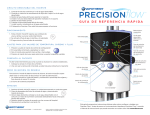
See Figure 5.1 for Icon Legend
2.3 Using the control knob, verify:
- The gas flow is adjustable from 1 L/min to 8 L/min (0.5 L/min Resolution).
- The oxygen percentage is adjustable from 21% to 100% (1% Resolution).
- The temperature range is adjustable from 33° to 43° C (1°C Resolution).
See the Precision Flow Operating Instructions Manual: Section 8 ‘Adjustments’, for additional information.
2.4 Test Complete - Remove the Low Flow DPC.
3. High Flow DPC Recognition Test: Duration – Approximately 5 minutes
3.1 Install a High Flow DPC into the Precision Flow.
See the Precision Flow Operating Instructions Manual: Section 7.5, for additional information.
3.2 Verify that:
- The DWP icon is illuminated
- The General Cartridge Icons go out
- The High Flow Cartridge Icon is illuminated
See Figure 5.1 for Icon Legend
3.3 Using the control knob, verify:
- The gas flow is adjustable from 5 L/min to 40 L/min (1 L/min Resolution).
-
The oxygen percentage is adjustable from 21% to 100% (1% Resolution).
The temperature range is adjustable from 33° to 43° C (1°C Resolution).
See the Precision Flow Operating Instructions Manual: Section 8 ‘Adjustments’, for additional information.
3.4 Test Complete - Remove the High Flow DPC.
If continuing on to step 4, leave the High Flow DPC inserted.
5- 2
Technical Service Manual
3004005 Rev J