1
Page 15
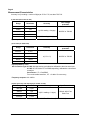
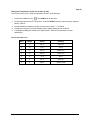
Table 2 AC Voltage Test:
Step
Range
Input
Frequency
Reading
1
400mV
300.0mV
60Hz
295.0 to305.0
2
400mV
300.0mV
400Hz
295.0 to305.0
3
4V
3.000V
60Hz
2.950 to 3.050
4
4V
3.000V
400Hz
2.950 to 3.050
5
40V
30.00V
60Hz
29.50 to 30.50
6
40V
30.00V
400Hz
29.50 to 30.50
7
400V
300.0V
60Hz
295.0 to 305.0
8
400V
300.0V
400Hz
295.0 to 305.0
9
750V
600V
60Hz
586 to 614
10
750V
600V
400Hz
586 to 614
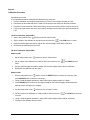
Testing the DC microamperes Function (for 61-340 and 61-342)
To verify the accuracy of AC and DC current measurement functions, do the following:
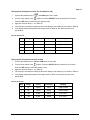
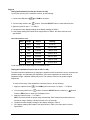
1. Connect the calibrator to the
2. Turn the rotary switch to the
and COM inputs on the meter.
position. Press the SELECT button to select the DC function.
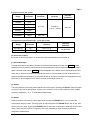
3. Apply the inputs for steps 1 - 3 in Table 3a.
4. For each input, compare the reading on the meter display to the reading for your meter in Table 3a.
5. If the display reading falls outside of the range shown in Table 3a, the meter does not meet
specification.
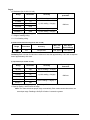
Table 3a DC microamperes Test:
Step
Range
Source
Reading
1
400µA
4.0µA
3.5 to 4.5
2
400µA
300.0µA
298.0 to 302.0
3
4000µA
3000µA
2980 to 3020
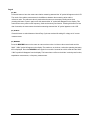
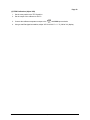
Testing the DC milli amperes Function (for 61-340 and 61-342)
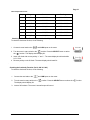
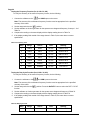
1. Connect the calibrator to the
2. Turn the rotary switch to the
and COM inputs on the meter.
position. Press the SELECT button to select the DC function.
3. Apply the inputs for steps 1 - 2 in Table 3b.
4. For each input, compare the reading on the meter display to the reading for your meter in Table 3b.
5. If the display reading falls outside of the range shown in Table 3b, the meter does not meet
specification.
Form Number TM61340-2
Rev 3 January 2008