1
FILE NO. SVM-05019
6-6-2. Names and functions of indications on remote control
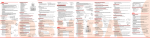
Display
All indications, except for clock time indication, are indicated by push the [
1
2
3
4
5
6
7
8
9
10
11
] button.
Transmission mark
This transmission mark (c) indicates when the remote control transmits signals to the indoor unit.
Mode display
Indicates the current operation mode.
10 3
1
4
2 8
(AUTO : Automatic control, A : Auto changeover control, : Cool,
: Dry, : Heat, : Fan only)
Temperature display
Indicates the temperature setting (17°C to 30°C).
When you set the operating mode to : Fan only, no temperature
setting is indicated.
Louver operation display
Indicates the louver operation. ( : Fix,
: Swing ).
FAN speed display
Indicates the selected fan speed. AUTO or one of five fan speed levels
(LOW , LOW+
, MED+
, HIGH
, MED
)
11 7
9
5
6
can be indicated.
Indicates AUTO when the operating mode is either AUTO or : Dry.
• In the illustration, all indications
TIMER and clock time display
are indicated for explanation.
The time set for timer operation or clock time is indicated.
During operation, only the
The present time is always indicated except for TIMER operation.
relevant indications will be
indicated on the remote control.
Hi POWER display
Indicates when the Hi POWER operation starts.
Push the [Hi POWER] button to start and push it again to stop
the operation.
PRESET display
Flashes for 4 seconds when the [PRESET] button is pushed
and hold to memorize.
mark is indicated when [PRESET] button is pushed than
4 seconds.
Push another button to turn off the mark.
ECO display
Indicates when the ECO is in operation.
COMFORT SLEEP display
Indicates when the COMFORT SLEEP is in operation.
Each time you push the [COMFORT SLEEP] button, the display
changes in the sequence of 1, 3, 5 or 9h.
QUIET display
Indicates when the QUIET is in operation.
− 23 −