1
Operating Basics
Numeric Input
You can enter numeric values by using either the numeric keypad or the general
purpose knob. If the side menu item displays a value, you can alter this value using
the general purpose knob or numeric buttons.
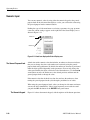
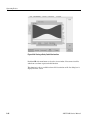
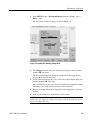
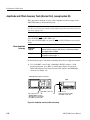
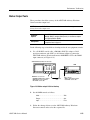
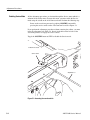
Pushing the type of side menu button or selecting a parameter in a pop–up menu
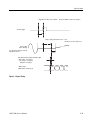
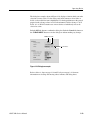
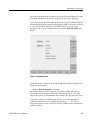
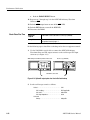
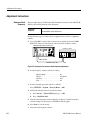
causes the current setting to appear on the right end of the Status Display area as
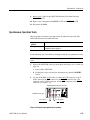
shown in Figure 2-11.
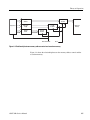
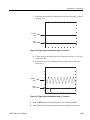
Knob icon
Underscore
Figure 2-11: Knob icon displayed in Status Display area
The General Purpose Knob
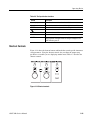
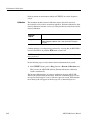
A knob icon with a numeric value that includes an underscore character indicates
that you can change the value at the underscore location by using the general
purpose knob or keypad buttons. By default, the underscore character is positioned
under the digit specified depending on the parameters. You can only change the
value represented by the digits at and to the left of the underscore. Use the a and '
arrow buttons to move the underscore to the desired position, and then turn the
general purpose knob to change the value.
If the numeric value has the knob icon, but does not have the underscore, then
turning the general purpose knob cycles through a predefined set of values.
When using the general purpose knob, values you change in side menus and menu
screens take effect immediately. Values in pop–up menus are not effective until
you push the OK side button or the ENTER front–panel button.
The Numeric Keypad
2-20
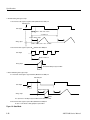
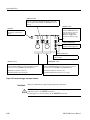
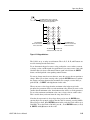
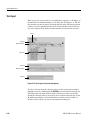
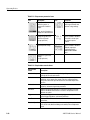
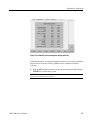
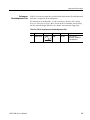
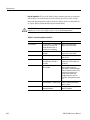
Figure 2-12 shows the numeric keypad, with descriptions of the button operations.
AWG710B Service Manual