1
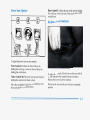
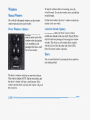
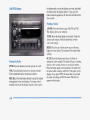
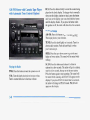
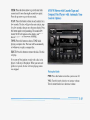
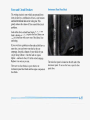
RCL: Press this button briefly to recall the station being
played or the clock display. To change what is normally
shown on the display (station or time), press the button
until you see the display you want, then hold the button
until the display flashes. If you press the button when
the ignition is off, the clock will show for a few seconds.
indin-
.,
tation
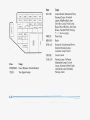
AM-FM: Press this button to get AM, FM1 orFM2.
The display shows your selection.
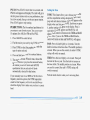
PSCAN: Press SCAN for more than two seconds, and
PSCAN will appear on the display. The radio will go to
the first preset station storedon your pushbuttons, stop
for a few seconds, then go on to the next preset station.
Press SCAN again to stop scanning.
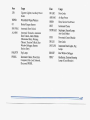
PUSHBUTTONS: The five numbered pushbuttons let
you return to your favorite stations. You can set up to
15 stations (five AM,five FM1and five FM2).
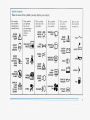
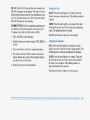
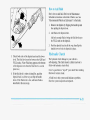
1. Press AM-FM to select the band.
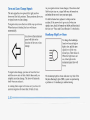
TUNE: Press this knob lightly so it extends. Turn it to
choose radio stations. Push the knob back in when
you’re not usingit.
2. Find the station you want by usingTUNE or SEEK.
SEEK: Press the upor down arrow to go to the next
higher or lower station. The sound will be muted while
seeking.
4. Press and hold one of the five numbered buttons.
SCAN: Press this button andrelease it to listen to
stations for afew seconds. The radio will go to a station,
stop for a few seconds, then go on to the next station.
Press the button againto stop scanning. The sound will
be muted while scanning, andSCAN will appear onthe
display. If you press SCAN for more than two seconds,
the radio will changeto PSCAN mode. PSCAN will
appear on the display.
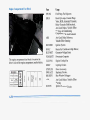
3. Press TONE to select the graph that best suits the
type of station selected.
5. The sound will mute. When it returns, release the
button. Whenever you press that numbered button,
the station you set will return and the
TONE
equalization that you selected will also be
automatically selected for that button.
If you manually tuneor use SEEK or SCAN to find a
frequency stored in a preset,the TONE equalization
stored for that frequency will not be recalled. Always
check the display first tomake sure you have the correct
band.