
1
SERVICE MANUAL GARLAND CLAMSHELL GRILL WITH PRODUCT RECOGNITION MODELS: MWE3W MWE3W-CE MWG3W MWG3W-CE WARNING: IMPROPER INSTALLATION, ADJUSTMENT, ALTERATION, SERVICE OR MAINTENANCE CAN CAUSE PROPERTY DAMAGE, INJURY OR DEATH. READ THE INSTALLATION, OPERATING AND MAINTENANCE INSTRUCTIONS THOROUGHLY BEFORE INSTALLING OR SERVICING THIS EQUIPMENT. PLEASE READ ALL SECTIONS OF THIS MANUAL AND RETAIN FOR FUTURE REFERENCE. THIS EQUIPMENT MUST BE INSTALLED AND COMMISSIONED BY A PROFESSIONAL, FACTORY-TRAINED TECHNICIAN. THIS EQUIPMENT MUST BE OPERATED UNDER AN APPROVED HOOD SYSTEM ONLY. NOTE: This manual pertains to all grill models listed above. The reader/operator must interpret its contents to applicable needs. If you have questions about any instructional materials pertaining to Garland grills, please contact our Customer Service Department at one of the phone numbers below. MANUFACTURED EXCLUSIVELY FOR McDonald's BY GARLAND COMMERCIAL INDUSTRIES, LLC 185 EAST SOUTH STREET FREELAND, PENNSYLVANIA 18224 TOLL FREE: (800) 446-8367 PHONE: (570) 636-1000 FAX: (570) 636-9874 E-mail: [email protected] http://www.garland-group.com PART #XXXXXXX (03/19/08) GARLAND CLAMSHELL GRILL WITH PRODUCT RECOGNITION SERVICE MANUAL CONTENTS INTRODUCTION . . . . . . . . . . . . . . . . . . . . . . . . . . . . . . . . . . . . . . . . . . . . . . . . . . . . . 4 WARRANTY . . . . . . . . . . . . . . . . . . . . . . . . . . . . . . . . . . . . . . . . . . . . . . . . . . . . . . . . . 4 SAFETY . . . . . . . . . . . . . . . . . . . . . . . . . . . . . . . . . . . . . . . . . . . . . . . . . . . . . . . . . . . . . 5 SHIPPING DAMAGE CLAIM PROCEDURE . . . . . . . . . . . . . . . . . . . . . . . . . . . . . . . 6 CLEANING & MAINTENANCE . . . . . . . . . . . . . . . . . . . . . . . . . . . . . . . . . . . . . . . . . . 6 SPECIFICATIONS . . . . . . . . . . . . . . . . . . . . . . . . . . . . . . . . . . . . . . . . . . . . . . . . . . . . . 8 INSTALLATION . . . . . . . . . . . . . . . . . . . . . . . . . . . . . . . . . . . . . . . . . . . . . . . . . . . . . 12 120V CONTROL CIRCUIT; MWE3 . . . . . . . . . . . . . . . . . . . . . . . . . . . . . . . . . . . . . . 14 INSTALLATION OF RELEASE MATERIAL . . . . . . . . . . . . . . . . . . . . . . . . . . . . . . . 15 INSTALLATION OF SPLASH SHIELD . . . . . . . . . . . . . . . . . . . . . . . . . . . . . . . . . . . 16 DESCRIPTION OF GRILL CONTROL . . . . . . . . . . . . . . . . . . . . . . . . . . . . . . . . . . . . 17 OPERATOR MESSAGES . . . . . . . . . . . . . . . . . . . . . . . . . . . . . . . . . . . . . . . . . . . . . . 17 OPERATING PROCEDURES . . . . . . . . . . . . . . . . . . . . . . . . . . . . . . . . . . . . . . . . . . . 18 PRODUCT RECOGNITION . . . . . . . . . . . . . . . . . . . . . . . . . . . . . . . . . . . . . . . . . . . . 20 PROGRAM LOGIC . . . . . . . . . . . . . . . . . . . . . . . . . . . . . . . . . . . . . . . . . . . . . . . . . . . 21 CONTROL PROGRAMMING . . . . . . . . . . . . . . . . . . . . . . . . . . . . . . . . . . . . . . . . . . 23 ERROR MESSAGES . . . . . . . . . . . . . . . . . . . . . . . . . . . . . . . . . . . . . . . . . . . . . . . . . . 27 PROBE CALIBRATION . . . . . . . . . . . . . . . . . . . . . . . . . . . . . . . . . . . . . . . . . . . . . . . 29 PLATEN LEVELING . . . . . . . . . . . . . . . . . . . . . . . . . . . . . . . . . . . . . . . . . . . . . . . . . . 30 TO SET THE REED SWITCHES . . . . . . . . . . . . . . . . . . . . . . . . . . . . . . . . . . . . . . . . . 31 TO CHANGE THE REED SWITCH . . . . . . . . . . . . . . . . . . . . . . . . . . . . . . . . . . . . . . . 31 REED SWITCH OPERATION . . . . . . . . . . . . . . . . . . . . . . . . . . . . . . . . . . . . . . . . . . . 32 TO CHANGE THE MAGNET ASSEMBLY . . . . . . . . . . . . . . . . . . . . . . . . . . . . . . . . . 34 TO REPLACE THE LINEAR ACTUATOR . . . . . . . . . . . . . . . . . . . . . . . . . . . . . . . . . . 34 ELECTRIC HEATING ELEMENTS . . . . . . . . . . . . . . . . . . . . . . . . . . . . . . . . . . . . . . . 36 MENU ITEM CHARTS . . . . . . . . . . . . . . . . . . . . . . . . . . . . . . . . . . . . . . . . . . . . . . . . 37 PROGRAMMING: SYSTEM FUNCTION OPTIONS . . . . . . . . . . . . . . . . . . . . . . . . 38 TEMPERATURE CONVERSION CHART . . . . . . . . . . . . . . . . . . . . . . . . . . . . . . . . . 39 WIRE DIAGRAMS . . . . . . . . . . . . . . . . . . . . . . . . . . . . . . . . . . . . . . . . . . . . . . . . . . . . 41 PART #XXXXXXX (03/19/08) Page SERVICE MANUAL GARLAND CLAMSHELL GRILL WITH PRODUCT RECOGNITION INTRODUCTION The Garland clamshell grill, manufactured exclusively for McDonald’s, provides a method for efficient two-sided cooking, while accommodating a variety of products. The unit will also serve as a flat grill, and meets all of McDonald’s standards for safety, efficiency, and cleanliness. WARRANTY This warranty covers defects in material and workmanship under normal use providing that: a) the equipment has not been accidentally or intentionally damaged, altered or misused. b) the equipment is properly installed, adjusted, operated and maintained in accordance with national and local codes and in accordance with the installation instructions provided with this product. c) the warranty serial number affixed to the appliance by us has not been defaced, obliterated or removed. d) an acceptable report for any claim under this warranty is supplied to us. The equipment warranty coverage remains in force for two (2) years, (parts and labor), from the date the equipment is put into operation. The Garland Group agrees to repair or replace, at it’s option, any part that proves to be defective in material or workmanship at no charge for the part or normal labor. We assume no responsibility for installation, adjustments, diagnosis, or normal maintenance such as: lubrication of springs or valves. We exclude failures caused by erratic voltage or gas supplies. We assume no responsibility for travel costs beyond 100 miles round trip, travel other than overland, and overtime costs of repair. We exclude broken glass, paint and porcelain finish, surface rust, gasket material, ceramic material, light bulbs and fuses from normal coverage. We exclude damage or dysfunction caused by fire, flood, and like “Acts of God” that are beyond the control of The Garland Group. The Garland Group’s liability on a claim of warranty shall not exceed the price of the material and/or service, which caused the claim. This warranty is limited and is in lieu of all other warranties, expressed or implied. The Garland Group, our employees, or our agents shall not be held liable for any claims of personal injury or consequential damage or loss. This warranty gives you specific legal rights, and you may have other rights which vary from state to state. Page PART #XXXXXXX (03/19/08) GARLAND CLAMSHELL GRILL WITH PRODUCT RECOGNITION SERVICE MANUAL SAFETY THIS GRILL MUST be operated by persons who have been given adequate training. CAUTION: THIS EQUIPMENT MUST ONLY BE OPERATED UNDER AN APPROVED HOOD SYSTEM. DO NOT OPERATE THE GRILL UNLESS IT HAS BEEN COMMISSIONED (START-UP) BY A FACTORY AUTHORIZED SERVICE CENTER. DO NOT operate the grill without reading this operation manual. DO NOT operate the clamshell grill unless it has been properly installed and grounded. DO NOT operate the clamshell grill unless all service and access panels are in place and fastened properly. Means of disconnection, must be incorporated in the fixed wiring in accordance with local wiring rules (such as a switch, fuse, or circuit breaker). External equipotential bonding conductor provided on rear of appliance. Use as applicable, in accordance with local wiring rules. The Garland clamshell grill is a semi-automatic cooking appliance. The upper platen is lowered automatically, following the manual; single-handed initiation of the cooking cycle, and the upper platen is raised automatically upon completion of the cooking cycle. When two sided cooking, the area between the upper platen and the griddle plate should be regarded as a “danger zone”. During two sided cooking the operator must not be within this danger zone. When used as a flat grill, then this area is no longer a danger zone, the platens do not move. For whatever reason, be it cleaning, maintenance, normal operation, any exposed person must use extreme caution if within this danger zone. In two side cooking the upper platen remains in the lowered position by nature of it’s own weight. It is not locked down. It can be raised by lifting of the handle on the front of the platen, which pivots the platen about its rear mounting point. The clamshell grill must only be used for single and two sided cooking of foodstuffs in a McDonald’s store and must not be used for any other purpose. WARNING: To avoid serious personal injury: DO NOT attempt to repair or replace any part of the clamshell grill unless all main power supplies to the grill have been disconnected. USE EXTREME CAUTION in setting up, operating and cleaning the clamshell grill to avoid coming in contact with hot grill surfaces or hot grease. Suitable protective clothing should be worn to prevent the risk of burns. WARNING: This appliance must not be cleaned with a water jet. DO NOT apply ice to a HOT grill surface. NOTE: All warning labels and markings on the grill, which call attention to further dangers and necessary precautions. HAZARD COMMUNICATION STANDARD, (HCS) - The procedures in this manual include the use of chemical products. These chemical products will be printed in bold face, followed by the abbreviation (HCS) in the text portion of the procedure. See the Hazard Communication Standard, (HCS) manual for the appropriate Material Safety Data Sheet(s), (MSDS). WARNING: After turning the master power switch to the START position, the grill will go through an initialization process. If the upper platens are in the lowered position they will return to their raised upper position. This movement takes approximately 8 seconds. MAINTENANCE - the platen support arms carriage block bearing bushes, the platen adjuster nuts, the platen support (shoulder) bolt and the cam follower should be checked annually for wear. Should there be any noticeable play in the bearing bushes and any visible wear on the platen adjuster nuts, platen support bolts or cam follower, then they must be replaced. MAINTENANCE - the audible alarm that sounds at the end of a cook cycle is to advise the operator that the platen is about to move. The function of this device may be tested by pushing the left hand CANCEL button. If no sound is heard, ensure that the alarm volume is not set to low in SYSTEM SETUP. If there is still no sound then a service engineer should be called out to rectify the fault. SERVICE AND CLEANING - The grill may be secured in the grill bay by the installer using two anchors that lock onto the front casters. If the grill is to be moved out of the bay for cleaning or service, remove the anchor from each caster by turning the knob counterclockwise to loosen the retainer. When the retainer is free of the caster, lay the assembly aside on the floor. CLEANING - NEVER clean the grill, interior or exterior, using a high-pressure sprayer, water jet, or any other liquid sprayer. NOTE: If anchors are present, the anchor assembly remains fastened to the back wall of the grill bay. After service or cleaning is complete, return the grill to its position in the bay and reattach the anchors by placing the retainer on the caster post and turning the knob clockwise to tighten. NOTE: For safety reasons, the grill must be secured in the grill bay in this manner before operation can resume. PART #XXXXXXX (03/19/08) Page SERVICE MANUAL GARLAND CLAMSHELL GRILL WITH PRODUCT RECOGNITION SHIPPING DAMAGE CLAIM PROCEDURE Please note that the Garland equipment was carefully inspected and packed by skilled personnel before leaving the factory. The transportation company assumes full responsibility for safe delivery upon acceptance of the equipment. What to do if the equipment arrives damaged: 1. File a claim immediately regardless of the extent of damage. 2. Be sure to note, “visible loss or damage,” on the freight bill or express receipt and have the person making the delivery sign it. 3. Concealed loss or damage: if damage is unnoticed until the equipment is unpacked, notify the freight company immediately, (within 15 days), and file a concealed damage claim. CLEANING & MAINTENANCE The following information is also available on the McDonalds MRC Card 11A. Tools: McD Hi-Temp Grill Cleaner (HCS), McD All Purpose Super Concentrate (HCS), McD’s NOSCRATCH™ Pad and Pad Holder, a suitable container, High-Temperature Pot Brush and Grill Cloth, Stainless Steel Pan Filled With Lukewarm Water, Protective Gloves, (to protect hands from heat), Grill Squeegee and Grill Scraper. Warning: The upper platen surface and edges are very hot! To prevent burn injuries, use extreme caution when wiping down release sheets and platen edges. Important: Frequently throughout the day, (at least 4 times per hour), thoroughly wipe down the release sheets and platen edges with a damp grill cloth. 1. Select Manual mode using the button. PRESS the OR arrow buttons until “CLEAN MODE” is displayed, (the control will maintain the proper cleaning temperature). Repeat with the other control. “READY TO CLEAN” will be displayed and an audible alarm will sound when the grill is at the proper cleaning temperature. Press the GREEN pushbutton to display “OFF.” The “OFF” position on the controller allows the operator to raise and lower the platen, (for clamshell grills), to alternate positions for cleaning of the platen edges. 2. Empty and replace the grease troughs. Grease troughs should be emptied and replaced consistent with store security policy. 3. Put on the protective gloves and wipe down the exposed surface of the release sheet with a damp grill cloth. Page 4. Remove the release sheet locking clips and bars. Clean the release sheets following the instructions provided by your local cleaning chemical supplier. 5. Scrape only the lower grill surface with the grill scraper, and squeegee any residue into the grease troughs with the grill squeegee. Caution: Do not scrape or otherwise scratch the upper platens. The use of metal scrapers, abrasive pads, or wire brushes will permanently damage the surface of the upper platens. 6. Open one packet of McD Hi-Temp Grill Cleaner, (HCS), and empty the contents into a suitable container. (One packet cleans a 3ft. grill). 7. Firmly attach the McD NO-SCRATCH™ Pad to the pad holder. 8. Dip the NO-SCRATCH™ Pad into the grill cleaner. 9. Spread a light coating of grill cleaner over the entire platen surface, BACK, FRONT AND SIDE EDGES of all upper platens. DO NOT SCRUB WHILE APPLYING THE PRODUCT. 10.After applying the grill cleaner, lightly scrub the platen surfaces, BACK, FRONT AND SIDE EDGES with the NOSCRATCH™ Pad until all the soil has been liquefied by the grill cleaner. For stubborn soils, apply additional grill cleaner and lightly scrub. DO NOT RINSE THE PLATENS AT THIS TIME. 11.Starting at the back of the lower grill, spread a light coating of grill cleaner over the entire surface. DO NOT SCRUB WHILE APPLYING THE PRODUCT. 12.After applying the grill cleaner, lightly scrub the grill surface with the NO-SCRATCH™ Pad until all the soil has been liquefied. PART #XXXXXXX (03/19/08) GARLAND CLAMSHELL GRILL WITH PRODUCT RECOGNITION SERVICE MANUAL CLEANING & MAINTENANCE continued 13.Rinse the upper platens with a dripping wet grill cloth. RINSE PLATEN EDGE THOROUGHLY, THEN WIPE DOWN BACK EDGE OF PLATEN. 14.Carefully pour small quantities of lukewarm water onto the grill while brushing the surface, backsplash, and bullnose with a LONGLIFE™ pot brush or equivalent high-temperature brush. Continue until the water no longer boils away and the grill remains wet. Squeegee dry. Caution: Ice, cold water, or large quantities of water must never be applied to the grill plate or upper platen. Severe damage to the grill will occur! 15.Clean the release sheets as follows: 16.Place the sheets on the lower grill. Scrub both sides of the sheets with the same McD NO-SCRATCH™ Pad used on the grill. Note: It is generally not necessary to apply additional product to the NO-SCRATCH™ Pad. If the pad is not wet enough rewet with a small amount of water, if no cleaner is left. a. Rinse both sides of the sheets with a wet grill cloth. b. Rinse the lower grill by flooding the surface twice with lukewarm water. Squeegee after each rinse. 17.Wipe the lower grill surface, backsplash, bullnose, and hood with a clean, damp grill cloth. AFTER CLEANING: Apply a thin coat of fresh shortening to the lower grill surface only. Wipe down the surrounding areas. Empty, wash, rinse, and replace the grease troughs. Note: Repeat this procedure to clean additional grills. Reverse NO-SCRATCH™ Pad, and use clean side. CLEANING AFTER EACH RUN OF PRODUCT: Using grill scraper, scrape grease on lower grill plate from front to back only. Do not scrape across the rear of the lower grill plate with grill scraper. Use wiper squeegee to clean release material sheet on upper platen in a downward motion. Hold handle at a slight upward angle with wiper end facing downward. Do not press hard against the release material sheet to prevent scratching or tearing. Push the grease at the rear of the lower grill plate into the grease cans using the wiper squeegee only. Do not use the grill scraper for this step. Warning: Grill Temperatures will cause severe skin burns. Use the grill cloth to clean back splash and bullnose areas as needed during operation. Note: To increase life of release material sheet, wipe down with folded grill cloth four (4) times every hour. PART #XXXXXXX (03/19/08) Page SERVICE MANUAL GARLAND CLAMSHELL GRILL WITH PRODUCT RECOGNITION SPECIFICATIONS Model MWE3W 24.000 [610mm] (PLATE DEPTH) 5.475 [139mm] 34.968 [888mm] 4.064 [103mm] "COLD ZONE" 36.000 [914mm] (PLATE WIDTH) 38.000 [965mm] SK07-587 (ELEC) 48° 1.500 [38mm] 30.714 [780mm] 28.771 [731mm] 1.598 [41mm] 24.084 [612mm] .787 [20mm] 1.516 [39mm] 15.384 [391mm] 30.750 [781mm] TO 33.000 [838mm] (COOKING HEIGHT) 7.875 [200mm] 9.684 [246mm] 2.993 [76mm] 26.679 [678mm] 13.123 [333mm] BOTTOM CABLE ENTRANCE 9.335 [237mm] BOTTOM CABLE ENTRANCE MODEL MWE3W (2) 50-AMP TOTAL CIRCUITS & kW INTERLOCK LOAD INPUT 1 INPUT 2 INTERLOCK Page 7.65 15.30 208V / 220V / 240V L1/L2 L1/L3 L2/L3 2.55 5.10 2.55 5.10 36.027 [915mm] NOMINAL AMPS PER LINE LOADING: (kW/PHASE) 2.55 5.10 23.812 [605mm] 6.106 [155mm] 208V / 60Hz L1 L2 L3 220V / 60Hz L1 L2 L3 240V / 60Hz L1 L2 L3 21.3 21.3 21.3 20.1 20.1 20.1 18.4 18.4 18.4 42.6 42.6 42.6 40.2 40.2 40.2 36.8 36.8 36.8 HVAC Hood / Fire Suppression Interlock Circuit: 7 Amps / 120V / Single Phase NEMA RECEPTACLE REQUIRED 15-50R 15-50R L21-20R PART #XXXXXXX (03/19/08) GARLAND CLAMSHELL GRILL WITH PRODUCT RECOGNITION SERVICE MANUAL SPECIFICATIONS Model MWE3W-CE 24.000 [610mm] (PLATE DEPTH) 5.475 [139mm] 34.968 [888mm] 4.064 [103mm] "COLD ZONE" SK07-587 (ELEC) 36.000 [914mm] (PLATE WIDTH) 38.000 [965mm] 48° 1.500 [38mm] 30.714 [780mm] 28.771 [731mm] 1.598 [41mm] 24.084 [612mm] .787 [20mm] 1.516 [39mm] 15.384 [391mm] 7.875 [200mm] 9.684 [246mm] 2.993 [76mm] 26.679 [678mm] 6.106 [155mm] 13.123 [333mm] BOTTOM CABLE ENTRANCE 9.335 [237mm] BOTTOM CABLE ENTRANCE MODEL MWE3W-CE 3N~ 400V 50Hz TOTAL kW LOAD 22.7 PART #XXXXXXX (03/19/08) LOADING: (kW/PHASE) L1/L2 7.60 30.750 [781mm] TO 33.000 [838mm] (COOKING HEIGHT) 230V / 400V L1/L3 7.60 L2/L3 7.60 23.812 [605mm] 36.027 [915mm] NOMINAL AMPS PER LINE 230V / 400V L1 L2 L3 33.0 33.0 33.0 MENNEKES PLUG REQUIRED Type 748 Page SERVICE MANUAL GARLAND CLAMSHELL GRILL WITH PRODUCT RECOGNITION SPECIFICATIONS Model MWG3W 19.001 [483mm] 7.110 [181mm] 7.111 [181mm] 4.895 [124mm] 24.000 [610mm] (PLATE DEPTH) 34.968 [888mm] 5.475 [139mm] 38.000 [965mm] 4.064 [103mm] "COLD ZONE" .737 [19mm] SK07-587 (GAS) 48° 1.146 [29mm] 1.500 [38mm] 25.742 [654mm] 1.598 [41mm] 30.714 [780mm] 24.084 [612mm] 28.771 [731mm] .787 [20mm] 15.384 [391mm] 1.516 [39mm] 7.875 [200mm] 9.684 [246mm] 2.993 [76mm] 26.679 [678mm] MODEL MWG3W (1) 30-AMP CIRCUIT & INTERLOCK TOTAL kW LOAD INPUT 1 10.0 GAS INPUT Page 10 L1/L2 L1/L3 L2/L3 3.25 3.25 3.25 23.812 [605mm] 9.901 [251mm] 1" NPT GAS INLET 13.123 [333mm] BOTTOM CABLE ENTRANCE 36.027 [915mm] NOMINAL AMPS PER LINE LOADING: (kW/PHASE) 208V / 220V / 240V 30.750 [781mm] TO 33.000 [838mm] (COOKING HEIGHT) 6.106 [155mm] 10.730 [273mm] 1" NPT GAS INLET 9.335 [237mm] BOTTOM CABLE ENTRANCE INTERLOCK 36.000 [914mm] (PLATE WIDTH) 208V / 60Hz L1 L2 L3 220V / 60Hz L1 L2 L3 240V / 60Hz L1 L2 28.0 28.0 28.0 26.3 26.3 26.3 24.0 24.0 24.0 HVAC Hood / Fire Suppression Interlock Circuit: 7 Amps / 120V / Single Phase Total: 96,000 BTU/hr (28.1kW/r) L3 Manifold Pressure: 3.5” W.C. NEMA RECEPTACLE REQUIRED 15-30R L21-20R Gas Inlet Size: 3/4” PART #XXXXXXX (03/19/08) GARLAND CLAMSHELL GRILL WITH PRODUCT RECOGNITION SERVICE MANUAL SPECIFICATIONS Model MWG3W-CE 19.001 [483mm] 7.110 [181mm] 4.895 [124mm] 7.111 [181mm] 24.000 [610mm] (PLATE DEPTH) 34.968 [888mm] 5.475 [139mm] 38.000 [965mm] 4.064 [103mm] "COLD ZONE" .737 [19mm] SK07-587 (GAS) 48° 1.146 [29mm] 1.500 [38mm] 25.742 [654mm] 1.598 [41mm] 30.714 [780mm] 24.084 [612mm] 28.771 [731mm] .787 [20mm] 15.384 [391mm] 1.516 [39mm] 7.875 [200mm] 9.684 [246mm] 2.993 [76mm] 26.679 [678mm] MODEL MWG3W (1) 30-AMP CIRCUIT & INTERLOCK TOTAL kW LOAD INPUT 1 10.0 GAS INPUT L1/L2 L1/L3 L2/L3 3.25 3.25 3.25 23.812 [605mm] 9.901 [251mm] 1" NPT GAS INLET 13.123 [333mm] BOTTOM CABLE ENTRANCE 36.027 [915mm] NOMINAL AMPS PER LINE LOADING: (kW/PHASE) 208V / 220V / 240V 30.750 [781mm] TO 33.000 [838mm] (COOKING HEIGHT) 6.106 [155mm] 10.730 [273mm] 1" NPT GAS INLET 9.335 [237mm] BOTTOM CABLE ENTRANCE INTERLOCK 36.000 [914mm] (PLATE WIDTH) 208V / 60Hz L1 L2 L3 220V / 60Hz L1 L2 L3 240V / 60Hz L1 L2 28.0 28.0 28.0 26.3 26.3 26.3 24.0 24.0 24.0 HVAC Hood / Fire Suppression Interlock Circuit: 7 Amps / 120V / Single Phase 70,000 BTU/hr (20.5kW/r) PART #XXXXXXX (03/19/08) L3 NEMA RECEPTACLE REQUIRED 15-30R L21-20R Gas Inlet Size: 3/4” Page 11 SERVICE MANUAL GARLAND CLAMSHELL GRILL WITH PRODUCT RECOGNITION INSTALLATION Installation Store Responsibilities: • Ensure grill has been installed by a competent trained installation person. • Ensure store readiness of utilities, product & personnel. 5. Verify operation of platens, if applicable, and timer functions. 6. Ensure time out alarm is functional and platens raise (if applicable) • Contacting your local Garland Factory Authorized Service Center for a start up date. 7. Set proper gas and verify with beef integrity check that two consecutive runs yield the approved beef integrity results as per McDonalds standards. • Participate in the start up to ensure a successful start up and familiarity with the grill. 8. Conduct brief training to store manager on the operation of the grill. • Conduct training with your crew personnel to ensure maximum utilization of the grill. Items included with the purchase of your new grill from Manufacturer: Once the installation is complete as per the procedures below, a factory authorized service company MUST start up the grill according to Garland Commercial Industries start up standards. A Start-Up DOES NOT include: 1. Uncrating the unit 2. Placing the unit in its position under the hood. 3. Leveling the grill on the floor under the hood. 1. Grill 2. Gas Hose (For gas grills only) 3. One (1) box containing: a. Three (3) Teflon sheets b. Three (3) Teflon front clips c. Three (3) Rear rods. 4. One (1) box containing four (4) casters. 4. Attaching the supply cord(s) unless supplied by the factory. Items NOT INCLUDED from the manufacturer and should be purchased from the KES: 5. Making adjustments to the ventilation system. 1. Electrical Cords 6. Sheet metal work required due to improper hood application. 2. Flue Box 7. Adjusting the grill to achieve beef integrity that deviates from the McDonalds standard. THE FOLLOWING INSTALLATION PROCEDURE CAN BE PERFORMED BY A: A start-up DOES include: 1. Verification of supply voltage and, if applicable gas supply. 2. Leak test and gas pressure check on gas grills. 3. Electrical safety check. 3. Grease traps & rails • FACTORY AUTHORIZED SERVICE CENTER • AN APPROVED INSTALLATION PERSON APPROVED BY PURCHASER OF GRILL • LICENSED INSTALLER CONTRACTED BY KES (KITCHEN EQUIPMENT SUPPLIER) 4. Verify operation of grill by allowing unit to attain set temperature. WARNING: PLEASE READ INSTALLATION INSTRUCTIONS CAREFULLY. FAILURE TO PERFORM THESE STEPS CAN RESULT IN EQUIPMENT FAILURE, DAMAGE AND / OR VOID OF WARRANTY. Page 12 PART #XXXXXXX (03/19/08) GARLAND CLAMSHELL GRILL WITH PRODUCT RECOGNITION SERVICE MANUAL INSTALLATION (continued) 1. Uncrate unit from crating material 3. Carefully rotate grill back on its casters. IMPORTANT: RATING PLATE FOR THIS EQUIPMENT IS LOCATED IN TWO PLACES. ONE IS LOCATED INSIDE BACK PANEL ON LEFT SIDE, SECOND RATING PLATE LOCATED UNDER FRONT CONTROL PANEL IN CENTER. 4. Remove back body side and Install power cords per your country / areas specifications. CAUTION: Prior to installation, check the electrical supply to ensure input voltage and phase match the equipment voltage rating and phase. See data plate located rear left side of grill. Back panel removal is required. MWE3 Standard Electrical Cord Hookup 2 x 50AMP NEMA 15-50 NOTE: ENSURE THAT PLATENS ARE STRAPPED DOWN TO PREVENT PLATENS FROM RAISING. SEVERE DAMAGE MAY OCCUR. 1 x 20AMP NEMA 21-20 E Lim Lim 120 120 Com Wht Wht Wht Ora Red Blk E Lim Lim 120 120 Com Wht Wht Wht Ora Red Blk WARNING: Electrical appliances must be electrically grounded in accordance with local codes or in the absence of local codes, with national electric code ANSI/NFPA - latest version. 5. Install grease bucket rails as shown below: 2. Tip unit over on its back, and install casters. Lock jam nuts in place. PART #XXXXXXX (03/19/08) Page 13 SERVICE MANUAL GARLAND CLAMSHELL GRILL WITH PRODUCT RECOGNITION INSTALLATION (continued) 6. With the platens in the raised position, measure the height from the front edge of the platen to the grill surface. Adjust if necessary according to the hood type as shown here: HOOD TYPE CORRECT PLATEN HEIGHT Universal 18 1⁄2” (470mm) 92 Series 17” (432mm) GSC 18 1⁄2” (470mm) C PLATEN HEIGHT NO NC C GRILL PLATE 7. Install flue box to back of grill. NO NC 8. Roll grill under hood. Grill must be level front to back, side to side and diagonally. Adjust casters accordingly to obtain final level. To adjust the platen height, raise or lower the upper reed switch. Move the switch up to increase platen height. Move the switch down to decrease platen height. This measurement should be made any time switches are adjusted or replaced. 120V CONTROL CIRCUIT; MWE3 L1 L2 1 Grill Control 2 L1 2 ORA 51 P3/S3 6 51 HL1 50 1 S2/P2 5 CONTACTOR COIL 19 WHT L3 P3/S3 3 WHT 2 WHT 6 SW1 T1 T2 20 Motor Control T3 39 23 P7/S7 5 22 SSR2 2 SSR3 3 P7/S7 6 REAR P7/S7 3 L3 CNTR L2 P7/S7 1 1 FRNT L1 P7/S7 4 SSR1 21 7 P2 S2 32 2 SSR5 8 P7/S7 1 Page 14 8 PLTN 33 7 PLTN SSR4 9 9 7 PLTN 9 P2/S2 3 PART #XXXXXXX (03/19/08) GARLAND CLAMSHELL GRILL WITH PRODUCT RECOGNITION SERVICE MANUAL INSTALLATION OF RELEASE MATERIAL The following are the procedures for installing the teflon sheets on the upper platen on the Garland Clamshell grill. The components shown below are included with your grill when purchased. 1. Slide release material rod through hemmed end of the release material sheet. HEMMED LOOP 4. Place locking clips over release material sheet and press into place over release material bar. LOCKING CLIP MATERIAL ROD RELEASE MATERIAL MATERIAL ROD RELEASE MATERIAL “Teflon Sheet” available from your DC Saint Gobain: DC WRIN # 01281-015 Taconic: DC WRIN # 01281-018 UPPER PLATEN (SIDE VIEW) 2. Hook release material rod on brackets located at the rear of the upper platen. 5. Check alignment and tightness of release material against upper platen. NOTE: Installing release material sheets too tight may cause premature failure of the sheet. Installing only 1 clip on over the release material bar may cause the release material sheet to be too loose. Ensure that 2 clips are installed on the teflon bar at all times. UPPER PLATEN (SIDE VIEW) RELEASE MATERIAL MATERIAL ROD HOLDER Release material sheets should be replaced when: MATERIAL ROD 3. Holding the bottom of the release material sheet in place, gently pull the sheet toward the front of the platen. Product sticks to release material Carbon build-up causes problems in taste or appearance. A tear in the release material sheet’s cooking area. Release material coating is worn off sheet. NOTE: Rotate the release sheets on daily basis NOTE: Make sure release material fits smoothly over upper platen. PART #XXXXXXX (03/19/08) Page 15 SERVICE MANUAL GARLAND CLAMSHELL GRILL WITH PRODUCT RECOGNITION INSTALLATION OF SPLASH SHIELD PLATEN ARM ARM CARRIAGE BLOCK ARM CARRIAGE BLOCK PIN SURFACE OF GRILL PLATE SPLASH SHIELD TAB SPLASH SHIELD NOTE: SOME PARTS REMOVED FOR CLARITY SPLASH SHIELD TABS UP AND OVER ARM CARRIAGE PINS IN THIS DIRECTION NOTE: SOME PARTS REMOVED FOR CLARITY Page 16 PART #XXXXXXX (03/19/08) GARLAND CLAMSHELL GRILL WITH PRODUCT RECOGNITION SERVICE MANUAL DESCRIPTION OF GRILL CONTROL Right Arrow Button – In any mode, scrolls forward through a list Left Arrow Button – In any mode, scrolls backward through a list Enter Button – In the normal operating mode, this button is not active. In the Programming Mode, used to lock in the values shown on the display. Power Button – PRESSING and HOLDING the Power button for 2 seconds will either turn the controller on or off. Program Button – In the normal operating mode, pressing and holding the PROGRAM button for 3 seconds enters the Programming Mode. AM/PM Button – In normal operating mode, toggles between the AM menu library and the PM menu library. Temp Button – In the normal operating mode, displays the set temperature and the actual temperature. AUTO/MAN Button – In normal operating mode, toggles between Automatic Product Recognition and Manual Cooking. Speed Key – In the normal operating mode, used to change cook time. Also used to enter Probe Calibration Mode. Up Arrow Button – In any mode, increases the value of the flashing cursor character in the display Standby Button – In the normal operating mode, places the grill in Standby Mode. Down Arrow Button – In any mode, decreases the value of the flashing cursor character in the display OPERATOR MESSAGES Grill Probe Error – A grill temperature probe circuit error for temperature zone (Front, Middle, or Back) has occurred. Platen Probe Error – An upper platen temperature probe circuit error has occurred. Heater Error – Occurs when the controller does not detect a temperature rise in six (6) minutes. High Temp – Occurs when the controller senses a temperature of 465˚ F (241˚ C). Check Reed Switch / Use Flat Cook – One or more of the Reed Switches are out of adjustment. User will only be able to cook FLAT menu items. Error Comms - A communications error has occured between the Motor Speed Control and the Main Control. Check Platen Level – Occurs if the calibration difference between the front and rear is greater than the minimum allowance, but less than the maximum allowance. Product Recognition (Auto) is DISABLED. Platen Not Level* – Occurs if the calibration difference between the front and rear is greater than maximum allowance. Product Recognition (Auto) and manual cooking is DISABLED. Flat Menu cooking is ONLY allowed. * Platen Auto-Calibrate If CHECK PLATEN LEVEL is displayed, perform the following steps: 1. PRESS AND HOLD the and buttons for 3 seconds. The control will display AUTO GAP FORCE. PART #XXXXXXX (03/19/08) 2. PRESS the PRESS the button. “NO” will flash on the display. button to change it to “YES.” 3. PRESS the button. The platen will immediately lower and reset its internal measurements. Upon completion, the platen will rise. If the error message does not return continue operating normally. If the error message persists, level the platen, as shown on page 30. Page 17 SERVICE MANUAL GARLAND CLAMSHELL GRILL WITH PRODUCT RECOGNITION OPERATING PROCEDURES General Overview: The PRC grill control will allow for 2 functions, both described in detail in the following sections The “Normal Operating Mode”, also known as the Cook Mode is the mode used during normal cooking. In the normal operating mode, the operator can start a cook cycle, cancel a cook cycle, view actual temperatures, scroll to another menu item, and enter the Programming Mode. The “Programming Mode” is the mode in which the operator can program the controller’s various settings. To enter the programming mode, PRESS and HOLD There are currently 3 methods of cooking that can be utilized with the MWE3 Garland clamshell: Standard Cooking – This is the cook method that utilizes a single gap setting for each menu item. The timer will count down according to the selected menu item. Multi Stage Cooking – This method of cooking utilizes 2 different gap settings during the cook cycle. The timer will count down according to the selected menu item. Product Recognition – The product recognition method of cooking uses the magnetic switches mounted on the upper platen arm assembly to determine the product being cooked. Using the PR feature, the operator simply selects the button on the controller. This will allow the controller to know what product group to select from. When a cook cycle is initiated, the platen will come down and recognize the product being cooked. The cook timer will count down according to the time set for the recognized item. For more information on product Recognition, see the next section; “Product Recognition.” To turn the grill on: The Main Power Switch – Controls power to the grill and must be turned ON to start operation. The controller displays will be active. Upon successful power up checks, the controllers will displays “OFF”. AM Operation – Teflon Sheets MUST be ON at this time and the grill surface should be free and clear of carbon. Once the PRC displays “OFF” press . The PRC will go to PREHEAT mode and default to AM preheat temperatures. To preheat to PM temperatures, press . AM PREHEAT PM PREHEAT 375˚F (190˚C) Upper Platen 425˚F (218˚C) Upper Platen 275˚F (135˚C) Grill 350˚F (177˚C) Grill Page 18 Upon reaching the AM or PM set temperature (whichever is selected), the grill will stabilize in temperature for fifteen (15) minutes. Once this time has elapsed, the grill will autocalibrate. Upon completion of autocalibration, the upper platens will raise to there normal position, and the PRC will display “READY”. To Select a Menu item: Scroll forward through the list of available menu items by pressing repeatedly. Scroll backward through the list of available menu items by pressing repeatedly. Menu Item Library The menu item library is loaded in the computer based upon the setting programmed in [CONFIGURE]->[GRILL REGION]. Each menu item consists of a function called [DISPLAY ACTIVE]. The settings in this function (AM, PM, AM/PM, No) determine what menu items are displayed when the button is pressed. Menu Item # 1 Display Active – Default PM Menu Item 10:1 - CLAM 2 4:1 - CLAM PM 3 STRIP BACON - CLAM AM/PM 4 SAUSAGE CLAM FZN AM 5 MCRIB - CLAM NO 6 STEAK - CLAM AM/PM 7 GRILLED CHICKEN - FLAT PM 8 FOLDED EGGS FLAT AM 9 ROUND EGGS - FLAT AM 10 CHICKEN FLAT BRD - FLAT NO 11 10:1 FLAT NO 12 4:1 - FLAT NO 13 MCRIB - FLAT NO 14 SAUSAGE FLAT FZN NO 15 HOTCAKES - FLAT NO 16 OPT MENU 1 - CLAM NO 17 OPT MENU 2 - CLAM NO 18 OPT MENU 3 - CLAM NO 19 OPT MENU 4 - CLAM NO 20 OPT MENU 5 - CLAM NO 21 OPT MENU 6 - CLAM NO 22 OPT MENU 7 - CLAM NO 23 OPT MENU 1 - FLAT NO 24 OPT MENU 2 - FLAT NO 25 OPT MENU 3 - FLAT NO 26 OPT MENU 4 - FLAT NO PART #XXXXXXX (03/19/08) GARLAND CLAMSHELL GRILL WITH PRODUCT RECOGNITION SERVICE MANUAL OPERATING PROCEDURES (continued) Indicator Lights Cooking Procedures in MANUAL MODE There are four (4) indicator lights on the main control. The LED lights indicate the temperature status of each zone. There are two (4) zones per section of the grill, TOP, (platen), BACK GRILL, MIDDLE GRILL, and FRONT GRILL. Breakfast RED – The zone(s) is “TOO HOT” (more than 79˚F/43˚C over set temperature) OR a heat zone failure has occurred. AMBER – The zone(s) is calling for heat. GREEN – The zone(s) is at or above set temperature, but below 79˚F/43˚C over set temperature. Standby Mode button. 2. Select Manual mode using the button. 3. Select a product from the AM product library using the or arrow buttons. 4. Following McDonalds procedures for the item selected, load product on the grill. 5. Press the GREEN pushbutton to initiate a cook cycle. 6. Alarm will sound when the cook cycle is complete. To enter the standby mode: 1. Press the button. The upper platen will lower, and the grill will maintain a set temperature of Upper platen - 425˚ F (218˚C), Grill Surface - 350˚ F (177˚C). To Exit the Standby Mode: 1. Press the will raise. 1. Select AM mode using the GREEN PUSHBUTTON. The upper platen 7. Remove product and clean grill to prepare for the next cook cycle. Lunch Note: Switching from Breakfast to Lunch menu items will take approximately 10 minutes to heat to the appropriate temperatures. 1. Select PM mode using the To display the current temperatures: 1. Press the button and repeat for each zone to be displayed: button. 2. Select Manual mode using the button. 3. Select a product from the PM product library using the or arrow buttons. 1st key press – Front Set Point 2nd key press – Front Actual 4. Following the below lay pattern, load product on the grill. 3rd key press – Mid Set Point 5. Press the 4th key press – Mid Actual 6. Alarm will sound when the cook cycle is complete 5th key press – Back Set Point 7. Remove product and clean grill to prepare for next cook cycle. 6th key press – Back Actual 7th key press – Platen Set Point 8th key press – Platen Actual 2. Pressing and holding the button for five (5) seconds will display all of the current temperatures at once. T ### M ### F ### B ### GREEN pushbutton to initiate a cook cycle. To Change The Cook Time for a Menu Item 1. Select AM or PM mode using the 2. Select Manual mode using the 3. Select a product using the 4. PRESS the 5. Use the or button. button. arrow buttons. button to display the cook time. and buttons to change the cook time. 6. The control will automatically default back to the normal operating mode after 3 seconds. PART #XXXXXXX (03/19/08) Page 19 SERVICE MANUAL GARLAND CLAMSHELL GRILL WITH PRODUCT RECOGNITION OPERATING PROCEDURES (continued) AUTO MODE (PRODUCT RECOGNITION) Lunch Breakfast Note: Switching from Breakfast to Lunch menu items will take approximately 10 minutes to heat to the appropriate temperatures. 1. Select AM mode using the button. 2. Select Auto mode using the display “AM / AUTOMATIC” button. The control will 3. Following McDonalds procedures for the item selected, load product on the grill. 4. Press the GREEN pushbutton to initiate a cook cycle. The platen will lower, and recognize the product that has been loaded on the grill. 5. Alarm will sound when the cook cycle is complete. 6. Remove product and clean grill to prepare for the next cook cycle. 1. Select PM mode using the button. 2. Select Auto mode using the button. The control will display “PM / AUTOMATIC.” 3. Following the lay patterns shown on the Patty Placement Guide insert, load product on the grill. 4. Press the GREEN pushbutton to initiate a cook cycle. The platen will lower, and recognize the product that has been loaded on the grill. 5. Alarm will sound when the cook cycle is complete 6. Remove product and clean grill to prepare for next cook cycle. PRODUCT RECOGNITION This Garland Clamshell grill is equipped with Product Recognition Controls (PRC). This new technology allows the user to simply start a cook cycle WITHOUT having to select a specific menu item. The PRC will recognize the product thickness by utilizing switches inside the upper platen and the magnets mounted on the platen arms. Once the PRC calculates the thickness of the product that’s been loaded, it will look up product from the product range library (below), and automatically select that product. MENU ITEM MIN GAP MAX GAP Breakfast Library Recommended Ranges MENU ITEM MIN GAP MAX GAP Lunch Library Recommended Ranges Strip Bacon .010 .159 10:1 Clam .160 .345 Sausage Clam .210 .405 4:1 Clam .355 .560 Steak Clam .430 .480 Strip Bacon .001 .130 Angus 3:1 .561 .880 Page 20 PART #XXXXXXX (03/19/08) PROGRAM LOGIC P Press & Hold (3 seconds) Menu Item Displayed Configure Forward RIGHT or LEFT arrow buttons Scroll Menu Items 1x 2x Scroll Forward Product Library Scroll Backward Setup 3x 1x 4x Backward Forward Select Menu Item Press & Hold Simultaneously Grill Type Platen Enabled Grill Region Cook Zone 1x Temperature Units 2x Time Unit 3x Key Chirp 3 Second Audible 4x Audio Volume 5x Reload Defaults 6x Multi Gap (Yes/No) 7x 8x Audible Select 9x Auto Mode Enable 10x Remove Alarm DFT 2x Calibration Forward 1x 2x 3x 4x 5x Backward 6x AM Product Rec 7x 3x 8x Level / Reed Sw. Auto Gap Force Probe Cal Gap Calibration Reed Sw. Min Reed Sw. Max Delta Spd Err Pivot End Mills Backward Forward Strip Bacon Min Strip Bacon Max Sausage Clam Min Sausage Clam Max Steak Clam Min Steak Clam Max 1x 2x 4x 3x PM Product Rec 4x 5x Forward 6x 1x 2x Backward 3x 4x 5x Diagnostic 5x 6x 7x 8x Forward 9x 1x DateCode 2x Serial Number 3x Part Number App Version 4x CLM1 Version 5x CLM2 Version 6x Audio Version 7x Motor Version 8x Ambient 1 9x Ambient 2 10x Ambient 3 11x Top Probe 12x Grill Probe F 13x Grill Probe M 14x Grill Probe B 15x Grill External Probe 16x 10x 11x 12x 13x 14x 15x 16x Backward 6x Service Forward 1x Backward Strip Bacon PM Max Strip Bacon PM Min 10:1 Clam PM Max 10:1 Clam PM Min 4:1 Clam PM Max 4:1 Clam PM Mix Steak Clam PM Max Steak Clam PM Min McRib Clam PM Max McRib Clam PM Min Opt Menu PM Max Opt Menu PM Min Opt Menu PM Max Opt Menu PM Min Opt Menu PM Max Opt Menu PM Min 2x 3x 4x 5x 6x 7x 8x Encoder Counts Motor Status Switch Status Start up Rate Buss Voltage Motor Max Speed Motor Revision Motor Error Backward PART #XXXXXXX (03/19/08) Page 21 SERVICE MANUAL GARLAND CLAMSHELL GRILL WITH PRODUCT RECOGNITION PROGRAM LOGIC Press & Hold (3 seconds) Menu Item Displayed RIGHT or LEFT arrow buttons Scroll Menu Items Product Library Scroll Forward Scroll Backward Select Menu Item FLAT MENU ITEMS CLAM MENU ITEMS Product Display Active Product Scroll Forward Grill Set Point Scroll Forward Display Active Grill Set Point Platen Set Point Platen Set Point Instant On Time Instant On Time Remove In Time Remove In Time Multi Stage 1 Time Alarm Multi Stage 2 Time Flip Time Multi Stage 3 Time Flip Alarm PR Stage 1 Time Sear Time PR Stage 2 Time Sear Alarm PR Stage 3 Time Must Remove Time Alarm Toast Buns Time Gap Setting Toast Buns Alarm Gap Mul/PR Start Gap Multi Stage 1 Gap Multi Stage 2 Gap Multi Stage 3 Gap PR Stage 1 Gap PR Stage 2 Gap PR Stage 3 Must Remove Time Scroll Backward Scroll Backward Toast Buns Time Toast Buns Alarm Page 22 PART #XXXXXXX (03/19/08) GARLAND CLAMSHELL GRILL WITH PRODUCT RECOGNITION SERVICE MANUAL CONTROL PROGRAMMING Programming Modes; System Setup 6. PRESS the To Change the Temperature Display Units (Fahrenheit / Celcius) 7. PRESS the OR arrow buttons to change the flashing time unit. For a complete listing of setup functions and their options, see page 38. The temperature display units (F or C) will change the way a temperature is displayed on the controller (F – Fahrenheit, C – Celcius) 1. With the controller display ON and either displaying the current menu item or displaying “OFF”, PRESS and HOLD the button for approximately 3 seconds. Controller will display previously selected menu item and its corresponding item number OR “Standby / Menu Item”. 2. PRESS the AND arrow buttons TOGETHER. “CONFIGURE” will appear in the display. 3. PRESS the display arrow button. “Setup” will appear in the 4. PRESS the button. “Temperature Unit” will appear in the display. 5. PRESS the button. The currently set temperature unit will flash. 6. PRESS the OR arrow buttons to change the flashing temperature unit. 7. PRESS the button to save the new setting. 8. PRESS THE 2X to exit the program mode. To Change the Time Display Units Changing the Time Display Units will change the way timing cycles are displayed on the controller. 1. With the controller display ON and either displaying the current menu item or displaying “OFF”, PRESS and HOLD the button for approximately 3 seconds. Controller will display previously selected menu item and its corresponding item number OR “Standby / Menu Item”. 2. PRESS the AND arrow buttons TOGETHER. “CONFIGURE” will appear in the display. 3. PRESS the display. arrow button. “Setup” will appear in the 4. PRESS the button. “Temperature Unit” will appear in the display. 5. PRESS the 1X. “Time Unit” will appear in the display. PART #XXXXXXX (03/19/08) button. The current time unit will flash. 8. PRESS the button to save the new setting 9. PRESS THE 2X to exit the program mode. To change the Key Chirp (Yes / No) Changing the Key Chirp On or Off will either turn on or off the sound of the controller when a button is pressed. 1. With the controller display ON and either displaying the current menu item or displaying “OFF”, PRESS and HOLD the button for approximately 3 seconds. Controller will display previously selected menu item and its corresponding item number OR “Standby / Menu Item”. 2. PRESS the AND arrow buttons TOGETHER. “CONFIGURE” will appear in the display. 3. PRESS the display arrow button. “Setup” will appear in the 4. PRESS the button. “Temperature Unit” will appear in the display. 5. PRESS the display. repeatedly until “Key Chirp” appears in the 6. PRESS the flash. button. The currently set Key Chirp will 7. PRESS the OR arrow buttons to change the flashing “YES” or “NO” 8. PRESS the button to save the new setting. 9. PRESS THE 2X to exit the program mode. To change the Audible Changing the Audible Sound will change the way the controller sounds when a timing cycle has completed its countdown. 1. With the controller display ON and either displaying the current menu item or displaying “OFF”, PRESS and HOLD the button for approximately 3 seconds. Controller will display previously selected menu item and its corresponding item number OR “Standby / Menu Item”. Page 23 SERVICE MANUAL GARLAND CLAMSHELL GRILL WITH PRODUCT RECOGNITION CONTROL PROGRAMMING (continued) 2. PRESS the AND arrow buttons TOGETHER. “CONFIGURE” will appear in the display. 3. PRESS the display arrow button. “Setup” will appear in the 4. PRESS the button. “Temperature Unit” will appear in the display. To activate / deactivate a menu item in the Normal Operating mode library, or change its day-part (Defaults are listed on page 18 under ‘Menu Item Library.’) 1. PRESS and HOLD the button for approximately 3 seconds. Controller will display previously selected menu item and its corresponding item number. 5. PRESS the display. repeatedly until “Audible” appears in the 2. Using the or arrow buttons, select the menu item that requires activation / deactivation. 6. PRESS the flash. button. The currently set Audible will 3. PRESS the button. The controller will display “Product”. The menu item will flash. 7. PRESS the OR arrow buttons to change the flashing audible options. For a complete listing of setup functions and their options, see page 38. 8. PRESS the button to save the current setting. 9. PRESS THE 2X to exit the program mode. Programming Modes; Menu Items To change the name of an existing menu item 1. Using the or button, select the menu item that requires a name change. 2. PRESS and HOLD the button for approximately 3 seconds. Controller will display previously selected menu item and its corresponding item number. 3. PRESS and HOLD the button. 4. To spell out the product name: a. Use the or arrow buttons to scroll through the character library. Character Library: space ! “ # $ % & ‘ ( ) * + , - . / 0 1 2 3 4 5 6 7 8 9 : ; < = > ? @ A B C D E F G H IJKLMNOPQRSTUVWXYZ[\]^_`abcdefghijklmnopqr stuvwxyz b. PRESS or to scroll right or left. c. PRESS the button to save the new menu item name. 5. PRESS the mode. Page 24 2X to exit and return to normal operating 4. PRESS the or arrow buttons until “Display Active” is displayed on the controller. 5. PRESS the button. The current setting will flash. 6. PRESS the or 7. PRESS the button to save the new setting. 8. PRESS the mode. 2X to exit and return to normal operating button to select a different setting. To change the grill surface set point temperature NOTE: Grill temperature set points are preset in the controller to the currently required standard. You should not change this set point to any temperature other than what is shown on page 37. 1. Using the or arrow buttons, select the menu item that requires a temperature change. 2. PRESS and HOLD the button for approximately 3 seconds. Controller will display previously selected menu item and its corresponding item number. 3. PRESS the “Product”. button. The controller will display 4. PRESS the or arrow buttons until “Grill SetPt” is displayed on the controller. 5. PRESS the button. The current grill set temperature will begin to flash. 6. Using the or button, change the temperature set point to the new desired temperature. 7. PRESS the point. button to save the new temperature set 8. PRESS the mode. 2X to exit and return to normal operating PART #XXXXXXX (03/19/08) GARLAND CLAMSHELL GRILL WITH PRODUCT RECOGNITION SERVICE MANUAL CONTROL PROGRAMMING (continued) To change the grill upper platen set point temperature To Change the Toast Buns time NOTE: Grill temperature set points are preset in the controller to the currently required standard. You should not change this set point to any temperature other than what is shown on page 37. 1. Using the or button, select the menu item that requires a cook time change. 1. Using the or button, select the menu item that requires a temperature change. 2. PRESS and HOLD the button for approximately 3 seconds. Controller will display previously selected menu item and its corresponding item number. 2. PRESS and HOLD the button for approximately 3 seconds. Controller will display previously selected menu item and its corresponding item number. 3. PRESS the “Product”. 3. PRESS the “Product”. button. The controller will display 4. PRESS the or button until “Platen SetPt” is displayed on the controller. 5. PRESS the button. The “PLATEN SET POINT” will begin to flash. button. The controller will display 4. PRESS the or button until “Toast Buns Time” is displayed on the controller. 5. PRESS the button. The seconds will begin to flash. 6. Using the or button, change the Toast Buns Time to the new desired time. 7. PRESS the button to save the new time. 6. Using the or button, change the temperature set point to the new desired temperature. 8. PRESS the mode. 2X to exit and return to normal operating 7. PRESS the button to save the new temperature. To Change the Toast Buns Alarm (Auto / Manual) 8. PRESS the 2X to return to normal operating mode. 1. Using the or arrow buttons, select the menu item that requires a cook time change. To Change the MUST REMOVE IN time 1. Using the or button, select the menu item that requires a cook time change. 2. PRESS and HOLD the button for approximately 3 seconds. Controller will display previously selected menu item and its corresponding item number. 2. PRESS and HOLD the button for approximately 3 seconds. Controller will display previously selected menu item and its corresponding item number. 3. PRESS the “Product”. 3. PRESS the “Product”. button. The controller will display 4. PRESS the or button until “Must Remove In” is displayed on the controller. 5. PRESS the button. The seconds will begin to flash. button. The controller will display 4. PRESS the or button until “Toast Buns Alarm” is displayed on the controller. 5. PRESS the button. The “AUTO” or “MANUAL” will begin to flash. 6. Using the or arrow buttons to change the “MANUAL” to “AUTO” or “AUTO” to “MANUAL”. 6. Using the or arrow buttons to change the Must Remove In time to the new desired time. 7. PRESS the button to save the new setting. 7. PRESS the button to save the new time. 8. PRESS the mode. 2X to exit and return to normal operating 8. PRESS the 2X to return to normal operating mode. PART #XXXXXXX (03/19/08) Page 25 SERVICE MANUAL GARLAND CLAMSHELL GRILL WITH PRODUCT RECOGNITION CONTROL PROGRAMMING (continued) To Add NEW Menu Items 10. PRESS the button. “GRILL SETPT” will be displayed. The following programming instructions serves as a GUIDE for programming the basic settings for CLAM menu items. 11. PRESS the flash. button. The temperature will begin to 1. PRESS and HOLD the button for approximately 3 seconds. Controller will display previously selected menu item and its corresponding item number. 12. Using the or button, change the temperature set point to the new desired temperature. 2. PRESS the or button until “Opt menu # - CLAM” is displayed on the controller. 3. PRESS the button. The controller will display “PRODUCT” 4. PRESS and HOLD the button. The currently select menu item name will begin to flash. 5. To spell out the product name: a. Use the or arrow buttons to scroll through the character library. b. PRESS or to scroll right or left. c. PRESS the button to save the new menu item name. 6. PRESS the button. “Display Active” will be displayed. 7. PRESS the button. “NO” will begin to flash. 8. PRESS the button. “NO” will change to “YES”. 9. PRESS the button to save the new setting. 13.PRESS the point. button to save the new temperature set 14. PRESS the button. “PLATSETPT” will be displayed. 15. PRESS the flash. button. The temperature will begin to 16. Using the or button, change the temperature set point to the new desired temperature. 17.PRESS the point. button to save the new temperature set 18. PRESS the button until “GAP MULTI/PR START” appears in the display. 19. PRESS the flash. button. The gap setting will begin to 20. Using the and DOWN button, change the gap setting to the desired setting. 21. PRESS the button to save the new gap setting. 22. PRESS the button 2X to exit and return to the normal operating mode. Page 26 PART #XXXXXXX (03/19/08) GARLAND CLAMSHELL GRILL WITH PRODUCT RECOGNITION SERVICE MANUAL ERROR MESSAGES DISPLAYED MESSAGE MEANING POSSIBLE CAUSES POSSIBLE SOLUTION Error for grill temperature sensor Wrong sensor type Poor termination Controller not setup for gas OR electric Open or damaged sensor Sensor is set below or above the controller operating range Identify sensor as “ungrounded type” Review wiring instructions Check configuration Continuity check Is high limit device activated? PLATEN PROBE ERROR Error for platen temperature sensor Wrong sensor type Poor termination Controller not setup for gas OR electric Open or damaged sensor Sensor is set below or above the controller operating range Identify sensor as “ungrounded type” Review wiring instructions Check configuration Continuity check Is high limit device activated? ERROR AMBIENT Too low or too high temperature at the controller Ambient is lower than 32 deg F or higher than 176 deg F Check ventilation of controller area ERROR COLD START EEPROM response issue EEPROM initializing for the very first time EEPROM malfunction Wait for 30 seconds for message to disappear If message fails to clear controller is suspect CHECK REED SWITCH USE FLAT COOK Platen failed to calibrate, can cook in flat mode Either of the two reed switches are closed when they should be open Reset reed switch positions in calibration menu CHK PLATEN LEVEL Warning that platen level needs checked Calibration difference between the front and rear reed switch is greater than the REED SWITCH MIN but less than the REED SWITCH MAX in the calibration menu Recalibrate reed switches in the calibration menu PLATEN NOT LEVEL Platen not level Calibration difference between the front and rear reed switch is greater than the REED SWITCH MAX Recalibrate reed switches in the calibration menu ERROR DOWN Platen fails to move down or is not moving within 40 seconds Encoder cable not attached Platen movement obstruction Motor malfunction Motor control board malfunction Check pin connection on motor control board Remove utensils, check hood clearance, check for grease build up on shafts Check voltage to motor Check voltage to motor control board ERROR UP Platen fails to move up or is not moving within 40 seconds Encoder cable not attached Platen movement obstruction Motor malfunction Motor control board malfunction Check pin connection on motor control board Remove utensils, check hood clearance, check for grease build up on shafts Check voltage to motor Check voltage to motor control board ERROR COMMS Communication problem between motor control and main controller Controller does not detect 3 consecutive commands from motor control board Check cable connection on both boards and voltage to motor control board IGNITION FAILURE Burner flame not detected Gas not turned on to grill No spark from ignitor Blower malfunction Air switch malfunction Gas valve not opening Ignition module malfunction Air still in the gas line when reconnected Check gas valve on supply line and hose connection Check ignitor wire connections Check voltage at blower motor Check voltage at switch, check for pinched air hose Check voltage at valve listen for valve operation Check voltage at inputs & outputs of ignition module Retry by cycling controller off and on HIGH TEMP PLATEN/GRILL Platen or grill plate temperature is higher than 465 deg F Temperature calibration not correct Operational procedures not being followed (e.g. no scraper and squeegee) Stuck closed solid state relay Gas pressure too high Recalibrate temperature zone Review procedures when message is displayed Check for lit LED on Solid State Relay that should be off Check that manifold pressure is 3.5” W.C. Allow temperature to cool before operation GRILL PROBE _ERROR PART #XXXXXXX (03/19/08) Page 27 SERVICE MANUAL GARLAND CLAMSHELL GRILL WITH PRODUCT RECOGNITION ERROR MESSAGES (continued) DISPLAYED MESSAGE MEANING POSSIBLE CAUSES POSSIBLE SOLUTION HEAT ERROR PLATEN/GRILL No temperature increase within 425 seconds after dropping below set point Shorted temperature sensor Solid state relays are not on Loss of power to platen Operational procedures not being followed (e.g. no scraper and squeegee) Continuity check to ground Verify harness connections to controller Check operation of main contactors Review procedures when message is displayed MOTOR GEN ERR One of five errors associated with the motor or motor control board has occurred Communication problem between motor control board and the main controller Motor control board timing is interrupted or not correct Check cabling between encoder & motor speed controller & between motor speed controller & main controller Cycle main power OFF and ON MOTOR ENCOD ERR The encoder has “jumped” or missed a pulse Loose wirning on encoder Loose encoder connection at the motor Unstable power source Check wiring connections Check wiring and assembly of encoder Check incoming voltage MOTOR OVER AMPS Motor current exceeded 4 amps (software is protecting motor speed control board) Interference within lift mechanism Check for platen obstructions Clean excess grease from actuator shafts & replace seals if necessary Clean grill daily per operational instructions MOTOR CLS STOP The encoder has detected 31 counts below the “zero” reference point Lower limit switch not in correct position or defective Platen adjustment has become loose Recalibrate lower limit switch operation to the correct “zero” position, check for proper limit switch operation Check fasteners on key lift components MOTOR SPD ERR Controller detects that the platen is not moving Actuator failure Loose encoder or motor connections Check actuator function and replace if defective Check all connections on motor speed control board and the actuator motor MOTOR BUSLV ERR The DC voltage on the motor control board dipped below 95 vdc Incoming voltage drop from AC source Transient voltage issue Recycle main power to grill to reset motor speed controller settings Measure incoming voltage where motor connects to motor control board MOTOR BUSSV ERR The DC voltage on the motor control board is either under or over preset limits Incoming voltage drop or surge from AC source Transient voltage issue Recycle main power to grill to reset motor speed controller settings Measure incoming voltage where motor connects to motor control board MOTOR PINCH ERR The maximum or minimum platen speed difference is greater than a preset value Obstruction to platen movement Interference with the lift mechanism Encoder error Check for platen obstructions Clean excess grease from actuator shafts and replace seals if necessary Check encoder wiring connections Clean grill daily per operational instructions MOTOR MSE ERR The motion values for the platen have been exceeded Obstruction to platen movement Interference with the lift mechanism Encoder error Check for platen obstructions Clean excess grease from actuator shafts and replace seals if necessary Check encoder wiring connections Clean grill daily per operational instructions No level speed after 750 msec Obstruction to platen movement Interference with the lift mechanism Encoder error Check for platen obstructions Clean excess grease from actuator shafts and replace seals if necessary Check encoder wiring connections Clean grill daily per operational instructions MOTOR SPEED ERR Page 28 PART #XXXXXXX (03/19/08) GARLAND CLAMSHELL GRILL WITH PRODUCT RECOGNITION SERVICE MANUAL PROBE CALIBRATION Monthly Calibration of Grill Temperature Zones 7. PRESS the button to lock the calibrated temperature into the controller. Tools: Digital Pyrometer with Surface Probe 8. Press the Warning: PERSONAL INJURY FROM BURNS MAY RESULT WHEN COMING IN CONTACT WITH HOT COOKING SURFACES. 10.Repeat the procedure for each of the heat zones. 11.Continue to cycle through each heat zone repeating the sequence until all temperatures are within 1°. PLEASE FOLLOW THESE INSTRUCTIONS EXACTLY AS THEY APPEAR BELOW: 12.Exit the program mode by pressing the button 2x. The controller will return to its previous state in the Normal Operating Mode. 1. The upper platens and lower grill plate should be at operating temperatures to perform this calibration procedure. Press the or button to select a “CLAM” operation and allow the grill to reach the set temperature and stabilize, (approximately 30 minutes). THERMOCOUPLE LOCATIONS 2. PRESS and HOLD the button for approximately 3 seconds, or until the controller will displays: “PROBE CAL”. 11.500 [292mm] MWG3W: The gas grill’s thermocouple probes are located in the center of each lane, as shown in the diagram to the right. Each upper platen has one thermocouple in the center. or 9.360 [238mm] (FROM FRONT OF PLATEN) 36.000 [914mm] 18.000 [457mm] buttons. FRONT & REAR PROBE POSITIONS ARE APPLICABLE TO ELECTRIC GRILLS ONLY 24.000 5.896 [150mm] 12.814 [325mm] [501mm] 6. If the temperature on the grill control display does not match the temperature on the pyrometer, adjust the temperature on the grill control accordingly. The button will increase the displayed temperature in one, (1) degree increments. The button will decrease the displayed temperature in one, (1), degree Increments. 19.732 5. Allow at least 5 seconds for the pyrometer to respond and stabilize. Note the temperature on the pyrometer. 6.110 [155mm] FRONT OF GRILL 6.110 [155mm] NOTE: During step 6, the control should be sounding a high-pitched tone. The temperature can only be adjusted if this tone is sounding. If the control is silent, the temperature will not change. PART #XXXXXXX (03/19/08) Page 29 [610mm] 4. Select a heat zone display using the PLATEN THERMOCOUPLE LOCATIONS (VIEW FROM BOTTOM) 5.750 [146mm] 3. PRESS the button to display the first temperature zone to be calibrated. The first zone to be calibrated is “FRONT TEMP CAL”. The zones are displayed in order of FRONT TEMP CAL, MIDDLE TEMP CAL, BACK TEMP CAL, TOP TEMP CAL. MWE3W: The electric grill’s thermocouple probes are located front to rear, as shown in the diagram to the right. Each upper platen has one thermocouple in the center. button to select the next heat zone. 9. Move the pyrometer’s surface probe to the newly selected heat zone and repeat steps 5, 6, and 7. NOTE: Calibration of grills is done with release material sheets “OFF”. or SERVICE MANUAL GARLAND CLAMSHELL GRILL WITH PRODUCT RECOGNITION PLATEN LEVELING (ZEROING) In order to ensure that the platen reed switches are in their proper location, you must ensure that the distance of the magnet is the correct distance away from the switch (located inside the upper platen). 1) Enter the “Platen Calibrate Mode” a) With the controller display ON and either displaying the current menu item or displaying “OFF”, PRESS and HOLD the button for approximately 3 seconds. Controller will display the previously selected menu item and its corresponding item number OR “Standby / Menu Item”. b) PRESS the AND arrow buttons TOGETHER. “CONFIGURE” will appear in the display. c) PRESS the 2X. “CALIBRATION” will appear in the display. d) PRESS the button. “LEVEL/REED SW” will appear in the display. e) PRESS the button. “NO” will begin to flash. f ) PRESS the button. “NO” will change to “YES”. g) PRESS the button. “YES” will stop flashing. h) Press the GREEN pushbutton to lower the platen. 3) Using a flat screwdriver or the Platen Adjusting tool, Remove the platen adjuster locking caps. 4) Adjust Platen: a) Using a flat screwdriver or the Platen Adjusting tool, adjust Gap Gauge rear of platen until the Gap Gauge fits snugly between the NO GO upper platen and grill surface. GO The Gap Gauge should fit snugly under the platen, but STOP at the raised emboss on the gapping tool (No-Go). b) Move next to the front adjustment and raise or lower the front of the upper platen until the Gap Gauge fits snugly between the upper platen and grill surface. The front of the platen has only a SINGLE-POINT adjustment. Fit the Gap Gauge alternately under both left and right sides of the platen and adjust until both sides gauge equally. 5) After adjusting the upper platen, YOU MUST ADJUST AND SET THE UPPER PLATEN REED SWITCHES. Proceed to section “TO SET THE REED SWITCHES”. 2) Using a flat screwdriver or the Platen Adjusting tool, remove the platen adjuster grease caps. Platen Adjusting Tool PLATEN GAP = .082” GAP = .082” GRILL PLATE PLATEN SIDE VIEW Page 30 PART #XXXXXXX (03/19/08) GARLAND CLAMSHELL GRILL WITH PRODUCT RECOGNITION SERVICE MANUAL TO SET THE REED SWITCHES In order to ensure that the platen reed switches are in their proper location, you must ensure that the distance of the magnet is the correct distance away from the switch (located inside the upper platen). 1) Enter the “Platen Calibrate Mode” a) With the controller display ON and either displaying the current menu item or displaying “OFF”, PRESS and HOLD the button for approximately 3 seconds. Controller will display previously selected menu item and its corresponding item number OR “Standby / Menu Item”. b) PRESS the AND arrow buttons TOGETHER. “CONFIGURE” will appear in the display. c) PRESS the 2X. “CALIBRATION” will appear in the display. d) PRESS the button. “LEVEL/REED SW” will appear in the display. e) f ) g) h) PRESS the button. “NO” will begin to flash. PRESS the button. “NO” will change to “YES”. PRESS the button. “YES” will stop flashing. Press the GREEN pushbutton to lower the platen. 2) Remove the reed switch grease caps. 3) Remove the reed switch locking caps. 4) Using a Phillips head screwdriver, screw the magnet down (clockwise) UNTIL the controller sounds a hi pitched BEEP. 5) Screw the magnet UP (counter-clockwise) UNTIL the hi-pitched BEEP STOPS. 6) Screw the magnet 1 more full turn (360˚) counterclockwise. 7) Repeat the same procedure for the opposite reed switch. TO CHANGE THE REED SWITCH Warning: Reed switches carry high voltage. Isolate grill from all electrical power. Disconnect Power Cords. 1. Remove Platen Cover. 5. Remove reed switch bracket with 5/64 allen wrench. 2. Remove Wire Nuts from reed switch leads. 6. Install new reed switch 3. Mark wires for easy reconnection. 4. Determine the location of the switch bracket, and mark. PART #XXXXXXX (03/19/08) 7. Reconnect wires with wire nuts. 8. Replace Platen Cover. Page 31 SERVICE MANUAL GARLAND CLAMSHELL GRILL WITH PRODUCT RECOGNITION REED SWITCH OPERATION The Motor Speed Control is equipped with LED lights that indicate the state of the Reed switches (Both Front and Rear), and the Limit Switches (Both Upper and Lower). The LED light is ON when the state of the switch is OPEN. The LED light is OFF when the state of the switch is CLOSED. (LED colors may vary.) = LED not lighted / Switch Is CLOSED = LED lighted / Switch Is OPEN PLATEN UP C NO NC FRONT REED REAR REED LOWER LIMIT UPPER LIMIT C NO NC OPEN OPEN OPEN CLOSED NORMAL state of the switches when the platen is in the UP position. PLATEN DOWN C NO FRONT REED REAR REED LOWER LIMIT NC UPPER LIMIT C NO OPEN Page 32 OPEN CLOSED OPEN NC PART #XXXXXXX (03/19/08) GARLAND CLAMSHELL GRILL WITH PRODUCT RECOGNITION SERVICE MANUAL REED SWITCH OPERATION (continued) FRONT REED REAR REED LOWER LIMIT UPPER LIMIT Platen in the Up Position – Switches are in NORMAL state. OPEN OPEN OPEN CLOSED Platen movement command has been initiated. Upper Limit switch as OPENED. OPEN OPEN OPEN OPEN Platen has moved to the DOWN position. Lower Limit switch has CLOSED. OPEN OPEN CLOSED OPEN Platen has raised up to PREHEAT GAP SETTING of .450. Lower Limit Switch OPENS. OPEN OPEN OPEN OPEN AUTO CALIBRATION BEGINS AFTER GRILL REACHES TEMPERATURE AND COUNTDOWN TIMER EXPIRES. Auto calibration begins. Lower Limit Switch CLOSES OPEN OPEN CLOSED OPEN Platen continues to move down. Rear Reed Switch CLOSES. OPEN CLOSED CLOSED OPEN Platen continues to move down. Front Reed Switch CLOSES. CLOSED CLOSED CLOSED OPEN Linear Actuator reverses polarity. Platen Raises. Front Reed Switch OPENS. OPEN CLOSED CLOSED OPEN Platen continues to rise. Rear Reed Switch OPENS. OPEN OPEN CLOSED OPEN Platen continues to ruse. Lower limit switch opens. OPEN OPEN OPEN OPEN Platen continues to ruse. Upper Limit switch OPENS. Movement stops. OPEN OPEN PART #XXXXXXX (03/19/08) OPEN CLOSED Page 33 SERVICE MANUAL GARLAND CLAMSHELL GRILL WITH PRODUCT RECOGNITION TO CHANGE THE MAGNET ASSEMBLY 1. Remove grease cap and lock nut. 3. If the magnet does not clear the platen arm assembly, lower the gap adjustment in the front to give clearance for the magnet assembly. 2. With a Phillips head screwdriver, screw magnet CLOCKWISE out of the bottom of the platen arm assembly. 4. Install new magnet assembly from the bottom up. ENSURE PROPER SEATING. CROSS THREADING CAN OCCUR. 5. Perform platen leveling procedure. 6. Perform Reed switch calibration procedure, (page 31). TO REPLACE THE LINEAR ACTUATOR 1. Disconnect the cable from the Motor Speed Control. 3. With the platen in the UP position, support it with a pry bar, 2x4, etc., from behind the platen arm assembly. Pull the platen arm toward the rear of the grill to insert. 2. Disconnect the motor leads from the wire harness. Page 34 PART #XXXXXXX (03/19/08) GARLAND CLAMSHELL GRILL WITH PRODUCT RECOGNITION SERVICE MANUAL TO REPLACE THE LINEAR ACTUATOR (continued) 4. With the weight of the platen supported by the object inserted in step 3, use pliers to work the clevis pin retaining clip outward, making sure to grip it as close to the pin as possible to prevent deforming it. 5. Use the pliers to remove the spring clip from the pin at the base of the Linear Actuator. 6. Push the pin through the actuator base toward the inside of the grill. Reach around to the inside and remove. 7. Remove the Linear Actuator from the grill, carefully pulling it out the rear. 8. Support the weight of the platen while removing the pry bar. Then, carefully lower platen to the down position, resting it on the grill plate. PART #XXXXXXX (03/19/08) 9. Screw NEW linear actuator shaft down approximately 2 turns from bottoming out. DO NOT completely bottom out shaft as it may not be long enough to reconnect the upper clevis clip. 10.Re-install linear actuator into rack assembly. If motor does not clear the cross member, use pry bar to gently lift and fit as previously done in step 3. Reinstall actuator base pin from inside and remount its spring clip. 11.Gently fit clevis clip through top of actuator shaft and cross member bar. Use pry bar to align holes. 12.Reconnect wires as shows in the photos to the right. Page 35 SERVICE MANUAL GARLAND CLAMSHELL GRILL WITH PRODUCT RECOGNITION ELECTRIC HEATING ELEMENTS (1 of 3 cooking lanes shown) UPPER PLATEN ELEMENTS T1 FRONT OF GRILL 3249 WATTS TOTAL (3 ELEMENTS @ 1083 WATTS EA) T2 VOLTS LINE AMPS ELEMENT AMPS RESISTANCE 208 9.02 5.20 33.95 Ω 220 8.53 4.92 44.69 Ω 240 7.82 4.51 53.20 Ω T3 GRILL SURFACE ELEMENTS VOLTS LINE AMPS ELEMENT AMPS T1 RESISTANCE REAR 1300 Watts CENTER FRONT/REAR ELEMENTS: 1300 WATTS EA. 208 6.25 6.25 33.28 Ω 220 5.91 5.91 37.23 Ω 5.42 5.42 44.28 Ω 240 CENTER 1700 Watts FRONT T2 REAR CENTER ELEMENT: 1700 WATTS 208 8.17 8.17 25.46 Ω 220 7.72 7.72 28.50 Ω 240 7.08 7.08 33.90 Ω FRONT 1300 Watts T3 INTERNAL COMPONENT LAYOUT SSR’s SOLID STATE RELAYS (SSR’s) SSR1 = GRILL SURFACE FRONT SSR2 = GRILL SURFACE CENTER SSR3 = GRILL SURFACE REAR SSR4 = UPPER PLATEN SSR5 = UPPER PLATEN SSR6 = EXPORT GRILLS ONLY FRONT OF GRILL Page 36 CONTACTOR GARLAND CLAMSHELL GRILL WITH PRODUCT RECOGNITION SERVICE MANUAL MENU ITEMS Clam Menu Menu Item # PRODUCT DISPLAY ACTIVE 1 10:1 - CLAM PM 2 3 4 5 6 4:1 - CLAM STRIP BACON-CLAM PM AM/PM SAUSAGE CLAM FZN AM MCRIB - CLAM STEAK-CLAM GRILL SET PLATEN POINT SET POINT NO AM/PM 16 OPT MENU 1 through 7 through CLAM 22 INSTANT ON TIME REMOVE IN TIME 38 350F (177C) 425 F (217C) 0 350F (177C) 425 F (217C) 0 350F (177C) 425 F (217C) 0 350F (177C) 425 F (217C) 0 350F (177C) 425 F (217C) 0 350F (177C) 425 F (217C) 0 0 F (0 C) NO 0 F (0 C) 107 23 82 163 104 0 GAP MULTI STAGE GAP PR STAGE S1 .265 .265 S2 0 0 S3 0 0 S1 .425 .425 S2 S3 ----- ----- S1 --- --- S2 --- S3 --- ----- S1 --- --- S2 --- --- S3 --- ----- --- S1 --- --- S2 --- S3 --- ----- S1 --- --- S2 --- S3 --- ----- S1 --- --- S2 --- S3 --- ----- MULTI STAGE TIME PR STAGE TIME S1 5 5 S2 0 0 S3 0 0 S1 10 10 S2 --- --- S3 --- --- S1 --- --- S2 --- --- S3 --- --- S1 --- --- S2 --- --- S3 --- S1 --- S2 --- --- S3 --- --- S1 --- --- S2 --- --- S3 --- --- S1 --- --- S2 --- --- S3 --- --- ALARM AUTO / MANUAL GAP GAP MULTI/PR SETTING START AUTO AUTO AUTO AUTO AUTO AUTO AUTO .255 .245 .415 .400 .089 .089 .350 .350 .530 .530 .415 .415 0 0 MUST REMOVE IN TIME TOAST BUNS IN TIME TOAST BUNS ALARM AUTO / MANUAL 0 0 AUTO 0 0 AUTO 0 0 AUTO 0 0 AUTO 0 0 AUTO 0 0 AUTO 0 0 AUTO Flat Menu TOAST BUNS ALARM AUTO / MANUAL FLIP TIME SEAR TIME ALARM AUTO / MANUAL SEAR ALARM AUTO / MANUAL 410 195 --- --- --- MANUAL --- --- --- --- 120 --- --- --- --- --- --- --- --- OFF --- 150 --- --- --- --- --- --- --- --- 350F (177C) 425 F (217C) --- 100 --- --- --- --- --- --- --- NONE 340 (171C) 425 F (217C) --- 125 75 20 --- MANUAL AUTO --- --- --- 4:1-FLAT NONE 365 (185C) 425 F (217C) --- 270 150 20 --- --- AUTO --- --- --- 13 McRIB-FLAT NONE 365 (185C) 425 F (217C) --- 390 270 --- --- --- AUTO --- --- --- 15 HOTCAKES-FLAT NONE 365 (185C) 425 F (217C) --- 140 90 --- --- --- AUTO --- --- --- 23 through 26 OPT MENU 1 through 4 FLAT NONE --- --- --- --- --- --- --- --- --- --- --- --- CLEAN MODE AM/PM 325F (163C) 325F (163C) --- --- --- --- --- --- --- --- --- --- ITEM DISPLAY ACTIVE GRILL SET POINT 7 GRILL CHICK-FLAT PM 350F (177C) 425 F (217C) --- 8 FOLDED EGGS-FLAT AM 265 (130C) OFF 9 ROUND EGGS-FLAT AM 265 (130C) 10 CHICK F BRD-FLAT NONE 11 10:1- FLAT 12 PART #XXXXXXX (03/19/08) PLATEN INSTANT ON REMOVE IN SET POINT TIME TIME FLIP ALARM MUST TOAST - AUTO / REMOVE IN BUNS TIME MANUAL TIME Page 37 SERVICE MANUAL GARLAND CLAMSHELL GRILL WITH PRODUCT RECOGNITION PROGRAMMING - SYSTEM FUNCTION OPTIONS System Menu Sub Menu Options Description Configure Menu Grill Type Electric Sets the controller to the correct grill type Gas Platen Enabled Yes No Grill Region World Japan Heat Error Time 60 - 1200 (Adjustable) Cook Zone Left Center Enabled to NO if no upper platen exists. Sets the programming based on Region Sets where the controller resides in the panel. Right Setup Temperature Units F (Fahrenheit) C (Celcius) Time Unit Changes the temperature display units sss mss Changes the Time Unit display during countdown mmm Key Chirp Yes No Audible Determines whether or not a chirp is heard a button is depressed 3 Second Strobe Sets the audible sound from the controller at the completion of a cook cycle. Song Audio Volume 1-100 (Adjustable) Reload Defaults Yes No Multi Gap Yes No Audible Select Changes the alarm volume Reloads the defaults of the computer Determines whether Multi-Stage cooking is enabled or disabled during cooking 0 1 Changes the audible pitch on the controller 2 Auto Mode Enable Yes No Remove Alarm DFT 0 - 99 (Adjustable) Level / Reed Switch Yes Calibration No Auto Gap Force Yes No Page 38 Function where technician levels upper platen, and performs a reed switch calibration Function to perform a manual Auto Calibration Probe Cal All Temperature Zones Gap Calibration RANGE Function to perform Probe Calibration Offsets the gap Reed Switch Min Range Minimum allowance between front and rear reed switch Reed Switch Max Range Maximum allowance between front and rear reed switch PART #XXXXXXX (03/19/08) GARLAND CLAMSHELL GRILL WITH PRODUCT RECOGNITION SERVICE MANUAL TEMPERATURE CONVERSION °C °F °C °F °C °F °C °F °C °F 27 27 28 28 29 30 30 31 31 32 32 33 33 34 34 35 36 36 37 37 38 38 39 40 40 41 41 42 42 43 43 44 44 45 45 46 46 47 48 48 49 49 50 50 51 52 52 53 80 81 82 83 84 85 86 87 88 89 90 91 92 93 94 95 96 97 98 99 100 101 102 103 104 105 106 107 108 109 110 111 112 113 114 115 116 117 118 119 120 121 122 123 124 125 126 127 54 54 55 55 56 56 57 57 58 59 59 60 60 61 61 62 62 63 63 64 64 65 65 66 66 67 68 68 69 70 70 71 71 72 72 73 74 74 75 75 76 76 77 77 78 78 79 79 128 129 130 131 132 133 134 135 136 137 138 139 140 141 142 143 144 145 146 147 148 149 150 151 152 153 154 155 156 157 158 159 160 161 162 163 164 165 166 167 168 169 170 171 172 173 174 175 80 80 81 81 82 83 83 84 84 85 85 86 86 87 88 88 89 89 90 90 91 91 92 93 94 94 94 95 95 96 97 97 98 98 99 99 100 101 101 102 102 103 103 104 105 105 106 106 176 177 178 179 180 181 182 183 184 185 186 187 188 189 190 191 192 193 194 195 196 197 198 199 200 201 202 203 204 205 206 207 208 209 210 211 212 213 214 215 216 217 218 219 220 221 222 223 107 107 108 108 109 110 110 111 111 112 112 113 114 114 115 115 116 116 117 117 118 119 119 120 120 121 121 122 122 123 124 124 125 125 126 126 127 127 128 128 129 130 130 130 131 131 132 133 224 225 226 227 228 229 230 231 232 233 234 235 236 237 238 239 240 241 242 243 244 245 246 247 248 249 250 251 252 253 254 255 256 257 258 259 260 261 262 263 264 265 266 267 268 269 270 271 134 134 134 135 135 136 137 137 138 138 139 139 140 141 141 142 142 143 143 144 144 145 146 146 147 147 148 148 149 149 150 151 151 152 152 153 153 154 154 155 156 156 157 157 158 158 159 159 272 273 274 275 276 277 278 279 280 281 282 283 284 285 286 287 288 289 290 291 292 293 294 295 296 297 298 299 300 301 302 303 304 305 306 307 308 309 310 311 312 313 314 315 316 317 318 319 PART #XXXXXXX (03/19/08) Page 39 SERVICE MANUAL GARLAND CLAMSHELL GRILL WITH PRODUCT RECOGNITION TEMPERATURE CONVERSION °C °F °C °F °C °F °C °F °C °F 160 161 161 162 162 163 163 164 164 165 166 166 167 167 168 168 169 169 170 171 171 172 172 173 173 174 174 175 176 176 177 177 178 178 179 179 180 181 181 182 182 183 183 184 184 185 186 186 320 321 322 323 324 325 326 327 328 329 330 331 332 333 334 335 336 337 338 339 340 341 342 343 344 345 346 347 348 349 350 351 352 353 354 355 356 357 358 359 360 361 362 363 364 365 366 367 187 187 188 188 189 189 190 191 191 192 192 193 193 194 194 195 196 196 197 197 198 198 199 199 200 201 201 202 202 203 203 204 204 205 206 206 207 207 208 208 209 209 210 211 211 212 212 213 368 369 370 371 372 373 374 375 376 377 378 379 380 381 382 383 384 385 386 387 388 389 390 391 392 393 394 395 396 397 398 399 400 401 402 403 404 405 406 407 408 409 410 411 412 413 414 415 213 214 214 215 216 216 217 217 218 218 219 219 220 221 221 222 222 223 223 224 224 225 226 226 227 227 228 228 229 229 230 231 231 232 232 233 233 234 234 235 236 236 237 237 238 238 239 239 416 417 418 419 420 421 422 423 424 425 426 427 428 429 430 431 432 433 434 435 436 437 438 439 440 441 442 443 444 445 446 447 448 449 450 451 452 453 454 455 456 457 458 459 460 461 462 463 240 241 241 242 242 243 243 244 244 245 246 246 247 247 248 248 249 249 250 241 241 252 252 253 253 254 254 255 256 256 257 257 258 258 259 259 260 261 261 262 262 263 263 264 264 265 266 266 464 465 466 467 468 469 470 471 472 473 474 475 476 477 478 479 480 481 482 483 484 485 486 487 488 489 490 491 492 493 494 495 496 497 498 499 500 501 502 503 504 505 506 507 508 509 510 511 267 267 268 268 269 269 270 271 271 272 272 273 273 274 274 275 276 276 277 277 278 278 279 279 280 281 281 282 282 283 283 284 284 285 285 286 287 287 288 288 289 290 290 291 291 292 292 293 512 513 514 515 516 517 518 519 520 521 522 523 524 525 526 527 528 529 530 531 532 533 534 535 536 537 538 539 540 541 542 543 544 545 546 547 548 549 550 551 552 553 554 555 556 557 558 559 Page 40 PART #XXXXXXX (03/19/08) GARLAND CLAMSHELL GRILL WITH PRODUCT RECOGNITION PART #XXXXXXX (03/19/08) SERVICE MANUAL Page 41 SERVICE MANUAL Page 42 GARLAND CLAMSHELL GRILL WITH PRODUCT RECOGNITION PART #XXXXXXX (03/19/08) GARLAND CLAMSHELL GRILL WITH PRODUCT RECOGNITION PART #XXXXXXX (03/19/08) SERVICE MANUAL Page 43 SERVICE MANUAL Page 44 GARLAND CLAMSHELL GRILL WITH PRODUCT RECOGNITION PART #XXXXXXX (03/19/08) GARLAND CLAMSHELL GRILL WITH PRODUCT RECOGNITION PART #XXXXXXX (03/19/08) SERVICE MANUAL Page 45 SERVICE MANUAL Page 46 GARLAND CLAMSHELL GRILL WITH PRODUCT RECOGNITION PART #XXXXXXX (03/19/08) GARLAND CLAMSHELL GRILL WITH PRODUCT RECOGNITION PART #XXXXXXX (03/19/08) SERVICE MANUAL Page 47



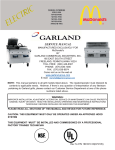


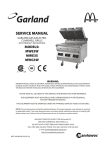
![Model DO402G Dissolved Oxygen Converter [Style: S3]](http://vs1.manualzilla.com/store/data/005725233_1-bd7e4c5bf258da59a958f30153ff00ea-150x150.png)
