1
200 Shadylane Drive
Philipsburg, PA 16866
Phone: (814) 342-6205
Fax: (814) 342-4510
www.druckercompany.com
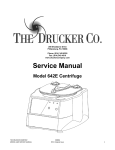
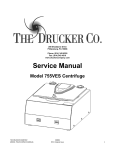
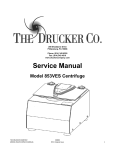
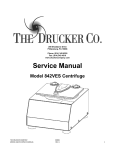
Service Manual
Model 642VFD Centrifuge
THE DRUCKER COMPANY
MODEL 642VFD SERVICE MANUAL
SM004
REV: Original Issue
1
CONTENTS
1
PREFACE ............................................................................................................................................ 3
2
INTENDED USE .................................................................................................................................. 3
3
GENERAL DESCRIPTION OF MAJOR COMPONENTS ......................................................................... 3
4
WARRRANTY INFORMATION ............................................................................................................ 3
5
SPECIFICATIONS ................................................................................................................................ 3
6
TROUBLESHOOTING ......................................................................................................................... 4
7
SERVICE INSTRUCTIONS .................................................................................................................... 5
8
WIRING DIAGRAM .......................................................................................................................... 10
9
FINAL CENTRIFUGE ASSEMBLY ....................................................................................................... 11
10 CABINET ASSEMBLY ........................................................................................................................ 12
11 LOWER ASSEMBLY .......................................................................................................................... 13
12 MOTOR ASSEMBLY ......................................................................................................................... 14
13 REVISION HISTORY .......................................................................................................................... 15
THE DRUCKER COMPANY
MODEL 642VFD SERVICE MANUAL
SM004
REV: Original Issue
2
1
PREFACE
1.1
The purpose of this manual is to provide the service technician with information for
troubleshooting, testing, and repair of laboratory centrifuge model 642VFD. Only qualified
technically trained personnel should attempt any of the servicing described in this document.
Failure to follow the procedures in this document may result in personal injury or instrument
damage. The Drucker Company will not be held liable for any injury or damage as a result of
improper servicing.
1.2
Information contained within this manual is subject to change without notice.
2
INTENDED USE
2.1
3
Model 642VFD is a general purpose laboratory centrifuge, intended for sample separation.
GENERAL DESCRIPTION OF MAJOR COMPONENTS
3.1
Motor: Permanent Split Capacitor AC Motor
3.2
Printed Circuit Board: The PCB is the microcontroller based control center of the centrifuge. All
control signals are generated in the PCB.
3.3
Lid Locking Tray Assembly: The lid tray assembly contains a solenoid and limit switch that are
used to determine the state of the lid (Open or Closed) and to keep the lid locked during
centrifugation cycles.
3.4
Rotor: The centrifuge rotor is the main component that spins in the centrifuge. The rotor is
loaded with tube holders, and the samples are placed into the tube holders for processing.
4
WARRRANTY INFORMATION
4.1
5
The Drucker Company warrants its centrifuges to be free from defects in workmanship and parts
for two years.
SPECIFICATIONS
Maximum Speed
3800 RPM
Maximum RCF
2000 xg
Maximum Capacity
6 Tubes (17 x 100mm)
Dimensions (in)
9.0 (H) x 11.0 (W) x 12.5 (L)
Environmental Operating Range
2-40 deg C
Typical Noise Level (At Maximum Speed)
< 65 dB A
Electrical Ratings
115VAC (+/- 10V)
THE DRUCKER COMPANY
MODEL 642VFD SERVICE MANUAL
SM004
REV: Original Issue
3
6
TROUBLESHOOTING
PROBLEM
POSSIBLE CAUSE
No Power
No Power
No Power
Lid knob is ajar
The lid does not open.
Lid lock is active (Unlock timed out)
Lid tray is unplugged from PCB or defective
PCB is damaged
PROBLEM
POSSIBLE CAUSE
Rotor improperly loaded
Excessive vibration
Debris lodged within the rotor or tube
carriers
Centrifuge housing is loose
Missing/damaged feet
Motor failure
Rotor damaged
PROBLEM
POSSIBLE CAUSE
No Power
No Power
No Power
Rotor does not spin
Lid not properly latched
SOLUTION
Check line cord
Check circuit breaker on underside of centrifuge.
Check wall outlet
Rotate the lid knob fully clockwise before pressing the
‘OPEN’ button
Press the ‘OPEN’ button to de-activate the lid
Requires service
Requires service
To gain access to the rotor - Remove the ‘OPEN/CLOSE’
sticker and slide the lid latch lever toward the front of the
centrifuge. This will unlock the lid.
SOLUTION
Load equally filled tubes symmetrically in the rotor. All
carriers and/or tube holders must be present in the rotor,
whether loaded, or empty.
Carefully inspect all rotor pockets, tube holders and
crevasses for debris.
Requires service
Requires service
Requires service
Replacement required
Internal connection failure
PCB failure
Motor Failure
SOLUTION
Check line cord
Check circuit breaker on underside of centrifuge.
Check wall outlet
Press down firmly on lid and rotate lid knob clockwise until
the ‘LATCHED’ light illuminates.
Requires service
Requires service
Requires service
PROBLEM
Clicking noise during braking
POSSIBLE CAUSE
Rotor is loose
SOLUTION
Tighten rotor nut per section 7-2
PROBLEM
POSSIBLE CAUSE
Debris in air intake / exhaust ports
Gasket failure
SOLUTION
Remove power before clearing debris.
Requires service
Whistling noise while running
THE DRUCKER COMPANY
MODEL 642VFD SERVICE MANUAL
SM004
REV: Original Issue
4
7
7.1
SERVICE INSTRUCTIONS
Cleaning
a) The cabinet, rotor top and accessories shall be thoroughly cleaned using soap and
water, isopropyl alcohol, or a mild bleach solution.
b) Under no circumstances should any of the following be used: Fully/Partially
Halogenated Hydrocarbons, Ketones and Esters.
c) Use of any chemicals not prescribed by the manufacturer may cause damage to the
rotor and tube carriers / holders and shall not be used.
7.2
Removing the Rotor
a) Use a 1/2” nut driver to loosen the center rotor screw (turn counter-clockwise).
b) Lift the rotor straight up and out of the rotor chamber.
c) To install the rotor, reverse steps A and B above.
d) Take care to align the hub spines with the rotor hub.
e) Tighten the rotor nut by hand with a ½” nut driver until snug. A good rule of thumb is
one full thread showing above the nut is a good indicator of proper installation.
7.3
Maintaining the Rotor
a) Keep the rotor clean, any corrosive materials must not be allowed contact with the
rotor and should be cleaned immediately.
b) The rotor should be checked periodically for signs of wear.
c) Remove the rotor from service if any of the following are found: cracks, deep scratches,
corrosion or discoloring.
7.4
Rotor Nut
a) If the rotor screw needs to be tightened, use a ½” nut driver and tighten it by hand until
snug.
b) Rule of thumb: One full thread showing above the nut is a good indicator of proper
installation.
7.5
Speed Calibration
a) Check the centrifuge speed periodically, we recommend every two years.
b) Important: When verifying rotor speed, make certain that all tube holders are installed
in the rotor.
c) No calibration adjustment of speed can be made, only a verification of rotor speed.
7.6
Line Leakage
a) Check the centrifuge’s line leakage periodically, we recommend every two years.
THE DRUCKER COMPANY
MODEL 642VFD SERVICE MANUAL
SM004
REV: Original Issue
5
b) All Drucker centrifuges currently manufactured are classified as “laboratory equipment”,
per the requirements of UL 61010-1 Electrical Equipment for Measurement, Control and
Laboratory Use; Part 1: General Requirements. This standard specifies that the
maximum current levels between any accessible parts are as follows:
c) In normal condition the maximum current flow between accessible parts is 0.5mA RMS
for sinusoidal waveforms, 0.7mA peak for non-sinusoidal waveforms or mixed
frequencies, or 2mA DC.
d) In single fault condition the maximum current flow between accessible parts is 3.5mA
RMS for sinusoidal waveforms, 5mA peak for non-sinusoidal waveforms or mixed
frequencies, or 15mA DC.
7.7
Ground continuity
a) Check the centrifuge’s ground continuity periodically, we recommend every two years.
b) Disconnect the manufacturer’s supplied power cord from the power supply.
c) Measure the resistance between the ground tab of the line cord and an exposed, clean,
unpainted metal surface contiguous to the chassis main frame.
d) The maximum acceptable ground resistance is 0.1 Ohms.
7.8
Removing the Cabinet (Upper Housing)
a) There are six screws that fasten the centrifuge cabinet to the base.
b) Begin by unplugging the centrifuge, and waiting 10 minutes for internal voltages to
dissipate.
c) Use a #2 Phillips screwdriver to remove the cabinet screws (two on left and right sides,
two in the rear)
d) The centrifuge control panel is attached to the base internally with cable harnesses. Be
careful not to stress the cables when removing the cabinet.
e) Stand directly in front of the centrifuge and lift the cabinet straight up and off the base,
setting it down on its right side.
f) Gently remove the combination power supply / motor harness from the PCB.
7.9
Replacing the Lid Tray Assembly
a) The lid tray assembly is accessible once the cabinet has been removed.
b) Gently remove the lid tray wire harness from the PCB.
c) The lid tray assembly is held in place with two #6 Nylok nuts. Use a 5/16” nut driver to
remove the nuts. The tray will slide off the threaded studs.
d) Early models used a plastic spacer between the tray assembly and the metal cabinet. A
spacer is no longer needed. IMPORTANT: Remove any plastic spacer that may be
present.
THE DRUCKER COMPANY
MODEL 642VFD SERVICE MANUAL
SM004
REV: Original Issue
6
e) To install the lid tray, slide it onto the studs, and secure it with two #6 Nylok nuts, hand
tight.
f) Complete the installation by gently plugging the wire harness into the PCB header ‘J4’.
The header and connector are keyed for proper orientation.
7.10 Replacing the PCB
a) The PCB is accessible once the cabinet has been removed. Make certain that all wire
harnesses have been disconnected.
b) The PCB has capacitors that will remain charged for a period after the centrifuge is
unplugged. Make certain to use standard precautions for handling potentially charged
capacitors when working with the PCB.
c) The PCB is held in place with four #6 Nylok nuts and plastic insulator washers. Use a
5/16” nut driver to remove the nuts. The PCB and washers are now free to slide off the
threaded studs.
d) Beneath the PCB are four plastic standoffs. If they are crushed, replace them before
reassembly.
e) To install the PCB, make certain that four plastic standoffs are present on the control
panel studs.
f) Slide the board onto the studs
g) Install four plastic washers onto the studs.
h) Important: over tightening the PCB nuts will cause malfunction – Each nut sets the
height of a separate control panel switch. Too low, and they cannot be actuated, too
high and they jam against the front panel label, and are always in the ‘ON’ state.
i) Tighten the nuts only until the buttons on the control panel click when pressed – do not
over tighten. Each nut sets the height of a separate control panel button. Tighten each
nut a ¼ turn in succession, trying each corresponding button as you go.
j) Once each control panel button clicks when pressed, installation is complete.
7.11 Removing the motor
a) Remove the cabinet assembly as previously described.
b) Cut and remove all wire harness zip ties.
c) Flip the base assembly up-side down and drill off the heads of the three exhaust air
channel rivets with a 3/16” drill bit.
d) Set the exhaust cover aside
e) The guard bowl is held in place with six low-profile head rivets, 5/32 nominal diameter.
To remove them, drill the heads off with a 3/16” drill bit.
f) Lift the base assembly off of the guard bowl and set it aside.
g) Flip the guard bowl.
THE DRUCKER COMPANY
MODEL 642VFD SERVICE MANUAL
SM004
REV: Original Issue
7
h) The motor is held in place with 4 #8 Nylok nuts. Remove them with an 11/32” nut
driver.
i) Slide the motor and motor gasket out of the guard bowl’s motor well.
7.12 Replacing the motor
a) Make certain that new rubber washers are used on the motor mounting studs when
installing a motor.
b) Locate the seam on the inside of the guard bowl wall.
c) Position the motor so its wires exit approx 180 deg away from the guard bowl seam.
d) Install the motor and gasket into the guard bowl with the wire harness positioned as
described above.
e) Drive 4 #8 Nylok nuts onto the motor studs with an 11/32” nut driver.
f) Turn the guard bowl assembly upside down with the guard bowl seam facing you.
g) Place the base assembly (with line cord facing away from you) onto the guard bowl.
h) IMPORTANT: Make certain that no wires are pinched between the guard bowl and
base!
i) IMPORTANT: Tuck a portion of the motor wire harness into the rectangular cutout in
the base. See fig 1.
Figure 1
THE DRUCKER COMPANY
MODEL 642VFD SERVICE MANUAL
SM004
REV: Original Issue
8
j) Fasten the guard bowl to the base with six 5/32 nominal diameter, low-profile head
rivets.
k) Install the exhaust air cover with three 5/32” rivets. Make certain that the motor wire
harness is contained within the cover’s wire channel. See fig 2.
Fig 2
l) Replace the zip tie removed earlier
m) The lower assembly is complete.
7.13 Power Connections and Final Assembly
IMPORTANT: These steps must be followed to avoid personal harm and to avoid
damaging the PCB.
a) Make certain that the lower assembly is unplugged from the mains supply.
b) Connect the motor/power connector to Jx on the PCB
c) Carefully place the cabinet onto the base taking care not to pinch any wires between the
two.
d) Complete the assembly by replacing the six #8 screws, washers and lock washers with a
#2 Phillips driver.
THE DRUCKER COMPANY
MODEL 642VFD SERVICE MANUAL
SM004
REV: Original Issue
9
8
WIRING DIAGRAM
THE DRUCKER COMPANY
MODEL 642VFD SERVICE MANUAL
SM004
REV: Original Issue
10
9
FINAL CENTRIFUGE ASSEMBLY
ITEM NO.
1
2
3
4
5
6
7
8
9
10
11
PART NUMBER
02-003-0-0009
7786021
3022006
3000002
02-003-0-0071
3033003
3033001
3012006
7724026
7724029
OEM SPECIFIC
DESCRIPTION
642 LOWER ASSEMBLY
642/842 HORIZONTAL ROTOR, 6 PLACE, DRILLED
NUT, 5/16-18, NYLOK
TAPE, REFLECTIVE, RPM CHECK
642 CABINET ASSEMBLY
WASHER #8, FLAT, SILVER
#8 SPLIT LOCK WASHER
SCREW, 8-32 x 0.375, PAN HEAD PHILIPS, SILVER
SERIAL NUMBER
FACTORY CALIBRATION LABEL
642VFD FRONT PANEL LABEL
THE DRUCKER COMPANY
MODEL 642VFD SERVICE MANUAL
QTY
1
1
1
1
1
6
6
6
1
1
1
SM004
REV: Original Issue
11
10 CABINET ASSEMBLY
ITEM NO.
1
2
3
4
5
6
7
8
9
10
11
12
13
14
15
16
17
18
19
20
21
PART NUMBER
7710185
3051001
3051003
03-1-0005-0055
3023001
7732018
7745017
7717049
N/A
3003002
OEM SPECIFIC
3033002
3022002
7713003
7724071
3012009
02-002-1-0000
3012004
OEM SPECIFIC
OEM SPECIFIC
OEM SPECIFIC
DESCRIPTION
642/614 CABINET
STUD, 6-32 x 7/8
STUD, 6.32 x .625
#8 PEM STUD, 5/8 LONG, PEM #FH832-10
NUT INSERT, 8-32 THREAD
MOTOR WELL GASKET
642/755 LID TRAY ASSEMBLY
CYCLE COUNTER
N/A
STANDOFF, .320 x .203, 642 BOARD MOUNT
PCB
WASHER, # 6 FLAT NYLON, WHITE
NUT, 6.32, NYLOK, SILVER
HINGE SPACER
FRICTION HINGE
SCREW, 8.32 x 1.00, PAN HEAD, PHILLIPS, SILVER
614/642 LID ASSEMBLY
SCREW, #6 x .375, PH/PHIL, SELF TAP, BLUNT, SILVER
LABEL, OPEN/CLOSE
UNLOCKING INSTRUCTION LABEL
642 STOP WARNING LABEL
THE DRUCKER COMPANY
MODEL 642VFD SERVICE MANUAL
QTY
1
2
6
1
4
1
1
1
1
4
1
4
8
2
2
4
1
4
1
1
1
SM004
REV: Original Issue
12
11 LOWER ASSEMBLY
ITEM NO.
1
2
3
4
5
6
7
8
9
10
11
12
13
14
15
16
17
18
PART NUMBER
7710188
3000001
3023001
7724037
03-1-0005-0055
3000005
7751043
7724002
02-003-1-0014
02-005-1-0000
3022003
7732019
7713027
3033012
3022001
7729009
3012007
7760002
DESCRIPTION
642 Cabinet Base, Flanged
RIVET, POP, 0.16 X 0.375
NUT INSERT, 8-32 THREAD
614/642 #8-32 SUCTION FOOT
#8 PEM STUD, 5/8 LONG, PEM #FH832-10
STRAIN RELIEF, LINE CORD
BREAKER, 4A
LABEL, GROUND
614/642 GUARD BOWL, COATED
MOTOR ASSEMBLY
8/32 NYLOCK NUT
642/842 GASKET, ROTOR CHAMBER
614/642/643/755 EXHAUST AIR DEFLECTOR
#8 INTERNAL TOOTH WASHER
8-32 HEX NUT
653ES/614V MOTOR CAPACITOR, 5 MICROFARAD
SCREW, PHILLIPS, 8-32, 0.50 LONG
ALL MODELS, CORD, LINE, WEBBER, TYPE B
THE DRUCKER COMPANY
MODEL 642VFD SERVICE MANUAL
SM004
REV: Original Issue
QTY.
1
9
11
4
1
1
1
1
1
1
4
1
1
1
1
1
1
1
13
12 MOTOR ASSEMBLY
ITEM NO.
1
2
3
4
5
6
7
PART NUMBER
7735049
3062001
7786028
7728103
3003003
3081003
03-1-0005-0000
DESCRIPTION
642 PSC Motor / 115 VAC
PIN, ROLL, 642 MOTOR DRIVE, .010 x 0.625
642/643 TAPERED ROTOR HUB
614/642 Motor Ring
WASHER, RUBBER, MOTOR MOUNT 0.175 x 0.5 OD x 0.18
DISCONNECT, 0.18", FEMALE
WIRE, BLACK
THE DRUCKER COMPANY
MODEL 642VFD SERVICE MANUAL
SM004
REV: Original Issue
QTY.
1
1
1
1
4
2
1
14
13 REVISION HISTORY
Revision #
Original
THE DRUCKER COMPANY
MODEL 642VFD SERVICE MANUAL
Date
Details of Change
07/07/2013 Original Issue - DR-2958.
SM004
REV: Original Issue
15