1
4. Alignment and Troubleshooting
Code
A1-1110
Error message
Error #A1-1110: Turn off then on.
Symptom / Cause
After working the main BLDC motor, the Ready signal has not occurred within 1 sec.
1. Harness is defective. Connector is not connected properly.
2. OPC coupler in the toner cartridge has overloaded.
3. Main BLDC motor is defective.
4. Engine board is defective.
Troubleshooting method :
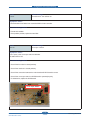
叛First, turn the machine off then on. If the error persists, refer to the following.
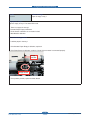
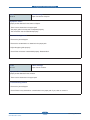
1. Check if the motor connector is connected properly. Reconnect it.
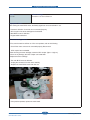
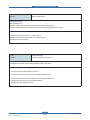
2. OPC coupler has overloaded.
After removing the toner cartridge, rotate the OPC coupler. (Spec : 6 kgf.cm)
If there is any damage, the OPC coupler can’t rotate well.
Replace the toner cartridge.
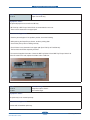
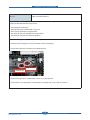
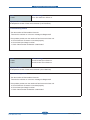
3. The main BLDC motor is defective.
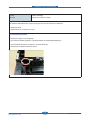
- Unplug the connector from the motor carefully.
- Replace the main BLDC motor with new one.
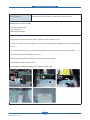
4. If the problem persists, replace the main board.
Service Manual
SCX-483x/5x3x series
4-35
Samsung Electronics