1
2 Minute Spin
.. . Plasma for
Coag Testing
.. . Plasma for
Cardiac Markers
.. .Serum or Plasma
for Stat Chemistry
THE EXPRESS 2 WILL CUT TURNAROUN
Rapid Blood Separation
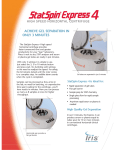
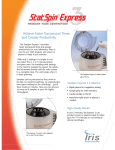
The StatSpin® Express 2 can improve
turnaround time and productivity in any lab!
By placing it next to any analyzer that
requires serum or plasma, you ll see an
immediate improvement in test efficiency
and turnaround time. Samples are
processed as they arrive; no need for
batching, no unproductive time spent
waiting for the centrifuge...you ll have results
in minutes. For peak workflow,
several units can actually provide higher
throughput than a larger, more costly
centrifuge.
StatSpin® Express 2 is ideal for:
• Rapid plasma for coagulation tests
• Sample prep for stat chemistry
• Cardiac profiles for the ER
• Sharp separations for send-out
• Anywhere rapid serum or plasma is
needed
ND TIME IN HALF
Cut turnaround time in half !*
Improve productivity. One study found that a
typical hospital laboratory could reduce cardiac
profile TAT from about one hour to thirty
minutes by switching to plasma separator tubes,
streamlining sample transport and installing a
StatSpin Express in the workstation.
• F a s t – Rapid acceleration and dynamic braking
reduce waiting for routine blood separations.
Spins in 2 or 3 minutes.
• Accurate – Microprocessor control maintains
speed and time to within 5%..
• Compact – Takes less than 7 inches (18cm) of
bench space, fits almost any work area or
instrument cart.
• Quiet
Generates only about 60dB of noise
won t disturb nearby workers.
* Evaluation of the StatSpin® Express primary tube centrifuge for
preparation of samples for measurement of cardiac markers on the
ACS:180® System. Bayer Corp., Diagnostic Division, Walpole, MA.
AACC 99, Abstract #77.
–
• S a f e – Cover interlock system, chamber gasket
and proven mechanical containment for operator
safety. UL Listed (U.S./Canada), CE marked.
• Simple – Load tubes and press start
High quality results
for coag or chemistry
The Express 2 can produce serum or plasma
equal to tubes spun for 7-10 minutes in
conventional clinical centrifuges. Gel barrier
tubes are separated rapidly with minimal
barrier distortion Processed tubes can be
used on automatic sampling equipment
without contaminating the sample probe.
preprogrammed cycles simplify run time
selection.
• Easy to Maintain – 10% bleach-compatible
surfaces and polypropylene rotor make cleaning
easy. Disposable chamber liners available for
added efficiency.
• Self-diagnostics – error code lights help reduce
chance of operator error and aid in instrument
trouble-shooting.
Chemistry Plasma
The Chart shows data on the ability of the
Express to produce quality plasma from PST
tubes for testing chemistry analytes. A full
report of this chemistry testing as well as a
detailed independent report on platelet count
is available upon request.
StatSpin Express 2 Beckman Centrifuge
8500 rpm
2 MINUTES
3000 rpm
10 MINUTES
Marker
Mean
Range
Mean
Range
Potassium
AST
ALT
LDH
4.04
21.8
16.0
134
3.3 - 4.7
12 - 52
3 - 38
68 - 205
4.05
21.7
16.0
137
3.3 - 4.7
12 - 52
3 - 38
77 - 209
24 Duplicate Samples in PST Tubes (Plasma Separator) Analyzed in a Beckman CX-7
StatSpin Express 2
includes a remote
universal power
supply that works
off any single phase
electrical power
from 100-240V. The power supply has an
IEC 320 receptacle so virtually any standard
“computer-type” power cord can be used.
Specifications:
Speed/Force
• 8500 rpm/4440 xg (± 250)
Cycle Time
• Quick Spin
• Normal
• Hard Spin
Acceleration Time
• 20 seconds to 95% of speed
Deceleration Time
• < 30 seconds
Tube Accommodation
• Accepts up to 5 mL blood tubes (13 x 75 mm),
Monovette syringe tubes and smaller tube formats
30 seconds
120 seconds
180 seconds
(see ordering information)
• 100 to 240V, 50/60 Hz, 1.7 amp
(Remote power supply has a 50 cm/3.5 ft. line to the centrifuge and a 5 ft.
North American power cord. Replacement AC power cord must have an IEC 320
connector and meet <HAR> standard.)
Power Requirements
Dimensions
• 15.2 x 16.8 x 21.9 cm. (6.0 in. x 6.6 in. x 8.6 in.)
(H x W x D)
• 2.3 kg (5 lbs)
Weight
Specification subject to change without prior notice. The StatSpin Express
drive and suspension system are covered under U.S. Patent No. 5,566,919.
StatSpin is a registered trademark of StatSpin, Inc.
Monovette is a trademark of Sarstedt,Inc.
Ordering Information
SSX2
StatSpin Express 2 for 100-240V, 50/60 Hz.
Includes 4-place rotor (RTX4), universal power supply, removable chamber
liner, four 5 mL Inserts and North American power cord.
Inserts for 5 mL Tubes
SV01 (13
x 75 mm) 4/pk. Included with centrifuge.
SV02 Inserts for 3 mL Tubes (10.25 x 64 mm) 4/pk.
SV03 Inserts for 2 mL Tubes (10.25 x 47 mm or BD Microtainers) 4/pk.
SV04 Inserts for 1.5 - 2 mL Microtubes (e.g. LipoClear) 4/pk.
DL01 Disposable Chamber Liners 10/pk.
RTX4 Replacement Express 2 Rotor
The 24V line to the centrifuge
includes a locking nut for secure
installation.
Includes four SV01 Inserts.
60 Glacier Drive
Westwood, MA 02090
Tel: 781.551.0100
Fax: 781.551.0036
800-782-8774
www.proiris.com
A Division of Iris International, Inc.
64-003929-001 Rev C
Express 2 Primary Tube Centrifuge
Operator’s Manual
Operator’s Manual
Express 2 Primary Tube Centrifuge
Model Number M501-22
FOR IN VITRO DIAGNOSTIC USE
Product Number
SSX2 - Express 2 for 100-240 VAC, 50/60 Hz
StatSpin is a registered trademark of StatSpin Inc., a Subsidiary of IRIS International, Inc.
Copyright 2001, 2003
Printed in U.S.A.
Table of Contents
i
How to use this manual.............................................................................................ii
Section 1..............................................................................................................1
Unpacking and Installation.......................................................................................1
Inspect Packaging.................................................................................................1
Verify Contents......................................................................................................1
Install System ........................................................................................................1
Connect Power......................................................................................................1
Section 2 ……………………………………………………………..……….……….. 2
System Overview ……………………………………………………………………...2
Principle and Intended Use ………………………………………………………………...……… 2
Symbols and Definitions …………………………………………………………………………….. 2
Error Indicators ……………………………………………………………………………………………3
Accessories………………………………………………………………………………………………....3
Section 3 ………………………………………………………………………………..4
Operating Instructions ……………………………………………………………… 4
Opening and Closing the Cover …………………………………………………………….. …. 4
Removing and Installing the Rotor ……………………………………………………………. 4
Spinning the Sample ………………………………………………………………………………… 5
Section 4 ………………………………………………………………………………. 6
Maintenance ….……...…………………………………………………………..…….6
Overview ……………………………………………………………………………………………….... 6
Cleaning …………………………………………………………………………………………….………6
Checking the Rotor Speed……………………………………………………………………………7
Service ………………………………………………………..……………………………..……..………….7
Troubleshooting ....................................................................................................8
Appendix .............................................................................................................9
Appendix A - Specifications .................................................................................9
References………………………...…………………………………………..…………….. 10
StatSpin Warranty…….………………………………………………………………11
i
How to use this manual
This manual along with information contained on product labels and in package inserts should
provide you with all the information you need to operate and maintain the Express 2.
Notes appear in italics to highlight information. When the information requires special attention, a
caution symbol appears next to the italicized text.
Please pay close attention to the instructions that accompany the notes and symbols as well as the
standard laboratory practices outlined by your facility and local regulatory agencies. The table below
lists all the CAUTIONS/WARNINGS for the Express 2.
WARNING - North American Installation: Only use the power supply included
with the unit. Use of other power supplies or transformers will damage the Express
2 electronics and void the warranty.
WARNING - Outside of North America: Do Not Use the Line Cord Supplied. Use
power cord for at least 1.0 Amp or more with an IEC320/CEE22 female connector
and male connector suitable for the power outlet to be used.
CAUTION - The cover interlock bypass is designed for emergency use only. If the
equipment is not used properly, safety may be impaired.
CAUTION- The rotor (RTX4) has a finite lifespan that is dependant on usage.
Cracks or swelling that develop indicate the rotor should be replaced immediately.
CAUTION – Failure to properly install the rotor may result in damage to the
centrifuge and will void the warranty.
CAUTION – Never operate the Express 2 without the rotor in place.
CAUTION - Replace balance tube every 10 cycles to prevent possible breakage
due to the repeated stress of centrifugation.
CAUTION – Unplug the Express 2 from the wall outlet before performing
maintenance.
WARNING – Do not expose Express 2 and its rotor to strong or concentrated acids,
bases, esters, aromatic or halogenated hydrocarbons, ketones or strong oxidizing
agents.
CAUTION – DO NOT spray the bowl or outer surfaces with detergent or bleach.
Excess liquid will harm the electronics and subsequent problems may not be
covered under warranty.
CAUTION - Universal Precautions should be followed on all specimens, regardless
of whether a specimen is known to contain an infectious agent. (See references)
Please use the system as intended. Improper use of the Express 2 Primary Tube Centrifuge and/or
its accessories may cause damage to the system, inaccurate results, or potentially nullify warranties.
The Express 2 Primary Tube Centrifuge, and its associated components are covered under US
patent nos. 4,846,974 & 4,981,585 & 5,566,919
ii
Section
1
Unpacking and Installation
Inspect Packaging
The Express 2 and its accessories are delivered in one carton. If the centrifuge or accessories have
suffered any damage in transport, please inform your carrier immediately.
NOTE: Save shipping carton and components to simplify return should service be required.
Verify Contents
The package contains:
One Express 2 centrifuge (Model No. M501-22)
One Centrifuge Rotor (Product No. RTX4)
Four Rotor Inserts for 13x75 mm tubes (Product No. SV01)
One Universal Switching Power Supply
(StatSpin Product No. 01-3553-001, APS Product No. AD-740U-1240)
One grounded line cord (for North American use only)
One Operator’s Manual
One Tool for Removing Rotor, 7/16” Nut Driver
Install System
1.
2.
3.
4.
Place the Express 2 on a level surface suitable for laboratory instrumentation.
Maintain a 300mm clearance boundary around the centrifuge for ventilation and safety.
Position the Express 2 away from direct sunlight and sources of heat or cold.
(See Appendix A for specifications.)
Remove blue foam packaging around the rotor before operating the centrifuge.
Connect Power
Plug the power supply into a grounded outlet supplying the voltage and frequency indicated on the
power supply. When power is connected, the 30 s. LED will illuminate and the cover lock will
release.
WARNING - North American Installation: Only use the power supply included with the unit.
Use of other power supplies or transformers will damage the Express 2 electronics and void
the warranty.
WARNING - Outside of North America: Do Not Use the Line Cord Supplied. Use power
cord for at least 1.0 Amp or more with an IEC320/CEE22 female connector and male
connector suitable for the power outlet to be used.
1
Section
2
System Overview
Principle and Intended Use
IVD
For in vitro diagnostic use for rapid separation of whole blood contained in original collection tubes.
The Express 2 is a microprocessor controlled, high-speed bench top centrifuge designed to rapidly
separate blood in the original evacuated or syringe type collection tubes.
The four-place 30° angle rotor included with the centrifuge is designed to provide rapid separation
while minimizing potential re-suspension of cells. The speed is fixed at 8500 rpm (+ 250 rpm),
producing a centrifugal force of 4440 xg at the maximum tube radius of 5.5 cm. The operator may
select three factory-set timed cycles, each cycle spinning for 30, 120 and 180 seconds.
Symbols and Definitions
Start button
Stop/open button
The start button initiates a pre-timed cycle at the
speed selected. NOTE: The Express 2 does not have
an on/off switch and is normally left plugged in and
“on”.
The stop/open button interrupts the cycle and stops
the centrifugation. This button may also be used to
release the cover.
Cycle selector
This button allows for selection of the appropriate
cycle.
Error/Service
indicator
The red LED identified, as error/service is illuminated
continuously or flashing when service is required.
Power input
DC Power Input: 24V DC Plug-in
2
Symbols and Definitions (cont.)
REF
IVD
SN
Product/Reference
Number
Indicates the StatSpin product/catalog number
Caution
Statement of caution/warning, read instruction
carefully
Temperature
limitation
Indicates storage requirements range
EC Representative
European Community Authorized Representative
For in vitro
diagnostic use
Clarifies for use as in vitro diagnostic only
Non sterile
Indicates non-sterile product
Serial Number
Indicates instrument serial number code
Consult
Instructions
Consult instruction manual or insert sheet for further
explanation
Error Indicators
Error codes for the Express 2 are specified by a combination of the Error/Service LED flashing or
continuous and any combination of the cycle LEDs on the front panel.
Error/Service =
Error/Service
light flashing
or continous
Quick Spin = 30 s
Normal Spin = 120 s
Hard Spin = 180 s
Rotor failed
to reach rpm
within 30 s
Cover opened
or cycle
changed during
operation
Insufficient
power to
maintain
rpm
Rotor spun
backward
direction during
reverse braking
Error/Service light will continuously illuminate when the centrifuge has achieved a total cycle count of 18,000, which
is the useful life of the drive system. Drive mechanism needs replacing. Contact an authorized service center.
Accessories
Product No.
Description
SV01
Inserts for 5 mL tubes (13 x 75 mm or 10.25 x 82 mm) 4/pk. Included with centrifuge
SV02
Inserts for 3 mL tubes. (10.25 x 64 mm) 4/pk.
SV03
Inserts for 2 mL tubes. (10.25 x 47 mm or BD Microtainers) 4/pk.
SV04
Inserts for 1.5-2 mL Microtubes (e.g. LipoClear) 4/pk.
DL01
Disposable chamber liners. 10/pk.
RTX4
Express 2 Rotor. Includes four SV01 inserts.
3
Section
3
Operating Instructions
Opening and Closing the Cover
The system’s electrically operated cover interlock mechanism prevents operation until the cover is
completely closed and latched, and prevents the cover from being opened while the rotor is turning.
When the cover is completely closed and locked an operating cycle can be initiated.
The system is also equipped with a manually operated latch that holds the cover down after spinning
is complete. The interlock is automatically released at the end of the operating cycle or by pushing
the stop/open button. Squeeze the black latch pieces together to open cover.
Cover Interlock By-pass
The electronically operated cover interlock mechanism can be released manually by inserting the
straightened end of a large paper clip or similar object into the small hole in the center of the front
membrane panel. Manually push the lock lever inward about one inch (25mm) to release the
interlock mechanism if the stop/open button does not release the cover.
CAUTION - The cover interlock bypass is designed for emergency use only. If the
equipment is not used properly, safety may be compromised.
Removing and Installing the Rotor
The Express 2 is shipped with the rotor installed. To prevent possible damage to the centrifuge’s
motor mount, it is important to remove the rotor whenever the centrifuge is moved or shipped to
another location.
CAUTION- The rotor (RTX4) has a finite lifespan that is dependant on usage. Cracks
or swelling are signs of fatigue, replace immediately.
1.
Remove the tube inserts from the rotor.
2.
Remove rotor, locking nut and washer from the rotor holder using 7/16” nut driver.
3.
Gently rock the rotor back and forth until the mounting pins on the rotor holder release.
4.
Remove the rotor.
To re-install rotor:
1.
Remove the tube inserts from rotor. Place rotor on rotor holder, ensuring the two mounting pins
on the rotor holder are aligned with two of the four small holes near the center of the rotor.
2.
Gently rock the rotor back and forth to ensure the rotor seats properly on the rotor holder.
3.
Install washer, then nut and secure the rotor by tightening the nut with the 7/16” nut driver
provided.
4.
Re-install the tube inserts into the rotor cavities. The centrifuge is now ready for use.
CAUTION- Failure to properly install the rotor may result in damage to the centrifuge
and will void the warranty.
4
Spinning the Sample
Loading
CAUTION - Never operate the Express 2 without the rotor in place.
1.
2.
3.
Ensure the appropriate tube inserts are installed. The Express 2 centrifuge is
provided with four tube inserts for 13 x 75 mm tubes (Product No. SV01). Other sizes
are available (See accessories).
Two or four tubes may be processed at one time. The rotor must be properly
balanced to ensure smooth operation.
Use the same size and style tubes in opposite positions. Balance liquid in tubes to
within 0.5 mL.
CAUTION - Replace balance tube every 10 cycles to prevent possible breakage due
to repeated stress of centrifugation.
4.
5.
6.
Close and latch the centrifuge cover.
Select the appropriate cycle by pressing the cycle selector until the desired LED is
illuminated. (See Table 1)
Press start button.
Table 1: Express 2 Cycle Settings. The operator should experiment with different settings to
achieve optimum performance for specific applications. The following are general guidelines:
Setting
Speed
Time
30s Intended to provide a short spin 8500 rpm
30 seconds
to immediately separate the red cells
from the plasma/serum.
120s
Intended to produce good 8500 rpm
120 seconds
quality plasma/serum from whole
blood for chemistry or coagulation.
180s Intended to provide a minimal 8500 rpm
180 seconds
particle/cell count and should be
used for specialized applications.
(e.g Lipoclear®)
The normal spin (120 s) can be used for most chemistry and coagulation applications.
The hard spin (180 s) can be used for gel separator tubes. (PST/SST)
NOTE: The Express 2 has no “on-off” switch, and therefore is normally left plugged in and “on”.
Unloading
1.
2.
3.
Upon completion of the cycle, the rotor decelerates to a complete stop in 25 seconds and
the latch interlock automatically unlocks.
Squeeze the black latch pieces together to open cover.
Carefully remove tubes using care not to re-suspend the sediment.
5
Section
4
Maintenance
Overview
StatSpin recommends that instrument operators perform periodic inspections and preventative
maintenance on all StatSpin instruments. Contact StatSpin’s customer service department or
distributor if, at any time, the instrument is not functioning properly.
CAUTION - Unplug the Express 2 from the wall outlet before performing
maintenance.
WARNING - Do not expose Express 2 and its rotor to strong or concentrated acids,
bases, esters, aromatic or halogenated hydrocarbons, ketones or strong oxidizing
agents.
Cleaning
The Express 2 is supplied with a disposable bowl liner to simplify routine cleaning. Additional bowl
liners are available. (Product No. DL01). The liner should be replaced monthly or whenever a spill
occurs. Clean the outside surfaces and switch overlay panel with a water-dampened cloth and mild
detergent. Clean the inner surface or bowl with a mild detergent, and if necessary, a disinfectant,
wiping surfaces with a dampened cloth using 70% alcohol or 10% bleach solution.
CAUTION - DO NOT spray the bowl or outer surfaces with detergent or bleach.
Excess liquid will harm the electronics and subsequent problems may not be covered
under warranty.
General Cleaning
1.
2.
3.
4.
5.
6.
7.
8.
Open centrifuge cover.
Unplug the power supply from the electrical outlet.
Remove all tubes and inserts. Remove the rotor (see Removing and Installing the Rotor).
Remove the black gasket surrounding the chamber by pulling up one end of the gasket.
Remove the bowl liner and dispose. Install a new bowl liner.
Replace the black gasket around the chamber opening.
Reinstall rotor (see Removing and Installing the Rotor).
Plug in the power supply.
Rotor Disinfecting
1.
2.
3.
4.
5.
6.
7.
Open centrifuge cover.
Unplug the power supply from the electrical outlet.
Remove all tubes and inserts. Remove the rotor (see Removing and Installing the Rotor).
The rotor and inserts may be soaked in detergent and warm water or a 10% bleach solution.
DO NOT attempt to clean an insert that has a broken tube. Dispose of insert immediately.
Dry the rotor and inserts with a clean absorbent paper towel or allow to air dry.
Re-install the rotor (see Removing and Installing the Rotor).
6
Checking the Rotor Speed
The rated speeds (+5%) can be checked with a photoelectric tachometer available from many
sources. If the Express 2 fails to achieve operating speed 8500 rpm+5% contact your distributor or
StatSpin Customer Service department.
Service
There are no user-serviceable parts. Refer all service to qualified service personnel.
Reference the StatSpin Warranty for further instruction. Be sure to complete and return the warranty
card as directed.
Decontamination before returning for service
Any instrument or accessory containing accumulated blood and/or other biological or chemical
deposits must be cleaned prior to shipment to the manufacturer/dealer for service. This
decontamination is required by Federal Law (Title 48 and 49 of the Federal Regulations) and in
accordance with the Environmental Protection Agency’s Regulations for Biohazard Waste
Management. StatSpin personnel cannot perform this decontamination.
7
Troubleshooting
No Power Light
↓
Is the power cord completely
plugged into the wall?
↓
YES
↓
Is the wall outlet working properly?
↓
Is the barrel connector from the
transformer completely plugged into
the centrifuge?
↓
YES
↓
Contact StatSpin or an Authorized
Repair Facility.
→ NO→
Plug power cord into the wall.
→ NO→
Try another wall outlet.
→ NO→
Plug the barrel connector into the centrifuge.
→ NO→
Completely close the cover.
→ NO→
Press the bowl gasket all the way down into
the housing slot.
Centrifuge Will Not Spin/Shuts
Off Prematurely
↓
Is the cover completely closed and
cannot be opened manually?
↓
YES
↓
Contact StatSpin or an Authorized
Repair Facility.
Centrifuge will not open at end
of cycle
↓
Is the bowl gasket completely
seated and sealing the bowl?
↓
YES
↓
Contact StatSpin or an Authorized
Repair Facility.
8
Appendix
Appendix A - Specifications
Product No.
Model No.
Speeds
Force
Cycles
Acceleration Time
Deceleration Time
Electrical
Dimensions
Environmental
SSX2
M501-22
8500 rpm + 250
4440 xg
30s: 30 seconds
120s: 120 seconds
180s: 180 seconds
Approximately 20 seconds
Approximately 25 seconds
24 Volts, DC, 1.7 amp. Includes switching power supply for 100-240
VAC, 50/60 Hz
Diameter 6.6”/ 16.8 cm
Height 6.0”/15.2 cm
Weight 5 lbs/2.3 kg
Indoor use
Altitude up to 2000m
Temperature 5ºC to 40ºC
Maximum relative humidity 80% for temperatures up to 31ºC decreasing
linearly to 50% relative humidity at 40ºC
Main supply voltage fluctuations not to exceed +/- 10% of the nominal
voltage
Transient over-voltages according to installation category II
Pollution degree 2
9
References
1.
2.
3.
NCCLS. “Protection of Laboratory Workers from Occupationally Acquired Infections;
Approved Guideline-Second Edition.” NCCLS document M29-A2 [ISBN 1-56238-453-8].
NCCLS, 940 West Valley Rd, Suite 1400, Wayne, Pennsylvania 19087-1898 USA, 2001.
CDC. Recommendations for prevention of HIV transmission in health care settings.
MMWR (Suppl. No. 2S):2S-18S, 1987.
CDC. Updated: US Public Health Service Guidelines for the Management of Occupational
Exposures to HBV, HCV and HIV and Recommendations for Post Exposure Prophylaxis.
Appendix A and B. MMWR 50 (RR-11): 1-42, June 29, 2001.
A Subsidiary of IRIS International Inc
Norwood, MA 02062 USA
Phone: 800-782-8774
or 781-551-0100
Fax: 781-551-0036
www.statspin.com
mdi Europa GmbH
Wittekamp 30
D-30163 Hanover Germany
+49-511-39089530
Made in USA
55-003910-001 Rev. E
10
StatSpin Warranty
StatSpin, Inc., a Subsidiary of IRIS International, Inc. warrants that the instruments shall be free from defects in
material and/or workmanship, under normal use and service, for the period expiring twelve (12) months from the
date of installation, provided the purchaser has completed and forwarded to StatSpin the Warranty Registration
Card. StatSpin will, at its discretion repair or replace any unit covered under this warranty returned to StatSpin
with shipping costs prepaid. Repaired or replaced instruments supplied under this warranty carry only the
remaining portion of the original warranty and repairs shall not interrupt or prolong this warranty. For warranty
terms and conditions outside the United States, contact your Authorized StatSpin Distributor.
No warranty extended by StatSpin shall apply to any instrument that has been damaged due to misuse,
negligence, accident, or damage resulting from unauthorized repairs, alterations, or improper installation.
StatSpin makes no warranty other than the one set forth herein. This warranty is given expressly in lieu of all other
warranties, expressed or implied. The purchaser agrees that there is no warranty of merchantability or of fitness
for any intended purpose and that there are no other remedies or warranties, expressed or implied, which extend
beyond the description on the face of the agreement. No agent or employee of StatSpin is authorized to extend
any other warranty or assume for StatSpin any liability except as set forth above. This warranty is only applicable
to the original purchaser.
Limitation of Liability
StatSpin shall not be liable for any loss of use, revenue or anticipated profits, or for any consequential or incidental
damages resulting from the sale or use of the products. The purchaser shall be deemed liable for any and all
claims, losses, or damages incurred by the use or misuse of the StatSpin instrument by the purchaser, its
employees or others, following receipt of the instrument or other items.
11
STATSPIN EXPRESS 2 CENTRIFUGE
MODEL M501-22
GASKET KIT
01-002543-001
NUT DRIVER
01-003602-001
INSERTS
SV01
SV02
SV05
NUT AND WASHER, RTX4A
01-003562-001
RTX4A ROTOR
00-003393-001
OPERATOR'S MANUAL
01-004036-001
DL01
SERVICE MANUAL
01-004150-001
BASE PLATE AND GASKET
01-003490-001
POWER IN HARNESS
01-003493-001
PC BOARD KIT W/MEMBRANE
01-003976-001
MOTOR REPLACEMENT KIT
01-003850-001
POWER SUPPLY
01-003553-001
LINE CORD
01-002532-001
BASE CLAMPS
01-003563-001
FAN ASSEMBLY
01-003942-001
MICROSWITCH
01-003495-001
SOLENOID
01-004076-001
COVER ASSEMBLY
01-003494-001
MEMBRANE PANEL
01-003944-001
SUCTION FEET
01-004288-001
LATCH SERVICE KIT
01-004469-001
54-004385-007