1
Operational & Service Manual Studio Remote 1.03
USERS MANUAL
Version 1.03
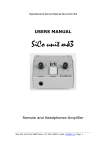
Studio Remote
Studio Remote/Mic Breakout and Headphones amplifier
for
AXUM | AIRMAX | AIRLAB | AIRMATE | AIRENCE | AIRLITE
Studio Remote, D&R Phone +31 294 418014, email: [email protected] Page 1
Operational & Service Manual Studio Remote 1.03
Dear Customer,
Thank you for choosing the Studio Remote and headphones-amplifier.
The Studio Remote is designed by specialists in the field of radio broadcast and is intended to be used together
with the broadcast consoles of D&R.
This time you are not faced with a huge manual because it is simply not necessary because of the natural
recognition of all functions on the user interface. All functions are self-explanatory and you will certainly
appreciate the ergonomics of this design. No digital layering just direct access to all relevant functions, as we
think it should be in daily practice
We always value suggestions from our clients, and we would therefore be grateful if you could sent us your
comment and/or suggestions, once you have become familiar with your Studio remote-Unit mk4. We will
certainly learn from your comments, and we will very much appreciate the effort and time it will take for you
to communicate your idea’s and suggestions.
We are confident that you will be using the Studio Remote for many years to come, and wish you a lot of
success.
With kind regards,
Duco de Rijk
MD
D&R ELECTRONICA B.V.
Rijnkade 15B
1382 GS WEESP-HOLLAND
The Netherlands
Phone: +31 (0)294-418 014
Fax: +31 (0)294-416 987
Website: http://www.d-r.nl
E-mail: [email protected]
Studio Remote, D&R Phone +31 294 418014, email: [email protected] Page 2
Operational & Service Manual Studio Remote 1.03
The Studio Remote Unit is designed
to be the remote and communication
interface between the mixing console
and the announcer or guest.
It has a built in headphone amp and 2
remote switches with RED/GREEN
LED indication.
The Studio Remote is the perfect
solution for a remote headphones
amplifier
CHOUGH
When pushing this button the
channel to which this Studio remote
unit is connected will be muted (to be
able to cough).
COM
When the COM button is pushed,
now also the channel to which this
Studio remote unit is connected will
be muted. But at the same time the
CUE switch in that channel will be
activated to communicate with the
engineer at the mixing console.
The unit can be connected directly to
the D&R AXUM / AIRLAB / AIRENCE /
AIRLITE.
The only difference is another back
panel PCB.
STUDIO REMOTE
Studio Remote, D&R Phone +31 294 418014, email: [email protected] Page 3
Operational & Service Manual Studio Remote 1.03
AXUM | AIRMAX
REMOTE/SIGNALLING IN MIC MODE.
This useful feature has three
important functions:
1. COUGH Switch for Cough only.
2. COM switch for cough +
communication.
3. Mic-On Red Light indication.
2. Direct Mic Connection,
XLR to RJ 45
3. Headphones Amplifier is
switchable between A and B
A shielded cat-5 cable has to be
connected between the Studio
Remote and the mixing consoles Micinput channel that needs
communication.
Together with the remote control also
the Mic-input is directly connected.
Using the push-button during
broadcast, the announcer can
temporarily mute the microphone in
order to cough (where the name
comes from).
When COMM is activated his
microphone will be routed to the Cue
system, in order to give her/him the
opportunity to communicate with the
engineer/producer.
HEADPHONES INPUT (audio inputs 2x RJ45 parallel)
Wiring for the D&R AXUM
The Audio-input RJ45 of the Studio remote Unit needs to be wired to the Axum or AirMax.
On the RJ45 connector 2 stereo-pairs of audio can be connected.
The pushbutton switch beneath the front panel in between the Cough and Com switches determine
whether you listen to A or B. (only for AXUM|AIRMAX)
The Audio-Input-thru RJ45 can be used to connect more Studio remote-Units to the same Audio Input
(parallel). Always use shielded cat5 cable to prevent hum. The shield is also ground of the signal.
Studio Remote, D&R Phone +31 294 418014, email: [email protected] Page 4
Operational & Service Manual Studio Remote 1.03
Power-Jack:
Connect the external power-supply (+ 9 to 12 volt) to the Power-Jack connector.
Be careful, only use the standard D&R Studio Remote power-supply that is part of the delivery.
When in doubt ask your local D&R dealer or a qualified technician.
Do not connect a wrong or damage power-supply to the Studio Remote to prevent you from electric shocks.
Always use a Class II power supply (without earth pin, double isolated).
TECHNICAL DETAILS OF CONNECTORS AND LEVELS
Phones (Stereo Jack, front)
Tip
Phones Left
Ring
Phones Right
Sleeve
GND
150mW in to 16 Ohm
75mW in to 32 Ohm
45mW in to 64 Ohm
> 16 Ohm
> 16 Ohm
Power Jack (back side)
9V DC 100mA
Class II power (without earth pin)
Centre pin
+9V
9 to 12 V DC
Ring
GND
The Power Jack is protect against reverse polarity connection.
Audio Input 1/2 (both headphone RJ45 are connected in parallel.)
pin
name
1
1A
Audio-Input 1 Left, Connect to internal jumpers.
2
1B
Audio-Input 1 Right, Connect to internal jumpers.
3
2A
Audio-Input 2 Left, Connect to internal jumpers.
4
3B
nc
5
3A
nc
6
2B
Audio-Input 2 Right, Connect to internal jumpers.
7
4A
nc
8
4B
nc
shielding
Audio GND
Always use shielded cat5 cable to prevent hum.
The pin-out is equal to the D&R AirMax and D&R Axum RJ45 audio connections.
Studio Remote, D&R Phone +31 294 418014, email: [email protected] Page 5
Operational & Service Manual Studio Remote 1.03
AIRLAB | AIRMATE
REMOTE/SIGNALLING IN MIC MODE.
This useful feature has three important functions:
1. Remote Switch for Cough
2. Remote switch for Talkback or communication and showing Mic-On Red Light etc.
3. Headphones Amplifier.
1. COUGH Switch for Cough only.
2. COM switch for cough +
communication.
3. Mic-On Red Light indication.
2. Direct Mic Connection,
XLR to RJ 45
3. Headphones Amplifier is
switchable between A and B
HEADPHONES INPUT
(audio jack input)
The Audio-jack connector of the
Studio remote Unit need to be wired
to the master of the Airmix/Airlab,
Guest or Announcer outputs or
whatever suits your purpose mostly.
A wiring schematic will be shown in
this manual on another page.
Power-Jack:
Connect the external power-supply (+
9 to 12 volt) to the Power-Jack
connector.
Be careful, only use the standard D&R
Studio remote-Unit power-supply that
is part of the delivery.
When in doubt ask your local D&R
dealer or a qualified technician.
Do not connect a wrong or damaged power-supply to the Studio remote-Unit to prevent you from electric
shocks. Always use a Class II power supply (without earth pin, double isolated).
Studio Remote, D&R Phone +31 294 418014, email: [email protected] Page 6
Operational & Service Manual Studio Remote 1.03
Audio input (Stereo Jack, J3) on the back of the PCB
Tip
Left
10kOhm
Ring
Right
10kOhm
Sleeve
GND
Remote Jack S1 S2 on the Back PCB
pin
name
Tip
Cough
Connected to Com switch
Ring
Cough
Connected to Com switch
Sleeve Cough
nc
Tip
Com
Ring
Com
Sleeve Com
Connected to Cough switch
Connected to Cough switch
nc
Phones (Stereo Jack, front)
Tip
Phones Left
Ring
Phones Right
Sleeve
GND
150mW in to 16 Ohm
75mW in to 32 Ohm
45mW in to 64 Ohm
> 16 Ohm
> 16 Ohm
Power Jack (back side)
9V DC 100mA
Class II power (without earth pin)
Centre pin
+9V
9 to 12 V DC
Ring
GND
The Power Jack is protect against reverse polarity connection.
How to drop through/built in this unit?
The front panel has the following dimensions: 80mm width, 110mm front-back, 2mm thick
The hole you have to drill should be 91mm front-back and 71mm left-right.
The overall depth of the unit is: 50mm below the front panel.
Good luck!!
Studio Remote, D&R Phone +31 294 418014, email: [email protected] Page 7
Operational & Service Manual Studio Remote 1.03
EG Declaration of Conformity
We,
D&R Electronica B.V.
Rijnkade 15b
1382S Weesp
The Netherlands
Herewith take the sole responsibility to confirm that this product:
Type designation
: Studio Remote (2014)
Kind of equipment
: Remote and Headphones-Amplifier
Which refers to this declaration, is in accordance with the following standards or standardized documents:
EMC Directive 89/336/EEG, norm EN55103-1 (E2) EN55103-2 (E2)
Low Voltage Directive 73/23/EEG, norm EN60065
Duco de Rijk
MD
D&R Electronica B.V.
January 2014
Weesp
Studio Remote, D&R Phone +31 294 418014, email: [email protected] Page 8
Operational & Service Manual Studio Remote 1.03
Disclaimer:
Due to a policy of continuous product improvement, D&R Electronica Weesp B.V reserves the right to change
specifications, appearance and performance without prior notice.
Since the use of this information, and the conditions by which the products are used are beyond the control of
D&R Electronica Weesp B.V, it is the obligation of the owner and/or the equipment operator to determine the
correct and safe selection, settings and conditions of use of the equipment and products.
To the extent that the law permits, any liability which may be incurred as a result of
the use or future use of a product manufactured or sold by D&R Electronica Weesp B.V is limited to the cost
of repairing or replacing the failed product or component at the discretion of D&R Electronica Weesp B.V,
either within, or outside of warranty period, and does not extend to any loss or damage which may be caused
as a consequence of misuse or failure of the equipment or products.
D&R Electronica Weesp B.V shall not in any event be liable for economic loss of profits including without
limitation any incidental or consequential damage, expenses or other damages arising out of the use or
inability to use the product and/or software even if D&R has been advised of the possibility of such a damage
or for any claim by another party.
You agree to indemnify, hold harmless, and defend D&R Electronica Weesp B.V., its parent, and their licensors,
suppliers, officers, directors, employees, agents, affiliates, subsidiaries (collectively "Indemnified Parties") from
and against any and all liability incurred by or made against the Indemnified Parties in connection with any
claim arising from or related to your use.
Duco de Rijk
president
Studio Remote, D&R Phone +31 294 418014, email: [email protected] Page 9