1
®
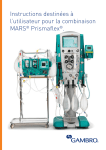
PRISMA System
An integrated system for continuous fluid
management, renal replacement therapies and
therapeutic plasma exchange
Operator’s Manual
For use with software versions R03.10
GAMBRO DASCO S.p.A.
Via Modenese, 66
41036 Medolla (MO) -Italy
Catalog Number: 6983217, Rev. A
P/N 9032167850, Rev. A
2006/09
Manufactured by:
GAMBRO DASCO S.p.A., Via Modenese 66, 41036 MEDOLLA (MO) Italy.
Questions or comments about this publication can be directed to your local representative or to
manufacturer.
© 1992-1996, 1998 GAMBRO Inc. (unpublished), 2000 –2001 Gambro dasco SpA (unpublished),
2001-2006 Gambro Lundia AB (unpublished).
PRISMA® is a trademark of GAMBRO INC registered in Argentina, Chile, Mexico, United
States, Uruguay.
GAMBRO® is a registered trademark of GAMBRO LUNDIA AB.
HOSPAL® is a registered trademark of GAMBRO HOSPAL SWITZERLAND Ltd.
The PRISMA® machine is protected by one or more of the following patents:
- U.S. patents: 4861242, 5644402, 5722399, 5679245, 5776345, 5910252, 5762805,
5211849, 5394732;
- European patents: 0611228, 0678301, 0701830, 0829265, 0706044, 0607301,
0643301;
- GB patents: 2208897;
- Canadian patents: 1284598, 2115414, 2303714, 2119375;
- Japanese patents: 1772297, 2823513, 3690846, 3591864, 3413412, 3140781;
- German patents: 3828123;
- French patents: 2619604, 2724321, 2725522;
- Italian patents: 1223781.
Contents
Before You Get Started ........................................................ xix
Indications ................................................................................................... xix
Contraindications ......................................................................................... xix
System Components ................................................................................... xix
Control Unit ........................................................................................... xix
Set ..........................................................................................................xx
Where to Find Information About the PRISMA System ................................xx
Operator’s Manual ..................................................................................xx
On-line Instructions ................................................................................xx
PRISMA Set Instructions for Use .......................................................... xxi
Warnings ...................................................................................................... xxi
Precautions ............................................................................................... xxvii
Symbols and Certification .......................................................................... xxxi
Disclaimer ................................................................................................. xxxii
Service Information ...................................................................................xxxiii
United States, Central America, South America Customers ..............xxxiii
Returning Used Product ...........................................................................xxxiii
Disposal of Lithium Energy Cell ............................................................... xxxiv
Disposal of Packaging Material ............................................................... xxxiv
Warranty .................................................................................................. xxxiv
Chapter 1: Product Description ............................................. 1
Introduction .................................................................................................... 1
Blood Access .......................................................................................... 1
PRISMA Control Unit Functions .............................................................. 1
Therapy Overview ......................................................................................... 2
PRISMA Therapy Options ....................................................................... 2
Mechanisms of Therapy .......................................................................... 2
Ultrafiltration ...................................................................................... 2
Hemofiltration .................................................................................... 3
Hemodialysis .................................................................................... 3
PRISMA System Operator’s Manual
iii
Hemodiafiltration ............................................................................... 3
Therapeutic Plasma Exchange ......................................................... 3
PRISMA Control Unit ..................................................................................... 4
Front Panel .............................................................................................. 4
Bottom Panel ........................................................................................... 7
Right Side Panel ..................................................................................... 7
Left Side Panel ........................................................................................ 7
Rear Panel .............................................................................................. 7
Chapter 2: Installation ........................................................... 11
Contents of PRISMA Shipping Carton ..........................................................11
Tools, Supplies, and Equipment Required ................................................... 12
Electrical Requirements ............................................................................... 13
Space Requirements ................................................................................... 13
Visual Inspection for Damages .................................................................... 13
Assembly ..................................................................................................... 13
Materials Needed .................................................................................. 13
Assembly Steps .................................................................................... 13
Power Supply Check on Power Supply Interface CCA ................................ 17
Calibrations .................................................................................................. 18
Scales ................................................................................................... 18
Calibration ....................................................................................... 18
Diagnose ......................................................................................... 19
Pressures .............................................................................................. 20
Calibration ....................................................................................... 20
Diagnose ......................................................................................... 20
Reposition Transducer. ................................................................... 21
Service Mode Checkout ............................................................................... 22
Service-Pumps Inspection ..................................................................... 22
Service-Pumps Diagnose Screen ......................................................... 23
Service-Lights and Tones Diagnose Screen ......................................... 24
Functional Checkout .................................................................................... 25
Setup and Prime ................................................................................... 26
Fluid Accuracy ....................................................................................... 26
Access Pressure Alarm Verification ...................................................... 28
Incorrect Weight Change Alarms .......................................................... 28
Excess Pt. Fluid Loss or Gain Alarm ..................................................... 29
Fluid Accuracy During Alarm ................................................................. 29
Electrical Safety Inspection .......................................................................... 30
iv
PRISMA System Operator’s Manual
Warning Label .............................................................................................. 31
Installation Checklist .................................................................................... 31
Chapter 3: Continuous Renal Replacement Therapies (CRRT) .......................................................................................... 33
PRISMA Set for CRRT ................................................................................ 33
System Overview ......................................................................................... 36
Communicating With the PRISMA Control Unit .................................... 36
Interactive Display .......................................................................... 36
User-controllable Settings ............................................................... 36
Default Values .......................................................................... 36
Current Values ......................................................................... 37
Pumps ................................................................................................... 37
Flow Rates and Anticoagulant Settings ................................................ 37
Adjusting the Flow Rates and Anticoagulant Settings .................... 38
Patient Fluid Removal Rate ............................................................ 38
Calculating the Desired Patient Fluid Removal Rate ............... 38
Adjusting the Patient Fluid Removal Rate ................................ 39
Machine Control of Patient Fluid Removal Rate ...................... 39
Setting the "Excess Pt. Fluid Loss or Gain" Safety Limit .......... 40
Fluid Balance ........................................................................................ 40
Actual Patient Fluid Removed ........................................................ 40
Measuring Actual Patient Fluid Removed ................................ 40
Viewing Actual Patient Fluid Removed .................................... 41
I/O Data .......................................................................................... 41
Treatment History Data ......................................................................... 42
I/O History ....................................................................................... 42
Events History ................................................................................. 43
History Data After a Treatment ....................................................... 43
History Data During a Power Loss .................................................. 43
Alarm Safety System ............................................................................. 44
Monitoring Systems ............................................................................... 44
Pressure ......................................................................................... 44
Blood Leak ...................................................................................... 44
Air Bubble ....................................................................................... 44
Operation ..................................................................................................... 45
Startup ................................................................................................... 45
Control and Navigation .......................................................................... 45
Screen Layout ....................................................................................... 46
Operating Modes ................................................................................... 46
PRISMA System Operator’s Manual
v
Setup Mode .................................................................................... 46
Standby Mode ................................................................................. 50
Run Mode ....................................................................................... 51
End Mode ....................................................................................... 53
Change Set Procedure ............................................................. 53
End Treatment Procedure ........................................................ 54
Temporary Disconnection Procedure ....................................... 55
Custom Mode ................................................................................. 56
User-controllable Settings ..................................................................... 57
Anticoagulant Syringe Installation Procedure ........................................ 61
Initial Syringe Installation ................................................................ 61
Changing the Syringe During Treatment ........................................ 62
Change Bags Function .......................................................................... 64
Control Unit Actions ........................................................................ 64
Changing a Bag During Treatment ................................................. 64
Pressure Monitoring ..................................................................................... 65
Pressure Monitoring Components ......................................................... 65
Pressures During Operation .................................................................. 66
Extreme Pressure Limits ....................................................................... 67
Pressure Operating Points .................................................................... 68
Initial Values ................................................................................... 68
Subsequent Values ......................................................................... 68
Pressure Trending Limits ................................................................ 69
“Cannot Detect Disconnection” Limits ............................................ 69
Software-calculated Pressures .............................................................. 70
Transmembrane Pressure (TMP) ................................................... 70
Filter Pressure Drop (DP Filter) ...................................................... 71
Chapter 4: Therapeutic Plasma Exchange (TPE) ................ 73
PRISMA TPE Set ......................................................................................... 73
System Overview ......................................................................................... 75
Communicating With the PRISMA Control Unit .................................... 75
Interactive Display .......................................................................... 75
User-controllable Settings ............................................................... 76
Default Values .......................................................................... 76
Current Values ......................................................................... 76
Pumps ................................................................................................... 77
TPE Prescription, Flow Rates, and Anticoagulant Settings ................... 77
Adjusting the TPE Prescription, Flow Rates, and Anticoagulant Settings ................................................................................................ 78
vi
PRISMA System Operator’s Manual
Patient Plasma Loss Rate .............................................................. 78
Software Calculations of Target Patient Plasma Loss ............. 78
Setting the Patient Plasma Loss Rate to Achieve Prescribed
Target Loss ............................................................................... 79
Setting the "Excess Pt. Fluid Loss or Gain" Safety Limit .......... 79
Plasma Balance .................................................................................... 80
Actual Patient Plasma Loss ............................................................ 80
Measuring Actual Patient Plasma Loss .................................... 80
Viewing Actual Patient Plasma Loss ........................................ 81
Treatment Data ............................................................................... 81
Treatment History Data ......................................................................... 81
Treatment History ........................................................................... 81
Events History ................................................................................. 82
History Data After a Treatment ....................................................... 82
History Data During a Power Loss .................................................. 83
Alarm Safety System ............................................................................. 83
Monitoring Systems ............................................................................... 83
Pressure ......................................................................................... 83
Blood Leak ...................................................................................... 83
Air Bubble ....................................................................................... 83
Operation ..................................................................................................... 84
Startup ................................................................................................... 84
Control and Navigation .......................................................................... 84
Screen Layout ....................................................................................... 85
Operating Modes ................................................................................... 85
Setup Mode .................................................................................... 85
SPECIAL PROCEDURE WHEN USING THE ACCESSORY
SP394 WITH THE PRISMA SYSTEM IN TPE MODE ............. 87
Standby Mode ................................................................................. 91
Run Mode ....................................................................................... 91
End Mode ....................................................................................... 93
Change Set Procedure ............................................................. 93
End Treatment Procedure ........................................................ 94
Temporary Disconnection Procedure ....................................... 95
Custom Mode ........................................................................................ 97
User-controllable Settings ..................................................................... 97
Anticoagulant Syringe Installation Procedure ..................................... 101
Initial Syringe Installation .............................................................. 101
Changing the Syringe During Treatment ...................................... 102
Change Bags Function ........................................................................ 103
Control Unit Actions ...................................................................... 104
PRISMA System Operator’s Manual
vii
Changing a Bag During Treatment ............................................... 104
Pressure Monitoring ................................................................................... 105
Pressure Monitoring Components ....................................................... 105
Pressures During Operation ................................................................ 106
Extreme Pressure Limits ..................................................................... 107
Pressure Operating Points .................................................................. 108
Initial Values ................................................................................. 108
Subsequent Values ....................................................................... 108
Pressure Trending Limits .............................................................. 109
“Cannot Detect Disconnection” Limits .......................................... 109
Software-calculated Pressures ............................................................ 110
Access Transmembrane Pressure (TMPa) .................................. 110
Plasmafilter Pressure Drop (DP Filter) ......................................... 111
Chapter 5: Alarm System .................................................... 113
Warning Alarms ..........................................................................................114
Control Unit Actions ............................................................................ 114
Operator Response ............................................................................. 114
Overridden Warning Alarms ................................................................ 115
Malfunction Alarms .....................................................................................115
Control Unit Actions ............................................................................ 115
Operator Response ............................................................................. 116
Overridden Malfunction Alarms ........................................................... 116
Caution Alarms ...........................................................................................117
Control Unit Actions ............................................................................ 117
Operator Response ............................................................................. 117
Advisory Alarms ..........................................................................................118
Control Unit Actions ............................................................................ 118
Operator Response ............................................................................. 118
Overridden Advisory Alarms ................................................................ 118
Alarm Priorities ...........................................................................................119
Chapter 6: Troubleshooting ................................................ 125
Manual Termination of Treatment .............................................................. 159
Manual Termination With Blood Return .............................................. 159
Manual Termination Without Blood Return ......................................... 161
Diaphragm Reposition Procedure .............................................................. 161
Diaphragm Reposition Procedure for CRRT ....................................... 162
Supplies Needed .......................................................................... 162
viii
PRISMA System Operator’s Manual
Access and Effluent Pods (CRRT) ............................................... 162
Filter and Return Pods (CRRT) .................................................... 163
Diaphragm Reposition Procedure for TPE .......................................... 166
Supplies Needed .......................................................................... 166
Access Pod (TPE) ........................................................................ 166
Filter, Return, and Effluent Pods (TPE) ........................................ 167
Air Removal Procedures for All Therapies ................................................. 169
Supplies Needed ................................................................................. 169
Access Pressure Pod .......................................................................... 169
Return Pressure Pod ........................................................................... 170
Effluent Pressure Pod ......................................................................... 170
Filter Pressure Pod/Filter Header ........................................................ 170
Return Line During Air in Blood Alarm ................................................ 170
Chapter 7: Maintenance ...................................................... 173
Service ....................................................................................................... 173
Operator Maintenance ............................................................................... 173
Routine Cleaning ................................................................................. 173
Cleaning the Blood Leak Detector ...................................................... 173
Technician Maintenance ............................................................................ 174
Technical Preventive Maintenance ..................................................... 174
Electrical Safety Inspection Tests ....................................................... 174
Chapter 8: Specifications ................................................... 177
Appendix A: Self-test Failure Codes ................................. A-1
Appendix B: Electronic Description .................................. B-1
Overview .....................................................................................................B-1
Power System ......................................................................................B-3
Monitor CCA .........................................................................................B-4
Display ...........................................................................................B-4
Speaker .........................................................................................B-4
RS232 Serial Communication Port ................................................B-5
Controller CCA .....................................................................................B-5
Detector CCA .......................................................................................B-5
Air Bubble Detector ........................................................................B-5
Blood Leak Detector ......................................................................B-6
Automatic Reposition System ..............................................................B-7
Components ..................................................................................B-7
PRISMA System Operator’s Manual
ix
Diaphragm Reposition Sequence ..................................................B-8
Driver CCA ...........................................................................................B-9
Peristaltic Pumps ...........................................................................B-9
Return Line Clamp .......................................................................B-10
Analog CCA .......................................................................................B-10
Pressure Sensors ........................................................................B-10
Scales ..........................................................................................B-10
Return Line Clamp Position Sensor .............................................B-11
Appendix C: Software Description ..................................... C-1
Power Up .............................................................................................C-1
Periodic Self-test ..................................................................................C-2
Alarm Monitoring During the Periodic Self-test ..............................C-3
Subtests .........................................................................................C-3
Macro Bubble Detector Test ....................................................C-3
Micro Bubble Test ...................................................................C-3
UABD Trouble Test .................................................................C-3
24 Volt Test .............................................................................C-4
Blood Leak Detector Test ........................................................C-4
Pressure Sensor Test ..............................................................C-4
Failure of the Periodic Self-test ......................................................C-4
Prime ....................................................................................................C-4
Prime Test .....................................................................................C-4
Blood Leak Detector Normalization and Test ..........................C-5
TMPa Calibration (TPE Therapy Only) ....................................C-5
Modified Periodic Self-test .......................................................C-5
PRISMA Set Recognition Test ................................................C-6
SCUF Priming Sequence ...............................................................C-6
CVVH Priming Sequence ..............................................................C-8
CVVHD Priming Sequence ............................................................C-9
CVVHDF Priming Sequence ........................................................C-11
TPE Priming Sequence ...............................................................C-12
Service Mode .....................................................................................C-13
Calibrate ......................................................................................C-13
Scales ....................................................................................C-14
Pressures ..............................................................................C-14
Diagnose ......................................................................................C-15
Pumps ...................................................................................C-15
Scales ....................................................................................C-15
Pressures ..............................................................................C-15
Lights and Tones ...................................................................C-15
x
PRISMA System Operator’s Manual
Air Detector ...........................................................................C-15
Syringe Pump ........................................................................C-15
Clamp ....................................................................................C-15
Blood Leak Detector ..............................................................C-16
Load/Unload ..........................................................................C-16
Automatic Reposition System ...............................................C-16
Service - Internal Functions ..................................................C-16
Appendix D: Note on the combined use of Prisma and the
ECG monitoring system ..................................................... D-1
Appendix E: Fluid Balance Description (CRRT) ................E-1
Flow Rates .....................................................................................E-1
How PRISMA Monitors the Flow Rates ........................................E-1
Dialysate, Replacement, and Effluent Fluids ..........................E-1
How PRISMA Determines "Actual Patient Fluid Removed" ..........E-2
Protecting the Patient from Fluid Imbalance ..................................E-2
"Incorrect Weight Change" Alarm ..................................................E-2
Excess Pt. Fluid Removed or Gained .....................................E-3
Common Causes of Incorrect Weight Change ........................E-4
Remedying the Incorrect Weight Change Alarm .....................E-4
"Excess Pt. Fluid Loss or Gain Limit" ............................................E-4
"Excess Pt. Fluid Loss or Gain" Alarm ...........................................E-5
Warnings ........................................................................................E-5
Precautions ....................................................................................E-6
Appendix F: Fluid Balance Description (TPE) ................... F-1
Flow Rates ..................................................................................... F-1
How PRISMA Monitors the Flow Rates ........................................ F-1
Replacement, and Effluent Fluids ........................................... F-1
How PRISMA Determines "Actual Patient Plasma Loss" .............. F-2
Protecting the Patient from Fluid Imbalance .................................. F-2
"Incorrect Weight Change" Alarm .................................................. F-2
Excess Pt. Fluid Removed or Gained ..................................... F-3
Common Causes of Incorrect Weight Change ........................ F-3
Remedying the Incorrect Weight Change Alarm ..................... F-4
"Excess Pt. Fluid Loss or Gain Limit" ............................................ F-4
"Excess Pt. Fluid Loss or Gain" Alarm ........................................... F-4
Warnings ........................................................................................ F-5
Precautions .................................................................................... F-6
PRISMA System Operator’s Manual
xi
This page is left intentionally blank.
xii
PRISMA System Operator’s Manual
Figures
Figure 1.
PRISMA Control Unit .............................................................. 5
Figure 2.
Interior of the PRISMA Control Unit ........................................ 8
Figure 3.
Fitting Column Into the Base ................................................. 14
Figure 4.
Connecting Power Cord to the PRISMA Control Unit ........... 15
Figure 5.
Attaching Column/Base to the PRISMA Control Unit ............ 16
Figure 6.
Hanging Hooks on the Scales ............................................... 17
Figure 7.
PRISMA Set for CRRT in Place on the Control Unit ............. 35
Figure 8.
Positioning PRISMA Set for CRRT on the Control Unit ........ 49
Figure 9.
Installing the Anticoagulant Syringe with the PRISMA Set for
CRRT......................................................................................63
Figure 10.
Extreme Pressure Limits, CRRT Therapies .......................... 67
Figure 11.
Pressure Trending Limits, CRRT Therapies ......................... 69
Figure 12.
“Cannot Detect Disconnection” Pressure Limits, CRRT
Therapies...............................................................................70
Figure 13.
PRISMA TPE Set in Place on the Control Unit ..................... 74
Figure 14.
Accessory SP394 with the PRISMA System in TPE mode ... 88
Figure 15.
Positioning PRISMA TPE Set on the Control Unit ................ 89
Figure 16.
Installing Anticoagulant Syringe with the PRISMA TPE Set 103
Figure 17.
Extreme Pressure Limits, TPE Therapy .............................. 107
PRISMA System Operator’s Manual
xiii
xiv
Figure 18.
Pressure Trending Limits, TPE Therapy ............................. 109
Figure 19.
“Cannot Detect Disconnection” Pressure Limits,
TPE Therapy........................................................................ 110
Figure 20.
Manually Terminating Treatment (CRRT Set shown) .......... 160
Figure 21.
Repositioning a Pressure Pod ............................................. 165
Figure 22.
Removing Air From the Return Line .................................... 171
Figure A-1.
Test Type Positions in a Test Failure Code ..........................A-1
Figure B-1.
PRISMA Block Diagram .......................................................B-2
Figure B-2.
PRISMA Power System Block Diagram ...............................B-3
Figure B-3.
Blood Leak Detector Assembly ............................................B-7
Figure B-4.
ARPS Functional Block Diagram .........................................B-8
Figure C-1.
Scales Calibration Curve ....................................................C-14
Figure E-1.
An “Incorrect Weight Change” Alarm Screen .......................E-3
Figure F-1.
An “Incorrect Weight Change” Alarm Screen ....................... F-3
PRISMA System Operator’s Manual
Tables
Table 1
Electrical Safety Inspection Tests ......................................... 30
Table 2
Primary Fusing ...................................................................... 30
Table 3
CRRT Operating Screens in Setup Mode ............................. 50
Table 4
CRRT Operating Screens in Standby Mode ......................... 51
Table 5
CRRT Operating Screens in Run Mode ................................ 53
Table 6
CRRT “Change Set” Screens in End Mode .......................... 54
Table 7
CRRT “End Treatment” Screens in End Mode ...................... 55
Table 8
CRRT “Temporary Disconnection” Screens in End Mode ..... 56
Table 9
CRRT Screens in Custom Mode ........................................... 57
Table 10
User-controllable Settings in CRRT Therapies ..................... 58
Table 11
TPE Operating Screens in Setup Mode ................................ 90
Table 12
TPE Operating Screens in Standby Mode ............................ 91
Table 13
TPE Operating Screens in Run Mode ................................... 93
Table 14
TPE “Change Set” Screens in End Mode ............................. 94
Table 15
TPE “End Treatment” Screens in End Mode ......................... 95
Table 16
TPE “Temporary Disconnection” Screens in End Mode ........ 96
Table 17
TPE Screens in Custom Mode .............................................. 97
Table 18
User-controllable Settings in TPE Therapy ........................... 98
PRISMA System Operator’s Manual
xv
xvi
Table 19
Priority of PRISMA System Alarms ..................................... 120
Table 20
Warning Alarms Troubleshooting ........................................ 126
Table 21
Malfunction Alarms Troubleshooting ................................... 133
Table 22
Caution Alarms Troubleshooting ......................................... 142
Table 23
Advisory Alarms Troubleshooting ....................................... 149
Table 24
Additional Troubleshooting .................................................. 156
Table 25
Electrical Safety Inspection Tests ........................................ 175
Table 26
Primary Fusing .................................................................... 175
Table A-1
Self-test Failure Codes .........................................................A-3
Table B-1
Power Supply Voltages ........................................................B-4
Table E-1
Accuracy Specifications .......................................................E-7
Table F-1
Accuracy Specifications ....................................................... F-7
PRISMA System Operator’s Manual
Before You Get Started
Indications
The PRISMA System is indicated for continuous solute and/or fluid removal
in patients with acute renal failure or fluid overload and for therapeutic
plasma exchange in patients with diseases where removal of plasma
components is indicated. All treatments administered via the PRISMA
System must be prescribed by a physician.
Contraindications
There are no known contraindications to continuous renal replacement
therapy or therapeutic plasma exchange except those associated with the
infusion of replacement fluids.
System Components
The PRISMA System consists of the PRISMA Control Unit and a disposable
PRISMA Set. (PRISMA Sets are purchased separately.)
Control Unit
Each PRISMA Control Unit is packaged with the following items:
•
Column (hollow pole with flat plate attached to one end)
•
Base with casters
•
Installation kit
•
Calibration weights (2)
•
PRISMA System Operator’s Manual
PRISMA System Operator’s Manual
xix
Where to Find Information About the PRISMA System
Set
Use only PRISMA Sets (manufactured by Gambro or HOSPAL) with the
PRISMA Control Unit. Check with your sales representative for availability.
Two types of disposable sets may be used for CRRT (Continuous Renal
Replacement therapies), which include SCUF, CVVH, CVVHD, CVVHDF.
•
Post-dilution set (provides for addition of replacement solution after blood
leaves the filter).
•
Pre-dilution set (provides for addition of replacement solution before
blood enters the filter).
A third type of disposable set, the PRISMA TPE Set, must be used for the
TPE therapy.
PRISMA Sets come with an effluent bag. To facilitate priming, a prime
collection bag is preconnected to each set. Additional PRISMA Effluent Bags
can be purchased separately.
Where to Find Information About the PRISMA System
Operator’s Manual
This manual provides installation, operating, maintenance, and
troubleshooting instructions, as well as general information. Specific
information about system overview, operation, and pressure monitoring for
CRRT can be found in Chapter 3 and for TPE in Chapter 4. See the Contents
section for a complete list of topics.
On-line Instructions
Detailed operating instructions are incorporated in the software of the
PRISMA Control Unit. The instructions are available on-line, through the
interactive display. Instructions include the following screens:
xx
•
Operating screens (step-by-step instructions the operator follows each
time in setting up, administering, and ending patient treatments).
•
Alarm screens (instructions if an alarm situation occurs).
•
Help screens (additional information about an Operating or Alarm
screen).
PRISMA System Operator’s Manual
Before You Get Started
PRISMA Set Instructions for Use
Instructions for use are provided with PRISMA Sets.
Warnings
1. Carefully read this PRISMA System Operator’s Manual and the PRISMA
Set Instructions for Use before operating this device. Before first use,
ensure that the installation test has been successfully performed. See
the Installation chapter for instructions on performing the installation test.
2. Operate this device only in accordance with the procedures contained in
this PRISMA System Operator’s Manual, the PRISMA Set Instructions
for Use, and the on-line instructions. The use of operating or
maintenance procedures other than those published by the
manufacturer, or the use of accessory devices not recommended by the
manufacturer, can result in patient injury or death.
3. The manufacturer will not be responsible for patient safety if the
procedures to operate, maintain, and calibrate the PRISMA System are
other than those specified in this PRISMA System Operator’s Manual,
the PRISMA System Service Manual, the PRISMA Set Instructions for
Use, and the on-line instructions. Anyone who performs the procedures
must be appropriately trained and qualified.
4. Ensure that the proper PRISMA Set has been chosen for the
selected therapy. Using the wrong set for the therapy can cause
patient injury or death.
5. All electrical installations must comply with all applicable local electrical
codes and the manufacturer’s specifications.
6. The PRISMA Control Unit weighs approximately 23 kg (50 lb). Use at
least two people to lift it out of the shipping carton. Handle the control
unit carefully.
7. Use only PRISMA Sets manufactured by Gambro or HOSPAL with the
PRISMA Control Unit. The use of non-PRISMA sets can result in
patient injury or death.
8. Do not connect a patient to the PRISMA System during the installation
test. Be sure that the test is conducted using a container of water to
substitute for the patient.
PRISMA System Operator’s Manual
xxi
Warnings
9. If a Malfunction alarm occurs during the installation test, the PRISMA
Control Unit has failed the test. Do not use the control unit. Call a trained
and qualified technician for service.
10. Use only prescribed dialysate solution and replacement solution/fluid with
the PRISMA System. Use only dialysate solution and replacement
solution/fluid which conform with applicable national registration,
standards, or laws and the Council Directive 65/65/EEC. If a
commercially available replacement solution is used, it must be labeled
as intended for intravenous injection.
11. Only replacement solutions in bags of maximum 5 liters may be placed
on the replacement scale.
12. Ensure that dialysate solution and replacement solution/fluid are of
appropriate composition and at appropriate temperature, as prescribed
by a physician. Before using a solution/fluid, make sure it is free of
precipitates and other particulate matter. The use of incorrect solution/
fluid can result in patient injury or death.
13. To assure proper anticoagulant flow control, use only 20-cc BD, Braun,
Monoject, or Terumo luer lock syringes. The internal diameter of
these syringes has been verified at the time of printing this manual. The
manufacturer of the PRISMA System cannot be held liable for
subsequent changes that may occur to syringe dimensions. See
Anticoagulant Settings in the Specifications chapter for verified internal
diameters.
14. Use only luer lock syringes with the PRISMA System. Use of non-luer
lock syringes can result in patient blood loss if the anticoagulant line
becomes dislodged from the syringe. See #13 (above) for the list of
approved syringes.
15. Do not hang anything except fluid bags/containers from the scale hooks
on the bottom of the PRISMA Control Unit. Foreign objects on the scale
hooks can significantly alter fluid balance, resulting in patient injury or
death.
16. Do not support the fluid bags/containers by any means other than the
provided scale hooks. Fluid balance can be significantly altered, resulting
in patient injury or death. When hanging a fluid bag, always center it on
the 3-hook assembly, so that its weight is evenly distributed.
17. Lock brakes on casters to limit movement of the control unit that might
pull on tubing connected to the patient.
xxii
PRISMA System Operator’s Manual
Before You Get Started
18. All blood and fluid flowpaths of the set are sterile and nonpyrogenic. Use
aseptic technique when handling the blood and fluid lines in the set.
19. During priming and operation, observe closely for leakage at joints and
connections within the set. Leakage can cause blood loss or air
embolism. If leakage cannot be stopped by tightening the connections,
replace the set.
20. Do not allow air to enter the blood compartment of the filter after priming
has started. If a large amount of air enters, the set must be replaced.
21. Do not connect a blood heater to the return line below the air bubble
detector. The PRISMA System cannot detect air introduced in the line
below the air detector.
22. If a patient is not connected to the PRISMA Set for CRRT (pre- or postdilution) shortly after priming is complete, flush the set with at least 500
ml priming solution (saline with heparin added) before connecting a
patient. This requires use of a new bag of priming solution and a new
(empty) collection bag.
23. If a patient is not connected to the PRISMA TPE Set shortly after priming
is complete, flush the set with at least 250 ml priming solution (saline with
heparin added) before connecting a patient. This requires the use of a
new bag of priming solution.
24. Ensure proper functioning of the display and software by confirming the
correct sequence of the numbers on the Prime Test Passed screen. If the
numbers displayed are not in sequential order, manually unload the set
and call for service—do not connect a patient.
25. All lines in the PRISMA Set have a preattached slide clamp. Clamp the
following lines after priming is complete and before starting a
patient treatment (Run mode). For SCUF and CVVHD, clamp the
replacement line; for SCUF and CVVH, clamp the dialysate line; for TPE,
clamp the clear segment of the access line; for all therapies, clamp the
anticoagulant line (if not in use).
26. Connect the PRISMA Set to a patient via venous blood access and
return devices. A dual-lumen venous catheter is the recommended blood
access device; however, two single-lumen venous catheters can also be
used.
27. During a patient treatment, ensure the display is operating correctly by
checking the following functions:
PRISMA System Operator’s Manual
xxiii
Warnings
a. Numbers on the Set TPE Prescription, Set Flow Rates, and Modify
Anticoag screens should scroll in correct increments and in
sequential order when the arrow keys are pressed. (If the increment
or sequence is incorrect, terminate the treatment and call for service.
See the Specifications chapter for a list of the correct increments.)
b. A short beeping sound should be generated each time a softkey is
pressed. (If a beep is not generated, terminate the treatment and call
for service.)
28. Due to the nature of use of the PRISMA Set (low blood flow rate,
extended treatment time, and other special factors), the possibility for
coagulation within the blood flowpath is substantially enhanced. Give
careful attention to the possible medical hazards associated with
coagulation of the blood flowpath.
29. Closely monitor the patient’s clotting parameters, especially when
increasing the amount of anticoagulant delivered or after changing the
anticoagulant syringe.
30. Weigh the patient daily, or as appropriate, to assure proper fluid balance.
Monitor the patient’s blood chemistry as often as necessary.
31. Collecting blood samples from improper sample sites in the set can lead
to incorrect blood chemistry results.
32. When responding to any alarm, carefully follow the instructions on the
displayed Alarm screen and its associated Help screen.
33. The blood leak detector must be re-normalized if the effluent line is
repositioned or removed and then reinserted into the blood leak detector
after treatment (Run mode) has started. This is done by pressing the
NORMALIZE BLD softkey on the More Softkeys screen. The detector
must be re-normalized before continuing a patient treatment.
34. To clear some alarms, the PRISMA Control Unit must override the alarm
for 60 seconds. The Alarm screen on the display notifies the operator
that the alarm will be overridden if the OVERRIDE softkey is pressed. A
new alarm for the same condition cannot occur during the override
period; therefore, carefully observe the set and all operation during the
override period. If the alarm condition is still present after the override
period, the control unit issues a new alarm.
xxiv
PRISMA System Operator’s Manual
Before You Get Started
35. The control unit may not be able to detect disconnections of the set from
the patient’s catheter (in all therapies), from the red segment of the
access line (for TPE), or from the clear segment of the access line (for
TPE). Carefully observe the set and all operation while using the
PRISMA System for a patient treatment.
36. The PRISMA Set must be changed after 72 hours of use. Continued use
beyond 72 hours could result in rupture of the pump segments, with
patient injury or death.
Note: To assure adequate filter performance, it is recommended that the
PRISMA Set be changed after 24 hours of use. An Advisory alarm
occurs if the set is not changed after 72 hours. The operator can reset
this advisory to occur between 24 and 72 hours of operation.
37. Always inspect the blood flowpath for signs of clotting before returning
the blood in the set to the patient (via the automatic RETURN BLOOD
option, or the Manual Termination With Blood Return procedure). If
clotting is suspected, do not return the blood to the patient.
38. If power is lost to the PRISMA Control Unit, the patient can be manually
disconnected from the set. If performing a Manual Termination With
Blood Return, visually check for air in the blood return line until the
patient is disconnected.
39. If the display goes blank while power is on, immediately terminate the
treatment and call for service.
40. During TPE therapy, in order to avoid hemolysis the pressure gradient
between arterial inlet and filtrate outlet should be strictly controlled and
the blood flow rate should not fall below 100 ml/min. Carefully observe
the set for signs of hemolysis.
41. To minimize the risk of hemolysis in TPE therapy, the PRISMA System
monitors the TMPa and issues alarms if maximum pressure limits are
reached. When performing TPE, additional monitoring for hemolysis is
also recommended.
42. It is advisable to obtain a detailed drug history before each TPE
procedure. For drugs potentially affected by TPE, the physician should
either adjust the doses or give the medications immediately after the
procedure.
PRISMA System Operator’s Manual
xxv
Warnings
43. Renal replacement therapy with high-permeability hemofilters may
reduce the concentration of therapeutic drugs in the patient. The
prescribing physician should consult the literature of the drug
manufacturer for further information and consider the need to monitor the
concentration of the drug in order to assure an appropriate therapeutic
dosage.
44. Use only the PRISMA RS232 Cable Kit for communicating with external
equipment. All external equipment must be IEC 60950 compliant.
45. Use only GAMBRO or Hospal approved accessories.
46. Electrically isolated peristaltic pumps such as those on the PRISMA
System can produce electrostatic charges in the disposable set. While
these electrostatic charges are not hazardous to the patient, they may
cause an artifact on cardiac monitors (such as ECG) or pacemaking
devices. If a cardiac dysrhythmia is exhibited, press the STOP softkey on
the PRISMA System and reassess the cardiac rhythm before treating
the patient. To significantly reduce the likelihood of producing artifacts,
follow the instructions given in Appendix D of this manual.
47. To reduce the risk of contact between the pump rotors and the patients
and operators, it is recommended to wear properly fastened coats and
gather up hair in suitably sized caps. Also be careful with ties, bracelets,
necklaces and anything else that may get caught up in PRISMA.
48. Ignoring and/or indiscriminately pressing the CONTINUE softkey as a
response to alarms of "INCORRECT WEIGHT CHANGE DETECTED"
may lead to incorrect patient weight loss or gain, and may result in
serious patient injury or death. Always identify and solve the originating
cause of an "Incorrect Weight Change Detected" alarm before pressing
the CONTINUE softkey.
49. If you receive additional "Incorrect Weight Change Detected" alarms and
the cause cannot be identified, you should first solve the problem, and
then consider discontinuing and restarting the treatment, if possible.
50. The Displayed Actual Patient Fluid Removed/Patient Plasma Loss will be
less than the one calculated from the "operator-set" Patient Fluid
Removal/Patient Plasma Loss and the Elapsed time shown in the Status
screen (this applies also in the History screen) if:
(a) treatment is voluntarily stopped and then later resumed; or
xxvi
PRISMA System Operator’s Manual
Before You Get Started
(b) an alarm occurs that stops the replacement, dialysate and effluent
pumps.
"Operator-set" Patient fluid removed/patient plasma removed shall be
calculated multiplying Run Time in History screen by Patient fluid
removal rate.
Additional Stop/Restarts ( event ) for bag changes when not completely
full/empty may add 1ml more per each event.
Precautions
1. Procedures using the PRISMA System must be performed under the
responsibility of a physician.
2. Federal law (USA) restricts this device to sale by or on the order of a
physician.
3. If for any reason this product must be returned to the manufacturer, it is
the responsibility of the health care institution to adequately prepare and
identify the product for return shipment.
4. There are no operator-serviceable parts inside this device. Repairs must
be performed by a trained and qualified technician.
5. Store the PRISMA Set in a dry place, between 0 °C (32 °F) and 30 °C
(86 °F).
6. Prior to using the PRISMA Control Unit, let the unit rest at ambient
operating temperature for 1 hour.
7. The rear handle of the PRISMA Control Unit is intended only for pushing
the unit on its casters; the handle is not intended for lifting the unit.
8. The accuracy of the PRISMA Control Unit depends on accurate scale
and pressure calibration. Ensure that scales and pressure sensors are
accurately calibrated. Calibrations must be performed by a trained and
qualified person. Calibration instructions are provided in the PRISMA
System Service Manual.
9. Some solvents and chemicals, if used in contact with the filter, could
damage the PRISMA Set. No chemical of this type should be used
without permission of the manufacturer. The following are especially
forbidden: (a) halogenated aromatic and aliphatic solvents; (b) ketonic
solvents.
PRISMA System Operator’s Manual
xxvii
Precautions
10. To prevent contamination, the PRISMA Set must be used as soon as its
package and sterilization caps are removed.
11. Do not use the PRISMA Set if the package is damaged, if the sterilization
caps are missing or loose, or if the blood lines are kinked.
12. Destroy the PRISMA Set after a single use, using appropriate
procedures for potentially contaminated material. Do not resterilize.
13. When handling PRISMA Sets, hospital personnel should take adequate
precautions at all times to prevent exposure to or transmission of HIV,
hepatitis virus, or other infectious agents.
14. The PRISMA System is not designed for a heater to be connected to the
replacement solution line. A heater generates air bubbles which collect in
the return line pressure pod. Therefore, it is recommended not to use a
heater on the replacement solution line.
15. If a heater is connected to the dialysate line, the PRISMA System does
not automatically prime the additional tubing needed for the heater.
Separate priming of this tubing is required.
16. Do not use any type of lubricant on the internal or external components
of the PRISMA Control Unit or PRISMA Set. Use of lubricant can
adversely affect performance of the control unit.
17. If anticoagulation of the blood flowpath is not desired, fill a 20-cc BD,
Braun, Monoject, or Terumo luer lock syringe with priming solution and
load it into the syringe pump during Setup mode, while the Prepare
Solutions screen is on the display. This assures the anticoagulant line will
be primed during the automatic priming cycle.
18. After priming is complete, do not remove the pressure pods from the
pressure sensor housings. Pressure sensing becomes inaccurate if pods
are removed, or if they are removed and then reinserted in the sensor
housings. If pods are removed, the set must be changed or the
Diaphragm Reposition procedure must be performed.
19. Press only one softkey at a time. Pressing two or more softkeys
simultaneously causes the PRISMA Control Unit to ignore all except the
first keypress.
20. Change fluid bags/containers when the appropriate Caution alarm occurs
(Replacement Bag Empty, Dialysate Bag Empty, Effluent Bag Full,
Replacement Container Empty). Changing a bag before the alarm occurs
may only be done by using the Change Bags function and following the
xxviii
PRISMA System Operator’s Manual
Before You Get Started
instructions on the Change Bags screen. When changing bags/
containers during TPE therapy, it is important to enter the new
replacement container volume on the Change Bags screen. If the volume
for the replacement container is wrong, air could be introduced into the
set.
21. For priming in the TPE therapy, the plasma filter specification requires
four priming cycles. Instructions are provided via the on-line screens.
22. During the initialization test, when the PRISMA Control Unit is first turned
on, Service mode can be accessed by pressing certain softkeys
simultaneously. Only trained and qualified technicians should access
Service mode. If Service mode is inadvertently entered, turn the unit off,
then on to return to Operating mode.
23. Use a 20-gauge (or smaller diameter) needle to obtain blood or fluid
samples, to remove trapped air from the PRISMA Set, or to reposition
pod diaphragms. Use of larger needles can cause holes in the sample
sites, resulting in blood loss or air embolism. Use aseptic technique
whenever inserting needles into sample sites.
24. When repositioning pod diaphragms, injecting or removing more than
1 cc of fluid may move the diaphragm beyond the center point of the pod.
See “Diaphragm Reposition Procedure” in the Troubleshooting chapter
for more information.
25. When operating the PRISMA System, avoid bumping the cartridge of the
PRISMA Set. Bumping may cause the pump segments to become
dislodged in the raceways of the pumps and result in loss of pump
effectiveness. If this happens, a variety of alarms will occur to alert you.
These include the Caution: Effluent Weight, Caution: Replacement
Weight, Caution: Dialysate Weight, Advisory: Return Pressure, and
Advisory: Access Pressure alarms.
26. Hemofiltration (CVVH) with high replacement solution flow rates can
result in transmembrane pressures (TMP) which may be sufficiently high
to cause one of the following alarms: Warning: Filter is Clotted; Caution:
TMP Excessive; Advisory: Filter is Clotting; Advisory: TMP Too High. If
these alarms occur, reduce the replacement solution flow rate until the
alarm no longer appears. Use of predilution sets with the largest surface
area filter available will minimize occurrence of these alarms.
PRISMA System Operator’s Manual
xxix
Precautions
27. If the room temperature changes by more than ± 3° C (5.4 °F), STOP
the treatment and call service to recalibrate the scales. Do not continue
to use the PRISMA Control Unit until the scales are recalibrated.
28. As treatment proceeds, carefully monitor patient fluid balance levels and
all the I/O Data on the Status and History screens. Fluid balance
monitoring should include frequent totaling of patient fluid input/output
and periodic verification of the patient's weight using an independent
(non-PRISMA) means
xxx
PRISMA System Operator’s Manual
Before You Get Started
Symbols and Certification
If applicable, the following symbols appear on or near the serial number label
or other permanently affixed labels of this device. See the Specifications
chapter for more information.
1. This symbol indicates that the equipment applied part is Type BF,
defibrillation-proof per IEC 601.1.
2. This symbol indicates that consultation of the accompanying documents
prior to equipment operation is critical to the safe operation of the
device.
IPX1
3. This symbol indicates that the device meets the “drip proof”
classification requirements of IEC 601.1 under the applicable
conditions.
4. This symbol indicates that the device requires an alternating supply
current.
5. This symbol indicates that conductors carrying high voltage are nearby
and that these could be hazardous if contacted.
6. This symbol is located near functional ground locations on this device.
7. This symbol is located near protective ground locations on this device.
PRISMA System Operator’s Manual
xxxi
Disclaimer
8. This symbol identifies the point of connection of a potential equalization
conductor.
9. This symbol indicates a fuse.
10. This symbol indicates that certain components within this equipment
are sensitive to electrostatic discharge.
11. This symbol indicates that the equipment conforms to Council Directive
93/42/EEC, of 14 June, 1993 relating to Medical Devices. Also indicates
that the notified body which has approved the manufacturer’s quality
system is the British Standards Institution (BSI). The CE Mark affixed to
the PRISMA Control Unit covers only the PRISMA Control Unit.
Disposables specified for use with the PRISMA Control Unit have
separate CE Marks. See Warning number 7.
Disclaimer
The manufacturer (and/or subsidiaries) accepts responsibility for the safety,
reliability, and performance of this equipment only if all operational
procedures, calibrations, and repairs are carried out by appropriately trained
and qualified people; if all equipment modifications are authorized in writing
by the manufacturer and carried out by appropriately trained and qualified
people; if the electrical installation of the relevant room complies with all
applicable local electrical codes and, if applicable, IEC requirements; and if
the equipment is used in accordance with the published instructions for use
(this document).
The manufacturer (and/or subsidiaries) will provide on request, at nominal
cost, a service manual which contains all necessary circuit diagrams,
component parts lists, calibration instructions, and service information to
enable appropriately trained and qualified technical personnel to repair those
parts of this equipment which the manufacturer considers to be repairable.
xxxii
PRISMA System Operator’s Manual
Before You Get Started
Service Information
For technical assistance, contact the appropriate address below.
United States, Central America, South America Customers
GAMBRO Renal Products, Inc.
10810 West Collins Avenue
Lakewood, Colorado 80215-4498 USA
Phone: 800-525-2623
Phone: 303-232-6800
Returning Used Product
If for any reason this product must be returned to the manufacturer, a
returned goods authorization (RGA) number may be required from the
manufacturer before shipping.
If the product has been in contact with blood or body fluids, it must be
thoroughly cleaned and disinfected before packing. (See “Routine Cleaning”
in the Maintenance chapter.) It should be shipped in the original carton, or an
equivalent carton, to prevent damage during shipment. The product should
be properly labeled with an RGA number, if required.
Further instructions for cleaning and materials, including appropriate shipping
containers, proper labeling, and an RGA number, may be obtained by
contacting the manufacturer at the address below.
!
WARNING
It is the responsibility of the health care institution to
adequately prepare and identify the product for return
shipment.
The shipping address for returned goods is:
GAMBRO Renal Products
Attn: Returned Goods
10810 W. Collins Avenue
Lakewood, CO 80215-4498 USA
Phone: 800-525-2623
Phone: 303-232-6800
PRISMA System Operator’s Manual
xxxiii
Disposal of Lithium Energy Cell
Disposal of Lithium Energy Cell
The PRISMA Control Unit contains a lithium energy cell. The cell is
embedded in a semiconductor on the monitor circuit card assembly. When
replacing this component, follow local regulations for proper disposal.
Disposal of Packaging Material
The PRISMA Control Unit shipping carton, foam packing, and other
packaging material should be disposed of according to local regulations.
Warranty
Since GAMBRO DASCO has no knowledge or control of how non-GAMBRO
DASCO service work is conducted or what effect such work will have on a
machine’s operation and performance, GAMBRO DASCO will in no way be
responsible or liable for any damages resulting from the operation or
performance of any device, or any injury caused thereby, after repairs have
been attempted by anyone other than a factory representative of GAMBRO
DASCO.
Under no circumstances will GAMBRO DASCO be liable for indirect or
consequential damages of any kind, its liability being hereby limited solely to
repair or replacement.
This warranty is in lieu of any other expressed or implied warranties,
including any implied warranty of salability or fitness for use and of any other
obligation on the part of GAMBRO DASCO.
xxxiv
PRISMA System Operator’s Manual
Chapter 1: Product Description
Introduction
The PRISMA System provides continuous fluid management, renal
replacement therapies, and therapeutic plasma exchange (as an option). The
system is intended for patients who have acute renal failure and/or fluid
overload, or patients with diseases where removal of plasma components is
indicated.
Blood Access
All PRISMA therapies use venous blood access and return. A dual-lumen
venous catheter is the recommended blood access device; however, two
single-lumen venous catheters can also be used.
PRISMA Control Unit Functions
The PRISMA Control Unit performs the following functions:
•
Loads and primes the PRISMA Set automatically.
•
Pumps blood through the blood flowpath of the set.
•
Delivers anticoagulant solution into the blood flowpath.
•
Controls fluid removal/plasma loss from the patient.
•
Pumps sterile replacement solution/fluid and/or sterile dialysate. Pumps
effluent.
•
Monitors the system and alerts the operator to abnormal situations
through alarms.
PRISMA System Operator’s Manual
1
Therapy Overview
Therapy Overview
The PRISMA Control Unit pumps venous blood from the patient, through the
filter in a disposable PRISMA Set, and back to the patient’s venous
circulation. As the blood passes through the filter, fluid removal/plasma loss
and/or solute clearance can take place.
PRISMA Therapy Options
The PRISMA System provides continuous fluid management, four different
continuous renal replacement therapies (CRRT), as well as therapeutic
plasma exchange (TPE) therapy. During the Setup procedure, the operator
selects the therapy desired.
•
SCUF (Slow Continuous Ultrafiltration)
Provides patient fluid removal by ultrafiltration.
•
CVVH (Continuous Veno-venous Hemofiltration)
Provides solute removal by convection. Can provide patient fluid
removal, if desired.
•
CVVHD (Continuous Veno-venous Hemodialysis)
Provides solute clearance by diffusion. Can provide patient fluid removal,
if desired.
•
CVVHDF (Continuous Veno-venous Hemodiafiltration)
Provides solute removal by both convection and diffusion. Can provide
patient fluid removal, if desired.
•
TPE (Therapeutic Plasma Exchange; optional)
Provides plasma exchange by membrane filtration.
Mechanisms of Therapy
The mechanisms of ultrafiltration, hemofiltration, hemodialysis, and
therapeutic plasma exchange are used in providing the PRISMA therapy
options.
Ultrafiltration
In ultrafiltration, plasma water with solutes is pulled from the patient’s blood
across the semipermeable membrane in the filter. The effluent pump
automatically controls the ultrafiltration rate.
2
PRISMA System Operator’s Manual
Chapter 1: Product Description
Hemofiltration
In hemofiltration, plasma water with solutes is pulled from the patient’s blood
across the semipermeable membrane by means of ultrafiltration. A
replacement solution is simultaneously infused into the blood flowpath.
The replacement solution adds back some or all of the water removed, as
well as the wanted solutes. Unwanted solutes are not replaced, thus their
concentration decreases in the patient’s blood. Solute removal is achieved by
convection (solvent drag across the membrane).
Hemodialysis
In hemodialysis, unwanted solutes pass from the patient’s blood across the
semipermeable membrane and into dialysate flowing at counter flow through
the fluid compartment of the filter.
The concentration of unwanted solutes is lower in the dialysate than in the
blood, causing the solutes to diffuse from an area of greater concentration
(the patient’s blood) to an area of lesser concentration (the dialysate
solution). Solute clearance is achieved by diffusion.
Hemodiafiltration
In hemodiafiltration, both hemodialysis and hemofiltration are used. Solute
removal occurs by convection and diffusion.
Dialysate solution is pumped through the fluid compartment of the filter. At
the same time, the effluent pump controls ultrafiltration and a replacement
solution is infused into the blood flowpath.
Therapeutic Plasma Exchange
In therapeutic plasma exchange, plasma containing disease mediators is
pulled from the patient’s blood across the filter membrane. A replacement
fluid is used to replace the amount of plasma removed.
PRISMA System Operator’s Manual
3
PRISMA Control Unit
PRISMA Control Unit
Figure 1 shows the PRISMA Control Unit. Following is a description of the
components on the panels.
Front Panel
4
Status Lights
Illuminate to give general indication of operating
conditions.
Green
Indicates all monitored parameters are normal during
administration of the treatment (Run mode).
Yellow
Indicates a Caution or Advisory alarm has occurred, or an
alarm has been overridden. Immediate patient safety is
not compromised, but the operator should investigate.
Note: Yellow light also illuminates when the control unit is
in Setup, Standby, End, and Custom modes. In these
cases, it indicates that all monitored parameters are
normal, but a patient treatment is not in progress.
Red
Indicates a Warning or Malfunction alarm has occurred
because of a condition of possible patient hazard.
Immediate operator intervention is required.
Display
Shows text and softkeys. Provides operating, alarm, and
help instructions. A touchscreen overlay provides “active”
areas for softkeys. Pressing the softkeys allows the
operator to change settings and navigate between
screens.
Pressure
Sensor
Housings
Housings that hold the four pressure pods of the PRISMA
Set. A pressure sensor (transducer) is located behind
each housing. The sensors and pressure pods enable
noninvasive pressure monitoring of the access line, filter,
return line, and effluent line. There are no air-blood
interfaces.
PRISMA System Operator’s Manual
Chapter 1: Product Description
Status Lights
Display
Pressure Sensor Housing
(filter)
Pressure Sensor
Housing (effluent line)
Replacement Solution/Fluid
Pump
Effluent Pump
Cartridge Carrier
Rotor (in each
peristaltic pump)
Pressure Sensor Housing
(return line)
Syringe Pump Assembly
Blood Pump
Air Bubble Detector
Pump Raceway (tubing pathway in each peristaltic pump)
Blood Leak Detector
Dialysate Pump
Return Line Clamp
Tubing Guides
(9 total)
Left Corner Hook
Right Corner Hook
Dialysate Scale
(green) and Hook
Assembly
Replacement Solution/Fluid
Scale (purple) and Hook
Assembly
Effluent Scale (yellow) and
Hook Assembly
Pressure Sensor Housing
(access line)
Figure 1. PRISMA Control Unit
PRISMA System Operator’s Manual
5
PRISMA Control Unit
6
Return Line
Clamp
Occlusive clamp that closes during all Warning and
Malfunction alarms, when power is off, and during some
self-tests. Prevents blood and/or air from passing to the
patient.
Tubing Guides
Hold the lines of the PRISMA Set in correct position on
the control unit.
Corner Hooks
Right hook holds the priming solution bag during priming.
Left hook holds the prime collection bag during priming
and holds the sterile saline bag during blood return.
Blood Leak
Detector
Continuously monitors the effluent line for the presence of
red blood cells, indicating a leak in the filter membrane. A
Warning alarm occurs if red blood cells are detected.
Note: The blood leak detector does not detect the
presence of hemolyzed blood; however, a pink or red
tinge in the effluent bag may indicate hemolysis. For more
information, see the “Additional Troubleshooting” table in
the Troubleshooting Chapter.
Syringe Pump
Assembly
Holds the anticoagulant syringe and controls the rate of
anticoagulant delivery into the blood flowpath.
Anticoagulant can be delivered continuously or in
boluses.
Rotor
Center component of each peristaltic pump that rotates
during pump operation. Holds two rollers that occlude the
pump segment in the raceway. Occlusion moves the fluid
in the pump segment forward in discrete amounts and
prevents backflow.
Effluent Pump
For CRRT therapies: Pumps ultrafiltrate/dialysate;
automatically controls the ultrafiltration rate, based on the
operator-set patient fluid removal rate and replacement
solution rate (if applicable).
For TPE therapy: Pumps removed plasma; automatically
controls the plasmafiltration rate based on the operatorset patient plasma loss and replacement fluid rates.
This pump is an occlusive, peristaltic pump.
PRISMA System Operator’s Manual
Chapter 1: Product Description
Bottom Panel
Scales
Independently monitor fluid bag/container weights.
Weight information is used by PRISMA software to
precisely control ultrafiltration/plasmafiltration and patient
fluid removal/plasma loss. A Caution alarm sounds when
the dialysate and replacement solution bags/fluid
containers are nearly empty, or when the effluent bag is
nearly full. The scales are color-coded: dialysate is green;
replacement is purple; effluent is yellow.
Scale Hook
Assemblies
Three hooks on each scale that hold needed fluid bags/
containers. Bags/containers up to 5 liter volume can be
used.
Right Side Panel
Power Switch
Turns power on and off to the machine. The label “I”
means ON and the label “O” means OFF.
Left Side Panel
Fan
Provides continuous ventilation for the interior
components of the control unit.
Rear Panel
A serial communication port (P1) and an hour meter are located on the rear
panel. Access to the interior of the control unit is gained through the rear
panel. Inside the control unit are circuit card assemblies (CCAs) and other
electronic and mechanical components. Only trained and qualified service
technicians should repair the interior components. To open the rear panel,
loosen the two screws located along the right-rear side of the PRISMA
Control Unit.
Figure 2 shows the interior components of the PRISMA Control Unit. For
complete descriptions of the electronic components, see the PRISMA
Service Manual.
PRISMA System Operator’s Manual
7
PRISMA Control Unit
Analog CCA
Fan
Controller CCA
Monitor CCA
Detector CCA
Driver CCA
(behind this panel)
Hour Meter and Serial
Communication Port
(on outside rear panel)
Power
Supply
Automatic Reposition
System (ARPS)
Power Distribution CCA
Fuses
Power Entry
Module
Figure 2. Interior of the PRISMA Control Unit
8
Controller CCA
Receives input signals from the display/touchscreen,
the scales, and the Monitor CCA. See “Controller
CCA” in Appendix B.
Monitor CCA
See “Monitor CCA” in Appendix B.
Detector CCA
Receives signals from the air bubble and blood leak
detection systems. See “Detector CCA” in Appendix
B.
PRISMA System Operator’s Manual
Chapter 1: Product Description
Hour Meter
Displays the cumulative hours of machine operation
(total time that power to the machine has been “on”).
Located on the outside of the rear panel.
Serial
Communication
Port
Provides an RS232 link between the PRISMA Control
Unit and equipment that conforms with IEC 60950
(processing equipment standard). Located on the
outside of the rear panel.
Power Supply
Universal input power supply that generates DC
power for the PRISMA Control Unit. Accepts standard
line voltages of 110, 220, and 240 Vac without special
wiring or hardware configurations.
Power
Distribution
CCA
Central point for the internal power cables that
distribute power to PRISMA CCAs. See “Power
System” in Appendix B.
Fuses
Standard AGC fuses that provide electrical protection
for the PRISMA Control Unit in case of excessive
current drain.
Power Entry
Module
Connects the electrical power cord to the PRISMA
Control Unit power supply.
Automatic
Reposition
System (ARPS)
Ensures proper pressure monitoring by maintaining
the diaphragms in the pressure pods of the PRISMA
Set at “neutral” position. See “Automatic Repositiion
System” in Appendix B.
Driver CCA
Contains circuitry to decode signals and provide
power to the pump motors, return line clamp solenoid,
and alarm light drivers. See “Driver CCA” in Appendix
B.
Analog CCA
Receives analog signals from the scales and pressure
monitors; converts the analog signals to digital, sends
the digital information to various CCAs in the PRISMA
Control Unit. See “Analog CCA” in Appendix B.
PRISMA System Operator’s Manual
9
PRISMA Control Unit
This page is left intentionally blank.
10
PRISMA System Operator’s Manual
Chapter 2: Installation
!
•
Read these installation instructions before
starting installation of the PRISMA Control Unit.
Read the PRISMA System Operator’s Manual and
perform the installation test before first use.
•
All electrical installations must comply with all
applicable local electrical codes and manufacturer
specifications.
•
The PRISMA Control Unit weighs approximately
23 kg (50 lb). Use at least two people to lift it out of
the shipping carton. Handle the control unit
carefully.
•
Installation Procedure for the PRISMA should be
performed on units needing to be installed at
customer's site. Only trained and qualified
service technicians should perform this
Installation Procedure.
WARNING
Contents of PRISMA Shipping Carton
•
PRISMA Control Unit
•
Column (hollow pole with flat plate attached to one end)
•
Base Casters
•
Installation kit containing the following:
- United States-style power cord, with retaining bracket
- Continental European-style power cord, with retaining bracket
- Self-locking #10 nuts (4)
- Self-locking #6 nuts (2)
- Flat washers (4)
- Silicone tubing retainer pieces (3)
PRISMA System Operator’s Manual
11
Tools, Supplies, and Equipment Required
•
- Scale hook assemblies (3)
- Rotor wrench
Calibration weights (2)
•
PRISMA System Operator’s Manual
Tools, Supplies, and Equipment Required
Tools and supplies, consisting of:
Screwdriver.
3/8-inch wrench.
5/16-inch wrench.
Digital voltmeter.
Current leakage/ground resistance tester.
30 ml syringe.
Test pressure pod assembly, P/N 588125-000.
Calibrated pressure meter.
Stopwatch.
2600 gr Calibration weights (supplied with machine), 2 ea.
1-Liter bag of saline solution, 3 ea.
1-Liter fluid container, filled with 1000 ml of water as a substitute for a patient
(AAMI standard or RO water is not required).
New Prisma blood tubing set, M/HF Family, pre or post dilution.
Check Tool, P/N 6981021.
Prisma Rotor Wrench tool, P/N 588166000.
A pair of fine-tip tweezers.
PRISMA Installation checklist, P/N 9032167400
12
PRISMA System Operator’s Manual
Chapter 2: Installation
Electrical Requirements
The control unit operates satisfactorily from an electrical power source that
delivers the following:
•
85 to 135 Vac at 47 to 63 Hz
•
180 to 260 Vac at 47 to 63 Hz
It is essential that the power receptacle be properly grounded and in good
condition. If there is any question, have the wiring checked by a qualified
technician.
Space Requirements
The assembled machine requires a minimum of 80 cm x 80 cm (30 in x
30 in) of floor space. There must be enough space around the machine so
that all fluid bags can hang freely from the scale hooks.
Visual Inspection for Damages
Open the shipping carton and remove the upper section containing the
column and base. Remove the control unit out of the carton and place it on a
table on its rear panel. Inspect all components on the front panel. If any
damage has occurred, immediately contact your local sales rep.
Assembly
Materials Needed
•
Table (can use shipping carton with flaps folded down)
•
Straight-blade screwdriver
•
3/8-inch wrench
•
5/16-inch wrench
Assembly Steps
1. Stand the column upright, with the flat plate on the floor (See Figure 3).
2. Invert the base and place it on the column, fitting the locator screw
(center of the base) into the slot in the column. Tap sharply on the base
with the palm of your hand to ensure it is fitted securely on the column
(See Figure 3).
PRISMA System Operator’s Manual
13
Assembly
Base
Locator screw
Slot in column
Column
Plate
Figure 3. Fitting Column Into the Base
3. Place the control unit on a table on its rear panel, keeping foam packing
in place (See Figure 4).
4. Select the appropriate power cord and retaining clip. With the column/
base assembly standing upright, start at the bottom and thread the
female connector end of the power cord up through the column. Allow 1/
2 to 1 m (2 to 3 ft) of power cord to extend out the top of the column (See
Figure 4).
14
PRISMA System Operator’s Manual
Chapter 2: Installation
5. Move the column/base with the power cord close enough to the control
unit to permit attaching the power cord to the bottom of the control unit.
Pass the female connector end of the power cord through the hole in the
center of the control unit and plug it into the receptacle inside (See
Figure 4).
6. Place the retaining bracket around the power cord.** Secure the bracket
to the studs on the bottom of the control unit with the #6 self-locking nuts
provided. Tighten the nuts using a 5/16-inch wrench (See Figure 4).
Foam packing
** When properly installed, the bracket fits
tightly against the bottom of the female
connector
Control unit with
rear panel down
Retaining bracket
Female connector end of
power cord
Locking caster
Table or shipping carton
Locking caster
Figure 4. Connecting Power Cord to the PRISMA Control Unit
PRISMA System Operator’s Manual
15
Assembly
7. Lift the column/base assembly, slide it over the power cord, and place the
plate over the four large studs on the bottom of the control unit. Note the
orientation of the base with respect to the control unit (See Figure 5).
8. Secure the base to the control unit with a flat washer and a #10 selflocking nut at each corner of the plate. Tighten the nuts using a 3/8-inch
wrench (See Figure 5).
9. Secure the power cord to the retainer located on the edge of the storage
tray for the calibration weights. To secure, twist the tabs on the retainer
and slide the cord between the tabs (See Figure 5).
Foam packing
Control unit with
rear panel down
Retainer
Table or shipping carton
Washer
Self-locking nut
Figure 5. Attaching Column/Base to the PRISMA Control Unit
16
PRISMA System Operator’s Manual
Chapter 2: Installation
10. Place the assembled machine in the upright position and remove the
foam packing material (See Figure 6).
11. Hang a scale hook assembly from the pierced metal tab under each
scale. Slide a silicone tubing retainer over the end of the hook in the
metal tab (See Figure 6).
12. Place the calibration weights in the base storage tray.
Scale
Silicone tubing
retainer
Scale hook assembly
Figure 6. Hanging Hooks on the Scales
Power Supply Check on Power Supply Interface CCA
Connect the machine’s power cord to the electrical outlet and turn on the
power switch. Allow the machine to warm up for about 5 minutes.
•
+12V; +11.52 to +12.48; TP1 to TP4 (gnd)
•
+24V; +23.04 to +24.96; TP2 to TP4 (gnd)
PRISMA System Operator’s Manual
17
Calibrations
Note: Check 24V with return clamp open
•
+5V; +5.00 to +5.30; TP3 to TP4 (gnd)
•
- 5V; - 4.80 to - 5.20; TP5 to TP4 (gnd)
Calibrations
Before first use of the PRISMA Control Unit, the operations below must be
performed in Service mode by a trained and qualified person, and recorded
in the Maintenance Log (attached to the inside wall of the rear panel).
Refer to the Prisma System Service Manual for additional information on
Calibration.
1. Calibrate all scales.
2. Check all pressure sensors; calibrate if necessary.
3. Check, and enable if not already did, the capacity to use greater than
3-liter replacement solution bags.
Pressing the Calibrate softkey accesses calibration procedure for:
•
Scales - Dialysate, Effluent, and Replacement weight scales
•
Pressure Sensors - Return, Effluent, Filter, Access, and Reposition
pressure monitoring systems.
When you press the Exit softkey, the machine returns to the previous Service
Mode screen.
Scales
Calibration
1. From the Service-Calibrate screen, select the Scales softkey to access
Service-Scales Calibration screen.
2. Press the softkey for the scale you wish to calibrate. Note that the softkey
appears on the screen in the approximate location of each scale on the
machine (i.e., the dialysate scale is on the left side, the effluent scale is
in the middle, and the replacement scale is on the right side of the
machine).
Note: When calibrating the scales, use the two 2600 gram calibration
weights that are provided with the machine.
18
PRISMA System Operator’s Manual
Chapter 2: Installation
3. Verify that no weight is applied to the selected scale. Wait for the Scale
Stable message to appear.
4. Press the Next/Store softkey.
5. Place one of the calibrated weights on the selected scale (2600 grams).
Hang calibration weight on the middle hook.
6. Wait for the Scale Stable message to appear, then press the Next/Store
softkey.
7. Place the second calibration weight on the selected scale (5200 grams
total).
8. Wait for the Scale Stable message to appear, then press the Next/Store
softkey.
9. Now that you have calibrated the scales, the Service-Scales Calibrate
screen returns to the Service-Scales screen. Remove the weights and
calibrate the other scales using the same procedure. Press the EXIT
softkey 2 times to return to the Service Mode screen.
Diagnose
The Service-Scales diagnose screen displays the averaged scale readings
for the control and monitor Weight Transducers, and the associated A/D
values. The weight and A/D values at each Weight Transducer is
continuously displayed in the row next to the scale name. Perform each
verification for all three scales (Dialysate, Replacement, and Effluent).
1. From the Service Mode screen select the Diagnose softkey to enter the
Service-Diagnose screen.
2. Select the Scales softkey to enter the Service-Diagnose Scales screen.
3. With no weight on any of the scales, the A/D Monitor and Control values
should both be -3000 ±500. The Averaged-grams readings for Monitor
and Control should both be 0 ±7 grams.
4. Place one of the 2600 gram weights on each scale and monitor the
values. Both the Monitor and Control readings should be 2600 ±7 grams.
5. Place both of the 2600 gram weights on each scale and monitor the
values. Both the Monitor and Control readings should be 5200 ±7 grams.
6. Press the EXIT softkey to exit the Service Scales screen.
PRISMA System Operator’s Manual
19
Calibrations
Pressures
Calibration
NOTE: You will need a syringe, a Prisma pressure test pod (p/n: 588125000)
and a calibrated meter to perform this calibration.
1. From the Service-Calibrate screen, select the Pressure softkey to access
Service-Pressure Calibration screen.
2. Press the softkey for the Pressure you wish to calibrate. Note that the
softkey appears on the screen in the approximate location of each
pressure sensor on the machine (i.e., the effluent pressure on the upper
left, the return sensor on the lower right etc.).
3. Attach the syringe, pressure pod, and calibrated pressure meter to the
pressure sensor you have selected for calibration.
NOTE: The reposition transducer is located inside the machine. Use the
access pressure sensor when calibrating the reposition transducer.
4. Monitor the calibrated pressure meter and apply a pressure of 0±4
mmHg and clamp the tubing. Using the Up and Down arrow softkeys,
adjust the “Actual Pressure” reading until it matches the calibrated
pressure meter.
5. Wait for the Sensor Stable message to appear, then press the Next/Store
softkey.
6. Apply pressure as indicated by the Service-Pressure screen while
monitoring the calibrated pressure meter. When the calibrated pressure
meter reading matches the pressure range indicated on the screen,
clamp the tubing.
7. Wait for the Sensor Stable message to appear, then press the Next/Store
softkey.
8. Once you have calibrated one of the pressure monitors and have
pressed the Store key, the selected pressure sensor screen returns to
the Service-Pressure screen. Calibrate the other pressure monitors using
the same procedure. Press the EXIT softkey 2 times to return to the
Service Mode screen.
Diagnose
The Service-Pressure diagnose screen displays instantaneous and 5-second
averaged values for each of the pressure monitoring systems. The pressure
20
PRISMA System Operator’s Manual
Chapter 2: Installation
at each pressure monitor is continuously displayed in the row next to the
monitor name.When applying pressure to the pressure test pods, attach an
external pressure meter to the pressure test pod to verify accuracy.
1. From the Service Mode screen, select the Diagnose softkey to enter the
Service-Diagnose screen.
2. Select the Pressure softkey to enter the Service-Diagnose Pressure
screen.
3. With the pressure monitors open to the ambient atmospheric pressure,
the pressure must read 0, ±3 mmHg and A/D will read 500, ±50 cnt.
4. Place a pressure test pod on each of the pressure ports.
5. Attach a syringe to the pressure test pod on the Return pressure port and
apply a pressure of +300 mmHg to the transducer. The A/D values will
increase and the Averaged mmHg value must indicate +300, ±10 mmHg.
6. Attach a syringe to the pressure test pod on the Filter pressure port and
apply a pressure of +400 mmHg to the transducer. The A/D values will
increase and the Averaged mmHg value must indicate +400, ±10 mmHg.
7. Attach a syringe to the pressure test pod on the Effluent pressure port
and apply a pressure of -300 mmHg to the transducer. The A/D values
will decrease and the Averaged mmHg value must indicate -300, ±10
mmHg.
8. Attach a syringe to the pressure test pod on the Access pressure port
and apply a pressure of -200 mmHg to the transducer. The A/D values
will decrease and the Averaged mmHg value must indicate -200, ±10
mmHg.
Reposition Transducer.
1. Press the Enable Reposition Transducer softkey to open the access
reposition valve and allow the pressure applied at the access pressure
pod to register on both the reposition and access transducers. The
reposition transducer A/D value will read approximately 128.
2. Use a syringe attached to the pressure test pod on the Access pressure
port to apply a pressure of -200 mmHg to the transducer. The A/D values
for the Reposition Transducer will increase and the Averaged mmHg
value must indicate -200, ±10 mmHg.
PRISMA System Operator’s Manual
21
Service Mode Checkout
3. Use a syringe attached to the pressure test pod on the Access pressure
port to apply a pressure of +200 mmHg to the transducer. The A/D
values for the Reposition Transducer will decrease and the Averaged
mmHg value must indicate +200, ±10 mmHg.
4. Press the EXIT softkey to exit the Service Pressure screen.
Service Mode Checkout
Service-Pumps Inspection
1. Inspect the tightness of each rotor by using the dedicated Prisma Rotor
Wrench tool, P/N 588166000.
2. Remove the Prisma Pump Rotors. Inspect the internal surface of the
pump stator for damages or scratches.
3. Verify that the washer is correctly positioned (flat not twisted). Ensure the
roller is able to move freely when compressed and released.
4. Place the rotor into the dimension chek tool, available as spare part code
6981021 (linked to 9031967600). Keeping the Check Tool in horizontal
position (in the way to read the impressed letters) , insert the rotor on it
positioning the rollers at 6 and 12 o’clock.
5. Rotate the rotor clockwise and verify that roller in position “B” passes
through the tool side labeled G; rotate the rotor counterclockwise and
verify that roller in position “A” cannot pass through the tool side labeled
NG.
22
PRISMA System Operator’s Manual
Chapter 2: Installation
6. Remove the rotor from the tool and turn it 180°. Place the rotor back onto
the tool and repeat steps 5 and 6 exchanging roller position.
7. Visual Inspection: Without removing the rotor from the tool, match the
roller profile with the tool profile. Check that the light between the two
profiles is homogenous. This will mean that the roller profile is not
damaged.
8. Reinstall the rotor onto the Prisma.
9. Repeat steps 3 to 8 on the other pumps rotors.
Service-Pumps Diagnose Screen
1. From the Service-Diagnose screen, press the Pumps softkey.
NOTE: Two or more motors can be tested simultaneously. You should test
each of the pump motors as follows:
2. Select the pump to be tested by pressing one of the pump softkeys
(Replace, Effluent, Dialysate or Blood).
3. When you select a pump, the up and down arrow softkeys appear on the
right side of the display. Pressing the up arrow softkey increases the
pump motor speed and pressing the down arrow softkey decreases the
motor speed. (The pump motor speed is indicated in rpms).
4. Press the up arrow softkey and release it when the pump speed, shown
below, is displayed under the Set column on the screen. The motor will
start as soon as you release the arrow softkey. Verify that the TACH
speed is the same as the Set speed with the shown tolerance.
NOTE: The Blood Pump will ramp up to the desired speed.
•
Replacement: 6 rpm ±1
•
Effluent: 17 rpm ±2
•
Dialysate: 8 rpm ±1
•
Blood: 44 rpm ±4
5. Once the motor is running, press the up arrow softkey to increase the Set
motor speed the higher speed shown below. Again, verify that the TACH
speed is the same as the Set speed with the shown tolerance.
•
Replacement: 30 rpm ±3
•
Effluent: 83 rpm ±8
PRISMA System Operator’s Manual
23
Service Mode Checkout
•
Dialysate: 38 rpm ±4
•
Blood: 222 rpm ±22
6. Press the 24 VOLTS ON Softkey. This softkey displays the status of the
+24 Vdc (on or off). Turning off the 24 Vdc MUST stop the pumps.
7. Press the 24 VOLTS OFF softkey to enable the +24 Vdc.
8. Change the direction of each motor by pressing the Direction softkey.
The motor will start running in the opposite direction. Note that the
motors always start up in the clockwise (CW) direction. The actual
direction of rotation (CW or CCW) must be indicated in the column
labeled Direction for both directions.
9. Again, verify that the TACH speed is the same as the set speed with the
shown tolerance.
•
Replacement: 30 rpm ±3
•
Effluent: 83 rpm ±8
•
Dialysate: 38 rpm ±4
•
Blood: 222 rpm ±22
10. Press the 24 Volts On Softkey. This softkey displays the status of the +24
Vdc (on or off). Turning off the 24 Vdc MUST stop the pumps.
11. Press the Exit softkey to exit the Service Pumps screen and enter the
Service-Lights and Tones screen.
Service-Lights and Tones Diagnose Screen
1. Press the Warning Tone softkey. A continuous stream of beeps should be
heard.
2. Press the Malfunction Tone softkey. A continuous stream of beeps should
be heard.
3. Press the Caution Tone softkey. An intermittent double-beep should be
heard.
4. Press the Advisory Tone softkey. One beep every 10 seconds should be
heard.
5. Press the Red Light softkey. This will silence the tone and cause the red
lamp to illuminate continuously.
24
PRISMA System Operator’s Manual
Chapter 2: Installation
6. Press the Yellow Light softkey. The Yellow lamp will illuminate
continuously.
7. Press the Green Light softkey. The Green lamp will illuminate
continuously.
8. Press the Next Diagnostic softkey to exit the Service-Light and Tones
screen.
Functional Checkout
Before releasing the PRISMA Control Unit for use, perform the functional
checkout with a PRISMA blood set.
The test is performed using saline solution as a substitute for priming,
replacement and dialysate solutions, and a container of water as a substitute
for the patient. Successful completion of the functional checkout indicates
that the PRISMA Control Unit is operating properly.
!
WARNING
PRISMA System Operator’s Manual
•
A patient must not be connected to the PRISMA
during the functional checkout. Be sure that the
checkout is conducted using a container of water
to substitute for the patient.
•
If a Malfunction alarm occurs during the functional
checkout, the PRISMA control unit has failed the
checkout. Do not use the PRISMA until the
problem has been corrected and the PRISMA has
passed the checkout. If you need additional
information to perform certain functions, see
Chapter 2 of the PRISMA System Service Manual.
25
Functional Checkout
Setup and Prime
1. Turn on the PRISMA as described under Startup in the Operation
chapter. The PRISMA performs an initialization test during the Startup
procedure. Verify that the red, yellow, and green lights are illuminated
during the initialization test.
2. Enter Test Mode when the Choose Patient screen appears. Refer to
Chapter 5 of the Prisma System Service Manual for additional
information on Test Mode
3. Select New Patient and confirm New Patient choice by pressing
Continue on the Confirm Patient screen.
4. Set the Excess Pt. Fluid Loss or Gain Limit to 140 ml/3h and press
Confirm to accept the limit. Select the CVVHDF therapy when the
Choose Therapy screen appears.
5. Follow the instructions on the display to load the set. During loading of
the set, ensure that each pump segments load into the pump properly.
Verify that the carriage plate positions flat on the front panel of the
machine.
6. Follow instructions on the display to Prime the set. Use saline solution in
place of replacement and dialysate solutions. The PRISMA performs
multiple self-tests during the priming cycle.
Fluid Accuracy
1. When priming is complete, press CONTINUE, and the Set-Flow Rates
screen appears. Set the following flow rates:
•
Blood: 100 ml/min
•
Dialysate: 1000 ml/hr
•
Replacement: 1000 ml/hr
•
Initial Pt. Fluid Removal Rate: 0 ml/hr
•
Anticoagulant: Continuous Delivery at 0 ml/hr
2. Place the Access and Return lines into the fluid filled graduated cylinder;
press the Continue softkey, followed by the Start softkey, to enter Run
mode.
26
PRISMA System Operator’s Manual
Chapter 2: Installation
3. Adjust the slide clamps on the Access and Return lines to display
pressures of - 30mmHg to -60mmHg for Access and +30mmHg to
+60mHg for Return in the Status Screen.
4. Ensure that water level in the graduated cylinder is at 1000ml to reduce
the initial error. The Display and Actual Fluid Removed should be within
the following specifications.
Actual Fluid Removed (graduated cylinder) = 0 ±5ml
Displayed Fluid Removed (screen) = Actual Fluid Removed
(graduated cylinder) ±5ml
5. Note the time as indicated by the Prisma real-time clock and set the Fluid
Removal Rate to 800ml/hr. The noted time will be the Fluid Removal
Start Time and can also be seen in the Events Screen.
NOTE: Alarms will affect the outcome of the functional checkout. If an
alarm has occurred that stopped a peristaltic pump, the Actual Fluid
Removed will not be accurate. Remedy the problem that caused the
alarm and perform the functional checkout again.
6. Let the PRISMA run for 15 minutes. Note that the fluid totals in the I/O
Data Box (center of Status screen) are updated as operation proceeds.
7. Set the History Start Time to the Fluid Removal Start Time. Set the
History End Time to 15 minutes after the History Start Time. Ensure that
the Displayed and Actual Fluid Removed are within the specification.
Actual Fluid Removed (graduated cylinder) = 200 ±10ml
Displayed Fluid Removed (screen) = Actual Fluid Removed
(graduated cylinder) ±10ml
8. Let the PRISMA run for another 15 minutes. Note that the fluid totals in
the I/O Data Box (center of Status screen) are updated as operation
proceeds.
9. Set the History Start Time to the Fluid Removal Start Time. Set the
History End Time to 30 minutes after the History Start Time. Ensure that
the Displayed and Actual Fluid Removed are within the specification.
Actual Fluid Removed (graduated cylinder) = 400 ±15ml
Displayed Fluid Removed (screen) = Actual Fluid Removed
(graduated cylinder) ±15ml.
PRISMA System Operator’s Manual
27
Functional Checkout
Access Pressure Alarm Verification
1. Place a clamp on the Access line (red stripe) below the cartridge. The
Warning: Access Pressure Extremely Negative alarm should occur.
Verify that the red light illuminates continuously and the audible alarm
sounds at a fast beep.
2. Unclamp the access line and press the CONTINUE softkey on the
Warning screen. Verify that the alarm is cleared (Warning screen leaves
display, green light illuminates).
Incorrect Weight Change Alarms
NOTE: A verification of fluid accuracy will be performed during this checkout
procedure.
1. Press the Stop softkey. Then clamp the Replacement line with the slide
clamp.
NOTE: DO NOT use external clamps or add weight to the bags during the
following tests.
2. Note the fluid level of the graduated cylinder. Press the Start softkey to
continue with the treatment and also note the time as indicated by the
Prisma real-time clock. This will be the Alarm Procedure Start Time
3. The PRISMA should alarm an Incorrect Weight Change Detected Replacement.
4. The Alarm Screen shall display " Excess Pt. Fluid Loss: 21 ml " (±5ml)
and " Treatment stops if Pt. Fluid Loss exceeds: 140 ml ".
5. Unclamp the Replacement line and clamp the Dialysate line. Press the
Continue softkey to generate an Incorrect Weight Change Detected Dialysate alarm.
6. The Alarm Screen shall display " Excess Pt. Fluid Loss: 42 ml " (±10ml)
and " Treatment stops if Pt. Fluid Loss exceeds: 140 ml “.
7. Unclamp the Dialysate line and clamp the Effluent line. Press the
Continue softkey to generate an Incorrect Weight Change Detected Effluent alarm.
8. The Alarm Screen shall display " Excess Pt. Fluid Loss: 19 ml " (±5ml)
and " Treatment stops if Pt. Fluid Loss exceeds: 140 ml “.
28
PRISMA System Operator’s Manual
Chapter 2: Installation
Excess Pt. Fluid Loss or Gain Alarm
1. Press the Continue softkey over and over to generate following Caution:
Incorrect Weight Change Detected - Effluent alarms . Each Alarm Screen
shall display a 24ml variation of the Excess Pt. Fluid value (±5ml).
2. The Excess Pt. Fluid value displayed on the Caution: Incorrect Weight
Change Detected - Effluent alarms shall be always lower than the
threshold accepted in Setup, equal to 140 ml/ 3h.
3. A " Caution: Excess Pt. Fluid Loss or Gain " alarm shall be generated
when the threshold is reached. This Alarm Screen shall display:
•
Excess Pt. Fluid Gain: xxxx ml (xxxx shall be higher or
equal than 140 ml)
•
Excess Pt. Fluid Loss or Gain Limit: 140 ml
4. Note the Actual Fluid Removed from the graduated cylinder; wait at least
1 minute, press the " End Treatment " button and reach the " Treatment
Complete " Screen to access the Treatment History.
Fluid Accuracy During Alarm
1. The Actual Fluid Removed shall be -50 ml ±10ml (the patient has gained
weight).
NOTE: The Actual Fluid Removed noted previously is a result from the
therapy time elapsed and from the number of errors.
2. Press the Events button to access Events and note the Time when the
End Treatment button has been pressed.
3. Press the " Treatment History " button and set the History Start Time to
the Alarm Procedure Start Time. Set the History End Time to the End
treatment time noted previously. Displayed Fluid Removed should be the
same as the Actual Fluid Removed from the graduated cylinder ±10ml.
NOTE: This error is a result from the therapy time elapsed to generate the
alarm.
PRISMA System Operator’s Manual
29
Electrical Safety Inspection
Electrical Safety Inspection
.
Table 1. Electrical Safety Inspection Tests
Parameter
Earth Leakage Current Test Per
IEC 601.1, para. 19.4
Performance
Conditions
50 µA maximum
Protective ground intact.
110 Vac, 50/60 Hz
300 µA maximum
Protective ground open.
200 Vac, 50/60 Hz
500 µA maximum
Protective ground open.
Note: Before performing the remaining tests, turn off the power switch and disconnect the mains plug from
the electrical outlet.
Ground Integrity Test per IEC
601.1, para. 18. f
0.1 ohm maximum
Between protective conductor in
appliance inlet and any
accessible conductive part of the
machine.
0.2 ohm maximum
Between earth ground in mains
plug and any accessible
conductive part of the machine.
Table 2. Primary Fusing
Parameter
Performance
Conditions
Examine the fuses to verify that they are of the appropriate value:
Power Supply Inlet (2 fuses)
Type: Fast-blow
Rating: 250 Vac, 6.3 A
Mains Power Inlet (2 fuses)
Type: Fast-blow
Rating: 250 Vac, 5 A
30
PRISMA System Operator’s Manual
Chapter 2: Installation
Warning Label
Verify that the WARNING LABEL code 90314153xx Revision B or above is
applied on the effluent scale.
Verify that the WARNING LABEL code 90321070xx, Revision / or above is
applied near the touch screen, right or left side.
Installation Checklist
Fill in the Installation Checklist, and file a copy of the checklist with the
appropriate hospital and manufacturer/distributor personnel.
PRISMA System Operator’s Manual
31
Installation Checklist
This page is left intentionally blank
32
PRISMA System Operator’s Manual
Chapter 3: Continuous Renal
Replacement Therapies (CRRT)
PRISMA Set for CRRT
Figure 7 shows the assembled PRISMA Control Unit with a PRISMA Set for
CRRT, anticoagulant syringe, and fluid bags in place. The figure portrays
CVVHDF therapy, which uses both dialysate and replacement solution. (See
the foldout sheet at the back of the manual for an illustration of the other
CRRT therapies.) Following is a description of the components of the set and
the fluid bags.
Sample Sites
Ports with a plug that allow needle entry to the access,
effluent, and return lines. Used to obtain fluid or blood
samples or to remove trapped air. Access is gained via a
20-gauge (or smaller diameter) needle, attached to a
syringe. The sample sites are color coded as follows: red
on access line, yellow on effluent line, blue on return line.
Pressure Pods
There are four circular “pods” in the set. Each contains a
diaphragm and fits into a pressure sensor housing on the
control unit. The pods and pressure sensors (inside)
enable noninvasive pressure monitoring of the access
line, return line, effluent line, and the filter.
Cartridge
Flat, plastic component in the center of the set that holds
the filter and pump segments. Has slots that accept the
tabs of the cartridge carrier on the control unit. Allows
automatic loading of the set.
Filter
Filter containing hollow fibers made of a semipermeable
membrane. Blood flows through the hollow fibers; filtrate
and/or dialysate are contained in the fluid compartment.
PRISMA System Operator’s Manual
33
PRISMA Set for CRRT
Pump
Segments
Tubing that threads into the raceway of each peristaltic
pump. Loaded automatically when the cartridge carrier
pulls the cartridge flush with the control unit.
Return Line
(blue-striped)
Conveys blood from the filter to the patient’s blood return
site.
Access Line
(red-striped)
Conveys blood from the patient’s blood access site to the
filter.
Replacement
Solution Bag
Holds prescribed replacement solution. Used in CVVH
and CVVHDF therapies.
Replacement
Line (purplestriped)
Conveys replacement solution from the replacement bag
to the blood flowpath. In the post-dilution set, connects to
the return line, just beyond the filter blood outlet. In the
pre-dilution set, connects to the access line just before the
filter blood inlet.
Effluent Bag
Collects ultrafiltrate and/or spent dialysate. One effluent
bag is supplied with each set. Used in all CRRT therapies.
Dialysate Bag
Holds prescribed dialysate solution. Used in CVVHD and
CVVHDF therapies.
Dialysate Line
(green-striped)
Conveys fresh dialysate solution to the fluid side of the
filter.
Effluent Line
Conveys ultrafiltrate and/or spent dialysate from the fluid
(yellow-striped) compartment of the filter to the effluent bag.
Anticoagulant
Line
34
Conveys anticoagulant solution from the anticoagulant
syringe to the blood flowpath.
PRISMA System Operator’s Manual
Chapter 3: Continuous Renal Replacement Therapies (CRRT)
Sample Site
Filter Pressure Pod
Effluent Pressure Pod
Anticoagulant Line
Anticoagulant Syringe
Cartridge
Return Pressure Pod
Filter
Access Pressure Pod
Pump Segment (tubing in
each pump raceway)
Return Line (blue-striped)
Effluent Line
(yellow-striped)
Access Line (red-striped)
Dialysate Line
(green-striped)
Replacement Solution
Bag
Dialysate Bag
Replacement Line
(purple-striped)
Effluent Bag
Figure 7. PRISMA Set for CRRT in Place on the Control Unit
PRISMA System Operator’s Manual
35
System Overview
System Overview
Communicating With the PRISMA Control Unit
The front panel of the PRISMA Control Unit has an electroluminescent
display overlaid with a touchscreen. The display shows screens of written
information. The touchscreen allows the operator to interact with the control
unit by pressing various softkeys.
Interactive Display
During operation, different screens appear on the display, showing
information about the treatment, giving steps the operator should take, and
alerting the operator to any abnormal conditions. Specific display contents
depend on the software mode and operating conditions at the moment.
Some types of operating data, such as treatment history data, are only
displayed when requested by the operator. The display is also a vehicle for
servicing the system.
Softkeys are located along the sides and bottom of each screen. These allow
the operator to give commands to the control unit and navigate between
screens. The operator presses the desired softkey to initiate the function
described by the softkey name.
The name and function of many of the softkeys change, depending on
operating conditions. In this way, the operator is led through operating and
alarm response situations.
User-controllable Settings
In order to administer the specific patient treatment prescribed by the
physician, the operator controls many of the control unit’s settings. For
example, pump flow rates, the Patient Fluid Removal rate, and anticoagulant
settings. (Other settings are controlled only by the manufacturer or by trained
and qualified service technicians.)
Table 10 in this chapter lists all user-controllable settings, their default values,
setting options, and the mode in which they can be changed.
Default Values
There are default values for each setting. These are initially set by the
manufacturer. The following information pertains to default values:
•
36
The default value controls operation, unless the operator sets a new
value during setup or administration of a treatment.
PRISMA System Operator’s Manual
Chapter 3: Continuous Renal Replacement Therapies (CRRT)
•
All settings revert to their default values whenever a New Patient
procedure is chosen.
•
If desired, the operator can change the default values for the PRISMA
therapies. This can only be done in Custom mode. For more information,
see “Custom Mode” in this chapter.
Current Values
Current values are those that control operation during a patient treatment.
When the operator chooses a particular therapy during the Setup procedure,
the control unit uses the default values assigned to that therapy. If desired,
the operator can reset some of these values during the Setup procedure
(Setup mode) or while the patient treatment is underway (Run mode). Any
changes made in Setup or Run modes apply only to that treatment and do
not affect the default values1.
Pumps
The control unit has four occlusive, peristaltic pumps. These include the
blood, replacement solution, dialysate, and effluent pumps. The control unit
has one syringe pump that delivers anticoagulant solution to the blood flow, if
desired.
During a patient treatment (Run mode), the peristaltic pumps turn
counterclockwise. During priming of the PRISMA Set (Setup mode), some of
the pumps turn clockwise. If the blood pump stops for any reason during
treatment, all other pumps also stop. When the blood pump resumes, the
other pumps also resume after a short delay.
The PRISMA software controls the speeds of the peristaltic pumps. The
blood pump speed is based solely on the operator-set blood flow rate. The
dialysate, replacement, and effluent pump speeds are based on all operatorset flow rates, as well as on the changing weights of fluid bags in use. In this
way, desired flow rates are constantly maintained.
Flow Rates and Anticoagulant Settings
Flow rates are the settings that control the rate of blood flow, patient fluid
removal, replacement solution infusion, dialysate flow, and effluent flow
1. An exception is the setting “Language.” Changing the language in Run mode also changes the
default language.
PRISMA System Operator’s Manual
37
System Overview
during a patient treatment. All flow rates are directly user-settable except the
effluent flow rate. The effluent flow rate is automatically controlled by the
PRISMA software, based on all other flow rates. Below is the formula that
governs the effluent pump rate:
Patient fluid removal rate (ml/hr)
+ Replacement solution rate (ml/hr)
+ Dialysate solution rate (ml/hr)
______________________________________
= Effluent rate (ml/hr) set by PRISMA software
Anticoagulant settings are those that control delivery of anticoagulant
solution to the blood flow, if anticoagulation is desired. These settings are
user-settable and include the Delivery Method (Continuous or Bolus),
Delivery Rate (applicable only for Continuous delivery), Bolus Volume and
Bolus Interval (applicable only for Bolus delivery).
Adjusting the Flow Rates and Anticoagulant Settings
During the Setup procedure (Setup mode), the Set Flow Rates screen is
displayed. The operator is asked to review the default flow rates and
anticoagulant settings, then make any changes desired for the current
treatment. During the patient’s treatment (Run mode), the operator can
access the Set Flow Rates screen and adjust the flow rates and
anticoagulant settings as needed. See “Operating Modes” and “Usercontrollable Settings” in this chapter for more information.
If desired, the operator can change the default flow rates and anticoagulant
settings in Custom mode. See “Custom Mode” in this chapter.
Patient Fluid Removal Rate
The Patient Fluid Removal rate is the net amount of fluid the PRISMA
System removes from the patient each hour (after accounting for any
replacement solution being used). Net fluid removal occurs whenever the
operator sets the Patient Fluid Removal rate to a value above zero.
Calculating the Desired Patient Fluid Removal Rate
The PRISMA Control Unit software does not measure or account for nonPRISMA sources of patient fluid intake (such as hyperalimentation, blood, or
drug infusion) or fluid output (such as urine and wound drainage). It also
38
PRISMA System Operator’s Manual
Chapter 3: Continuous Renal Replacement Therapies (CRRT)
does not account for anticoagulant solution infused via the PRISMA
anticoagulant syringe pump. The operator must account for these other
sources when calculating the Patient Fluid Removal rate, as well as when
calculating the patient’s input/output totals.
The following formula may be useful:
Prescribed patient fluid loss (ml/hr)
+ Non-PRISMA fluid inputs (ml/hr)
- Non-PRISMA fluid outputs (ml/hr)
= Patient fluid removal rate to be set on the PRISMA Control Unit (ml/hr)
The Patient Fluid Removal rate must be adjusted if the weight loss
prescribed by the physician is changed or if the patient’s non-PRISMA fluid
inputs or outputs change.
Adjusting the Patient Fluid Removal Rate
During the Setup procedure (Setup mode), the Set Flow Rates screen is
displayed. The operator is asked to review the default Patient Fluid Removal
rate, then make any changes desired for the current treatment.
During the patient’s treatment (Run mode), the operator can access the Set
Flow Rates screen and adjust the Patient Fluid Removal rate as needed. See
“Operating Modes” and “User-controllable Settings” in this chapter for more
information.
If desired, the operator can change the default Patient Fluid Removal rate in
Custom mode. See “Custom Mode” in this chapter.
Machine Control of Patient Fluid Removal Rate
The PRISMA software automatically calculates the ultrafiltration rate needed
to achieve the Patient Fluid Removal rate. Any PRISMA replacement solution
additions are automatically accounted for, as shown below.
Patient fluid removal rate (ml//hr)
+ Replacement solution rate, if any (ml/hr)
= Required ultrafiltration rate (ml/hr)
During operation, software controls the effluent pump speed to maintain the
required ultrafiltration rate.
PRISMA System Operator’s Manual
39
System Overview
Setting the "Excess Pt. Fluid Loss or Gain" Safety Limit
A safety limit ensures that excessive fluid cannot be unintentionally removed
from or infused to the patient across the semipermeable membrane of the
filter. This limit protects the patient during abnormal conditions in which the
effluent pump can be manually commanded to run.
To correlate the safety limit to the individual patient, during the Setup
procedure, the operator is asked to enter the physician-prescribed "Excess
Pt. Fluid Loss or Gain Limit"2. The limit controls the amount of excess patient
fluid loss or gain that is allowed within the last 3 hours; the limit may be set
between 130 and 400 ml. If the limit is reached, an alarm occurs that
disables all fluid pumps from further use and requires the operator to end the
treatment. For more information, see "Operating Modes" and "Usercontrollable Settings" in this chapter, and Appendix E: Fluid Balance
Description (CRRT).
Fluid Balance
Actual Patient Fluid Removed
Actual Patient Fluid Removed is the net amount of fluid removed from the
patient by the PRISMA System during a specified time period. It is the
patient’s “PRISMA System output” for use in periodic totalling of patient I/O
(input and output) volumes.
Measuring Actual Patient Fluid Removed
The three precision scales mounted on the bottom of the PRISMA Control
Unit support the dialysate, replacement solution, and effluent bags and
constantly measure the weight of the bags. The change in combined weight
of the fluid bags in use indicates how much fluid has been removed from the
patient by the control unit. When fluid bags are replaced, the software
automatically accounts for the new bag weights.The following formula
applies:
Change in Effluent Bag weight
- Change in Dial. Bag weight
2. The "Excess Pt. Fluid Loss or Gain Limit" must be prescribed by the physician. The value
prescribed should be based upon the patient's ability to tolerate potential fluid imbalance.
40
PRISMA System Operator’s Manual
Chapter 3: Continuous Renal Replacement Therapies (CRRT)
- Change in Repl. Bag weight
_________________________
= Actual patient fluid removed
The total Actual Patient Fluid Removed should equate with the operator-set
Patient Fluid Removal rate.3 For example, if the Patient Fluid Removal rate is
100 ml/hr and 90 minutes of treatment have completed, the Actual Patient
Fluid Removed will be 150 ml.
Viewing Actual Patient Fluid Removed
During a patient treatment (Run mode), the Actual Patient Fluid Removed
during the current I/O Period (see description of I/O Period below) is
displayed and continuously updated on the Status screen. It is also displayed
on the Treatment History screen. The Treatment History screen is available
for viewing during a treatment (Run mode) and when ending a treatment
(End mode).
On the Treatment History screen, the operator can view the amount of Actual
Patient Fluid Removed for the last full I/O Period, or for a specified period of
time during the last 24 hours of treatment. See “I/O Data” and “Treatment
History Data” in this chapter for more information.
I/O Data
To facilitate periodic totalling of patient I/O (input and output) volumes during
a treatment, the control unit displays cumulative totals of all PRISMAcontrolled fluids. This I/O Data is continually updated and displayed on the
Status screen during a treatment (Run mode). Data accumulates for the
length of time stipulated by the I/O Period, a user-controllable setting of 60,
30, or 15 minutes. At the end of the I/O Period, data accrual starts over at
zero. If desired, the operator can set a reminder beep to signal the end of the
I/O Period.
In addition to being displayed on the Status screen during a treatment, I/O
Data is also accumulated and stored minute-by-minute in the treatment
3. Actual Patient Fluid Removed will differ from the operator-set Patient Fluid Removal rate if:
(a) treatment is stopped, then later resumed; (b) an alarm occurs that stops the replacement,
dialysate, and effluent pumps.
PRISMA System Operator’s Manual
41
System Overview
history memory. See “Treatment History Data” in this chapter for more
information.
Depending on the therapy in use, I/O Data displayed on the Status screen
includes the following:
•
Time Elapsed (during the I/O Period)
•
Replacement Solution Input
•
Dialysate Used
•
Effluent Volume (ultrafiltrate; spent dialysate)
•
Actual Patient Fluid Removed
The I/O Period default is 60 minutes; the I/O Reminder Beep default is “On.”
If desired, the operator can change these default settings before beginning
the Setup procedure. During a treatment (Run mode), the operator can also
adjust the I/O Period and reminder beep settings. See “User-controllable
Settings” in this chapter for more information.
Treatment History Data
Vital machine conditions and operating data are stored and updated minuteby-minute in software memory. The memory stores up to 24 hours of
treatment data; thereafter, the old data are deleted and the new data are
added minute-by-minute. The history data can be viewed on the Treatment
History screen and on the Events screen. These screens are available during
a treatment (Run mode) and when ending a treatment (End mode). History
data for the last treatment can be viewed from the Choose Patient screen
(Setup mode).
I/O History
Cumulative totals for the I/O Data displayed on the Status screen are stored
and displayed on the Treatment History screen. Data for the last full I/O
Period are displayed when the operator first brings the Treatment History
screen to the display.
The operator can change the time period on the Treatment History screen by
using the arrow softkeys. In this way, the operator can view fluid totals for all
or a portion of the last 24 hours of treatment.
42
PRISMA System Operator’s Manual
Chapter 3: Continuous Renal Replacement Therapies (CRRT)
Events History
Certain events that may occur during setup and delivery of a treatment are
stored and displayed on the Events screen.
The control unit stores the hour and minute that events occur, as well as the
name of the event. Up to 100 events can be stored.
An event is recorded when any of the following occur:
•
Excess Pt. Fluid Loss or Gain Limit, therapy, flow rates, and
anticoagulant settings are initially selected (Setup mode).
•
Prime test is passed.
•
Treatment is started (Run mode).
•
A flow rate or anticoagulant setting is changed during treatment.
•
The sensitivity of the blood leak detector is normalized.
•
An alarm occurs.
•
An alarm screen is cleared from the display.
•
Any of these softkeys are pressed: LOAD, PRIME, STATUS (when
pressed on the Change Bags screen), CHANGE BAGS, RESUME,
STOP, UNLOAD.
History Data After a Treatment
After a treatment is concluded, the treatment history data is stored in
memory. It can be viewed from the Choose Patient screen (Setup mode) by
pressing the LAST TREATMENT HISTORY softkey. The Last Treatment
History data is deleted when the NEW PATIENT softkey is pressed, as
well as any time the date or time is changed in Custom mode.
History Data During a Power Loss
If a power loss occurs during a treatment, the treatment history data is
retained in memory.
PRISMA System Operator’s Manual
43
System Overview
Alarm Safety System
The PRISMA Control Unit continually monitors itself and the PRISMA Set for
abnormal conditions. Depending on the circumstance, the operator is alerted
by the following:
•
Red or yellow status light
•
Audible alarm
•
Alarm screen on the display, giving instructions for responding to the
abnormal condition
Alarms are prioritized into Warning, Malfunction, Caution, and Advisory
alarms. See the Alarm System chapter for more information.
Monitoring Systems
Pressure
The PRISMA Control Unit has an integral pressure monitoring system. The
system alerts the operator (via alarms) to abnormal pressure conditions,
such as extreme positive pressure in the return line or clotting in the filter.
See the “Pressure Monitoring” section of this chapter for more information.
Blood Leak
The PRISMA Control Unit has an infrared blood leak detector that monitors
the effluent line for blood. If blood is detected, the operator is notified via a
warning alarm which stops the blood pump and closes the return line clamp.
See Appendix B: Electronic Description for more information.
Air Bubble
The PRISMA Control Unit has an ultrasonic air bubble detector that
continually monitors the return line for the presence of macro and micro air
bubbles. If air is detected, the operator is notified via a warning alarm that
stops the blood pump and closes the return line clamp See Appendix B:
Electronic Description for more information.
44
PRISMA System Operator’s Manual
Chapter 3: Continuous Renal Replacement Therapies (CRRT)
Operation
Startup
Startup of the PRISMA Control Unit consists of the following steps:
1. Operator turns the power switch to the “on” position.
2. The control unit performs an initialization test to check the system
electronics. The Logo screen is displayed, the non-mutable buzzer
sounds, and all status lights are illuminated during the test.
3. When the initialization test is successfully completed, the Choose Patient
screen appears on the display and the yellow status light illuminates.
This indicates the PRISMA Control Unit is in the Setup mode and is
ready for operation.
Note: The above actions occur when a new PRISMA Control Unit is initially
turned on. These actions also occur whenever the unit is turned on after
being turned off in the Treatment Complete screen. If the control unit was last
turned off in a screen other than Treatment Complete, a Query screen
appears after the initialization test is completed. From the Query screen, the
operator can choose one of two actions:
•
Begin on the same operating screen as when the unit was turned off (by
pressing the CONTINUE key).
•
Start over at the Choose Patient screen (by pressing the RESTART key).
Control and Navigation
The PRISMA Control Unit is operated by means of the interactive display on
the upper front panel. The screens displayed lead the operator through the
operating procedures. Help screens provide additional information, if needed.
The softkeys that appear on each screen enable the operator to give
commands to the control unit and navigate between screens.
!
WARNING
PRISMA System Operator’s Manual
If the display goes blank while power is on,
immediately terminate the treatment and call for
service.
45
Operation
Screen Layout
Screens (text and softkeys) displayed by the PRISMA Control Unit have the
following landmarks:
•
The upper left corner shows the operating modes of the PRISMA Control
Unit, with the current mode highlighted.
•
The upper right corner shows the PRISMA therapies with the current
therapy highlighted.
•
The far right softkey of Operating and Alarm screens is labeled HELP.
Pressing this key provides more detail about the displayed screen.
•
The far right softkey of Help screens is labeled EXIT HELP. Pressing this
key allows the operator to return to the screen that was displayed when
HELP was pressed.
•
An EXAMINE ALARMS key appears above the HELP key whenever an
alarm occurs, whenever the operator overrides an alarm, or whenever
one or more lower-priority alarms are pending during an alarm. For more
information, see the Alarm System chapter.
•
Arrows appear on certain screens. These enable the operator to adjust
settings. For example, arrows are used to set the flow rates or view a
certain time period within the treatment history data. By pressing and
holding the arrows, the operator can scroll through the available options.
By pressing and releasing the arrows, the operator can make fine
adjustments.
Operating Modes
In the course of performing a treatment, the control unit passes through four
normal Operating modes: Setup, Standby, Run, and End. Following is a
description of each of the Operating modes.
Setup Mode
The control unit automatically goes into Setup mode after successful
completion of the initialization test. Setup mode enables the operator to load
the PRISMA Set for CRRT onto the control unit, prepare and connect needed
solutions, and prime the set.
While the control unit is in Setup mode, appropriate alarms are enabled and
the yellow status light is illuminated.
46
PRISMA System Operator’s Manual
Chapter 3: Continuous Renal Replacement Therapies (CRRT)
The operator follows the instructions on the display to perform the following
sequential actions:
1. Enter Custom mode, if desired, to alter default settings of one or more
PRISMA therapies. See “Custom Mode” in this chapter for more
information.
2. View treatment history data of the last treatment.
3. Choose New Patient or Same Patient.
If New Patient is chosen, the control unit deletes the treatment history
data of the last treatment and advances to the Set Excess Pt. Fluid Loss
or Gain Limit screen.
If Same Patient is chosen, the control unit retains the treatment history
data of the last treatment, retains the last chosen therapy and all its
setting values, and advances to the Load Set screen (described in Step 6
below). The therapy can be changed among the four Continuous Renal
Replacement therapies, if desired, by pressing the CANCEL softkey
when the Load Set screen appears.
Note: If Same Patient is chosen after completing a CRRT, the therapy
cannot be changed to TPE. Changing from a CRRT to TPE can only be
done through New Patient, which erases all treatment history data.
If Same Patient is chosen, dialysate and/or replacement solution bags in
use can remain in use until empty. When the Same Patient treatment
starts (Run mode), the cumulative count for "Excess Pt. Fluid Loss or
Gain" over the last 3 hours begins again at 0 ml.
4. Review/adjust the Excess Pt. Fluid Loss or Gain Limit. (Enter the
physician-prescribed value.)
5. Choose the therapy desired. The control unit accesses the default
settings and screens for the therapy chosen.
6. Position the PRISMA Set for CRRT onto the control unit. This includes
(a) placing the cartridge of the set in the cartridge carrier, (b) routing lines
of the set through tubing guides, air detector, and blood leak detector, (c)
PRISMA System Operator’s Manual
47
Operation
hanging the effluent bag on the effluent scale hook, and
(d) attaching the pressure pods to the pressure sensor housings. See
Figure 8.
!
Ensure that the proper PRISMA Set has been chosen
for the selected therapy. Using the wrong set for the
therapy can cause patient injury or death.
WARNING
7. Automatically load the set by pressing the LOAD softkey. When LOAD is
pressed, the pumps begin turning, the set is drawn inward, and the pump
segments of the set are threaded into the pump raceways.
8. Prepare solutions; connect fluid bags, priming solution, and anticoagulant
syringe to the set; automatically prime the set by pressing the PRIME
softkey. Priming takes approximately 7 minutes.
Note: When PRIME is pressed, a priming sequence specific to the
chosen therapy is conducted. During this sequence, the pumps run at
internally set speeds and some pumps turn clockwise.
9. Perform prime test by pressing the CONTINUE softkey. The control unit
performs multiple self-tests lasting approximately 2.5 minutes. During the
prime test, the following are tested: blood leak detector, all four pressure
sensors and pods, return line clamp, blood pump, air bubble detector, 24volt switch, and type of set loaded. Pumps automatically turn on and off
to perform these tests.
10. Review/adjust flow rates and anticoagulant settings. Set the Patient Fluid
Removal rate, if desired.
The Operating screens that appear in Setup mode are listed, by title, in Table
3. Screens are listed in the order in which they automatically appear during
the Setup procedure. If a screen is accessed from a prior-appearing screen,
it is indented in the table.
Note: The written information on the screens varies, depending on the
therapy chosen. In this way, the instructions pertinent to each therapy are
displayed for the operator.
48
PRISMA System Operator’s Manual
Chapter 3: Continuous Renal Replacement Therapies (CRRT)
A Snap cartridge into cartridge carrier by tilting slot over
the tabs on control unit.
B Press each pressure pod into the corresponding
pressure sensor housing, using a twisting motion.
Effluent
pod
Filter
pod
Return
pod
Access
pod
Figure 8. Positioning PRISMA Set for CRRT on the Control Unit
PRISMA System Operator’s Manual
49
Operation
Table 3:CRRT Operating Screens in Setup Mode
Choose Patient
Treatment History
Events
Confirm New Patient
Set Excess Pt. Fluid Loss or Gain Limit
Choose Therapy
Load Set
Loading pumps, please wait
Unloading pumps, please wait
(for use if loading was unsuccessful)
Prepare Solutions
Connect Lines to Solutions
Priming, please wait
Priming Complete
Prime Test, please wait
Prime Test Passed
Set Flow Rates
Modify Anticoag
Standby Mode
The control unit automatically goes into Standby mode after the operator
completes all Setup procedures and presses the CONTINUE softkey on the
Set Flow Rates screen. The Connect Patient screen appears. The operator
can connect the patient to the primed set at this time.
50
PRISMA System Operator’s Manual
Chapter 3: Continuous Renal Replacement Therapies (CRRT)
!
•
If a patient is not connected to the PRISMA Set
shortly after priming is complete, flush the set
with at least 500 ml priming solution (saline with
heparin added) before connecting a patient. This
requires use of a new bag of priming solution and
a new (empty) collection bag.
•
All lines in the PRISMA Set have a preattached
slide clamp. Clamp the following lines after
priming is complete and before starting a patient
treatment (Run mode). For SCUF and CVVHD,
clamp the replacement line; for SCUF and CVVH,
clamp the dialysate line; for all therapies, clamp
the anticoagulant line (if not in use).
WARNING
The control unit also enters Standby mode any time the STOP softkey is
pressed during Run mode. The Stop screen appears and provides options to
re-enter Run mode by pressing RESUME, or proceed to End mode by
pressing CHANGE SET, END TREATMENT, or TEMP DISCON.
During Standby mode, all pumps are stopped, appropriate alarms are
enabled, and the yellow status light is illuminated. The screens that appear in
Standby mode are listed in Table 4.
Table 4: CRRT Operating Screens in Standby Mode
Connect Patient
Stop
Run Mode
The control unit enters Run mode after the operator connects the patient to
the primed set and presses the START softkey from the Connect Patient
screen.
During Run mode, all appropriate alarms are enabled and the green status
light is illuminated, unless an alarm occurs or the Change Bags screen is
displayed.
PRISMA System Operator’s Manual
51
Operation
The Status screen is the first Run mode screen and is normally displayed
during the entire patient treatment. From the Status screen, the operator can
access all the other Run mode screens. Run mode allows the operator to
perform the following actions:
1. Administer the treatment to the patient. The fluid pumps operate
according to default settings or those entered by the operator. Bag
weights are monitored and treatment data is accumulated and stored.
2. Adjust any flow rates, anticoagulant settings, and the Patient Fluid
Removal rate, as needed.
3. Change bags at any time through the Change Bag function.
4. Adjust Status screen settings, which include the Pressure Display, Flow
Rate Display, I/O Interval, I/O Reminder, and Language.
5. View treatment history data.
6. Reset (re-normalize) the sensitivity of the blood leak detector, if needed.
!
WARNING
The blood leak detector must be re-normalized if the
effluent line is repositioned or removed and then
reinserted into the blood leak detector after treatment
(Run mode) has started. This is done by pressing the
NORMALIZE BLD softkey on the More Softkeys screen.
The detector must be re-normalized before continuing
a patient treatment.
7. Temporarily stop the patient’s treatment by pressing the STOP softkey.
The Operating screens available in Run mode are listed in Table 5. If a
screen is accessed from a prior-appearing screen, it is indented in the table.
52
PRISMA System Operator’s Manual
Chapter 3: Continuous Renal Replacement Therapies (CRRT)
Table 5: CRRT Operating Screens in Run Mode
Status
Set Flow Rates
Modify Anticoag
More Softkeys
Treatment History
Events
Change Bags
Test Effluent Line for Blood
Normalize Blood Leak Detector
Modify Settings
End Mode
The control unit enters End mode when the operator presses STOP, then
presses the CHANGE SET, END TREATMENT, or TEMP DISCON softkey.
Appropriate alarms are enabled and the yellow status light is illuminated.
End mode allows the operator to perform the following procedures:
1. Change Set (remove the present PRISMA Set, with or without returning
blood to the patient, and load a new set).
2. End Treatment (terminate the present treatment, with or without returning
blood to the patient, and view treatment history data before turning off the
machine).
3. Temporary Disconnection (temporarily disconnect the patient from the
set).
Following is a description of the operator and machine actions that occur in
each End mode procedure.
Change Set Procedure
After pressing CHANGE SET, the operator follows the instructions displayed
to perform the following actions:
1. Return blood to the patient, if desired—by pressing the RETURN BLOOD
softkey and following the instructions on the Return Blood screen, or by
returning blood manually.
PRISMA System Operator’s Manual
53
Operation
Note: The blood pump automatically runs at 110 ml/min when the
RETURN BLOOD softkey is pressed. If a slower blood return rate is
desired, the operator must return blood manually (by powering the
machine off and turning the blood pump counterclockwise, as described
in “Manual Termination of Treatment” in Chapter 6).
2. Disconnect the patient from the set and unload the pump segments by
pressing the UNLOAD softkey. Remove the set and return to the Load
Set screen in Setup mode.
3. Place a new PRISMA Set on the control unit and load the set by pressing
the LOAD softkey. Treatment continues once the control unit reaches
Run mode.
Note: When selecting return blood to the patient or patient disconnection,
the cumulative count for "Excess Pt. Fluid Loss or Gain" over the last 3
hours starts over at 0 ml.
Ensure that the proper PRISMA Set has been loaded
for the selected therapy. Using the wrong set for the
therapy can cause patient injury or death.
!
WARNING
The “Change Set” screens available in End mode are listed in Table 6.
Table 6: CRRT “Change Set” Screens in End Mode
Change Set
Return Blood
(optional)
Disconnect Patient
Unloading pumps, please wait
Remove Set
End Treatment Procedure
After pressing END TREATMENT, the operator follows the instructions
displayed to perform the following actions:
1. Return blood to the patient, if desired—by pressing the RETURN BLOOD
softkey and following the instructions on the Return Blood screen, or by
returning blood manually.
54
PRISMA System Operator’s Manual
Chapter 3: Continuous Renal Replacement Therapies (CRRT)
Note: The blood pump automatically runs at 110 ml/min when the
RETURN BLOOD softkey is pressed. If a slower blood return rate is
desired, the operator must return blood manually (by powering the
machine off and turning the blood pump counterclockwise, as described
in “Manual Termination of Treatment” in Chapter 6).
2. Disconnect the patient from the set and unload the pump segments by
pressing the UNLOAD softkey. (The control unit automatically advances
to the Treatment Complete screen.)
3. Remove the set; view treatment history, if desired.
4. Turn off the control unit.
Note: When selecting return blood to the patient or patient disconnection,
the cumulative count for "Excess Pt. Fluid Loss or Gain" over the last 3
hours starts over at 0 ml
The “End Treatment” screens available in End mode are listed in Table 7.
Table 7: CRRT “End Treatment” Screens in End Mode
End Treatment
Return Blood
(optional)
Disconnect Patient
Unloading pumps, please wait
Treatment Complete
Treatment History
Events
Temporary Disconnection Procedure
After pressing TEMP DISCON, the operator follows the instructions displayed
to perform the following actions:
1. Disconnect the access line from the patient and connect it to a bag of
sterile saline.
2. Return blood to the patient using the START RETURN softkey to pump
saline through the access line.
Note: If the set has significant clotting, the operator can choose to
automatically unload it and cycle into the Change Set procedure. This
can be done by pressing CONTINUE without returning the patient’s
PRISMA System Operator’s Manual
55
Operation
blood, then pressing UNLOAD when the “TEMP DISCON – Prepare to
Prime” screen (Step 3 below) appears.
3. Disconnect the return line from the patient and connect it to a bag of
priming solution. Disconnect the access line from the saline bag and
connect it to an empty collection bag.
4. Pump priming solution into the blood lines. (The control unit automatically
returns to the Priming, Please Wait screen in Setup mode.)
5. Resume treatment by reconnecting the patient to the set and pressing
the START softkey.
!
WARNING
If a patient is not connected to the PRISMA Set shortly
after priming is complete, flush the set with at least
500 ml priming solution (saline with heparin added)
before connecting a patient. This requires use of a new
bag of priming solution and a new (empty) collection
bag.
The “Temporary Disconnection” screens available in End mode are listed in
Table 8.
Table 8: CRRT “Temporary Disconnection” Screens in End Mode
Temporary Disconnection
TEMP DISCON - Return Blood
TEMP DISCON - Prepare to Prime
(first screen of instructions)
TEMP DISCON - Prepare to Prime
(second screen of instructions)
Unloading pumps, please wait
(optional, if set has significant clotting)
Custom Mode
Custom mode allows the operator to change the default settings of the
PRISMA therapies. To change a default setting, the operator follows the
instructions on the display to perform the following steps:
1. Enter Custom mode by pressing CUSTOM on the Choose Patient
screen.
56
PRISMA System Operator’s Manual
Chapter 3: Continuous Renal Replacement Therapies (CRRT)
2. Choose the PRISMA therapy to be altered.
3. Review all user-controllable settings for the chosen therapy and change
the default values, as desired.
Note: The new default values are stored in memory when the EXIT
CUSTOM key is pressed from any screen.
The screens available in Custom mode are listed in Table 9.
Table 9: CRRT Screens in Custom Mode
Welcome to Custom Mode
Choose Therapy to Customize
Modify Defaults
Clock
Modify Alarm Limits
Set Default Flow Rates
Modify Anticoag Defaults
Modify Settings
User-controllable Settings
User-controllable settings and the mode in which they can be altered are
listed in Table 10. Each setting has a default value and a range of setting
options.
Some user-controllable settings, such as alarm limits, can only be adjusted in
Custom mode. These settings are listed first in the table, followed by the
settings that can be adjusted in Custom, Setup, and Run modes. The
settings adjustable only in Custom and Run modes are listed last.
PRISMA System Operator’s Manual
57
Operation
Table 10: User-controllable Settings in CRRT Therapies
Setting
Default
Options
Change
Default
Change Present
Treatment
Custom
Setup
Run
Clock
A time set by the
manufacturer.
Should always be set
to current year,
month, day, hour.
X
“Time to Change Set”
Advisory Limit
After 72 hours of use.
After 24 to 72 hours
of use.
Increment: 24 hours
X
“Access Pressure
Extremely Negative”
Warning Limit
-250 mmHg
-15 to -250 mmHg
Increment: 5 mmHg
X
“Return Pressure
Extremely Positive”
Warning Limit
+350 mmHg
+15 to +350 mmHg
Increment: 5 mmHg
X
“TMP Too High”
Advisory Limit
+350 mmHg
+70 to +350 mmHg
Increment: 10 mmHg
X
“Filter is Clotting”
Advisory Limit
Filter pressure drop
(∆P filter) is +100
mmHg greater than
initial filter pressure
drop (∆P filter).
+10 to +100 mmHg
greater than initial
filter pressure drop.
Increment: 10 mmHg
X
"Excess Pt. Fluid
Loss or Gain"
Caution Limit
130 ml within 3 hours
130 to 400 ml
Increment: 10 ml
Anticoagulant
Delivery Method
Continuous
Continuous or Bolus
X
X
X
Anticoagulant
Continuous Delivery
Rate
0 ml/hr
0, 0.5 to 5.0 ml/hr
Increment: 0.1 ml/hr
X
X
X
58
X
PRISMA System Operator’s Manual
Chapter 3: Continuous Renal Replacement Therapies (CRRT)
Table 10: User-controllable Settings in CRRT Therapies (cont.)
Setting
Default
Options
Change
Default
Change Present
Treatment
Custom
Setup
Run
Anticoagulant Bolus
Delivery Volume
0 ml
0, 0.5 to 5.0 ml
Increment: 0.1 ml
X
X
X
Anticoagulant Bolus
Delivery Interval
Once every 6 hours.
Once every 1 to
24 hours.
Increment: 1 hour
Note: Immediate
option also available
in Run mode only.
X
X
X
Blood Flow Rate
10 ml/min
10 to 180 ml/min
Increment: 5 ml/min
X
X
X
Replacement
Solution Flow Rate
0 ml/hr
CVVH: 0, 100 to
4500 ml/hr
Increment: 10 ml/hr
X
X
X
(2000
ml/hr
maximum)
SCUF, CVVHD,
CVVHDF: 0, 100 to
2000 ml/hr
Increment: 10 ml/hr
X
X
X
Dialysate Flow Rate
0 ml/hr
0 to 2500 ml/hr
Increment: 50 ml/hr
X
X
X
Patient Fluid
Removal Rate
0 ml/hr
SCUF: 0, 10 to 2000
ml/hr; CVVH,
CVVHD, CVVHDF: 0,
10 to 1000 ml/hr
Increment: 10 ml/hr
X
X
X
Pressures Display on
Status screen
On
Off, On
X
X
Flow Rates Display
on Status screen
On
Off, On
X
X
PRISMA System Operator’s Manual
59
Operation
Table 10: User-controllable Settings in CRRT Therapies (cont.)
Setting
Default
Options
Change
Default
Change Present
Treatment
Custom
Setup
Run
I/O Period on Status
screen
60 minutes
60 minutes,
30 minutes,
15 minutes
X
X
I/O Reminder Beep
On
Off, On
X
X
Language
R03.10.A:
ENGLISH
R03.10.A:
ENGLISH, FRENCH,
GERMAN, DUTCH,
ITALIAN, SPANISH,
SWEDISH.
X
Xa
Language
R03.10.A1:
ENGLISH
R03.10.A1:
ENGLISH, FRENCH,
GERMAN, SPANISH,
SWEDISH, DANISH,
PORTUGUESE.
X
Xa
Language
R03.10.A2:
ENGLISH
R03.10.A2:
ENGLISH,
RUSSIAN.
X
Xa
a.Changing the language in Run mode also changes the default language.
60
PRISMA System Operator’s Manual
Chapter 3: Continuous Renal Replacement Therapies (CRRT)
Anticoagulant Syringe Installation Procedure
A 20-cc syringe should be filled and installed in the syringe pump during
Setup mode, while the Prepare Solutions screen is on the display.
•
If anticoagulation of the blood flowpath is desired, the syringe should be
filled with anticoagulant solution.
•
If anticoagulation is not desired, the syringe should be filled with priming
solution. This assures the anticoagulant line will be primed during the
automatic priming cycle.
During treatment, an Advisory alarm occurs whenever the anticoagulant
syringe is empty. The empty syringe can be removed and a full one installed
with no interruption in treatment.
•
To assure proper anticoagulant flow control, use
only 20-cc BD, Braun, Monoject, or Terumo luer
lock syringes. The internal diameter of these
syringes has been verified at the time of printing
this manual. The manufacturer of the PRISMA
System cannot be held liable for subsequent
changes that may occur to syringe dimensions.
See Anticoagulant Settings in the Specification
chapter for verified internal diameters.
•
Use only luer lock syringes with the PRISMA
System. Use of non-luer lock syringes can result
in patient blood loss if the anticoagulant line
becomes dislodged from the syringe. See above
for the list of approved syringes.
!
WARNING
Initial Syringe Installation
(See Figure 9)
To install the syringe into the syringe pump, perform the following steps.
1. Fill the syringe with 20 cc of anticoagulant solution (or priming solution if
anticoagulation is not desired). Push the plunger of the syringe to expel
all air.
2. Open the plunger clamp by moving the slide all the way to the right.
PRISMA System Operator’s Manual
61
Operation
3. Push the plunger clamp release button while moving the plunger clamp
down as far as possible.
4. Attach the luer lock connector of the anticoagulant line to the
anticoagulant syringe.
5. Place the wing of the syringe into the syringe holder between the metal
clip and plastic housing. Snap the barrel of the syringe between the
barrel clips.
6. While pushing the plunger clamp release button, move the clamp up to
the bottom of the plunger. Release the button.
7. Move the slide to the left, ensuring that the plunger is securely clamped.
Changing the Syringe During Treatment
To remove an empty anticoagulant syringe and replace it with a full one
during treatment, perform the following steps:
1. Clamp the anticoagulant line and disconnect it from the empty syringe.
2. Move slide to the right; press the clamp release button and move the
clamp down as far as possible. Pull the empty syringe out of the syringe
holder and barrel clips. Discard the syringe.
3. Fill a new syringe with 20 cc of anticoagulant solution. Push the plunger
to expel all air; connect the anticoagulant line to the full syringe.
4. Install the full syringe, following Steps 5 through 7 under “Initial Syringe
Installation.” See Figure 9.
62
PRISMA System Operator’s Manual
Chapter 3: Continuous Renal Replacement Therapies (CRRT)
A
B
Barrel clips
Syringe holder
Plunger clamp
Slide
Plunger clamp
release button
Move plunger clamp slide to the left to
secure plunger of syringe.
Figure 9. Installing the Anticoagulant Syringe with the PRISMA Set for CRRT
.
PRISMA System Operator’s Manual
63
Operation
Change Bags Function
Any of the bags in use can be changed at any time during a patient treatment
(Run mode), not just when a Bag Empty/Bag Full alarm occurs. This is done
by using the Change Bags function available on the More Softkeys screen.4
Control Unit Actions
When CHANGE BAGS on the More Softkeys screen is pressed, the following
control unit actions occur:
•
Blood and anticoagulant pumps continue to operate; all other pumps
stop.
•
Yellow status light illuminates as a reminder that therapy is not being
delivered.
•
Audible alarm sounds as a reminder that therapy is not being delivered.
•
Change Bags screen appears and provides on-line instructions.
Changing a Bag During Treatment
To change a bag during treatment, perform the following steps.
1. Press MORE SOFTKEYS on the Status screen. Then press CHANGE
BAGS on the More Softkeys screen to access the Change Bags screen.
2. Press the MUTE key to silence the audible alarm.
3. Clamp the line of the set that is connected to the bag to be changed.
4. Clamp the bag and disconnect it from the line.
5. Hang a new bag on the scale hook and connect it to the line.
6. Unclamp the new bag and line.
7. Verify that all lines to bags in use are unclamped and that all unused
lines remain clamped.
8. Press STATUS to return to the Status screen and resume the patient
treatment.
4. The More Softkeys screen is accessed from the Status screen.
64
PRISMA System Operator’s Manual
Chapter 3: Continuous Renal Replacement Therapies (CRRT)
Pressure Monitoring
The PRISMA Control Unit has an integral pressure monitoring system
providing noninvasive assessment of the access, return, and effluent lines,
and the filter.
Monitoring provides notification to the operator of abnormal pressure
conditions, such as extreme positive pressure in the return line.
Monitoring also provides data needed by PRISMA software to calculate other
vital pressure conditions, such as transmembrane pressure (TMP) and filter
pressure drop (∆P filter). These calculations are used to provide notification
that clotting has begun in the filter or that the filter has clotted and the
PRISMA Set must be changed.
!
CAUTION
After priming is complete, do not remove the pressure
pods from the pressure sensor housings. Pressure
sensing becomes inaccurate if pods are removed, or if
they are removed and then reinserted in the sensor
housings. If pods are removed, the set must be
changed or the Diaphragm Reposition procedure must
be performed.
Pressure Monitoring Components
Components of the pressure monitoring system include:
•
Pressure pods. The PRISMA Set has a pressure pod in each of these
locations: access line (access pod), return line (return pod), blood line
immediately before the filter (filter pod), effluent line (effluent pod).
•
Pressure sensor housings. The front panel of the control unit has four
sensor housings. Their locations are shown in Figure 1, “PRISMA
Control Unit” in the Product Description chapter. The housings receive
the pressure pods of the PRISMA Set and provide connection between
the pods and the pressure sensors inside the control unit.
•
Pressure sensors. A pressure sensor (transducer) is located inside the
control unit, behind each pressure sensor housing.
Each pressure pod has a fluid compartment (top side) and an air
compartment (bottom side). The compartments are separated by a flexible
diaphragm, which normally rests in the middle of the pod, at the pressure
“neutral” position. During a patient treatment, the fluid compartment of the
PRISMA System Operator’s Manual
65
Pressure Monitoring
pod is filled with the fluid flowing through the line to which the pod is
attached.
Fluctuations in fluid pressure cause the diaphragm of the pod to move,
compressing or expanding the air column on the other side of the diaphragm.
The pressure sensor receives these fluctuations and converts them to
electrical signals that are sent to PRISMA software and interpreted as a
pressure value.
During operation, the pressure diaphragms can move slightly out of neutral
position. The PRISMA Control Unit has an automatic reposition system
(ARPS), located internally. The ARPS moves all diaphragms back to neutral
position every 2 hours to ensure proper pressure monitoring. For more
information, see “Automatic Reposition System” in Appendix B.
Pressures During Operation
Pressures vary within the PRISMA Set for CRRT, depending on individual
patient characteristics (blood pressure, size, general condition, hematocrit),
as well as size of the patient catheter, flow rates, and therapy being
delivered. Current pressure at each pressure pod can be viewed on the
Status screen during a patient treatment.
The following information is general and intended only to acquaint the
operator with broad pressure ranges that can be expected with use of the
PRISMA System.
66
Access pod pressure
Always negative
Return pod pressure
Always positive
Filter pod pressure
Always positive
The filter pod is located immediately before the
filter and measures the area of most positive
(highest) pressure in the PRISMA Set for CRRT.
Effluent pod pressure
Can be positive or negative, depending on the
ultrafiltration rate and therapy chosen.
PRISMA System Operator’s Manual
Chapter 3: Continuous Renal Replacement Therapies (CRRT)
Extreme Pressure Limits
Pressure limits are enforced by PRISMA software to ensure patient safety. If
a monitored pressure goes outside the manufacturer-established extreme
limits, a Warning alarm occurs. Warning alarms stop all pumps and close the
return line clamp. Figure 10 shows the manufacturer-established extreme
pressure limits.
Two of the extreme pressure limits (Warning: Access Pressure Extremely
Negative and Warning: Return Pressure Extremely Positive) are operatorsettable in Custom mode. If desired, the operator can modify these limits, so
that a Warning alarm will occur prior to reaching the manufacturerestablished extreme limit. For more information, see “Custom Mode” and
“User-controllable Settings” in this chapter.
mmHg
+ 500
Warning alarm
Warning: Filter Pressure Extremely Positive
+ 450
+ 350
Warning: Return Pressure Extremely Positive
+ 250
+ 150
+ 10
0
- 10
Warning: Set Disconnection; Warning: Return Disconnection
Warning: Access Disconnection
- 150
- 250
Warning: Access Pressure Extremely Negative
Figure 10. Extreme Pressure Limits, CRRT Therapies
PRISMA System Operator’s Manual
67
Pressure Monitoring
Pressure Operating Points
Whenever the PRISMA Control Unit is operating, a reference pressure value
is stored in software memory for each pressure pod. This value is called the
pressure operating point. Software continually compares the current pressure
at each pod with the pressure operating point. In this way, the control unit
can detect changing pressure conditions in the PRISMA Set and notify the
operator with an Advisory alarm.
Initial Values
Operating points are initially established a short time after the control unit
enters Run mode, when pumps have attained the proper speed and blood
flow through the set is stabilized. The amount of time that elapses before all
initial operating points are established depends on the operator-set blood
flow rate, as shown below.
Blood flow rate
Time to establish initial operating points
0 to 50 ml/min
4 minutes
55 to 100 ml/min
2 minutes
105 to 180 ml/min
90 seconds
The initial operating points are established by recording the current pressure
at each pressure pod at the end of the time periods shown above.
Note: The control unit cannot issue pressure Advisory alarms until the
operating points are established.
Subsequent Values
During operation, certain events cause the control unit to reset (re-establish)
all pressure operating points by again recording the current pressure at each
pressure pod and storing the value in memory. This ensures that pressure
monitoring remains accurate during the patient treatment.
Note: Operating points are re-established within 30 seconds. During this
brief time, the control unit cannot issue pressure Advisory alarms.
Operating points are re-established whenever one or more of the following
occurs:
1. After the blood pump changes speed during Run mode (due to operator
changing the flow rate).
68
PRISMA System Operator’s Manual
Chapter 3: Continuous Renal Replacement Therapies (CRRT)
2. After the blood pump restarts (following an alarm or after pressing
RESUME from the Stop screen).
3. After the operator presses the CONTINUE softkey from a pressure
trending Advisory alarm screen.
Pressure Trending Limits
If the access or return pressure changes 50 mmHg negative or positive from
its pressure operating point, the control unit notifies the operator by issuing
an Advisory alarm, as shown in Figure 11. These alarms can be cleared by
pressing the CONTINUE key on the alarm screen. This resets the pressure
operating points to the current pressures in each pod.
mmHg
+50
Advisory alarm
Advisory: Access Pressure is Rising
Advisory: Return Too Positive
Pressure Operating Point
-50
Advisory: Access Too Negative
Advisory: Return Pressure is Dropping
Figure 11. Pressure Trending Limits, CRRT Therapies
“Cannot Detect Disconnection” Limits
If the access pod operating point is set more positive than -10 mmHg, or if
the return pod operating point is set below +10 mmHg, a “Cannot Detect
Disconnection” Advisory alarm occurs, as shown in Figure 12. The operator
PRISMA System Operator’s Manual
69
Pressure Monitoring
is notified that the pressure is too close to zero for disconnection monitoring
to be enabled.
mmHg
+ 10
Advisory alarm
Advisory: Return Disconnection Cannot Be Detected
0
- 10
Advisory: Access Disconnection Cannot Be Detected
Figure 12. “Cannot Detect Disconnection” Pressure Limits, CRRT Therapies
Software-calculated Pressures
PRISMA software uses monitored pressure values to calculate other vital
pressure conditions, including transmembrane pressure (TMP) and filter
pressure drop (∆ P filter). These pressures indicate conditions within the filter.
They are used to provide notification that clotting or membrane pore plugging
(clogging) is beginning in the filter—or that the filter has clotted or membrane
pores have plugged (clogged) and the PRISMA Set must be changed.
Transmembrane Pressure (TMP)
Transmembrane pressure is the pressure exerted on the filter membrane
during operation of the PRISMA System. It reflects the pressure difference
between the fluid and blood compartments of the filter, and is displayed on
the Status screen.
The TMP is calculated by PRISMA software as follows:
TMP = Filter Pressure + Return Pressure - Effluent Pressure
2
During a patient treatment, permeability of the membrane decreases due to
protein coating on the blood side of the membrane. This causes the TMP to
increase.
70
PRISMA System Operator’s Manual
Chapter 3: Continuous Renal Replacement Therapies (CRRT)
During operation, software sets the initial TMP value at the same time as the
initial pressure operating points are established (shortly after entering Run
mode). Thereafter, the initial TMP value is reset each time the blood flow,
Patient Fluid Removal, or replacement solution rates are changed.
The amount of increase above the initial TMP value contributes to the
Advisory: Filter Is Clotting alarm. This TMP parameter is settable only in
Service mode by a trained and qualified person. For more information, see
“Filter Pressure—Filter Is Clotting Advisory Limits” in the Specifications
chapter. Additional information is available in the PRISMA System Service
Manual.
If the TMP rises above +350 mmHg, the Advisory: TMP Too High alarm
occurs. If desired, the operator can lower this Advisory alarm limit, so that the
advisory occurs prior to reaching +350 mmHg. For more information, see
“Custom Mode” and “User-controllable Settings” in this chapter. If the TMP
increases beyond the membrane capacity of +450 mmHg, the Caution: TMP
Excessive alarm occurs.
Filter Pressure Drop (∆P Filter)
Filter pressure drop, displayed on the Status screen, is a calculated value
used to determine pressure conditions in the hollow fibers of the filter. Filter
pressure drop is calculated by PRISMA software as follows:
Filter pod pressure
- Return pod pressure
= Filter pressure drop
During a patient treatment, microclotting can occur in the hollow fibers of the
filter, eventually leading to gross clotting and the need to change to a new
PRISMA Set. Clotting creates resistance as blood flows through the filter
fibers and causes the filter pressure drop to increase.
PRISMA System Operator’s Manual
71
Pressure Monitoring
The following example shows how filter pressure drop increases with filter
use:
Begin Time
After Filter Has Been in Use
Filter pod pressure
100 mmHg
200 mmHg
- Return pod pressure
90 mmHg
110 mmHg
= Filter pressure drop
10 mmHg
90 mmHg
In the above example, filter pressure drop increased by 80 mmHg.
During operation, software sets the initial value for filter pressure drop at the
same time the initial operating points are established (shortly after entering
Run mode). This initial value is reset each time the blood flow rate is
changed. The amount of increase above the initial filter pressure drop
contributes to the Advisory: Filter Is Clotting alarm. The operator can set the
amount of increase that will trigger the alarm. For more information, see
“Custom Mode” and “User-controllable Settings” in this chapter and “Filter
Pressure—Filter Is Clotting Advisory Limits” in the Specifications chapter.
Additional information is available in the PRISMA System Service Manual.
72
PRISMA System Operator’s Manual
Chapter 4: Therapeutic Plasma
Exchange (TPE)
PRISMA TPE Set
Figure 13 shows the assembled PRISMA Control Unit with a PRISMA TPE
Set, anticoagulant syringe, and fluid bags/containers in place. Following is a
description of the components of the set and the fluid bags/containers.
Sample Sites
Ports with a plug that allow needle entry to the access,
effluent, and return lines. Used to obtain fluid or blood
samples or to remove trapped air. Access is gained via a
20-gauge (or smaller diameter) needle, attached to a
syringe. The sample sites are color coded as follows: red
on access line, yellow on effluent line, blue on return line.
Pressure Pods
There are four circular “pods” in the set. Each contains a
diaphragm and fits into a pressure sensor housing on the
control unit. The pods and pressure sensors (inside)
enable noninvasive pressure monitoring of the access
line, return line, effluent line, and the filter.
Cartridge
Flat, plastic component in the center of the set that holds
the plasmafilter and pump segments. Has slots that
accept the tabs of the cartridge carrier on the control unit.
Allows automatic loading of the set.
Plasmafilter
Filter containing hollow fibers made of a specialized
membrane. Blood flows through the hollow fibers and
plasma is pulled into the plasma/fluid compartment of the
filter.
PRISMA System Operator’s Manual
73
PRISMA TPE Set
Filter Pressure Pod
Effluent Pressure Pod
Anticoagulant Line
Anticoagulant Syringe
Sample Site
Cartridge
Return Pressure Pod
Plasmafilter
Access Pressure Pod
Effluent Line
(yellow-striped)
Pump Segment (tubing in
each pump raceway)
Return Line (blue-striped)
Access Line (red-striped)
Replacement Fluid Bag/
Container
Effluent Bag
Replacement Line
(purple-striped)
Figure 13. PRISMA TPE Set in Place on the Control Unit
74
PRISMA System Operator’s Manual
Chapter 4: Therapeutic Plasma Exchange (TPE)
Pump
Segments
Tubing that threads into the raceway of each peristaltic
pump. Loaded automatically when the cartridge carrier
pulls the cartridge flush with the control unit.
Return Line
(blue-striped)
Conveys blood from the plasmafilter to the patient’s blood
return site.
Access Line
(red-striped)
Conveys blood from the patient’s blood access site to the
plasmafilter.
Replacement
Fluid Bag/
Container
Holds prescribed replacement fluid.
Replacement
Line (purplestriped)
Conveys replacement fluid from the replacement bag/
container to the blood flowpath in the return line.
Replacement is delivered post-dilution (just beyond the
plasmafilter blood outlet).
Effluent Bag
Collects removed plasma. One effluent bag is supplied
with each set.
Effluent Line
Conveys removed plasma from the plasma/fluid
(yellow-striped) compartment of the filter to the effluent bag.
Anticoagulant
Line
Conveys anticoagulant solution from the anticoagulant
syringe to the blood flowpath.
System Overview
Communicating With the PRISMA Control Unit
The front panel of the PRISMA Control Unit has an electroluminescent
display overlaid with a touchscreen. The display shows screens of written
information. The touchscreen allows the operator to interact with the control
unit by pressing various softkeys.
Interactive Display
During operation, different screens appear on the display, showing
information about the treatment, giving steps the operator should take, and
PRISMA System Operator’s Manual
75
System Overview
alerting the operator to any abnormal conditions. Specific display contents
depend on the software mode and operating conditions at the moment.
Some types of operating data, such as treatment history data, are only
displayed when requested by the operator. The display is also a vehicle for
servicing the system.
Softkeys are located along the sides and bottom of each screen. These allow
the operator to give commands to the control unit and navigate between
screens. The operator presses the desired softkey to initiate the function
described by the softkey name.
The name and function of many of the softkeys change, depending on
operating conditions. In this way, the operator is led through operating and
alarm response situations.
User-controllable Settings
In order to administer the specific patient treatment prescribed by the
physician, the operator controls many of the control unit’s settings. For
example, pump flow rates, the Patient Plasma Loss rate, and anticoagulant
settings. (Other settings are controlled only by the manufacturer or by trained
and qualified service technicians.)
Table 18 in this chapter lists all user-controllable settings, their default values,
setting options, and the mode in which they can be changed.
Default Values
There are default values for each setting. These are initially set by the
manufacturer. The following information pertains to default values:
•
The default value controls operation, unless the operator sets a new
value during setup or administration of a treatment.
•
All settings revert to their default values whenever a New Patient
procedure is chosen.
•
If desired, the operator can change the default values for the PRISMA
therapies. This can only be done in Custom mode. For more information,
see “Custom Mode” in this chapter.
Current Values
Current values are those that control operation during a patient treatment.
When the operator chooses a particular therapy during the Setup procedure,
the control unit uses the default values assigned to that therapy. If desired,
the operator can reset some of these values during the Setup procedure
76
PRISMA System Operator’s Manual
Chapter 4: Therapeutic Plasma Exchange (TPE)
(Setup mode) or while the patient treatment is underway (Run mode). Any
changes made in Setup or Run modes apply only to that treatment and do
not affect the default values1.
Pumps
The control unit has four occlusive, peristaltic pumps. These include the
blood, replacement fluid, dialysate (not active for TPE), and effluent pumps.
The control unit has one syringe pump that delivers anticoagulant solution to
the blood flow, if desired.
During a patient treatment (Run mode), the peristaltic pumps turn
counterclockwise. During priming of the PRISMA TPE Set (Setup mode),
some of the pumps turn clockwise. If the blood pump stops for any reason
during treatment, all other pumps also stop. When the blood pump resumes,
the other pumps also resume after a short delay.
The PRISMA software controls the speeds of the peristaltic pumps. The
blood pump speed is based solely on the operator-set blood flow rate. The
replacement and effluent pump speeds are based on all operator-set flow
rates, as well as on the changing weights of fluid bags/containers in use. In
this way, desired flow rates are constantly maintained.
TPE Prescription, Flow Rates, and Anticoagulant Settings
The TPE Prescription consists of three settings: Pre-treatment Hematocrit,
Total Replacement Input, and Replacement Container Volume (volume of
replacement fluid in the container).
Flow rates are the settings that control the rate of blood flow, patient plasma
loss, replacement fluid infusion, and effluent flow during a patient treatment.
Below is the formula that governs the effluent pump rate
Patient Plasma Loss rate (ml/hr)
+ Replacement solution rate (ml/hr)
______________________________________
= Effluent rate (ml/hr) set by PRISMA software
1. An exception is the setting “Language.” Changing the language in Run mode also changes the
default language.
PRISMA System Operator’s Manual
77
System Overview
Anticoagulant settings are those that control delivery of anticoagulant
solution to the blood flow, if anticoagulation is desired. These settings include
the Delivery Method (Continuous or Bolus), Delivery Rate (applicable only for
Continuous delivery), Bolus Volume and Bolus Interval (applicable only for
Bolus delivery).
All of the above settings are user-settable.
Adjusting the TPE Prescription, Flow Rates, and Anticoagulant Settings
During the Setup procedure (Setup mode), the Set TPE Prescription screen
is displayed first and the Set Flow Rates screen is displayed next. The
operator is asked to review the default TPE Prescription settings, flow rates,
and anticoagulant settings, then make any changes desired for the current
treatment.
Note: There is no default value for the Replacement Container Volume. The
volume of fluid in the replacement container must be entered every
treatment.
During the patient’s treatment (Run mode), the operator can access the Set
Flow Rates screen and adjust the flow rates, anticoagulant settings, and TPE
Prescription settings as needed. See “Operating Modes” and “Usercontrollable Settings” in this chapter for more information.
If desired, the operator can change the default flow rates, anticoagulant
settings, and TPE Prescription settings in Custom mode. See “Custom
Mode” in this chapter.
Patient Plasma Loss Rate
The Patient Plasma Loss rate is the net amount of plasma the PRISMA
System removes from the patient each hour (after accounting for any
replacement fluid being used). If the Patient Plasma Loss rate is set above
zero, a net plasma loss occurs, resulting in a negative plasma balance in the
patient.
In most TPE treatments, the physician prescribes a zero net plasma loss;
therefore, in most cases the Patient Plasma Loss rate is set to 0 ml/hr.
Software Calculations of Target Patient Plasma Loss
PRISMA software calculates a Target Patient Plasma Loss for each TPE
treatment, based on settings entered by the operator. This calculated value is
displayed on the Set TPE Prescription and Set Flow Rates screens.
78
PRISMA System Operator’s Manual
Chapter 4: Therapeutic Plasma Exchange (TPE)
PRISMA software calculates the Target Patient Plasma Loss by first
determining the treatment time according to the formula below.
Treatment time =
Volume to replace (Total Replacement Input [ml])
Replacement fluid rate (ml/hr)
Target Patient Plasma Loss is then calculated as follows:
Target patient plasma loss = Patient plasma loss rate x Treatment time
If the Total Replacement Input, Replacement Fluid rate, or Patient Plasma
Loss rate is changed during a treatment, the Target Patient Plasma Loss also
changes.
Note: The Target Patient Plasma Loss for the treatment must be the same
number as the net plasma loss prescribed by the physician, whether this is
zero or a number above zero.
Setting the Patient Plasma Loss Rate to Achieve Prescribed Target Loss
If the prescribed net plasma loss is above zero, the operator must enter this
volume as the Target Patient Plasma Loss value. This is done during the
Setup procedure by performing the steps below (in the order listed).
1. On the Set TPE Prescription screen, enter the prescribed Total
Replacement Input. Press CONTINUE to proceed to the Set Flow Rates
screen.
2. On the Set Flow Rates screen, enter the prescribed Replacement Fluid
rate. When the calculated Target Patient Plasma Loss appears, adjust
the Patient Plasma Loss rate (up or down) until the calculated loss
equals the physician-prescribed net plasma loss.
Setting the "Excess Pt. Fluid Loss or Gain"2 Safety Limit
A safety limit ensures that excessive fluid/plasma cannot be unintentionally
removed from or infused to the patient across the semipermeable membrane
of the filter. This limit protects the patient during abnormal conditions in which
the effluent pump can be manually commanded to run.
2. "Pt. Fluid Loss or Gain" matches "Patient Plama Loss" in TPE treatment
PRISMA System Operator’s Manual
79
System Overview
To correlate the safety limit to the individual patient, during the Setup
procedure, the operator is asked to enter the physician-prescribed "Excess
Pt. Fluid Loss or Gain Limit"3. The limit controls the amount of excess patient
fluid loss or gain that is allowed within the last 3 hours; the limit may be set
between 130 and 400 ml. If the limit is reached, an alarm occurs that
disables all fluid pumps from further use and requires the operator to end the
treatment. For more information, see "Operating Modes" and "Usercontrollable Settings" in this chapter, and Appendix F: Fluid Balance
Description (TPE).
Plasma Balance
Actual Patient Plasma Loss
Actual Patient Plasma Loss is the net amount of plasma removed from the
patient by the PRISMA System since the start of treatment. In most TPE
treatments, the physician prescribes a zero net plasma loss.
Measuring Actual Patient Plasma Loss
The replacement scale and effluent scale mounted on the bottom of the
PRISMA Control Unit support the replacement fluid bag/container and
effluent bag and constantly measure their weights. The change in combined
weight of the fluid bags/containers in use indicates how much plasma has
been removed from the patient by the control unit. When fluid bags/
containers are replaced, the software automatically accounts for their new
weights.The following formula applies:
Change in Effluent Bag weight
- Change in Repl. Bag/container weight
_______________________________
= Actual patient plasma loss
3. The "Excess Pt. Fluid Loss or Gain Limit" must be prescribed by the physician. The value
prescribed should be based upon the patient's ability to tolerate potential fluid imbalance.
80
PRISMA System Operator’s Manual
Chapter 4: Therapeutic Plasma Exchange (TPE)
Viewing Actual Patient Plasma Loss
During a patient treatment (Run mode), the Actual Patient Plasma Loss is
displayed and continuously updated on the Status screen. It is also displayed
on the Treatment History screen. The Treatment History screen is available
for viewing during a treatment (Run mode) and when ending a treatment
(End mode).
On the Treatment History screen, the operator can view the amount of Actual
Patient Plasma Loss for the entire treatment or for a specified period of time
during the treatment. See “Treatment History Data” in this chapter for more
information.
Treatment Data
Certain Treatment Data continually update and display on the Status screen
during a TPE treatment (Run mode). Data accumulates for the entire
treatment period.
In addition to being displayed on the Status screen during a treatment, the
Treatment Data also accumulate and are stored minute-by-minute in the
treatment history memory. See “Treatment History Data” in this chapter for
more information.
The Treatment Data displayed on the Status screen include the following:
• Replacement Fluid Input
• Effluent Volume (total plasma volume removed)
• Actual Patient Plasma Loss (net plasma volume removed)
Treatment History Data
Vital machine conditions and operating data are stored and updated minuteby-minute in software memory. The memory stores a full TPE treatment or up
to 24 hours of treatment data, whichever is less. The old data are deleted
and the new data are added minute-by-minute. The history data can be
viewed on the Treatment History screen and on the Events screen. These
screens are available during a treatment (Run mode) and when ending a
treatment (End mode). History data for the last treatment can be viewed from
the Choose Patient screen (Setup mode).
Treatment History
Cumulative totals for the Treatment Data displayed on the Status screen are
stored and displayed on the Treatment History screen. Data for the history
PRISMA System Operator’s Manual
81
System Overview
time period are displayed when the operator first brings the Treatment
History screen to the display.
The operator can change the time period on the Treatment History screen by
using the arrow softkeys. In this way, the operator can view fluid totals for all
or a portion of the last 24 hours of treatment.
Events History
Certain events that may occur during setup and delivery of a treatment are
stored and displayed on the Events screen.
The control unit stores the hour and minute that events occur, as well as the
name of the event. Up to 100 events can be stored.
An event is recorded when any of the following occur:
•
Excess Pt. Fluid Loss or Gain Limit, therapy, flow rates, and
anticoagulant settings are initially selected (Setup mode).
•
Prime test is passed.
•
Treatment is started (Run mode).
•
A flow rate or anticoagulant setting is changed during treatment.
•
Replacement container volume, pre-treatment hematocrit, or total
replacement input are changed.
•
Replacement container is changed.
•
TMPa self-calibration values are determined.
•
The sensitivity of the blood leak detector is normalized.
•
An alarm occurs.
•
An alarm screen is cleared from the display.
•
Any of these softkeys are pressed: LOAD, PRIME, STATUS (when
pressed on the Change Bags screen), CHANGE BAGS, RESUME,
STOP, UNLOAD.
History Data After a Treatment
After a treatment is concluded, the treatment history data is stored in
memory. It can be viewed from the Choose Patient screen (Setup mode) by
pressing the LAST TREATMENT HISTORY softkey. The Last Treatment
History data is deleted when the NEW PATIENT softkey is pressed, as
well as any time the date or time is changed in Custom mode.
82
PRISMA System Operator’s Manual
Chapter 4: Therapeutic Plasma Exchange (TPE)
History Data During a Power Loss
If a power loss occurs during a treatment, the treatment history data is
retained in memory.
Alarm Safety System
The PRISMA Control Unit continually monitors itself and the PRISMA Set for
abnormal conditions. Depending on the circumstance, the operator is alerted
by the following:
•
Red or yellow status light
•
Audible alarm
•
Alarm screen on the display, giving instructions for responding to the
abnormal condition
Alarms are prioritized into Warning, Malfunction, Caution, and Advisory
alarms. See the Alarm System chapter for more information.
Monitoring Systems
Pressure
The PRISMA Control Unit has an integral pressure monitoring system. The
system alerts the operator (via alarms) to abnormal pressure conditions,
such as extreme positive pressure in the return line or clotting in the filter.
See the “Pressure Monitoring” section of this chapter for more information.
Blood Leak
The PRISMA Control Unit has an infrared blood leak detector that monitors
the effluent line for blood. If blood is detected, the operator is notified via a
warning alarm which stops the blood pump and closes the return line clamp.
See Appendix B: Electronic Description for more information.
Air Bubble
The PRISMA Control Unit has an ultrasonic air bubble detector that
continually monitors the return line for the presence of macro and micro air
bubbles. If air is detected, the operator is notified via a warning alarm that
stops the blood pump and closes the return line clamp See Appendix B:
Electronic Description for more information.
PRISMA System Operator’s Manual
83
Operation
Operation
Startup
Startup of the PRISMA Control Unit consists of the following steps:
1. Operator turns the power switch to the “on” position.
2. The control unit performs an initialization test to check the system
electronics. The Logo screen is displayed, the non-mutable buzzer
sounds, and all status lights are illuminated during the test.
3. When the initialization test is successfully completed, the Choose Patient
screen appears on the display and the yellow status light illuminates.
This indicates the PRISMA Control Unit is in the Setup mode and is
ready for operation.
Note: The above actions occur when a new PRISMA Control Unit is initially
turned on. These actions also occur whenever the unit is turned on after
being turned off in the Treatment Complete screen. If the control unit was last
turned off in a screen other than Treatment Complete, a Query screen
appears after the initialization test is completed. From the Query screen, the
operator can choose one of two actions:
•
Begin on the same operating screen as when the unit was turned off (by
pressing the CONTINUE key).
•
Start over at the Choose Patient screen (by pressing the RESTART key).
Control and Navigation
The PRISMA Control Unit is operated by means of the interactive display on
the upper front panel. The screens displayed lead the operator through the
operating procedures. Help screens provide additional information, if needed.
The softkeys that appear on each screen enable the operator to give
commands to the control unit and navigate between screens.
!
WARNING
84
If the display goes blank while power is on,
immediately terminate the treatment and call for
service.
PRISMA System Operator’s Manual
Chapter 4: Therapeutic Plasma Exchange (TPE)
Screen Layout
Screens (text and softkeys) displayed by the PRISMA Control Unit have the
following landmarks:
•
The upper left corner shows the operating modes of the PRISMA Control
Unit, with the current mode highlighted.
•
The upper right corner shows the PRISMA therapies with the current
therapy highlighted.
•
The far right softkey of Operating and Alarm screens is labeled HELP.
Pressing this key provides more detail about the displayed screen.
•
The far right softkey of Help screens is labeled EXIT HELP. Pressing this
key allows the operator to return to the screen that was displayed when
HELP was pressed.
•
An EXAMINE ALARMS key appears above the HELP key whenever an
alarm occurs, whenever the operator overrides an alarm, or whenever
one or more lower-priority alarms are pending during an alarm. For more
information, see the Alarm System chapter.
•
Arrows appear on certain screens. These enable the operator to adjust
settings. For example, arrows are used to set the flow rates or view a
certain time period within the treatment history data. By pressing and
holding the arrows, the operator can scroll through the available options.
By pressing and releasing the arrows, the operator can make fine
adjustments.
Operating Modes
In the course of performing a treatment, the control unit passes through four
normal Operating modes: Setup, Standby, Run, and End. Following is a
description of each of the Operating modes.
Setup Mode
The control unit automatically goes into Setup mode after successful
completion of the initialization test. Setup mode enables the operator to load
the PRISMA TPE Set onto the control unit, prepare and connect needed
solutions, and prime the set.
While the control unit is in Setup mode, appropriate alarms are enabled and
the yellow status light is illuminated.
PRISMA System Operator’s Manual
85
Operation
The operator follows the instructions on the display to perform the following
sequential actions:
1. Enter Custom mode, if desired, to alter default settings of one or more
PRISMA therapies. See “Custom Mode” in this chapter for more
information.
2. View treatment history data of the last treatment.
3. Choose New Patient or Same Patient.
If New Patient is chosen, the control unit deletes the treatment history
data of the last treatment and advances to the Set Excess Pt. Fluid Loss
or Gain Limit screen.
If Same Patient is chosen, the control unit retains the treatment history
data of the last treatment, retains the last chosen therapy and all its
setting values, and advances to the Load Set screen (described in Step 6
below).
Note: The replacement fluid container in use can remain in use until
empty. The therapy cannot be changed to CRRT. This can only be done
through New Patient, which erases all treatment history data.
When the Same Patient treatment starts (Run mode), the cumulative
count for "Excess Pt. Fluid Loss or Gain" over the last 3 hours begins
again at 0 ml.
4. Review/adjust the Excess Pt. Fluid Loss or Gain Limit. (Enter the
physician-prescribed value).
5. Choose TPE therapy. The control unit accesses the default settings and
screens for TPE therapy.
6. Position the PRISMA TPE Set onto the control unit. This includes
(a) placing the cartridge of the set in the cartridge carrier, (b) routing lines
of the set through tubing guides, air detector, and blood leak detector, (c)
hanging the effluent bag on the effluent scale hook, and
(d) attaching the pressure pods to the pressure sensor housings. See
Figure 15.
!
Ensure that the proper PRISMA Set has been chosen
for the selected therapy. Using the wrong set for the
therapy can cause patient injury or death.
WARNING
86
PRISMA System Operator’s Manual
Chapter 4: Therapeutic Plasma Exchange (TPE)
7. Automatically load the set by pressing the LOAD softkey. When LOAD is
pressed, the pumps begin turning, the set is drawn inward, and the pump
segments of the set are threaded into the pump raceways.
8. Prepare and connect replacement fluid and priming solution;
SPECIAL PROCEDURE WHEN USING THE ACCESSORY SP394 WITH
THE PRISMA SYSTEM IN TPE MODE
This device can be used to connect together several containers (bags
or bottles) of replacement fluid for the TPE therapy. (see figure 14)
a) The end of the line equipped with the vented spike (accessory with
blue cap) must be connected to the first bottle or the first bag. Then the
other end of the line has to be connected to the second bag or bottle.
b) The second segment of line is used to connect together the second
bag or bottle to the third one.
c) The third bottle or the third bag is then connected to the replacement
fluid line of the PRISMA TPE SET via the spike or the luer-lock
connector.
d) When bottles are used: the vented cap (blue) of the spike attached
to the first bottle must be open.
When bags are used: the vented cap (blue) of the spike can remain
closed.
When one of the lines is connected to a bottle or a bag, it is
recommended to prime the line by gravity and clamp it before attaching
the other end of the line to another bottle or bag.
PRISMA System Operator’s Manual
87
Operation
Prisma replacement fluid scale (By Hook)
Replacement fluid line
of PRISMA TPE set
Second line equipped with
the non-vented spike
First line equipped with the
vented spike (blue cap)
Figure 14. Accessory SP394 with the PRISMA System in TPE mode
9. Connect anticoagulant syringe to the set; automatically prime the set by
pressing the PRIME softkey. Each priming cycle takes approximately 7
minutes. A total of 4 priming cycles are required.
Note: When PRIME is pressed, the pumps run at internally set speeds
and some pumps turn clockwise.
88
PRISMA System Operator’s Manual
Chapter 4: Therapeutic Plasma Exchange (TPE)
A Snap cartridge into cartridge carrier by tilting slot over
the tabs on control unit.
B Press each pressure pod into the corresponding
pressure sensor housing, using a twisting motion.
Effluent
Pod
Filter
Pod
Return
Pod
Access pod
Figure 15. Positioning PRISMA TPE Set on the Control Unit
PRISMA System Operator’s Manual
89
Operation
10. Perform prime test by pressing the CONTINUE softkey. The control unit
performs multiple self-tests and self-calibration of TMPa, lasting
approximately 7 minutes. During the prime test, the following are tested:
blood leak detector, all four pressure sensors and pods, return line
clamp, blood pump, air bubble detector, 24-volt switch, and type of set
loaded. Pumps automatically turn on and off to perform these tests.
11. Review/adjust the TPE Prescription, flow rates and anticoagulant
settings.
The Operating screens that appear in Setup mode are listed, by title, in Table
11. Screens are listed in the order in which they automatically appear during
the Setup procedure. In this way, the pertinent instructions are displayed for
the operator.
Note: If a screen is accessed from a prior-appearing screen, it is indented in
the table.
Table 11: TPE Operating Screens in Setup Mode
Choose Patient
Treatment History
Events
Confirm New Patient
Set Excess Pt. Fluid Loss or Gain Limit
Choose Therapy
Load Set
Loading pumps, please wait
Unloading pumps, please wait
(for use if loading was unsuccessful)
Prepare Solutions
Connect Lines to Solutions
Priming, please wait
XX of 4 Prime Cycles Complete
Prime Test, please wait
Prime Test Passed
Set TPE Prescription
Set Flow Rates
Modify Anticoag
90
PRISMA System Operator’s Manual
Chapter 4: Therapeutic Plasma Exchange (TPE)
Standby Mode
The control unit automatically goes into Standby mode after the operator
completes all Setup procedures and presses the CONTINUE softkey on the
Set Flow Rates screen. The Connect Patient screen appears. The operator
can connect the patient to the primed set at this time.
•
If a patient is not connected to the PRISMA TPE
Set shortly after priming is complete, flush the set
with at least 250 ml priming solution (saline with
heparin added) before connecting a patient.
•
All lines in the PRISMA TPE Set have a
preattached slide clamp. Clamp the anticoagulant
line (if not in use) after priming is complete.
!
WARNING
The control unit also enters Standby mode any time the STOP softkey is
pressed during Run mode. The Stop screen appears and provides options to
re-enter Run mode by pressing RESUME, or proceed to End mode by
pressing CHANGE SET, END TREATMENT, or TEMP DISCON.
During Standby mode, all pumps are stopped, appropriate alarms are
enabled, and the yellow status light is illuminated. The screens that appear in
Standby mode are listed in Table 12.
Table 12: TPE Operating Screens in Standby Mode
Connect Patient
Stop
Run Mode
The control unit enters Run mode after the operator connects the patient to
the primed set and presses the START softkey from the Connect Patient
screen.
During Run mode, all appropriate alarms are enabled and the green status
light is illuminated, unless an alarm occurs or the Change Bags screen is
displayed.
The Status screen is the first Run mode screen and is normally displayed
during the entire patient treatment. From the Status screen, the operator can
PRISMA System Operator’s Manual
91
Operation
access all the other Run mode screens. Run mode allows the operator to
perform the following actions:
1. Administer the treatment to the patient. The fluid pumps operate
according to default settings or those entered by the operator. Bag
weights are monitored and treatment data is accumulated and stored.
2. Adjust TPE flow rates, TPE Prescription, anticoagulant settings, and the
Patient Plasma Loss rate, as needed.
3. Change bags at any time through the Change Bag function.
!
CAUTION
A new replacement container volume must be entered
if the replacement container is changed during a
treatment. This is done by pressing the REPLCMNT
CONTAINER VOLUME softkey on the Change Bags
screen.
4. Adjust Status screen settings, which include the Pressure Display, Flow
Rate Display, and Language.
5. View treatment history data.
6. Reset (re-normalize) the sensitivity of the blood leak detector, if needed.
!
WARNING
The blood leak detector must be re-normalized if the
effluent line is repositioned or removed and then
reinserted into the blood leak detector after treatment
(Run mode) has started. This is done by pressing the
NORMALIZE BLD softkey on the More Softkeys screen.
The detector must be re-normalized before continuing
a patient treatment.
7. Temporarily stop the patient’s treatment by pressing the STOP softkey.
The Operating screens available in Run mode are listed in Table 13. If a
screen is accessed from a prior-appearing screen, it is indented in the table.
92
PRISMA System Operator’s Manual
Chapter 4: Therapeutic Plasma Exchange (TPE)
Table 13: TPE Operating Screens in Run Mode
Status
Set Flow Rates
Modify Anticoag
Set TPE Prescription
More Softkeys
Treatment History
Events
Change Bags
Test Effluent Line for Blood
Normalize Blood Leak Detector
Modify Settings
End Mode
The control unit enters End mode when the operator presses STOP, then
presses the CHANGE SET, END TREATMENT, or TEMP DISCON softkey.
Appropriate alarms are enabled and the yellow status light is illuminated.
End mode allows the operator to perform the following procedures:
1. Change Set (remove the present PRISMA TPE Set, with or without
returning blood to the patient, and load a new set).
2. End Treatment (terminate the present treatment, with or without returning
blood to the patient, and view treatment history data before turning off the
machine).
3. Temporary Disconnection (temporarily disconnect the patient from the
set).
Following is a description of the operator and machine actions that occur in
each End mode procedure.
Change Set Procedure
After pressing CHANGE SET, the operator follows the instructions displayed
to perform the following actions:
1. Return blood to the patient, if desired—by pressing the RETURN BLOOD
softkey and following the instructions on the Return Blood screen, or by
returning blood manually.
PRISMA System Operator’s Manual
93
Operation
Note: The blood pump automatically runs at 110 ml/min when the
RETURN BLOOD softkey is pressed. If a slower blood return rate is
desired, the operator must return blood manually (by powering the
machine off and turning the blood pump counterclockwise, as described
in “Manual Termination of Treatment” in Chapter 6).
2. Disconnect the patient from the set and disconnect the clear segment of
the access line from the saline bag, if applicable. Unload the pump
segments by pressing the UNLOAD softkey. Remove the set and return
to the Load Set screen in Setup mode.
3. Place a new PRISMA TPE Set on the control unit and load the set by
pressing the LOAD softkey. Treatment continues once the control unit
reaches Run mode.
Note: When selecting return blood to the patient or patient disconnection,
the cumulative count for "Excess Pt. Fluid Loss or Gain" over the last 3
hours starts over at 0 ml.
Ensure that the proper PRISMA Set has been loaded
for the selected therapy. Using the wrong set for the
therapy can cause patient injury or death.
!
WARNING
The “Change Set” screens available in End mode are listed in Table 14.
Table 14: TPE “Change Set” Screens in End Mode
Change Set
Return Blood
(optional)
Disconnect Patient
Unloading pumps, please wait
Remove Set
End Treatment Procedure
After pressing END TREATMENT, the operator follows the instructions
displayed to perform the following actions:
94
PRISMA System Operator’s Manual
Chapter 4: Therapeutic Plasma Exchange (TPE)
1. Return blood to the patient, if desired—by pressing the RETURN BLOOD
softkey and following the instructions on the Return Blood screen, or by
returning blood manually.
Note: The blood pump automatically runs at 110 ml/min when the
RETURN BLOOD softkey is pressed. If a slower blood return rate is
desired, the operator must return blood manually (by powering the
machine off and turning the blood pump counterclockwise, as described
in “Manual Termination of Treatment” in Chapter 6).
2. Disconnect the patient from the set and disconnect the clear segment of
the access line from the saline bag, if applicable. Unload the pump
segments by pressing the UNLOAD softkey. (The control unit
automatically advances to the Treatment Complete screen.)
3. Remove the set; view treatment history, if desired.
4. Turn off the control unit.
Note: When selecting return blood to the patient or patient disconnection,
the cumulative count for "Excess Pt. Fluid Loss or Gain" over the last 3
hours starts over at 0 ml
The “End Treatment” screens available in End mode are listed in Table 15.
Table 15: TPE “End Treatment” Screens in End Mode
End Treatment
Return Blood
(optional)
Disconnect Patient
Unloading pumps, please wait
Treatment Complete
Treatment History
Events
Temporary Disconnection Procedure
After pressing TEMP DISCON, the operator follows the instructions displayed
to perform the following actions:
1. Disconnect the red segment of the access line from the patient and
connect it to a bag of sterile saline.
PRISMA System Operator’s Manual
95
Operation
2. Return blood to the patient using the START RETURN softkey to pump
saline through the access line.
Note: If the set has significant clotting, the operator can choose to
automatically unload it and cycle into the Change Set procedure. This
can be done by pressing CONTINUE without returning the patient’s
blood, then pressing UNLOAD when the “TEMP DISCON – Prepare to
Prime” screen (Step 3 below) appears.
3. Disconnect the return line from the patient and connect it to a bag of
priming solution. Disconnect the red segment of the access line from the
saline bag and connect it to an empty collection bag.
4. Pump priming solution into the blood lines. (The control unit automatically
returns to the Priming, Please Wait screen in Setup mode.)
5. Resume treatment by reconnecting the patient to the set and pressing
the START softkey.
!
WARNING
If a patient is not connected to the PRISMA TPE Set
shortly after priming is complete, flush the set with at
least 250 ml priming solution (saline with heparin
added) before connecting a patient.
The “Temporary Disconnection” screens available in End mode are listed in
Table 16.
Table 16: TPE “Temporary Disconnection” Screens in End Mode
Temporary Disconnection
TEMP DISCON - Return Blood
TEMP DISCON - Prepare to Prime
(first screen of instructions)
TEMP DISCON - Prepare to Prime
(second screen of instructions)
Unloading pumps, please wait
(optional, if set has significant clotting)
96
PRISMA System Operator’s Manual
Chapter 4: Therapeutic Plasma Exchange (TPE)
Custom Mode
Custom mode allows the operator to change the default settings of the TPE
therapy. To change a default setting, the operator follows the instructions on
the display to perform the following steps:
1. Enter Custom mode by pressing CUSTOM on the Choose Patient
screen.
2. Choose the TPE therapy.
3. Review all user-controllable settings for the chosen therapy and change
the default values, as desired.
Note: The new default values are stored in memory when the EXIT
CUSTOM key is pressed from any screen.
The screens available in Custom mode are listed in Table 17.
Table 17: TPE Screens in Custom Mode
Welcome to Custom Mode
Choose Therapy to Customize
Modify TPE Defaults
Clock
Modify Alarm Limits
Set Default TPE Prescription
Set Default Flow Rates
Modify Anticoag Defaults
Modify Settings
User-controllable Settings
User-controllable settings and the mode in which they can be altered are
listed in Table 18. Each setting has a default value and a range of setting
options.
Some user-controllable settings, such as alarm limits, can only be adjusted in
Custom mode. These settings are listed first in the table, followed by the
settings that can be adjusted in Custom, Setup, and Run modes. The
settings adjustable only in Custom and Run modes are listed last.
PRISMA System Operator’s Manual
97
Operation
Table 18: User-controllable Settings in TPE Therapy
Setting
Default
Options
Change
Default
Change Present
Treatment
Custom
Setup
Run
Clock
A time set by the
manufacturer.
Should always be set
to current year,
month, day, hour.
X
“Time to Change Set”
Advisory Limit
After 72 hours of use.
After 24 to 72 hours
of use.
Increment: 24 hours
X
“Access Pressure
Extremely Negative”
Warning Limit
-250 mmHg
-15 to -250 mmHg
Increment: 5 mmHg
X
“Return Pressure
Extremely Positive”
Warning Limit
+350 mmHg
+15 to +350 mmHg
Increment: 5 mmHg
X
“TMPa Too High”
Advisory Limit
+100 mmHg
0 to +100 mmHg
Increment: 1 mmHg
X
“Plasmafilter is
Clotting” Advisory
Limit
Filter pressure drop
(∆P filter) is +100
mmHg greater than
initial filter pressure
drop (∆P filter).
+10 to +100 mmHg
greater than initial
filter pressure drop.
Increment: 10 mmHg
X
"Excess Pt. Fluid
Loss or Gain"
Caution Limit
130 ml within 3 hours
130 to 400 ml
Increment: 10 ml
Anticoagulant
Delivery Method
Continuous
Continuous or Bolus
X
X
X
Anticoagulant
Continuous Delivery
Rate
0 ml/hr
0, 0.5 to 5.0 ml/hr
Increment: 0.1 ml/hr
X
X
X
Anticoagulant Bolus
Delivery Volume
0 ml
0, 0.5 to 5.0 ml
Increment: 0.1 ml
X
X
X
98
X
PRISMA System Operator’s Manual
Chapter 4: Therapeutic Plasma Exchange (TPE)
Table 18: User-controllable Settings in TPE Therapy (cont.)
Setting
Default
Options
Change
Default
Change Present
Treatment
Custom
Setup
Run
Anticoagulant Bolus
Delivery Interval
Once every 6 hours.
Once every 1 to
24 hours.
Increment: 1 hour
Note: Immediate
option also available
in Run mode only.
X
X
X
Blood Flow Rate
10 ml/min
10 to 180 ml/min
Increment: 5 ml/min
X
X
X
Replacement Fluid
Flow Rate
0 ml/hr
0, 100 to 2000 ml/hr
Increment: 10 ml/hr
X
X
X
Pre-treatment
Hematocrit
43%
10 to 60%
Increment: 1%
X
X
X
Total Replacement
Input
3000 ml
0 to 10,000 ml
Increment: 100 ml
X
X
X
Patient Plasma Loss
Rate
0 ml/hr
0 to 1000 ml/hr
Increment: 10 ml/hr
X
X
X
Replacement
Container Volume
N/A
0 to 5000 ml
Increment: 10 ml
X
X
X
Pressures Display on
Status screen
On
Off, On
X
X
Flow Rates Display
on Status screen
On
Off, On
X
X
Language
R03.10.A:
ENGLISH
R03.10.A:
ENGLISH, FRENCH,
GERMAN, DUTCH,
ITALIAN, SPANISH,
SWEDISH.
X
PRISMA System Operator’s Manual
Xa
99
Operation
Table 18: User-controllable Settings in TPE Therapy (cont.)
Setting
Default
Options
Change
Default
Change Present
Treatment
Custom
Setup
Run
Language
R03.10.A1:
ENGLISH
R03.10.A1:
ENGLISH, FRENCH,
GERMAN, SPANISH,
SWEDISH, DANISH,
PORTUGUESE.
X
Xa
Language
R03.10.A2:
ENGLISH
R03.10.A2:
ENGLISH,
RUSSIAN.
X
Xa
a. Changing the language in Run mode also changes the default language.
100
PRISMA System Operator’s Manual
Chapter 4: Therapeutic Plasma Exchange (TPE)
Anticoagulant Syringe Installation Procedure
A 20-cc syringe should be filled and installed in the syringe pump during
Setup mode, while the Prepare Solutions screen is on the display.
•
If anticoagulation of the blood flowpath is desired, the syringe should be
filled with anticoagulant solution.
•
If anticoagulation is not desired, the syringe should be filled with priming
solution. This assures the anticoagulant line will be primed during the
automatic priming cycle.
During treatment, an Advisory alarm occurs whenever the anticoagulant
syringe is empty. The empty syringe can be removed and a full one installed
with no interruption in treatment.
•
To assure proper anticoagulant flow control, use
only 20-cc BD, Braun, Monoject, or Terumo luer
lock syringes. The internal diameter of these
syringes has been verified at the time of printing
this manual. The manufacturer of the PRISMA
System cannot be held liable for subsequent
changes that may occur to syringe dimensions.
See Anticoagulant Settings in the Specification
chapter for verified internal diameters.
•
Use only luer lock syringes with the PRISMA
System. Use of non-luer lock syringes can result
in patient blood loss if the anticoagulant line
becomes dislodged from the syringe. See above
for the list of approved syringes.
!
WARNING
Initial Syringe Installation
(See Figure 16)
To install the syringe into the syringe pump, perform the following steps.
1. Fill the syringe with 20 cc of anticoagulant solution (or priming solution if
anticoagulation is not desired). Push the plunger of the syringe to expel
all air.
2. Open the plunger clamp by moving the slide all the way to the right.
3. Push the plunger clamp release button while moving the plunger clamp
down as far as possible.
PRISMA System Operator’s Manual
101
Operation
4. Attach the luer lock connector of the anticoagulant line to the
anticoagulant syringe.
5. Place the wing of the syringe into the syringe holder between the metal
clip and plastic housing. Snap the barrel of the syringe between the
barrel clips.
6. While pushing the plunger clamp release button, move the clamp up to
the bottom of the plunger. Release the button.
7. Move the slide to the left, ensuring that the plunger is securely clamped.
Changing the Syringe During Treatment
To remove an empty anticoagulant syringe and replace it with a full one
during treatment, perform the following steps:
1. Clamp the anticoagulant line and disconnect it from the empty syringe.
2. Move slide to the right; press the clamp release button and move the
clamp down as far as possible. Pull the empty syringe out of the syringe
holder and barrel clips. Discard the syringe.
3. Fill a new syringe with 20 cc of anticoagulant solution. Push the plunger
to expel all air; connect the anticoagulant line to the full syringe.
4. Install the full syringe, following Steps 5 through 7 under “Initial Syringe
Installation.” See Figure 16.
102
PRISMA System Operator’s Manual
Chapter 4: Therapeutic Plasma Exchange (TPE)
A
B
Barrel clips
Syringe holder
Plunger clamp
Slide
Plunger clamp
release button
Move plunger clamp slide to the left to
secure plunger of syringe.
Figure 16. Installing Anticoagulant Syringe with the PRISMA TPE Set
Change Bags Function
Any of the bags or fluid containers in use can be changed at any time during
a patient treatment (Run mode), not just when a Bag Empty/Bag Full alarm
occurs. This is done by using the Change Bags function available on the
More Softkeys screen.4
4. The More Softkeys screen is accessed from the Status screen.
PRISMA System Operator’s Manual
103
Operation
Control Unit Actions
When CHANGE BAGS on the More Softkeys screen is pressed, the following
control unit actions occur:
•
Blood and anticoagulant pumps continue to operate; all other pumps
stop.
•
Yellow status light illuminates as a reminder that therapy is not being
delivered.
•
Audible alarm sounds as a reminder that therapy is not being delivered.
•
Change Bags screen appears and provides on-line instructions.
Changing a Bag During Treatment
To change a bag during treatment, perform the following steps.
1. Press MORE SOFTKEYS on the Status screen. Then press CHANGE
BAGS on the More Softkeys screen to access the Change Bags screen.
2. Press the MUTE key to silence the audible alarm.
3. Clamp the line of the set that is connected to the bag to be changed.
4. Clamp the bag and disconnect it from the line.
5. Hang a new bag on the scale hook and connect it to the line.
6. Unclamp the new bag and line.
7. Verify that all lines to bags in use are unclamped and that all unused
lines remain clamped.
8. If the replacement container has been changed, use the REPLCMNT
CONTAINER VOLUME softkey to enter the new replacement
container volume.
9. Press STATUS to return to the Status screen and resume patient
treatment.
104
PRISMA System Operator’s Manual
Chapter 4: Therapeutic Plasma Exchange (TPE)
Pressure Monitoring
The PRISMA Control Unit has an integral pressure monitoring system
providing noninvasive assessment of the access, return, and effluent lines,
and the filter.
Monitoring provides notification to the operator of abnormal pressure
conditions, such as extreme positive pressure in the return line or a too high
TMPa.
Monitoring also provides data needed by PRISMA software to calculate other
vital pressure conditions, such as filter pressure drop (∆P filter). These
calculations are used to provide notification that clotting has begun in the
plasmafilter or that the filter has clotted and the PRISMA TPE Set must be
changed.
!
CAUTION
After priming is complete, do not remove the pressure
pods from the pressure sensor housings. Pressure
sensing becomes inaccurate if pods are removed, or if
they are removed and then reinserted in the sensor
housings. If pods are removed, the set must be
changed or the Diaphragm Reposition procedure must
be performed.
Pressure Monitoring Components
Components of the pressure monitoring system include:
•
Pressure pods. The PRISMA TPE Set has a pressure pod in each of
these locations: access line (access pod), return line (return pod), blood
line immediately before the filter (filter pod), effluent line (effluent pod).
•
Pressure sensor housings. The front panel of the control unit has four
sensor housings. Their locations are shown in Figure 1, “PRISMA
Control Unit” in the Product Description chapter. The housings receive
the pressure pods of the PRISMA TPE Set and provide connection
between the pods and the pressure sensors inside the control unit.
•
Pressure sensors. A pressure sensor (transducer) is located inside the
control unit, behind each pressure sensor housing.
Each pressure pod has a fluid compartment (top side) and an air
compartment (bottom side). The compartments are separated by a flexible
diaphragm, which normally rests in the middle of the pod, at the pressure
“neutral” position. During a patient treatment, the fluid compartment of the
PRISMA System Operator’s Manual
105
Pressure Monitoring
pod is filled with the fluid flowing through the line to which the pod is
attached.
Fluctuations in fluid pressure cause the diaphragm of the pod to move,
compressing or expanding the air column on the other side of the diaphragm.
The pressure sensor receives these fluctuations and converts them to
electrical signals that are sent to PRISMA software and interpreted as a
pressure value.
During operation, the pressure diaphragms can move slightly out of neutral
position. The PRISMA Control Unit has an automatic reposition system
(ARPS), located internally. The ARPS moves all diaphragms back to neutral
position every 2 hours to ensure proper pressure monitoring. For more
information, see “Automatic Reposition System” in Appendix B.
Pressures During Operation
Pressures vary within the PRISMA TPE Set, depending on individual patient
characteristics (blood pressure, size, general condition, hematocrit), as well
as size of the patient catheter, and flow rates. Current pressure at each
pressure pod can be viewed on the Status screen during a patient treatment.
The following information is general and intended only to acquaint the
operator with broad pressure ranges that can be expected with use of the
PRISMA System.
106
Access pod pressure
Always negative
Return pod pressure
Always positive
Filter pod pressure
Always positive
The filter pod is located immediately before the
filter and measures the area of most positive
(highest) pressure in the PRISMA TPE Set.
Effluent pod pressure
Can be positive or negative, depending on the
plasma filtration rate.
PRISMA System Operator’s Manual
Chapter 4: Therapeutic Plasma Exchange (TPE)
mmHg
+ 500
Warning/Caution alarm
Warning: Filter Pressure Extremely Positive
+ 450
+ 350
Warning: Return Pressure Extremely Positive
+ 250
+ 150
+ 10
0
- 10
Warning: Set Disconnection; Warning: Return Disconnection
- 50
Caution: Effluent Pressure too Negative
Warning: Access Disconnection
- 150
- 250
Warning: Access Pressure Extremely Negative
Figure 17. Extreme Pressure Limits, TPE Therapy
Extreme Pressure Limits
Pressure limits are enforced by PRISMA software to ensure patient safety. If
a monitored pressure goes outside the manufacturer-established extreme
limits, a Warning or Caution alarm occurs. Warning alarms stop all pumps
and close the return line clamp. Caution alarms allow the blood and
anticoagulant pumps to continue operating while the remaining pumps stop;
the return line clamp remains open. Figure 17 shows the manufacturerestablished extreme pressure limits.
PRISMA System Operator’s Manual
107
Pressure Monitoring
Two of the extreme pressure limits (Warning: Access Pressure Extremely
Negative and Warning: Return Pressure Extremely Positive) are operatorsettable in Custom mode. If desired, the operator can modify these limits, so
that a Warning alarm will occur prior to reaching the manufacturerestablished extreme limit. For more information, see “Custom Mode” and
“User-controllable Settings” in this chapter.
Pressure Operating Points
Whenever the PRISMA Control Unit is operating, a reference pressure value
is stored in software memory for each pressure pod. This value is called the
pressure operating point. Software continually compares the current pressure
at each pod with the pressure operating point. In this way, the control unit
can detect and notify the operator of changing pressure conditions in the
PRISMA TPE Set.
Initial Values
Operating points are initially established a short time after the control unit
enters Run mode, when pumps have attained the proper speed and blood
flow through the set is stabilized. The amount of time that elapses before all
initial operating points are established depends on the operator-set blood
flow rate, as shown below.
Blood flow rate
Time to establish initial operating points
0 to 50 ml/min
4 minutes
55 to 100 ml/min
2 minutes
105 to 180 ml/min
90 seconds
The initial operating points are established by recording the current pressure
at each pressure pod at the end of the time periods shown above.
Note: The control unit cannot issue pressure Advisory alarms until the
operating points are established.
Subsequent Values
During operation, certain events cause the control unit to reset (re-establish)
all pressure operating points by again recording the current pressure at each
pressure pod and storing the value in memory. This ensures that pressure
monitoring remains accurate during the patient treatment.
108
PRISMA System Operator’s Manual
Chapter 4: Therapeutic Plasma Exchange (TPE)
Note: Operating points are re-established within 30 seconds. During this
brief time, the control unit cannot issue pressure Advisory alarms.
Operating points are re-established whenever one or more of the following
occurs:
1. After the blood pump changes speed during Run mode (due to operator
changing the flow rate).
2. After the blood pump restarts (following an alarm or after pressing
RESUME from the Stop screen).
3. After the operator presses the CONTINUE softkey from a pressure
trending Advisory alarm screen.
Pressure Trending Limits
If the access or return pressure changes 50 mmHg negative or positive from
its pressure operating point, the control unit notifies the operator by issuing
an Advisory alarm, as shown in Figure 18. These alarms can be cleared by
pressing the CONTINUE key on the alarm screen. This resets the pressure
operating points to the current pressures in each pod.
mmHg
+ 50
Advisory alarm
Advisory: Access Pressure is Rising
Advisory: Return Too Positive
Pressure Operating Point
- 50
Advisory: Access Too Negative
Advisory: Return Pressure is Dropping
Figure 18. Pressure Trending Limits, TPE Therapy
“Cannot Detect Disconnection” Limits
If the access pod operating point is set more positive than -10 mmHg, or if
the return pod operating point is set below +10 mmHg, a “Cannot Detect
Disconnection” Advisory alarm occurs, as shown in Figure 19. The operator
is notified that the pressure is too close to zero for disconnection monitoring
to be enabled.
PRISMA System Operator’s Manual
109
Pressure Monitoring
mmHg
+ 10
Advisory alarm
Advisory: Return Disconnection Cannot Be Detected
0
- 10
Advisory: Access Disconnection Cannot Be Detected
Figure 19. “Cannot Detect Disconnection” Pressure Limits, TPE Therapy
Software-calculated Pressures
PRISMA software uses monitored pressure values to calculate other vital
pressure conditions, including access transmembrane pressure (TMPa) and
filter pressure drop (∆P filter).
Access Transmembrane Pressure (TMPa)
Access transmembrane pressure is the pressure difference between the
blood and fluid compartments at the inlet side of the plasmafilter. This value
is displayed on the Status screen.
The TMPa is calculated by PRISMA software as follows:
TMPa = Filter Pressure - Effluent Pressure
(This difference is adjusted based on TMPa calibrations.)
The raw difference between filter and effluent pressures is modified by
PRISMA software, based on the TMPa calibrations performed during prime
test. Because of this, the displayed TMPa on the Status screen may not
equal the displayed values for filter pressure minus effluent pressure.
NOTE: At high operating pressures (typically >430-480 mmHg), PRISMA
software calculates TMPa differently to ensure continuous safety. When
operating at the transition point, the displayed TMPa may alternate between
significantly different values as the two calculation methods are used. For
example, the TMPa may alternate between 22 and 76. Decreasing flow rates
and/or patient height will help prevent nuisance TMPa alarms.
110
PRISMA System Operator’s Manual
Chapter 4: Therapeutic Plasma Exchange (TPE)
During a patient treatment, permeability of the membrane decreases due to
protein coating on the blood side of the membrane. This causes the TMPa to
increase. In order to help prevent hemolysis, the pressure gradient between
blood inlet and effluent outlet of the filter should be strictly controlled and the
blood flow rate should not fall below 100 ml/min.
There are two alarms monitoring TMPa for the TPE Therapy. The Caution:
TMPa Excessive alarm occurs if the TMPa increases beyond +100 mmHg.
The other TMPa alarm is the Advisory: TMPa Too High. If desired, the
operator can lower this advisory alarm limit so that the advisory occurs prior
to reaching +100 mmHg. For more information, see “Custom Mode” and
“User-controllable Settings” in this chapter.
Plasmafilter Pressure Drop (∆P Filter)
Plasmafilter pressure drop, displayed on the Status screen, is a calculated
value used to determine pressure conditions in the hollow fibers of the filter.
Plasmafilter pressure drop is calculated by PRISMA software as follows:
Filter pod pressure
- Return pod pressure
= Plasmafilter pressure drop
During a patient treatment, microclotting can occur in the hollow fibers of the
plasmafilter, eventually leading to gross clotting and the need to change to a
new PRISMA TPE Set. Clotting creates resistance as blood flows through
the filter fibers and causes the plasmafilter pressure drop to increase.
The following example shows how pressure drop increases with filter use:
Begin Time
After Filter Has Been in Use
Filter pod pressure
100 mmHg
200 mmHg
- Return pod pressure
90 mmHg
110 mmHg
= Plasmafilter pressure drop 10 mmHg
90 mmHg
In the above example, plasmafilter pressure drop increased by 80 mmHg.
During operation, software sets the initial value for plasmafilter pressure drop
at the same time the initial operating points are established (shortly after
entering Run mode). This initial value is reset each time the blood flow rate is
changed. The amount of increase above the initial plasmafilter pressure drop
PRISMA System Operator’s Manual
111
Pressure Monitoring
contributes to the Advisory: Plasmafilter Is Clotting alarm. The operator can
set the amount of increase that will trigger the alarm. For more information,
see “Custom Mode” and “User-controllable Settings” in this chapter and
“Filter Pressure—Plasmafilter Is Clotting Advisory Limits” in the
Specifications chapter. Additional information is available in the PRISMA
System Service Manual.
112
PRISMA System Operator’s Manual
Chapter 5: Alarm System
The PRISMA Control Unit continually monitors itself and the PRISMA Set for
proper functioning during operation. If an abnormal situation occurs, the
control unit signals a Warning, Malfunction, Caution, or Advisory alarm.
The operator is notified of an alarm condition via a red or yellow status light,
an audible alarm, and an Alarm screen on the display. Each Alarm screen
has instructions for how to respond to the alarm and provides a MUTE key,
which allows the operator to temporarily silence the alarm (for 2 minutes).
When applicable, a Help screen is available to provide additional information.
!
•
When responding to any alarm, carefully follow
the instructions on the displayed Alarm screen
and its associated Help screen.
•
To clear some alarms, the PRISMA Control Unit
must override the alarm for a brief time
(60 seconds). The Alarm screen notifies the
operator that the alarm will be overridden if the
OVERRIDE softkey is pressed. A new alarm for the
same condition cannot occur during the override
period. Therefore, carefully observe the set and all
operation during the override period. If the alarm
condition is still present after the override period,
the control unit issues a new alarm.
•
Do not override the same alarm repeatedly. End
treatment and call for Service.
•
If power is lost to the PRISMA Control Unit, the
patient can be manually disconnected from the
set. If performing a Manual Termination With
Blood Return, visually check for air in the blood
return line until the patient is disconnected.
WARNINGS
PRISMA System Operator’s Manual
113
Warning Alarms
!
WARNINGS
(cont.)
•
The control unit may not be able to detect
disconnections of the set from the patient’s
catheter. Additionally, for TPE therapy, the unit
may not be able to detect disconnections from the
saline bag or from the clamped or unclamped
clear and red segments of the access line.
Carefully observe the set and all operation while
using the PRISMA System.
Warning Alarms
Warning alarms occur if conditions of possible patient hazard exist that
require prompt operator intervention; for example, air bubbles in the return
line or extreme positive pressure in the return line.
Control Unit Actions
The following actions occur during a Warning alarm:
•
The PRISMA Control Unit enters a “safe state” by stopping all pumps
and closing the return line clamp. Treatment is suspended. The patient’s
blood does not circulate through the blood flowpath.
•
Red light illuminates.
•
Audible alarm sounds.
•
Warning screen appears on the display.
•
EXAMINE ALARMS softkey appears.
Operator Response
The Warning screen gives the operator instructions for responding to the
Warning alarm. Appropriate responses are different for each warning.
The alarm has been cleared when the following occur:
114
•
Blood pump restarts and return line clamp opens. 8 seconds later, other
pumps restart.
•
Warning screen leaves the display.
PRISMA System Operator’s Manual
Chapter 5: Alarm System
•
Green light illuminates.
•
EXAMINE ALARMS softkey disappears, unless there are other active
alarms.
Overridden Warning Alarms
To clear some Warning alarms, the PRISMA Control Unit must override the
alarm for a brief time. After completing the response instructions given on the
Warning screen, the operator presses the OVERRIDE softkey. During the
override period, the following occur:
•
Blood pump restarts and return line clamp opens. 8 seconds later, other
pumps restart.
•
Warning screen leaves the display.
•
Yellow light illuminates.
•
EXAMINE ALARMS softkey remains displayed.
When the override period is complete, the alarm either clears or recurs.
Malfunction Alarms
Malfunction alarms occur if patient safety cannot be monitored due to a
failure of the system; for example, failure during self-tests, errors in the
software, or hardware failure.
Control Unit Actions
The following actions occur during a Malfunction alarm:
•
The PRISMA Control Unit enters a “safe state” by stopping all pumps
and closing the return line clamp. Treatment is suspended. The patient’s
blood does not circulate through the blood flowpath.
•
Red light illuminates.
•
Audible alarm sounds.
•
Malfunction screen appears on the display.
•
EXAMINE ALARMS softkey appears.
PRISMA System Operator’s Manual
115
Malfunction Alarms
Operator Response
Some malfunctions can be cleared by the operator; others require service by
a trained and qualified technician. The Malfunction screen gives instructions
for responding to the Malfunction alarm. Appropriate responses are different
for each malfunction.
The alarm has been cleared when the following occur:
•
Blood pump restarts and return line clamp opens. 8 seconds later, other
pumps restart.
•
Malfunction screen leaves the display.
•
Green light illuminates.
•
EXAMINE ALARMS softkey disappears, unless there are other active
alarms.
If the operator cannot clear a particular Malfunction alarm, it must be cleared
in Service mode by a trained and qualified technician. The Malfunction
screen gives appropriate instructions, which include the following:
•
End the patient’s treatment (with or without returning blood).
Note: If the DISCONNECT key is not available, the treatment can be
terminated manually. Instructions for manual termination are given in the
Troubleshooting chapter.
•
Turn off the power.
•
Call for service to repair the control unit and clear the alarm.
Overridden Malfunction Alarms
To clear some Malfunction alarms, the PRISMA Control Unit must override
the alarm for a brief time. After completing the response instructions given on
the Malfunction screen, the operator presses the OVERRIDE softkey. During
the override period, the following occur:
•
Blood pump restarts and return line clamp opens. 8 seconds later, other
pumps restart.
•
Malfunction screen leaves the display.
•
Yellow light illuminates.
•
EXAMINE ALARMS softkey remains displayed.
When the override period is complete, the alarm either clears or recurs.
116
PRISMA System Operator’s Manual
Chapter 5: Alarm System
Caution Alarms
Caution alarms occur if a condition exists for which the proper action is to
suspend treatment, but it is safe to continue blood and anticoagulant flow; for
example, the dialysate or replacement solution bag is empty, or the effluent
bag is full.
Control Unit Actions
The following actions occur during a Caution alarm:
•
Replacement, dialysate, and effluent pumps stop.
•
Blood and anticoagulant pumps continue to operate and the return line
clamp remains open.1 The patient’s blood continues to circulate through
the blood flowpath, but treatment is suspended.
•
Yellow light illuminates.
•
Audible alarm sounds.
•
Caution screen appears on the display.
•
EXAMINE ALARMS softkey appears.
Operator Response
The Caution screen gives the operator instructions for responding to the
Caution alarm. Appropriate responses are different for each caution.
The alarm has been cleared when the following occur:
•
Replacement, dialysate, and effluent pumps restart.
•
Caution screen leaves the display.
•
Green light illuminates.
•
EXAMINE ALARMS softkey disappears, unless there are other active
alarms.
1. If a Caution alarm occurs during the automatic priming sequence in Setup mode, the blood and
anticoagulant pumps stop. The return clamp remains open.
PRISMA System Operator’s Manual
117
Advisory Alarms
Advisory Alarms
Advisory alarms occur if a condition exists of which the operator should be
aware, but the patient is not at immediate risk; for example, when preventive
maintenance is due. The patient’s treatment continues during an Advisory
alarm.
Control Unit Actions
The following actions occur during an Advisory alarm:
•
No pumps stop; treatment continues.
•
Yellow light illuminates.
•
Audible alarm sounds.
•
Advisory screen appears on the display.
•
EXAMINE ALARMS softkey appears.
Operator Response
The “Time for Preventive Maintenance” Advisory alarm can only be cleared
by a service technician; the other advisories can either be cleared or
overridden by the operator; some advisories are also self-clearing.
The Advisory screen gives the operator instructions for responding to the
Advisory alarm; appropriate responses are different for each advisory.
When an advisory has been cleared (self-cleared or cleared by the operator),
the following occur:
•
Advisory screen leaves the display.
•
Green light illuminates.
•
EXAMINE ALARMS softkey disappears, unless there are other active
alarms.
Overridden Advisory Alarms
Many Advisory alarms can be overridden by the operator. If an Advisory
alarm is overridden, it remains overridden indefinitely. If the overridden alarm
is a self-clearing alarm, it clears when the condition no longer exists. If the
overridden alarm is not self-clearing, it remains in a list of pending alarms.
Pending alarms can be viewed by pressing the EXAMINE ALARMS softkey.
See the “Alarm Priorities” section in this chapter for more information.
118
PRISMA System Operator’s Manual
Chapter 5: Alarm System
If the operator overrides an Advisory alarm, the following control unit actions
occur:
•
Advisory screen leaves the display.
•
Yellow light remains illuminated.
•
EXAMINE ALARMS softkey remains displayed.
Alarm Priorities
All alarms are prioritized. This means that if multiple problems exist, only the
highest-priority Alarm screen is displayed. Clearing the highest-priority alarm
causes the next-highest-priority Alarm screen to be displayed, and so on. As
each alarm appears on the display, the operator follows the instructions on
the screen in order to respond to the alarm.
The priority for each alarm is shown in Table 19.
Whenever an alarm occurs, the EXAMINE ALARMS softkey appears and the
name of the alarm is stored in a pending (active) alarms list. Until the alarm is
cleared, the EXAMINE ALARMS softkey remains displayed and the alarm
name remains in the pending alarms list. Overridden alarms are considered
active alarms.
The operator can press EXAMINE ALARMS to view the list of pending
alarms.
PRISMA System Operator’s Manual
119
Alarm Priorities
Table 19: Priority of PRISMA System Alarms
Priority Number
1
Alarm Title
Parity error
(Memory malfunction.)
Note: This Malfunction alarm takes precedence over all other alarms.
Warnings
2
Air in blood
3
Micro air in blood
4
Return disconnection
5
Set disconnection
6
Access disconnection
7
Filter is clotted (CRRT only)
8
Plasmafilter is clotted (TPE only)
9
Blood leak detected
10
Return pressure
(Return pressure extremely positive.)
11
Access pressure
(Access pressure extremely negative.)
12
Filter pressure
(Filter pressure extremely positive.)
13
Power failure
Malfunctions
120
14
Air detector
15
Clamp stuck open
16
Blood pump
(Rate is incorrect.)
17
Effluent pump
(Rate is incorrect.)
PRISMA System Operator’s Manual
Chapter 5: Alarm System
Table 19: Priority of PRISMA System Alarms
Priority Number
Alarm Title
Malfunctions
(cont.)
18
Replacement pump
(Rate is incorrect.)
19
Dialysate pump
(Rate is incorrect.)
20
Normalize BLD failed
21
Self-test failure
(Periodic self-test failed at test: XXXXX)
Note: Test in question is identified on the Alarm screen.
22
Syringe pump
(Rate is incorrect.)
23
Blood leak detector
(Effluent line not properly installed in blood leak detector.)
24
Clamp stuck closed
25
Scales
(Scale out of calibration: XXXXX)
Note: Scale in question is identified on the Alarm screen.
26
Stuck key
27
Command path
(Internal malfunction.)
28
BB memory failure
(Initialization test failed.)
29
DPRAM failure
(Internal malfunction.)
30
RAM R/W failure
(Initialization test failed.)
PRISMA System Operator’s Manual
121
Alarm Priorities
Table 19: Priority of PRISMA System Alarms
Priority Number
Alarm Title
Malfunctions
(cont.)
31
Prime self-test
32
Pressure zero test
33
Scale zero test
34
Checksum interrupted
Cautions
122
35
Excess Pt. Fluid Loss or Gain
36
Effluent weight
(Incorrect weight change detected.)
37
Replacement weight
(Incorrect weight change detected.)
38
Dialysate weight (CRRT only)
(Incorrect weight change detected.)
39
TPE prescription delivered (TPE only)
(Prescribed replacement fluid input has been achieved.)
40
Effluent bag full
41
Dialysate bag empty (CRRT only)
42
Replacement bag empty (CRRT only)
43
Replacement container empty (TPE only)
44
Anticoag syringe empty
Note: This Caution is enabled only during priming (Setup mode).
During a patient treatment (Run mode), the Advisory: Anticoag
syringe empty alarm is enabled.
45
TMP excessive (CRRT only)
(Transmembrane pressure exceeds membrane pressure limit.)
46
TMPa excessive (TPE only)
(Access transmembrane pressure exceeds +100 mmHg.)
47
Effluent pressure (TPE only) (Effluent pressure too negative.)
PRISMA System Operator’s Manual
Chapter 5: Alarm System
Table 19: Priority of PRISMA System Alarms
Priority Number
Alarm Title
Advisories
48
Periodic self-test in progress
(Test complete in approximately 2 minutes.)
49
Return pressure
(Return pressure is dropping.)
50
Access pressure
(Access pressure is rising.)
51
Access too negative
52
Return too positive
53
Blood flow stopped
(Machine has been left in the Stop screen for 60 seconds.)
54
Anticoag syringe empty
55
Bag placement
(Effluent scale indicates an incorrect bag placement.)
56
Bag placement (CRRT only)
(Replacement scale indicates an incorrect bag placement.)
57
Bag placement (CRRT only)
(Dialysate scale indicates an incorrect bag placement.)
58
Filter is clotting (CRRT only)
(TMP and/or ∆P filter is rising.)
59
Plasmafilter is clotting (TPE only)
(Plasmafilter is beginning to clot or ∆P filter is rising.)
60
TMP too high (CRRT only)
(Transmembrane pressure has reached user-set pressure limit.)
61
TMPa too high (TPE only)
(Access transmembrane pressure has reached user-set pressure
limit.)
62
Time to change set
63
Time for preventive maintenance
PRISMA System Operator’s Manual
123
Alarm Priorities
Table 19: Priority of PRISMA System Alarms
Priority Number
Alarm Title
Advisories
(cont.)
124
64
Return disconnection cannot be detected
(Return pressure more negative than +10 mmHg alarm limit.)
65
Access disconnection cannot be detected
(Access pressure more positive than -10 mmHg alarm limit.)
PRISMA System Operator’s Manual
Chapter 6: Troubleshooting
The alarm screens give on-line instructions for responding to most alarm
situations. Under certain circumstances, however, the alarm system cannot
give the necessary detailed instructions. This chapter of the manual provides
the additional information that may be needed.
Tables 20 through 23 list the PRISMA System alarms by category, as follows:
Table 20: Warnings, Table 21: Malfunctions, Table 22: Cautions, Table 23:
Advisories. Possible causes for each alarm, and appropriate operator actions
are also given. Within each category, the alarms are listed in alphabetical
order. Table 24 provides instructions for handling other abnormal situations
that could occur.
This chapter also contains instructions for Manual Termination of Treatment
procedures (with and without returning blood to the patient), Pod Diaphragm
Reposition procedures, and Air Removal procedures.
PRISMA System Operator’s Manual
125
.
Table 20: Warning Alarms Troubleshooting
Observation
Access disconnection
Alarm occurs if access pressure is
more positive than -10 mmHg and
the access pressure operating
point is more negative than
-10 mmHg.
Possible Cause(s)
1. Access catheter disconnected;
line is clamped below the
access pressure pod.
2. Access pressure pod not
installed or debris in access
sensor housing.
3. Blood flow rate too low for the
access device.
4. Access pressure sensor failed.
5. Clear segment of access line is
disconnected or unclamped
(TPE).
6. Saline infusion through clear
segment of TPE access line.
Access pressure
(Access pressure extremely
negative.)
Alarm occurs if access pressure is
more negative than the usersettable “Access Pressure
Extremely Negative” Warning
Limit.
1. Access line clamped or kinked.
2. Access catheter clotted or out
of position in vein.
3. Patient is moving or being
moved.
4. Blood flow rate too high for the
access device.
5. Access pressure sensor failed.
6. Red segment of TPE access
line clamped.
126
Operator Response
1. Remedy; press OVERRIDE.a
2. Perform Pod Diaphragm
Reposition procedure on
access pod (see instructions at
end of Troubleshooting
chapter); press OVERRIDE.a
3. Increase the blood flow rate;
return to Alarm screen and
press OVERRIDE.a
Note: If Steps 1, 2, and 3 do not
clear the alarm, the set can be
changed and the alarm cleared
via the STOP key.b If alarm recurs
with new set, see Step 4.
4. End treatment via STOP. Call
for service.
5. Remedy; press OVERRIDE.a
6. Press OVERRIDEa and monitor
closely.
1. Remedy; press CONTINUE.
2. Flush or reposition per hospital
protocol; press CONTINUE.
3. Press CONTINUE.
4. Lower the blood flow rate;
return to Alarm screen and
press CONTINUE.
Note: If Steps 1 through 4 do not
clear the alarm, the set can be
changed and the alarm cleared
via STOP.b If alarm recurs with
new set, see Step 5.
5. End treatment via STOP. Call
for service.
6. Remedy; press OVERRIDE.a
PRISMA System Operator’s Manual
Chapter 6: Troubleshooting
Table 20: Warning Alarms Troubleshooting (cont.)
Observation
Possible Cause(s)
Operator Response
Air in blood
1. Return line not installed in air
detector.
2. Air bubble in line due to:
- All therapies: Disconnected
line, leaking connection, or
incompletely primed set.
- TPE therapy only:
Disconnection of clear
segment of access line,
leaking connection, open, or
incompletely primed clear
segment of access line.
1. Press return line into air detector; press CONTINUE.
2. Remove air via instructions on
Alarm screen. (Instructions also
given under “Air Removal
Procedures” at the end of the
Troubleshooting chapter.)
Identify and remedy cause;
press CONTINUE.
Note: If air is prevalent in entire
set, change the set via the
DISCONNECT key.
Blood leak detected
1. Air bubble in effluent line at
level of blood leak detector.
1. Dislodge bubble by giving the
effluent pump a quick half-turn
counterclockwise. Press
OVERRIDE.a
2. Press line into detector from
the bottom up and route
securely through tubing guides.
Press OVERRIDE.a
3. Remove line from detector.
Using a “flossing” action, clean
inside the detector with a lintfree cloth and isopropyl alcohol.
Dry thoroughly. Clean effluent
line with water and dry
thoroughly. Reinsert line into
detector and tubing guides.
Press OVERRIDE.a
Warning: If the effluent line is
repositioned or removed/
reinserted in detector, the detector
must be reset by pressing
NORMALIZE BLD on the More
Softkeys screen after the alarm
clears. This must be done before
continuing patient treatment. BLD
signal value must be ≥150 for
normalization to be allowed.
(continued on next page)
2. Effluent line not properly
installed in blood leak detector.
3. Liquid or other debris in tubing
path through the detector.
(continued on next page)
PRISMA System Operator’s Manual
(continued on next page)
127
Table 20: Warning Alarms Troubleshooting (cont.)
Observation
Possible Cause(s)
Operator Response
Blood leak detected (continued)
(continued)
4. Leak in filter membrane.
5. TPE therapy: formed elements
or lipids in plasma, discolored
plasma.
(continued)
4. Change the set via STOP.b
5. Press OVERRIDE.a Lower
replacement rate and/or patient
plasma loss rate.
Note: If this does not clear the
alarm, the set can be changed
via STOP. If alarm recurs with a
new set and lowered flow rates,
discontinue treatment.
Filter is clotted
1. Clamped line(s) in blood flowpath.
2. Replacement solution flow rate
is too high for filter in use.
3. Clots have formed in the filter.
Note: Clotting is usually due to
inadequate anticoagulation of
the blood flowpath.
4. Anticoagulant syringe
incorrectly installed or syringe
pump failed.
1. Unclamp lines; press CONTINUE.
2. Reduce replacement solution
flow rate.
3. Change the set via STOP.b Test
patient’s clotting parameters
and adjust anticoagulant delivery if needed.
4. Press STOP and change the
set. Ensure that syringe is
properly installed in syringe
pump and plunger is moving
upward during treatment. If
plunger is not moving, syringe
pump has failed. If desired,
connect anticoagulant line to a
medically acceptable alternate
anticoagulant delivery system.
Call for service to repair pump.
Alarm occurs if filter pressure
minus return pressure is
≥250 mmHg or if one or both of
the “Filter Is Clotting” Advisory
Limits is reached and TMP is
≥450 mmHg.
(CRRT only)
128
PRISMA System Operator’s Manual
Chapter 6: Troubleshooting
Table 20: Warning Alarms Troubleshooting (cont.)
Observation
Filter pressure
(Filter pressure extremely
positive.)
Possible Cause(s)
1. Line between filter pressure
pod and filter is clamped or
kinked.
2. Machine is operating at high
return pressure and clotting has
begun in filter.
3. Filter pressure sensor failed.
Micro air in blood
PRISMA System Operator’s Manual
Leaking connection; set not fully
primed.
Operator Response
1. Remedy; press CONTINUE.
2. Lower the blood flow rate,
return to Alarm screen and
press CONTINUE. The filter
pressure will drop as operation
commences. (The appropriate
Advisory or Warning alarm
occurs when filter clotting
becomes problematic.)
Note: If Steps 1 and 2 do not clear
this alarm, the set can be changed
via STOP.b If alarm recurs with
new set, see Step 3.
3. End treatment via STOP. Call
for service.
Remove micro air via instructions
on Alarm screen. (Instructions
also given under “Air Removal
Procedures” at the end of the
Troubleshooting chapter.) Identify
and remedy cause; press
OVERRIDE.a
Note: If air is prevalent in entire
set, change the set via the
DISCONNECT key.
129
Table 20: Warning Alarms Troubleshooting (cont.)
Observation
Plasmafilter is clotted
Alarm occurs if filter pressure
minus return pressure is
≥100 mmHg more than it was
when at the operating point.
(TPE only)
Power failure
(Power lost for more than
15 seconds after machine
entered Run mode.)
130
Possible Cause(s)
Operator Response
1. Clamped line(s) in blood flowpath.
2. Replacement fluid flow rate is
too high for filter in use.
3. Clots have formed in the
plasmafilter. Note: Clotting is
usually due to inadequate
anticoagulation of the blood
flowpath.
4. Anticoagulant syringe
incorrectly installed or syringe
pump failed.
1. Unclamp lines; press
CONTINUE.
2. Reduce replacement fluid flow
rate.
3. Change the set via STOP.b Test
patient’s clotting parameters
and adjust anticoagulant delivery if needed.
Main power failure; machine
suddenly unplugged; power
switch turned off.
- Inspect blood flowpath. If
clotted, change the set via
STOP.b
- If flowpath is not clotted, press
CONTINUE. (Clears alarm and
restarts treatment at same
place as when power was lost.)
Note: If set was manually
unloaded during power loss,
either: (a) continue treatment with
a new set by pressing STOP, then
CHANGE SET, or (b) end the
treatment by pressing STOP, then
END TREATMENT.b
4. Press STOP and change the
set. Ensure that syringe is
properly installed in syringe
pump and plunger is moving
upward during treatment. If
plunger is not moving, syringe
pump has failed. If desired,
connect anticoagulant line to a
medically acceptable alternate
anticoagulant delivery system.
Call for service to repair pump.
PRISMA System Operator’s Manual
Chapter 6: Troubleshooting
Table 20: Warning Alarms Troubleshooting (cont.)
Observation
Return disconnection
Alarm occurs if return pressure is
lower than +10 mmHg and the
return pressure operating point is
higher than +10 mmHg.
Return pressure
(Return pressure extremely
positive.)
Possible Cause(s)
1. Return catheter disconnected;
1. Remedy; press OVERRIDE.a
line clamped above return pressure pod.
2. Perform Pod Diaphragm
2. Return pressure pod not
Reposition procedure on return
installed or debris in return
pod (see instructions at end of
sensor housing.
Troubleshooting chapter); press
OVERRIDE.a
3. Increase the blood flow rate;
3. Blood flow rate too low for the
return to Alarm screen; press
access device.
OVERRIDE.a
Note: If Steps 1, 2, and 3 do not
clear the alarm, the set can be
changed and the alarm cleared
via STOP.b If alarm recurs with
new set, see Step 4.
4. End treatment via STOP. Call
4. Return pressure sensor failed.
for service.
1. Return line clamped or kinked.
Alarm occurs if return pressure is
more positive than the usersettable “Return Pressure
2. Return catheter is clotted or out
Extremely Positive” Warning Limit.
of position in vein.
3. Blood flow rate too high.
4. Return pressure sensor failed.
PRISMA System Operator’s Manual
Operator Response
1. Remedy; relieve excess pressure in return line by (a) manually turning effluent pump
counterclockwise, or (b) pulling
out on the return line clamp.
Press CONTINUE.
2. Flush or reposition per hospital
protocol; relieve excess
pressure as described in Step
1; press CONTINUE.
3. Lower the blood flow rate;
return to Alarm screen; relieve
excess pressure as described
in Step 1. Press CONTINUE.
Note: If Steps 1, 2, and 3 do not
clear the alarm, the set can be
changed and the alarm cleared
via STOP.b If alarm recurs with
new set, see Step 4
4. End treatment via STOP. Call
for service.
131
Table 20: Warning Alarms Troubleshooting (cont.)
Observation
Set disconnection
Alarm occurs if filter pressure is
lower than +10 mmHg and the
filter pressure operating point is
higher than +10 mmHg.
Possible Cause(s)
1. Line between blood pump and
filter is disconnected; line
between blood pump and filter
pod is clamped.
2. Filter pressure pod not installed
or debris in filter sensor
housing.
3. Blood flow rate too low for the
access device.
4. Filter pressure sensor failed.
Operator Response
1. Remedy; press OVERRIDE.a
2. Perform Pod Diaphragm
Reposition procedure on filter
pod (see instructions at end of
Troubleshooting chapter); press
OVERRIDE.a
3. Increase the blood flow rate;
return to Alarm screen and
press OVERRIDE.a
Note: If Steps 1, 2, and 3 do not
clear the alarm, the set can be
changed and the alarm cleared
via STOP.b If alarm recurs with
new set, see Step 4.
4. End treatment via STOP. Call
for service.
a. OVERRIDE briefly overrides the alarm. Monitor closely.
b. STOP stops all pumps, clears the alarm, and displays the Stop screen. The following options are available:
resume treatment, change set, end treatment, or temporarily disconnect patient from set.
132
PRISMA System Operator’s Manual
Chapter 6: Troubleshooting
Table 21: Malfunction Alarms Troubleshooting
Observation
Possible Cause(s)
Operator Response
Air detector
Air detector failed self-tests.
Air detector failed self-tests.
- Press RETEST.
- If alarm does not clear, end
treatment via DISCONNECT c
or manually.d Call for service.a
Warning: If doing Manual
Termination With Blood Return, air
detection is not provided. Watch
return line for air.
BB memory failure
(Initialization test failed.)
Initialization test failed.
Turn off machine. End treatment
manually.d Call for service.a
Warning: If doing Manual
Termination With Blood Return, air
detection is not provided. Watch
return line for air.
Blood leak detector
1. Effluent line is not installed, is
1. Press line into detector from
(Effluent line not properly
improperly installed, or is
bottom up and route securely
installed in blood leak detector.)
removed from blood leak detecthrough tubing guides. Press
Blood leak detector failed selftor.
RETEST.
tests.
2. Liquid or other debris in tubing
2. Remove line from detector.
path through the detector.
Using a “flossing” action, clean
inside the detector with a lintfree cloth and isopropyl alcohol.
Dry thoroughly. Clean effluent
line with water and dry
thoroughly. Reinsert line into
detector and tubing guides.
Press OVERRIDE.
Warning: If the effluent line is
repositioned or removed/
reinserted in detector, the detector
must be reset by pressing
NORMALIZE BLD on the More
Softkeys screen after the alarm
clears. This must be done before
continuing patient treatment.
(continued on next page)
PRISMA System Operator’s Manual
(continued on next page)
(continued on next page)
133
Table 21: Malfunction Alarms Troubleshooting (cont.)
Observation
Possible Cause(s)
Operator Response
Blood leak detector (continued)
(continued)
3. Blood leak detector failed.
(continued)
3. If alarm does not clear, end the
treatment via DISCONNECT c
or manually.d Call for service.
Warning: If doing Manual
Termination With Blood Return, air
detection is not provided. Watch
return line for air.
Blood pump
(Rate is incorrect.)
1. Pump has been manually
turned.
2. Impeding object in pump
raceway.
3. Thumb screw in center of rotor
has loosened.
4. Pump failed.
1. Press CONTINUE.
Checksum interrupted
(Cannot verify data in block:
XX)
Data block in question is identified
on the Alarm screen.
134
Power loss occurred while internal
“checksum” information update
was in progress. Some settings
may have been lost.
2. Remove object; press CONTINUE.
3. Tighten thumb screw; press
CONTINUE.
4. If alarm does not clear, end
treatment manually.d Call for
service.a
Warning: If doing Manual
Termination With Blood Return, air
detection is not provided. Watch
return line for air.
Review the current alarm limits
displayed on the Alarm screen.
- If limits are incorrect, end treatment via DISCONNECT c or
manually.d Reset limits in Custom mode, then restart treatment.
- If limits are correct, press SET
FLOW RATES and review current flow rates. Reset rates, if
necessary. Press CONTINUE.
Warning: If doing Manual
Termination With Blood Return, air
detection is not provided. Watch
return line for air.
PRISMA System Operator’s Manual
Chapter 6: Troubleshooting
Table 21: Malfunction Alarms Troubleshooting (cont.)
Observation
Possible Cause(s)
Operator Response
Clamp stuck closed
1. External force on return line
clamp.
2. Return line clamp failed.
1. Remove external force; press
RETEST.
2. If alarm does not clear, end the
treatment via DISCONNECT c
or manually.d Call for service.a
Warning: If doing Manual
Termination With Blood Return, air
detection is not provided. Watch
return line for air.
Clamp stuck open
1. Foreign object under the return
line clamp.
1. Pull clamp open and remove
object. Let clamp snap shut.
Press RETEST.
2. If alarm does not clear, end
treatment via DISCONNECT c
or manually.d Call for service.a
Warning: If doing Manual
Termination With Blood Return, air
detection is not provided. Watch
return line for air.
2. Return line clamp failed.
Command path
(Internal malfunction.)
Internal malfunction.
Turn off machine. End treatment
manually.d Call for service.a
Warning: If doing Manual
Termination With Blood Return, air
detection is not provided. Watch
return line for air.
Dialysate pump
(Rate is incorrect.)
1. Pump has been manually
turned.
2. Impeding object in pump
raceway.
3. Thumb screw in center of rotor
has loosened.
4. Pump failed.
1. Press CONTINUE.
PRISMA System Operator’s Manual
2. Remove object; press
CONTINUE.
3. Tighten thumb screw; press
CONTINUE.
4. If alarm does not clear, end
treatment manually.d Call for
service.a
Warning: If doing Manual
Termination With Blood Return, air
detection is not provided. Watch
return line for air.
135
Table 21: Malfunction Alarms Troubleshooting (cont.)
Observation
Possible Cause(s)
Operator Response
DPRAM failure
(Internal malfunction.)
Internal malfunction.
Turn off machine. End treatment
manually.d Call for service.a
Warning: If doing Manual
Termination With Blood Return, air
detection is not provided. Watch
return line for air.
Effluent pump
(Rate is incorrect.)
1. Pump has been manually
turned.
2. Impeding object in pump
raceway.
3. Thumb screw in center of rotor
has loosened.
4. Pump failed.
1. Press CONTINUE.
Normalize BLD failed
(Filter blood leak; defective
effluent line; detector failed.)
Filter blood leak;
defective effluent line;
blood leak detector failed.
- Press CHANGE SET and follow
the instructions to load a new
set.
- If alarm recurs with new set,
detector has failed. Press
DISCONNECT to end the
treatment. Call for service.
Parity error
(Memory malfunction.)
Memory malfunction.
- To reload memory and clear the
alarm, turn machine off, then
on.
- If alarm recurs, end treatment
manually.d Call for service.a
Warning: If doing Manual
Termination With Blood Return, air
detection is not provided. Watch
return line for air.
136
2. Remove object; press
CONTINUE.
3. Tighten thumb screw; press
CONTINUE.
4. If alarm does not clear, end
treatment manually.d Call for
service.a
Warning: If doing Manual
Termination With Blood Return, air
detection is not provided. Watch
return line for air.
PRISMA System Operator’s Manual
Chapter 6: Troubleshooting
Table 21: Malfunction Alarms Troubleshooting (cont.)
Observation
Pressure zero test
Zero test of one or more pressure
sensors failed.
Prime self-test
(Failure Due To: XXXX)
Possible Cause(s)
Operator Response
1. One or more pressure pods are
installed in pressure sensor
housings, but should not be
installed yet.
2. One or more pressure sensors
failed.
1. If pressure pods are installed in
housings, remove them. Press
RETEST.
Periodic self-test failed.
- Use Appendix A to locate the
test failure number(s) for each
digit in the 4-digit code. Follow
the remedy instructions
provided.
XXXX = 4-digit code identifying
one or more of the tests that make
up the periodic self-test. (The
periodic self-test is run as part of
the prime self-test sequence.)
(Failure Due To: Blood Leak
1. Effluent line not correctly
Detector Normalization OR
installed in blood leak detector.
Blood Leak Detector Threshold) 2. Air bubble in effluent line at
level of blood leak detector.
4. Blood leak detector failed.
1. Remove effluent line from detector and reinstall. Press RETEST.
2. Dislodge bubble by giving the
effluent pump a quick half-turn
counterclockwise. Press
RETEST.
3. Hang new 1-L bag of priming
solution and connect return line
to it. Connect access line to an
empty collection bag. Press
REPRIME.
Note: If Steps1, 2, and 3 do not
clear the alarm, the set can be
unloaded and alarm cleared via
UNLOAD. If alarm recurs with
same “Failure Due To: Blood Leak
Detector Normalization or
Threshold” message, see Step 4.
4. Unload set; call for service.
(continued on next page)
(continued on next page)
3. Set not fully primed.
(continued on next page)
PRISMA System Operator’s Manual
2. If alarm does not clear, turn off
machine. Call for service.a
137
Table 21: Malfunction Alarms Troubleshooting (cont.)
Observation
Prime self-test (continued)
(Failure Due To: PRISMA Set
Recognition Test Failed)
Possible Cause(s)
Operator Response
(continued)
1. Set loaded is the wrong type for
the selected therapy.
(continued)
1. Unload set and clear alarm via
UNLOAD. (Control Unit proceeds to Disconnect Patient,
then Treatment Complete.)
Obtain the proper set for the
selected therapy and start over.
Note: Use a PRISMA Set for
CRRT with SCUF, CVVH,
CVVHD, and CVVHDF therapies.
Use a PRISMA TPE Set with TPE
therapy.
2. Unclamp dialysate line, identify
problem and remedy; press
RETEST.
3. Identify problem and remedy;
press RETEST.
Note: To install the dialysate pump
segment, manually turn pump
until segment works itself into
raceway.
4. Ensure there are no kinks or
occlusions in the lines of the
set; press RETEST.
Note: If alarm recurs due to this
cause, it may be necessary to do
the Diaphragm Reposition
procedure on the effluent pod
before pressing RETEST. (See
instructions at end of
Troubleshooting chapter.)
5. Hang new 1-liter bag of priming
solution and connect return line
to it. Connect access line to an
empty collection bag, if
necessary. Press REPRIME.
Note: If alarm recurs after doing
Steps 1 through 5, see Step 6.
2. Dialysate line is clamped.
3. Effluent pressure pod or
dialysate pump segment not
installed.
4. Effluent pressure pod failed
due to kinked line(s) in the set.
5. Priming solution bag empty
(continued on next page)
138
(continued on next page)
(continued on next page)
PRISMA System Operator’s Manual
Chapter 6: Troubleshooting
Table 21: Malfunction Alarms Troubleshooting (cont.)
Observation
Prime self-test (continued)
(Failure Due To: PRISMA Set
Recognition Test Failed)
(Failure Due To: TMPa
calibration failed.)
Possible Cause(s)
Operator Response
(continued)
6. Filter port(s) leaking.
Note: The PRISMA set for CRRT
has two filter ports which connect
the fluid compartment of the filter
to the dialysate and effluent lines
of the set.
7. Effluent pressure sensor
(internal) failed; dialysate pump
failed.
(continued)
6. Tighten luer connections. Press
RETEST. If leaking does not
stop, follow directions in Step 1
to unload set and start again
with new set.
1. Filter, effluent, or return pressure pod not installed; debris in
filter, effluent, or return sensor
housing.
1. Do Diaphragm Reposition procedure on any uninstalled pod
(see instructions at the end of
Troubleshooting chapter).
Install and press RETEST.If all
pods are installed, do Reposition procedure on filter, effluent, and return pods to remove
possible debris. Install and
press RETEST.
2. Unload set; call for service.
2. Filter, effluent, or return
pressure sensor failed; ARPS
failed.
RAM R/W failure
(Initialization test failed.)
All lights are illuminated with this
alarm.
PRISMA System Operator’s Manual
Initialization test failed.
7. Unload set; call for service.
- To reload memory and clear the
alarm, turn machine off, then
on.
- If alarm recurs, end treatment
manually.d Call for service.a
Warning: If doing Manual
Termination With Blood Return, air
detection is not provided. Watch
return line for air.
139
Table 21: Malfunction Alarms Troubleshooting (cont.)
Observation
Replacement pump
(Rate is incorrect.)
Scales
(Scale out of calibration: XXXX)
Scale in question is specified on
the Alarm screen.
Scale zero test
Zero test of one or more scales
failed.
Possible Cause(s)
1. Pump has been manually
turned.
2. Impeding object in pump
raceway.
3. Thumb screw in center of rotor
has loosened.
4. Pump failed.
1. Press CONTINUE.
2. Remove object; press CONTINUE.
3. Tighten thumb screw; press
CONTINUE.
4. If alarm does not clear, end
treatment manually.d Call for
service.a
Warning: If doing Manual
Termination With Blood Return, air
detection is not provided. Watch
return line for air.
1. Specified scale is out of calibra- 1. Press RETEST. If alarm does
not clear, end treatment via
tion.
DISCONNECT c or manually.d
Call for service.a
Warning: If doing Manual
Termination With Blood Return, air
detection is not provided. Watch
return line for air.
2. Room temperature variations
2. Call for service.
are greater than ±3 oC (5.4 oF)
from the temperature at which
the scales were calibrated.
1. Foreign objects are touching
scales or hanging from scale
hooks.
2. Room temperature variations
are greater than ±3 oC (5.4 oF)
from the temperature at which
the scales were calibrated.
3. One or more scales failed.
140
Operator Response
1. Make sure nothing is touching
scales and no foreign objects
are on scale hooks. Press
RETEST.
2. Call for service.
3. If alarm does not clear, turn off
machine. Call for service.a
PRISMA System Operator’s Manual
Chapter 6: Troubleshooting
Table 21: Malfunction Alarms Troubleshooting (cont.)
Observation
Self-test failure
(Failure Due To: XXXX)
Possible Cause(s)
One or more of the tests
conducted during the periodic
self-test have failed.
Use Appendix A to locate the test
failure number(s) for each digit in
the 4-digit code. Follow the
remedy instructions provided.
1. External force on one or more
softkeys for more than 5
minutes.
2. Touchscreen malfunction.
1. Remove external force. (Alarm
clears.)
XXXX= 4-digit code identifying the
test(s) that failed.
Stuck key
Syringe pump
(Rate is incorrect.)
Operator Response
Syringe pump failed.
2. If alarm does not clear, turn off
machine. End treatment
manually.d Call for service.a
Warning: If doing Manual
Termination With Blood Return, air
detection is not provided. Watch
return line for air.
- Press OVERRIDE to retest the
pump.b
- If alarm recurs, continue without
anticoagulant, if desired. To do
this, set Anticoagulant to
“Continuous, 0 ml/hr,” return to
Alarm screen and press
OVERRIDE.b OR End
treatment manually.d
Note: Always call service to repair
the syringe pump and clear the
alarm.
Warning: If doing Manual
Termination With Blood Return, air
detection is not provided. Watch
return line for air.
a. This alarm must be cleared in Service mode by a trained and qualified technician.
b. OVERRIDE briefly overrides the alarm. Monitor closely.
c. DISCONNECT key is available only if set is loaded onto control unit.
d. Manual termination instructions are provided at the end of the Troubleshooting chapter.
PRISMA System Operator’s Manual
141
Table 22: Caution Alarms Troubleshooting
Observation
Anticoag syringe empty
This Caution is enabled only
during priming (Setup mode).
During a patient treatment (Run
mode), the Advisory: Anticoag
syringe empty alarm is enabled.
Possible Cause(s)
1. Anticoagulant syringe pump is
in end-of-travel position during
priming of the set.
2. Anticoagulant line is clamped.
Dialysate bag empty
1. Dialysate bag is empty.
(CRRT only)
2. Dialysate bag partially
supported (not hanging freely).
142
Operator Response
1. Install full syringe so that anticoagulant line will be primed.
(See “Anticoagulant Syringe
Installation Procedure” in the
CRRT chapter or the TPE
chapter.) Press CONTINUE.
2. Unclamp line; press
CONTINUE.
1. Connect a new dialysate bag;
press CONTINUE.
2. Remove partial support; press
CONTINUE.
Note: STOP softkey is also
available for use if desired.a, b
PRISMA System Operator’s Manual
Chapter 6: Troubleshooting
Table 22: Caution Alarms Troubleshooting (cont.)
Observation
Dialysate weight
(Incorrect weight change
detected.)
(CRRT only)
PRISMA System Operator’s Manual
Possible Cause(s)
Operator Response
1. Dialysate bag frangible pin(s) is
not completely broken
1. Using aseptic technique,
manipulate bag fangible pin(s)
to provide unobstructed fluid
pathway.Check for unpartially
broken pin; press CONTINUE.
2. Kinked or clamped dialysate
2. Unclamp line. Verify that line is
line
free of kinks; press
CONTINUE.
3. Bag is swinging on scale hook. 3. Manually stabilize the bag ,
Press CONTINUE
4. Leaking of dialysate line or bag, 4. Using aseptic technique,
lines not properly connected
manipulate lines and
connections to correct leakage;
press CONTINUE.
5. Foreign object on dialysate
5. Remove object; press
scale.
CONTINUE.
6. Dialysate bag partially
6. Remove partial support; press
supported (not hanging freely).
CONTINUE.
7. Cartridge of the PRISMA Set is 7. If the pump segments are
dislodged from cartridge carrier.
correctly inserted in the pump
raceways, press cartridge into
cartridge carrier; press
CONTINUE. Otherwise, press
STOP and change set.
Note: STOP softkey is available
for use in above steps, if
desireda.
8. Call for service.
8. Room temperature variations
are greater than ±3 oC (5.4 oF)
from the temperature at which
the scales were calibrated.
9. Press STOP and end the
9. Dialysate scale failed; internal
treatment. Call for service
malfunction.
143
Table 22: Caution Alarms Troubleshooting (cont.)
Observation
Effluent bag full
Possible Cause(s)
1. Effluent bag is full.
2. Foreign object on effluent
scale.
Effluent pressure
1. Patient plasma loss rate is too
(Effluent pressure too negative)
high for the present blood flow
rate.
Alarm occurs if effluent pressure
is more negative than the -50
mmHg “Effluent Pressure Too
2. Effluent pressure sensor failed.
Negative” Caution Limit.
Operator Response
1. Connect a new effluent bag.
(See instructions on the Help
screen available from the Alarm
screen.) Press CONTINUE.
2. Remove foreign object, press
CONTINUE.
Note: STOP softkey is
available for use if desired.a, b
1. Increase blood flow rate and/or
decrease replacement rate or
patient plasma loss rate.
Return to Alarm screen, press
CONTINUE.
2. End treatment via STOP. Call
for service.
(TPE only)
144
PRISMA System Operator’s Manual
Chapter 6: Troubleshooting
Table 22: Caution Alarms Troubleshooting (cont.)
Observation
Possible Cause(s)
Operator Response
Effluent weight
(Incorrect weight change
detected.)
1. Kinked or clamped Effluent line 1. Unclamp line. Verify that line is
free of kinks
2. Bag is swinging on scale hook. 2. Manually stabilize the bag ,
Press CONTINUE
3. Leaking of effluent line or bag,
3. Using aseptic technique,
lines not properly connected
manipulate lines and
connections to correct leakage
4. Foreign object on effuent scale. 4. Remove object; press
CONTINUE.
5. Effluent bag partially supported 5. Remove partial support; press
(not hanging freely).
CONTINUE.
6. Cartridge of the PRISMA Set is 6. If the pump segments are
dislodged from cartridge carrier.
correctly inserted in the pump
raceways, press cartridge into
cartridge carrier; press
CONTINUE. Otherwise, press
STOP and change set.
Note: STOP softkey is available
for use in above steps, if desireda.
7. Call for service.
7. Room temperature variations
are greater than ±3 oC (5.4 oF)
from the temperature at which
the scales were calibrated.
8. Press STOP and end the
8. Effluent scale failed; internal
treatment. Call for service.
malfunction.
Excess Pt Fluid Loss or Gain
The Excess Pt. Fuid Loss or Gain
limit has been reached due to
multiple Incorrect weight changes
alarms.
PRISMA System Operator’s Manual
For safety, this treatment is now
permanently suspended (fluid
pumps are stopped and will not
re-start; blood pump continues to
run). This treatment must be
ended. When ready, press END
TREATMENT. The Return Blood
option will be available.
Warning: Pressing END
TREATMENT will stop the blood
pump; This action cannot be
cancelled. Press END
TREATMENT only when ready
to proceed with the End
Treatment sequence.
145
Table 22: Caution Alarms Troubleshooting (cont.)
Observation
Possible Cause(s)
Replacement bag empty
1. Replacement bag is empty.
(CRRT only)
2. Replacement bag partially
supported (not hanging freely).
Replacement container empty
1. Replacement container is
empty.
(TPE only)
2. Replacement container partially
supported (not hanging freely).
146
Operator Response
1. Connect a new replacement
bag; press CONTINUE.
2. Remove partial support, press
CONTINUE.
Note: STOP softkey is available
for use if desired.a, b
1. Connect a new replacement
container; enter new replacement container volume; press
CONTINUE.
2. Remove partial support, press
CONTINUE.
Note: STOP softkey is available
for use if desired.a, b
PRISMA System Operator’s Manual
Chapter 6: Troubleshooting
Table 22: Caution Alarms Troubleshooting (cont.)
Observation
Replacement weight
(Incorrect weight change
detected.)
Possible Cause(s)
1. Replacement bag/container
frangible pin(s) is not completely broken
2. Kinked or clamped replacement
bag/container line.
3. Bag is swinging on scale hook.
4. Leaking of replacement bag/
container line or bag, lines not
properly connected
5. Foreign object on replacement
scale.
Operator Response
1. Using aseptic technique,
manipulate bag frangible pin(s)
to provide unobstructed fluid
pathway.Check for partially broken pin(s).
2. Unclamp line. Verify that line is
free of kinks
3. Manually stabilize the bag ,
Press CONTINUE
4. Using aseptic technique,
manipulate lines and
connections to correct leakage
5. Remove object; press
CONTINUE.
6. Replacement bag/container
6. Remove partial support; press
partially supported (not hanging
CONTINUE.
freely).
7. Cartridge of the PRISMA Set is 7. If the pump segments are
dislodged from cartridge carrier.
correctly inserted in the pump
raceways, press cartridge into
cartridge carrier; press
CONTINUE. Otherwise, press
STOP and change set.
Note: STOP softkey is available
for use in above steps, if
desireda.
8. Call for service.
8. Room temperature variations
are greater than ±3 oC (5.4 oF)
from the temperature at which
the scales were calibrated.
9. Replacement scale failed;
internal malfunction.
PRISMA System Operator’s Manual
9. Press STOP and end the
treatment. Call for service.
147
Table 22: Caution Alarms Troubleshooting (cont.)
Observation
TMP excessive
(Transmembrane pressure
exceeds membrane pressure
limit.)
Possible Cause(s)
Ultrafiltration rate (UFR) is too
high. Too much fluid is being
removed.
(UFR = patient fluid removal rate
+ replacement solution rate.)
(CRRT only)
TMPa excessive
(Access transmembrane
pressure exceeds +100 mmHg.)
(TPE only)
TPE prescription delivered
(Prescribed replacement fluid
input has been achieved.)
(TPE only)
Operator Response
- Decrease the replacement
solution and/or patient fluid
removal flow rates.
- Return to Alarm screen, press
CONTINUE.
Note: STOP softkey is available
for use if desired.a
1. High pressure operating point
1. Lower patient (put bed in lowest
(filter pressure >430-480 mmHg).
position) or decrease blood
flow rate.
2. Effluent rate is too high. Too
2. Decrease the replacement fluid
much plasma is being removed.
and/or patient plasma loss
rates. Return to Alarm screen,
(Effluent rate = patient plasma loss
press CONTINUE.
rate + replacement fluid rate.)
Note: STOP softkey is available
for use if desired.a
Total Replacement Input has been
achieved.
- To continue treatment until
remaining replacement fluid is
used, press CONTINUE; when
Replacement Container Empty
caution occurs, press STOP
and end treatment.
- To set a new TPE Prescription
Delivered alarm point, press
CONTINUE, then increase the
Total Replacement Input on the
Set TPE Prescription screen.
a. Pressing STOP stops all pumps, clears the alarm, and displays the Stop screen. The following options are available:
resume treatment, change set, end treatment, or temporarily disconnect patient from set.
b. STOP is not available if this alarm occurs while the control unit is priming the set.
148
PRISMA System Operator’s Manual
Chapter 6: Troubleshooting
Table 23: Advisory Alarms Troubleshooting
Observation
Possible Cause(s)
Access disconnection cannot
be detected
1. Blood flow rate too low for the
access device.
Access pressure must be more
negative than -10 mmHg for
disconnection monitoring to be
enabled. This alarm occurs if,
during treatment, the access
pressure operating point is set to
a pressure more positive than
-10 mmHg.
2. Access pressure pod removed
after priming.
3. Saline infusion through clear
segment of TPE access line.
Access pressure
(Access pressure is rising.)
Alarm occurs if access pressure is
50 mmHg above its operating
point.
1. Patient is moving or being
moved.
2. Possible leak in access line or
catheter.
3. Red segment of TPE access
line clamped.
Access too negative
Alarm occurs if access pressure is
50 mmHg below its operating
point.
PRISMA System Operator’s Manual
1. Patient is moving or being
moved.
2. Possible kink in access line;
clotted catheter; catheter out of
position in vein.
3. Blood flow rate is set too high
for the access device.
Operator Response
1. Increase blood flow rate; return
to Alarm screen and press
OVERRIDE.a
2. Do Pod Diaphragm Reposition
procedure on access pod (see
instructions at end of
Troubleshooting chapter); press
OVERRIDE. OR Change the
set. To change set, press
OVERRIDE. When Status
screen appears, press STOP,
then CHANGE SET.
3. Press OVERRIDE and monitor
closely.
1. Press CONTINUE.d
2. Remedy; press CONTINUE.d
Note: STOP softkey is available
for use if desired.b Alarm also selfclears if condition no longer exists.
3. Remedy; press OVERRIDE.
1. Press CONTINUE.d
2. Remedy; press CONTINUE.d
3. Decrease blood flow rate;
return to Alarm screen and
press CONTINUE.d
Note: STOP softkey is available
for use if desired.b Alarm also selfclears if condition no longer exists.
149
Table 23: Advisory Alarms Troubleshooting (cont.)
Observation
Anticoag syringe empty
Possible Cause(s)
1. Syringe pump is in end-oftravel position, indicating all
anticoagulant solution in
syringe has been delivered.
2. Anticoagulant line is clamped.
Bag placement
(Dialysate scale indicates an
incorrect bag placement.)
Operator Response
1. Install a full syringe (see “Anticoagulant Syringe Installation
Procedure” in the CRRT chapter or the TPE chapter); press
CONTINUE. OR Continue without anticoagulant delivery. To
do this: (a) change to “Continuous, 0 ml/hr”; return to Alarm
screen; (b) push plunger clamp
release button to release
syringe pump from end-oftravel position; (c) press CONTINUE. (Alarm clears.)
2. Unclamp line; press
CONTINUE.
1. Effluent bag incorrectly placed
on dialysate scale.
2. Dialysate bag not on dialysate
scale.
1. Hang effluent bag on yellow
scale; press CONTINUE.
2. Hang dialysate bag on green
scale; press CONTINUE.
1. Replacement or dialysate bag
incorrectly placed on effluent
scale.
1. Hang effluent bag on yellow
scale; replacement bag on purple scale; dialysate bag on
green scale; press CONTINUE.
2. Remove foreign object; hang
effluent bag on yellow scale;
press CONTINUE.
3. Hang one effluent bag on
yellow scale; press
CONTINUE.
(CRRT only)
Bag placement
(Effluent scale indicates an
incorrect bag placement.)
2. Foreign object on effluent
scale.
3. Multiple effluent bags on
effluent scale.
Bag placement
(Replacement scale indicates
an incorrect bag placement.)
1. Effluent bag incorrectly placed
on replacement scale.
2. Replacement bag not on
replacement scale.
1. Hang effluent bag on yellow
scale; press CONTINUE.
2. Hang replacement bag on
purple scale; press CONTINUE.
(CRRT only)
150
PRISMA System Operator’s Manual
Chapter 6: Troubleshooting
Table 23: Advisory Alarms Troubleshooting (cont.)
Observation
Possible Cause(s)
Operator Response
Blood flow stopped
(Machine has been left in the
Stop screen for 60 seconds.)
Machine left in the Stop screen for
more than 60 seconds (all pumps
stopped).
- Inspect blood flowpath for signs
of clotting. If clotted, change the
set. (Press CONTINUE to clear
alarm and return to the Stop
screen, then choose CHANGE
SET.)
- If flowpath not clotted, press
CONTINUE to clear alarm and
return to the Stop screen.
Filter is clotting
(TMP and/or ∆P filter is rising.)
1. Filter is beginning to clot
and/or TMP is rising.
Note: Clotting is usually due to
inadequate anticoagulation of
the blood flowpath.
1. Press STOP; change the set
OR lower TMP by (a) decreasing the replacement and/or
patient fluid removal rates, (b)
increasing the blood flow rate.
Press OVERRIDEa; continue to
monitor the set. Test patient’s
clotting parameters and adjust
anticoagulant delivery if
needed. Note: Filter Clotted
warning occurs when the blood
in the filter is clotted.
2. Press STOP; change the set
OR lower TMP by (a) decreasing the replacement and/or
patient fluid removal rates,
(b) increasing the blood flow
rate. Press OVERRIDEa; continue to monitor the set. Test
patient’s clotting parameters
and adjust anticoagulant delivery if needed. Note: Filter Clotted warning occurs when the
blood in the filter is clotted.
Alarm occurs when one or both of
the Filter is Clotting limits is
reached. For more information,
see “Filter Pressure—Filter Is
Clotting Advisory Limit” in the
Specifications chapter.
(CRRT only)
2. Replacement solution flow too
high for filter in use.
(continued on next page)
PRISMA System Operator’s Manual
(continued on next page)
(continued on next page)
151
Table 23: Advisory Alarms Troubleshooting (cont.)
Observation
Filter is clotting (continued)
(TMP and/or ∆P filter is rising.)
Possible Cause(s)
(continued)
3. Kinked lines in blood flowpath.
4. Air leak between return pod
and return sensor housing.
5. Anticoagulant syringe incorrectly installed or syringe pump
failed.
Periodic self-test in progress
(Test complete in approximately
2 minutes.)
152
Operator Response
(continued)
3. Remedy, press OVERRIDE.
4. Do Pod Diaphragm Reposition
procedure on return pod (see
instructions at end of the
Troubleshooting chapter); press
OVERRIDE.
5. Ensure that syringe is properly
installed in syringe pump and
plunger is moving upward
during treatment. If plunger is
not moving, syringe pump has
failed. If desired, connect
anticoagulant line to a
medically acceptable alternate
anticoagulant delivery system.
Call service to repair pump.
6. Filter or return or effluent
pressure sensor failed.
6. Press STOP and end the
treatment. Turn off machine;
call for service.
Periodic self-test is underway.
Test occurs every 2 hours to
ensure proper functioning of
safety systems. The return line
clamp is closed, then opened
during the test.
None required. Self-clears when
complete.
Warning: Micro Air in Blood alarm
is overridden for 1 minute during
this test. Monitor closely. (Air in
Blood [macro air] alarm remains
enabled during the test.)
PRISMA System Operator’s Manual
Chapter 6: Troubleshooting
Table 23: Advisory Alarms Troubleshooting (cont.)
Observation
Plasmafilter is clotting
(Plasmafilter is beginning to
clot or ∆P filter is rising.)
Alarm occurs when the
Plasmafilter is Clotting limit is
reached. For more information,
see “Filter Pressure—Plasmafilter
is Clotting Advisory Limit” in the
Specification chapter.
Possible Cause(s)
Operator Response
1. Plasmafilter is beginning to clot
and/or ∆P filter is rising.
Note: Clotting is usually due to
inadequate anticoagulation of
the blood flowpath.
1. Press STOP; change the set
OR lower ∆P filter by
(a) decreasing the replacement and/or patient plasma
loss rates, or (b) increasing the
blood flow rate. Press OVERRIDEa; continue to monitor the
set. Test patient’s clotting
parameters and adjust anticoagulant delivery if needed.
Note: Plasmafilter Clotted
warning occurs when the blood
in the filter is clotted.
2. Remedy, press OVERRIDE.
3. Do Pod Diaphragm Reposition
procedure on return pod (see
instructions at end of the
Troubleshooting chapter); press
OVERRIDE.
4. Ensure that syringe is properly
installed in syringe pump and
plunger is moving upward
during treatment. If plunger is
not moving, syringe pump has
failed. If desired, connect
anticoagulant line to a
medically acceptable alternate
anticoagulant delivery system.
Call service to repair pump.
5. Press STOP and end the
treatment. Turn off machine;
call for service.
(TPE only)
2. Kinked lines in blood flowpath.
3. Air leak between return pod
and return sensor housing.
4. Anticoagulant syringe incorrectly installed or syringe pump
failed.
5. Filter or return or effluent
pressure sensor failed.
PRISMA System Operator’s Manual
153
Table 23: Advisory Alarms Troubleshooting (cont.)
Observation
Possible Cause(s)
Operator Response
Return disconnection cannot
be detected
1. Blood flow rate too low for the
access device.
Return pressure must be higher
than +10 mmHg for disconnection
monitoring to be enabled. This
alarm occurs if, during treatment,
the return pressure operating
point is set to a pressure below
+10 mmHg.
2. Return pressure pod removed
after priming.
Return pressure
(Return pressure is dropping.)
1. Patient is moving or being
moved.
2. Possible leak in return line or
catheter.
1. Press CONTINUE.d
1. Patient is moving or being
moved.
2. Possible kink in return line;
clotted catheter; catheter out of
position in vein.
3. Blood flow rate is set too high
for the access device.
1. Press CONTINUE.d
6500 hours of operation have
elapsed.
Press OVERRIDE; schedule
preventive maintenance at
earliest convenience.
Note: This alarm must be cleared
in Service mode by a trained and
qualified technician.
Alarm occurs if return pressure is
50 mmHg below its operating
point.
Return too positive
Alarm occurs if return pressure is
50 mmHg above its operating
point.
Time for preventive
maintenance
154
1. Increase blood flow rate; return
to Alarm screen and press
OVERRIDE.a
2. Do Pod Diaphragm Reposition
procedure on return pod (see
instructions at end of
Troubleshooting chapter); press
OVERRIDE. OR Change the
set. To change set, press
OVERRIDE. When Status
screen appears, press STOP,
then CHANGE SET.
2. Remedy; press CONTINUE.d
Note: STOP softkey is available
for use if desired.b Alarm also selfclears if condition no longer exists.
2. Remedy; press CONTINUE.d
3. Decrease blood flow rate;
return to Alarm screen and
press CONTINUE.
Note: STOP softkey is available
for use if desired.b Alarm also selfclears if condition no longer exists.
PRISMA System Operator’s Manual
Chapter 6: Troubleshooting
Table 23: Advisory Alarms Troubleshooting (cont.)
Observation
Possible Cause(s)
Operator Response
Time to change set
(Hours of use have reached the
user-settable “Time to Change
Set” advisory limit.)
Set has been used too long.
Press STOPe and change the set.
OR Press OVERRIDE and
continue to monitor the set.c
Warning: Do not use the PRISMA
Set beyond 72 hours. Doing so
could result in rupture of the pump
segments, causing patient injury
or death.
TMP too high
(Transmembrane pressure has
reached user-set pressure
limit.)
1. Ultrafiltration rate (UFR) is too
high for the present blood flow
rate.
1. Decrease the replacement and/or
patient fluid removal flow rates.
OR Increase the blood flow rate.
Return to Alarm screen and
press OVERRIDE.a
Note: STOP softkey is available for
use if desired.b
2. Decrease the replacement and/
or patient fluid removal flow
rates. OR Increase the blood
flow rate. Return to Alarm
screen and press OVERRIDE.a
Note: STOP softkey is available for
use if desired.b
(CRRT only)
(UFR = patient fluid removal rate
+ replacement solution rate)
2. Replacement solution flow rate
too high for filter in use.
TMPa too high
(Access transmembrane
pressure has reached user-set
pressure limit.)
(TPE only)
1. High pressure operating point
1. Lower patient (put bed in lowest
(filter pressure >430-480 mmHg).
position) or decrease blood
flow rate.
2. Effluent rate is too high for the
2. Decrease the replacement fluid
present blood flow rate.
and/or patient plasma loss rate.
Increase blood flow rate or total
(Effluent rate = patient plasma loss
replacement input. Return to
rate + replacement fluid rate.)
Alarm screen and press
OVERRIDE.a
Note: STOP softkey is available
for use if desired.b
a. Alarm can also be overridden if operator decides action is not necessary at this time. Alarm self-clears if condition no
longer exists.
b. Pressing STOP stops all pumps, clears the alarm, and displays the Stop screen. The following options are available:
resume treatment, change set, end treatment, or temporarily disconnect patient from set.
c. Alarm can also be overridden if operator decides action is not necessary at this time. Alarm clears when set is unloaded.
d. CONTINUE resets all operating points and clears the alarm.
e. Pressing STOP stops all pumps and displays the Stop screen. The set can be changed by pressing CHANGE SET on
the Stop screen. Alarm clears when set is unloaded.
PRISMA System Operator’s Manual
155
Table 24: Additional Troubleshooting
Observation
Possible Cause(s)
Operator Response
Cartridge carrier is flush with
front panel of machine, so that
a set cannot be loaded.
Last set was manually
disconnected.
- Begin normal Setup procedure.
When Load Set screen
appears, press LOAD.
- When Prepare Solutions screen
appears, press UNLOAD.
(Places cartridge carrier in
correct position.)
- When Load Set screen
reappears, follow on-line
instructions to load the set.
Display goes blank
momentarily, then screen
reappears.
Power was lost and restored
within 15 seconds.
None required.
Display goes blank or logo
screen fails to leave display;
status lights may still be on; no
buzzer.
Internal power supply failure;
internal malfunction.
- Turn off the machine; end
treatment manually, if desired.a
- Call for service.
Warning: If doing Manual
Termination With Blood Return, air
detection is not provided. Watch
return line for air.
Display goes blank; status
lights go off; non-mutable
buzzer sounds.
Power loss; internal power supply
failure.
Turn off machine to stop buzzer;
end treatment manually, if
desired.a
Warning: If doing Manual
Termination With Blood Return, air
detection is not provided. Watch
return line for air.
156
PRISMA System Operator’s Manual
Chapter 6: Troubleshooting
Table 24: Additional Troubleshooting (cont.)
Observation
Effluent bag is tinged pink or
red.
Possible Cause(s)
1. Patient’s disease state may
cause discoloration of the
effluent.
2. Effluent contains red blood
cells, but level is below blood
leak detection limit.
3. Hemolysis is occurring due to
occlusion.
4. Hemolysis is occurring during
TPE.
Operator Response
1. Send effluent sample to laboratory for analysis. If free of red
blood cells, continue treatment. If red blood cells are
present, change the set.
2. Send effluent sample to
laboratory for analysis. If red
blood cells are present, change
the set.
3. Verify that the correct clamps
are open for the therapy in use,
especially for the access line
(red) and return line (blue).
Verify no kinks in the access
and return lines. If hemolysis
continues, change the set via
the STOP key.b
4. Set replacement rate and
plasma loss rate (if any) to 0
ml/hr. After hemolysis stops, set
these rates to values lower
than those in effect when
hemolysis occurred.
Note: Physician must prescribe
these new rates.
Leakage from set connections.
Connections are loose.
- Tighten the connections.
- If leakage continues, change
the set via STOP key.b
Softkeys won’t work.
Touchscreen failed.
- Turn off machine; end treatment
manually, if desired.a
- Call for service.
Warning: If doing Manual
Termination With Blood Return, air
detection is not provided. Watch
return line for air.
PRISMA System Operator’s Manual
157
Table 24: Additional Troubleshooting (cont.)
Observation
Unable to Normalize BLD
Possible Cause(s)
1. Blood in effluent line.
2. Air bubble in effluent line at
level of blood leak detector.
3. Effluent line not properly
installed in blood leak detector.
4. Liquid or other debris in tubing
path through the detector.
5. Leak in filter membrane.
6. TPE therapy: formed elements
or lipids in plasma, discolored
plasma.
Operator Response
1. Wait for blood to clear and BLD
signal value to be ≥150 before
normalizing OR change the set.
2. Dislodge bubble by giving the
effluent pump a quick half-turn
counterclockwise.
3. Press line into detector from
the bottom up and route
securely through tubing guides.
4. Remove line from detector.
Using a “flossing” action, clean
inside the detector with a lintfree cloth and isopropyl alcohol.
Dry thoroughly. Clean effluent
line with water and dry
thoroughly. Reinsert line into
detector and tubing guides.
Warning: If the effluent line is
repositioned or removed/
reinserted in detector, the detector
must be reset by pressing
NORMALIZE BLD. This must be
done before continuing patient
treatment. BLD signal value must
be ≥150 for normalization to be
allowed.
5. Change the set via the STOP
key.b
6. Lower replacement rate and/or
patient plasma loss rate.
a. Manual termination instructions are provided at the end of the Troubleshooting chapter.
b. See “Change Set Procedure” in the Operation section of the appropriate chapter (3 or 4).
158
PRISMA System Operator’s Manual
Chapter 6: Troubleshooting
Manual Termination of Treatment
The patient’s treatment can be terminated manually at any time. Manual
termination may be required due to an alarm, power failure, or other
emergency, or when the blood return rate needs to be less than 110 ml/min.
Manual Termination With Blood Return
(See Figure 20)
Note: A sterile spike connector may be required.
1. Turn off the power. Clamp the access line (red-striped) and disconnect
from the patient. Attach the access line to a 1-liter bag of sterile saline.
(Use spike connector, if needed.) Unclamp the access line.
2. Remove the return line (blue-striped) from the return line clamp.
3. Manually turn the blood pump counterclockwise until sufficient blood is
returned to the patient.
!
The alarm system is disabled. Visually check for air in
the blood return line until the patient is disconnected.
WARNING
4. Clamp the return line (blue-striped) and disconnect from the patient.
Clamp lines to all bags.
5. Press the clip of the cartridge carrier (left side) to release the cartridge.
Starting with any peristaltic pump, manually turn each pump
counterclockwise. (The pump segment will work itself out of the pump
raceway in a few turns of the rotor. To assist, gently tug on the cartridge
assembly while turning a pump.)
6. When the pump segments are free, remove the set and discard as usual.
PRISMA System Operator’s Manual
159
Manual Termination of Treatment
A
To manually return the patient’s blood, connect saline
to access line, then turn the blood pump
counterclockwise by hand.
Warning: Watch return line for air.
B
To manually remove the set from the control
unit, press clip of cartridge carrier to release
the cartridge. Turn each pump counterclockwise.
Warning: Ensure patient is disconnected from se
before removing set from control unit.
Figure 20. Manually Terminating Treatment (CRRT Set shown)
160
PRISMA System Operator’s Manual
Chapter 6: Troubleshooting
Manual Termination Without Blood Return
(See Figure 20)
Note: The patient will lose the blood contained in the blood flowpath during a
manual termination without blood return. For the exact blood volume, see the
Instructions for Use packaged with the PRISMA Set.
1. Turn off the power. Clamp the access line (red-striped) and return line
(blue-striped) and disconnect from the patient.
2. Clamp lines to all bags.
3. Press the clip of the cartridge carrier (left side) to release the cartridge.
Starting with any peristaltic pump, manually turn each pump
counterclockwise. (The pump segment will work itself out of the pump
raceway in a few turns of the rotor. To assist, gently tug on the cartridge
assembly while turning a pump.)
4. When the pump segments are free, remove the set and discard as usual.
Diaphragm Reposition Procedure
The Diaphragm Reposition procedure can be performed if a pressure pod is
accidentally removed after priming is complete, or if an Alarm screen
identifies one or more pods as a possible cause of the alarm. The procedure
is done separately for each affected pod.
The Reposition Procedure moves the pod diaphragm back to the center of
the pod, so that pressure monitoring can again occur. The procedure also
clears the pressure sensor housing of any debris that may be preventing a
tight seal between the pod and the sensor housing.
The steps of the Diaphragm Reposition Procedure vary, depending on the
following factors:
•
Type of set in use (PRISMA Set for CRRT or PRISMA TPE Set)
•
Exact pressure pod(s) affected
Instructions for performing the proper reposition procedure for the situation at
hand are provided below.
PRISMA System Operator’s Manual
161
Diaphragm Reposition Procedure
Diaphragm Reposition Procedure for CRRT
Note: "Diaphragm Reposition Procedure for TPE" is provided immediately
after these instructions.
Supplies Needed
• Isopropyl alcohol and lint-free cloth
•
20-gauge (or smaller diameter) needle attached to a ≤5-cc syringe
•
Sterile saline (needed only for access and effluent pods)
•
2 tubing clamps
Access and Effluent Pods (CRRT)
(See Figure 21)
Follow the steps below to reposition the diaphragm of the access line pod
(near lowest red sample site) or the effluent line pod (near upper yellow
sample site).
1. Stop all pumps, then clamp the line below the affected pod and above
the sample site of the pod.
Note: Pumps might already be stopped.
2. Remove the affected pod from its pressure sensor housing.
Note: Pod might already be removed.
3. Use a lint-free cloth and alcohol to clean the sealing cone inside the
sensor housing.
4. Use the needle and syringe to reposition the diaphragm of the affected
pod. When the procedure has been completed, resume treatment, or
press the appropriate softkey on the Alarm screen.
!
Use aseptic technique when repositioning with needle
and syringe.
CAUTION
a. Draw 3 cc saline into the ≤ 5-cc syringe.
b. Inject a maximum of 1 cc of saline into the color-coded sample site
between the clamps. (If resistance is felt, remove 1/2 cc volume.)
162
PRISMA System Operator’s Manual
Chapter 6: Troubleshooting
Injecting more than 1 cc of saline may move the
diaphragm beyond the center point of the pod.
!
CAUTION
c.
Remove the needle from the sample site. Reinstall the pressure pod
in the correct pressure sensor housing and remove the clamps from
the line.
d. Resume the treatment.
e. For access pod reposition only: Perform the following test to ensure
proper functioning of the access pod. When the control unit is in Run
mode, place a clamp on the access line between the access
pressure pod and the cartridge. The Warning: Access Pressure
Extremely Negative alarm should occur. Unclamp the access line
and press the CONTINUE softkey on the Warning screen. Verify that
the alarm is cleared (Warning screen leaves the display, green light
illuminates).
!
WARNING
If the Warning: Access Pressure Extremely Negative
alarm fails to occur, the access pod diaphragm has
been repositioned incorrectly. Perform the reposition
procedure again.
Filter and Return Pods (CRRT)
(See Figure 21)
Follow the steps below to reposition the diaphragm of the filter pod (near
upper red sample site) or the return line pod (near blue sample site).
1. Stop all pumps, then clamp the line below the affected pod and above
the sample site of the pod.
Note: Pumps might already be stopped.
2. Remove the affected pod from its pressure sensor housing.
Note: Pod might already be removed.
3. Use a lint-free cloth and alcohol to clean the sealing cone inside the
sensor housing.
PRISMA System Operator’s Manual
163
Diaphragm Reposition Procedure
4. Use the needle and syringe to reposition the diaphragm of the affected
pod. When the procedure has been completed, resume treatment, or
press the appropriate softkey on the Alarm screen.
Use aseptic technique when repositioning with needle
and syringe.
!
CAUTION
a. Insert the needle with empty syringe into the color-coded sample site
between the clamps.
b. Remove a maximum of 1 cc of fluid (if resistance is felt, reinject
1/2 cc).
Removing more than 1 cc of fluid may move the
diaphragm beyond the center point of the pod.
!
CAUTION
c.
Remove the needle from the sample site. Reinstall the pressure pod
in the correct pressure sensor housing and remove the clamps from
the line.
d. Resume the treatment.
e. Perform the following test to ensure proper functioning of the
pressure pod. When the control unit is in Run mode, place a clamp
on the line below the affected pressure pod. An “Extremely Positive”
Warning alarm should occur. Unclamp the line and press the
CONTINUE softkey on the Warning screen. Verify that the alarm is
cleared (Warning screen leaves the display, green light illuminates).
!
WARNING
164
If the “Extremely Positive” alarm fails to occur, the
pressure pod diaphragm has been repositioned
incorrectly. Perform the reposition procedure again.
PRISMA System Operator’s Manual
Chapter 6: Troubleshooting
A
Clean the sealing cone inside
the pressure sensor housing.
B
Inject or remove fluid via the appropriate sample site
(Indicated by the arrow in the above figures).
Do not pierce the pressure pod.
Figure 21. Repositioning a Pressure Pod
PRISMA System Operator’s Manual
165
Diaphragm Reposition Procedure
Diaphragm Reposition Procedure for TPE
Note: "Diaphragm Reposition Procedure for CRRT" is provided immediately
before these instructions.
Supplies Needed
• Isopropyl alcohol and lint-free cloth
•
20-gauge (or smaller diameter) needle attached to a ≤5-cc syringe
•
Sterile saline (needed only for access and effluent pods)
•
2 tubing clamps
Access Pod (TPE)
(See Figure 21)
Follow the steps below to reposition the diaphragm of the access line pod
(near lowest red sample site).
1. Stop all pumps, then clamp the line below the access pod and above the
sample site of the pod.
Note: Pumps might already be stopped.
2. Remove the access pod from its pressure sensor housing.
Note: Pod might already be removed.
3. Use a lint-free cloth and alcohol to clean the sealing cone inside the
sensor housing.
4. Use the needle and syringe to reposition the diaphragm of the access
pod. When the procedure has been completed, resume treatment, or
press the appropriate softkey on the Alarm screen.
!
Use aseptic technique when repositioning with needle
and syringe.
CAUTION
a. Draw 3 cc saline into the ≤ 5-cc syringe.
b. Inject a maximum of 1 cc of saline into the color-coded sample site
between the clamps. (If resistance is felt, remove 1/2 cc volume.)
166
PRISMA System Operator’s Manual
Chapter 6: Troubleshooting
Injecting more than 1 cc of saline may move the
diaphragm beyond the center point of the pod.
!
CAUTION
c.
Remove the needle from the sample site. Reinstall the pressure pod
in the correct pressure sensor housing and remove the clamps from
the line.
d. Resume the treatment.
e. Perform the following test to ensure proper functioning of the access
pod. When the control unit is in Run mode, place a clamp on the
access line between the access pressure pod and the cartridge. The
Warning: Access Pressure Extremely Negative alarm should occur.
Unclamp the access line and press the CONTINUE softkey on the
Warning screen. Verify that the alarm is cleared (Warning screen
leaves the display, green light illuminates).
!
WARNING
If the Warning: Access Pressure Extremely Negative
alarm fails to occur, the access pod diaphragm has
been repositioned incorrectly. Perform the reposition
procedure again.
Filter, Return, and Effluent Pods (TPE)
(See Figure 21)
Follow the steps below to reposition the diaphragm of the filter pod (near
upper red sample site), the return line pod (near blue sample site), or effluent
line pod (near upper yellow sample site).
1. Stop all pumps, then clamp the line below the affected pod and above
the sample site of the pod.
Note: Pumps might already be stopped.
2. Remove the affected pod from its pressure sensor housing.
Note: Pod might already be removed.
3. Use a lint-free cloth and alcohol to clean the sealing cone inside the
sensor housing.
PRISMA System Operator’s Manual
167
Diaphragm Reposition Procedure
4. Use the needle and syringe to reposition the diaphragm of the affected
pod. When the procedure has been completed, resume treatment, or
press the appropriate softkey on the Alarm screen.
Use aseptic technique when repositioning with needle
and syringe.
!
CAUTION
a. Insert the needle with empty syringe into the color-coded sample site
between the clamps.
b. Remove a maximum of 1 cc of fluid (if resistance is felt, reinject
1/2 cc).
Removing more than 1 cc of fluid may move the
diaphragm beyond the center point of the pod.
!
CAUTION
c.
Remove the needle from the sample site. Reinstall the pressure pod
in the correct pressure sensor housing and remove the clamps from
the line.
d. Resume the treatment.
e. For filter and return pod reposition: Perform the following test to
ensure proper functioning of the affected pressure pod. When the
control unit is in Run mode, place a clamp on the line below the
pressure pod. An “Extremely Positive” Warning alarm should occur.
Unclamp the line and press the CONTINUE softkey on the Warning
screen. Verify that the alarm is cleared (Warning screen leaves the
display, green light illuminates).
!
WARNING
168
If the “Extremely Positive” alarm fails to occur, the
pressure pod diaphragm has been repositioned
incorrectly. Perform the reposition procedure again.
PRISMA System Operator’s Manual
Chapter 6: Troubleshooting
f.
For effluent pod reposition: Perform the following test to ensure
proper functioning of the effluent pod. When the control unit is in Run
mode, place a clamp on the effluent line between the effluent
pressure pod and the cartridge. The Caution: Effluent Pressure Too
Negative alarm should occur. Unclamp the effluent line and press the
CONTINUE softkey on the Caution screen. Verify that the alarm is
cleared (Caution screen leaves the display, green light illuminates).
!
WARNING
If the Caution: Effluent Pressure Too Negative alarm
fails to occur, the effluent pod diaphragm has been
repositioned incorrectly. Perform the reposition
procedure again.
Air Removal Procedures for All Therapies
Air is normally removed from the set during the automatic priming cycle;
however, small bubbles may become trapped in the filter header or pressure
pods. These can be removed via the sample sites in the set lines.
Note: Air removal procedures are the same, regardless of whether a
PRISMA Set for CRRT or a PRISMA TPE Set is in use. The instructions
below apply to both types of sets.
Note: If air occurs in the return line during treatment, a Warning alarm
occurs. Air removal instructions are provided on the Warning screen, as well
as here under “Return Line During Air in Blood Alarm.”
Supplies Needed
•
20-gauge (or smaller diameter) needle attached to a ≤ 5-cc syringe
•
tubing clamp
Access Pressure Pod
1. Ensure that all peristaltic pumps are stopped. Clamp the access line
(red-striped) at cartridge.
2. Insert the 20-gauge needle with syringe into the lower red sample site
and aspirate air/blood until the air is removed or resistance is felt.
3. Remove the needle; unclamp the access line.
PRISMA System Operator’s Manual
169
Air Removal Procedures for All Therapies
Return Pressure Pod
1. Ensure that all peristaltic pumps are stopped. Clamp the return line
(blue-striped) at cartridge.
2. Insert the 20-gauge needle with syringe into the blue sample site and
aspirate air/blood until the air is removed or resistance is felt.
3. Remove the needle; unclamp the return line.
Effluent Pressure Pod
1. Ensure that all peristaltic pumps are stopped.
2. Insert the 20-gauge needle with syringe into the upper yellow sample site
and aspirate air/effluent until the air is removed or resistance is felt.
Remove the needle.
Filter Pressure Pod/Filter Header
1. Ensure that all peristaltic pumps are stopped.
2. Insert the 20-gauge needle with syringe into the upper red sample site
closest to the filter pod (to remove air from pod) or into the upper red
sample site nearest the filter header (to remove air from header).
Aspirate air/blood until the air is removed or resistance is felt. Remove
the needle.
Return Line During Air in Blood Alarm
(See Figure 22)
1. Clamp the return line (blue-striped) at the cartridge.
2. Insert the 20-gauge needle with syringe into the blue sample site and
aspirate air/blood until the return pressure displays a negative number on
the Warning screen.
3. Remove the needle; pull the return clamp open.
4. Repeat until all air is removed, then unclamp the return line and press
CONTINUE from the Alarm screen.
170
PRISMA System Operator’s Manual
Chapter 6: Troubleshooting
A
Aspirate air/blood via blue sample site.
B
Pull return clamp open.
Figure 22. Removing Air From the Return Line
PRISMA System Operator’s Manual
171
Air Removal Procedures for All Therapies
This page is left intentionally blank.
172
PRISMA System Operator’s Manual
Chapter 7: Maintenance
Service
For service or to order parts, contact your representative. See “Service
Information” in the Before You Get Started section of this manual.
Operator Maintenance
There are no user-serviceable parts inside the PRISMA Control Unit. Do not
attempt any internal or external maintenance or repair, other than the routine
cleaning described below. All other maintenance and repairs must be done
by a trained and qualified technician.
Routine Cleaning
The following cleaning procedures should be done after completion of each
patient treatment with the PRISMA Control Unit, or as required during
treatment:
1. Clean spills from the surface of the machine using a mild detergent.
2. Disinfect the surfaces of the machine using a 1/4% sodium hypochlorite
(bleach) solution. Commercial household bleach (5-1/4% to 6%) diluted 1
part bleach with 18 parts water yields a disinfectant solution of
approximately 1/4%.
Note: Using a stronger bleach solution than recommended can cause
damage or discoloration.
Cleaning the Blood Leak Detector
The tubing path through the blood leak detector should be cleaned as
required to remove liquid or other debris. Using a “flossing action,” clean
inside the detector with a lint-free cloth and isopropyl alcohol. Dry thoroughly
when finished.
PRISMA System Operator’s Manual
173
Technician Maintenance
Technician Maintenance
Technical Preventive Maintenance
Technical Preventive Maintenance for the PRISMA System is required every
6500 hours of operation or once per year. Only trained and qualified
technicians are approved to perform preventive maintenance procedures.
These procedures are performed in Service mode.
When 6500 hours of operation have elapsed, the Advisory: Time for
Preventive Maintenance alarm occurs. The operator can override this alarm
until it is convenient to perform the maintenance. This advisory can only be
cleared when the control unit is placed in Service mode.
For a complete description of all technical preventive maintenance
procedures, please refer to the PRISMA System Service Manual.
Electrical Safety Inspection Tests
The Electrical Safety Inspection consists of the tests listed in Table 25.
174
PRISMA System Operator’s Manual
Chapter 7: Maintenance
Table 25: Electrical Safety Inspection Tests
Parameter
Earth Leakage Current Test Per
IEC 601.1, para. 19.4
Performance
Conditions
50 µA maximum
Protective ground intact.
110 Vac, 50/60 Hz
300 µA maximum
Protective ground open.
200 Vac, 50/60 Hz
500 µA maximum
Protective ground open.
Note: Before performing the remaining tests, turn off the power switch and disconnect the mains plug from
the electrical outlet.
Ground Integrity Test per IEC
601.1, para. 18. f
0.1 ohm maximum
Between protective conductor in
appliance inlet and any
accessible conductive part of the
machine.
0.2 ohm maximum
Between earth ground in mains
plug and any accessible
conductive part of the machine.
Table 26. Primary Fusing
Parameter
Performance
Conditions
Examine the fuses to verify that they are of the appropriate value:
Power Supply Inlet (2 fuses)
Type: Fast-blow
Rating: 250 Vac, 6.3 A
Mains Power Inlet (2 fuses)
Type: Fast-blow
Rating: 250 Vac, 5 A
PRISMA System Operator’s Manual
175
Technician Maintenance
This page is left intentionally blank.
176
PRISMA System Operator’s Manual
Chapter 8: Specifications
Parameter
Performance
Conditions
Environmental Requirements
Ambient Operating Temperature
16 oC to 38 oC
(60 oF to 100 oF)
Ambient Operating Humidity
0% to 90%
Maximum Operating Altitude
3048 m (10,000 ft) above sea
level
Storage Temperature
-18 oC to +54 oC
(0 oF to 130 oF)
Prior to use, let unit rest at
ambient operating temperature
for 1 hour.
Fluid Spillage
“Drip Proof,” per IEC 601.1, para.
44.6
As specified in IEC 601.1, para.
44.6
Cleanability
Not damaged by 1/4% sodium
hypochlorite (bleach) solution;
pump rotors are removable.
Non-condensing
Physical Characteristics of PRISMA Control Unit
Weight
Approximately 23 kg (50 lb)
Height
Approximately 147 cm (58 in)
Width
Approximately 66 cm (26 in)
Depth
Approximately 66 cm (26 in)
PRISMA System Operator’s Manual
Without fluid bags and PRISMA
Set
177
Parameter
Performance
Conditions
AC Power
Line Voltage
100/115 Vac 5 A, 50/60 Hz;
220/240 Vac 5 A, 50/60 Hz
Input Line Current
5 A maximum rms at
100/115 Vac; 2.5 A maximum
rms at 220/240 Vac
Electrical Safety
Classification
Mobile, Class I, applied part is
Type BF, defibrillation proof per
IEC 601.1
AC Leakage Current
300 µA maximum rms
100/115 Vac, 50/60 Hz
500 µA maximum rms
220/240 Vac, 50/60 Hz
Defibrillation-proof Applied Part
Applied part is Type BF,
defibrillation-proof per IEC 601.1
Defibrillator meets requirements
of IEC 601-2-4
Radio Frequency Interference
Meets European Standard EN
55011, limit B
Anechoic chamber, 23 oC,
26% humidity
Electromagnetic Compatibility
178
ESD Immunity
Meets IEC 801-2 (1991)
Contact ±4 kV; Air ±8 kV
Radiated Immunity
Meets IEC 801-3 (1984)
3 V/m (25 to 1000 MHz)
EFT/Burst Immunity
Meets IEC 801-4 (1988)
AC Leads ±1 kV
Surge Immunity
Meets preliminary IEC 801-5
Common (AC) ±2 kV;
Differential (AC) ±1 kV
PRISMA System Operator’s Manual
Chapter 8: Specifications
Parameter
Performance
Conditions
Anticoagulant Settings
Anticoagulant Continuous
Delivery Rate
Range
User settable;
0, or 0.5 to 5.0 ml/hr
Increment
0.1 ml/hr
Accuracy
±0.5 ml/hr
Anticoagulant Bolus Volume
Range
User settable;
0, or 0.5 to 5.0 ml
Increment
0.1 ml
Accuracy
±0.5 ml
Anticoagulant Bolus Frequency
Range
Use of approved, 20-cc, luer lock
syringesa
User settable; Once every 1 to
24 hours
Note: Immediate option also
available in Run mode only.
Increment
Anticoagulant Bolus
Delivery Rate
PRISMA System Operator’s Manual
1 hour
1 ml/≤20 sec
Use of approved, 20-cc, luer lock
syringesa
179
Parameter
Performance
Conditions
Flow Rate Ranges and Accuracy
Blood Flow Rate
Range
Increment
5 ml/min
Accuracy
±25% of user-set rate
Treatment time up to 72 hours.
110 ml/min
When RETURN BLOOD softkey
is pressed
Return Blood Flow Rate
Replacement Solution/Fluid Flow
Rate
Range
User settable;
0, or 100 to 4500 ml/hr
0, or 100 to 2000 ml/hr
CVVH only
All other therapies and CVVH in
Custom mode only.
Increment
10 ml/hr
Accuracy
±30 ml/hr
Ambient temperature change
less than ±1 °C over 1 hour.
±50 ml/hr
Ambient temperature change
less than ±3 °C over 1 hour.
Dialysate Flow Rate
Range
180
User settable; 10 to 180 ml/min
User settable;
0, or 50 to 2500 ml/hr
Increment
50 ml/hr
Accuracy
±30 ml/hr
Ambient temperature change
less than ±1 °C over 1 hour.
±50 ml/hr
Ambient temperature change
less than ±3 °C over 1 hour.
PRISMA System Operator’s Manual
Chapter 8: Specifications
Parameter
Performance
Conditions
Flow Rate Ranges and Accuracy (cont).
Patient Fluid Removal Rate
Range
Increment
Effluent Flow Rate
Range
User settable;
0, or 10 to 2000 ml/hr
0, or 10 to 1000 ml/hr
SCUF only
CVVH, CVVHD, CVVHDF
10 ml/hr
0, or 10 to 5500 ml/hr
TPE Settings
Pre-treatment Hematocrit
Range
Increment
Default
10 to 60%
1%
43%
Total Replacement Input
Range
Increment
Default
0 to 10,000 ml
100 ml
3000 ml
Patient Plasma Loss Rate
Range
Increment
Default
0, or 10 to 1000 ml/hr
10 ml/hr
0 ml/hr
Replacement Container Volume
Range
Increment
0 to 5000 ml
10 ml
PRISMA System Operator’s Manual
181
Parameter
Performance
Conditions
Displayed Values Accuracy
Patient Fluid Removal Display
Accuracy
±30 ml/hr
Scales calibrated at ambient
temperature at which they will be
used. Ambient temperature
change of ± 1 °C or less over 1
hour of treatment.
±70 ml/3hr
Scales calibrated at ambient
temperature at which they will be
used. Ambient temperature
change of ±3 °C or less over 3
hours of treatment.
±300 ml/24 hr
Scales calibrated at ambient
temperature at which they will be
used. Ambient temperature
change of ±3 °C or less over the
24 hours.
(difference between Actual
Patient Fluid Removed and
displayed valueb)
Stops for bag changes at highest
flow rate occurring at empty/full
bags.
182
PRISMA System Operator’s Manual
Chapter 8: Specifications
Parameter
Performance
Conditions
Displayed Values Accuracy (cont.)
Patient Plasma Loss Display
Accuracy
±30 ml/hr
Scales calibrated at ambient
temperature at which they will be
used. Ambient temperature
change of ± 1 °C or less over 1
hour of treatment.
±70 ml/3hr
Scales calibrated at ambient
temperature at which they will be
used. Ambient temperature
change of ±3 °C or less over 3
hours of treatment.
±300 ml/24 hr
Scales calibrated at ambient
temperature at which they will be
used. Ambient temperature
change of ±3 °C or less over the
24 hours.
(difference between Actual
Patient Plasma Loss
and
displayed valuec)
Stops for bag changes at highest
flow rate occurring at empty/full
bags.
Audible Alarm
Can be muted for 2 minutes,
after which audible resumes if
alarm condition has not been
remedied.
Non-mutable
PRISMA System Operator’s Manual
Fast beep
Warning and Malfunction alarms
Moderate beep
Caution alarms
Slow beep
Advisory alarms
Continuous for at least
2 minutes
Power loss
183
Parameter
Performance
Conditions
Access Line Pressure Sensor
Operating Range
-250 to +50 mmHg
Accuracy
±10% of reading or ±8 mmHg,
whichever is greater
“Access Pressure Extremely
Negative” Warning Limit
Warning alarm occurs
Pressure in access pod equals
warning limit.
User settable;
-15 to -250 mmHg
Default: -250 mmHg
Increment: 5 mmHg
“Access Pressure
Too Negative” Advisory Limit
Advisory alarm occurs
Pressure in access pod is
50 mmHg more negative than
the established operating point.
“Access Pressure Rising”
Advisory Limit
Advisory alarm occurs
Pressure in access pod is
50 mmHg more positive than the
established operating point.
“Access Disconnection” Warning
Limit
Warning alarm occurs
Pressure in the access pod is
more positive than -10 mmHg
and the established operating
point is more negative than
-10 mmHg.
Return Line Pressure Sensor
Operating Range
-50 to +350 mmHg
Accuracy
±10% of reading or ±8 mmHg,
whichever is greater
“Return Pressure Extremely
Positive” Warning Limit
Warning alarm occurs
Pressure in return pod equals
warning limit.
User settable;
+15 to +350 mmHg
Default: +350 mmHg
Increment: 5 mmHg
184
PRISMA System Operator’s Manual
Chapter 8: Specifications
Parameter
Performance
Conditions
Return Line Pressure Sensor (cont.)
“Return Pressure Too Positive”
Advisory Limit
Advisory alarm occurs
Pressure in the return pod is
50 mmHg more positive than the
established operating point.
“Return Pressure Dropping”
Advisory Limit
Advisory alarm occurs
Pressure in the return pod is
50 mmHg more negative than
the established operating point.
“Return Disconnection” Warning
Limit
Warning alarm occurs
Pressure in the return pod is
lower than +10 mmHg and the
established operating point is
higher than +10 mmHg.
Filter Pressure Sensor
Operating Range
-50 to +500 mmHg
Accuracy
±10% of reading or ±8 mmHg,
whichever is greater
“Set Disconnection” Warning
Limit
Warning alarm occurs
Pressure in filter pod
(immediately before the filter) is
lower than +10 mmHg.
“Filter Pressure Extremely
Positive” Warning Limit
Warning alarm occurs
Pressure in filter pod
(immediately before the filter) is
≥500 mmHg.
PRISMA System Operator’s Manual
185
Parameter
Performance
Conditions
Filter Pressure
“Filter Is Clotting” Advisory Limits
Advisory alarm occurs
a) Filter pressure drop (∆P filter)
a)User settable;
+10 to +100 mmHg greater
than initial filter pressure drop
Default: +100 mmHg
Increment: 10 mmHg
b)Service settable;
+50 to +200 mmHg greater
than initial TMP
Default: +150 mmHg
Increment: 5 mmHg
b)TMP increase
One or both limits are reached.
CRRT therapy
“Plasmafilter is Clotting”
Advisory Limits
Filter pressure drop (∆P filter)
Advisory alarm occurs
“Filter Clotted” Warning Limit
Warning alarm occurs
Filter pressure minus return
pressure is ≥250 mmHg OR One
or both of the “Filter is Clotting”
Advisory Limits are reached and
TMP is ≥450 mmHg.
CRRT therapy
“Plasmafilter Clotted” Warning
Limit
Warning alarm occurs
Filter pressure minus return
pressure is 100 mmHg greater
than initial filter pressure drop
TPE therapy
“TMP Too High” Advisory Limit
Advisory alarm occurs
TMP equals user-set limit.
CRRT therapy
Limit is reached.
TPE therapy
User settable;
+10 to +100 mmHg greater than
initial filter pressure drop
Default: +100 mmHg
Increment: 10 mmHg
User settable;
+70 to +350 mmHg
Default: +350 mmHg
Increment: 10 mmHg
186
PRISMA System Operator’s Manual
Chapter 8: Specifications
Parameter
Performance
Conditions
Filter Pressure (cont.)
“TMPa Too High” Advisory Limit
Advisory alarm occurs
TMPa equals user-set limit.
TPE therapy
User settable;
0 to 100 mmHg
Default: 100 mmHg
Increment: 1 mmHg
“TMP Excessive” Caution Limit
Caution alarm occurs
TMP ≥450 mmHg
CRRT therapy
“TMPa Excessive” Caution Limit
Caution alarm occurs
TMPa ≥100 mmHg
TPE therapy
Operating Range
-350 to +50 mmHg
-50 to +350 mmHg
CRRT therapy
TPE therapy
Accuracy
±10% of reading or ±8 mmHg,
whichever is greater
±13% of reading or ±11 mmHg,
whichever is greater
CRRT therapy
Caution alarm occurs
Pressure in effluent pod
<-50 mmHg
TPE therapy
Effluent Line Pressure Sensor
“Effluent Pressure Too Negative”
Caution limit
PRISMA System Operator’s Manual
TPE therapy
187
Parameter
Performance
Conditions
Air Bubble Detector
Macro air detection
Warning alarm occurs
One voltage decrease
≥58% of nominal signal level is
received from the transducer.d
Micro air detection
Warning alarm occurs
Voltage decreases of 8% or
greater are detected as micro air.
The alarm is triggered by a
software calculation which
includes the blood pump speed
and the duration of detected
micro air within any 60-second
period.
Warning alarm occurs within 25
seconds of detection.
Leak ≥0.35 ml/min at 25% Hct, at
highest effluent flow rate.
Blood Leak Detector
Minimum blood leak detection
a. Only 20-cc luer lock syringes of the following types are approved for use with the PRISMA Control Unit: BD,
Monoject, Braun, Terumo. To attain the published delivery rate accuracy, the internal diameter of the syringe
barrel must be between 1.81 and 2.00 cm.
b. Patient fluid removal (displayed value):
Change in Effluent Bag weight
- Change in Repl. Bag weight (if applicable)
- Change in Dial. Bag weight (if applicable)
____________________________________
= Patient fluid removal (displayed)
where Change in Bag = Final Weight - Initial Weight
c. Patient plasma loss (displayed value):
Change in Effluent Bag Weight
-Change in Repl. bag/ container weight
_________________________________
= Actual Patient Plasma Loss (displayed)
d. Laboratory evaluation indicates this level is approximately 10 µl
188
PRISMA System Operator’s Manual
Appendix A: Self-test Failure
Codes
This appendix provides troubleshooting information for handling malfunction
alarms that occur due to a failure of the periodic self-test.
If the periodic self-test fails during a patient treatment (Run mode), the
Malfunction: Self Test Failure alarm occurs. If the modified periodic self-test
fails during the prime test portion of priming (Setup mode), both the
Malfunction: Self-test Failure and Malfunction: Prime Self-test alarms occur.
On both alarm screens, a 4-digit hexadecimal code appears next to the
message “Failure Due To:”. The 4-digit hexadecimal code portrays
information from four test types: A1, A2, A3, and A4. Each test type has
associated test numbers (0 thru 9) or letters (A thru F).
Table A-1 provides the information the operator needs to interpret the test
failure codes and perform the required responses that may allow the periodic
self-test to pass.
An example of how to interpret a test failure code and implement the
required action(s) is provided below.
Example:
In the example code “0074” in Figure A-1, each digit position indicates a test
type, i.e. A1, A2, A3, or A4. The operator performs the required operator
response for each digit, beginning with the fourth digit.
1st digit = test type A1
2nd digit = test type A2
0074
4th digit = test type A4
3rd digit = test type A3
Figure A-1. Test Type Positions in a Test Failure Code
PRISMA System Operator’s Manual
A-1
With the example code “0074” the operator would do the following:
1. Fourth digit (test type A4): The number 4 means an A4 failure number 4
has occurred.
In Table A-1 under the A4 column, find the number 4 and then perform
the required operator response. (In this case, the operator response is
the same for all digits 1 - 9 or A - F.)
Required Operator Response: Reinstall the return line in the air detector.
If air is present in return line, the air must be removed. Follow the
instructions given in “Air Removal Procedures, Return Line During Air in
Blood Alarm” in the Troubleshooting chapter.
2. Third digit (test type A3): The number 7 means an A3 test type failure 7
has occurred.
In Table A-1 under the A3 column, find the number 7, then perform the
required operator response on the pressure pod(s) associated with the
A3 test type failure 7. (The pods are return, access, and filter.)
Required Operator Response: If this alarm occurred in Prime Test,
unclamp all lines and press RETEST. If the alarm recurs in Prime Test or
if it occurred in Run mode, reseat the pressure pods then perform the
Diaphragm Reposition Procedure on the return, access, and filter
pressure pods. After repositioning, press RETEST.
3. Second digit (test type A2): The number 0 means there is no A2 test type
failure.
In Table A-1, under the A2 column, the required operator response for a
0 is to press RETEST.
Required Operator Response: Press RETEST. If the alarm recurs, end
treatment via DISCONNECT and call for service.
4. First digit (test type A1): The number 0 means that A1 is always 0.
In Table A-1, under the A1 column, the operator response for a number 0
is “no operator response is ever required.”
Required Operator Response: None.
A-2
PRISMA System Operator’s Manual
Appendix A: Self-test Failure Codes
Table A-1: Self-test Failure Codes
Periodic Self Test Failure
Due To:
A1
A2
0
1 or
0
A3
Operator Response
A4
Any digit
other than
0. (1 thru 9
or A thru F)
Reseat the return line into the air detector. If air is present in return line, the air must be
removed. Follow the instructions given in “Air Removal Procedures, Return Line During
Air in Blood Alarm” in the Troubleshooting chapter.
If A3 is 0, press RETEST. If alarm recurs, end treatment via DISCONNECT; call for
service.
1
Air detector macrobubble test failed.
2
Air detector test failed.
4
Air detector microbubble test failed.
8
24 Volt test failed.
In Prime Test, unclamp all lines and press RETEST. If the alarm recurs in Prime Test,
or the alarm occurs in the Run mode, reseat the pressure pods and perform the
Diaphragm Reposition Procedure on the corresponding pressure pod(s) listed below,
and press RETEST. (For instructions, see “Diaphragm Reposition Procedure” in the
Troubleshooting chapter.) If alarm recurs, end treatment via DISCONNECT; call for
service.
1
Return
2
Access
3
Return and Access
4
Filter
5
Return and Filter
6
Access and Filter
7
Return, Access, and Filter
8
Effluent
9
Return and Effluent
A
Access and Effluent
B
Return, Access, and Effluent
C
Filter and Effluent
D
Return, Filter, and Effluent
(continued on back)
PRISMA System Operator’s Manual
A-3
Table A-1: Self-test Failure Codes (cont.)
Periodic Self Test Failure
Due To:
Operator Response
A1
A2
A3
A4
0
1 or
0
E
Access, Filter, and Effluent
F
Return, Access, Filter, and Effluent
Press RETEST. If alarm recurs, end treatment via DISCONNECT; call for service.
A1 is always 0. No operator response is required.
0
0
0
0
Press RETEST. If alarm recurs, end treatment via DISCONNECT; call for service.
0
1
F
F
0
0
F
B
See Return Line Clamp instructions. Remove any obstruction in the return line clamp,
then press RETEST.
Either code may appear depending on the mode (prime test or run mode).
A-4
PRISMA System Operator’s Manual
Appendix B: Electronic
Description
Overview
(See Figure B-1)
The control unit contains seven circuit card assemblies (CCAs) and the
following:
•
Power supply
•
Electroluminescent display/touchscreen
•
Pump motors
•
Return line clamp
•
Pressure sensors
•
Automatic Reposition System (ARPS)
•
Scales
•
Ultrasonic air bubble detector (UABD)
•
Blood leak detector (BLD)
The seven CCAs provide an electronic path for the above components to
function. The CCAs consist of the following:
•
Power Distribution CCA
•
Monitor CCA
•
Controller CCA
•
Detector CCA
•
Automatic Reposition System (ARPS) CCA
•
Driver CCA
•
Analog CCA
PRISMA System Operator’s Manual
B-1
Overview
A detailed description of the electronic system is given in the PRISMA
Service Manual.
TOUCHSCREEN
DISPLAY
CONTROLLER CCA
POWER FAIL
SPEAKER
SER. COMM.
MONITOR CCA
SYRINGE
PUMP
E-O-T
ANALOG CCA
RET. LINE
CLAMP
SENSOR
PRESS.
TRANSDUCERS
SCALE CNTL.
SCALE MON.
RET. LINE
CLAMP
DRIVER
CCA
FAN
LOADER
SYRINGE
PUMP
LIGHTS
ARPS CCA
ARPS
PRESS.
TRANSDUCER
AIR
PUMP
VALVE
DRIVERS
DETECTOR CCA
BLOOD
PUMP &
TACH
DIALY.
PUMP &
TACH
REPL.
PUMP &
TACH
EFFL.
PUMP &
TACH
UABD
BLOOD
LEAK
Figure B-1. PRISMA Block Diagram
B-2
PRISMA System Operator’s Manual
Appendix B: Electronic Description
Power System
(See Figure B-2)
The control unit contains a universal-input switching power supply which
allows any standard ac line voltage (100 Vac, 115 Vac, 220 Vac, 240 Vac) to
be directly connected without special wiring or hardware configurations. The
power supply uses pulse-width modulation to control the amount of power
provided from the primary side of the input transformer. Both ac voltage input
lines are equipped with replaceable 5 amp fuses which are located in the
power entry module, before the power switch.
ON/OFF
SWITCH
HOT
+ 24 Vdc
+12 Vdc
NEUT
UNIVERSAL
POWER
SUPPLY
5A
FUSES
+5 Vdc
5A
POWER
DISTRIBUTION
CCA
-5 Vdc
GND (+24 VDC RETURN)
DIGITAL GND
DRIVER CCA
Figure B-2. PRISMA Power System Block Diagram
The power supply provides regulated outputs of +24, +12, +5 and -5 Vdc,
with test points (on the Power Distribution CCA) for measuring each voltage.
A secondary fuse for the +5 Vdc is located on the Power Distribution CCA.
Two separate lines supply ground references for the digital and +24 Vdc
sources. Note that both grounds are connected together on the Power
Distribution CCA. Table B-1 provides more information about the power
supply voltages.
PRISMA System Operator’s Manual
B-3
Overview
Table B-1. Power Supply Voltages
Voltage
Tolerance
Where Used
+24 Vdc
±0.96 Vdc
Pump motors, return line clamp, display, status
lights
+5.15 Vdc
±0.15 Vdc
Digital logic, operational amplifiers
+12 Vdc,
-5 Vdc
±0.48 Vdc
Operational amplifiers, A/Da converters, air
bubble detector, scales, pressures, cooling fan
(the fan uses +12 Vdc only)
a. A/D = analog-to-digital
Monitor CCA
The Monitor CCA contains:
•
Display driver and audible alarm driver
•
RS232 serial communication port (P1)
•
Watch dog circuit for the Monitor microprocessor
•
Power-fail circuit
•
Language EPROMs or FLASH devices
The Monitor CCA also:
•
Monitors the status of most systems and CCAs.
•
Disables certain functions during alarm conditions.
Display
The PRISMA front panel has a 512 x 256 pixel electroluminescent display.
The display uses two voltages: +5 Vdc for the logic circuits of the display
driver and +24 Vdc to power the display itself. The display uses softwaredriven video commands from the Monitor CCA to create screen images.
Speaker
The speaker produces a high-frequency tone when a softkey is pressed and
a low-frequency tone when an alarm condition is present.
B-4
PRISMA System Operator’s Manual
Appendix B: Electronic Description
RS232 Serial Communication Port
An optically isolated RS232 serial port on the rear panel provides an
interface with equipment that conforms with IEC 60950 (processing
equipment standard).
Controller CCA
The Controller CCA contains:
•
Dual-ported RAM for communications with the Monitor microprocessor
•
Softkey input circuitry
•
Watch dog circuit for the Controller microprocessor
The Controller CCA also:
•
Sends the proper control signals to the Driver CCA to control the pumps,
loader, syringe pump, and return line clamp.
•
Works with the Monitor CCA to maintain the system status.
•
Generates signals for the audible and visual alarms.
•
Uses feedback from the scales for pump speed control during the
different therapies and flow rates.
Detector CCA
The Detector CCA contains circuitry for:
•
Air bubble detector
•
Blood leak detector
Air Bubble Detector
An ultrasonic air bubble detector monitors for air in the return line during a
patient treatment. The air detector assembly consists of two piezoelectric
ultrasonic transducers (a transmitter and a receiver). The transducers
surround the portion of return line that is threaded through the air detector
housing on the PRISMA Control Unit.
The transmitter constantly converts a 2.5 Vdc signal to an ultrasonic signal.
The ultrasound passes through the return line and is picked up by the
receiver, which reconverts it to an electrical signal. Under normal
circumstances (no air present), the received voltage is also 2.5 Vdc. If air is
passing through the detection area, however, some of the ultrasound is
PRISMA System Operator’s Manual
B-5
Overview
absorbed, causing a reduction in the received voltage. Air bubbles larger
than 3 mm cause the received voltage to drop below 1.5 Vdc and trigger an
Air in Blood warning alarm. Micro bubbles with a diameter of about 0.58 mm
cause the voltage to drop to about 2.2 Vdc. If this continues for 60 seconds,
a Micro Air in Blood warning alarm is triggered. Both warning alarms stop the
blood pump and close the return line clamp.
To ensure patient safety, two separate but identical comparator sections are
used in air bubble monitoring. One section sends signals to the Monitor
microprocessor, the other sends signals to the Controller microprocessor.
Should a component failure occur in one (monitor or control) section, the
other (monitor or control) section will still operate properly. However since
both sections operate identically, any disagreement between the two sections
is detected by both microprocessors and triggers the appropriate Air in Blood
alarm.
Blood Leak Detector
(See Figure B-3)
A noninvasive, infrared blood leak detector monitors the effluent line for
blood that may have passed through the filter. The detector consists of a
housing, through which a portion of the effluent line is threaded when the
PRISMA Set is loaded onto the control unit, an infrared light emitting diode
(LED), a phototransistor, and two mirrors. The LED and phototransistor are
held in the housing at an angle such that the infrared light beam passes
through the effluent line four times before being detected by the
phototransistor.
The blood leak detector is automatically normalized near the end of the
priming sequence, when the effluent line is full of priming solution. The
infrared LED drive signal is adjusted so the received A/D signal range is 167
to 184. From this calibrated limit range, the control unit can detect if blood is
present (lower limit) or if the effluent line is improperly installed (upper limit).
If the received signal goes above or below the alarm limits, the Blood Leak
Detected warning alarm is triggered. This stops the blood pump and closes
the return line clamp. The operator follows the troubleshooting instructions on
the alarm screen to determine the cause of the alarm and perform the
remedy.
If the received signal goes below 150 as displayed on the Normalize BLD
screen, the blood leak detector cannot be re-normalized. This prevents
normalization when a blood leak is occurring.
B-6
PRISMA System Operator’s Manual
Appendix B: Electronic Description
LIGHT BEAM
MIRROR
EFFLUENT LINE
INFRARED LED
MIRROR
PHOTOTRANSISTOR
Figure B-3. Blood Leak Detector Assembly
Note: The patient’s disease state or low concentrations of red blood cells in
the effluent bag may cause the contents of the bag to appear red or pink,
even though the Blood Leak Detected alarm is not triggered. For more
information, see the “Additional Troubleshooting” table in the Troubleshooting
chapter.
Automatic Reposition System
(See Figure B-4)
The automatic reposition system (ARPS) ensures proper pressure monitoring
of the PRISMA Set. During the prime test and at each periodic self-test, the
diaphragms in the pressure pods are automatically repositioned to the
“neutral” position (in the middle of the pod).
Components
The ARPS contains the following components:
•
ARPS CCA (containing air pump motor drivers, A/D converter, PAL
decoders, valve drivers)
•
Air pump motor
•
ARPS pressure sensor
•
Four internal valves (effluent, filter, access, return)
PRISMA System Operator’s Manual
B-7
Overview
Note: There are no specific PRISMA alarms for a failure in the ARPS. If a
failure occurs, it is detected during one of the self-tests and a Malfunction:
Self-test Failure alarm occurs.
TUBING
EFFLUENT
VALVE
ARPS
PRESSURE
TRANSDUCER
ARPS
AIR
PUMP
FILTER
VALVE
ACCESS
VALVE
RETURN
VALVE
OPEN TO AIR
EFFLUENT
PRESSURE
TRANSDUCER
FILTER
PRESSURE
TRANSDUCER
ACCESS
PRESSURE
TRANSDUCER
RETURN
PRESSURE
TRANSDUCER
Figure B-4. ARPS Functional Block Diagram
Diaphragm Reposition Sequence
The ARPS repositions the pressure pod diaphragms in the following order:
effluent, return, filter, access. Only one pod is repositioned at a time. This
cycle continues until all the diaphragms have been repositioned.
In repositioning, the ARPS air pump pressurizes the tubing on the air pumpside of the valve until the pressure is equal on both sides of the valve. For
example, if the pressure at the return valve is 200 mmHg, the air pump
pressurizes the other side of the return valve to 200 mmHg. The valve then
B-8
PRISMA System Operator’s Manual
Appendix B: Electronic Description
opens and the air pump injects additional air until the pressure at the return
sensor rises by 50 mmHg and remains above that level for 2 seconds
(indicating the end of the pressure diaphragm travel). When the end of the
diaphragm travel is determined, the air pump removes approximately 1 cc of
air and at that point, the diaphragm is in its neutral position. The system then
automatically performs a pressure verification to ensure that the postreposition pressure is within ±50 mmHg of the pre-reposition pressure. If the
pressure is outside this range a Malfunction: Self-test Failure alarm is
generated.
Note: The diaphragm reposition sequence is different for the pressure pods
that normally read negative pressure than for the pods that normally read
positive pressures.
Driver CCA
The Driver CCA contains circuits for the following components:
•
Peristaltic pumps
•
Return line clamp
•
Syringe pump
•
Cartridge loader
•
Lights and fan
Peristaltic Pumps
The four peristaltic pumps in the PRISMA Control Unit are driven by steptype dc motors that are capable of continuous operation between 0 and 220
rpm. The speed of each motor is determined by the frequency of a squarewave clock signal that is generated by the Controller CCA, then sent to the
appropriate motor through the Driver CCA. The greater the frequency of the
clock signal, the greater the rpm of the motor.
Monitoring of motor speeds is accomplished by Hall effect sensors. A sensor
is mounted on each peristaltic pump and generates one pulse for each
revolution of the pump. The signal passes through a ribbon cable to the
Driver CCA where it is conditioned with a Schmidt trigger and capacitor. The
conditioned Hall effect signal is then sent to the Monitor CCA through a 50pin ribbon cable.
PRISMA System Operator’s Manual
B-9
Overview
Return Line Clamp
The return line clamp is used to isolate the patient from the PRISMA Set in
the event of certain alarm conditions. The clamp is a spring loaded piston
that it is normally closed. For the clamp to be in the open position, the Driver
CCA must energize the return line clamp solenoid.
Analog CCA
The Analog CCA contains circuitry for the following:
•
Pressure monitoring
•
Scales (dialysate, replacement, effluent)
•
Biasing circuitry for the return line clamp position sensor
Pressure Sensors
The PRISMA Control Unit uses pressure sensors (transducers) to monitor
these pressures:
•
Filter (-50 to +500 mmHg)
•
Access (+50 to -250 mmHg)
•
Return (-50 to +350 mmHg)
•
Effluent (CRRT: -350 to +50 mmHg; TPE: -50 to +350 mmHg)
•
Reposition (-250 to +250 mmHg)
The Analog CCA uses four identical circuits to drive and condition the filter,
access, return, and effluent pressure sensor signals. The reposition pressure
sensor circuitry is in the ARPS CCA.
The pressure sensor is a semiconductor strain gauge bridge that responds to
pressure changes. As the pressure applied to the pressure transducer
changes, the bridge becomes unbalanced and produces a voltage difference
between the output terminals.
Scales
The dialysate, replacement, and effluent scales each consist of six linear
springs and two linear variable differential transformer (LVDT) sensors that
convert weight into an electrical signal. In each scale, one LVDT provides
input for the control functions and the other LVDT provides input for the
monitor functions.
B-10
PRISMA System Operator’s Manual
Appendix B: Electronic Description
Return Line Clamp Position Sensor
The return clamp position sensor is located on the return line clamp. An LED
transmitter and a phototransistor receiver are used to monitor the position of
the clamp.
PRISMA System Operator’s Manual
B-11
Overview
This page is left intentionally blank.
B-12
PRISMA System Operator’s Manual
Appendix C: Software
Description
The PRISMA software routines described here are: Power Up, Periodic Selftest, Prime, Prime Test, Fluid Balance Calculations, Alarms, and Service
Mode operation.
Power Up
To ensure that the basic functions of the microprocessors and memory are
operating properly, the PRISMA Control Unit performs the following selfchecks when the power is turned on.
•
Processor Flag Check. The processor verifies that all condition flags can
be set. If this test fails, the watch dog expires and the control unit resets.
•
Calculation of cyclical redundancy check (CRCs). The calculations must
match the CRCs stored in ROM. If the calculations are correct, the ROM is
not corrupted. If this test fails, the watch dog expires and the control unit
resets.
•
Write-to and read-from RAM. Whatever is read from the RAM must
match what is written. If this test fails a Malfunction: RAM R/W alarm
occurs.
•
Check of the information structures and shadow structures in BatteryBacked RAM. Tests include: (1) checksum of each structure is compared
to the software-calculated checksum for that structure;
(2) structures which contain minimum and maximum setting values are
range checked to ensure the range is valid; (3) if any structure fails a
checksum and/or range check and has a shadow information structure,
the same test(s) are conducted in the shadow structure.
A Malfunction: BB Memory Failure alarm is generated if any of the
following failures occur: (1) a specific structure fails the checksum or
range check three consecutive times; (2) two or more structures fail the
checksum and/or range check on the first, second, or third attempts;
PRISMA System Operator’s Manual
C-1
(3) both the Calibration structure and the Shadow Calibration structure
fail the checksum and range check.
•
Verify communication between microprocessors. Both Controller and
Monitor microprocessors must write-to and read-from the dual-ported
RAM. If no errors occur, the microprocessors are considered operational.
If this test fails, the watch dog expires and the control unit resets.
•
Language memory check. A cyclical redundancy check (CRC) is
performed on the section of flash memory that stores the languagespecific information. The calculated CRC must match the CRC stored in
that section of flash memory. If the calculations are correct, the
language-specific data in the flash is not corrupted. If this test fails, the
watch dog expires and the control unit resets.
•
Access a decision tree to determine where to start, that is, How was the
control unit turned off? Does the Query screen need to be displayed?
Was this a power failure and if so, what was the duration? Does an alarm
screen need to be displayed?
•
Parity Test. The parity interrupt vector is modified to point to the test
conclusion location. The parity error test signal is activated and a RAM
location is accessed. If an interrupt occurs, the parity test completes
successfully. If no interrupt occurs, the watch dog expires, the control unit
resets, and a Malfunction: Parity Error alarm occurs.
Periodic Self-test
A periodic self-test is conducted by the control unit at the following times:
•
During priming of the PRISMA Set (Setup mode). A modified periodic
self-test is conducted during the prime test portion of the priming
sequence. For more information, see the “Prime” section of this
appendix.
•
During a patient treatment (Run mode). A complete periodic self-test is
conducted every two hours. The first self-test starts two hours1 after Run
mode is entered.
1. If another alarm occurs at the scheduled start of a periodic self-test, the self-test may be delayed
up to 5 minutes.
C-2
PRISMA System Operator’s Manual
Appendix C: Software Description
Alarm Monitoring During the Periodic Self-test
During the periodic self-test, certain alarms are monitored at their maximum
limits. These include the following:
•
“Return Pressure Extremely Positive” (monitored at +350 mmHg)
•
“Filter Pressure Extremely Positive” (monitored at +500 mmHg)
•
“Filter Is Clotted” (monitored at 150 mmHg above initial filter pressure
drop and 200 mmHg greater than initial TMP; for CRRT therapies only)
•
“TMP Excessive” (monitored at +450 mmHg; for CRRT therapies only)
•
“Effluent Pressure Too Negative” (monitored at -50 mmHg in TPE
therapy only)
•
“TMPa Excessive” (monitored at +150 mmHg in TPE therapy only)
•
“Plasmafilter is Clotted” (monitored at 150 mmHg above the initial filter
pressure drop; for TPE therapy only)
The control unit’s response to air bubble alarms is inhibited for approximately
600 msec during the periodic self-test (only during the time that the return
line clamp is closed). A complete periodic self-test takes approximately 2.5
minutes.
Subtests
The periodic self test consists of a series of subtests, all of which must pass
in order for the periodic self-test to pass. To initiate the subtests, the
Controller microprocessor sends the proper state variable to the Monitor
microprocessor via dual-ported RAM. The subtests occur in the order listed
below.
Macro Bubble Detector Test
The return line clamp closes and the macro bubble test signal runs for 600
msec. A macro bubble signal must be received by both microprocessors. The
return line clamp opens after the macro bubble test signal is cleared.
Micro Bubble Test
The Monitor microprocessor starts the micro bubble test signal with sixteen
500-millisecond pulses. The microbubble detection routine must detect a
sufficient number of bubbles.
UABD Trouble Test
The UABD trouble circuit monitors the UABD circuitry for proper functioning.
A test of the trouble circuit itself is conducted during the Macro Bubble and
PRISMA System Operator’s Manual
C-3
Micro Bubble tests (above). When the macro bubble test signal stops, the
fault line should start momentarily and be detected by the system.
24 Volt Test
The Monitor microprocessor disables the 24 volt switch circuit for 500
milliseconds. The test passes if the Monitor microprocessor detects this
transition.
Blood Leak Detector Test
The BLD test signal is sent for 500 milliseconds and the BLD interrupt
service routine must detect a blood leak.
Pressure Sensor Test
The return and filter pressure sensors are pressurized from behind the
diaphragm until a 50 mmHg increase is detected, then the diaphragms are
repositioned to neutral position. In a similar manner, the access and effluent
pressure sensors are depressurized from behind the diaphragm until a
decrease of 50 mmHg is detected and the diaphragms are then repositioned
to neutral. A maximum of 45 seconds is allowed for each sensor test.
Failure of the Periodic Self-test
If any of its subtests fail, the entire periodic self-test fails and a Malfunction:
Self-Test Failure alarm occurs. The alarm screen displays a 4-digit
hexadecimal code next to the message “Failure Due To:” The code identifies
which subtest(s) failed. Instructions for interpreting the code and remedying
the alarm are given in Appendix A.
Prime
The PRISMA Control Unit uses a reverse prime to prime the PRISMA Set,
which means that the flow of priming solution is from the return line to the
access line. There is a separate priming sequence for each PRISMA therapy.
The sequence used depends on which therapy has been selected.
Prime Test
The prime test is done to assure that the control unit’s components are
working properly in conjunction with the PRISMA Set. The prime test consists
of the following control unit actions (in the order listed):
1. Blood leak detector normalization
2. Blood leak detector test
3. TMPa calibration (TPE therapy only)
C-4
PRISMA System Operator’s Manual
Appendix C: Software Description
4. Modified periodic self-test
5. PRISMA Set recognition test
Blood Leak Detector Normalization and Test
During the normalization and test of the blood leak detector, all pumps are
stopped and the return line clamp is open. After the blood leak detector test
passes, the blood pump runs at approximately 10 ml/min (clockwise) with the
return line clamp open. A modified periodic self-test is then initiated. At the
beginning of the secondary tests, after normalisation of the BLD, the blood
pump turns anticlockwise for 8 seconds (with the CLAMP closed) in order to
pressurise the circuit.
Note: For TPE therapy only, the TMPa Calibration is done before the
modified periodic-self test initiates.
TMPa Calibration (TPE Therapy Only)
In TPE therapy, the filter, effluent, and return pressure sensor characteristics
are measured to provide a more accurate TMPa measurement. The
Automatic Reposition Procedure system is used to pressurize the three
sensors to various pressures, the characteristics are measured, then the
sensors are restored to their original pressures.
If the sensors are not within 20 percent of each other or if the calibration
takes more than four minutes, a Malfunction: Prime Self-test alarm is
generated with the message “TMPa Calibration Failure.” After the TMPa
calibration completes, the modified periodic self-test is initiated.
Modified Periodic Self-test
A modified periodic self-test is conducted only during prime test. The
following special conditions pertain to a modified periodic self-test:
•
Periodic Self-Test in Progress Advisory screen is not displayed.
•
Microbubble and Blood Leak Detector subtests are not done.
•
If the modified periodic self-test fails, two alarms occur: Malfunction: SelfTest Failure and Malfunction: Prime Self-Test. Both alarm screens display
a 4-digit hexadecimal code next to the message “Failure Due To:”. The
code identifies which subtest(s) failed. Appendix A provides instructions
for interpreting the 4-digit code, as well as the Operator Response for
remedying the alarms.
After the modified periodic self-test passes, the PRISMA Set Recognition
Test begins.
PRISMA System Operator’s Manual
C-5
PRISMA Set Recognition Test
The PRISMA Set recognition test monitors effluent pressure to verify that the
PRISMA Set in use is the correct type for the therapy selected.
The following control unit actions occur:
1. Blood pump stops.
2. Return line clamp closes.
3. Software stores an initial effluent pressure value.
4. Three-second timer starts.
5. Dialysate pump runs at approximately 40 ml/min (clockwise for SCUF,
CVVH, and TPE therapies, counterclockwise for CVVHD and CVVHDF
therapies).
After three seconds, the effluent pressure should do one of the following:
(a) decrease by more than 25 mmHg from the initial recorded pressure (for
SCUF and CVVH therapies); (b) increase by more than 25 mmHg (for
CVVHD and CVVHDF therapies); or (c) remain unchanged (for TPE
therapy).
If the appropriate pressure change does not occur, a Malfunction: Prime SelfTest alarm is generated, with the message “Failure Due To: PRISMA Set
Recognition Test Failed.” After remedying possible causes, the operator can
press RETEST from the alarm screen to restart the entire Prime test.
SCUF Priming Sequence
Priming
Complete In
(minutes)
Blood
(ml/min, dir)
Effluent
(ml/hr, dir)
Dialysate
(ml/hr, dir)
Replacement
(ml/hr, dir)
Anticoagulant
(ml/hr)
7
93 cw
0
0
0
0.5 ml bolus
6
93 cw
4080 ccw
0
0
0
5
93 cw
2040 ccw
0
0
0
4
93 cw
2040 ccw
0
0
0
3
93 cw
2040 ccw
300 cw
300 cw
0
2
93 cw
2040 ccw
0
0
0
1
93 cw
0
0
0
0
0
0
0
0
0
0
Priming complete
C-6
PRISMA System Operator’s Manual
Appendix C: Software Description
Priming Complete In: 7 Minutes
The blood lines and blood side of the filter are filled and the anticoagulant
line is primed.
Priming Complete In: 6 Minutes
Priming solution is still pumped by the blood pump and the effluent pump
now pulls solution across the filter to fill the effluent side of the filter.
Priming Complete In: 5 Minutes
Priming solution is still pumped by the blood pump and the effluent pump
pulls solution across the filter to fill the effluent side of the filter.
Priming Complete In: 4 Minutes
Priming solution is still pumped by the blood pump and the effluent pump
pulls solution across the filter to fill the effluent side of the filter.
Priming Complete In: 3 Minutes
Priming solution is still pumped by the blood pump and the effluent pump
continues to pull solution across the filter to fill the effluent side of the filter.
The dialysate and replacement lines are now partially primed by pulling
priming solution from the effluent side of the filter (for the dialysate line) and
from the return line (for the replacement line). This removes the potential for
an air-blood interface since these lines are not used in the therapy.
Priming Complete In: 2 Minutes
The blood pump and effluent pump continue to pump fluid at the same rate
as the previous minute.
Priming Complete In: 1 Minute
The blood pump continues to pump fluid at the same rate as the previous
minute.
Priming Complete In: 0 Minute
All pumps are off for approximately 0.5 minutes.
Priming complete
Priming is now complete. Pressing the CONTINUE softkey starts the prime
test.
PRISMA System Operator’s Manual
C-7
CVVH Priming Sequence
Priming
Complete In:
(minutes)
Blood
(ml/min, dir)
Effluent
(ml/hr, dir)
Dialysate
(ml/hr, dir)
Replacement
(ml/hr, dir)
Anticoagulant
(ml/hr)
7
93 cw
0
0
1020 ccw
0.5 ml bolus
6
93 cw
4080 ccw
0
0
0
5
93 cw
2040 ccw
0
0
0
4
93 cw
2040 ccw
0
0
0
3
93 cw
2040 ccw
300 cw
0
0
2
93 cw
2040 ccw
0
0
0
1
93 cw
0
0
0
0
0
0
0
0
0
0
Priming complete
Priming Complete In: 7 Minutes
Blood lines and blood side of the filter are filled and the anticoagulant line is
primed. The replacement line is primed from the replacement solution bag.
Priming Complete In: 6 Minutes
Priming solution is still pumped by the blood pump and the effluent pump
now pulls solution across the filter to fill the effluent side of the filter.
Priming Complete In: 5 Minutes
Priming solution is still pumped by the blood pump and the effluent pump
pulls solution across the filter to fill the effluent side of the filter.
Priming Complete In: 4 Minutes
Priming solution is still pumped by the blood pump and the effluent pump
pulls solution across the filter to fill the effluent side of the filter.
Priming Complete In: 3 Minutes
Priming solution is still pumped by the blood pump and the effluent pump
continues to pull solution across the filter to fill the effluent side of the filter.
The dialysate line is now partially primed by pulling solution from the effluent
side of the filter. This removes the potential for an air-blood interface since
this line is not used in the therapy.
C-8
PRISMA System Operator’s Manual
Appendix C: Software Description
Priming Complete In: 2 Minutes
The blood pump and effluent pump continue to pump fluid at the same rate
as the previous minute.
Priming Complete In: 1 Minute
The blood pump continues to pump fluid at the same rate as the previous
minute.
Priming Complete In: 0 Minute
All pumps are off for approximately 0.5 minutes.
Priming complete
Priming is now complete. Pressing the CONTINUE softkey starts the prime
test.
CVVHD Priming Sequence
Priming
Complete In:
(minutes)
Blood
(ml/min, dir)
Effluent
(ml/hr, dir)
Dialysate
(ml/hr, dir)
Replacement
(ml/hr, dir)
Anticoagulant
(ml/hr)
7
93 cw
1020 ccw
1020 ccw
0
0.5 ml bolus
6
93 cw
4080 ccw
0
0
0
5
93 cw
2040 ccw
0
0
0
4
93 cw
2040 ccw
0
0
0
3
93 cw
2040 ccw
0
300 cw
0
2
93 cw
2040 ccw
0
0
0
1
93 cw
0
0
0
0
0
0
0
0
0
0
Priming complete
Priming Complete In: 7 Minutes
The blood lines and blood side of the filter are filled, the anticoagulant line is
primed, and the dialysate line is primed from the dialysate bag.
Priming Complete In: 6 Minutes
Priming solution is still pumped by the blood pump and the effluent pump
now pulls solution across the filter to fill the effluent side of the filter.
PRISMA System Operator’s Manual
C-9
Priming Complete In: 5 Minutes
Priming solution is still pumped by the blood pump and the effluent pump
pulls solution across the filter to fill the effluent side of the filter.
Priming Complete In: 4 Minutes
Priming solution is still pumped by the blood pump and the effluent pump
pulls solution across the filter to fill the effluent side of the filter.
Priming Complete In: 3 Minutes
Priming solution is still pumped by the blood pump and the effluent pump
continues to pull solution across the filter to fill the effluent side of the filter.
The replacement line is now partially primed by pulling solution from the
return line. This removes the potential for an air-blood interface since this line
is not used in the therapy.
Priming Complete In: 2 Minutes
The blood pump and effluent pump continue to pump fluid at the same rate
as the previous minute.
Priming Complete In: 1 Minute
The blood pump continues to pump fluid at the same rate as the previous
minute.
Priming Complete In: 0 Minute
All pumps are off for approximately 0.5 minutes.
Priming complete
Priming is now complete. Pressing the CONTINUE softkey starts the prime
test.
C-10
PRISMA System Operator’s Manual
Appendix C: Software Description
CVVHDF Priming Sequence
Priming
Complete In:
(minutes)
Blood
(ml/min, dir)
Effluent
(ml/hr, dir)
Dialysate
(ml/hr, dir)
Replacement
(ml/hr, dir)
Anticoagulant
(ml/hr)
7
93 cw
1020 ccw
1,020 ccw
1,020 ccw
0.5 ml bolus
6
93 cw
4080 ccw
0
0
0
5
93 cw
2040 ccw
0
0
0
4
93 cw
2040 ccw
0
0
0
3
93 cw
2040 ccw
0
0
0
2
93 cw
2040 ccw
0
0
0
1
93 cw
0
0
0
0
0
0
0
0
0
0
Priming complete
Priming Complete In: 7 Minutes
Blood lines and blood side of the filter are filled, the anticoagulant line is
primed, and the dialysate line is primed from the dialysate bag and the
replacement line is primed from the replacement bag.
Priming Complete In: 6 Minutes
Priming solution is still pumped by the blood pump and the effluent pump
now pulls solution across the filter to fill the effluent side of the filter.
Priming Complete In: 5 Minutes
Priming solution is still pumped by the blood pump and the effluent pump
pulls solution across the filter to fill the effluent side of the filter.
Priming Complete In: 4 Minutes
The blood pump continues to pump fluid and the effluent pump pulls solution
across the filter to fill the effluent side of the filter.
Priming Complete in: 3 Minutes
The blood pump continues to pump fluid and the effluent pump pulls solution
across the filter to fill the effluent side of the filter.
Priming Complete In: 2 Minutes
The blood pump continues to pump fluid and the effluent pump pulls solution
across the filter to fill the effluent side of the filter.
PRISMA System Operator’s Manual
C-11
Priming Complete In: 1 Minute
The blood pump continues to pump fluid at the same rate as the previous
minute.
Priming Complete In: 0 Minute
All pumps are off for approximately 0.5 minutes.
Priming complete
Priming is now complete. Pressing the CONTINUE softkey starts the prime
test.
TPE Priming Sequence
Priming
Complete In:
(minutes)
Blood
(ml/min, dir)
Effluent
(ml/hr, dir)
Dialysate
(ml/hr, dir)
Replacement
(ml/hr, dir)
Anticoagulant
(ml/hr)
7
46 cw
1440 ccw
0
1440 ccw
0.5 ml bolus
6
96 cw
1440 ccw
0
1440 ccw
0
5
24 cw
7200 ccw
0
0
0
4
24 cw
7200 ccw
0
0
0
3
24 cw
5880 ccw
0
0
0
2
24 cw
5880 ccw
0
0
0
1
24 cw
5880 ccw
0
0
0
0
0
0
0
0
0
xx of 4 Prime Cycles Complete
Priming Complete In: 7 Minutes
Blood lines and blood side of the filter are filled and the anticoagulant line is
primed. The effluent pump removes air from the plasmafilter. Replacement
line priming begins (from the replacement fluid container).
Priming Complete In: 6 Minutes
Priming solution is still pumped by the blood pump and the effluent pump
now pulls solution across the filter to fill the effluent side of the filter.
Replacement line priming completes.
C-12
PRISMA System Operator’s Manual
Appendix C: Software Description
Priming Complete In: 5 Minutes
Priming solution is still pumped by the blood pump and the effluent pump
pulls solution across the filter to fill the effluent side of the filter.
Priming Complete In: 4 Minutes
Priming solution is still pumped by the blood pump and the effluent pump
pulls solution across the filter to fill the effluent side of the filter.
Priming Complete In: 3 Minutes
Priming solution is still pumped by the blood pump and the effluent pump
continues to pull solution across the filter to fill and rinse the filter.
Priming Complete In: 2 Minutes
The blood pump and effluent pump continue to pump fluid at the same rate
as the previous minute.
Priming Complete In: 1 Minute
The blood and effluent pumps continue to pump fluid at the same rate as the
previous minute.
Priming Complete In: 0 Minute
All pumps are off for approximately 0.5 minutes.
XX of 4 Prime Cycles Complete
One prime cycle is now complete. To perform another prime cycle, press the
REPRIME softkey. If all four prime cycles have been completed, press the
CONTINUE softkey to start the prime test.
Service Mode
Service Mode consists of two submodes: Calibrate and Diagnose. When the
control unit is in Service Mode, all alarms are disabled. For detailed
information, see the PRISMA Service Manual.
Calibrate
Only two components on the PRISMA Control Unit require Service Mode
calibration: the scales and the pressure sensors. The pumps do not require
calibration since they use stepper motors.
The control unit will not allow calibration of the scales or the pressure
sensors if the same values are entered for at least two of the calibration
points, for example, if 0 mmHg is used for both the 0 and the -250 mmHg
points while calibrating the access pressure sensor.
PRISMA System Operator’s Manual
C-13
Scales
The scales use a 3-point calibration: 0 g, 2600 g, and 5200 g. The three
points are used to form two lines which more accurately represent the
performance of the scales as demonstrated in Figure C-1 below. Two 2600 g
weights have been provided with each control unit, and should be used while
doing the calibrations.
+3000
Raw A/D
Values
Calibration
Curve
0
Scale Performance
Curve
–3000
0g
2600 g
5200 g
Applied Weight
Figure C-1. Scales Calibration Curve
Pressures
All pressure sensors require a two point calibration. Each pressure sensor is
calibrated at the following pressures:
Access: 0 mmHg and -250 mmHg
Effluent: 0 mmHg and -250 mmHg
Filter: 0 mmHg and +250 mmHg
Return: 0 mmHg and +250 mmHg
Reposition Transducer: -250 mmHg and +250 mmHg
C-14
PRISMA System Operator’s Manual
Appendix C: Software Description
Diagnose
The Diagnose submode is used to aid in troubleshooting the major
subsystems of the PRISMA Control Unit. This mode allows the service
technician to isolate each subsystem for testing purposes. The subsystems
available from the Diagnose screen include the following:
Pumps
From this screen it is possible to run each pump individually and verify the
correct direction and speed by observing the commanded speed versus the
tachometer display. Using the 24 VOLTS softkey, the service technician can
test the control and monitor 24 Vdc switch. If the 24 VOLTS softkey is
pressed, all pumps should stop.
Scales
Using the Scales screen, the service technician can monitor the A/D values
as well as the calibrated weight in grams for control and monitor of each
individual scale. This screen is useful in verifying scale calibration.
Pressures
From this screen it is possible to monitor the millivolt readings as well as the
calibrated pressure for each individual pressure sensor. This screen is useful
in verifying the pressure sensor calibration.
Lights and Tones
This screen allows the service technician to turn on each individual alarm
light as well as listen to each alarm tone.
Air Detector
The Air Detector screen provides test functions for the macro and micro
bubble detector functions.
Syringe Pump
When using this screen, the syringe pump can be tested in Continuous
Delivery mode or in Bolus Delivery mode. There is an indication of end of
travel status and a hex counter to verify the pulses to the syringe pump
motor.
Clamp
This screen allows the service technician to operate the return line clamp.
The status of the clamp is indicated by an independent optical switch. The
MONITOR POWER softkey turns the 24 Vdc switch OFF. When the 24 Vdc
switch is not OFF via the MONITOR POWER softkey, the CONTROL
POWER softkey can toggle it ON or OFF. If the 24 Vdc switch is set to OFF
(via either softkey) and the clamp is open, the clamp should close.
PRISMA System Operator’s Manual
C-15
Blood Leak Detector
The blood leak detector service screen can be used to test the normalization
and self-test functions of the blood leak detector system.
Load/Unload
Pressing LOAD from the Diagnose screen causes the linear actuator to be
retracted (towards the rear of the control unit) and the pumps to operate in a
similar manner to the loading of a PRISMA Set in Setup mode. Once LOAD
has been pressed, the UNLOAD softkey is displayed in the same softkey
location. The LOAD softkey is always displayed when first entering Diagnose
mode even if the linear actuator is in the loaded position. The only way to
access the UNLOAD softkey is to first press LOAD. The time required for
load/unload is approximately 7 seconds.
Automatic Reposition System
Pressing REPO on the Diagnose screen allows testing of the automatic
reposition system components. Pressing the VALVE softkeys (EFFLUENT,
ACCESS, FILTER, RETURN) on the Service-Pod Reposition screen displays
the corresponding transducer readings. The ARPS transducer reading is
automatically displayed on this screen. Pressures can be increased or
decreased by pressing MOTOR (ARPS motor) and changing directions of the
pump rotation with the DIRECTION softkey.
Service - Internal Functions
The softkeys on this screen allow testing of softkey functioning, the video
display, and watchdog circuitry. In addition, the hours of operation on the PM
Timer can be set back to zero.
TEST SOFTKEYS
The Softkeys screen is accessed from the Service-Internal screen and allows
verification that each of the softkeys is functioning properly. When a
numbered softkey is pressed and becomes highlighted, it is working normally.
TEST VIDEO
The Video screen is accessed from the Service-Internal screen. The video
test illuminates all pixels for 5 seconds, then turns the pixels off for 5
seconds, then displays the Service-Internal screen again. This test allows the
service technician to determine if a pixel is burned out, or if a burned in or
latent image exists.
C-16
PRISMA System Operator’s Manual
Appendix C: Software Description
TEST WATCHDOG
Pressing either the TEST CONTROLLER WATCH DOG or the TEST
MONITOR WATCH DOG softkeys on the Service - Internal screen inhibits
the kick signal to the watch dog, causing the timer to expire and reset the
control unit.
SET PM TIMER STATUS
The PM Timer records the amount of time since the last preventive
maintenance procedure has occurred. Once the timer has reached 6500
hours an advisory alarm occurs that indicates a preventive maintenance is
needed. The advisory alarm remains active until the PM timer status is set to
zero via the SET PM TIMER STATUS and down arrow softkeys on the
Service - Internal screen.
For a more detailed description of the Service screens and their functionality,
see the PRISMA System Service Manual.
PRISMA System Operator’s Manual
C-17
This page is left intentionally blank.
C-18
PRISMA System Operator’s Manual
Appendix D: Note on the
combined use of Prisma and the
ECG monitoring system
Occasional disturbances have been reported in electrocardiogram (ECG)
recording during renal replacement therapy with the Prisma system. These
disturbances can appear as artifacts on the ECG trace and may be
misinterpreted as abnormal rhythm, atrial flutter, etc. The electrocardiograph
can detect an electrical interference caused by rotation of the Prisma blood
pump if any electrode has an inadequate contact impedance with the
skin. This kind of artifact disappears when the Prisma pumps stop.
To minimize or avoid Prisma interference with ECG recording, it is
recommended to follow the ECG supplier's instructions for chronic
patient monitoring carefully regarding (1) use of specific electrodes
with low contact impedance, and (2) correct application of the
electrodes, including appropriate placement of the N electrode.
PRISMA System Operator’s Manual
D-1
This page is left intentionally blank.
D-2
PRISMA System Operator’s Manual
Appendix E: Fluid Balance
Description (CRRT)
This Appendix provides additional information about the PRISMA System’s
management of patient fluid removal and patient fluid balance during CRRT
treatments. Basic information about these topics is provided in Chapter 3,
“System Overview”, subsections “Pumps”, “Flow Rates and Anticoagulant
Settings”, and “Fluid Balance”.
Flow Rates
The flow rate information entered during the Setup procedure for
replacement, dialysate, and patient fluid removal tells the PRISMA Control
Unit how quickly or slowly to run its fluid pumps. The pump speeds (rpm) are
monitored and automatically adjusted in order to maintain the desired hourly
flow rates.
How PRISMA Monitors the Flow Rates
Dialysate, Replacement, and Effluent Fluids
The built-in scales continuously monitor the weight of the dialysate,
replacement, and effluent bags and provide information to PRISMA software
as to how much fluid the control unit has pumped. The information is subject
to the accuracy specifications of the scales. (See “Accuracy Specification” in
“Chapter 8: Specifications”, and at the end of this Appendix).
During operation, software compares the actual bag weights to the expected
weights. (The expected weights are continually computed, based on the flow
rates that the operator has set.) If the actual weight of a bag varies 20 ml
from the expected weight, the control unit stops all fluid pumps and issues an
"Incorrect Weight Change" Caution alarm. The alarm usually indicates a
problem with solutions not infusing at their expected rates, often due to flow
obstructions. (For more information, see "Protecting the Patient from Fluid
Imbalance" below.)
PRISMA System Operator’s Manual
E-1
How PRISMA Determines "Actual Patient Fluid Removed"
"Actual Patient Fluid Removed" is the net amount of fluid removed from the
patient by the PRISMA System during a specified time period.
To determine the Actual Pt. Fluid Removed, PRISMA takes the amount of
effluent fluid pumped and subtracts the amount of dialysate fluid and
replacement fluids pumped. The below formula applies:
Effluent fluid pumped (ml)
- Dialysate pumped (ml)
- Replacement solution pumped (ml)
_______________________________
= Actual patient fluid removed (ml)
Protecting the Patient from Fluid Imbalance
The PRISMA System is designed to provide solute removal from the patient's
blood, net fluid removal from the patient's blood, or both. If net fluid removal
is not desired, the PRISMA System is designed to operate to maintain a zero
fluid balance in the patient's blood (no net fluid loss or gain).
Flow problems in the fluid lines, bags, or pump segments can change the
flow rates within the fluid lines and the filter and cause errors in the amount
of patient fluid removed. The PRISMA Safety System protects from these
situations via alarms that suspend the treatment and alert the operator. Two
different Caution alarms are involved: "Incorrect Weight Change Detected"
and "Excess Pt. Fluid Loss or Gain." These alarms are described in detail
below.
"Incorrect Weight Change" Alarm
Anything that causes a hanging bag's weight to vary from the expected
amount by 20 ml causes an "Incorrect Weight Change" Caution alarm. This
alarm suspends treatment by stopping the fluid pumps. The blood pump
continues to run and circulate the patient's blood through the blood flowpath.
Information reported on the alarm screen helps the operator understand the
larger picture related to the patient's fluid balance. This information includes
the amount of fluid removal variance within 3 hours that exists and also how
much variance is allowed before the Caution: Excess Pt. Fluid Loss or Gain
E-2
PRISMA System Operator’s Manual
Appendix E: Fluid Balance Description (CRRT)
alarm occurs and requires the operator to end the treatment. (See Figure E1. An "Incorrect Weight Change" Alarm Screen.)
Amount of patient fluid
removal variance that
currently exists.
Amount of variance
allowed within any 3
hours
Figure E-1. An “Incorrect Weight Change” Alarm Screen
Excess Pt. Fluid Removed or Gained
When a 20 ml variance triggers an "Incorrect Weight Change" alarm, the
Actual Pt. Fluid Removed is 20 ml higher or lower than the target value set
by the Pt. Fluid Removal flow rate. This patient fluid removal variance is
reported at the top of the alarm screen and is termed "Excess Pt. Fluid Loss
or Gain."
If the patient fluid removed is higher than the target patient fluid removal
value, an "Excess Pt. Fluid LOSS" is reported. Example: The target patient
fluid removal is 60 ml, but the amount removed is 80 ml. Conversely, if the
patient fluid removal variance is lower than the target fluid removal value,
"Excess Pt. Fluid GAIN" is reported. Example: The target patient fluid
removal is 60 ml, but the amount removed is 40 ml. Instead of being
removed, the 20 ml has been infused to the patient as an unintended fluid
gain.
It is important to note that Displayed Excess Pt. Fluid Loss or Gain is
cumulative. Each alarm occurrence may contribute another 20 ml of variance
to the cumulative total.
PRISMA System Operator’s Manual
E-3
Common Causes of Incorrect Weight Change
Flow obstructions are probably the most frequent cause of Incorrect Weight
Change alarms. For example, inadvertently leaving a fluid line clamped,
neglecting to break the frangible pins inside a solution bag, or fluid leakage.
A swinging or partially supported fluid bag can cause an unexpected bag
weight and is another common cause of this alarm. Thirdly, variations in room
temperature of ±3°C or more can cause the scales to become inaccurate
and result in this alarm.
Remedying the Incorrect Weight Change Alarm
Instructions are provided on the alarm screen and in the Troubleshooting
section of the Operator's Manual.
The operator should thoroughly investigate and remedy all possible problems
before pressing the CONTINUE softkey on the alarm screen. CONTINUE
restarts the fluid pumps. If the underlying problem still exists, a 20 ml
variance in patient fluid removal occurs with each subsequent occurrence of
the alarm.
Unresolved Incorrect Weight Change alarms could result in substantial fluid
losses or gains in the patient; however, to prevent this, the PRISMA System
limits the amount of fluid removal/gain variance allowed. If this limit is
reached, the "Excess Pt. Fluid Loss or Gain" alarm occurs and requires the
operator to end the treatment.
"Excess Pt. Fluid Loss or Gain Limit"
A safety limit ensures that excessive fluid cannot be unintentionally removed
from or infused to the patient across the semipermeable membrane of the
filter. This limit protects the patient during abnormal conditions in which the
effluent pump can be manually commanded to run.
To correlate the safety limit to the individual patient, during the Setup
procedure, the operator is asked to enter the physician-prescribed "Excess
Pt. Fluid Loss or Gain Limit."1 The limit controls the amount of excess patient
fluid loss or gain that is allowed within the last 3 hours; the limit may be set
between 130 and 400 ml. If the limit is reached, an alarm occurs that
disables all fluid pumps from further use and requires the operator to end the
treatment.
1. The "Excess Pt. Fluid Loss or Gain Limit" must be prescribed by the physician. The value
prescribed should be based upon the patient's ability to tolerate potential fluid imbalance.
E-4
PRISMA System Operator’s Manual
Appendix E: Fluid Balance Description (CRRT)
"Excess Pt. Fluid Loss or Gain" Alarm
The "Excess Pt. Fluid Loss or Gain" Caution alarm occurs whenever the
operator-set limit for Excess Pt. Fluid Loss or Gain is reached. Occurrence of
this alarm indicates that there are ongoing problems with unresolved
"Incorrect Weight Change" alarms.
To prevent serious, unintended patient fluid removal loss or gain, the “Excess
Pt. Fluid Loss or Gain" alarm permanently suspends treatment (fluid pumps
will not re-start). This alarm requires the operator to end the treatment.
The alarm screen reports the amount of excess patient fluid loss or gain that
has accumulated and shows the operator that this amount now matches the
allowed limit. For patient charting, the operator should make a written note of
the ml of Excess Pt. Fluid Loss or Gain reported.
The END TREATMENT softkey is provided on the alarm screen and
accesses the End Treatment screens. When ready to end the treatment, the
operator should press this key and follow the on-line instructions. The Return
Blood option will be available.
!
WARNING
Pressing END TREATMENT stops the blood pump. This
action cannot be cancelled. END TREATMENT should
be pressed only when ready to proceed with the End
Treatment sequence.
Warnings
•
Ignoring and/or indiscriminately pressing the CONTINUE softkey as a
response to alarms of "INCORRECT WEIGHT CHANGE DETECTED"
may lead to incorrect patient weight loss or gain, and may result in
serious patient injury or death. Always identify and solve the originating
cause of an "Incorrect Weight Change Detected" alarm before pressing
the CONTINUE softkey.
•
If you receive additional "Incorrect Weight Change Detected" alarms and
the cause cannot be identified, you should first solve the problem, and
then consider discontinuing and restarting the treatment, if possible.
PRISMA System Operator’s Manual
E-5
•
The Displayed Actual Patient Fluid Removed will be less than the one
calculated from the "operator-set" Patient Fluid Removal and the Elapsed
time shown in the Status screen (this applies also in the History screen)
if:
(a) treatment is voluntarily stopped and then later resumed; or
(b) an alarm occurs that stops the replacement, dialysate and effluent
pumps.
"Operator-set" Patient fluid removed shall be calculated multiplying Run
Time in History screen by Patient fluid removal rate.
Additional Stop/Restarts ( event ) for bag changes when not completely
full/empty may add 1ml more per each event.
Precautions
E-6
•
Prior to using the PRISMA Control Unit let the unit rest at ambient
operating temperature for 1 hour.
•
The accuracy of the PRISMA Control Unit depends on accurate scale
and pressure calibration. Ensure that scales and pressure sensors are
accurately calibrated. Calibrations must be performed by a trained and
qualified person. Calibration instructions are provided in the PRISMA
System Service Manual.
•
If the room temperature changes by more than ± 3° C (5.4 °F), STOP
the treatment and call service to recalibrate the scales. Do not continue
to use the PRISMA Control Unit until the scales are recalibrated.
•
As treatment proceeds, carefully monitor patient fluid balance levels and
all the I/O Data on the Status and History screens. Fluid balance
monitoring should include frequent totaling of patient fluid input/output
and periodic verification of the patient's weight using an independent
(non-PRISMA) means.
PRISMA System Operator’s Manual
Appendix E: Fluid Balance Description (CRRT)
Table E-1. Accuracy Specifications
Parameter
Patient Fluid Removal Display
Accuracy
Performance
Conditions
±30 ml/hr
Scales calibrated at
ambient temperature at
which they will be used.
Ambient temperature
change of ±1 °C or less
over 1 hour of treatment.
±70 ml/3hr
Scales calibrated at
ambient temperature at
which they will be used.
Ambient temperature
change of ±3 °C or less
over 3 hours of treatment.
±300 ml/24 hr
Scales calibrated at
ambient temperature at
which they will be used.
Ambient temperature
change of ±3 °C or less
over the 24 hours.
(difference between actual fluid
removed and displayed valuea)
Stops for bag changes at
highest flow rate occurring
at empty/full bags.
a. Patient fluid removal (displayed value):
Change in Eff. Bag weight
- Change in Repl. Bag weight (if applicable)
- Change in Dial. Bag weight (if applicable)
_________________________________________
= Patient fluid removal (displayed)
where Change in Bag = Final Weight - Initial Weight
PRISMA System Operator’s Manual
E-7
This page is left intentionally blank.
E-8
PRISMA System Operator’s Manual
Appendix F: Fluid Balance
Description (TPE)
This Appendix provides additional information about the PRISMA System’s
management of patient plasma loss and patient plasma balance during TPE
treatment. Basic information about these topics is provided in Chapter 4:
“System Overview”, subsections “TPE Prescription, Flow Rates, and
Anticoagulant Settings”, “Patient Plasma Loss Rate” and “Plasma Balance”;
“Operation”, subsections “Operating Modes” and “User-controllable settings”.
Flow Rates
The flow rate information entered during the Setup procedure for
replacement, and patient plasma loss tells the PRISMA Control Unit how
quickly or slowly to run its fluid pumps. The pump speeds (rpm) are
monitored and automatically adjusted in order to maintain the desired hourly
flow rates.
How PRISMA Monitors the Flow Rates
Replacement, and Effluent Fluids
The built-in scales continuously monitor the weight of the replacement, and
effluent bags and provide information to PRISMA software as to how much
fluid the control unit has pumped. The information is subject to the accuracy
specifications of the scales. (See “Accuracy Specification” in “Chapter 8:
Specifications”, and at the end of this Appendix).
During operation, software compares the actual bag weights to the expected
weights. (The expected weights are continually computed, based on the flow
rates that the operator has set.) If the actual weight of a bag varies 20 ml
from the expected weight, the control unit stops all fluid pumps and issues an
"Incorrect Weight Change" Caution alarm. The alarm usually indicates a
problem with solutions not infusing at their expected rates, often due to flow
obstructions. (For more information, see "Protecting the Patient from Fluid
Imbalance" below.)
PRISMA System Operator’s Manual
F-1
How PRISMA Determines "Actual Patient Plasma Loss"
"Actual Patient Plasma Loss" is the net amount of plasma removed from the
patient by the PRISMA System during a specified time period.
To determine the Actual Patient Plasma Loss, PRISMA takes the amount of
effluent fluid pumped and subtracts the amount of replacement fluid pumped.
The below formula applies:
Effluent fluid pumped (ml)
- Replacement solution pumped (ml)
_____________________________
= Actual Patient Plasma Loss (ml)
Protecting the Patient from Fluid Imbalance
The PRISMA System is designed to provide solute removal from the patient's
blood, net fluid removal from the patient's blood, or both. If net fluid removal
is not desired, the PRISMA System is designed to operate to maintain a zero
fluid balance in the patient's blood (no net fluid loss or gain).
Flow problems in the fluid lines, bags, or pump segments can change the
flow rates within the fluid lines and the filter and cause errors in the amount
of patient plasma loss. The PRISMA Safety System protects from these
situations via alarms that suspend the treatment and alert the operator. Two
different Caution alarms are involved: "Incorrect Weight Change Detected"
and "Excess Pt. Fluid Loss or Gain." These alarms are described in detail
below.
"Incorrect Weight Change" Alarm
Anything that causes a hanging bag's weight to vary from the expected
amount by 20 ml causes an "Incorrect Weight Change" Caution alarm. This
alarm suspends treatment by stopping the fluid pumps. The blood pump
continues to run and circulate the patient's blood through the blood flowpath.
Information reported on the alarm screen helps the operator understand the
larger picture related to the patient's fluid balance. This information includes
the amount of fluid removal variance within 3 hours that exists and also how
much variance is allowed before the Caution: Excess Pt. Fluid Loss or Gain
alarm occurs and requires the operator to end the treatment. (See Figure F1. An "Incorrect Weight Change" Alarm Screen.)
F-2
PRISMA System Operator’s Manual
Appendix F: Fluid Balance Description (TPE)
Amount of patient fluid
removal variance that
currently exists.
Amount of variance
allowed within any 3
hours
Figure F-1. An “Incorrect Weight Change” Alarm Screen
Excess Pt. Fluid Removed or Gained
When a 20 ml variance triggers an "Incorrect Weight Change" alarm, the
Actual Patient Plasma Loss is 20 ml higher or lower than the target value set
by the Patient Plasma Loss rate. This patient fluid removal variance is
reported at the top of the alarm screen and is termed "Excess Pt. Fluid Loss
or Gain."
If the patient plasma loss is higher than the target patient plasma loss value,
an "Excess Pt. Fluid LOSS" is reported. Example: The target patient plasma
loss is 60 ml, but the amount removed is 80 ml. Conversely, if the patient
plasma loss variance is lower than the target plasma loss value, "Excess Pt.
Fluid GAIN" is reported. Example: The target patient plasma loss is 60 ml,
but the amount removed is 40 ml. Instead of being removed, the 20 ml has
been infused to the patient as an unintended fluid gain.
It is important to note that Displayed Excess Pt. Fluid Loss or Gain is
cumulative. Each alarm occurrence may contribute another 20 ml of variance
to the cumulative total.
Common Causes of Incorrect Weight Change
Flow obstructions are probably the most frequent cause of Incorrect Weight
Change alarms. For example, inadvertently leaving a fluid line clamped,
neglecting to break the frangible pins inside a solution bag, or fluid leakage.
PRISMA System Operator’s Manual
F-3
A swinging or partially supported fluid bag can cause an unexpected bag
weight and is another common cause of this alarm. Thirdly, variations in room
temperature of ±3°C or more can cause the scales to become inaccurate
and result in this alarm.
Remedying the Incorrect Weight Change Alarm
Instructions are provided on the alarm screen and in the Troubleshooting
section of this Manual.
The operator should thoroughly investigate and remedy all possible problems
before pressing the CONTINUE softkey on the alarm screen. CONTINUE
restarts the fluid pumps. If the underlying problem still exists, a 20 ml
variance in patient plasma loss occurs with each subsequent occurrence of
the alarm.
Unresolved Incorrect Weight Change alarms could result in substantial fluid
losses or gains in the patient; however, to prevent this, the PRISMA System
limits the amount of fluid removal/gain variance allowed. If this limit is
reached, the "Excess Pt. Fluid Loss or Gain" alarm occurs and requires the
operator to end the treatment.
"Excess Pt. Fluid Loss or Gain Limit"
A safety limit ensures that excessive fluid/plasma cannot be unintentionally
removed from or infused to the patient across the semipermeable membrane
of the filter. This limit protects the patient during abnormal conditions in which
the effluent pump can be manually commanded to run.
To correlate the safety limit to the individual patient, during the Setup
procedure, the operator is asked to enter the physician-prescribed "Excess
Pt. Fluid Loss or Gain Limit."1 The limit controls the amount of excess patient
fluid loss or gain that is allowed within the last 3 hours; the limit may be set
between 130 and 400 ml. If the limit is reached, an alarm occurs that
disables all fluid pumps from further use and requires the operator to end the
treatment.
"Excess Pt. Fluid Loss or Gain" Alarm
The "Excess Pt. Fluid Loss or Gain" Caution alarm occurs whenever the
operator-set limit for Excess Pt. Fluid Loss or Gain is reached. Occurrence of
1. The "Excess Pt. Fluid Loss or Gain Limit" must be prescribed by the physician. The value
prescribed should be based upon the patient's ability to tolerate potential fluid imbalance.
F-4
PRISMA System Operator’s Manual
Appendix F: Fluid Balance Description (TPE)
this alarm indicates that there are ongoing problems with unresolved
"Incorrect Weight Change" alarms.
To prevent serious, unintended patient plasma loss or gain, the “Excess Pt.
Fluid Loss or Gain" alarm permanently suspends treatment (fluid pumps will
not re-start). This alarm requires the operator to end the treatment.
The alarm screen reports the amount of excess patient plasma loss or gain
that has accumulated and shows the operator that this amount now matches
the allowed limit. For patient charting, the operator should make a written
note of the ml of Excess Pt. Fluid Loss or Gain reported.
The END TREATMENT softkey is provided on the alarm screen and
accesses the End Treatment screens. When ready to end the treatment, the
operator should press this key and follow the on-line instructions. The Return
Blood option will be available.
!
WARNING
Pressing END TREATMENT stops the blood pump. This
action cannot be cancelled. END TREATMENT should
be pressed only when ready to proceed with the End
Treatment sequence.
Warnings
•
Ignoring and/or indiscriminately pressing the CONTINUE softkey as a
response to alarms of "INCORRECT WEIGHT CHANGE DETECTED"
may lead to incorrect patient weight loss or gain, and may result in
serious patient injury or death. Always identify and solve the originating
cause of an "Incorrect Weight Change Detected" alarm before pressing
the CONTINUE softkey.
•
If you receive additional "Incorrect Weight Change Detected" alarms and
the cause cannot be identified, you should first solve the problem, and
then consider discontinuing and restarting the treatment, if possible.
•
The Displayed Actual Patient Plasma Loss will be less than the one
calculated from the "operator-set" Patient Plasma Loss and the Elapsed
time shown in the Status screen (this applies also in the History screen)
if:
(a) treatment is voluntarily stopped and then later resumed; or
PRISMA System Operator’s Manual
F-5
(b) an alarm occurs that stops the replacement, dialysate and effluent
pumps.
"Operator-set" Patient plasma removed shall be calculated multiplying
Run Time in History screen by Patient fluid removal rate.
Additional Stop/Restarts ( event ) for bag changes when not completely
full/empty may add 1ml more per each event.
Precautions
F-6
•
Prior to using the PRISMA Control Unit let the unit rest at ambient
operating temperature for 1 hour.
•
The accuracy of the PRISMA Control Unit depends on accurate scale
and pressure calibration. Ensure that scales and pressure sensors are
accurately calibrated. Calibrations must be performed by a trained and
qualified person. Calibration instructions are provided in the PRISMA
System Service Manual.
•
If the room temperature changes by more than ± 3° C (5.4 °F), STOP
the treatment and call service to recalibrate the scales. Do not continue
to use the PRISMA Control Unit until the scales are recalibrated.
•
As treatment proceeds, carefully monitor patient plasma balance levels
and all the I/O Data on the Status and History screens. Fluid balance
monitoring should include frequent totaling of patient fluid input/output
and periodic verification of the patient's weight using an independent
(non-PRISMA) means.
PRISMA System Operator’s Manual
Appendix F: Fluid Balance Description (TPE)
Table F-1. Accuracy Specifications
Parameter
Patient Plasma Loss Display
Accuracy
Performance
Conditions
±30 ml/hr
Scales calibrated at
ambient temperature at
which they will be used.
Ambient temperature
change of ±1 °C or less
over 1 hour of treatment.
±70 ml/3hr
Scales calibrated at
ambient temperature at
which they will be used.
Ambient temperature
change of ±3 °C or less
over 3 hours of treatment.
±300 ml/24 hr
Scales calibrated at
ambient temperature at
which they will be used.
Ambient temperature
change of ±3 °C or less
over the 24 hours.
(difference between Actual
patient Plasma Loss and
displayed valuea)
Stops for bag changes at
highest flow rate occurring
at empty/full bags.
a. Patient Plasma Loss (displayed value):
Change in Effluent Bag Weight
- Change in Repl. Bag/container Weight
________________________________
= Actual Patient Plasma Loss (displayed)
PRISMA System Operator’s Manual
F-7
This page is left intentionally blank.
F-8
PRISMA System Operator’s Manual
PRISMA System During Priming (Setup mode)
Système PRISMA pendant lʼamorçage (Mode “Préparation”)
PRISMA-System während des Spülens (Vorbereitungsmodus)
Sistema PRISMA durante el cebado (modo Preparación)
Sistema PRISMA durante il priming (modalità “Impostazione”)
SCUF
CVVH
PRISMA-systeem tijdens het primen (Opstellingsmodus)
PRISMA under priming (Förbered-program)
Sistema PRISMA durante o priming (modo de Configuração)
PRISMA-system under Priming (Indstillingsprogram)
CVVHD
CVVHDF
TPE
PRISMA System During Patient Treatment (Run mode)
Système PRISMA en cours de traitement (Mode “En cours”)
PRISMA-System während der Behandlung (Behandlungsmodus)
Sistema PRISMA durante el tratamiento de un paciente (modo Tratamiento)
Sistema PRISMA durante il trattamento (modalità “Esecuzione”)
SCUF
PRISMA-systeem tijdens de behandeling (modus Actief)
PRISMA under patientbehandling (Behandling-program)
Sistema PRISMA durante o tratamento (modo de Execução)
PRISMA-system under Patientbehandling (Behandlingsprogram)
CVVH
CVVHD
CVVHDF
TPE