1
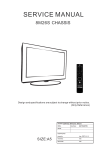
SERVICE MANUAL
8M28A CHASSIS
Design and specifications are subject to change without prior notice. (Only Referrence)
Description:
SERVICE MANUAL 8M28A
MODEL.
Brand Name:
SKYWORTH
JOB NO.
SIZE:A5
Engineering Dept: Artwork By: Date:
Checked By: Date:
Approved By: Date:
2012-4-28
Content--------------------------------------------------------------2
11-17
18
19-20
21-29
30-47
48-51
52-59
LED 8M26A
PAL SECAM / BG DK PAL / I
NTSC / M
VHF LOW K1~S6
VHF HIGH S7~S36
VHF
S37~DS57
Asia\Europe
TOSHIBA CODE
Component
44.25MHz ~ 140.25MHz
147.25MHz ~ 423.25MHz
431.25MHz ~ 863.25MHz
40
55
For 22” LED
For 24” LED
80
For 32” LED
(24 inches is 4 ohm)
(24 inches is 3W)
(26inches is 8 ohm)
40
40
3
2
1
4.2
50
0.5
12000
80
40
3
40
NO
YES
8
6
46
46
NO
Standard
Standard
20
Spanish
4
2
4
0
40
70
0
40
70
0
40
40
85
-Y0
50
30000
AP1117
1A LOW DROPOUT POSITIVE ADJUSTABLE OR
FIXED-MODE REGULATOR
ʳ
Typical Application Circuit
ʳ
5V
5V
C1
10uF
C1
10uF
Vin
Vin
Vout
C2
22uF
GND
Vo
Vout
3.3V/1A
R1
121 ȍ
R2
121 ȍ
Adj
Tab is Vout
2.5V/1A
C2
22uF
Tab is Vout
( 5V/3.3V fixed output ) ʳ
( 5V/2.5V ADJ output ) ʳ
Note: Vo
VREF (1
R2
)
R1
ʳ
Connection Diagramʳ
ʳ
ʳ
3 PIN SOT223
3 PIN TO252 / TO263
( Top View)
(Top View)
3
Vin
2
Vout
2
1
Vin
3
Vout
Adj ( GND)
1
Tab is Vout
Adj ( GND)
Tab is Vout
3 PIN SOT89
3
2
1
3 PIN TO220
Vin
Vout
Adj ( GND)
Tab is Vout
3
Vin
2
Vout
1
Adj ( GND)
Tab is Vout
ʳ
ʳ
AP1117 Rev. 3
2 of 11
www.diodes.com
SEPTEMBER 2006
© Diodes Incorporated
AP1117
1A LOW DROPOUT POSITIVE ADJUSTABLE OR
FIXED-MODE REGULATOR
ʳ
Block Diagramʳ
3
Vin
2
Vout
+
-
+
1.25V
CURRENT
LIMIT
1
+
-
Thermal
Shutdown
+
GND
(FIXED)
1
Adj
Pin Descriptionsʳ
NAME
I/O
PIN #
Adj (GND)
I
1
A resistor divider from this pin to the Vout pin and ground sets the output voltage
(Ground only for Fixed-Mode).
Vout
O
2
The output of the regulator. A minimum of 10uF capacitor (0.15ȍ ESR 20ȍ)
must be connected from this pin to ground to insure stability.
3
The input pin of regulator. Typically a large storage capacitor (0.15ȍ ESR 20ȍ)
is connected from this pin to ground to insure that the input voltage does not sag
below the minimum dropout voltage during the load transient response. This pin
must always be 1.3V higher than Vout in order for the device to regulate properly.
Vin
I
FUNCTION
ʳ
AP1117 Rev. 3
3 of 11
www.diodes.com
SEPTEMBER 2006
© Diodes Incorporated
A1
A1semi
Electronics Ltd
1A Fixed and Adjustable Low
Dropout Linear Regulator(LDO)
AS1117
Pin Configurations
VOUT
VOUT
L Package
U Package
(SOT-223)
(SOT-89)
3
INPUT
2
OUTPUT
1
ADJ/GND
VOUT
3
INPUT
2
OUTPUT
1
ADJ/GND
T Package
R Package
(TO-220)
(TO-252)
3
INPUT
2
OUTPUT
1
ADJ/GND
VOUT
3
INPUT
2
OUTPUT
1
ADJ/GND
S Package
(TO-263)
VOUT
3
INPUT
2
OUTPUT
1
ADJ/GND
Figure 2. Pin Configurations of AS1117
AI SEMI ELECTRONICS LTD.
2
http://www.a1semi.com
A1
A1semi
Electronics Ltd
1A Fixed and Adjustable Low
Dropout Linear Regulator(LDO)
AS1117
Functional Block Diagram
INPUT
Thermal
Shutdown
Out
+
-
OUTPUT
GND (Fixed Output)
ADJ (Adjustable Output)
Figure 3. Functional Block Diagram of AS1117
A1 SEMI ELECTRONICS LTD.
3
http://www.a1semi.com
AOZ1051PI
EZBuck™ 3 A Synchronous Buck Regulator
General Description
Features
The AOZ1051PI is a high efficiency, easy to use, 3 A
synchronous buck regulator. The AOZ1051PI works from
4.5 V to 18 V input voltage range, and provides up to 3 A
of continuous output current with an output voltage
adjustable down to 0.8 V.
z 4.5 V to 18 V operating input voltage range
The AOZ1051PI comes in an exposed pad SO-8
package and is rated over a -40 °C to +85 °C operating
ambient temperature range.
z Output voltage adjustable to 0.8 V
z Synchronous Buck: 70 m internal high-side switch
and 40 m internal low-side switch (at 12 V)
z Up to 95 % efficiency
z External soft start
z 3 A continuous output current
z 500 kHz PWM operation
z Cycle-by-cycle current limit
z Pre-bias start-up
z Short-circuit protection
z Thermal shutdown
z Exposed pad SO-8 package
Applications
z Point of load DC/DC converters
z LCD TV
z Set top boxes
z DVD and Blu-ray players/recorders
z Cable modems
Typical Application
VIN
C1
10μF
CSS
VIN
SS
L1 4.7μH
EN
AOZ1051PI
R1
COMP
RC
CC
VOUT
LX
C2, C3
22μF
FB
AGND
PGND
R2
Figure 1. 3.3 V 3 A Synchronous Buck Regulator, Fs = 500 kHz
Rev. 1.0 June 2011
www.aosmd.com
Page 1 of 14
AOZ1051PI
Ordering Information
Part Number
Ambient Temperature Range
Package
Environmental
AOZ1051PI
-40 °C to +85 °C
EPAD SO-8
Green Product
AOS Green Products use reduced levels of Halogens, and are also RoHS compliant.
Please visit www.aosmd.com/web/quality/rohs_compliant.jsp for additional information.
Pin Configuration
PGND
1
VIN
2
AGND
3
FB
4
PAD
(LX)
8
NC
7
SS
6
EN
5
COMP
Exposed Pad SO-8
(Top View)
Pin Description
Pin Number
Pin Name
Pin Function
1
PGND
2
VIN
Supply voltage input. When VIN rises above the UVLO threshold and EN is logic high,
the device starts up.
3
AGND
Analog ground. AGND is the reference point for controller section. AGND needs to be
electrically connected to PGND.
4
FB
5
COMP
6
EN
Power ground. PGND needs to be electrically connected to AGND.
Feedback input. The FB pin is used to set the output voltage via a resistive voltage divider
between the output and AGND.
External loop compensation pin. Connect a RC network between COMP and AGND to
compensate the control loop.
Enable pin. Pull EN to logic high to enable the device. Pull EN to logic low to disable the
device. If on/off control in not needed, connect EN to VIN and do not leave it open.
7
SS
Soft-start pin. 5 μA current charging current.
8
NC
No Connect Pin. Pin 8 is not internally connected. Connect this pin externally to LX and
use it for better thermal performance.
Exposed pad
LX
Switching node. LX is the drain of the internal PFET. LX is used as the thermal pad of the
power stage.
Rev. 1.0 June 2011
www.aosmd.com
Page 2 of 14
AOZ1051PI
Block Diagram
VIN
UVLO
& POR
EN
Internal
+5V
5V LDO
Regulator
OTP
+
ISen
Reference
& Bias
Softstart
–
Q1
ILimit
SS
SS
5μA
0.8V
FB
+
+
EAmp
–
–
PWM
Comp
PWM
Control
Logic
+
Level
Shifter
+
FET
Driver
LX
Q2
COMP
500kHz
Oscillator
AGND
PGND
Absolute Maximum Ratings
Recommended Operating Conditions
Exceeding the Absolute Maximum Ratings may damage the
device.
The device is not guaranteed to operate beyond the Maximum
Recommended Operating Conditions.
Parameter
Supply Voltage (VIN)
LX to AGND
LX to AGND (20 ns)
EN to AGND
FB, SS, COMP to AGND
PGND to AGND
Rating
Parameter
20 V
-0.7 V to VIN +0.3 V
-5 V to 22 V
-0.3 V to VIN +0.3 V
-0.3 V to 6.0 V
-0.3 V to +0.3 V
Junction Temperature (TJ)
+150 °C
Storage Temperature (TS)
-65 °C to +150 °C
ESD Rating(1)
2.0 kV
Supply Voltage (VIN)
Output Voltage Range
Ambient Temperature (TA)
Package Thermal Resistance
Exposed Pad SO-8 (4JA)(2)
Rating
4.5 V to 18 V
0.8 V to 0.85 • VIN
-40 °C to +85 °C
50 °C/W
Note:
2. The value of 4JA is measured with the device mounted on a 1-in2
FR-4 board with 2 oz. Copper, in a still air environment with
TA = 25 °C. The value in any given application depends on the
user’s specific board design.
Note:
1. Devices are inherently ESD sensitive, handling precautions are
required. Human body model rating: 1.5 k in series with 100 pF.
Rev. 1.0 June 2011
www.aosmd.com
Page 3 of 14
SY8086
High Efficiency 1.4MHz, 1A
Synchronous Step Down Regulator
Preliminary Specification
General Description
Features
The SY8086 is a high-efficiency 1.4MHz synchronous
step-down DC-DC regulator ICs capable of delivering
up to 1A output current. The SY8086 operates over a
wide input voltage range from 2.5V to 5.5V and
integrate main switch and synchronous switch with
very low RDS(ON) to minimize the conduction loss.
• Low RDS(ON) for internal switches (top/bottom):
250mΩ /200mΩ
• 2.5-5.5V input voltage range
• 1.4MHz switching frequency minimizes the
external components
• Internal softstart limits the inrush current
• RoHS Compliant and Halogen Free
• Compact package: SOT23 5 pin
Low output voltage ripple and small external inductor
and capacitor sizes are achieved with 1.4MHz
switching frequency. This along with small SOT-23
footprint provides small PCB area application.
•
•
•
•
•
Ordering Information
SY8086ƶ(ƶƶ)ƶ
Temperature Code
Package Code
Optional Spec Code
Temperature Range: -40eC to 85eC
Ordering Number
Package type
SY8086AAC
SOT23-5
Applications
Portable Navigation Device
Smart phone
USB Dongle
Set Top Box
Media Player
Note
1A
Typical Applications
VIN
L
EN
IN
VOUT
LX
R1
CIN
C1(opt.)
COUT
FB
GND
R2
Figure 1. Schematic Diagram
SY8086 Rev. 0.11
Figure2
Efficiency vs Load Current
Silergy Corp. Confidential- Prepared for Customer Use Only
1
SY8086
Pinout (top view)
EN
1
GND
2
LX
3
5
FB
4
IN
SOT23-5
Top mark: BExyz (Device code: BE, x=year code, y=week code, z= lot number code)
Pin Name
EN
GND
LX
IN
FB
Pin Number
1
2
3
4
5
Pin Description
Enable control. Pull high to turn on. Do not float.
Ground pin
Inductor pin. Connect this pin to the switching node of inductor
Input pin. Decouple this pin to GND pin with at least 1uF ceramic cap
Output Feedback Pin. Connect this pin to the center point of the output
resistor divider (as shown in Figure 1) to program the output voltage:
Vout=0.6*(1+R1/R2)
Absolute Maximum Ratings (Note 1)
Supply Input Voltage --------------------------------------------------------------------------------------------- 6.0V
Enable, FB Voltage------------------------------------------------------------------------------------------------ VIN + 0.6V
Power Dissipation, PD @ TA = 25°C SOT-23-5 -------------------------------------------------------------- 0.4W
Package Thermal Resistance (Note 2)
SOT23-5, θ JA ------------------------------------------------------------------------------------------ 250°C/W
SOT23-5, θ JC -------------------------------------------------------------------------------------------130°C/W
Junction Temperature Range ------------------------------------------------------------------------------------ 150°C
Lead Temperature (Soldering, 10 sec.) ------------------------------------------------------------------------- 260°C
Storage Temperature Range ------------------------------------------------------------------------------------- -65°C to 150°C
ESD Susceptibility (Note 2)
HBM (Human Body Mode) -------------------------------------------------------------------------------------- 2kV
MM (Machine Mode) ----------------------------------------------------------------------------------------------200V
Recommended Operating Conditions (Note 3)
Supply Input Voltage -------------------------------------------------------------------------------------------- 2.5V to 5.5V
Junction Temperature Range ---------------------------------------------------------------------------------- -40°C to 125°C
Ambient Temperature Range ---------------------------------------------------------------------------------- -40°C to 85°C
SY8086 Rev. 0.11
Silergy Corp. Confidential- Prepared for Customer Use Only
2
1
2
3
4
5
6
7
8
9
10
11
12
13
14
15
16
17
18
19
20
21
22
23
24
25
26
27
28
29
30
31
32
33
34
35
36
37
38
39
40
41
42
43
44
45
46
47
48
49
50
51
52
53
54
IRIN
CEC
RESET
HOTPLUGA
RXCN
RXCP
RX0N
RX0P
AVDD_DVI_3.3V
RX1N
RX1P
DDCDA_DA
RX2N
RX2P
DDCDA_CK
ARC
NC
NC
NC
NC
NC
NC
NC
VDDC
HSYNC0
BIN0P
SOGIN0
GIN0P
GIN0M
RIN0P
VSYNC0
AVDD1P2
AVDD2P5_ADC
BIN1P
SOGIN1
GIN1P
GIN1M
RIN1P
AVDD3P3_ADC
CVBS4
CVBS3
CVBS2
CVBS1
CVBS0
VCOM
CVBS_OUT1
LINEIN_L0
LINEIN_R0
LINEIN_L1
LINEIN_R1
VRM
VRP
VAG
AVDD_AU25
MST6E181VS
E-pad
GPIO9/PM6/CS1
GPIO8/PM5/RX
GPIO7/PM4/POWER_ON
GPIO6/PM1/TX
DDCA_DA
DDCA_CK
GPIO10/PMGPIO
GPIO13/SAR2
GPIO12/SAR1
GPIO11/SAR0
SPI_CZ
SPI_DO
SPI_DI
SPI_CK
GND_EFUSE
DVDD_NODIE
AVDD_NODIE
DP_P1
DM_P1
DP_P0
DM_P0
TESTPIN
DDCR_CK
VDDP_3
DDCR_DA
VDDC
A_DDR1_A4
A_DDR1_A5
A_DDR1_A6
A_DDR1_A7
A_DDR1_A8
AVDDIO_2.5V
A_DDR1_A9
A_DDR1_A11
A_DDR1_A12
A_DDR1_CKE
NC
A_DDR1_MCLK
AVDDIO_2.5V
A_DDR1_MCLKZ
A_DDR1_DQ15
AVDDIO_2.5V
A_DDR1_DQ14
A_MVREF
A_DDR1_DQ13
A_DDR1_DQ12
A_DDR1_DQ11
A_DDR1_DQ10
AVDDIO_2.5V
A_DDR1_DQ9
A_DDR1_DQ8
UDQS0
UDQM0
AVDD_PLL
DVDD_DDR_1.2V
LDQM0
LDQS0
AVDDIO_2.5V
NC
NC
A_DDR1_DQ7
A_DDR1_DQ6
A_DDR1_DQ5
AVDDIO_2.5V
A_DDR1_DQ4
A_DDR1_DQ3
A_DDR1_DQ2
A_DDR1_DQ1
AVDDIO_2.5V
A_DDR1_DQ0
A_DDR1_WEZ
A_DDR1_CAS
A_DDR1_RAS
A_DDR1_BA0
AVDDIO_2.5V
A_DDR1_BA1
A_DDR1_A10
A_DDR1_A0
A_DDR1_A1
A_DDR1_A2
A_DDR1_A3
NC
NC
VDDC
GPIO21/PWM1
GPIO20/PWM0
VDDP_2
GPIO77/I2S_OUT_MUTE/PWM3/LVSYNC
GPIO76/I2S_IN_BCK/PWM2/LHSYNC
GPIO75/I2S_IN_SD/PWM5/TX3/LDE
GPIO74/I2S_IN_WS/PWM4/RX3/LCK
AVDD_LPLL
AVDD2P5_MOD
VDDC
R_ODD7/RXO0R_ODD6/RXO0+
R_ODD5/RXO1R_ODD4/RXO1+
R_ODD3/RXO2R_ODD2/RXO2+
R_ODD1/RXOCR_ODD0/RXOC+
G_ODD7/RXO3G_ODD6/RXO3+
G_ODD5/RXO4G_ODD4/RXO4+
G_ODD3/RXE0G_ODD2/RXE0+
LINEIN_L3
LINEIN_R3
LINEIN_L4
LINEIN_R4
LINEIN_L5
LINEIN_R5
AVDD_AU33
LINEOUT_L3
LINEOUT_R3
LINEOUT_L0
LINEOUT_R0
NC
NC
NC
XTAL_IN
XTAL_OUT
AVDD_DMPLL
AVDD25_REF
AVSS_PGA
VIFM
VIFP
AVDD25_PGA
SIFP
SIFM
TAGC
GPIO22/I2S_OUT_WS/RX2
GPIO23/I2S_OUT_SD/TX2
GPIO24/TUNER_SCL
GPIO25/TUNER_SDA
GPIO26/SPDIF_IN/RX1/PWM3
GPIO27/SPDIF_OUT
VDDC
VDDP_1
GPIO28
GPIO30/I2S_OUT_MCK
GPIO32/I2S_OUT_BCK
GPIO36
GPIO37
GPIO38
GPIO45
GPIO47
GPIO49
NC
B_ODD0/RXE4+
B_ODD1/RXE4B_ODD2/RXE3+
B_ODD3/RXE3B_ODD4/RXEC+
B_ODD5/RXECB_ODD6/RXE2+
B_ODD7/RXE2G_ODD0/RXE1+
G_ODD1/RXE1AVDD2P5_MOD
U?
55
56
57
58
59
60
61
62
63
64
65
66
67
68
69
70
71
72
73
74
75
76
77
78
79
80
81
82
83
84
85
86
87
88
89
90
91
92
93
94
95
96
97
98
99
100
101
102
103
104
105
106
107
108
-13217
216
215
214
213
212
211
210
209
208
207
206
205
204
203
202
201
200
199
198
197
196
195
194
193
192
191
190
189
188
187
186
185
184
183
182
181
180
179
178
177
176
175
174
173
172
171
170
169
168
167
166
165
164
163
162
161
160
159
158
157
156
155
154
153
152
151
150
149
148
147
146
145
144
143
142
141
140
139
138
137
136
135
134
133
132
131
130
129
128
127
126
125
124
123
122
121
120
119
118
117
116
115
114
113
112
111
110
109
PIN DIAGRAM (MST6E181VS)
U10(LCDTV CONTROLLER WITH VIDEO ECODE)MST6E181VS
IC Block Diagram
PDF "pdfFactory Pro" www.fineprint.cn
PDF "pdfFactory Pro" www.fineprint.cn
PDF "pdfFactory Pro" www.fineprint.cn
PDF "pdfFactory Pro" www.fineprint.cn
PDF "pdfFactory Pro" www.fineprint.cn
PDF "pdfFactory Pro" www.fineprint.cn
PDF "pdfFactory Pro" www.fineprint.cn
MST6M181VG/MST6M182VG
LCD Television System-on-Chip
Preliminary Pin Diagram/Description and Mechanical Dimensions Version 0.2
Doc. No.: 2012010018
PIN DIAGRAM (MST6M181VG/MST6M182VG)
1
A
2
3
RXCKP
RXCKN
4
5
6
NC
NC
7
8
9
10
11
12
HWRESET
GPIO7
GPIO6
GND
13
RX1N
RX0P
RX0N
NC
NC
NC
NC
IRIN
GPIO8
SAR0
PWM0
C
RX2N
RX2P
RX1P
NC
NC
NC
NC
GPIO9
SAR2
SAR1
PWM1
GND
NC
CEC
BYPASS
AVDD_D
DDCA_CK DDCA_DA GPIO10
DR
GND
E
ARC
DDCD_D HOTPLUG
A
A
HSYNC0
RIN0P
GIN0M
GIN0P
VSYNC0
GND
GND
GND
SOGIN1
BIN1P
AVDD_AL
IVE
AVDD_25
RIN1P
GIN1M
GIN1P
AVDD_33
AVDD_ME AVDD_AU
MPLL
25
VDDC
CVBS2
CVBS1
NC
AVDD_D
MPLL
AVDD_M AVDD_RE
OD
F
CVBS0
VCOM
AUVAG
AUVRP
AVDD_M
OD
VDDP
M CVBSOUT
AUL0
AUL3
GND
AVDD_AU
33
VDDP
N
AUR0
AUL1
AUR3
AUOUTL1
AVDD_PG
A
GND
P
AUR1
AUL2
AUOUTR1
GND
PGA_COM
GND
R
AUR2
AUOUTL0
XOUT
GND
GND
AUOUTR0
XIN
TAGC
2
3
4
H
J
K
L
16
A
SCZ
SDO
B
DDCR_DA
SCK
SDI
C
LEDON
HCON
DPM
D
MStar Confidential
for Skyworth
Internal Use Only
BIN0P
G
USB1_DP DDCR_CK
AVDD_D SCAN_BL
DR
K
SOGIN0
F
15
USB1_DM USB0_DP USB0_DM
B
D DDCD_CK
14
T
1
AVDD_D
DR
POL
GOE/
GCLK2
E
GND
SCAN_BL
K1
WPWM
OPT_P
F
GND
SAR3
OPT_N
GCLK4
G
GND
GND
GND
GSP/
VST
SOE
FLK3
H
VDDC
GND
GND
GND
GSP_R/
GCLK1
GSC/
GCLK3
FLK
J
VDDC
VDDC
GND
GND
GND
VGH_OD
D
GCLK5
VDDC
VDDC
FLK2
GCLK6
RLV2P
L
RLVCKM
RLVCKP
RLV2M
M
AVDD_12 DVDD_D
6
DR
AVDD_D
DR
AVDD_D
DR
MVREF
VGH_EVE
K
N
NC
NC
RLV1M
RLV1P
RLV0M
RLV0P
RLV3M
RLV3P
GND
I2S_OUT
_SD
SPDIFI
LLV5M
LLV4M
LLV3P
LLV2M
LLV1M
RLV4M
RLV4P
P
VIFM
GND
I2S_OUT I2S_OUT
_MCK
_BCK
LLV5P
LLV4P
LLVCKP
LLV2P
LLV1P
RLV5M
RLV5P
R
GND
VIFP
GND
I2S_OUT
_WS
SPDIFO
LLV3M
LLVCKM
LLV0M
LLV0P
5
6
7
8
9
11
12
14
15
Doc. No.: 2012010018
10
-1Copyright
2011 MStar Semiconductor, Inc. All rights reserved.
PDF "pdfFactory Pro" www.fineprint.cn
13
N
T
16
8/29/2011
MST6M181VG/MST6M182VG
LCD Television System-on-Chip
Preliminary Pin Diagram/Description and Mechanical Dimensions Version 0.2
Doc. No.: 2012010018
PIN DESCRIPTION
Analog Interface
Pin Name
Pin Type
Function
Pin
HSYNC0
Schmitt Trigger Input
HSYNC / Composite Sync for VGA Input from channel 0
E4
VSYNC for VGA Input from channel 0
F4
w/ 5V-tolerant
VSYNC0
Schmitt Trigger Input
w/ 5V-tolerant
BIN0P
Analog Input
Analog Blue Input from Channel 0
E3
SOGIN0
Analog Input
Sync On Green Input from Channel 0
E2
GIN0P
Analog Input
Analog Green Input from Channel 0
F3
MStar Confidential
for Skyworth
Internal Use Only
GIN0M
Analog Input
Reference Ground for Analog Green Input from Channel 0
F2
RIN0P
Analog Input
Analog Red Input from Channel 0
F1
BIN1P
Analog Input
Analog Blue Input from Channel 1
H3
SOGIN1
Analog Input
Sync On Green Input from Channel 1
H2
GIN1P
Analog Input
Analog Green Input from Channel 1
J3
GIN1M
Analog Input
Reference Ground for Analog Green Input from Channel 1
J2
RIN1P
Analog Input
Analog Red Input from Channel 1
J1
Analog Video Input/Output Interface
Pin Name
Pin Type
Function
Pin
CVBS2
Analog Input
CVBS (Composite) Video Input Channel 2
K1
CVBS1
Analog Input
CVBS (Composite) Video Input Channel 1
K2
CVBS0
Analog Input
CVBS (Composite) Video Input Channel 0
L1
VCOM
Analog Input
CVBS Input Reference Ground
L2
CVBSOUT
Analog Output
CVBS (Composite) Video Output Channel
M1
Analog Audio Input/Output Interface
Pin Name
Pin Type
Function
Pin
I2S_OUT_WS
I/O w/ 5V-tolerant
Word Select Output; 4mA driving strength /
T8
Universal Asynchronous Receiver 2 (UART2_RX)
I2S_OUT_SD
I/O w/ 5V-tolerant
Audio Serial Data Output; 4mA driving strength /
P8
Universal Asynchronous Transmitter 2 (UART2_TX)
SPDIFI
Input w/ 5V-tolerant
S/PDIF Audio Input /
P9
Pulse Width Modulation Output; 4mA driving strength
(PWM3)
SPDIFO
Output
S/PDIF Audio Output; 4mA driving strength
Doc. No.: 2012010018
-2Copyright
2011 MStar Semiconductor, Inc. All rights reserved.
PDF "pdfFactory Pro" www.fineprint.cn
T9
8/29/2011
MST6M181VG/MST6M182VG
LCD Television System-on-Chip
Preliminary Pin Diagram/Description and Mechanical Dimensions Version 0.2
Doc. No.: 2012010018
Pin Name
Pin Type
Function
Pin
I2S_OUT_MCK
Output w/ 5V-tolerant
Audio Master Clock Output
R8
I2S_OUT_BCK
Output w/ 5V-tolerant
Audio Bit Clock Output
R9
AUL0
Analog Input
Audio Line Input Left Channel 0
M2
AUR0
Analog Input
Audio Line Input Right Channel 0
N1
AUL1
Analog Input
Audio Line Input Left Channel 1
N2
AUR1
Analog Input
Audio Line Input Right Channel 1
P1
AUL2
Analog Input
Audio Line Input Left Channel 2
P2
AUR2
Analog Input
Audio Line Input Right Channel 2
R1
AUL3
Analog Input
Audio Line Input Left Channel 3
M3
MStar Confidential
for Skyworth
Internal Use Only
AUR3
Analog Input
Audio Line Input Right Channel 3
N3
AUVRP
Analog Output
Positive Reference Voltage for Audio ADC
L4
AUVAG
Analog Output
Reference Voltage for Audio Common Mode
L3
AUOUTL1
Analog Output
Main Audio Output Left Channel 1
N4
AUOUTR1
Analog Output
Main Audio Output Right Channel 1
P3
AUOUTL0
Analog Output
Main Audio Output Left Channel 0
R2
AUOUTR0
Analog Output
Main Audio Output Right Channel 0
T2
Mini-LVDS Interface
Pin Name
Pin Type
Function
Pin
LLV5M
Output
Mini-LVDS L-Link Channel 5 Negative Data Output
P10
LLV5P
Output
Mini-LVDS L-Link Channel 5 Positive Data Output
R10
LLV4M
Output
Mini-LVDS L-Link Channel 4 Negative Data Output
P11
LLV4P
Output
Mini-LVDS L-Link Channel 4 Positive Data Output
R11
LLV3M
Output
Mini-LVDS L-Link Channel 3 Negative Data Output
T11
LLV3P
Output
Mini-LVDS L-Link Channel 3 Positive Data Output
P12
LLV2M
Output
Mini-LVDS L-Link Channel 2 Negative Data Output
P13
LLV2P
Output
Mini-LVDS L-Link Channel 2 Positive Data Output
R13
LLV1M
Output
Mini-LVDS L-Link Channel 1 Negative Data Output
P14
LLV1P
Output
Mini-LVDS L-Link Channel 1 Positive Data Output
R14
LLV0M
Output
Mini-LVDS L-Link Channel 0 Negative Data Output
T14
LLV0P
Output
Mini-LVDS L-Link Channel 0 Positive Data Output
T15
LLVCKM
Output
Mini-LVDS L-Link Negative Clock Output
T12
LLVCKP
Output
Mini-LVDS L-Link Positive Clock Output
R12
RLV5M
Output
Mini-LVDS R-Link Channel 5 Negative Data Output
R15
RLV5P
Output
Mini-LVDS R-Link Channel 5 Positive Data Output
R16
Doc. No.: 2012010018
-3Copyright
2011 MStar Semiconductor, Inc. All rights reserved.
PDF "pdfFactory Pro" www.fineprint.cn
8/29/2011
MST6M181VG/MST6M182VG
LCD Television System-on-Chip
Preliminary Pin Diagram/Description and Mechanical Dimensions Version 0.2
Doc. No.: 2012010018
Pin Name
Pin Type
Function
Pin
RLV4M
Output
Mini-LVDS R-Link Channel 4 Negative Data Output
P15
RLV4P
Output
Mini-LVDS R-Link Channel 4 Positive Data Output
P16
RLV3M
Output
Mini-LVDS R-Link Channel 3 Negative Data Output
N14
RLV3P
Output
Mini-LVDS R-Link Channel 3 Positive Data Output
N15
RLV2M
Output
Mini-LVDS R-Link Channel 2 Negative Data Output
M16
RLV2P
Output
Mini-LVDS R-Link Channel 2 Positive Data Output
L16
RLV1M
Output
Mini-LVDS R-Link Channel 1 Negative Data Output
N10
RLV1P
Output
Mini-LVDS R-Link Channel 1 Positive Data Output
N11
RLV0M
Output
Mini-LVDS R-Link Channel 0 Negative Data Output
N12
MStar Confidential
for Skyworth
Internal Use Only
RLV0P
Output
Mini-LVDS R-Link Channel 0 Positive Data Output
N13
RLVCKM
Output
Mini-LVDS R-Link Negative Clock Output
M14
RLVCKP
Output
Mini-LVDS R-Link Positive Clock Output
M15
TCON Interface
Pin Name
Pin Type
Function
Pin
POL
Output
Polarity Control Single
E15
SOE
Output
Source Output Enable
H15
GSP/
VST
Output
Gate Start Pulse for LTD Panel /
Vertical start pulse for GIP Panel
H14
GCLK6
Output
Gate Clock for GIP Panel
L15
GCLK5
Output
Gate Clock for GIP Panel
K15
GCLK4
Output
Gate Clock for GIP Panel
G16
GSC/
GCLK3
Output
Gate Shift Clock for LTD Panel /
Gate Clock for GIP Panel
J15
GOE/
GCLK2
Output
Gate Clock for GIP Panel /
Gate Output Enable for LTD Panel
E16
GSP_R/
Output
Right Gate Start Pulse for LTD Panel /
J14
GCLK1
Gate Clock for GIP Panel
SCAN_BLK1
Output
Scan Backlight Control Signal 1
F14
SCAN_BLK
Output
Scan Backlight Control Signal
E14
OPT_N
Output
The Output Pin to Indicate Reverse State
G15
OPT_P
Output
The Output Pin to Indicate Reverse State
F16
FLK3
Output
Gate Modulation Signal
H16
FLK2
Output
Gate Modulation Signal
L14
FLK
Output
Gate Modulation Signal
J16
Doc. No.: 2012010018
-4Copyright
2011 MStar Semiconductor, Inc. All rights reserved.
PDF "pdfFactory Pro" www.fineprint.cn
8/29/2011
MST6M181VG/MST6M182VG
LCD Television System-on-Chip
Preliminary Pin Diagram/Description and Mechanical Dimensions Version 0.2
Doc. No.: 2012010018
Pin Name
Pin Type
Function
Pin
WPWM
Output
PWM Output for Wavy Noise
F15
HCON
Output
H Inversion Control Signal on DPC
D15
DPM
Output
Power Sequence Control Signal
D16
LEDON
Output
LED On
D14
VGH_ODD
Output
VGH Odd for GIP Panel
K14
VGH_EVEN
Output
VGH Even for GIP Pane
K16
Function
Pin
DVI/HDMI Interface
Pin Name
Pin Type
MStar Confidential
for Skyworth
Internal Use Only
RXCKN
DVI/HDMI Input
Negative DVI/HDMI Input for A Link Clock Channel
A3
RXCKP
DVI/HDMI Input
Positive DVI/HDMI Input for A Link Clock Channel
A2
RX0N
DVI/HDMI Input
Negative DVI/HDMI Input for A Link Data Channel 0
B3
RX0P
DVI/HDMI Input
Positive DVI/HDMI Input for A Link Data Channel 0
B2
RX1N
DVI/HDMI Input
Negative DVI/HDMI Input for A Link Data Channel 1
B1
RX1P
DVI/HDMI Input
Positive DVI/HDMI Input for A Link Data Channel 1
C3
RX2N
DVI/HDMI Input
Negative DVI/HDMI Input for A Link Data Channel 2
C1
RX2P
DVI/HDMI Input
Positive DVI/HDMI Input for A Link Data Channel 2
C2
ARC
DVI/HDMI Output
Audio Return Channel
D2
Serial Flash Interface
Pin Name
Pin Type
Function
Pin
SCK
Output
SPI Flash Serial Clock
C15
SDI
Output
SPI Flash Serial Data Input
C16
SDO
Input w/ 5V-tolerant
SPI Flash Serial Data Output
B16
SCZ
Output
SPI Flash Chip Select
B15
IRIN
Input w/ 5V-tolerant
IR Receiver Input
B9
GPIO Interface
Pin Name
Pin Type
Function
Pin
GPIO10
I/O w/ 5V-tolerant
General Purpose Input/Output; 4mA driving strength
D12
GPIO9
I/O w/ 5V-tolerant
General Purpose Input/Output; 4mA driving strength
C9
GPIO8
I/O w/ 5V-tolerant
General Purpose Input/Output /
Universal Asynchronous Receiver 0 (UART0_RX)
B10
GPIO7
I/O w/ 5V-tolerant
General Purpose Input/Output; 4mA driving strength
For Power Management Only
A10
Doc. No.: 2012010018
-5Copyright
2011 MStar Semiconductor, Inc. All rights reserved.
PDF "pdfFactory Pro" www.fineprint.cn
8/29/2011
MST6M181VG/MST6M182VG
LCD Television System-on-Chip
Preliminary Pin Diagram/Description and Mechanical Dimensions Version 0.2
Doc. No.: 2012010018
Pin Name
Pin Type
Function
Pin
GPIO6
I/O w/ 5V-tolerant
General Purpose Input/Output /
A11
Word Select Output; 4mA driving strength (I2S_OUT_WS) /
Universal Asynchronous Transmitter 0 (UART0_TX)
PWM1
Output w/ 5V-tolerant
Pulse Width Modulation Output; 4mA driving strength
C12
PWM0
Output w/ 5V-tolerant
Pulse Width Modulation Output; 4mA driving strength
B12
SAR3
Analog Input
SAR Low Speed ADC Input 3
G14
SAR2
Analog Input
SAR Low Speed ADC Input 2
C10
SAR1
Analog Input
SAR Low Speed ADC Input 1
C11
SAR0
Analog Input
SAR Low Speed ADC Input 0
B11
MStar Confidential
for Skyworth
Internal Use Only
USB Interface
Pin Name
Pin Type
Function
Pin
USB0_DP
Analog I/O
USB Non Inverting Data Input/Output for Port 0
A14
USB0_DM
Analog I/O
USB Inverting Data Input/Output for Port 0
A15
USB1_DP
Analog I/O
USB Non Inverting Data Input/Output for Port 1
B13
USB1_DM
Analog I/O
USB Inverting Data Input/Output for Port 1
A13
VIF Interface
Pin Name
Pin Type
Function
Pin
VIFM
Analog Input
Negative Video IF Input
R6
VIFP
Analog Input
Positive Video IF Input
T6
TAGC
Analog Output
Tuner Automatic Gain Control Output
T4
PGA_COM
Analog Input
VIF PGA Negative Source
P5
Pin Type
Function
Pin
Schmitt Trigger Input
Hardware Reset; active high
A9
Misc. Interface
Pin Name
HWRESET
w/ 5V-tolerant
DDCD_DA
I/O w/ 5V-tolerant
HDCP Serial Bus Data / DDC Data of DVI/HDMI
D3
DDCD_CK
Input w/ 5V-tolerant
HDCP Serial Bus Clock / DDC Clock of DVI/HDMI
D1
DDCR_DA
I/O w/ 5V-tolerant
DDC Data for ROM
C14
DDCR_CK
Input w/ 5V-tolerant
DDC Clock for ROM
B14
HOTPLUGA
I/O w/ 5V-tolerant
Hot-plug control for DVI/HDMI
D4
DDCA_DA
I/O w/ 5V-tolerant
DDC Data for Analog port
D11
DDCA_CK
I/O w/ 5V-tolerant
DDC Clock for Analog port
D10
Doc. No.: 2012010018
-6Copyright
2011 MStar Semiconductor, Inc. All rights reserved.
PDF "pdfFactory Pro" www.fineprint.cn
8/29/2011
MST6M181VG/MST6M182VG
LCD Television System-on-Chip
Preliminary Pin Diagram/Description and Mechanical Dimensions Version 0.2
Doc. No.: 2012010018
Pin Name
Pin Type
Function
XIN
Crystal Oscillator Input Crystal Oscillator Input
T3
XOUT
Crystal Oscillator
Output
Crystal Oscillator Output
R3
For External Bypass Capacitor
D7
BYPASS
Pin
CEC
I/O
Consumer Electronics Control
D6
MVREF
Input
Reference Voltage for DDR SDRAM Interface
K13
Pin Type
Function
Power Pins
Pin Name
Pin
MStar Confidential
for Skyworth
Internal Use Only
AVDD_33
3.3V Power
Analog 3.3V Power
J4
AVDD_25
2.5V Power
Analog 2.5V Power
H6
AVDD_126
1.26V Power
Analog 1.26V Power
H7
AVDD_AU25
2.5V Power
Audio 2.5V Power
J6
AVDD_AU33
3.3V Power
Audio 3.3V Power
M5
AVDD_DMPLL
3.3V Power
Crystal Power
K4
AVDD_REF
2.5V Power
Demod ADC Power
K6
AVDD_PGA
2.5V Power
Demod PGA Power
N5
AVDD_MOD
3.3V Power
MOD Power
K5, L5
AVDD_MEMPLL
3.3V Power
PLL Power
J5
AVDD_DDR
1.8V Power
DDR Power
D9, E13, G8, M10, M11
DVDD_DDR
1.26V Power
DDR 1.26V Power
H8
AVDD_ALIVE
3.3V Power
Alive Domain IO Power
H4
VDDC
1.26V Power
Digital Core Power
J7, J8, K7, K8, L7, L8
VDDP
3.3V Power
Digital Input/Output Power
L6, M6
GND
Ground
Ground
A12, C13, D13, F13, G1-G3, G13,
H9-H11, J9-J11, K9-K11, M4, N6, P4,
P6, P7, R4, R5, R7, T5, T7
Pin Type
Function
Pin
No connect
A5, A6, B4-B7, C4-C7, D5, K3, N8, N9
No Connects
Pin Name
NC
Doc. No.: 2012010018
-7Copyright
2011 MStar Semiconductor, Inc. All rights reserved.
PDF "pdfFactory Pro" www.fineprint.cn
8/29/2011
MST6M181VG/MST6M182VG
LCD Television System-on-Chip
Preliminary Pin Diagram/Description and Mechanical Dimensions Version 0.2
Doc. No.: 2012010018
DISCLAIMER
MSTAR SEMICONDUCTOR RESERVES THE RIGHT TO MAKE CHANGES WITHOUT FURTHER NOTICE
TO ANY PRODUCTS HEREIN TO IMPROVE RELIABILITY, FUNCTION OR DESIGN.
NO
RESPONSIBILITY IS ASSUMED BY MSTAR SEMICONDUCTOR ARISING OUT OF THE APPLICATION
OR USER OF ANY PRODUCT OR CIRCUIT DESCRIBED HEREIN; NEITHER DOES IT CONVEY ANY
LICENSE UNDER ITS PATENT RIGHTS, NOR THE RIGHTS OF OTHERS.
Electrostatic charges accumulate on both test equipment and human body and can discharge without
detection. MST6M181VG/MST6M182VG comes with ESD protection circuitry; however, the device
may be permanently damaged when subjected to high energy discharges. The device should be
handled with proper ESD precautions to prevent malfunction and performance degradation.
REVISION HISTORY
Document
Description
Date
MStar Confidential
for Skyworth
Internal Use Only
MST6M181VG/MST6M182VG_pin_v01
Initial release
Aug 2011
MST6M181VG/MST6M182VG_pin_v02
Added Ball Diameter to Mechanical Dimensions
Aug 2011
Doc. No.: 2012010018
-8Copyright
2011 MStar Semiconductor, Inc. All rights reserved.
PDF "pdfFactory Pro" www.fineprint.cn
8/29/2011
MST6M181VG/MST6M182VG
LCD Television System-on-Chip
Preliminary Pin Diagram/Description and Mechanical Dimensions Version 0.2
Doc. No.: 2012010018
MECHANICAL DIMENSIONS
M
D
S
E
MStar Confidential
for Skyworth
Internal Use Only
A1
A
16
15
14
13
12
11
10
8
9
7
6
5
4
3
2
1
A
D
E
A
-
-
1.40
A1
0.27
-
0.37 0.011
M
F
S
G
H
e
Inch
Min. Nom. Max. Min. Nom. Max.
C
E1
Millimeter
Symbol
B
J
K
L
M
N
P
R
-
0.70 REF
0.22
0.26
-
0.055
-
0.015
0.028 REF
0.30 0.009 0.010 0.012
D
-
13.50
-
-
0.531
-
E
-
13.50
-
-
0.531
-
D1
-
12.00
-
-
0.472
-
E1
-
12.00
-
-
0.472
-
e
-
0.80
-
-
0.031
-
Ball
Diameter
-
0.40
-
-
0.016
-
T
b (200x)
e
D1
Doc. No.: 2012010018
-9Copyright
2011 MStar Semiconductor, Inc. All rights reserved.
PDF "pdfFactory Pro" www.fineprint.cn
8/29/2011
IC Block Diagram
8᧤0%,7&0266(5,$/)/$6+᧥623
A dd ress
G enerator
M em ory A rray
P ag e B uffer
S I/
S IO0
D ata
R egister
Y-D ecod er
S O /S IO1
C S #,
W P #,
H O LD#
S CLK
S R AM
B uffer
M ode
Logic
S tate
M achine
S en se
A m plifier
HV
G enerator
C lock G enerator
O utput
B uffer
-15-
8M28A/S Factory Adjust Menu
(V0.0)
1. Description
Enter factory mode:
Open source menu,and then press digital button “3”, “1”, “9” , “5” in
turns to enter the factory menu. Press ↑ and ↓ button to choose the
item, press OK button enter the submenu, press MENU to ruturn to
upper menu , press ← and → button to adjust the value,
Leave factory mode:
Press menu button to back to upper menu until leave factory mode。
Software information:
Enter factory mode, you can get the software information from the
bottom of the menu.
Panel information:
Enter factory mode, enter “Panel SETTING” item, you can get the
panel information from the bottom of this menu.
Aging mode:
You can press the shortcut key in the factory remote control to open
or close the aging mode.
ADC adjusts:
YPBPR source ADC:
Switch to YPBPR source, input 100% color bar pattern, enter
factory, select “AUTO ADC” item in the “ADC CALIBRATION”
menu, press → button to begin auto adjust. When it is finish, it will
show “OK” or “FAILE”. If “FAILE” is showed, you need to try
again.
NOTE: YPBPR ADC need to do twice by use 576P and 720P
signal separate.
VGA source ADC:
Switch to PC source, input tessellated white and black signal,
enter factory, select “AUTO ADC” item in the “ADC CALIBRATION”
menu, press → button to begin auto adjust. When it is finish, it will
show “OK” or “FAILE”. If “FAILE” is showed, you need to try again.
White balance:
Enter factory mode, enter “W/B ADJUST” item, you can adjust white
balance in this menu.
Over scanning:
Enter factory mode, enter “Panel SETTING” submenu, enter
“OVERSCAN” submenu, you can adjust the over scan in these menu.
OutFactory reset:
Enter factory mode, enter “SYSTEM SETTING” item, select “OUT
FACTORY SET” item and press OK button to reset the flash memory.
TV set will restart when it is finish.
INIT EEPROM:
Enter factory mode, enter “SYSTEM SETTING” item, select “FAC
RESET DEFAULT” item and press OK button to reset the EEPROM.
TV set will restart when it is finish.
Update software (by USB):
Copy the new software (name by “MERGE.bin”) to the root directory
of USB drive. Plug the drive to the USB2 socket (if there are two USB
socket, make sure you use the socket 2). Enter factory, select “Software
Update (USB)” item and press OK button to begin update. TV set will
restart when finish. Note, you need to restart the TV set again by AC
power.
We suggest you need to do “INIT EEPROM” and “Factory reset”
after software updat
2. More information
FACTORY MENU
Default Value
Remark
ADC ADJUST
MODE
Select source
R-GAIN
Red gain
G-GAIN
Green gain
B-GAIN
Blue gain
R-OFFSET
Red offset
G-OFFSET
Green offset
B-OFFSET
Blue offset
AUTO ADC
Auto ADC calibration
MODE
Select source
TEMPERATURE
Select Neutral/Warm/Cool/Personal
R-GAIN
Red gain
G-GAIN
Green gain
B-GAIN
Blue gain
R-OFFSET
Red offset
G-OFFSET
Green offset
B-OFFSET
Blue offset
COPY ALL
Copy there values to all source!
W/B ADJUST
PANEL
SETTING
TI MODE
1
LVDS data format
LVDS
0
LVDS data interface
PORT
LVDS BIT
8BitPanel
PWMFREQUENCY
0
PWM DUTY
OVERSCAN
OVERSCAN_RESLUTION
HPOSITION
Horizontal position
VPOSITION
Vertical position
HSIZE
Horizontal size
VSIZE
Vertical size
SYSTEM SETTING
FACHOTKEY
OFF
Factory hot key enable
TTX BRI
170
Logo enable
WHILE PATTERN
Off
NO USED
POWER REMIND
10
Preset the no signal standby time
BULE SCREEN
ON
Blue or Black screen when no signal
VIDEO AGC
ON
DLC
ON
DLC enable
WHILE BLACK STRENCH
Off
White/black strength enable
POWER CONDITION
Off
Power state remember
FAC RESET DEFAULT
Reset the EEPROM
OUT FACTORY RESET
Reset the flash memory
AGING MODE
off
If you set this item on, put the “stop”
remote control
CHANNEL PRESET
can
exit aging mode .
Reset channel to default
key on the
Channel Preset
Reset channel to default
NO SIGNAL MUTE AMP
OUT FAC SOUND SYS
BG
AGC GAIN
19
LANGUAGE SETTING
S-CHINESE
繁体中文
SPANISH
西班牙语
FRENCH
法语
PORTUGUESE
葡萄牙语
RUSSIAN
俄罗斯语
BIG CHINESE
繁体中文
BULGARIAN
保加利亚语
SLOVAK
斯洛伐克语
FINNISH
芬兰语
INDONESIA
印度尼西亚
ARABIC
阿拉伯语
Arabic
阿拉伯语
FARSI
波斯语
HEBREW
希伯来语
THAI
泰语
VIETNAM
越南文
TURKISH
土耳其文
SOURCE SETTING
TV
On
AV1
Off
SCART
Off
HDMI1
On
HDMI2
On
HDMI3
On
YPbPr1
On
USB1
On
USB2
On
AGALOG CURVE
MODE
PICTURE MODE
BRIGHTNESS CURVE
CONTRAST CURVE
SATURATION CURVE
HUE CURVE
SHARPNESS CURVE
VOLUME CURVE
BACKLIGHT
100
HOTEL MODE
off
IR LOCK
off
LOCAL KEY LOCK
off
USER SETTING SAVE
On
VOLUME FIXED
off
POWER ON VOL VALUE
10
HOTEL FUNCTION
Hotel mode enable
MAX VOLUME
30
POWER ON SOURCE
TV
SCALE LOCK
off
CHANNEL SEARCH LOCK
off
OTHER OPTION
SSC
LVDS and DDR frequency setting
UART DEBUG
HK
SPECIAL
VIF1
NO USED
NO USED
VIF1
VIF setting
VIF2
VIF-AGC-VGA-BASE
TUNER AGC
VIF3
POWER ON LOGO
NONE
WDT
On
Teletext
On
Nicam
On
LOGO SET IN USB
USB SRC NAME
USB
Backlight display control
Software Update(USB)
3D Key control
On
Equalizer
off
NO USED
item
is used
for
adjust
the
Instruction Manual
19E66
Size:A5
Description:
MANUAL(8M28A)
Job No.
MODEL:
Brand Name:
19E66
REV:0
SKYWORTH
P/No.
Scale:
Engineering Dept:
Artwork By:
Date:
Checked By:
Date:
Approved By:
Date:
2012-04-26
CONTENT
CONTENT ............................................................................................................ 1
WARNING AND PRECAUTION ........................................................................ 2-3
INTRODUCTION, FUNCTIONS AND FEATURES .............................................. 4
PREPARATION .................................................................................................... 5
Positioning The TV Set ................................................................................. 5
Antenna And Power Connections ................................................................. 5
Inserting Batteries In The Remote Control Handset ..................................... 5
EXTERNAL SCHEMATIC AND INSTALLATION ............................................. 6-11
Front Panel ................................................................................................... 6
Back Panel ................................................................................................... 7
Antenna/Cable Connection .......................................................................... 8
Remote Control .........................................................................................9-11
MENU CONTROL ..........................................................................................12-16
Basic Operation ...........................................................................................12
Picture Settings ............................................................................................12
Sound Settings ............................................................................................13
Installation Settings .....................................................................................14
Setup Settings ............................................................................................15
Advanced Settings ..................................................................................... 15
PC Settings........... ..................................................................................... 16
USB CONTROL ............................................................................................ 17-22
Gentle Reminder When Using The USB Player.......................................... 17
Caution ...................................................................................................... 17
USB File Playback Support ........................................................................ 17
Remote Control .......................................................................................... 18
USB Menu .................................................................................................. 18
Video Menu ................................................................................................ 19
Music Menu ............................................................................................... 20
Photo Menu ............................................................................................... 21
Text Menu .................................................................................................. 22
TROUBLESHOOTING ...................................................................................... 23
SPECIFICATIONS ........................................................................................... 24
-1-
WARNING AND PRECAUTION
Read all of the instructions before operating the set. Keep these instructions well for later use.
PRODUCT
The ventilation should not be impeded by covering the ventilation openings with
items, such as newspaper, table-cloths, curtains, etc.
Do not push any objects of any kind into this unit through the cabinet slots as they
could touch the current carrying parts or short-circuit parts, resulting in fire, electric
shock, or damage to the unit.
Unplug the set when it is not used for a long period of time.
Do not dismantle this product by yourself as this may cause damage.
Do not touch the screen surface with fingers as this may scratch or mar the LED screen.
Do not impact the LED screen with hard pressure as this may damage the LED screen
severely.
The battery (battery or batteries or battery pack) shall not be exposed to
excessive heat such as sunshine, fire or the like.
POWER
Please use the core plug as required.
PLUG
Unplug the set under the following conditions:
If the set will not be used for a long period of time.
If the power cord or the power outlet/plug is damaged.
Follow the instructions to install and adjust the product. Adjust those controls that are
covered in this operating instructions as improper adjustment of other controls may
result in damage. If this happens, unplug the set and refer to the service personnel.
If the set is subject to impact or has been dropped to have the cabinet damaged.
POWER CORD & SIGNAL CABLE
Protect the power cord & signal cable from being trampled.
Do not overload the power cord or power outlet.
Do not expose the power cord & signal cable to moisture.
Please protect the power cord or signal cable and do not stomp, twist and squeeze it.
Careful inspect to the power cord and signal cable.
-2-
WARNING AND PRECAUTION
USE ENVIRONMENT
Do not install this equipment in a confined space such as a book case or similar
unit. To prevent injury, this apparatus must be securely attached to the wall
mount fastened on the wall.
Place the set on a place that allows good ventilation.
Do not use the set near damp, and cold areas, protect the set from overheating.
Keep away from direct sunlight.
The apparatus shall not be exposed to dripping or splashing and that no objects
filled with liquids, such as vases, shall be placed on the apparatus.
Do not use the set near dust place.
To reduce the risk of fire or electric shock, do not expose this appliance to rain or
moisture.
No naked flame sources, such as lighted candles, should be placed on the
apparatus.
CLEANING
Dust the set by wiping the screen and cabinet with a soft, clean cloth.
Do not apply excessive force to the screen when cleaning.
Do not use water or other chemical cleaner to clean the screen as this may damage the
surface of the LED screen.
COMMENT
Time function of this TV set is only a reference. It is not an exact real-time clock.
This manual is only a guide to operate the TV set. We may change some items of
the model. But the change will not affect your normal use. If there are any
differences between the Manual and the TV set, please take the TV set as the
standard.
-3-
INTRODUCTION, FUNCTIONS AND FEATURES
BRIEF INTRODUCTION:
Thanks for your purchase of our digital high-definition LED television! This product with
diverse functions is designed to fulfill the optimum requirements from commercial, industrial
and household uses. LED television possesses the display function of both TV and PC. It
features advanced picture performance, smaller in size and lighter in weight, meanwhile,
consumes less power and makes no radiation. The new generation LED provides you with
comfortable, safe and environmental protection feeling. Some description could be little
different base on different model.
BASIC FUNCTION
1. Auto and manual tuning.
2. AV and YPbPr inputs are available.
3. Full-function infrared remote control.
4. Sleep timer and program recall shortcut.
5. Narrow design of ultra-thin ultra-light.
6. A wealth of reception(TV / AV / YPbPr / PC / HDMI / USB).
7. Digital Still Function.
PC MONITOR FUNCTIONS
1. Auto resizing & centering, perfect geometric graphic.
2. Supports PC sound source input.
3. Supports 640x480,800x600,1024x768,1280x1024, PC formats, refresh rate is 60Hz.
FEATURES
1. Embedded digital color gain control circuit, provides better brightness and reality.
2. Embedded 5-line comb filter.
3. Black/white Level Stretch Circuit.
4. High class LCD screen features, high brightness, high contrast and wide viewing angle,
responding fast.
5. Component input supports 1080P high definition signal formats.
6. Support HDMI input.
7. This TV can be used as a high-performance PC monitor for it has a VGA interface.
Computer sound source can also be supported to realize the multimedia function.
8. Low power consumption in standby mode to save energy.
9. Latest high integrated digital processor chip.
-4-
PREPARATION
Insering Batteries In The
Remote Control Handset
Positioning The TV Set
Install Display on solid horizontal surface such
as a table or desk. For ventilation, leave a space
of at least 10cm free all around the set. To
prevent any fault and unsafe situations, please
do not place any objects on top of the set. This
apparatus can be used in tropical and/or
moderate climates.
Remove the battery cover.
Insert two AAA Alkaline or equivalent batteries.
Following the +/- marking in the battery
compartment.
Replace the battery cover.
10CM
10CM
10CM
Precautions when using batteries
Do not use old and new batteries together.
Do not use different types of batteries (for
example, Manganese and Alkaline batteries)
together.
Antenna And Power Connections
Note that there are chargeable and nonchargeable batteries. Do not attempt to charge
non-chargeable batteries.
Remove the batteries from the remote control
unit if you do not intend to use the unit for a
long time.
Note:
Do not drop the remote control unit.
Do not subject the remote control unit
to physical shocks.
Keep the remote control unit dry. Wetting
it may cause the unit to malfunction.
Replace the batteries with new ones when
operation of the unit deteriorates.
1.Connect the antenna cable into the antenna
input terminal at the rear panel and wall
antenna socket.
2.Connect the power plug into the wall outlet.
(The type of power plug provided may be
different from the above picture for some
countries.)
-5-
EXTERNAL SCHEMATIC AND INSTALLATION
Front Panel
Note: The graphics are for representation only.
PROG
4
VOL
5
MENU
6
SOURCE
7
8
2
3
3
1.Power Button
2.Power Indicator / Remote Sensor
3.Speakers
4.Program Up/Down Button
5.Volume Up/Down Button
6.Menu Button
7.Source Button
8.Standby Button
-6-
1
EXTERNAL SCHEMATIC AND INSTALLATION
Back Panel
Note: The graphics are for representation only.
1
Pb
7
USB2
5V 500mA
HDMI IN
PC IN
PC
AUDIO IN
RF IN
AV IN
VIDEO
2
3
4
5
6
1
RIGHT
AV IN
LEFT
Pr
YPbPr IN
Y
USB1
5V 500mA
8
6
1. USB1\USB2: USB port.
2. HDMI IN:Connect HDMI input signal from signal source such as DVD.
3. PC IN: Connect a PC via a VGA cable.
4. PC AUDIO IN: Audio input for PC and Audio input for HDMI when the signal is DVI timing.
5. RF IN: Connect a coaxial cable to receive signal from the antenna or cable.
6. AV IN: Connect AUDIO and VIDEO input signal from signal source such as DVD.
7. Y Pb Pr IN: Connect YPbPr signal from signal source such as DVD.
Share the same AUDIO input with AV IN.
8. EARPHONE: Audio output, speakers will be muted when earphone plugged.
-7-
EXTERNAL SCHEMATIC AND INSTALLATION
Antenna /Cable Connection
There are two kinds of antenna in use.
VHF TV ANTENNA
TWO KINDS OF ANTENNA
UHF TV ANTENNA
No need to install adapter
To TV VHF/UHF
ANTENNA jack
(Note 1)
U/V MIXER
COAXIAL ANTENNA
Need to install adapter
VHF/UHF
(75
)
(Note 2)
FLAT CABLE
1. Connect the plug of the antenna cable or CATV cable to the cable (not provided
with this unit), then connect to the antenna input of this unit for best reception.
2. If the antenna cable in your home is other than the above two, or you have
problems in installing the antenna, please contact your dealer.
Notes:
1. Current outdoor antenna or cable TV usually use 75 OHM coaxial antenna cable.
For better reception, we suggest using this kind of antenna cable.
2. Flat cable or indoor antenna are old designed, the reception may not be good enough.
-8-
EXTERNAL SCHEMATIC AND INSTALLATION
Remote Control
1. POWER(
)
Press to turn the TV on or off(standby).
2
1
2.MUTE( )
Press to mute or restore the volume.
3. Program Select (0-9)
Press to select the TV channel directly.
4.RETURN Button
Press to return to the previously viewed channel.
3
4
5
5.INFO.
Press to display relevant information such as
screen format, source, etc.
6
7
6.MENU
Press to enter or exit from the TV menu.
7.SOURCE
Press to select the input source mode.
9
8
8. Up/Down/Left/Right Cursor
( / / / )
Press to select or adjust the desired item
on the menu.
Note: IN USB mode, Press " / / / "
curser can return previous menu.
10
11
12
9.OK
Press to confirm and execute the selection.
10.NICAM (Option)
Press to select a different sound when the
source is different.
11.Volume Up/Down (V+/V-)
Press to adjust the volume.
12.Program Up/Down (P / )
Press to select previous/next channel.
-9-
EXTERNAL SCHEMATIC AND INSTALLATION
Remote Control
13. Control Buttons
Play & Pause (
)
Press to pause playback,
press again to continue playback.
Stop (
)
Press the stop button to exit full-screen
playback, access to the preview.
Fast Backward Button(
)
Press to fast reverse.
Fast Forward (
)
Press to fast forward.
Previous (
)
Press to play the previous file.
Next (
)
Press to play the next file.
14. 3D
Not used.
15. Picture Mode( P.M. )
Press to select the desired picture
mode.
16. Sound Mode( S.M. )
Press to select the desired sound mode.
17.ZOOM
Press to select the desired picture aspect ratio.
18.COLOUR
(Red/Green/Yellow/Blue)
Press these buttons that corresponds to
the desired menu or page number.
13
14
15
16
17
18
-10-
EXTERNAL SCHEMATIC AND INSTALLATION
Remote Control
19.TEXT BUTTONS(Option)
Press to enter the teletext menu.
INDEX
Press this button to display index page.
HOLD
Press to hold the teletext page on screen
without update and changes. Press again to
release the hold state. When not in teletext
mode, press this button to freeze the picture
display.
REVEAL
Press this button to display concealed
information, such as solutions to riddles
or puzzles. Press again to remove the
information from the display.
MIX
Press this button to superimpose the
teletext over the TV program.
Press again to return to normal teletext
mode.
19
SIZE
Enlarge the teletext display: Press this
button once to enlarge upper half of the
screen. Press this button again to
enlarge lower half of the screen. Press
this button again to resume to normal
screen size.
19
SUBTITLE
Press this button to access subtitle
service directly (if the channel has the
subtitle service broadcasting).
-11-
MENU CONTROL
This section explains the menus of your TV. Each menu is outlined and detailed to help you
get the most from your TV.
Basic Operation
1. Press MENU on the remote control or on the TV key
panel to display the main menu.
2. Press
/
and
/
to highlight the desired menu/item.
3. Press
/
to change the setting.
4. Press MENU to save setting and go back to last menu.
Note:
Button on the key panel have the same functions
as the corresponding buttons on the remote control.
The scheme and description are in TV mode as below, there will be a note if there is exception.
Picture Settings
Picture Mode
Adjusts the picture mode: Personal, Bright, Normal,
Soft four kinds of image mode.
Brightness
Adjusts the brightness of the picture, and usually is
adjusted together with Contrast.
Contrast
Adjusts the difference between the light and dark areas
of the picture. To get better picture value, Contrast should
be adjusted to the proper value.
Color
Adjusts the richness of colour. This function is not available
in PC mode.
PICTURE
Picture Mode
Soft
Brightness
50
Contrast
50
Color
50
Tint
50
Sharpness
50
Color Temperature
PICTURE
Display Mode
16:9
DNR
LOW
Backlight
High
Tint
A djust the tint of the picture.
Only can be done under the NTSC system.
Sharpness
Adjusts the sharpness of the picture. This function is not
available in PC mode.
Color Temperature
Press OK button to enter the color temperature sub menu.
Color Temperature Adjusts the colour temperature of the
picture, to select the option: Cool, Neutral, Warm, Personal
as you desired.
-12-
PICTURE
Color Temperature
Personal
Red
55
Green
50
Blue
20
MENU CONTROL
Neutral: Keep the original white
Warm: Red
Personal: The user may customize the color temperature.(Red/Green/Blue).
Cold: Blue.
Display Mode
Press " " or " " to select display mode including: Panorama, Movie, Caption, 16:9, 4:3
and Auto.
Note: In PC channel only 16:9 and 4:3 display mode can be selected.
In HDMI channel including: Panorama, Just-Scan, Movie, Caption, 16:9, 4:3 and Auto
display mode can be selected.
DNR
To select four modes of digital noise reduction are available including Off, Low, Middle and High.
Backlight (Option)
Adjust peak brightness of the backlight (Low / Middle / High).
Sound Settings
Sound Mode
Select the most suitable sound mode according to
your watching contents(Personal, Standard, Music,
Film, News).
SOUND
Sound Mode
Personal
Bass
50
Treble
50
Balance
Bass
Control the level of low-pitched sound.
Treble
Control the level of high-pitched sound.
Balance
Control the audio balance between the right and left
TV speakers.
AVL
This function may be set as On or Off. Auto Volume Level
can set the volume automatically adjust corresponding to
the input audio.
Surround
Press this option to enter to set On or Off.
-13-
0
AVL
Off
Surround
Off
MENU CONTROL
Installation Settings
Note: These settings are only available in TV mode.
INSTALLATION
Channel No.
Sets the received TV channel No.
Colour system
Selects colour system.
Channel No.
1
Color System
PAL
Sound System
BG
Auto Search
Manual Search
Sound system
Selects sound system. If there is no sound or the sound
is weak, you should change the sound system accordingly.
208.25MHz
Fine Tuning
Off
Channel Skip
Auto Search
Auto Search
Searches and saves channels automatically.
TV
Manual Search
Searches the channel manually.
Press
to search upwards (higher frequency),
press MENU to stop the searching process.
Press
to search downwards (lower frequency),
press MENU to stop the searching process.
Fine Tuning
Effect on the current TV signal images
are not satisfied, you can use this function to adjust.
Channel Skip
You can skip unnecessary program channels of your
choice not to be displayed during viewing and scanning
when pressing the " P / " buttons. Select "OFF" by
pressing "
" buttons to select the channel that would
not like to skip from the channel scan operation.
-14-
15
:
%
0 Programme(S)
184.25 MHz
MENU
(TV)
MENU CONTROL
Setup Settings
OSD Language
Select you desired OSD language.
SETUP
TTX Language
Select the desired Teletext language: West Europe /
East Europe / Russian / Arabic.
OSD Language
English
TTX Language
Russian
Nicam
Mono
User Reset
Sleep Timer
Off
NICAM (Option)
Press "
" button to select other sound
when the signal has more than one.
User Reset
Restore the menu setting back to default, do not include the " Set Password" item.
Sleep Timer
Set the sleep timer. The TV will automatically enter standby mode after times up.
Advanced Settings
Press / button to select Advanced menu, then press [OK]
button to enter. Input password to enter, default password is
"0000" .
ADVANCED
Set Password
Lock Panel Keys
Please enter password
Clear
Free Record Limit Cancel
Off
6Hr.
Set Password
To set your own password, first enter the old password, and then enter your new password twice,
following the prompts as illustrated below.
Enter Old Password
Enter New Password
Confirm Password
Clear
Free Record Limit Cancel
6Hr.
Note:
- Default password is [0000].
- The Super password is [8899].
In the event whereby new password is forgotten, you can use Super Password as the old password to
reset a new password. Or directly using the super password to enter.
Lock Panel Keys
Set On/Off to Lock or unlock the control on the panel.
-15-
MENU CONTROL
PC Settings
Note: These settings are only available in PC mode.
when you connect VGA cable to the jacks of PC and
select the signal source as "PC" the screen menu will
be activated. You can use the function to adjust the
display setting automatically or manualiy.
PC
Auto Adjust
H. Position
1.AUTO ADJUST
Press "
" button to auto adjust PC size and position.
2.H. Position
Press "
" button to adjust the H-Position of the
television.
3.V. Position
Press "
" button to adjust the V-Position of the
television.
4.Phase
Press "
" button to adjust the phase of the picture.
5.Frequency
Press "
" button to adjust the updating frequency
of the picture.
-16-
50
V. Position
50
Phase
50
Frequency
50
USB CONTROL
Gentle Reminder When Using The USB Player
1
1.Some USB storage devices may not be compatible to operate smoothly with this TV.
2.Back up all of the data in the USB storage device in case if data was lost due to unexpected
accident. We do not assume any liability for the losses by misuse or malfunction. Data backup
is consumer's responsibility.
3.For large file sizes, the loading speed may be slightly longer.
4.The recognition speed of a USB storage device may depend on each device.
5.When connecting or disconnecting the USB storage device, ensure that the TV is not in USB
mode otherwise the USB storage device or the files stored in it may be damaged.
6.Please use only a USB storage device which is formatted in FAT16, FAT32, NTFS file system
provided with the Windows operating system. In case of a storage device formatted as a
different utility programme which is not supported by Windows, it may not be recognized.
7.When using a USB Hard Disk Drive which requires electric power source, ensure its power
does not exceed 500mA. If the power of the USB hard Disk exceed 500mA, the TV system will
the changed to standby mode, It must pull away the USB hand Disk and restart the TV system.
8.An "Unsupported File" message will be displayed if the file format is unsupported or corrupted.
Caution
Use cable with the following maximum thickness for optimal connection to this TV,
or it may damage your TV.
1.HDMI Cable not exceeding 10(A) x 20(B)mm
2.USB Cable not exceed by 7(A) x 18(B)mm
* Dimension of (A) should not be exceed 10mm.
In situation whereby the insertion of USB storage
device is restricted, user may use the USB
extension accessory provided.
USB File Playback Support
Supported Video File :
File Extension
Container
Video Codec
SPEC
Bit Rate
Profile
Mpeg
Mpeg2,4
Mpeg2,4
720P @ 30P
20Mbit/sec
Main Profile
Supported Music File:
Audio Codec
MPEG1 Layer2
File Extension
MP3(Option)
32Kbps ~ 448Kbps(Bit rate)
Bit Rate
32KHz ~ 48KHz(Sampling rate)
MPEG1 Layer3
MP3(Option)
32Kbps ~ 320Kbps(Bit rate)
32KHz ~ 48KHz(Sampling rate)
Supported Photo File:
Image
JPEG
PNG
BMP
Photo
Resolution
Base-line
15360x8640
Progressive
1024x768
Non-interlace
9600x6400
Interlace
1200x800
9600x6400
Supported Text Format : (*.txt) Encoding standard : Unicode
-17-
USB CONTROL
Remote Control
1.USB buttons
Into the SOURCE to select the USB
menu, press OK to enter the USB menu.
2.Fast Backward buttons(
Fast reverse while playback.
)
3.Fast Forward buttons(
)
Fast forward while playback.
4.Previous buttons(
)
Press to return to the previous chapter
/track/photo. Skip to previous file.
5.Next buttons(
)
Press to skip to the next chapter/track/photo.
Skip to next file.
6.Play & Pause buttons(
)
Press to pause music or movie play and
press again to make play continue.
7.Stop buttons(
)
Press the stop button to exit full-screen
playback, access to the preview.
USB Menu
You can play video and music , view photo and text files from you USB storage devices.
1.Connect USB storage device to USB1 or USB2 input terminal.
2.Press USB button to enter USB mode.
Note: Press once time to enter to USB1 mode, and press second time to enter to USB2
mode.
3.Press [ ] / [ ] and ]to select the types of USB modes: VIDEO, MUSIC, PHOTO
and TEXT.
Device 2.0
VIDEO
PHOTO
MUSIC
-18-
TEXT
USB CONTROL
Video Menu
1.Press [ ] / [ ] to select VIDEO. Press
[ OK ] to enter.
2.Press [ ] / [ ] to select the desired drive
and press [ OK ] to enter.
3.Press [ ] / [ ] to select the desired folder
and press [ OK ] to open the folder; select the
desired video file using [ OK ] and press [
]
to start playing.
4.Press [ ] to stop video playing and return
to video list.
5.You may return to USB Player main menu
by pressing [ USB ].
Return
VIDEO
3inl.
Resolution: 720 X 480
Audio Track: 1/1
Subtitle: --/0
Program: --/0
Size: 967 KBytes
C: \VIDEO
Return
1/1
OK
Mark
Select
Video Control Bar
Pause
Fast Reverse
Fast Forward
Previous
Next
Stop
Play Mode
A
AB
+
Repeat Play LIST Current Information Election Play
Display Mode
-
Zoom In
Zoom Out
Move
- Press [ INFO ] to display Video Control Bar while playing the video.
- Press [ ] / [ ] to select the desired settings.
- Press [ ] to exit from Info bar.
There are three modes of play mode. Press [OK] button to select Current Track( 1 ), Repeat
None( 1 ) and All Tracks( A ).
-19-
USB CONTROL
Music Menu
1.Press [ ] / [ ] to select MUSIC. Press
[ OK ] to enter.
2.Press [ ] / [ ] to select the desired drive
and press [ OK ] to enter.
3.Press [ ] / [ ] to select the desired folder
and press [ OK ] to open the folder; select the
desired music file using [ OK ] and press [
]
to start playing.
4.Press [
] to stop music and return to
Music list.
5.You may return to USB Player main menu
by pressing [ USB ].
Return
MUSIC
Super Star.mp3
Album: Http://www.ccyy.com
Title: Super Star
Size:
Bit Rate : 128K
967 KBytes
Artlist :5mm
Sampling :44K
Year : 2008
1/1
C: \ MUSIC
Return
OK
Mark
Select
Music Control Bar
Pause Fast Reverse Fast Forward Previous
Next
Stop
Play Mode
A
Mute
List
Current Information
Election Play
- Press [ INFO ] to display Music Control Bar while playing the music.
- Press [ ] / [ ] to select the desired settings.
- Press [ ] to exit from Info bar.
Note:
- This menu only shows support files.
- Files with other file extensions are not displayed, even if they are saved on the same USB storage device.
- An over-modulated mp3 file may cause some sound distortion during playback.
- This TV supports lyrics display (English).Maximum number of characters per line is 48.
- The filename of music and lyrics must be the same in order to display lyrics while the music is playing.
-20-
USB CONTROL
Photo Menu
1.Press [ ] / [ ] to select PHOTO. Press
[ OK ] to enter.
2.Press [ ] / [ ] to select the desired drive
and press [ OK ] to enter.
3.Press [ ] / [ ] to select the desired folder
and press [ OK ] to open the folder; select the
desired photo file using [ OK ] and press [
]
to start playing.
4.Press [ ] to stop photo slide show and
return to Photo list.
5.You may return to USB Player main menu
by pressing [ USB ].
Return
PHOTO
Picture01.jpeg
Resolution: 1024 X 768
Size: 983 KBytes
Date: ----/--/-Time: --:--:--
1/1
C: \ PHOTO
Return
OK
Mark
Select
Photo Control Bar
Pause
Previous
Play Mode
Stop
Next
Background Music
List
A
90
90
+
-
Counterclockwise Zoom In Zoom Out Move
Current
Clockwise
90 Degrees
Information 90 Degrees
- Press [ INFO ] to display Photo Control Bar during photo slide show.
- Press [ ] / [ ] to select the desired settings.
- Press [ ] to exit from Info bar.
To set background music for photo playback
At the Music Menu, press[ ] / [ ] to select the music file and press [ OK ] to mark
(tick symbol appears).
Repeat Step 1 if you want to add more music files for the background music.
Exit the Music Menu after you had selected the music files.
During the photo/text playback, press [ INFO ] to display the Control Ba.
Press [ ] / [ ] to select [ ] and press [ OK ] to play the background music.
To stop the background music, press [ ] / [ ] to select [ ] and press [ OK ] .
Note:
If no background music is set, all the music files in the same folder as the photo files will be played back.
-21-
USB CONTROL
Text Menu
1.Press [ ] / [ ] to select TEXT. Press [ OK ]
to enter.
2.Press [ ] / [ ] to select the desired drive
and press [ OK ] to enter.
3.Press [ ] / [ ] to select the desired folder
and press [ OK ] to open the folder; select the
desired text file using [ OK ] and press [
]
to display the text document.
4. Press [
]/[
] to view previous or next
text file.
5. Press [ ] / [
] to select previous or next
page in the text file.
6. Press [
] to return to Text list.
7.You may return to USB Player main menu
by pressing [ USB ].
Return
TEXT
Text01.txt
Please ensure that the text
file is saved in an encoding
standard (eg.Unicode).
This may minimize the loss
of characters in a multiplelanguage content.
Size:
C: \ TEXT
Return
20 KBytes
1/1
OK
Mark
Select
Text Control Bar
Fast Reverse Fast Forward Previous Next Stop Background Music List Current Information
- Press [ INFO ] to display Text Control Bar while reading the text.
- Press [ ] / [ ] to select the desired settings.
- Press [ ] to exit from Info bar.
To set background music for text playback
At the Music Menu, press[ ] / [ ] to select the music file and press [ OK ] to mark
(tick symbol appears).
Repeat Step 1 if you want to add more music files for the background music.
Exit the Music Menu after you had selected the music files.
During the photo/text playback, press [ INFO ] to display the Control Ba.
Press [ ] / [ ] to select [ ] and press [ OK ] to play the background music.
To stop the background music, press [ ] / [ ] to select [ ] and press [ OK ] .
Note:
- It supports *.txt files.(English character)
- Please ensure that the text file is saved in an encoding standard. This may minimize the loss of characters
in a multiple-language content.
- If no background music is set, all the music files in the same folder as the photo files will be played back.
-22-
TROUBLESHOOTING
NO PICTURE, NO SOUND
SNOWY DOTS AND INTERFERENCE
If the antenna is located in the fringe area of a
television signal where the signal is weak, the
picture may be marred by dots. When the signal
is extremely weak, it may be necessary to install
a special antenna to improve the reception.
1. Adjust the position and orientation of the
indoor/outdoor antenna.
2. Check the connection of antenna.
3. Fine tune the channel.
4. Try another channel. Broadcasting failure may
happen.
1. Check if the fuse or circuit breaker is working.
2. Plug another electrical device into the outlet to
make sure it is working or turned on.
3. Power plug is bad contact with the outlet.
4. Check the signal source.
NO COLOR
1. Change the color system.
2. Adjust the saturation.
3. Try another channel. Black-white program may
be received.
IGNITION
REMOTE CONTROL DOES NOT WORK
Black spots or horizontal streaks appear, or the
picture flutters or drifts. This is usually caused by
interference from car ignition system, neon lamps,
electric drills, or other electrical appliance.
1. Change the batteries.
2. Batteries are not installed correctly.
3. Main power is not connected.
GHOST
NO PICTURE, NORMAL SOUND
Ghosts are caused by the television signal
following two paths. One is the direct path, the
other is reflected from tall buildings, hills, or other
objects. Changing the direction or position of the
antenna may improve the reception.
1. Adjust the brightness and contrast.
2. Broadcasting failure may happen.
NORMAL PICTURE, NO SOUND
RADIO FREQUENCY INTERFERENCE
1. Press the volume up button to increase volume.
2. Volume is set to mute, press MUTE to restore
sound.
3. Change the sound system.
4. Broadcasting failure may happen.
This interference produces moving ripples or
diagonal streaks, and in some case, loss of
contrast in the picture. Find out and remove the
radio interference source.
UNORDERLY RIPPLES ON THE PICTURE
It is usually caused by local interference, such as
cars, daylight lamps and hair driers. Adjust the
antenna to minimize the interference.
BLANK SCREEN IN PC MODE
Perhaps the TV can not recognize the resolution set
by the PC. Suggest to change to the best resolution
or other standard resolutions of Windows system.
Set refresh rate to be 60Hz.
-23-
SPECIFICATIONS
Screen size - diagonal:
47cm
Screen resolution:
1366 X768
Audio output power (L+R):
3W + 3W
Working voltage:
100-240V~ 50/60Hz
Rated power consumption:
25W
Dimensions (W x D x Hmm):
459.2 X 130 X 338mm
Net weight:
3.4Kg
Environment:
o
o
Working temperature: 5 C~35 C
Working humidity: 20%~80%
Storage temperature: -15oC~45oC
Storage humidity: 10%~90%
Channel coverage: 470MHz Full-Channel Cable TV
System:
TV: PAL, SECAM, NTSC, BG/DK/I/M
AV: PAL, SECAM, NTSC PLAYBACK
Preset programs: 200 (1~200)
Status displaying method: On screen display
Function adjustment indicator: Menu display
Language of OSD: Multiple options
RF aerial input: 75 ohm unbalanced
AV video input: 75 ohm, 1.0Vp-p, RCA
AV audio input: 10k ohm, 0.5Vrms
-24-
Service Flow Chart
N
N
N
N
N
N
Y
N
Y
Y
Change the
Main IC “U9”
N
Done
Done
Upgrade the software
Led indicator “red” on
No audio & No backlight
Y
Y
Check all DC power
supply on U41
N
Chang the power
supply IC for U9
Done
Change the EEPROM U43
“ATMEL 24C64”
Check the 5VSTB on “CON8”
Done
Change the
power supply
board
Y
Check the
fuse on power
supply board
Y
Check the AC input on
power supply board
Change the
AC line
Done
Change
the fuse
Done
Done
Change the
Mainboard
Done
Y
N
N
Y
Y
Y
Y
Done
Done
Change
the panel.
Y
Check the
“ON/OFF” voltage
on “CON8”, should
be greater than 2.7V
Check the 5V, 12V & 24V
on power supply board
Press the “ON/OFF” on keyboard &
remote control, led turns green
N
Upgrade the
software
Y
Done
N
Done
Change the “U41”
N
Upgrade the
software
Check “Q3” &
“U41” Pin81 if
it works well.
Done
Change the
power supply
board
N
Done
Y
Change the
“Q3” or “U9”
N
Upgrade the
software
Done
-48-
Service Flow Chart
N
= 0V
N
Has video but no audio
Y
Done
Check if the Volume has set to “0”
or if the it is mute
OK
Done
Check the audio input line
& the audio input circuit.
N
> 0V
Check the voltage of “Mute” pin beside
the amplifier IC. It should not be 0V.
Y
Done
OK
Upgrade the software
OK
Done
Change the main
IC “U41”
N
Check the mute circuit
if it is OK.
Fix the mute circuit
Done
N
Change the mainboard
Done
-49-
Service Flow Chart
N
Well connect the cable
OK
Done
N
N
Check the cable input if
it has exactly connected
N
OK
Done
Y
Has video but no color
N
OK
Done
N
Y
N
Increase the item
to default “50”
OK
Done
OK
Done
Done
Done
OK
Check the Q29 & U25 circuit
Y
Adjust AGC
follow the working guide.
N
Change the Q29 & U25
N
OK
Check the Q29 & U25 circuit
Check the DC power
supply of the tuner.
N
Y
Check the Color / Saturation
in picture menu if it has
decreased to “0”
N
Check the current input
source if it is TV
Done
OK
Fix the DC supply
Change the tuner
N
Change the main
IC “U41”
Change the
mainboard
Done
N
Change the mainboard
Done
Change the
mainboard
OK
Done
-50-
Service Flow Chart
OK
Done
N
Safely connect the
inverter line
N
N
Check the voltage of
inverter line is 24V
OK
Done
N
Y
Has audio but no video
Done
OK
N
Safely connect the
LVDS line
Y
Check if the backlight is on
Check the
“ON/OFF” voltage
on “CON8”, should
be greater than 2.7V
Y
Change
the panel.
Done
Y
Upgrade the
software
Done
Y
Done
Change the “U9”
N
Check “Q3” &
“U41” Pin81 if
it works well.
N
Check the connector of
backlight inverter connected
N
Done
Y
Change the
“Q3” or “U41”
N
Upgrade the
software
Done
N
Y
N
Done
Done
OK
Change the EEPROM U43
“ATMEL 24C64”
Y
Make sure the LVDS power is correct
(5V for 26”, 12V for 32”&42”)
Check the LVDS line
if it is connected
N
N
Correct the
power
OK
Done
OK
Chane the
main IC U41
N
Change the
mainboard
Done
-51-
5
4
3
2
1
D
D
VCC_AMP
MUTE CONTROL
+5V_Standby
+5V_Standby
R528
56K
+12V_Normal
R332
4.7K
R380
0R
R358
0R/NC
D72
AMP-MUTE
MUTE
R326 4.7K
1
R350
10K
D63
D55
1N4148
1N4148
POWER_MUTE
CA22
+
100K
47uF/16V
2
R327
100K
POWER_MUTE
+5V_Standby
R378
22K
+ CA24
2.2uF/50V
R334
4.7K
C
3
C
C787
0.1uF
1N4148
1 B
SOT C 3
2 E 23
R355
2.2uF/16V
D74
Q11
3906
R341 10K
CA25
+
Q15
3904
1N4148
R356
470K
Close to the AMP.
AMP_M
3
EAR_MUTE
R538 100K
+5V_Normal
R335
AMP-standby
1
OUT1
4
CA13
OUT2
6
CA14
2
4.7K/NC
Q19
3904/NC
2
1
Q22
3904
100
3
AMP-standby
R333
VCC_AMP
R329
1.2K/NC
+12V_Normal
L16
0R
R232 NC/OR
2.2uF
C481
1uF
VCC_AMP
C44
AMP_M
R225 4.7K
AMP_R
2.2uF
R230
PRE_AMP_R
C43
1nF
NC/OR
CA109
470uF/16V
+
VP
8
M/SS
3
SVRR
+
C482 CA112
0.1uF 100uF/16V
PRE_AMP_R
PRE_AMP_R
R128
2.2K
LP_OUT
220uF/16V
2
1
RP_OUT
2X2.0MM
R139
2.2K
B
CON9
RP_OUT
2
1
2X2.5MM
TDA1517P
PRE_AMP_L
PRE_AMP_L
+5V_Normal
EAR_MUTE
EAR_MUTE
D76
C45
OP_VCC
1N4148
C41
AMP_AUOUTL0
+
CA114
1
22uF/16V
OP-MUTE2
INL
R192 100
2.2uF
OP_VCC
C478
1uF
A
OUT1
VCC
8
MUTE
OUT2
7
BIAS
6
IN2
5
3
IN1
4
GND
0.1uF
CA117
10uF/16V
PRE_AMP_R
+
PRE_AMP_L
+
U1
AMP_AUOUTL0
R140
NC/2.2K
INV2
7
CON11
LP_OUT
220uF/16V
2
5
10
11
12
13
14
15
16
AMP_AUOUTR0
AMP_AUOUTR0
INV1
9
+
1
1uF
AMP_R
R141
NC/2.2K
C39
1nF
B
C480
+
AMP_L
AMP_L
GND
GND
GND
GND
GND
GND
GND
GND
GND
R228 4.7K
GND
GND
GND
GND
U13
C40
AMP_AUOUTL0
AMP_AUOUTL0
20
19
18
17
PRE_AMP_L
CA116
22uF/16V
R193
100
C47
INR
+ CA115
47uF/16V
BH3544
AMP_AUOUTR0
AMP_AUOUTR0
2.2uF
A
R211
3.3K
R331 NC/4.7K
R209 3.3K
<OrgName>
OP-MUTE
3
SKYWORTH
Title
Q16
3904
Date:
5
MST6M161LG&181VG&182VG
Size
Document Number
CustomMST6M161LG&181VG&182VG
2
MUTE
R330 4.7K
1
4
3
2
Rev
V1.0
Wednesday, April 18, 2012
Sheet
1
2
of
10
5
U3
4
1
13
12
11
10
C379
C356
L29 33R
IF-IN-
0.1u
33R
NC/56PF
C370
L27 NC
C380
C376
D
C362
68R
L36
NC
BPF_IN
120p
C371
C371
180p
L35
Q值:15(MIN)
100nH_10%
IF-INIF-IN+
TUAGC
VIFM
0.1u
NTSC
TU_SDA
TU_SCL
VIFM
51R
1
2
3
4
5
6
7
8
9
AGC
NC
SDA
SCL
BM
NC
IF1
IF2
NC
2
BPF FOR 38.9MHz OR 38MHZ
HFT2-8F/115CW
GND
GND
GND
GND
D
3
C357
33R
C373
+5V_Tuner
L33 33R
IF-IN+
0.1u
L30 NC
C368
C375
VIFP
51R
VIFP
0.1u
C374
NC/56PF
C
C
TUNER AGC,Close TUNER
TUAGC
R291
100R
TAGC
TU_SDA
TU_SCL
R299
R307
TUNER_SDA
68R
TUNER_SCL
68R
TAGC
TUNER_SDA
TUNER_SCL
C240 C237 C239
0.1u
20p
20p
B
B
+5V_Tuner
L116
47uH
+5V_Normal
CA18
+
C243
0.1u
470uF/16V
A
<OrgName>
A
SKYWORTH
Title
MST6M161LG&181VG&182VG
5
4
3
Size
A4
Document Number
MST6M161LG&181VG&182VG
Date:
Friday, March 30, 2012
2
Rev
V1.0
Sheet
2
1
of
10
5
4
P1A
HD_L
4
43
3
HD_R
2
21
1
HD_L
R507
3
10K
AV_AULin0
2
1
AV_AULin0
R511
12K
D
D
HD_R
R512
10K
AV_AURin0
AV_AURin0
YPbPr Audio In
R513
12K
P2A
3
HD_Pb
21
1
HD_Y
2
33R RGB2-HDTV_GIN
33RRGB2-HDTV_SOGIN
HD_Pb
R505
33R RGB2-HDTV_BIN
HD_Pr
R506
33R RGB2-HDTV_RIN
C
R510
43
R502
R503
R509
4
HD_Y
75R
HD_Pr
R508
5
75R
65
75R
6
1
T3
NC
R517 0R
10
8
6
4
2
MUTE
GND
GND
GND
GND
RGB2-HDTV_BIN
RGB2-HDTV_RIN
YPbPr In
C
22R R515
22R R514
CON7
EAR_MUTE
RGB2-HDTV_GIN
RGB2-HDTV_SOGIN
LO
RO
D+
D5V
9
7
5
3
1
SP_AINL
SP_AINR
USB1_D1+_in
USB1_D1+_in
USB1_D1-_in
USB1_D1-_in
+5V_USB1
+5V_USB1
AV-OUT
DIP2x5PIN
B
B
PRE_AMP_L
PRE_AMP_R
EAR_MUTE
SP_AINL
SP_AINR
EAR_MUTE
A
A
<OrgName>
Title
5
4
3
2
SKYWORTH
MST6M161LG&181VG&182VG
Size
B
Document Number
MST6M161LG&181VG&182VG
Date:
Thursday, March 01, 2012
Rev
V1.0
Sheet
1
2
of
10
5
4
1
3
2
3
3
2
1
1
R501
AV1_V
2
100R
AV-CVBS0P
AV-CVBS0P
CN6A
D
D
R504
75R
VGA-Rin1
R154
10K
CN5
1
2
3
4
R153
12K
VGA-Lin1
VGA-Rin1
VGA-AURin0
2
VGA-AULin0
2
C68
200p
PHONEJACK STEREO SW
VGA-Lin1
C
R155
10K
R156
12K
C
C66
200p
CN4
15
5
10
4
9
3
8
2
7
1
6
14
13
12
11
R149
NC
UART-RX0
UART-RX
VGA-Bin
R95
33
VGA-Gin
R151
R203
R97
33
22
33
VGA-Rin
N21348072
17
RGB0_Pb+
RGB0_Y+
RGB0_Y+
RGB0_Y-SOG
RGB0_Y-SOG
RGB0_Pr+
RGB0_Pr+
R147 R285 R138
B
16
RGB0_Pb+
B
VGA
75
75
75
R150 NC
UART-TX
AGND
VGA-HS
R283
100 VGA_HS VGA_HS
VGA-VS
R148
100 VGA_VS VGA_VS
VGA-SDA
UART-TX
UART-TX
VGA-SCL
UART-RX
UART-RX
A
R217
R229
10K
10K
GND
<OrgName>
A
SKYWORTH
Title
MINI8M48
5
4
3
Size
A4
Document Number
MST6M161LG&181VG&182VG
Date:
Thursday, March 01, 2012
2
Rev
V1.0
Sheet
2
1
of
10
5
D
6
CN7
1
2
3
4
USB2_D1-_in
USB2_D1+_in
+5V_USB2
D59
D60
USB2_DUSB2_D+
1
+5V_Normal
USB2_DUSB2_D+
+5V_USB1
L21 FB
D
100uF/16V
5.1
5.1
D61
USB1_DUSB1_D+
0.1uF
+5V_Normal
USB1_DUSB1_D+
L22
+5V_USB2
FB
2
D62
R39
R38
C92
+ CA111
1
1
+5V_USB1
2
USB1_D1-_in
USB1_D1+_in
5.1
5.1
2
NC
NC
+5V_USB1
USB1_D1-_in
USB1_D1+_in
R36
R37
3
2
6
1
2
3
4
2
USB_A
5 5
4
NC
NC
C81
+ CA110
0.1uF
1
1
100uF/16V
C
C
B
B
A
A
<OrgName>
SKYWORTH
Title
MST6M161LG&181VG&182VG
5
4
3
Size
A4
Document Number
MST6M161LG&181VG&182VG
Date:
Thursday, March 01, 2012
2
Rev
V1.0
Sheet
2
1
of
10
5
4
3
HDMI
2
1
HDMI BYPASS
HDMI2_5V
CN8
D
D
GND
GND
GND
GND
20
21
22
23
HDMI2_5V
R171
+5V
CEC/DDC GND
DDC SCL
DDC SDA
CEC
HPD
18
17
15
16
13
19
Dat2 shield
Dat1 shield
Dat0 shield
clk shield
2
5
8
11
DAT0+
DAT0DAT1+
DAT1DAT2+
DAT2clk+
clkARC1
7
9
4
6
1
3
10
12
14
C
HDMI
R169
C73
47K
47K
SCL-2
SDA-2
0.1uF
R116
R227
100
100
SCL_HD
SDA_HD
B_TX0+
B_TX0G_TX1+
G_TX1R_TX2+
R_TX2TXCLK+
TXCLK-
HDMI2-RX2P
HDMI2-RX2N
HDMI2-RX1P
HDMI2-RX1N
HDMI2-RX0P
HDMI2-RX0N
HDMI2-CLKP
HDMI2-CLKN
HDMI2-RX0P
HDMI2-RX0N
HDMI2-RX1P
HDMI2-RX1N
HDMI2-RX2P
HDMI2-RX2N
HDMI2-CLKP
HDMI2-CLKN
IN2D2+
IN2D2IN2D1+
IN2D1IN2D0+
IN2D0IN2CLK+
IN2CLK-
CEC
hot2
R215
1K HPD_SINK
SCL_HD
SDA_HD
R231
R216
R218
R223
R207
R210
R196
R222
5.1R
5.1R
5.1R
5.1R
5.1R
5.1R
5.1R
5.1R
IN2D0+
IN2D0IN2D1+
IN2D1IN2D2+
IN2D2IN2CLK+
IN2CLK-
SCL_HD
SDA_HD
SDA_HD
SCL_HD
CEC
R296
R302
NC/4.7K
NC/4.7K
R666
+3.3V_Normal
NC/200 HDMI-CEC
AGND
DGND
C
HDMI-CEC
ARC
C21 1uF
HOTPLUG
+3.3V_Normal
+3.3V_Normal
HDMI2_5V
B
B
R71
1K
R168
1K/NC
R74
10K
3
HPD_SINK
1
R76
4.7K
HDMI_HP1
HDMI_HP1
2
Q14
MMBT3904
A
A
<OrgName>
Title
5
4
3
2
SKYWORTH
MINI8M48
Size
B
Document Number
MST6M161LG&181VG&182VG
Date:
Thursday, March 01, 2012
Rev
V1.0
Sheet
1
2
of
10
4
3
2
R104
AVDD_33_PM
MDDR_VREF
R106 C113 C114
47nF CVBS0P
47nF VCOM0
CVBS0P
VCOM0
AV_AULin0
AV_AURin0
2.2uF
2.2uF
2.2uF
2.2uF
AUL0
AUR0
AUL1
AUR1
AUVAG
AUVRM
C145
C147
C152
C156
AMP-AUOUTL0
AMP-AUOUTR0
MST6M161LG
J4
K4
H4
M5
J5
L5
K5
M6
L6
G8
D9
E13
M11
M10
N5
H6
K6
J6
AVDD_AU33
AVDD_PLL
AVDD_MOD
AVDD_MOD
AVDD_MOD
AVDD_MOD
D13
C13
SAR2_GPIO13/GPIO73
SAR1_GPIO12/GPIO74
SAR0_GPIO11/GPIO75
SCZ
SDO
SDI
SCK
C10
C11
B11
B15
B16
C16
C15
USB1_DP
USB1_DM
USB0_DP
USB0_DM
B13
A13
A14
A15
DDCA_DA
DDCA_CK
D11 R108
D10 R109
IRIN
HWRESET
B9
A9
LED_G
KEY0-SAR1
KEY0-SAR0
SPI_CS0N
SPI_Flash-SDO
SPI_Flash-SDI
SPI_Flash-SCK
SPI-SDO
SPI-SDI
SPI-SCK
USB2_DP
USB2_DM
USB0_DP
USB0_DM
B12
C12
D12
A11
A10
B10
C9
SAR3_GPIO14/INT_GPIO65
DDCR_CK/GPIO63
DDCR_DA/GPIO64
NC/GPIO62
GPIO26/GPIO61
GPIO27/GPIO60
NC/GPIO59
GPIO23/GPIO58
GPIO25/GPIO57
GPIO24/GPIO56
GPIO22/GPIO55
G14
B14
C14
N9
P9
T9
N8
P8
R9
R8
T8
R160 22R
R15 10K
BRI_ADJ-PWM0
12
11
10
9
8
7
6
5
4
3
2
1
GPIO53
TUNER_SCL
TUNER_SDA
R162 22R
AMP_AUOUTL0
AMP_AUOUTL0
R7_RXO0R5_RXO1R3_RXO2R1_RXOCG7_RXO3G5_RXO4-
NC/4.7K
R663
OPC_PWM_OUT
BRI_ADJ-PWM1
+3.3V_Normal
C903
D
R424
0R
Audio
AUVRM
AUVRP
AUVAG
10K
KEY1-in
IR-in
R737
100 KEY0-SAR0
R1159
100 KEY0-SAR1
L103
C904
C158
C159
C160
C162
10uF
0.1uF 0.1uF 10uF
Close to IC
with width trace
FB
0.1uF 0.1uF
KEY1-in
KEY0-in
CFG-PWM1
R739
10K
light_s
R578
NC/100
R423 NC/4.7K
G3_RXE0G1_RXE1R214
B7_RXE2B5_RXEC- NC/4.7K
B3_RXE3B1_RXE4-
LED_R
SIP12/2.0
C
220uF/10V
+ CA1
0.1uF
+5V_Standby
+3.3V_Standby
+5V_Normal
light_s
KEY0-in
KEY1-in
IR-in
+5V_Normal
U101
VD99
VD98
VD100
NC
NC
NC
R136
2K
R137 4.7K
R2 470R
LED-R
LED_R
R1162
4.7K
IR-in
R1155 100
IRIN
C905
Q100
3904
1
100uF/10V
+ CA2
2
1
1
1
TCON4
40
38
36
34
32
30
28
26
24
22
20
18
16
14
12
10
8
6
4
2
22pF
AUWS_IN
AUSCK_IN
2D/3D
System XTAL
C157
33pF
R133
100K
XTALI
2
C168
180pF
RXO0+ RXO0RXO1+ RXO1RXO2+ RXO2RXOC+ RXOCRXO3+ RXO3RXO4+ RXO4GND
GND
PWM
DCRscl
I/Osda
MODE
GND
GND
RXE0+
RXE0RXE1+
RXE1RXE2+
RXE2RXEC+ RXECRXE3+
RXE3RXE4+
RXE4GND
GND
GND
GND
VCC
VCC
VCC
VCC
+3.3V_Standby
C117
AUBCK_OUT
AUMCK_OUT
VCC-Panel
R1166
R1
220R
CON6
主IC为MST6M181VG、MST6M182VG时,
BALL N8和BALL N9为NC PIN。
AUWS_IN
C393
2.2uF
KEY0-in
PANEL_ON/OFF
PWR-ON/OFF
VBL_CTRL
AMP-MUTE
AMP-standby
VIFP
VIFM
AMP-AUOUTL0
TCON2
AMP_AUOUTR0
R127
100K
XTALI
XTALO
AVSS_PGA
VIFM
VIFP
AGC
RXE4+
RXE4RXE3+
RXE3RXEC+
RXECRXE2+
RXE2RXE1+
RXE1RXE0+
RXE0RXO4+
RXO4RXO3+
RXO3RXOC+
RXOCRXO2+
RXO2RXO1+
RXO1RXO0+
RXO0AMP-standby
AMP_AUOUTR0
C167
180pF
C8
0.1uF
39
37
35
33
31
29
27
25
23
21
19
17
15
13
11
9
7
5
3
1
LVDS
LED_G
AMP-AUOUTR0
G2_RXE0+
G0_RXE1+
B6_RXE2+
B4_RXEC+
B2_RXE3+
B0_RXE4+
+5V_Standby
+3.3V_Normal
+3.3V_Standby
OPC_PWM_IN
BRI_ADJ-PWM0
PANEL_I/O
VCC-Panel
G3_RXE0G2_RXE0+
G1_RXE1G0_RXE1+
B7_RXE2B6_RXE2+
B5_RXECB4_RXEC+
B3_RXE3B2_RXE3+
B1_RXE4B0_RXE4+
R11 10K
BRI_ADJ-PWM0
CFG-PWM1
SPI_WP0N
PANEL_ON/OFF
PWR-ON/OFF
VBL_CTRL
AMP-MUTE
R161 100/NC
USB2_D+
USB2_DUSB1_D+
USB1_D-
IRIN
System-RST
PWM0_GPIO20/GPIO26
PWM1_GPIO21/GPIO25
PMGPIO_GPIO10/GPIO66
PM1_GPIO6/GPIO67
PM4_GPIO7/GPIO68
PM5_GPIO8/GPIO69
PM6_GPIO9/GPIO70
R577 NC/100
AUSCK_IN
UART-TX
UART-RX
68R
68R
R6_RXO0+
R4_RXO1+
R2_RXO2+
R0_RXOC+
G6_RXO3+
G4_RXO4+
R579 NC/100R
2D/3D
4.7K/NC
R734 4.7K/NC
AV-CVBS0P
C143
R114
68R C144
K13
D7
L4
GND_EFUSE
TESTPIN
GPIO define
MST6M161LG/MST6M181VG
MST6M182VG
MST6M181VG
MST6M182VG
MST6M161LG
MDDR_VREF
DVDD_NODIE_1.2V
AUVRP
MVREF
DVDD_NODIE
VRP
RXE0RXE0+
RXE1RXE1+
RXE2RXE2+
RXECRXEC+
RXE3RXE3+
RXE4RXE4+
R425
R733 4.7K/NC
DDCDA_CK
HDMI1-ARC
3.3V
+3.3V_Normal
R7_RXO0R6_RXO0+
R5_RXO1R4_RXO1+
R3_RXO2R2_RXO2+
R1_RXOCR0_RXOC+
G7_RXO3G6_RXO3+
G5_RXO4G4_RXO4+
3
AV-OUT
AV_AULin0
AV_AURin0
VGA-AULin0
VGA-AURin0
CVBS2P
0R
47nF BIN0
1nF SOGIN0
47nF GIN0P
47nF GIN0M
47nF RIN0
2.5V
主IC为MST6M181VG、MST6M182VG时,
R104、R106、C114要焊接;
主IC为MST6M161LG时,
R104、R106、C114不焊接。
RXO0RXO0+
RXO1RXO1+
RXO2RXO2+
RXOCRXOC+
RXO3RXO3+
RXO4RXO4+
R731 4.7K
AV-CVBS0P
C
47nF CVBS2P
DDCDA_DA
DDR1 2.5V
DDR2 1.8V
C114
1nF
CON1
R732 100R/NC
C150
47nF BIN2
1nF SOGIN2
47nF GIN2P
47nF GIN2M
47nF RIN2
HDMI_HP1
HDMI2-CLKN
HDMI2-CLKP
HDMI2-RX0N
HDMI2-RX0P
HDMI2-RX1N
HDMI2-RX1P
DDCDA_DA
HDMI2-RX2N
HDMI2-RX2P
DDCDA_CK
HDMI1-ARC
VGA_HS
BIN0
SOGIN0
GIN0P
GIN0M
RIN0
VGA_VS
BIN2
SOGIN2
GIN2P
GIN2M
RIN2
1.26V
C113
0.1uF
2
HDMI_HP1
HDMI2-CLKN
HDMI2-CLKP
HDMI2-RX0N
HDMI2-RX0P
HDMI2-RX1N
HDMI2-RX1P
HDMI2-SDA
HDMI2-RX2N
HDMI2-RX2P
HDMI2-SCL
R107
VGA_HS
RGB0_Pb+
C125
RGB0_Y-SOG C126
RGB0_Y+
C127
R110
68R C128
RGB0_Pr+
C129
RGB0_Pr+
VGA_VS
VGA_VS
RGB2-HDTV_BIN C130
RGB2-HDTV_BIN
RGB2-HDTV_SOGIN
C131
RGB2-HDTV_SOGIN
RGB2-HDTV_GIN C132
RGB2-HDTV_GIN
R112
68R C133
RGB2-HDTV_RIN C134
RGB2-HDTV_RIN
HDMI_HP1
HDMI2-CLKN
HDMI2-CLKP
HDMI2-RX0N
HDMI2-RX0P
HDMI2-RX1N
HDMI2-RX1P
SDA_HD
HDMI2-RX2N
HDMI2-RX2P
SCL_HD
ARC
VGA_HS
RGB0_Pb+
RGB0_Y-SOG
RGB0_Y+
CEC
HOTPLUGD
RXCKN_D
RXCKP_D
RX0N_D
RX0P_D
RX1N_D
RX1P_D
DDCDD_DA
RX2N_D
RX2P_D
DDCDD_CK
HOTPLUGA
RXCKN_A
RXCKP_A
RX0N_A
RX0P_A
RX1N_A
RX1P_A
DDCDA_DA
RX2N_A
RX2P_A
DDCDA_CK
ARC
HSYNC0
BIN0P
SOGIN0
GIN0P
GIN0M
RIN0P
VSYNC0
BIN1P
SOGIN1
GIN1P
GIN1M
RIN1P
VSYNC1
CVBS2
CVBS1
CVBS0
VCOM
CVBSOUT
AUL0
AUR0
AUL1
AUR1
AUVAG
AUREFM
AUL2
AUR2
AUL3
AUR3
AUOUTL1
AUOUTR1
AUOUTL0
AUOUTR0
AVDD_33
AVDD_DMPLL
AVDD_DVI
主IC为MST6M181VG、MST6M182VG时,
BALL D5到BALL B4为NC PIN;
只有MST6M161LG这些PIN 才为HDMI INPUT
D6
D5
C7
B7
C6
B6
A6
C5
C4
A5
B5
B4
D4
A3
A2
B3
B2
B1
C3
D3
C1
C2
D1
D2
E4
E3
E2
F3
F2
F1
F4
H3
H2
J3
J2
J1
K3
K1
K2
L1
L2
M1
M2
N1
N2
P1
L3
M4
P2
R1
M3
N3
N4
P3
R2
T2
AVDD_PGA
AVDD_25
AVDD_REF
AVDD_AU25
HDMI-CEC
XIN
XOUT
PGA-COM
VIFM
VIFP
RFAGC
B_ODD0/LVA4P
B_ODD1/LVA4M
B_ODD2/LVA3P
B_ODD3/LVA3M
B_ODD4/LVACLP
B_ODD5/LVACKM
B_ODD6/LVA2P
B_ODD7/LVA2M
G_ODD0/LVA1P
G_ODD1/LVA1M
G_ODD2/LVA0P
G_ODD3/LVA0M
G_ODD4/LVB4P
G_ODD5/LVB4M
G_ODD6/LVB3P
G_ODD7/LVB3M
R_ODD0/LVBCKP
R_ODD1/LVBCKM
R_ODD2/LVB2P
R_ODD3/LVB2M
R_ODD4/LVB1P
R_ODD5/LVB1M
R_ODD6/LVB0P
R_ODD7/LVB0M
GPIO21/TCON21/VGH_ODD_49
GPIO20/TCON20/VGH_EVEN_48
GPIO19/TCON19/GCLK6_47
GPIO18/TCON18/GCLK5_46
GPIO17/TCON17/GCLK4_45
GPIO16/TCON16/WPWM_44
GPIO15/TCON15/SCAN_BLK1_43
GPIO14/TCON14/SCAN_BLK_42
GPIO13/TCON13/LEDON_41
GPIO12/TCON12/DPM_40
GPIO11/TCON11/HCON_39
GPIO10/TCON10/OPT_N_38
GPIO9/TCON9/OPT_P_37
GPIO8/TCON8/FLK3_36
GPIO7/TCON7/FLK2_35
GPIO6/TCON6/FLK_34
GPIO5/TCON5/SOE_33
GPIO4/TCON4/GCLK3_32
GPIO3/TCON3/GCLK2_31
GPIO2/TCON2/GCLK1_30
GPIO1/TCON1/VST_29
GPIO0/TCON0/POL_28
GPIO30/LCK_74
GPIO29/LDE_75
GPIO28/LHSYNC
GPIO27/LVSYNC
HDMI-CEC
T3
R3
P5
R6
T6
T4
P10
R10
P11
R11
T11
P12
T12
R12
P13
R13
P14
R14
T14
T15
R15
R16
P15
P16
N14
N15
M14
M15
M16
L16
K14
K16
L15
K15
G16
F15
F14
E14
D14
D16
D15
G15
F16
H16
L14
J16
H15
J15
E16
J14
H14
E15
N10
N11
N12
N13
D
AVDD_DDR
AVDD_DDR
AVDD_DDR
AVDD_DDR
AVDD_DDR
GND
GND
GND
GND
GND
GND
GND
GND
GND
GND
GND
GND
GND
GND
GND
GND
GND
GND
GND
GND
GND
GND
GND
GND
VDDC
VDDC
VDDC
VDDC
VDDC
VDDC
VDDC
AVDD_1P2
L8
L7
K8
K7
J8
J7
H8
H7
G1
G2
G3
P4
R4
R5
T5
P6
P7
R7
T7
H9
H10
H11
J9
J10
J11
K9
K10
K11
A12
F13
G13
N6
R106
1K_1%
LVDS OUT
Connector
R104
1K_1%
AUWS_IN
AVDD_33
ADC2P5
2
AVDD_DDR
AUWS_IN
AVDD_DDR
VDDC
1
DDR2 VREF
+2.5V_PGA
2
5
Y100
3
R120
1
24MHZ_20pf
1M
Standby Power 3.3V
B
C163 33pF
R131
B
0R XTALO
+1.2V_VDDC VDDC
Normal Power 1.2V
C102
RF AGC
2.2uF
Debug port
+5V_Tuner
TAGC
TAGC
+3.3V_Standby
+3.3V_Standby
AGC
R117
4.7K
1
2
3
4
C169
Close IC
22nF
CON38
UART-RX
UART-TX
R118
4.7K
UART-RX
UART-TX
SPI_CS0N
R113
C146
0.1uF
1
CE#
2
SO
VDD
8
HOLD#
7
FLASH_WP0N 3
WP#
SCK
6
SPI_Flash-SCK
4
VSS
SI
5
SPI_Flash-SDI
R115
10K
C115
0.1uF
C122
0.1uF
EN25Q32
R125
4.7K
1nF
TCON4
R126
4.7K
R129
4.7K
Chip Config
R132
R124
4.7K
R130
R123
4.7K
4.7K
TCON2
R122
4.7K
4.7K
R144
System-RST
C112
R163
1K
C136
NC/4.7K
3
C118
0.1uF
AVSS_PGA
AVDD_33
+3.3V_Normal
+3.3V_Normal
+5V_Tuner
BRI_ADJ-PWM0
CFG-PWM1
AUMCK_OUT
AUBCK_OUT
NC/4.7K
3
1
2
2.2uF
Q101
3906
R103
R105
22K
FB
L100
C124
10uF
L102
FB
{I2S_OUT_BCK,I2S_OUT_MCK,PWM1,PWM0}
B51_no_EJ
4'h0
B51_Secure_no_scramble
4'h3
B51_Secure_scramble
4'h7
C111
2.2uF
C123
0.1uF
Normal Power 3.3V
C101
4.7K1
+2.5V_Normal +2.5V_PGA
DDR power
+3.3V_Normal
增加RESET时间
2
D100
BAV99
C116
0.1uF
AVDD_DDR
+5V_Standby
R102
C107
0.1uF
Normal Power 2.5V
U100
FLASH_CS0N
SPI_Flash-SDO
RESET CIRCUIT
1M
C106
0.1uF
+2.5V_Normal ADC2P5
L101
FB
250mA
4.7K
SPI_WP0N 1K
R101
C105
0.1uF
R111
CON4_2.0
A
C104
0.1uF
SERIAL FLASH
+5V_Standby
R134
10K
R135 10K
C103
0.1uF
A
C137
0.1uF
2.2uF
2D/3D
GPIO53
TUNER_SDA
TUNER_SCL
C135
0.1uF
AVDD_33_PM
+3.3V_Standby
TUNER_SDA
TUNER_SCL
C138
0.1uF
DVDD_NODIE_1.2V
C153
0.1uF
C154
0.1uF
C155
2.2uF
<OrgName>
SKYWORTH
Title
MST6M161LG&181VG&182VG
Size
Document Number
CustomMST6M161LG&181VG&182VG
Date:
5
4
3
2
Thursday, March 15, 2012
1
Rev
V1.0
Sheet
2
of
10
5
4
3
2
1
定位孔
+12V_NORMAL
+5V_Standby
CON2
FB
L49
FB
C67
R347 NC/0R
+5V_Normal
7
4
R61 33K
R53
6.2K
C61
470uF/16V
R10
R42
1K
1K
3
R12 1K
VBL_CTRL
1
3
Q3
NC/2.2uF
4
VCC
1
EN
OUT
L44
3
4
8
3
7
3
7
2
6
2
6
NC
0.1uF
9
D
NC
CA53
1
+
10uF/16V
3904
C142
C119
0.1uF
1uF
10pF
22uF/16V
1
9
5
4
8
4
8
3
7
3
7
2
6
2
6
NC
+ CA11
R94
10k
H4
1
5
C140
R159
15K
9
NC
C177
0.1u
R157
2
BRI_ADJ-PWM1
R16 4.7K BRI_ADJ-PWM0
H3
+1.2V_VDDC
3.3uH
R93 10k
2
R17
NC/10K
600mA
U53
SY8086
FB
VBL_CTRL
R14
10K/NC
2
R13 1K
L5
R48
4.7K
PM GPIO
Q28
3904
C9
5
8
+3.3V_Standby
BL-ON/OFF
BL-ADJUST
H2
9
4
103
+5V_Normal
C
C14
+CA21
3904
R50
12K
5
9
1
SS
FB
H1
22uH
1
2
3
20K
C10
1uF
0.1uF
COMP
R65
PWR-ON/OFF
+5V_Normal/
L25
EXPAD/LX
2
12VST_ON/OFF
EN
5
R51
10K
10uF/16V
1
2
+24V_Normal
+
R340 100
1
Q18
6
C60
0.1uF
4.7K
3
Q20
NC/3904
100uF/16V
C15
+ CA26
CA19
3
STANDBY
+12V_NORMAL
NC/4.7K
R346
R46
PGND
4.7K
1
R20
NC/4.7K
NC
NC/2.2K
R342
8
R343
AOZ1051PI
IN
0.1uF
+5V_Standby
U12
D80
6V8
AGND
C148
STANDBY
CON14_2.0
L48
0.1uF
BL-ON/OFF
BL-ADJUST
1
2
3
4
5
6
7
8
9
10
11
12
13
14
D
+5V_Standby +3.3V_Standby
+5V_Normal
GND
FB
C
12K
5
BRI_ADJ-PWM0
2010-3-14
VPANEL_IN
U10
9435
C2
+
CA29
C6
D
D
D
D
5
6
7
8
LDO
VCC-Panel
H6
U7
+3.3V_Standby
R27 1.2K
0.68uF
C24
+ CA9
R30
2K
1
R18
C12
100K
0.1uF
S
S
S
G
3
1
M5
NC
AVDD_DDR
M2
NC
M4
NC
M6
NC
B
T2
NC
R23 220R
+5V_Normal
+5V_Normal
R24
1
2
3
4
T1
NC
1
3
2
1
4
4
+2.5V_Normal
R22 560R
C16
C17
0.1uF
2.2uF 0.1uF
C18
+ CA5
U11 9435
+5V_Normal/
+ CA10
22uF/16V
IN
300mA
+5V_Normal
L38 NC/FB
0.1uF
OUT
+5V_Standby
C32
2.2uF
ADJ
U5
AMS1117-adj
L39 FB
+5V_Normal/
C33
0.1uF
U5
IN
OUT
ADJ
U4
AMS1117-adj
+5V_Standby
C34
1
2.2uF 0.1uF 22uF/16V
1
C25
0.1uF
1
C31
U4
NC/SS14
6
NC
R29 1.2K
1
2K
D56
7
+3.3V_Normal
3
R28
NC/10K
IO用下拉电阻,保证时序
+5V_Normal
8
3
+5V_Normal
2
+5V_Standby
2
Q21
3904
2
1
3
2
1
3
1
R41
B
IN
R32 4.7K
PANEL_ON/OFF
OUT
R5 100K
9
4
2
+5V_Standby
PANEL_ON/OFF
5
C7
R31 4.7K/NC
2
U6
AMS1117-adj
IN
0.1uF
U6
ADJ
U7
AMS1117-adj
OUT
100uF/16V
S
S
S
G
ADJ
0.1uF R40
100K
1
2
3
4
1
0R
+12V_NORMAL
4
NC
FB1
4
FB2
+5V_Normal
5
6
7
8
D
D
D
D
560R
100uF/16V
R25
100R
C19
C26
0.1uF
2.2uF 0.1uF
C20
C27
2.2uF
C11
VOUT = Vref*(1 + R25/R23 ) + Iadj*R25
0.1UF
C13
12VST_ON/OFF
R19 10K
1uF
A
A
备注:
1:U5是为DDR提供电源,MST6M182VG内包DDR2,输出为1.8V。
<OrgName>
SKYWORTH
Title
MST6M161LG&181VG&182VG
Size
Document Number
CustomMST6M161LG&181VG&182VG
Date:
5
4
3
2
Rev
V1.0
Sheet
Tuesday, April 17, 2012
1
2
of
10