1
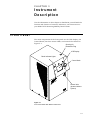
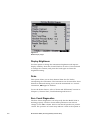
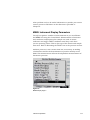
The LCD display is used in conjunction with the Control Knob to
select and display options and instrument parameter. The 320 ×
240 pixel LCD display provides continuous real-time display of
sample data.
There are several operations you can perform using the Control
Knob with the display. Refer to Chapter 6, “Instrument
Operation,” for details of how to make selections and change
values on the menu.
Aerosol Inlet
The aerosol inlet on the front of the Model 3034 is designed for
use with the supplied Cyclone (Model 303402). The cyclone
removes large particles outside instrument measurement range
that can cause counting errors. Tubing may be attached to the
cyclone inlet when necessary for remote sampling. The cyclone is
attached to the aerosol inlet using a Swagelok®-type union
connector, which is supplied.
Note: Conductive tubing is recommended for use transporting
aerosols to the SMPS particle sizer when sampling remotely.
Suitable tubing is available from TSI.
Control Knob
The Control Knob is turned to highlight an item on the LCD
display. Press the knob inward to select an option. To spin the
knob quickly, place your finger in the detent on the knob surface.
Panel Indicator Lights
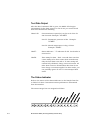
There are three status LEDs on the front panel above the display:
Power, Status, and Particle.
!
®Swagelok
3-2
The Power LED indicates that power is supplied to the
instrument.
is a registered trademark of Swagelok® Companies, Solon, Ohio.
Model 3034 SMPS (Scanning Mobility Particle Sizer)