1
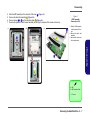
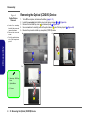
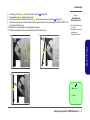
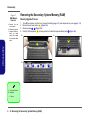
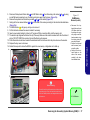
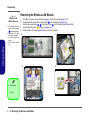
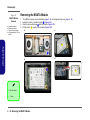
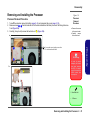
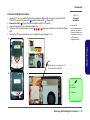
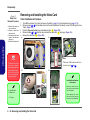
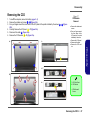
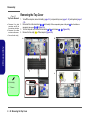
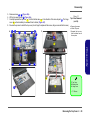
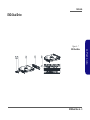
Disassembly Figure 6 Optical Device Removal 2.Disassembly a. Locate the secondary hard disk bay cover and remove the screws. b. Remove the cover and screw. c. Push the optical device out off the computer at point 6. Removing the Optical (CD/DVD) Device 1. 2. 3. 4. 5. Turn off the computer, and remove the battery (page 2 - 5). Locate the secondary hard disk bay cover and remove screws 1 & 2 (Figure 6a). Remove the hard disk bay cover 63 and screw at point 4 (Figure 6b). Use a screwdriver to carefully push out the optical device 65 out of the bay at point 6 (Figure 6d). Reverse the process to install any new optical (CD/DVD) device. a. c. 6 1 5 2 b. 4 3. Secondary HDD Bay Cover 5. Optical Device • 3 Screws 3 2 - 10 Removing the Optical (CD/DVD) Device