1
EA Manual
Page 5
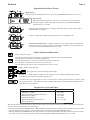
Regeneration and Error Screens
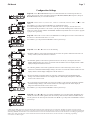
Regen Screen
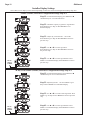
Displays the time remaining in the current cycle. Pressing REGEN advances to the next cycle.
Error Screen
Alternated flashing Err and error code every 3 seconds. Clear by dissconnecting
the power supply at the PC board and reconneting, or press NEXT and REGEN
simutaneously for 3 seconds.
In Alternator Systems when a unit is waiting to initiate the first cycle step of regeneration,
“REGEN PndG” is displayed.
“STbY” is displayed in Alternator Systems when a valve is in Standby state.
“REGEN PndG RINSE FILL” is displayed whenever a zero-capacity tank has transferred to
an off-line state and is currently waiting to initiate the second portion of a regeneration cycle.
Viewed only when Delayed Rinse and Fill is set to ON.
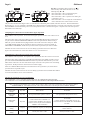
Button Operation and Function
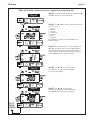
Scrolls to the next display.
Pressing once and releasing will schedule a regeneration at the preset delayed regeneration time.
Pressing again and releasing will cancel the regeneration.
Pressing and holding for 3 seconds will initiate an immediate regeneration
Pressing while in regeneration will advance to the next cycle.
Pressing in the program levels will go backwards to the previous screen
Changes variable being displayed.
Key sequence to lock and unlock program settings.
Holding for 3 seconds initiates a control reset. The software version is displayed and the piston returns
to the home/service position, resynchronizing the valve.
Used with valve type 1.0T, holding for at least 3 seconds causes a switch in the tank in Service without cycling
the regeneration valve. After tank switch, days remaining and capacity remaining status is retained for each
tank until the next regeneration.
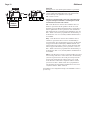
Regeneration Cycles and Times
Cycle
Range of times (min.)
1. Backwash 1st (upflow)
2. Regenerant Draw/Slow Rinse (downflow)
3. Backwash 2nd (upflow)
4. Fast Rinse (downflow)
5. Regenerant Refill (with treated water)
6. Service (downflow)
1 - 95 or OFF
1 - 180 or OFF
1 - 95 or OFF
1 - 95 or OFF
0.1 - 99.9 or OFF
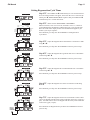
The user can initiate manual regeneration. The user has the option to request the manual regeneration at the delayed regeneration
time or to have the regeneration occur immediately:
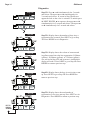
1. Pressing and releasing the REGEN button. “ ” will flash towards Regen on the display and the regeneration will occur at the
delayed regeneration time. The user can cancel the request by pressing and releasing the REGEN button.
2. Pressing and holding the REGEN button for approximately 3 seconds will immediately start the regeneration. The user cannot
cancel this request, except by resetting the control by pressing NEXT and REGEN simultaneously for 3 seconds.