1
Quick Start Reference Guide
Refer to Product Safety Manual for Safety Statements
Complete Owner’s Manual available online
?
Can I change an option?
Options such as single or double pad programming, beep volume, and
maximum cooking time can be changed to suit individual preferences.
To change options:
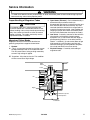
DO NOT power spray
No metal pans
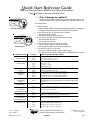
1. Open oven door.
• If door is closed or RESET pad is pressed before programming is complete,
changes are discarded and microwave exits programming mode.
2. Press and hold pad 2 for approximately 5 seconds.
• This begins options mode.
• Microwave will beep and 0P: displays.
3. Press number pad that controls option to be changed.
• See table below for options.
• Current option will display.
4. Press number pad again to change the option.
• Each time pad is pressed, option will change.
• Match code displayed with code for desired option.
5. Press START pad to save changes.
• To change additional options, repeat steps 3 and 4.
• Changes appear after door is closed or STOP/RESET pad is pressed.
Numbered Pads
Display
1
OP:10
Options (Factory Settings in Bold)
3 second beep.
End of Cycle Beep
OP:11
Continuous beep until door is opened.
OP:12
5 beep bursts until door is opened.
2
OP:20
Eliminates beep.
Speaker Volume
OP:21
Sets volume to low.
OP:22
Sets volume to medium.
OP:23
Sets volume to high.
3
OP:30
Prevents beep when pad is pressed.
Key Beep
OP:31
Allows beep when pad is pressed.
4
OP:40
15 seconds after oven door is opened, keyboard disabled.
Keyboard Enable
Window
OP:41
30 seconds after oven door is opened, keyboard disabled.
OP:42
1 minute after oven door is opened, keyboard disabled.
OP:43
2 minutes after oven door is opened, keyboard disabled.
5
OP:50
Prevents adding heating time while oven is heating.
Add Time During
Heating
OP:51
Allows heating time to be changed while oven is heating when a memory pad
is pressed.
6
OP:60
Allows oven to resume heating time countdown after door is opened during
cycle.
Reset Door Open
OP:61
Cancels heating time count down after door is opened during cycle.
7
OP:70
Allows 60 minutes of heating time (some models).
(some models)
OP:71
Allows 10 minutes of heating time.
Maximum Heating Time
8
OP:80
Allows use of preprogrammed pads only.
Manual Operation
OP:81
Allows use of manual time entry and preprogrammed pads.
9
OP:90
Allows 10 (0-9) preprogrammed pads.
(some models)
OP:91
Allows 100 (00-99) preprogrammed pads.
0
OP:00
Do not display message.
Clean Filter Message
OP:01
Display message for 24 hours every 7 days.
OP:02
Display message for 24 hours every 30 days.
OP:03
Display message for 24 hours every 90 days.
Double Digit Operation
Part No.12804405
Revised 10/04
©2005 Maytag Services
For full product documentation visit:
™
www.amanacommercial.com/wavelink
16026086
© 2004 Amana Appliances
Amana, Iowa 52204
A–3