1
Programming
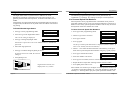
06 Night Status Enable/Disable
03 User Programming
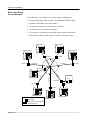
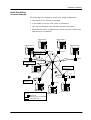
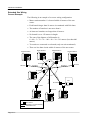
The Night Status allows a system to have a different set of call
distribution and station configuration for night-time operation. It is
generally used for after hours operation, or whenever the office is not
staffed.
Configuration for night mode should be programmed when the system is
in night mode, and likewise for day mode. This also affects each station's
ring setting
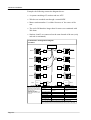
To Enable/Disable Night Status:
The following programming procedures can be performed at any
Commander i+ keystation. The settings are unique to each keystation.
01u Personal Speed Dial Numbers
Each keystation can be programmed with a maximum of ten personal
speed dial numbers and up to ten one-touch speed dial keys. These are in
addition to the twenty system speed dial numbers and can only be used at
the keystation where the numbers are stored.
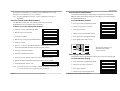
To Store Personal Speed Dial Numbers:
• Press [i] to enter programming mode.
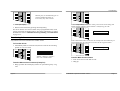
01: Repertory
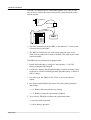
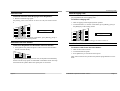
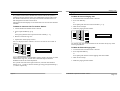
• Press 06 to go to the Night Status menu.
06:NightMode Disable
The current setting is displayed.
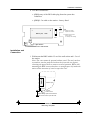
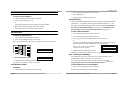
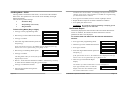
• Press [i] to change Day/Night status.
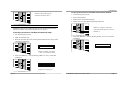
Pass:
Password is requested. It can be the Administration or Installation
password.
• Enter four digit password.
Pass:****
• Press [i] to confirm change or [RLS] to cancel
If password entered is valid, the status is
changed.
06:NightMode Enable
• Press [RLS] to exit.
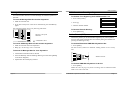
• Press [i] to enter programming mode.
01: Repertory
• Dial 03 to go to the User menu.
03: User
• Press [i] to confirm.
01uPers. Speed Dial
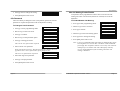
• Press [i] again.
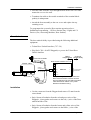
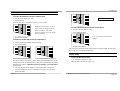
01:
The first personal speed dial number is displayed (and the number, if
there is one already stored in location 01).
• Dial 01 - 10 to select the desired location. Alternatively, scroll up or
down the ten personal speed dial locations using the [*] and [#] keys.
• Press [i] to confirm the location.
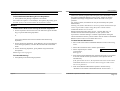
>
• Enter the number to be stored.
>99554688
• Press [i] once to confirm, twice to re-renter or [RLS] to cancel.
• Repeat the above steps after selecting another location number.
L4
RECALL
HOLD
Page 6-4
5
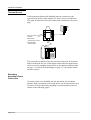
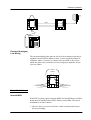
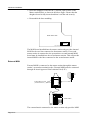
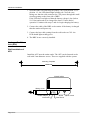
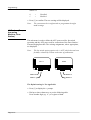
Night Mode activated, icon
displayed at every station
• Press [RLS] three times to exit.
14:36 01
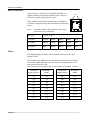
Each number can contain up to 24 digits. Personal speed dial numbers 01
- 10 appear as speed dial numbers 01 - 10 in each keystation’s speed dial
memory (11 - 30 being taken up by the system speed dial numbers). The
Commander i System User Guide - Issue 2
Page 6-5