1
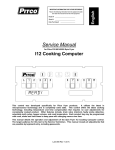
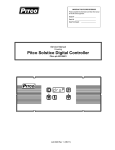
ENGLISH IMPORTANT FOR FUTURE REFERENCE Please complete this information and retain this manual for the life of the equipment: Model #: __________________________ Serial #: __________________________ Date Purchased: ___________________ Service Manual Solstice I12 Cooking Computer Covering Single Vat (P/N 60126801) and Dual Vat (P/N 60126802) L 1 2 3 4 5 6 7 8 9 0 This manual details the operation and adjustment of the Solstice I12 Cooking Computer control developed for Pitco fryer products. This microprocessor control offers the latest cooking technology, including temperature and time compensation that requires no user adjustments for consistently cooked product. Other features include, drain valve interlock, faulty probe detection, selectable melt cycles, beeper volume, and cook temperature. Each product key may be programmed with cook, shake and hold times to keep pace with changing menus over time. This manual reveals all adjustments that are possible by keyboard entry, including passwords. The target audience for this manual is the Service Technician. L22-278 Rev 1 (06/11) R Solstice I12 Cooking Computer Service Single Vat (60126801) and Dual Vat (60126802) Table of Contents 1 Key Locations and Functions: ..................................................................... 3 1.1 To turn the appliance ON:.................................................................................... 4 1.2 To turn the appliance OFF: .................................................................................. 4 1.3 To start a cook: .................................................................................................... 4 1.4 To cancel a cook:................................................................................................. 4 1.5 To check Actual and Set temperatures:............................................................... 4 1.6 To View Current Settings for cook, shake, and hold times: ................................. 5 1.7 To perform a Boil Out operation:.......................................................................... 5 1.7.1 1.7.2 Automatic Boil Entry (Water Detection): .....................................................................5 Manual Boil Entry:.......................................................................................................6 2 To Enter Programming Level 1 (for the Store Manager): ........................... 6 2.1 To Set Cook Temperature: .................................................................................. 6 2.2 To Change a Product Key–Cook, Shake, Hold, and Hold Pre-Alarm Times: ...... 6 2.2.1 2.2.2 2.2.3 2.2.4 2.3 Cook Time...................................................................................................................6 Shake Time.................................................................................................................7 Hold Time....................................................................................................................7 Hold Pre-Alarm ...........................................................................................................7 To Exit Level 1 programming: .............................................................................. 7 3 To Enter Programming Level 2 (for the Store Manager): .......................... 7 3.1 Fahrenheit or Celsius Display: ............................................................................. 8 3.2 Password Change or Required?.......................................................................... 8 3.3 Beeper Volume and Tone: ................................................................................... 8 3.4 Language Selection: ............................................................................................ 8 3.5 Melt Cycle Type: .................................................................................................. 9 3.6 Recovery Test Value:........................................................................................... 9 3.7 Control or Timer: (Left side of Dual or Single Vat) ............................................... 9 3.8 Control or Timer: (Right side of Dual Vat) ............................................................ 9 4 To Enter Programming Level 3 (for the Technician) ................................ 10 4.1 Offset Temperature Display ............................................................................... 10 4.2 Melt Cycle ON Time ........................................................................................... 10 4.3 Min Cycle Time .................................................................................................. 10 4.4 Recovery Time................................................................................................... 10 4.5 Diagnostic Menu Entry....................................................................................... 11 4.5.1 4.5.2 4.5.3 4.5.4 4.5.5 4.5.6 4.5.7 2 Left Basket Lift Output ..............................................................................................11 Right Basket Lift Output............................................................................................11 Heat Demand Output ................................................................................................11 Side On Output .........................................................................................................11 Drain Switch Input.....................................................................................................11 Lamp Test .................................................................................................................11 Heat Feedback Input.................................................................................................11 L22-278 Rev 1 (06/11) Solstice I12 Cooking Computer Service Single Vat (60126801) and Dual Vat (60126802) 4.5.8 4.5.9 Left or Right Side Select (Dual Vat only) ..................................................................11 Exit Diagnostic Menu ................................................................................................11 4.6 Ready Level ....................................................................................................... 12 4.7 Temperature Operating Range .......................................................................... 12 4.8 More Service Menu Entry .................................................................................. 12 4.8.1 4.8.2 4.8.3 4.8.4 4.8.5 4.8.6 4.8.7 4.8.8 4.8.9 4.8.10 4.9 Cook Now .................................................................................................................12 Turbo Select (Single Only)........................................................................................12 Heat Demand Profile.................................................................................................12 Shake Alarm Duration...............................................................................................13 Hold Alarm Duration..................................................................................................13 Cancel Duration ........................................................................................................13 Configuration Value ..................................................................................................13 Factory Reset............................................................................................................13 Standing Pilot Toggle................................................................................................13 To Exit More Service Menu ......................................................................................14 To Exit Programming Level 3............................................................................. 14 5 Factory Menu Level 4 (for the Technician) ................................................ 14 5.1 Offset Temperature Display ............................................................................... 14 5.2 Melt Cycle On Time ........................................................................................... 14 5.3 Minimum Cycle Time ......................................................................................... 14 5.4 Recovery Time................................................................................................... 15 5.5 Diagnostic Menu Entry....................................................................................... 15 5.6 Ready Level ....................................................................................................... 15 5.7 Operating Temperature Range .......................................................................... 15 5.8 High Limit Value................................................................................................. 15 5.9 Basket Lift (dual control only)............................................................................. 15 5.10 Test On/Off ........................................................................................................ 15 5.11 To Exit Factory Menu (Level 4): ......................................................................... 15 6 Other Displays: ............................................................................................ 16 7 Mechanical Dimensions:............................................................................. 17 8 Electrical Connections at J1:...................................................................... 18 9 Electrical Connections at J2 (Dual Vat Only): ........................................... 18 10 Probe Resistance Chart: ............................................................................. 19 1 Key Locations and Functions: L22-278 Rev 1 (06/11) 3 Solstice I12 Cooking Computer Service Single Vat (60126801) and Dual Vat (60126802) L 1.1 1 2 3 4 5 6 7 8 9 0 R To turn the appliance ON: If power is applied to the appliance, the displays will show [OFF]. Press the [I/O] key. Displays will show one of the normal displays: [HEATING]; [MELTING] [SOLID]/[LIQUID]; or [READY]. Some messages may show in both left and right displays. Wait for the appliance to heat up to the [READY] condition before cooking. 1.2 To turn the appliance OFF: Press the [I/O] key. Display will momentarily show the software version number and then [OFF][OFF]. Use the Left [I/O] key for left side and Right [I/O] key for the right of dual vat control 60126802. Either key may be used on the single vat controller. 1.3 To start a cook: When displays are showing [READY] the appliance has reached set temperature and is ready to cook. Press the desired product key, and place product into the vat. The indicator above the product key will flash to indicate the cook timer is running. In the example above, product 4 is cooking with 2 minutes and 28 seconds remaining. The right side display has no running cook timers, and shows [READY]. 4 Multiple cooks may run together. While cooks are running, the displays will always show the cook with the least time remaining. Longer running cooks will flash their indicators at a slower rate. Cook time remaining on these keys may be checked by momentarily pressing the product key. 1.4 To cancel a cook: Press and hold the product key to cancel a running cook. If no other cooks are pending, controller displays will return to [READY]. 1.5 To check Actual and Set temperatures: To view the actual vat temperature, press the thermometer key. The display will show [ACT nnnF] or [ACT nnnC], where nnn is the current vat temperature. After a few moments, the display will return to [READY], [MELT ], or [HEATING] when no cooks are running, or, [CKn mm:ss] for any cooks still running. 4 L22-278 Rev 1 (06/11) Solstice I12 Cooking Computer Service Single Vat (60126801) and Dual Vat (60126802) To view the set temperature, press the thermometer key twice. The display will show [SET nnnF] or [SET nnnC], where nnn is the current set temperature. After a few moments, the display will return to [READY], [MELT ], or [HEATING] , or, [CKn mm:ss] for a cook still running. 4 1.6 To View Current Settings for cook, shake, and hold times: To view the current settings for any product key, press the clock key, followed by the desired product key. The display will show [CKn mm:ss], followed by [SHn mm:ss], then [HDn mm:ss]. Where “n” is the key number, and “mm:ss” are the current settings for time. After a few moments, the display will return to [READY], [MELT ], or [HEATING] , or, [CKn mm:ss] for a cook still running. Typical displays using key 4 as an example: Key 4 set for 3 minutes and 28 seconds cook time. Key 4 Shake Time is set for 2 minutes and :00 seconds before the end of the Cook. Key 4 Hold Time in set for 10:00 minutes. In a few moments, the display will return to [READY] 1.7 To perform a Boil Out operation: Normal maintenance of a fryer requires regular tank cleaning. This process involves draining the vat of oil and filling with water. Cleaning solution is added, and the control is set to the boil out mode by one of the following methods: 1.7.1 Automatic Boil Entry (Water Detection): After filling an empty vat with water, turn the appliance On. Heat will be applied to the vat warming the water. This control will detect the presence of water by temperatures not rising above the boiling point of water; 212°F (100°C). After a time at this temperature, displays will show: Heat will be disabled until the operator responds to this prompt. Pressing the [0] key is a YES response to the boil prompt. If pressed, display will show: Heat will maintain vat temperature at 185°F (85°C) for cleaning as long as the control remains on. To exit boil mode control must be turned off. Warning: Pressing any other key at the [PRESS 0 ] [TO BOIL ] prompt is regarded by the control as a NO response. With this response, the control will apply heat to the vat as if oil were present in the vat. With water in the vat, a rolling boil will result. This will cause undesirable foam over conditions, and steam burn hazards to operators performing cleaning operations. L22-278 Rev 1 (06/11) 5 Solstice I12 Cooking Computer Service Single Vat (60126801) and Dual Vat (60126802) 1.7.2 Manual Boil Entry: After filling an empty vat with water, turn the appliance on. Press the thermometer key and enter key sequence [2], [1], [2]. If control is set to display in the Celsius scale, press [1], [0], [0] keys to manually enter boil mode. The display will show [ BOIL ] to indicate entry into boil mode. 2 1 2 1 0 0 To exit boil mode, control must be turned off. 2 To Enter Programming Level 1 (for the Store Manager): Note: The factory default setting for this control does not require an operator password to be entered. However, the operator password requirement and value may be changed in section 3.2. This text assumes the operator password is disabled. Entry of a password when NOT required will not interfere with the programming process. With no cook timers running, displays will show one of the following displays: [HEATING], [MELT] [LIQUID (or SOLID)], or [READY]. Press the [P] program key. Left display will show [PROGRAM]. Right display will be blank. Enter password 6684 using the product keys as numeric keypad for entry. Display still shows [PROGRAM]. Level 1 & 2 Password 6 6 8 4 From the [PROGRAM] display, continue with this section or go to section 3. 2.1 To Set Cook Temperature: Press the thermometer key once for Single Vat (left side of Dual Vat) or press key twice for Dual Vat (right side of Dual Vat). The display will show [SET xxxF] [TEMP] or [SET xxxC] [TEMP], where “xxx” is the temperature setting. Use the product keys for numeric entry to adjust the current setting. Press the [P] key to save setting. Display now shows [PROGRAM]. To exit here, press [P] again, or continue. 2.2 To Change a Product Key–Cook, Shake, Hold, and Hold Pre-Alarm Times: For each product key, Cook, Shake, Hold, and Hold Pre-alarm times are set in this section. With display showing [PROGRAM], continue with the following section for each product key to change. 2.2.1 Cook Time Cook Time may be set for each product key. To deactivate any product key enter a zero value for cook time. Press the [Clock] key. Display will show [SELECT] [PRODUCT]. Press the desired product key to change. The display is now showing [nCK mm:ss] [TIME] where “n” is the key number, “CK” means Cook, and “mm:ss” is minutes and seconds. Use the product keys for numeric entry to adjust the current setting. Press the [Clock] key to save cook time and continue setup for this product key. 6 L22-278 Rev 1 (06/11) Solstice I12 Cooking Computer Service Single Vat (60126801) and Dual Vat (60126802) 2.2.2 Shake Time Shake time is an alarm that sounds during Cook Time to prompt operators to shake the basket. Default for this value is zero, meaning the Shake Time is inactive. To use Shake Time, time value must be a non-zero value, and must be set to a value less than cook time. Display shows [nSH mm:ss] [TIME] where “n” is the key number, “SH” means Shake, and “mm:ss” is time in minutes and seconds. Use the product keys for numeric entry to adjust the current setting. Press the [Clock] key to save shake time and continue setup for this product key. Note: Cook Time minus DisplayShake Time = Shake Value Entry, Example: 3:00 cook time with a 2:00 shake time, the value you enter would be 1:00 minute. 2.2.3 Hold Time Cooked product may stand in holding bins for a period of time. This timer produces an alarm to inform operators to discard old product and start a new cook. Default for this value is zero, meaning the Hold Time is inactive. Display is showing [nHD mm:ss] [TIME], where “n” is the key number, “HD means HOLD, and “mm:ss” is minutes and seconds. Use the product keys for numeric entry to adjust the current setting. Press the [Clock] key to save hold time and continue setup for this product key. 2.2.4 Hold Pre-Alarm Hold Pre-Alarm is a timer setting that is used to warn operators that the Hold Time is about to expire. To use Hold Pre-Alarm, time value must be a non-zero value, and must be set to a value less than Hold Time. Default value is zero, meaning the Hold Pre-Alarm is inactive. Display is showing [nPA mm:ss] [TIME] where “n” is the key number, PA means PreAlarm, and “mm:ss” is minutes and seconds. Use the product keys for numeric entry to adjust the current setting. Press the [Clock] key to save cook time and continue setup for this product key. Note: Value entered for Hold pre-alarm time is the hold time minus the prealarm time. Example: 15:00 hold time with a 5:00 prealarm time, the value you enter would be 10:00 minutes. Display will again return to [SELECT] [TIME]. Repeat steps from section 2.3.1 to make changes to any other product keys or continue. 2.3 To Exit Level 1 programming: Display shows [SELECT] [TIME]. Press the [P] key. Display shows [PROGRAM]. Continue to section 3 to change options, or, exit here in the next step. To exit Level 1 programming, press the [P] key again. Displays will show [HEATING], [MELT] [LIQUID (or SOLID)], or [READY]. 3 To Enter Programming Level 2 (for the Store Manager): The display must show [PROGRAM] from section 2 to change these options. When the product key [0] is pressed, the display will show [SELECT] [OPTIONS]. Indicator lights above product keys will illuminate to represent options that may be changed. Each option listed below uses the product key [0] to toggle or scroll through available choices L22-278 Rev 1 (06/11) 0 7 Solstice I12 Cooking Computer Service Single Vat (60126801) and Dual Vat (60126802) in the display. When the correct value is displayed, press the [P] key to save choice. The display will again return to [PROGRAM] for another option selection. 3.1 Fahrenheit or Celsius Display: The Controller will display temperatures in the Fahrenheit or Celsius scales. The default scale is °F. With display showing [PROGRAM], press the product key [0]. 1 Display shows [SELECT] [OPTIONS]. Press product key 1, display shows [DEGREE n] [F OR C], where “n” is the current setting. Use the product key [0] to scroll through choices (F or C). Press [P] key to save choice. Display shows [PROGRAM]. 3.2 Password Change or Required? With factory settings, an operator password is not required to enter programming Levels 1 and 2. The password may be activated or changed in this section. With display showing [PROGRAM], press the product key [0]. Display will show [SELECT] [OPTIONS]. Press product key 2, display shows [SET PASS] [NEW PASS]. Use the product key [0] to scroll through choices [NO PASS] or [PASS REQ]. Press [P] key to save choice. 2 If [NO PASS] is selected Display returns to [PROGRAM]. If [PASS REQ]. is selected, display will show [PASSnnnn] [NEW PASS] to prompt for new password. Displayed value “nnnn” is the current password. Use the product keys for numeric entry to change password. Press [P] key to save choice. Display shows [PROGRAM]. Note: The factory default password (6684) will always work even if a different password is selected above. 3.3 Beeper Volume and Tone: Volume and Tone of the beeper alarm may be changed in this section. Volume ranges are 1,2 and 3, where 3 is the loudest setting. Later model controls have an additional selection for tones. With display showing [PROGRAM], press the product key [0]. Display will show [SELECT] [OPTIONS]. Press product key 3, display shows [VOLUME n] [BEEPER]. Use the product key [0] to scroll through choices (n= 1,2,3, or T). Beeper volume will change as each selection is made. 3 If “T” is selected an additional display is shown, [TONE n] [BEEPER]. Use the product key [0] to scroll through choices (n= 1,2,3). Beeper tone will change as each selection is made. Press [P] key to save choice. Display shows [PROGRAM]. 3.4 Language Selection: With display showing [PROGRAM], press the product key [0]. Display shows [SELECT] [OPTIONS]. Press product key 4, display shows [ENGLISH] [LANGUAGE]. Use the product key [0] to scroll through choices (ENGLISH, ESPANOL, FRANCAIS, DEUTSCH, HOLLAND). Press [P] key to save choice. Display shows [PROGRAM]. 8 L22-278 Rev 1 (06/11) 4 Solstice I12 Cooking Computer Service Single Vat (60126801) and Dual Vat (60126802) 3.5 Melt Cycle Type: This adjustment allows selection of the melt cycle type, or, disabling the melt cycle requirement when starting the appliance from a cold start. With display showing [PROGRAM], press the product key [0]. Display will show [SELECT] [OPTIONS]. Press product key 5, display shows [LIQUID], the default setting. 5 Use the product key [0] to scroll through choices (liquid, solid, no melt). Press [P] key to save choice. Display will again return to [PROGRAM]. 3.6 Recovery Test Value: This controller maintains a record of heat up times for the appliance. A poorly running appliance will have increased recovery times stored in this display. There is no selection done here, just the display of recovery time values. With display showing [PROGRAM], press the product key [0]. 6 Display shows [SELECT] [OPTIONS]. Press product key 6; display will show [RECOVERY] [TEST]. Press the product key [0]. Display will show [FnnnLyyy], where nnn is the factory recovery value, and yyy is the last warm up recovery value. After recording these values, press the [P] key. Display returns to [PROGRAM]. 3.7 Control or Timer: (Left side of Dual or Single Vat) With display showing [PROGRAM], press the product key [0]. 7 Display shows [SELECT] [OPTIONS]. Press product key 7; display will show [CONTROL]. Use the product key [0] to scroll through choices (Control, Timer). Press [P] key to save choice. Display shows [PROGRAM]. Note: If timer is selected, heat control outputs are disabled, leaving only the timer functions active. Do not make this selection on Solstice fryer models. 3.8 Control or Timer: (Right side of Dual Vat) Note: This key has no function of single vat controls. 8 With display showing [PROGRAM], press the product key [0]. Display shows [SELECT] [OPTIONS]. Press product key 8; display will show [CONTROL]. Use the product key [0] to scroll through choices (Control, Timer). Press [P] key to save choice. Display shows [PROGRAM]. Note: If timer is selected, heat control outputs are disabled, leaving only the timer functions active. Do not make this selection on Solstice fryer models. L22-278 Rev 1 (06/11) 9 Solstice I12 Cooking Computer Service Single Vat (60126801) and Dual Vat (60126802) 4 To Enter Programming Level 3 (for the Technician) With no cook timers running, displays will show one of the following displays: [HEATING], [MELT] [LIQUID(or SOLID)], or [READY]. Press the [P] program key. Left display will show [PROGRAM]. Right display will be blank. Level 3 Password 6 6 8 5 Enter password 6685 using the product keys as numeric keypad for entry. Display will show [SERVICE]. Product key indicators will illuminate to prompt operator to select a key. This section details parameters that may be changed in Level 2 programming. 4.1 Offset Temperature Display This adjustment allows the displayed temperature value to be offset to reflect the true center vat temperature while reading the probe tip temperature. Default value is zero. With zero value set, displayed values are the probe temperature. 1 With display showing [SERVICE] press product key 1. Display shows [OFF nn F] [DEGREES], where “nn” is the value of the adjustment. Negative values are preceded with a minus sign. To change this value, use the product keys for numeric entry of a new value. Press the [P] key. Display will show [POSITIVE] [DEGREES]. Use the product key [0] to scroll choices (Positive or Negative value). After selection, press the [P] key. Display shows [SERVICE]. Note: Computer Display Temp – Center Oil Temp = Offset (+/-). Example: Computer Display shows 350F while Center Oil Temp measures at 352F, 350F – 352F = (-) 2F neg. offset value. Warning: Proper equipment and expertise is required to properly adjust this value. Even small changes may negatively effect cooking performance. 4.2 Melt Cycle ON Time 2 With display showing [SERVICE], press product key 2. Display shows [MLTON :nn] [MELT ON], where “nn” is the value, in seconds, of time for a melt cycle heat pulse. To change this value, use the product keys for numeric entry of a new value. Press the [P] key. Display now shows [SERVICE]. 4.3 3 Min Cycle Time With display showing [SERVICE], press product key 3. Display shows [MIN ON:nn] [MIN ON], where “nn” is the value, in seconds, of time for minimum heat pulse period. To change this value, use the product keys for numeric entry of a new value. Press the [P] key. Display now shows [SERVICE]. 4.4 Recovery Time 4 With display showing [SERVICE], press product key 4. 10 L22-278 Rev 1 (06/11) Solstice I12 Cooking Computer Service Single Vat (60126801) and Dual Vat (60126802) Display shows [RECY nnn] [RECOVERY], where nnn is the last cold start recovery time. No adjustments are permitted here. This is an information display only. Press the [P] key. Display returns to [SERVICE]. 4.5 Diagnostic Menu Entry The diagnostic menu is used to determine the functionality of controller outputs and inputs. By exercising each output and examining inputs, a determination can be made if an appliance problem is controller related. In the diagnostic menu, product keys are assigned specific inputs or outputs. All outputs in the ON state should produce 24VDC at the appropriate pins on the controller connector. Controller inputs can be verified by the on or off state of the indicator above the product key. This section details the process of checking each input and output. With display showing [SERVICE], press product key 5. 5 Display will show [DIAGNOST] [DIAGNOST]. Note: For dual vat controls use key 0 (sect 4.5.8) to select left of right side for the following diagnostics. Key 0 has no function of single vat controls. 4.5.1 Left Basket Lift Output Press the product key 1 to toggle the left basket lift output ON. Display will show [L BASKET]. Press again to toggle output OFF. 4.5.2 Right Basket Lift Output Press the product key 2 to toggle the right basket lift output ON. Display will show [R BASKET]. Press again to toggle output OFF. 4.5.3 Heat Demand Output Press and hold the product key 3 to force Heat Demand output ON. Display will show [HEAT DEM]. Releasing the key will force output OFF. 4.5.4 Side On Output Press the product key 4 to toggle the Side ON output ON. Display will show [SIDE ON] Press again to toggle output OFF. 4.5.5 Drain Switch Input Press the product key 5. Display will show state of the Drain Valve input. Display will show [DRN ON (or OFF)]. Product key 5 indicator shows the ON or OFF state of the input. 4.5.6 Lamp Test Press the product key 6. All display indicators will be forced on. The purpose is to reveal non-functional indicators or displays. 4.5.7 Heat Feedback Input Press the product key 7. Display will show state of the Heat Feedback input [FB xxx], where xxx is ON or OFF. Product key 7 indicator shows the ON or OFF state of the input. 4.5.8 Left or Right Side Select (Dual Vat only) Press the product key 0. Display will show [DIAG] [LEFT]. Press key 0 again to select the right side for diagnostic keys in this section. 4.5.9 Exit Diagnostic Menu To exit diagnostic menu, Press the[P] key. Display will return to [SERVICE]. Other service menu items may be selected for changes. L22-278 Rev 1 (06/11) 11 Solstice I12 Cooking Computer Service Single Vat (60126801) and Dual Vat (60126802) To return to programming press the [P] key again. Display will show [PROGRAM]. Other settings can be made in section 2. To return to normal operations, press the [P] key again. Display will show one of the normal displays: [HEATING], [MELT] [LIQUID(or SOLID)], or [READY]. 4.6 Ready Level With display showing [SERVICE], press product key 6. 6 Display shows [READY nn], where “nn” is the value, in degrees below set temperature that the READY message is displayed. To change this value, use the product keys for numeric entry of a new value. Press the [P] key. Display now shows [SERVICE]. 4.7 Temperature Operating Range Forces the control to display the range on temperatures that may be set by operators. 7 With display showing [SERVICE], press product key 7. Display shows [RANGE 1] [200 380]. No adjustments are permitted here. This is an information display only. Press the [P] key. Display returns to [SERVICE]. 4.8 More Service Menu Entry With display showing [SERVICE], press product key 8. Display now shows [MORE] [SERVICE]. 8 Product keys will illuminate where adjustments are permitted; all other keys are inactive. The following section details each product key function in the More Service Menu. 4.8.1 Cook Now Should operators be forced to acknowledge a Cook Done Alarm before starting another cook? This setting forces that requirement. Factory default value is OFF. With display showing [MORE] [SERVICE], press product key 1. Display will show [NOW xxx] [COOK NOW], where “xxx” is ON or OFF. Use product key [0] change value, then press the [P] to save choice. Display returns to [MORE] [SERVICE]. Note: With OFF value selection, operators must acknowledge a done cook [ DONE n] display before starting any another cooks. With an ON value, operators are permitted to start a cook on the opposite side before acknowledging a cook done alarm. Example: The left display is showing [DONE 2] with the beeper alarm sounding. Indicator 2 is flashing needing to be acknowledged. All other product indicators are off. With a set value of OFF, no other cooks can start until product key 2 is pressed to acknowledge and clear the cook done alarm. With a value of ON set, a cook on the right side of the control (keys 6-R) may be started before operator clears the cook done alarm for product key #2 on the left side. 4.8.2 Turbo Select (Single Only) With display showing [MORE] [SERVICE], press product key 2. Display will show [TRBO OFF] [TURBO]. This setting is for use on Pitco’s Turbo-Fry appliance. It should remain OFF for all other applications. Use product key [0] change value, then press the [P] to save choice. Display returns to [MORE] [SERVICE]. 4.8.3 Heat Demand Profile With display showing [MORE] [SERVICE], press product key 3. Display will show [xxxxxxx] [HEAT DEM], where xxxxxxx may be one of 5 heat control profiles listed below. 1. [GENERIC 1] for gas fired fryer appliance. This is the factory default. 12 L22-278 Rev 1 (06/11) Solstice I12 Cooking Computer Service Single Vat (60126801) and Dual Vat (60126802) 2. [GENERIC 2] for electric fryer appliances, and model SGH50. 3. [T-STAT] control operates as a mechanical thermostat for general purpose applications on gas or electric fryers. This setting offers the quickest possible recovery times at the expense of temperature overshoot suppression. 4. [HE RPB] for use with High Efficiency RPB models only. 5. [HE ADV] for use with High Efficiency Advance models only. Use product key [0] change value, then press the [P] to save choice. Display returns to [MORE] [SERVICE]. 4.8.4 Shake Alarm Duration With display showing [MORE] [SERVICE], press product key 4. Display will show [SHDUR:nn] [DURATION], where “nn” is the time in seconds the shake alarm will sound. Use product keys for numeric entry of desired value, then press the [P] to save choice. Display returns to [MORE] [SERVICE]. 4.8.5 Hold Alarm Duration With display showing [MORE] [SERVICE], press product key 5. Display will show [HDDUR:nn] [DURATION], where “nn” is the time in seconds the hold alarm will sound. Use product keys for numeric entry of desired value, then press the [P] to save choice. Display returns to [MORE] [SERVICE]. 4.8.6 Cancel Duration With display showing [MORE] [SERVICE], press product key 6. Display will show [CANCEL:nn] [DELAY] , where “nn” is the time in seconds the operators must press a basket key to cancel a cook. Use product keys for numeric entry of desired value, then press the [P] to save choice. Display returns to [MORE] [SERVICE]. Default value is 2 seconds. 4.8.7 Configuration Value With display showing [MORE] [SERVICE], press product key 7. Display will show [CFG hhhh], where “hhhh” is a hexadecimal check sum of the program contained in the controller. Modifications to any part of the setup of this control will change the check sum value. Press the [P] display will return to [MORE] [SERVICE]. 4.8.8 Factory Reset Factory Reset provides a quick way to erase all setup changes and restore control to factory settings. Warning: Any settings made prior to a factory reset will be lost. This includes customer specific downloads performed at Pitco Frialator. With display showing [MORE] [SERVICE], press [8] product key. After a few moments, the display will show [P]. Press the [P] display will return to [MORE] [SERVICE]. 4.8.9 Standing Pilot Toggle For some applications, it is desirable to maintain the gas pilot flame when the appliance is OFF. Heat from the pilot keeps solid shortening in the liquid state for quicker warmups in the morning. Default setting for standing pilot is off. Note: Heat Demand Profile (section 4.8.3) must be set to Generic 1, or Tstat. Standing Pilot toggle has no effect in with any other setting. With display showing [MORE] [SERVICE], press product key 9. Display will show [STANDING] [PILOT n], where “n” is ON or OFF. Use product key [0] change value, then press the [P] to save choice. Display returns to [MORE] [SERVICE]. L22-278 Rev 1 (06/11) 13 Solstice I12 Cooking Computer Service Single Vat (60126801) and Dual Vat (60126802) 4.8.10 To Exit More Service Menu With display showing [MORE] [SERVICE], press the [P] key. Display returns to [SERVICE]. Continue with Level 2 programming in section 4 (display showing [SERVICE]), or continue. 4.9 To Exit Programming Level 3 With display showing [SERVICE], press the [P] key. Display will show [PROGRAM]. Continue with changes in section 2, or continue. To return to normal operations, press the [P] key again. Display will show one of the normal displays: [HEATING], [MELT] [LIQUID(or SOLID)], or [READY]. 5 Factory Menu Level 4 (for the Technician) With no cook timers running, displays will show one of the following displays: [HEATING], [MELT] [LIQUID(or SOLID)], or [READY]. Press the [P] program key. Left display will show [PROGRAM]. Right display will be blank. Enter password 1993 using the product keys as numeric keypad for entry. 1 9 9 3 Display will show [FACTORY]. Product key indicators will illuminate to prompt operator to select a key. This section details parameters that may be changed in Factory programming. 5.1 Offset Temperature Display This adjustment allows the displayed temperature value to be offset to reflect the true center vat temperature while reading the probe tip temperature. Default value is zero. With zero value set, displayed values are the probe temperature. With display showing [FACTORY] press product key 1. Display shows [OFF nn F] [DEGREES], where “nn” is the value of the adjustment. 1 Negative values are preceded with a minus sign. To change this value, use the product keys for numeric entry of a new value. Press the [P] key. Display will show [POSITIVE] [DEGREES]. Use the product key [0] to scroll choices (Positive or Negative value). After selection, press the [P] key. Display shows [FACTORY]. Note: Computer Display Temp – Center Oil Temp = Offset (+/-). Example: Computer Display shows 350F while Center Oil Temp measures at 352F, 350F – 352F = (-) 2F neg. offset value Warning: Proper equipment and expertise is required to properly adjust this value. Even small changes may negatively effect cooking performance. 5.2 Melt Cycle On Time With display showing [FACTORY], press product key 2. Display shows [MLTON :nn] [MELT ON], where “nn” is the value, in seconds, of time for a melt cycle heat pulse. To change this value, use the product keys for numeric entry of a new value. Press the [P] key. Display now shows [FACTORY]. 5.3 Minimum Cycle Time With display showing [FACTORY], press product key 3. 14 L22-278 Rev 1 (06/11) 2 Solstice I12 Cooking Computer Service Single Vat (60126801) and Dual Vat (60126802) Display shows [MIN ON :nn] [MIN ON], where “nn” is the value, in seconds, of time for minimum heat pulse period. To change this value, use the product keys for numeric entry of a new value. 3 Press the [P] key. Display now shows [FACTORY]. 5.4 Recovery Time With display showing [FACTORY], press product key 4. Display shows [RECY nnn] [RECOVERY], where nnn is the last cold start recovery time. No adjustments are permitted here. This is an information display only. 4 Press the [P] key. Display returns to [FACTORY]. 5.5 Diagnostic Menu Entry Same as section 4.5 except [FACTORY] is displayed instead of [SERVICE]. 5.6 Ready Level With display showing [FACTORY], press product key 6. 6 Display shows [READY nn], where “nn” is the value, in degrees below set temperature that the READY message is displayed. To change this value, use the product keys for numeric entry of a new value. Press the [P] key. Display now shows [FACTORY]. 5.7 Operating Temperature Range With display showing [FACTORY], press product key 7. This forces the control to display the range of temperatures that may be set by operators. 7 Display shows [RANGE 1] [200 380]. No adjustments are permitted here. This is an information display only. Press the [P] key. Display returns to [FACTORY]. 5.8 High Limit Value Pressing product key 8 forces the control to display the temperature above set temperature, the high limit alarm will sound. Changes may be made buy using the product keys for numeric entry. Press the [P] key. Display now shows [FACTORY]. 5.9 8 Basket Lift (dual control only) Key 9 has no function on single vat fryers. 5.10 Test On/Off With display showing [FACTORY], press product key 0. 10 Display shows [TEST xx], where “xx” is ON or OFF. If ON is selected, temperatures displayed by the controller are probe tip temperatures unaltered by values set in section 4.1, or 5.1. For normal operations, this setting should remain OFF. To change this value, use product key [0] to toggle choice (ON or OFF). Press the [P] key. Display now shows [FACTORY]. 5.11 To Exit Factory Menu (Level 4): To exit Factory Programming, Press the [P] key Display will show [PROGRAM]. Continue with settings in section 2, or continue. To return to normal operations, press the [P] key again. Display will show one of the normal displays: [HEATING], [MELT] [LIQUID(or SOLID)], or [READY]. L22-278 Rev 1 (06/11) 15 Solstice I12 Cooking Computer Service Single Vat (60126801) and Dual Vat (60126802) 6 Other Displays: [PROBE OP] [OPEN] Open probe detection is standard on all Pitco controls. If probe is detected open, normal heating and cooking activities are suspended. [HIGH TMP] [HIGH TMP] This display warns operators that the vat temperature has exceeded set temperature by 40°F (22°C), or an absolute maximum of 410°F (210°C). This display does not show the status of the mechanical high limit switch. [DRAINING] [TURN OFF] This message indicates that the drain valve has been opened, the vat is assumed to be empty by the controller. Normal heat control activities are suspended. To restore to normal operation, close the drain value. Display will show [TURN OFF] [TURN OFF]. Turn controller off, and refill the vat. Continue with normal operations at section 1. [HEAT] [FAILURE] OR [IGNITION] [FAILURE] This message indicates that the heating system failed to respond. Typically, the high temperature limit switch has tripped and is in need of resetting. In the case on gas fired appliances, this message will display if the pilot fails to light or is detected marginal by the ignition module. [SYSTEM] [FAILURE] This message indicates a shorted probe. If probe is detected as a short circuit, normal heating and cooking activities are suspended. 16 L22-278 Rev 1 (06/11) Solstice I12 Cooking Computer Service Single Vat (60126801) and Dual Vat (60126802) 7 Mechanical Dimensions: L 12 9 6 3 11 8 5 2 10 7 4 1 10 7 1 2 3 4 5 6 7 8 9 0 R J1 4 1 11 8 5 2 12 9 6 3 L22-278 Rev 1 (06/11) 17 Solstice I12 Cooking Computer Service Single Vat (60126801) and Dual Vat (60126802) 8 Electrical Connections at J1: J1 1 2 3 4 5 6 7 8 9 10 11 12 Inputs ACH ACN PROBE+ PROBEDVI HFB 24VDC COM HD SO/xFER RBL LBL Spare Type PWR PWR Thermistor Proble IN IN IN OUT OUT OUT OUT Non Con Nominal Notes: 24VAC 24VAC +20% -15% 50/60Hz. 24VACN 24VAC Return. Resistance varies with vat temperature. 942 Ohms @ 350°F 24VAC 24VAC 24VDC 24VDC 24VDC 24VDC 24VDC ? Drain Valve Interlock Heat Feed Back DC Returm Heat Demand Side ON or XFER Right Basket Lift Left Basket Lift Spare terminal not connected. 12 9 6 3 11 8 5 2 10 7 4 1 Tip: Use the diagnostic menu to check outputs, and verify inputs. J1 9 7 4 11 8 5 2 12 9 6 3 1 Electrical Connections at J2 (Dual Vat Only): J1 1 2 3 4 5 6 7 8 9 10 11 12 18 10 Inputs Type Nominal PROBE+ PROBEDVI HFB 24VDC COM HD SO/xFER RBL LBL Spare Thermistor Proble IN IN IN OUT OUT OUT OUT Non Con Notes: Resistance varies with vat temperature. 942 Ohms @ 350°F 24VAC 24VAC 24VDC 24VDC 24VDC 24VDC 24VDC ? Drain Valve Interlock Heat Feed Back DC Returm Heat Demand Side ON or XFER Right Basket Lift Left Basket Lift Spare terminal not connected. L22-278 Rev 1 (06/11) Solstice I12 Cooking Computer Service Single Vat (60126801) and Dual Vat (60126802) 10 Probe Resistance Chart: Probe Resistance in 5°F Increments. Probe Temp (°F) 10 15 20 25 30 35 40 45 50 55 60 65 70 75 80 85 90 95 100 105 110 115 120 125 130 135 140 145 150 155 160 165 170 Probe Temp (°C) -12.2 -9.4 -6.7 -3.9 -1.1 1.7 4.4 7.2 10.0 12.8 15.6 18.3 21.1 23.9 26.7 29.4 32.2 35.0 37.8 40.6 43.3 46.1 48.9 51.7 54.4 57.2 60.0 62.8 65.6 68.3 71.1 73.9 76.7 Resistance (Ohms) 562734 483875 417167 360589 312474 271446 236370 206311 180491 158252 139055 122489 108051 95539 84644 75136 66823 59540 53146 47523 42569 38195 34328 30902 27862 25161 22755 20610 18695 16981 15446 14069 12823 Probe Temp (°F) 175 180 185 190 195 200 205 210 215 220 225 230 235 240 245 250 255 260 265 270 275 280 285 290 295 300 305 310 315 320 325 330 335 Probe Temp (°C) 79.4 82.2 85.0 87.8 90.6 93.3 96.1 98.9 101.7 104.4 107.2 110.0 112.8 115.6 118.3 121.1 123.9 126.7 129.4 132.2 135.0 137.8 140.6 143.3 146.1 148.9 151.7 154.4 157.2 160.0 162.8 165.6 168.3 Resistance (Ohms) 11719 10716 9812 8995 8255 7586 6979 6427 5926 5470 5055 4675 4329 4013 3723 3458 3214 2991 2785 2597 2422 2262 2113.9 1977.3 1851.0 1734.3 1626.1 1525.9 1433.0 1346.7 1266.6 1192.1 1122.8 Probe Temp (°F) 340 345 350 355 360 365 370 375 380 385 390 395 400 405 410 415 420 425 430 435 440 445 450 455 460 465 470 475 480 485 490 495 500 Probe Temp (°C) 171.1 173.9 176.7 179.4 182.2 185.0 187.8 190.6 193.3 196.1 198.9 201.7 204.4 207.2 210.0 212.8 215.6 218.3 221.1 223.9 226.7 229.4 232.2 235.0 237.8 240.6 243.3 246.1 248.9 251.7 254.4 257.2 260.0 Resistance (Ohms) 1058.23 998.09 942.00 889.67 840.78 795.10 752.38 712.41 674.95 639.87 606.96 576.09 547.09 519.86 494.24 470.16 447.49 426.13 406.02 387.04 369.14 352.24 336.29 321.21 306.94 293.46 280.69 268.61 257.15 246.30 236.00 226.24 216.96 Notes: Resistance, of either probe lead, to the frame of the appliance should read as “open’ on the meter. Typically this is 1Meg ohms or more. L22-278 Rev 1 (06/11) 19 In the event of problems with or questions about your order, please contact the Pitco Frialator factory at (603) 225-6684 World Wide www.pitco.com In the event of problems with or questions about your equipment, please contact the Pitco Frialator Authorized Service and Parts representative (ASAP) covering your area, or contact Pitco at the numbers listed to the left. MAILING ADDRESS – P.O. BOX 501, CONCORD, NH 03302-0501 SHIPPING ADDRESS – 10 FERRY ST., CONCORD, NH 03301 L22-278 Rev 1 (06/11)