1
English
Flight mode
When boarding a flight, wireless functionality
must be deactivated because radio signals may
not be transmitted during flights. To disable
wireless operation:
1. Turn off the sound processor by pressing and
holding the volume down button for 2 seconds
2. P ress and hold the program button and turn
on the sound processor by pressing and
releasing either volume button. An audio signal
will confirm that the flight mode has been
activated.
When in flight mode, wireless operation can be
re-enabled by turning the processor off and on
normally.
If the sound processor is turned off because the
battery has been removed, it can be turned on in
flight mode by holding down the program button
and reinserting the battery.
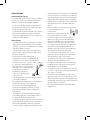
Optional tamper-proof battery
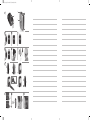
door See figure 9
To prevent the user from accidentally opening the
battery door and exposing the battery, an optional
tamper-proof battery door is available. This is
particularly useful for children. The tamper-proof
battery door should only be locked and unlocked
using the specially designed tool included in the
tamper-proof battery door kit to avoid accidental
damage to the door. Contact your hearing care
professional for tamper-proof battery doors.
To use the tamper-proof battery door:
1. Make sure the screw slot is positioned vertically.
2. A
ttach the battery door and slide it to its closed
position.
3. T urn the screw a quarter-turn clockwise to lock
the battery door in the horizontal position.
4. To unlock the battery door, turn the screw a
quarter-turn anti-clockwise to vertical. The
battery door can now be removed.
Caution: Batteries can be harmful if
swallowed. Be sure to keep your batteries
out of reach of small children, those with
mental challenges, and household pets. In the
event a battery is accidentally swallowed, seek
immediate medical attention at the nearest
emergency center.
General processor care
Your Baha sound processor is a delicate electrical
instrument. Follow these guidelines to maintain
its proper working order:
•• If you will not be using your sound processor for
any length of time, remove the battery door to
let the sound processor ventilate.
•• If you will not be using the sound processor for a
long period, remove the battery.
•• When not in use, turn off your sound processor
and store it free from dust and dirt.
•• During physical activities, secure your sound
processor using the safety line. If the physical
activity involves contact, Cochlear recommends
removing your sound processor and protecting
the implant site with a sweat band or similar.
•• Remove your sound processor before applying
hair spray, gel or using hair dye.
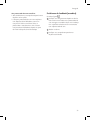
Using Share the Experience
See figure 10
Family members and friends can “share the
experience” of bone conduction hearing. The test
rod is used by others to simulate hearing with the
Baha sound processor.
To use the test rod:
1
S nap the sound processor onto the test rod
using the tilt technique. Hold the rod against
the skull bone behind an ear. Plug both ears
and introduce sound.
2
T o avoid feedback (whistling), the sound
processor should not touch anything other
than the test rod.
7