1
English
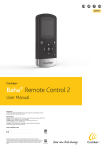
Using your sound processor
The sound processor is equipped with buttons for
turning the sound processor on or off, selecting
different listening programs, adjusting the volume
level, and enabling wireless audio streaming. Audio
indicators can be activated to alert you to the
different settings and processor status.
Your sound processor is programmed to be used
specifically on either the right or left side of your
head. Your audiologist has marked your processor
for left or right side usage.
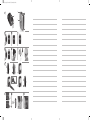
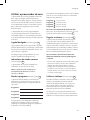
On/off See figure 2
Turn on your sound processor by pressing and
releasing either outer button. To turn off your
sound processor, press and hold the volume down
button for 2 seconds.
When your sound processor is turned off and
then back on, it will return to the default setting
(program one).
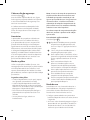
Audible status indicators See figure 3
Your sound processor is equipped with audible
indicators (beeps).
Note: Your hearing care professional can disable
the beeps if you prefer.
Changing the program See figure 4
Your hearing care professional has, after
discussions with you, selected up to four programs
for your Baha sound processor:
Program 1:
Program 2:
Program 3:
Program 4:
To switch programs, press and release the middle
button. Audio signals let you know which program
you have switched to:
Program
Program
Program
Program
1
2
3
4
: 1 beep
: 2 beeps
: 3 beeps
: 4 beeps
To activate wireless audio streaming, press
and hold the middle button until an audio signal
confirmation is heard. See figure 4
Adjusting volume See figure 5
Your hearing care professional has set the volume
level for your sound processor. You can also
manually adjust the volume control using the outer
buttons. When the sound processor is placed on
the head the front button is volume up and the
rear button is volume down.
To control your listening comfort in different
listening environments, you can adjust the
volume:
•• Press and release the volume up button to
increase volume. Press and release the volume
down button to decrease volume.
•• A beep sounds each time a volume button
is pressed. When you reach the minimum or
maximum volume level, a long beep occurs.
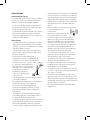
Using the telephone See figure 6
For best results when talking on the telephone,
place the receiver near the microphone inlet of the
sound processor instead of near your ear canal.
Make sure the receiver does not touch the sound
processor as feedback may result.
Alternatively the optional Cochlear Wireless Phone
Clip will allow you to stream phone calls and audio
from your mobile phone to your sound processor.
(These programs are suitable for different listening
environments. Ask your audiologist to fill in your
specific programs).
5