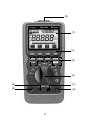
1
The LCD displays the 1ms and MIN indicators and + and EXIT indicators
in the on screen menu selection and the meter will display a captured
minimum value. Press the + menu key to capture a maximum value
again, if you want. The meter beeps when a new maximum or minimum
reading is updated. Press either the 1ms PEAK button or the EXIT
menu key in order to exit 1ms peak hold mode. Auto Power Off feature
will be disabled automatically in this mode.
REL ∆.
Use this button to set the meter to relative ( ∆) mode and make relative
measurements. The reference value for the ∆ measurement can be a
measured, or a programmed value. The reference value appears in the
secondary display and the difference value appears in the primary display.
< ∆ to a Measured Value >
When you take the measurement and the meter settles on the
measurement value, press this button.
For subsequent readouts, the settled reference value is subtracted from
the actual measurement.
< ∆ to a Programmed Value >
Set the meter to the measurement function and range you want and
then press the ∆ button. While the meter is in ∆ mode, press the min/
max button then the setup menu appears. Use the on screen menu
selection buttons to edit the desired reference value and press the menu
selection button 4 for EXIT.
To exit ∆ mode, press the ∆ button.
For subsequent readouts the programmed reference value is subtracted
from the actual measurement. The programmed reference value is lost
when the meter is turned off.
64