1
English 11
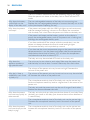
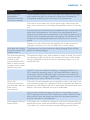
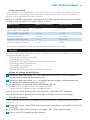
Dry materials
Material thickness
Loss of range
Metal grilles or bars
< 1cm /0.4in
90-100%
Metal or aluminium sheets
< 1cm/0.4in
100%
For wet and moist materials, the range loss may be up to 100%.
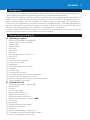
Features
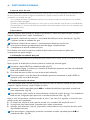
The following features are described in chapter ‘Menu options’, as they can only be operated in the
menu of the parent unit:
-- Adjusting microphone sensitivity
-- Sound alert on/off
-- Setting room temperature range (minimum and maximum temperature)
-- Temperature alert on/off
-- Vibration alert on/off
-- ECO mode on/off
-- Setting temperature scale (Fahrenheit or Celcius)
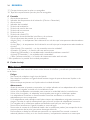
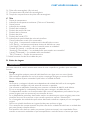
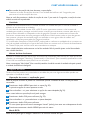
Adjusting loudspeaker volume
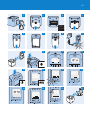
1 Press the volume + or – button on the baby unit until the desired loudspeaker volume for
the baby unit has been reached (Fig. 22).
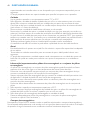
2 Press the volume + or – button on the parent unit until the desired loudspeaker volume for
the parent unit has been reached (Fig. 23).
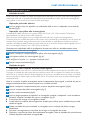
,, The displays give visual feedback on the volume settings of the units: (Fig. 24)
1 minimum volume (parent unit and baby unit)
2 maximum volume (parent unit and baby unit)
Note: If the volume is set to the lowest level, the display shows ‘OFF’.
Note: If the volume is set to a high level, the units consume more power.
Talk function
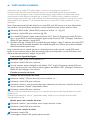
You can use the TALK button on the parent unit to talk to your baby (e.g. to comfort your baby).
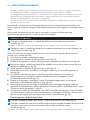
1 Press and hold the TALK button and talk clearly into the microphone from a distance of
15-30cm (Fig. 25).
,, The green LINK light starts flashing and the message ‘Talk’ appears on the display.
2 Release the TALK button when you have finished talking.
Sound level lights
The parent unit continuously monitors the sound level in your baby´s room and the sound level
lights let you know if there is any activity. If your baby cries, you see the sound level lights light up on
the parent unit.
-- As long as the baby unit does not detect a sound, all sound level lights on the parent unit are
out.
-- When the baby unit picks up a sound, one or more sound level lights on the parent unit go on.
The number of lights that go on is related to the loudness of the sound picked up by the baby
unit.
Nightlight
Note:You can also switch the nightlight on and off in the menu of the parent unit (see chapter ‘Menu
options’, section ‘Nightlight’).