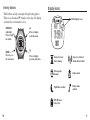
1
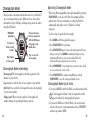
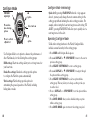
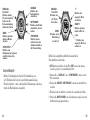
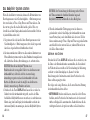
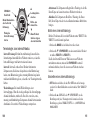
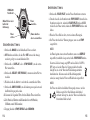
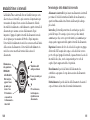
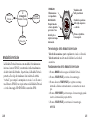
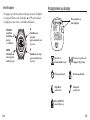
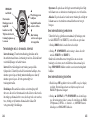
1. While in Finish Mode, press and hold the SET button until the word
SET briefly appears on the display, followed by a flashing value.
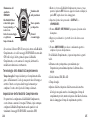
5. Press START/SPLIT to continue timing.
2. Set the first value by pressing + (DISPLAY) or – (STOP/RESET).
7. Press and hold STOP/RESET again to reset the display to zero.
3. Press SELECT (SET/FORMAT) to move to the next value to set.
4. Repeat steps 2 and 3 for all the values that need adjustment.
OR
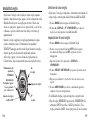
Viewing performance data in Finish Mode
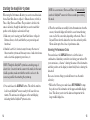
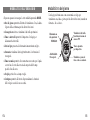
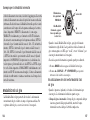
For Finish Mode, you can set the following values:
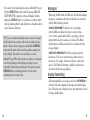
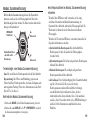
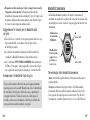
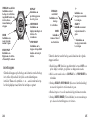
When using either the HR Sensor and/or the GPS-3D Sensor with
your Watch, scroll through performance data by pressing and
releasing DISPLAY. Performance data viewing options for Finish
Mode include:
➤ Pre-set
➤ Finish
5. Press DONE (MODE) to save your changes and complete the setting
process.
or custom event distance (for custom set the distance
(up to 999.99)
➤ Unit
(NM, KM, or MI)
➤ Target
time
➤ Alert
option (an audible alert will cause the Watch to both beep
and flash the predicted finish time and a silent alert will only
flash the predicted finish time)
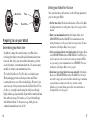
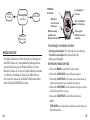
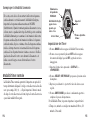
Operating Finish Mode
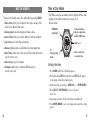
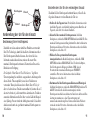
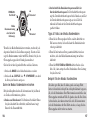
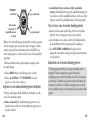
1. Press MODE until Finish Mode appears.
Time: The predicted finish time based on your current
speed and distance. The finish time will flash if your current
pace will not allow you to finish within your selected target time.
If you stop moving, the Watch display replaces the finish time
with the word STOPPED.
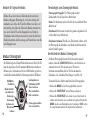
➤ Heart
Rate: Current heart rate
Current velocity, expressed in minutes per selected
distance unit, such as miles or kilometers
➤ Pace:
Pace: Average per-minute speed for the period that
chronograph has been running
➤ Average
2. Press START/SPLIT to begin timing.
➤ Speed:
3. Press START/SPLIT again to take a split and automatically begin
timing a new lap.
➤ Average
4. Press STOP/RESET to stop timing when you reach the end of your
activity.
➤ Distance:
62
Current velocity
Speed: Average velocity for the period that you run the
chronograph
Distance traveled while you run the chronograph
63