1
1. Introduction
This manual contains essential information for the
operation and care of the product you have purchased. Please read the instructions carefully and
completely before using the equipment. Please
keep this manual where it will be accessible at all
times to all current and future users.
Additional information, in particular concerning available accessories and Neumann service
partners, can always be found on our website:
www.neumann.com. Information about service
partners can also be obtained by telephone:
+49 (0) 30 / 41 77 24 - 0.
The following related files are available in PDF
format in the Downloads section of our website
www.neumann.com:
• Operation with Unbalanced or Center Tap
Grounded Inputs
• Some Remarks on Microphone Maintenance
The Neumann online forum on our website enables Neumann users worldwide to share their
experiences. Through its integrated archive function, the forum has developed into an extensive
knowledge pool.
2. Safety instructions
The microphone has the intended purpose of converting acoustic signals into electrical signals.
Connect the microphone only to microphone inputs and devices which supply 48 V of phantom
power in accordance with IEC 61938.
Repairs and servicing are to be carried out only
by experienced, authorized service personnel.
Unauthorized opening or modification of the
equipment shall void the warranty.
Use the equipment only under the conditions
specified in the “Technical data” section. Allow
the equipment to adjust to the ambient temperature before switching it on. Do not operate the
equipment if it has been damaged during transport.
Always run cables in such a way that there is no
risk of tripping over them.
Unless required for operation, ensure that liquids
and electrically conductive objects are kept at a
safe distance from the equipment and its connections.
Do not use solvents or aggressive cleansers for
cleaning purposes.
EN
Dispose of the equipment in accordance with the
regulations applicable to the respective country.
3. Brief description
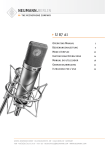
The U 89 i is a condenser studio microphone with
a transformer output and the directional characteristics omnidirectional, wide angle cardioid,
cardioid, hypercardioid and figure-8.
The microphone features exceptionally clean
sound transmission which is free of coloration.
A special feature of this large-diaphragm system
is its almost linear frequency response up to
10 kHz, throughout an incidence angle of 200°.
This permits neutral processing even of signals
originating from the side.
This feature is particularly important, for instance, when the characteristics of the room are
to be treated as an integral aspect of the overall
sound.
A switchable high-pass filter increases the lower
cutoff frequency, thus reducing the influence of
the proximity effect and structure-borne sound.
The pre-attenuation switch reduces the microphone sensitivity by 10 dB, thus allowing the processing of very high sound pressure levels.
Typical applications of this versatile microphone
include use as a spot microphone, as well as the
recording of winds, strings and piano.
Special mention should be made of the suitability
for recording live concerts, when it is important
to obtain an accurate representation of the spatial characteristics.
4. Scope of delivery
U 89 i (mt):
• U 89 i (mt) microphone
• Operating manual
• Wooden box
5. Setup
Mounting the microphone
Attach the microphone to a stable, sturdy stand.
Use an elastic suspension, if necessary, for the
mechanical suppression of structure-borne noise.
For this purpose set the microphone into the inner
cage from above, and secure it to the inner cage
with the threaded nut. If required, use a windscreen or popscreen from our range of accessories in order to suppress wind or pop noise.
Connecting the microphone
Caution:An incorrect supply voltage can damage the microphone!
Attach the microphone only to a power supply
unit, a microphone preamplifier, a mixing console or other equipment which has phantom power
with 48 V (P 48), in accordance with IEC 61938.
Any P 48 power supply equipment can be used
which supplies at least 0.8 mA per channel.
Caution: Very loud noise can damage loudspeakers or your hearing!
Minimize the volume of connected playback and
recording equipment before connecting the microphone.
Using a suitable cable, connect the microphone
to the microphone input of the audio equipment
to be used for subsequent processing, or to the
designated P 48 power supply equipment. Information concerning connector assignment can be
found in the “Technical data” section.
Cable lengths of up to approximately 300 m between the microphone and the subsequent amplifier input have no effect on the frequency response of the microphone.
When connecting the cables, ensure that the connectors are locked correctly. Run the cables in
such a way that there is no risk of tripping over
them.
The microphone is to be addressed primarily from
the side on which the Neumann logo is located.
Gradually increase the volume of the connected
equipment.
“LIN” or “–6 dB” can be selected by means of a
switch on the back of the microphone.
Setting the high-pass filter
The high-pass filter can be set via a rotary switch
on the back of the microphone. A cutoff frequency
of 80 Hz or 160 Hz can be selected. The filter can
be used to suppress low-frequency interference
or to compensate for the proximity effect.
When the “LIN” setting is used, a steep high-pass
prevents the output transformer from being overloaded by interference below the audio range.
Suppressing noise interference
The frequency response of the U 89 i extends
below 20 Hz. The microphone is of course correspondingly sensitive to low-frequency interference such as structure-borne noise and wind or
pop noise. Depending upon the situation, the use
of an elastic suspension, a windscreen and/or a
popscreen is therefore recommended.
Setting the pre-attenuation
The switchable pre-attenuation increases the
maximum signal level in order to avoid overloading when transmitting signals at extremely high
sound pressure levels.
Sound test
Simply speak into the microphone. Do not blow
into the microphone or subject it to pop noise,
since this can easily result in hazardous sound
pressure levels.
6. Shutdown and storage
Set the gain of the connected equipment so that
no distortion occurs at the highest sound pressure level.
Before switching off the microphone or disconnecting the cables, reduce the volume of connected equipment.
Selecting the directional characteristic
There are five selectable directional characteristics, which allow the microphone to be adapted to
individual recording situations: omnidirectional,
wide-angle cardioid, cardioid, hypercardioid and
figure-8. The rotary switch for the directional
characteristics is located on the front of the microphone, below the headgrille.
Only then should the phantom power be switched
off.
When the directional characteristic is changed,
an increased noise level may occur for a period of
approximately 30 seconds.
This does not indicate a malfunction, but arises
due to the electrical recharging of the microphone
capsule to the appropriate bias. As a precaution,
reduce the signal level of connected equipment
when changing the directional characteristic.
Disconnect the cables.
When disconnecting a cable, always pull only on
the connector and not on the cable itself.
Microphones which are not in use should not be
allowed to remain on the stand gathering dust. A
microphone which is unused for a prolonged period should be stored under normal atmospheric
conditions, and should be protected from dust.
For this purpose, use a lint-free, air-permeable
dust cover or the original packaging of the microphone.
EN