1
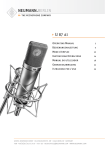
U 47 fet i
Bedienungsanleitung
2
Operating Manual
8
georg neumann gmbh · ollenhauerstr. 98 · 13403 berlin · germany
tel +49 (0)30 / 41 77 24-0 · fax -50 · [email protected] · www.neumann.com
1. Einleitung
In dieser Anleitung finden Sie alle
wichtigen Informationen für den Betrieb und die Pflege des von Ihnen erworbenen Produktes. Lesen Sie diese
Anleitung sorgfältig und vollständig,
bevor Sie das Gerät benutzen. Bewahren Sie sie so auf, dass sie für alle momentanen und späteren Nutzer jederzeit zugänglich ist.
Weitergehende Informationen, insbesondere auch zu den verfügbaren
Zubehörteilen und den Neumann-Servicepartnern, finden Sie jederzeit auf
unserer Website www.neumann.com.
Die Servicepartner können Sie auch telefonisch unter +49 (0) 30 / 41 77 24 - 0
erfragen.
Auf unserer Website www.neumann.
com finden Sie in der Rubrik Downloads ergänzend folgende PDF-Dateien:
• Hinweise zur Pflege des Mikrofons
Zum weltweiten Erfahrungsaustausch
unter Neumann-Anwendern bieten
wir auf unserer Website das Neumann
Online-Forum an, das sich durch die
integrierte Archivfunktion zu einem
umfangreichen Know-How-Pool entwickelt hat.
DE
2
2. Sicherheitshinweise
Der bestimmungsgemäße Gebrauch
dieses Mikrofons ist die Wandlung
akustischer in elektrische Signale.
Schließen Sie das Mikrofon nur an
Mikrofoneingänge und Speisegeräte
an, die eine 48 V-Phantomspeisung
nach IEC 61938 liefern.
Reparatur- und Servicearbeiten dürfen
nur von erfahrenem und autorisiertem
Fachpersonal durchgeführt werden.
Wenn Sie das Gerät eigenmächtig öffnen oder umbauen, erlischt die Gewährleistung.
Verwenden Sie das Gerät nur unter
den in den technischen Daten angegebenen Betriebsbedingungen.
Lassen Sie das Gerät auf Raumtemperatur akklimatisieren, bevor Sie es
einschalten.
Nehmen Sie das Gerät nicht in Betrieb,
wenn es beim Transport beschädigt
wurde.
Verlegen Sie Kabel stets so, dass niemand darüber stolpern kann.
Halten Sie Flüssigkeiten und elektrisch
leitfähige Gegenstände, die nicht betriebsbedingt notwendig sind, vom
Gerät und dessen Anschlüssen fern.
Verwenden Sie zum Reinigen keine
Lösungsmittel oder aggressiven Reinigungsmittel.
Entsorgen Sie das Gerät nach den Bestimmungen Ihres Landes.
3. Kurzbeschreibung und
Bedienung
Das U 47 fet ist ein Kondensator-Studiomikrofon mit der Richtcharakteristik
Niere und Schaltungstechnik der Serie fet80. Es zeichnet sich aus durch
höchste Aussteuerbarkeit sowie saubere und verfärbungsfreie Klangübertragung.
Der elektroakustische Wandler des
U 47 fet ist eine Doppelgroßmembrankapsel. Diese hat im Bereich
oberhalb 2 kHz eine leichte Präsenzanhebung. Ein schaltbares Hochpassfilter hebt die untere elektrische
Grenzfrequenz von 40 Hz auf 140 Hz
an. Die zuschaltbare Dämpfung senkt
das Übertragungsmaß um 10 dB und
ermöglicht so die Verarbeitung sehr
hoher Schalldrücke.
Zur Vermeidung von Übersteuerungen
des folgenden Mikrofonverstärkers
kann das Ausgangssignal durch einen
Schalter an der Unterseite des Mikrofons um 6 dB abgesenkt werden.
Zur stabilen Ausrichtung ist das Mikrofon in einem Bügel schwenkbar
montiert. Der Stativanschluss des Bügels besitzt ein 5/8“-27-Gang Innengewinde mit einem Reduzierstück für
1/2“- und 3/8“-Gewinde. Seitlich am
Stativanschluss lässt sich das Mikrofonkabel abfangen, indem es mit der
Rändelmutter im Schlitz festgeklemmt
wird (bis 5 mm Kabeldurchmesser).
Besprechen Sie das Mikrofon von der
Seite aus, auf der sich das NeumannLogo befindet.
4. Lieferumfang
U 47 fet i:
• Mikrofon U 47 fet i
• Holzetui
• Bedienungsanleitung
5. Inbetriebnahme
Mikrofon einrichten
Befestigen Sie das Mikrofon auf einem
ausreichend stabilen und standfesten
Stativ. Zur Dämpfung von Wind- oder
Popgeräuschen verwenden Sie bei Bedarf einen Wind- oder Popschutz aus
unserem Zubehörprogramm.
Mikrofon anschließen
Vorsicht: Eine falsche Versorgungsspannung kann das Mikrofon
beschädigen!
Schließen Sie das Mikrofon ausschließlich an ein Netzgerät, einen
Mikrofon-Vorverstärker, ein Mischpult
o.Ä. mit 48 V-Phantomspeisung nach
IEC 61938 an. Sie können alle P48Speisegeräte verwenden, die mindestens 0,5 mA je Kanal abgeben.
Vorsicht: Sehr laute Geräusche
können Ihr Gehör oder Ihre Lautsprecher schädigen!
Minimieren Sie an den angeschlossenen Wiedergabe- und Aufnahmegeräten die Lautstärke, bevor Sie das
Mikrofon anschließen.
Verbinden Sie das Mikrofon über ein
geeignetes Kabel mit dem Mikrofoneingang Ihres weiterverarbeiten3
DE
D
den Audiogerätes bzw. mit dem vorgesehenen P48-Speisegerät. Hinweise
zur Anschlussbelegung finden Sie im
Kapitel Technische Daten.
Die höchste zulässige Kabellänge beträgt etwa 300 m. Bei größeren Kabellängen beeinflusst die Kabelkapazität
den Frequenzgang.
Achten Sie beim Anschließen von Kabeln auf die korrekte Verriegelung der
Steckverbinder. Verlegen Sie die Kabel
so, dass sie keine Stolpergefahr darstellen.
Besprechen Sie das Mikrofon von der
Seite aus, auf der sich das NeumannLogo befindet.
Erhöhen Sie an den weiterverarbeitenden Geräten schrittweise den Lautstärkepegel.
Stellen Sie die Vorverstärkung (Gain)
Ihres weiterverarbeitenden Gerätes
so ein, dass bei höchstem Pegel keine
Verzerrungen auftreten.
Störschallunterdrückung
Die Kapsel ist zum Schutz gegen Körperschallübertragung elastisch gelagert. Der Verstärker des U 47 fet kann
auch extrem niederfrequente Signale
unverfälscht übertragen. Daher empfiehlt sich bei Auftreten von tieffrequenten Störungen wie Körperschall
oder Pop- und Windgeräuschen die
Verwendung des Hochpassfilters,
eines Windschutzes oder eines Popschirmes.
DE
4
Hochpass einstellen
Mit einem Schalter auf der Rückseite
des Mikrofons aktivieren Sie ein Hochpassfilter. Dieses dämpft unerwünschte tiefe Frequenzen (Trittschall, Windgeräusche) und dient der Kompensation des Nahbesprechungseffektes.
Tontest
Sprechen Sie das Mikrofon einfach nur
an. Anpusten oder „Anploppen“ führt
zu sehr hohen Schalldruckpegeln.
6. Außerbetriebnahme und
Aufbewahrung
Verringern Sie vor der Außerbetriebnahme und dem Abziehen von Kabeln
den Lautstärkepegel Ihres weiterverarbeitenden Gerätes.
Schalten Sie erst dann die Phantomspeisung aus.
Trennen Sie die Kabelverbindungen.
Ziehen Sie beim Lösen von Kabeln
stets nur an den Steckverbindern und
nicht am Kabel.
Mikrofone, die nicht im Einsatz sind,
sollte man nicht auf dem Stativ einstauben lassen. Wird ein Mikrofon längere Zeit nicht verwendet, sollte es bei
normalem Umgebungsklima staubgeschützt aufbewahrt werden. Verwenden Sie hierfür einen nicht fusselnden,
luftdurchlässigen Staubschutzbeutel
oder die Originalverpackung des Mikrofons.
7. Technische Daten und
Anschlussbelegungen
Zulässige klimatische Verhältnisse:1)
Betriebstemperaturbereich ........................... 0 °C … +70 °C
Lagerungstemperaturbereich ........................–20 °C … +70 °C
Feuchtebereich
...........0 %…90 % rel. hum. bei +20 °C
.......... 0 %…85 % rel. hum. bei +60 °C
94 dB SPL entspr. 1 Pa = 10 μbar
0 dB entspr. 20 μPa
Das Mikrofon hat einen übertragersymmetrischen erdfreien Ausgang.
Der 3-polige XLR-Steckverbinder weist
folgende normgerechte Belegung auf:
Pin 1: 0 V/Masse
Pin 2: Modulation (+Phase)
Pin 3: Modulation (–Phase)
Akust.
Arbeitsweise ........... Druckgradientenempfänger
Richtcharakteristik ......................Niere
Übertragungsbereich ......................... 40 Hz...16 kHz
Feldübertragungsfaktor2) ....................................8 mV/Pa
= –42 dBV ± 1 dB
Nennimpedanz...................... 150 Ohm
Nennlastimpedanz .............1000 Ohm
Geräuschpegelabstand3),
CCIR4) .......................................... 69 dB
Geräuschpegelabstand3),
A-bewertet4) ................................ 76 dB
Ersatzgeräuschpegel, CCIR4) ...... 25 dB
Ersatzgeräuschpegel,
A-bewertet4) .............................18 dB-A
Grenzschalldruckpegel5)
k < 0,5 % Klirrfaktor.................. 137 dB
mit Vordämpfung ...................... 147 dB
Max. Ausgangsspannung
für k < 0,5 % ...........................–3,3 dBu
Stromversorgung6) .............. 48 V ± 4 V
Stromaufnahme6) ......................0,5 mA
Gewicht ....................................... 710 g
Abmessungen .............Ø 63 x 160 mm
1)
2)
3)
4)
5)
6)
Alle Werte für nicht-kondensierende Feuchtigkeit.
Die Werte gelten für saubere, gepflegte
Mikrofone bzw. Mikrofonkapseln. Schmutzablagerungen jeglicher Art auf Kapseln oder
Membranen können die genannten Werte
einschränken.
bei 1 kHz an 1 kOhm Nennlastimpedanz
bezogen auf 94 dB SPL
nach IEC 60268-1;
CCIR-Bewertung nach CCIR 468-3, QuasiSpitzenwert;
A-Bewertung nach IEC 61672-1, Effektivwert
Klirrfaktor des Mikrofonverstärkers bei
einer Eingangsspannung, die der von der
Kapsel beim entsprechenden Schalldruck
abgegebenen Spannung entspricht.
Phantomspeisung (P48, IEC 61938)
5
DE
8. Fehlercheckliste
▶ Mögliche Ursachen
Phantom-Speisespannung
am Mischpult oder am Speisegerät nicht eingeschaltet.
▶ Abhilfe
Überprüfen Sie die entsprechenden
Einstellungen auf dem Kanalzug.
Das Speisegerät ist nicht mit
dem Netzanschluss verbunden oder Batterie fehlt.
Überprüfen Sie Netzanschluss oder
Batterie des Speisegeräts.
Keine Signalübertragung
Das Mikrofon ist nicht mit
dem richtigen Eingang des
nachfolgenden Gerätes
verbunden.
Überprüfen Sie den Signalweg
Ton verzerrt
Falsch eingestellte Eingangsempfindlichkeit oder Vorverstärkung des nachfolgenden
Verstärkers.
Verringern Sie die Eingangsempfindlichkeit oder Vorverstärkung des
nachfolgenden Gerätes so, dass eine
ausreichende Aussteuerungsreserve
bleibt.
Schalten Sie ggf. den Ausgangspegel
auf –6 dB.
Windeinfluss
Benutzen Sie einen geeigneten Windschutz (Zubehör).
Schalten Sie ggf. das Hochpassfilter ein.
Plosivlaute
Benutzen Sie einen geeigneten Popschutz (Zubehör).
Schalten Sie ggf. das Hochpassfilter ein.
Körperschallübertragung
Benutzen Sie eine geeignete elastische Aufhängung (Zubehör).
Schalten Sie ggf. das Hochpassfilter ein.
Sehr hoher Schalldruckpegel
Schalten Sie die Vordämpfung auf
–10 dB.
Richtcharakteristik nicht
beachtet
Prüfen Sie, ob das Mikrofon von der
richtigen Seite angesprochen wird.
Orientieren Sie sich am NeumannLogo.
Fehler
Keine
Funktion
Ton
klingt dumpf,
räumlich
DE
6
Aktivieren Sie ggf. den Eingang auf
dem zugeordneten Kanalzug des
Mischpults.
9. Ausgewähltes Zubehör*
(Fotos im Anhang)
Anschlusskabel
IC 3 mt..........sw.......Best.-Nr. 006543
Netzgerät
N 248 ...........sw.......Best.-Nr. 008537
Batteriespeisegerät
BS 48 i .........sw.......Best.-Nr. 006494
BS 48 i-2 ......sw.......Best.-Nr. 006496
Stativgelenke, weitere
mechanische Adapter
DS 120 ..........sw.......Best.-Nr. 007343
Tisch- und Fußbodenständer
MF 3 .............sw.......Best.-Nr. 007321
MF 4 .............sw.......Best.-Nr. 007337
MF 5 .............gr ........Best.-Nr. 008489
STV 4............sw.......Best.-Nr. 006190
STV 20 .........sw.......Best.-Nr. 006187
STV 40 .........sw.......Best.-Nr. 006188
STV 60 .........sw.......Best.-Nr. 006189
Popschutz
PS 15 ...........sw.......Best.-Nr. 008472
PS 20 a ........sw.......Best.-Nr. 008488
Schaumstoff windschutz
WS 47 ..........sw.......Best.-Nr. 006826
Bedeutung der Farbcodierungen:
ni = nickel, sw = schwarz, gr = grau
* Ausführliche Beschreibungen und weitere
Artikel finden Sie in unserem Zubehörkatalog oder unter www.neumann.com
7
DE
1. Introduction
This manual contains essential information for the operation and care
of the product you have purchased.
Please read the instructions carefully and completely before using the
equipment. Please keep this manual
where it will be accessible at all times
to all current and future users.
Additional information, in particular
concerning available accessories and
Neumann service partners, can always
be found on our website:
www.neumann.com.
Information about service partners
can also be obtained by telephone:
+49 (0) 30 / 41 77 24 - 0.
The following related files are available in PDF format in the Downloads
section of our website www.neumann.
com:
• Some Remarks on Microphone Maintenance
The Neumann online forum on our
website enables Neumann users
worldwide to share their experiences.
Through its integrated archive function, the forum has developed into an
extensive knowledge pool.
EN
8
2. Safety instructions
The microphone has the intended purpose of converting acoustical signals
into electrical signals.
Connect the microphone only to microphone inputs and devices which
supply 48 V of phantom power in
accordance with IEC 61938.
Repairs and servicing are to be carried out only by experienced, authorized service personnel. Unauthorized
opening or modification of the equipment shall void the warranty.
Use the equipment only under the
conditions specified in the “Technical
data” section.
Allow the equipment to adjust to the
ambient temperature before switching
it on.
Do not operate the equipment if it has
been damaged during transport.
Always run cables in such a way that
there is no risk of tripping over them.
Ensure that liquids, and electrically
conductive objects that are not required for operation are kept at a safe
distance from the equipment and its
connections.
Do not use solvents or aggressive
cleansers for cleaning purposes.
Dispose of the equipment in accordance with the regulations applicable
to the respective country.
3. Brief description and operation
4. Equipment supplied
The U 47 fet is a condenser studio microphone with a cardioid directional
characteristic and fet 80 circuit technology. It features an extensive dynamic range, and clean sound transmission, free of coloration.
The electroacoustic transducer of the
U 47 fet is a large double-diaphragm
capsule. It has a mild presence boost
above 2 kHz. A switchable high-pass
filter increases the lower cutoff frequency from 40 Hz to 140 Hz.
The pre-attenuation switch reduces
the microphone sensitivity by 10 dB,
thus allowing the processing of very
high sound pressure levels. To avoid
saturation of the subsequent preamplifier the output signal may be reduced by 6 dB with a switch on the
underside of the microphone.
For stable positioning, the microphone is mounted in a swivel bracket.
The side bracket has a 5/8“-27 female
thread, plus a thread adapter to connect to 1/2“ and 3/8“ stands. The
microphone cable can be clamped
to the slot in the side bracket using
the knurled nut (max. cable diameter
5 mm).
Address the microphone from the side
on which the Neumann logo is located.
U 47 fet i:
• U 47 fet i microphone
• Wooden case
• Operating manual
5. Setup
Mounting the microphone
Attach the microphone to a stable,
sturdy stand. In order to suppress
wind or pop noise, use a windscreen
or popscreen from our range of accessories.
Connecting the microphone
Caution: An incorrect supply voltage
can damage the microphone!
Attach the microphone only to a
power supply unit, a microphone preamplifier, a mixing console or other
equipment which has phantom power
with 48 V (P48), in accordance with
IEC 61938. Any P48 power supply
equipment can be used which supplies
at least 0.5 mA per channel.
Caution: Very high signal levels
can damage loudspeakers and your
hearing!
Minimize the volume of connected
playback and recording equipment before connecting the microphone.
Using a suitable cable, connect the
microphone to the microphone input
of the audio equipment to be used for
subsequent processing, or to the designated P48 power supply equipment.
9
EN
Information concerning connector assignment can be found in the “Technical data” section.
The cable length should not exceed
300 m (980 ft.). The capacitance of
greater cable lengths could affect the
frequency response.
When connecting the cables, ensure
that the connectors are locked correctly. Run the cables in such a way that
there is no risk of tripping over them.
Address the microphone from the side
on which the Neumann logo is located.
Gradually increase the volume of the
connected equipment
Set the gain of the connected equipment so that no distortion occurs at
the highest sound pressure level.
Suppressing noise interference
The capsule is elastically mounted to
suppress structure-borne noise. The
amplifier of the U 47 fet can also transmit very low frequent signals without
any coloration. In the case of disturbances such as vibration, wind or pop
noises, the use of the high-pass filter,
a windshield or a pop shield is recommended.
Setting the high-pass filter
The high-pass filter is activated by
means of a switch on the back of the
microphone. It can be used to suppress low-frequency interference (e.g.
caused by impact sound or wind noise)
and to compensate for the proximity
effect.
EN
10
Sound test
Simply speak into the microphone. Do
not blow into the microphone or subject it to pop noise, since this can easily produce very high sound pressure
levels.
6. Shutdown and Storage
Before switching off the microphone or
disconnecting the cables, reduce the
volume of connected equipment.
Only then should the phantom power
be switched off.
Disconnect the cables.
When disconnecting a cable, always
pull only on the connector and not on
the cable itself.
Microphones which are not in use
should not be allowed to remain on the
stand gathering dust. A microphone
which is unused for a prolonged period should be stored under normal atmospheric conditions, and should be
protected from dust. For this purpose,
use a lint-free, air-permeable dust
cover or the original packaging of the
microphone.
7. Technical data and
connector assignments
Permissible atmospheric conditions1)
Operating
temperature range .........0 °C to +70 °C
Storage
temperature range .....–20 °C to +70 °C
Humidity range
..........................0 % to 90 % at +20 °C
.......................... 0 % … 85 % at +60 °C
94 dB SPL equiv. to 1 Pa = 10 μbar
0 dB equiv. to 20 μPa
The microphone has a transformerbalanced, floating output. The 3-pin
XLR connector has the following standardized pin assignments:
Pin 1: ................................. 0 V/Ground
Pin 2: .................. Modulation (+phase)
Pin 3: .................. Modulation (–phase)
Acoustical op.
principle.................. Pressure gradient
transducer
Directional pattern ................ Cardioid
Frequency range ........ 40 Hz to 16 kHz
Sensitivity2) ............................8 mV/Pa
= –42 dBV ± 1 dB
Rated impedance ................. 150 ohms
Rated load impedance...... 1000 ohms
Signal-to-noise ratio3),
CCIR4) ......................................... 69 dB
Signal-to-noise ratio3),
A-weighted4) ............................... 76 dB
Equivalent noise level,
CCIR4) ......................................... 25 dB
Equivalent noise level,
A-weighted4).............................18 dB-A
Max. SPL5)
for THD < 0.5 % ........................ 137 dB
with preattenuation ................ 147 dB
Max. output voltage
for THD > 0.5 % ......................–3.3 dBu
Power Supply6) .................... 48 V ± 4 V
Current consumption6) .............0.5 mA
Weight ......................................... 710 g
Dimensions .................Ø 63 x 160 mm
1)
2)
3)
4)
5)
6)
All values are for non-condensing humidity.
The values are valid for clean and welllooked-after microphones or microphone
capsules, respectively. Any kind of pollution of capsules and membranes may
restrict the said values.
at 1 kHz into 1 kohm rated load impedance.
re 94 dB SPL
according to IEC 60268-1;
CCIR-weighting acccording to CCIR 468-3,
quasi peak;
A-weighting according to IEC 61672-1, RMS
THD of microphone amplifier at an input
voltage equivalent to the capsule output at
the specified SPL.
according to IEC 61938
11
EN
8. Troubleshooting
▶ Possible causes
The phantom power supply
voltage is not switched on at
the mixing console or at the
power supply equipment.
▶ Solution
Check the corresponding channel
settings.
The power supply equipment
is not connected to the power
supply line or there is no
battery.
Check the connection to the power
supply line or check the battery of
the power supply equipment.
No signal
transmission
The microphone is not connected to the correct input of
the subsequent equipment.
Check the signal path.
Distorted
sound
Incorrect input sensitivity
or gain setting of the subsequent amplifier.
Decrease the input sensitivity or gain
of the subsequent amplifier so as to
provide sufficient headroom.
If necessary, activate the –6 dB
switch to attenuate the output signal.
Wind effects
Use an appropriate windscreen (accessory).
If necessary, activate the high-pass
filter switch.
Plosives
Use an appropriate popscreen (accessory).
If necessary, activate the high-pass
filter switch.
Transmission of structureborne noise
If necessary, activate the high-pass
filter switch.
Very high sound pressure
level
Activate the –10 dB pre-attenuation
switch.
Incorrect directional characteristic
Check to ensure that the microphone
is being addressed from the correct
side, as designated by the Neumann
logo.
Problem
Microphone
not operating
Sound is
muffled and
reverberant
12
If necessary, activate the input on
the corresponding channel of the
mixing console.
9. Selected Accessories*
(see photos in appendix)
Connecting Cables
IC 3 mt..........blk .......Cat. No. 006543
Power Supply
N 248 ...........blk .......Cat. No. 008537
Battery Supply
BS 48 i .........blk .......Cat. No. 006494
BS 48 i-2 ......blk .......Cat. No. 006496
Stand Mounts, Misc. Mechanical
Adapters
DS 120 ..........blk .......Cat. No. 007343
Table and Floor Stands
MF 3 ..............blk .......Cat. No. 007321
MF 4 ..............blk .......Cat. No. 007337
MF 5 ..............gry .......Cat. No. 008489
STV 4 ............blk .......Cat. No. 006190
STV 20 ..........blk .......Cat. No. 006187
STV 40..........blk .......Cat. No. 006188
STV 60 .........blk .......Cat. No. 006189
Popscreens
PS 15 ...........blk .......Cat. No. 008472
PS 20 a ........blk .......Cat. No. 008488
Foam Windscreens
WS 47 ...........blk .......Cat. No. 006826
Meaning of color codes:
ni = nickel, blk = black, gry = grey
* Detailed descriptions and additional articles can be found in our accessories catalog
or at: www.neumann.com
13
10.
Frequenz- und Polardiagramme
10.
Frequency responses and polar patterns
gemessen im freien Schallfeld nach IEC 60268-4
measured in free-field conditions (IEC 60268-4)
14
IC 3 mt
N 248
BS 48 i
BS 48 i-2
DS 120
MF 3
MF 4
MF 5
STV...
PS 15
PS 20 a
WS 47
15
Haftungsausschluss
Die Georg Neumann GmbH übernimmt keinerlei Haftung für Folgen eines unsachgemäßen Gebrauchs des Produkts, d.h. die
Folgen eines Gebrauchs, der von den in
der Bedienungsanleitung genannten technischen Voraussetzungen abweicht (z.B.
Bedienungsfehler, mechanische Beschädigungen, falsche Spannung, Abweichung
von empfohlenen Korrespondenzgeräten). Jegliche Haftung der Georg Neumann
GmbH für Schäden und Folgeschäden, die
dem Benutzer aufgrund eines solchen abweichenden Gebrauchs entstehen sollten,
wird ausgeschlossen. Ausgenommen von
diesem Haftungsausschluss sind Ansprüche aufgrund zwingender gesetzlicher Haftung, wie z.B. nach Produkthaftungsgesetz.
Limitation of Liability
Georg Neumann GmbH shall not be liable
for consequences of an inappropriate use
of the product not being in compliance
with the technical allowance in the user
manual such as handling errors, mechanical spoiling, false voltage and using other
than the recommended correspondence
devices. Any liability of Georg Neumann
GmbH for any damages including indirect, consequential, special, incidental
and punitive damages based on the user’s
non-compliance with the user manual or
unreasonable utilization of the product is
hereby excluded as to the extent permitted by law. This limitation of liability on
damages is not applicable for the liability
under European product liability codes or
for users in a state or country where such
damages cannot be limited.
Konformitätserklärung
Die Georg Neumann GmbH erklärt,
dass dieses Gerät die anwendbaren
CE-Normen und -Vorschriften erfüllt.
®
Neumann ist in zahlreichen Ländern
eine eingetragene Marke der Georg
Neumann GmbH.
Declaration of Conformity
Georg Neumann GmbH hereby declares that this device conforms to the
applicable CE standards and regulations.
®
Neumann is a registered trademark of
the Georg Neumann GmbH in certain
countries.
Irrtümer und technische Änderungen vorbehalten • Errors excepted, subject to changes
Printed in Germany • Publ. 04/14 552335