1
Menu Structure
5 Menu Structure 122
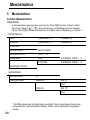
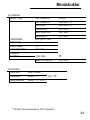
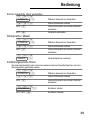
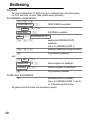
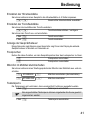
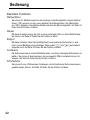
Telephone (base station)
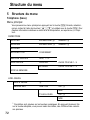
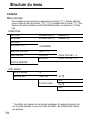
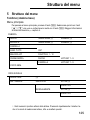
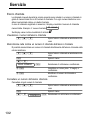
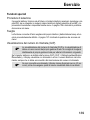
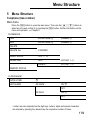
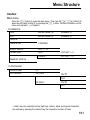
Main menu
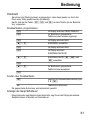
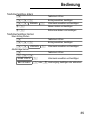
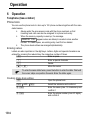
Press the m button to open the main menu. Then use the I / J buttons to
select an entry and confirm it by pressing the M button. Further information on the
menu and operation: Chapter 4.
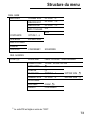
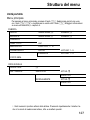
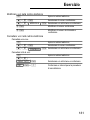
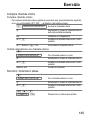
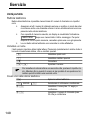
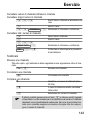
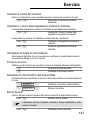
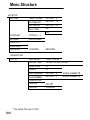
PHONEBOOK
ADD
ENTER NAME 1
NUMBER EDIT
ENTER NAME NUMBER DELETE
DELETE ALL
CONFIRM?
MUSIC GROUP
OFF, 1 − 12
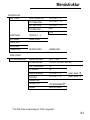
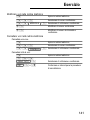
SPEED DIAL
ADD
HOT KEY 1 − 9
DELETE
HOT KEY 1 − 9
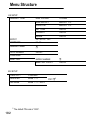
MEMORY STATUS
123
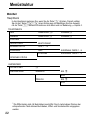
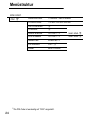
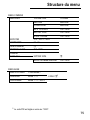
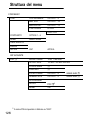
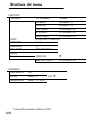
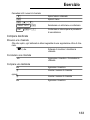
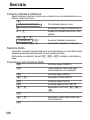
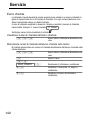
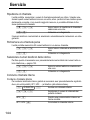
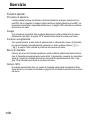
CLOCK/ALARM
DATE & TIME
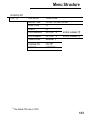
SET ALARM
ON ONCE
ON OFF
ON DAILY
ON OFF
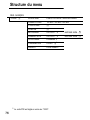
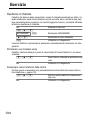
1 Letters are also imprinted on the digit keys. Letters, digits and special characters
are entered by pressing the relevant key the respective number of times.
179